WINDOWS BUTTON
KEYBOARD SHORTCUTS
Keyboard shortcuts
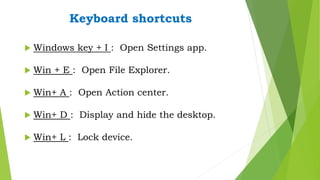
 Windows key + I : Open Settings app.
 Win + E : Open File Explorer.
 Win+ A : Open Action center.
 Win+ D : Display and hide the desktop.
 Win+ L : Lock device.
Keyboard shortcuts
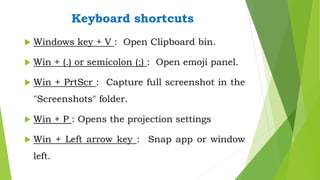
 Windows key + V : Open Clipboard bin.
 Win + (.) or semicolon (;) : Open emoji panel.
 Win + PrtScr : Capture full screenshot in the
"Screenshots" folder.
 Win + P : Opens the projection settings
 Win + Left arrow key : Snap app or window
left.
Keyboard shortcuts
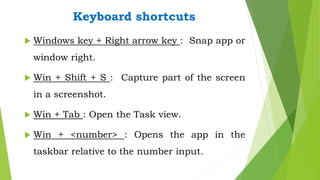
 Windows key + Right arrow key : Snap app or
window right.
 Win + Shift + S : Capture part of the screen
in a screenshot.
 Win + Tab : Open the Task view.
 Win + <number> : Opens the app in the
taskbar relative to the number input.
Keyboard shortcuts
 Windows Key + Control + D : Creates a virtual
desktop.
 Win + Control + Left Arrow : Switches to the
virtual desktop on the left.
 Win + Control + Right Arrow : Switches to the
virtual desktop on the right.
 Win + Control + F4 : Closes the active virtual
desktop

Windows key keyboard shortcuts

  • 1.
  • 2.
    Keyboard shortcuts  Windowskey + I : Open Settings app.  Win + E : Open File Explorer.  Win+ A : Open Action center.  Win+ D : Display and hide the desktop.  Win+ L : Lock device.
  • 3.
    Keyboard shortcuts  Windowskey + V : Open Clipboard bin.  Win + (.) or semicolon (;) : Open emoji panel.  Win + PrtScr : Capture full screenshot in the "Screenshots" folder.  Win + P : Opens the projection settings  Win + Left arrow key : Snap app or window left.
  • 4.
    Keyboard shortcuts  Windowskey + Right arrow key : Snap app or window right.  Win + Shift + S : Capture part of the screen in a screenshot.  Win + Tab : Open the Task view.  Win + <number> : Opens the app in the taskbar relative to the number input.
  • 5.
    Keyboard shortcuts  WindowsKey + Control + D : Creates a virtual desktop.  Win + Control + Left Arrow : Switches to the virtual desktop on the left.  Win + Control + Right Arrow : Switches to the virtual desktop on the right.  Win + Control + F4 : Closes the active virtual desktop