Software Theory 2 Diploma 5 14 August 2007 Alex Murch Marangu TC
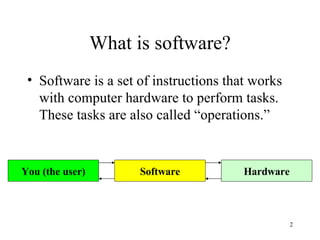
What is software? Software is a set of instructions that works with computer hardware to perform tasks. These tasks are also called “operations.” Hardware Software You (the user)
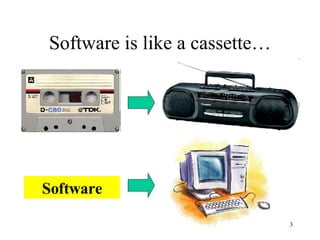
Software is like a cassette… Software
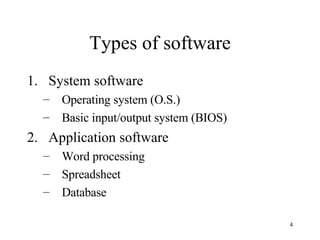
Types of software System software Operating system (O.S.) Basic input/output system (BIOS) Application software Word processing Spreadsheet Database
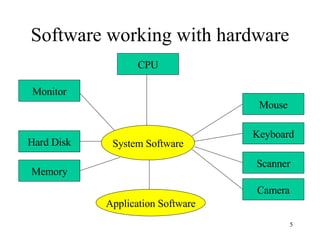
Software working with hardware System Software CPU Hard Disk Memory Monitor Mouse Keyboard Scanner Camera Application Software
Basic input/output system The software that tests hardware on startup, starts the operating system and supports the transfer of data among hardware devices Stored in read-only memory Almost invisible to regular users
Operating System The software that controls the allocation and usage of hardware resources such as memory, central processing unit (CPU) time, disk space and peripheral devices
O.S. Examples Microsoft Windows (95, 98, ME, 2000, XP) Linux UNIX Solaris*
Functions of the O.S. Coordinate processing Manage system memory Control peripheral devices (monitor, mouse, keyboard, etc) Looks for problems (malfunctions) Manages files on the hard disk drive
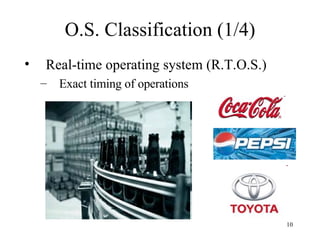
O.S. Classification (1/4) Real-time operating system (R.T.O.S.) Exact timing of operations
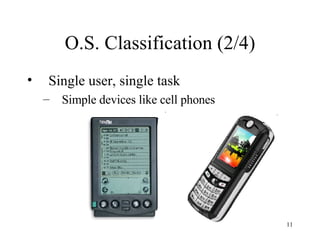
O.S. Classification (2/4) Single user, single task Simple devices like cell phones
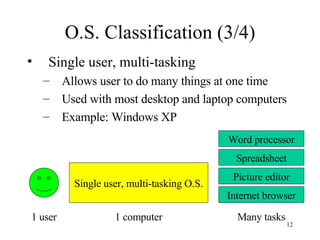
O.S. Classification (3/4) Single user, multi-tasking Allows user to do many things at one time Used with most desktop and laptop computers Example: Windows XP Single user, multi-tasking O.S. 1 user 1 computer Word processor Spreadsheet Picture editor Internet browser Many tasks
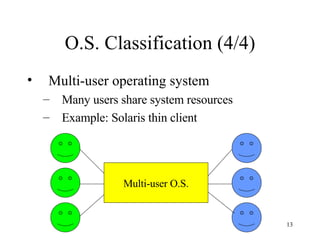
O.S. Classification (4/4) Multi-user operating system Many users share system resources Example: Solaris thin client Multi-user O.S.
Discussion What is the BEST kind of operating system?
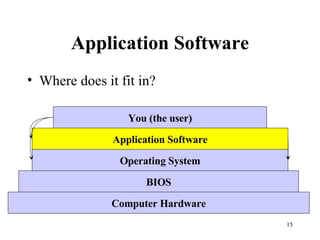
Application Software Where does it fit in? Computer Hardware BIOS Operating System Application Software You (the user)
Types of Application Software Word processor Spreadsheet Presentation Database Email client Web browser Desktop publishing Accounting Web development Graphics and imaging Programming Etc…
Word Processor Software Microsoft Word OpenOffice.org Writer* StarWriter Lotus Ami Pro Corel WordPerfect
Spreadsheet Software Microsoft Excel OpenOffice.org Calc* StarCalc Quattro Pro Lotus 1-2-3
Presentation Software Microsoft PowerPoint OpenOffice.org Impress* StarImpress KPresenter
Database Software Microsoft Access OpenOffice.org Base* MySQL Sybase Oracle FileMaker
Web Browser Software Mozilla Firefox Opera Netscape Navigator Safari Microsoft Internet Explorer
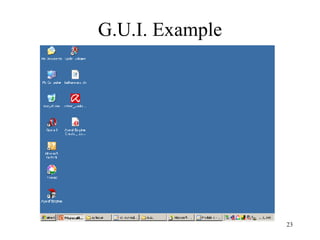
Graphical User Interface (G.U.I.) Most application software uses a G.U.I. Definition: A graphical user interface is a visual environment that represents programs, files and options with graphical images on the screen
G.U.I. Example
Advantages of G.U.I. Less work for the user User can simply point and click with the mouse Easier/faster to learn Hides program complexity from the user Simplifies multi-tasking Easy to perform multiple tasks at once
Disadvantages of G.U.I. Not all software functions are available Slower performance Text-based systems work faster
Free / Open Source Software What is it? Software that is freely available for use Design engineering is  transparent Not patented and not for profit Example OpenOffice.org Discussion: Why use open source software?
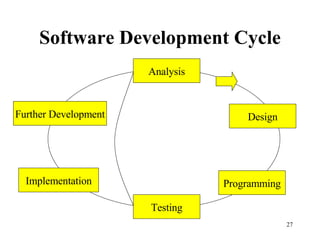
Software Development Cycle Analysis Design Programming Testing Implementation Further Development
Software  Analysis Software project outline Discussions with software users Work is performed by systems analysts
Software Design Project is broken down into smaller sections And even smaller sub-sections Detailed specifications are created Programming language is selected Work is performed by systems analysts
Programming Software design is programmed Specific programming language is used Work is performed by programmers
Testing Complete testing of all program functions Errors ( bugs ) are noted and reported back to Systems analysts who check program  logic Programmers who check  syntax
Implementation Software is installed for use Usually starts with group of advanced users Small group size Called a “pilot group” Errors are reported back to analysts and programmers
Further Development After software is released to a large group of users More error/bug fixing Design/efficiency improvements
Discussion How is the software development cycle like lesson planning? Compare open source software to lesson plans – are there advantages to sharing your work?

Software Theory Presentation

  • 1.
    Software Theory 2Diploma 5 14 August 2007 Alex Murch Marangu TC
  • 2.
    What is software?Software is a set of instructions that works with computer hardware to perform tasks. These tasks are also called “operations.” Hardware Software You (the user)
  • 3.
    Software is likea cassette… Software
  • 4.
    Types of softwareSystem software Operating system (O.S.) Basic input/output system (BIOS) Application software Word processing Spreadsheet Database
  • 5.
    Software working withhardware System Software CPU Hard Disk Memory Monitor Mouse Keyboard Scanner Camera Application Software
  • 6.
    Basic input/output systemThe software that tests hardware on startup, starts the operating system and supports the transfer of data among hardware devices Stored in read-only memory Almost invisible to regular users
  • 7.
    Operating System Thesoftware that controls the allocation and usage of hardware resources such as memory, central processing unit (CPU) time, disk space and peripheral devices
  • 8.
    O.S. Examples MicrosoftWindows (95, 98, ME, 2000, XP) Linux UNIX Solaris*
  • 9.
    Functions of theO.S. Coordinate processing Manage system memory Control peripheral devices (monitor, mouse, keyboard, etc) Looks for problems (malfunctions) Manages files on the hard disk drive
  • 10.
    O.S. Classification (1/4)Real-time operating system (R.T.O.S.) Exact timing of operations
  • 11.
    O.S. Classification (2/4)Single user, single task Simple devices like cell phones
  • 12.
    O.S. Classification (3/4)Single user, multi-tasking Allows user to do many things at one time Used with most desktop and laptop computers Example: Windows XP Single user, multi-tasking O.S. 1 user 1 computer Word processor Spreadsheet Picture editor Internet browser Many tasks
  • 13.
    O.S. Classification (4/4)Multi-user operating system Many users share system resources Example: Solaris thin client Multi-user O.S.
  • 14.
    Discussion What isthe BEST kind of operating system?
  • 15.
    Application Software Wheredoes it fit in? Computer Hardware BIOS Operating System Application Software You (the user)
  • 16.
    Types of ApplicationSoftware Word processor Spreadsheet Presentation Database Email client Web browser Desktop publishing Accounting Web development Graphics and imaging Programming Etc…
  • 17.
    Word Processor SoftwareMicrosoft Word OpenOffice.org Writer* StarWriter Lotus Ami Pro Corel WordPerfect
  • 18.
    Spreadsheet Software MicrosoftExcel OpenOffice.org Calc* StarCalc Quattro Pro Lotus 1-2-3
  • 19.
    Presentation Software MicrosoftPowerPoint OpenOffice.org Impress* StarImpress KPresenter
  • 20.
    Database Software MicrosoftAccess OpenOffice.org Base* MySQL Sybase Oracle FileMaker
  • 21.
    Web Browser SoftwareMozilla Firefox Opera Netscape Navigator Safari Microsoft Internet Explorer
  • 22.
    Graphical User Interface(G.U.I.) Most application software uses a G.U.I. Definition: A graphical user interface is a visual environment that represents programs, files and options with graphical images on the screen
  • 23.
  • 24.
    Advantages of G.U.I.Less work for the user User can simply point and click with the mouse Easier/faster to learn Hides program complexity from the user Simplifies multi-tasking Easy to perform multiple tasks at once
  • 25.
    Disadvantages of G.U.I.Not all software functions are available Slower performance Text-based systems work faster
  • 26.
    Free / OpenSource Software What is it? Software that is freely available for use Design engineering is transparent Not patented and not for profit Example OpenOffice.org Discussion: Why use open source software?
  • 27.
    Software Development CycleAnalysis Design Programming Testing Implementation Further Development
  • 28.
    Software AnalysisSoftware project outline Discussions with software users Work is performed by systems analysts
  • 29.
    Software Design Projectis broken down into smaller sections And even smaller sub-sections Detailed specifications are created Programming language is selected Work is performed by systems analysts
  • 30.
    Programming Software designis programmed Specific programming language is used Work is performed by programmers
  • 31.
    Testing Complete testingof all program functions Errors ( bugs ) are noted and reported back to Systems analysts who check program logic Programmers who check syntax
  • 32.
    Implementation Software isinstalled for use Usually starts with group of advanced users Small group size Called a “pilot group” Errors are reported back to analysts and programmers
  • 33.
    Further Development Aftersoftware is released to a large group of users More error/bug fixing Design/efficiency improvements
  • 34.
    Discussion How isthe software development cycle like lesson planning? Compare open source software to lesson plans – are there advantages to sharing your work?