
AUTHENTICATION
TOKENS
 Authentication tokens are used to prove one's
identity electronically .
sometimes a hardware token, security token, USB token,
cryptographic token, software token, virtual token etc.
• The token use a password to prove that the customer is
who they claim to be.
• The token acts like an electronic key to access
something.
• Some may store cryptographic keys,
1. digital signature
2. biometric data
3. fingerprint minutiaer.
Time-synchronized one-time passwords
Time-synchronized one-time passwords change constantly at a set time interval,
e.g. once per minute. To do this some sort of synchronization must exist between
the client's token and the authentication server.
Mathematical-algorithm-based one-time passwords
Another type of one-time password uses a complex mathematical algorithm,
such as a hash chain, to generate a series of one-time passwords from a secret
shared key. Each password is unguessable, even when previous passwords are
known.
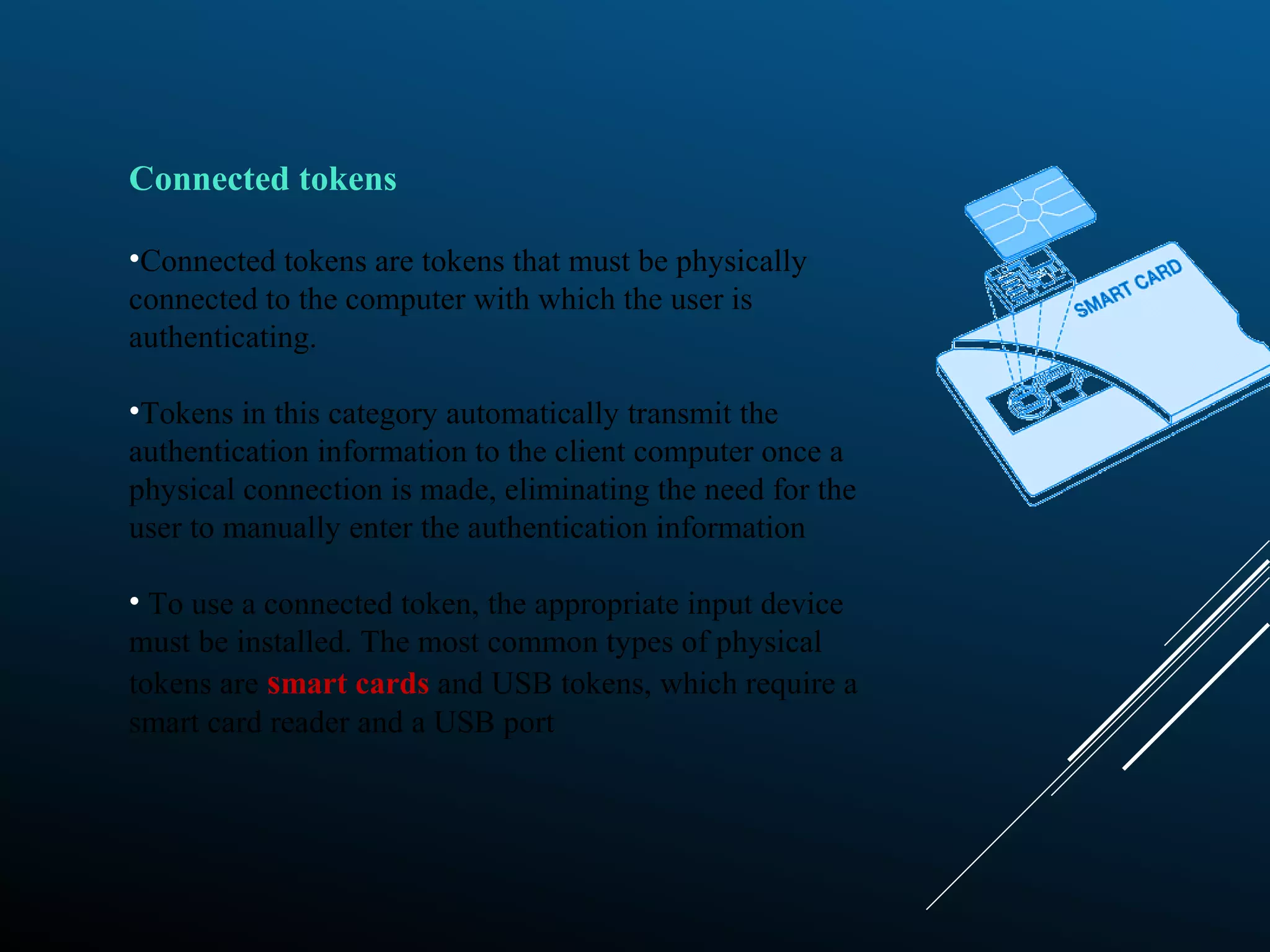
Connected tokens
•Connected tokens are tokens that must be physically
connected to the computer with which the user is
authenticating.
•Tokens in this category automatically transmit the
authentication information to the client computer once a
physical connection is made, eliminating the need for the
user to manually enter the authentication information
• To use a connected token, the appropriate input device
must be installed. The most common types of physical
tokens are smart cards and USB tokens, which require a
smart card reader and a USB port
• The number must be copied into the PASSCODE
field by hand.
• Disconnected tokens have neither a physical nor
logical connection to the client computer.
• They typically do not require a special input device,
and instead use a built-in screen to display the
generated authentication data, which the user enters
manually themselves via a keyboard or keypad.
DISCONNECTED TOKENS
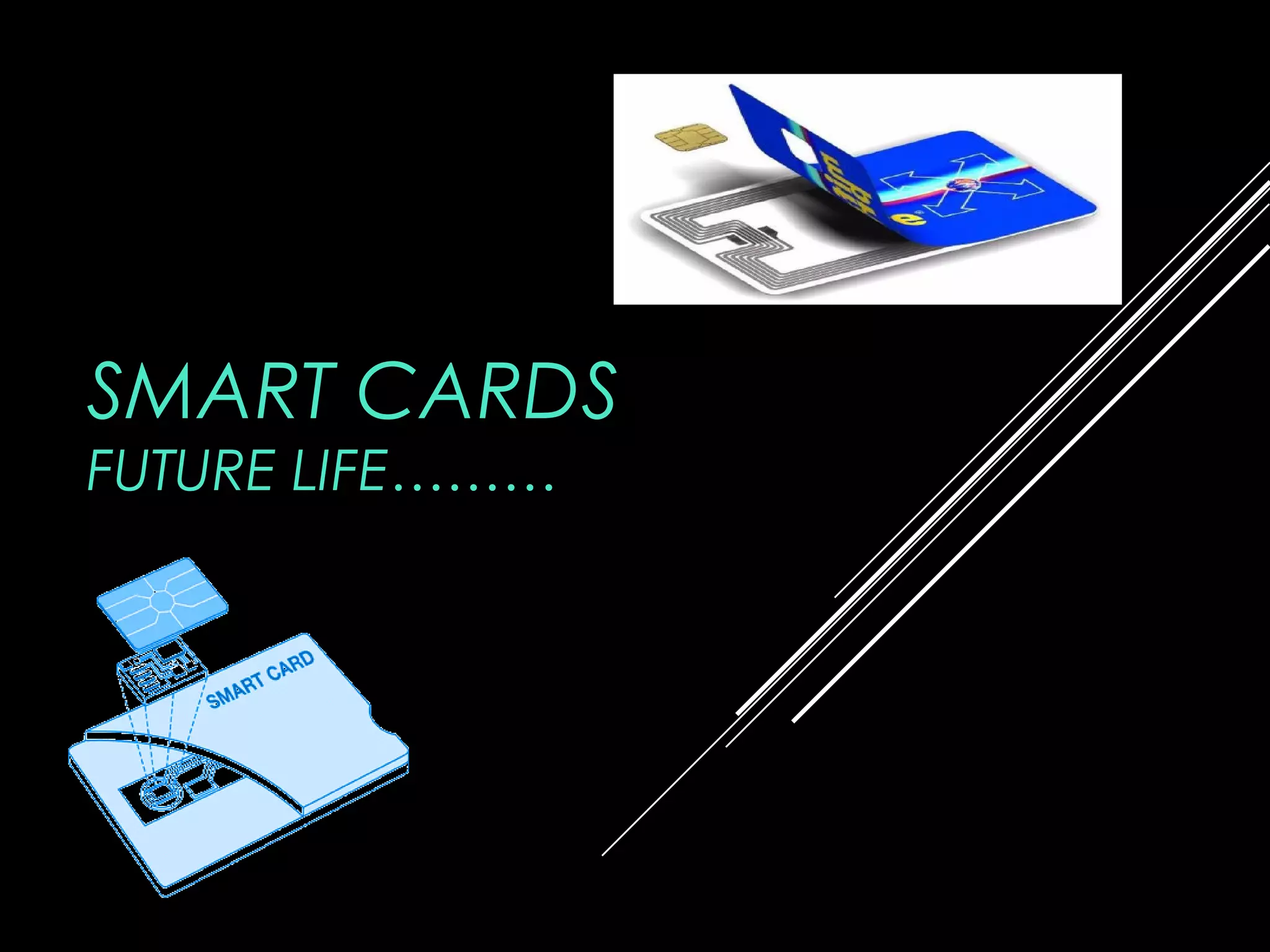
SMART CARDS
FUTURE LIFE………
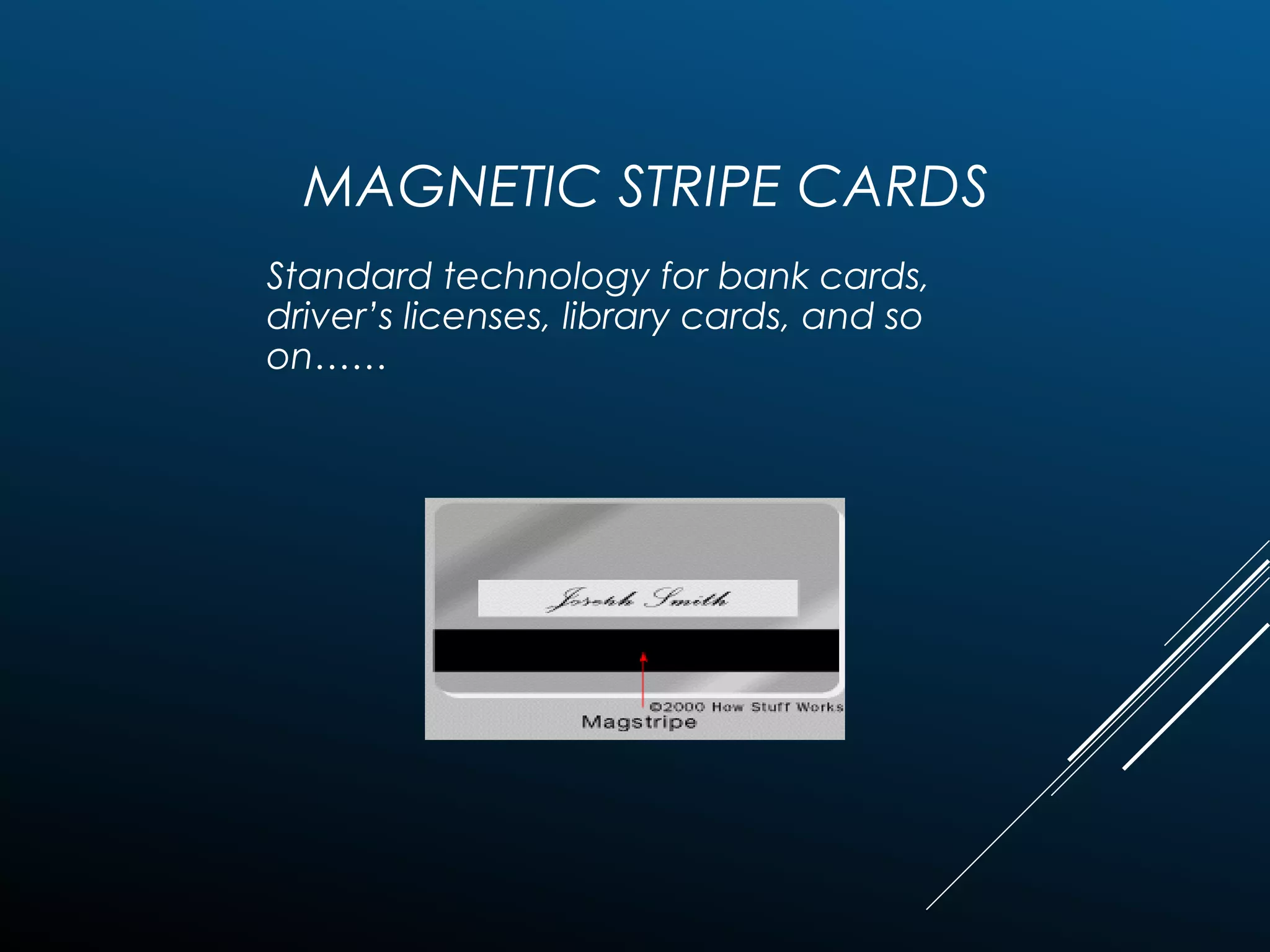
MAGNETIC STRIPE CARDS
Standard technology for bank cards,
driver’s licenses, library cards, and so
on……
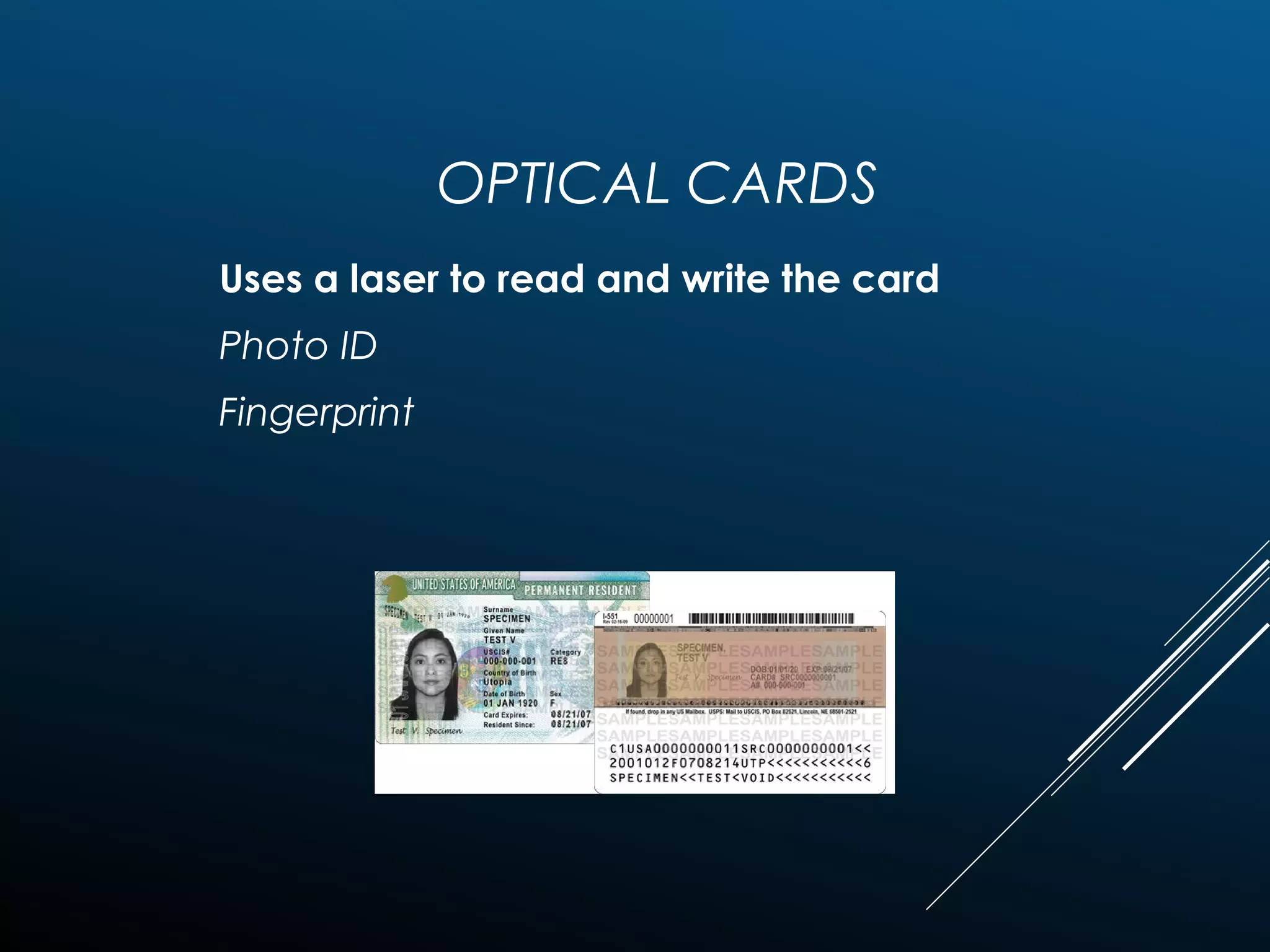
OPTICAL CARDS
Uses a laser to read and write the card
Photo ID
Fingerprint
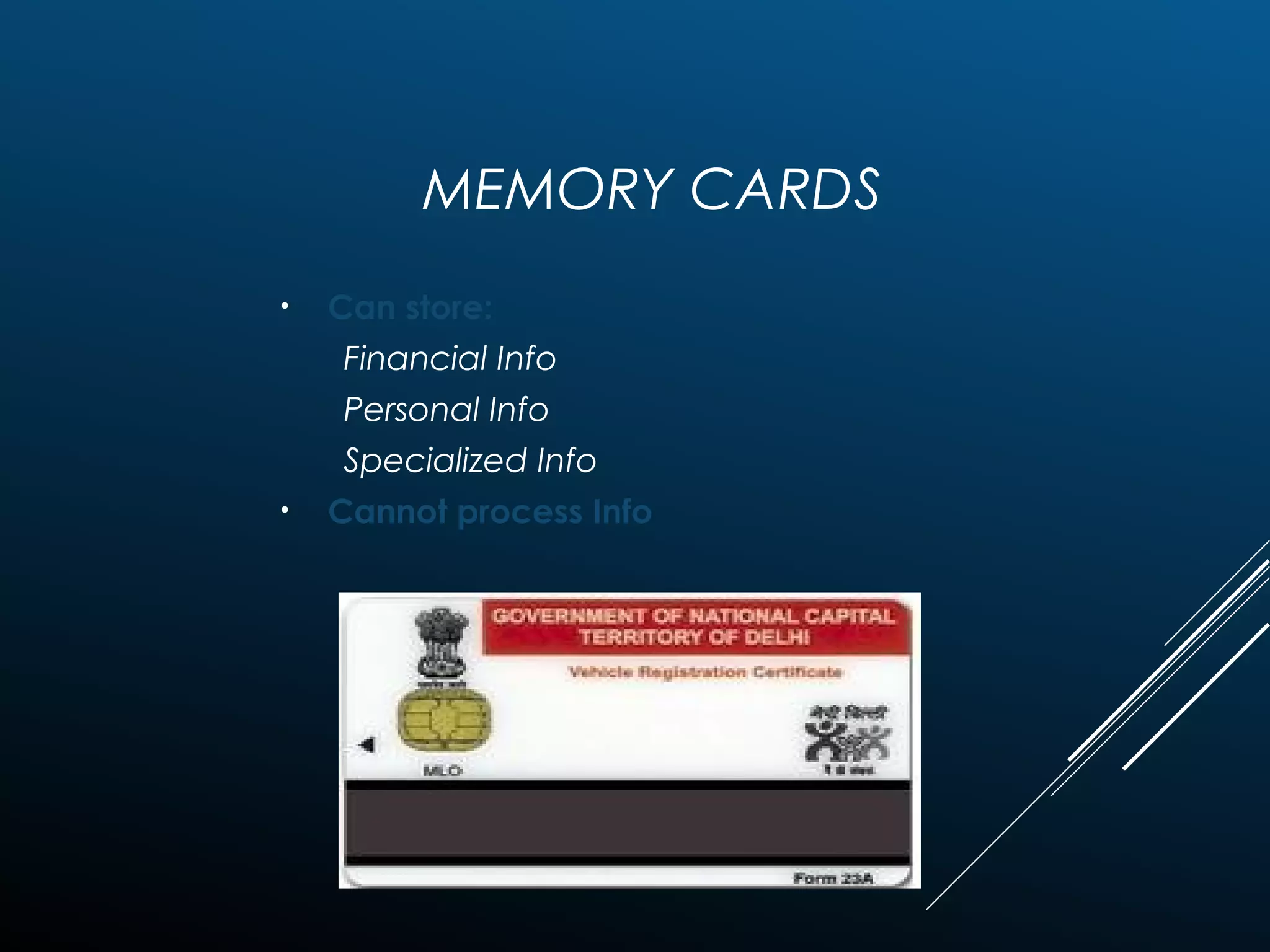
MEMORY CARDS
• Can store:
Financial Info
Personal Info
Specialized Info
• Cannot process Info
ITECH 7215 Information Security
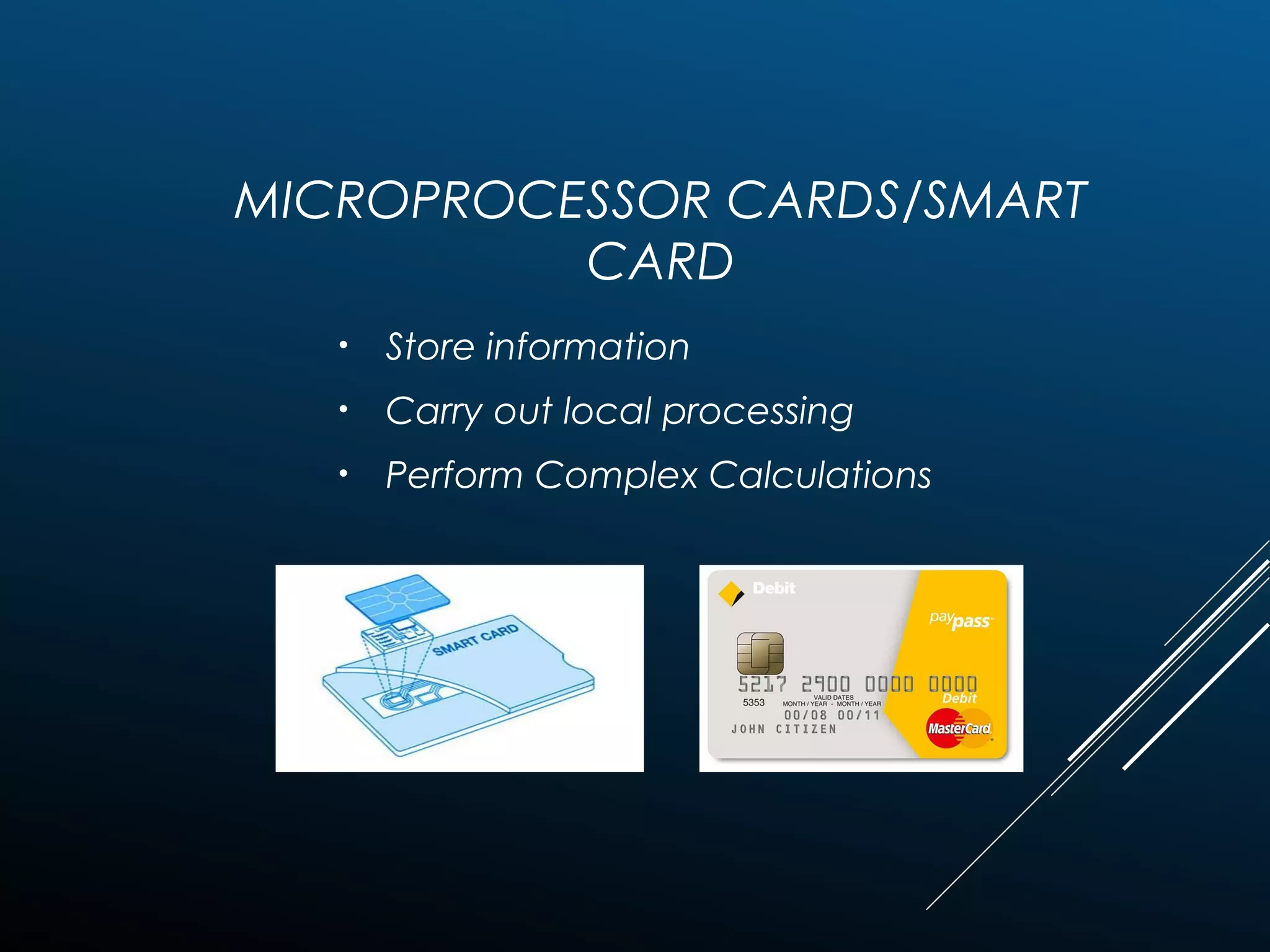
MICROPROCESSOR CARDS/SMART
CARD
• Store information
• Carry out local processing
• Perform Complex Calculations
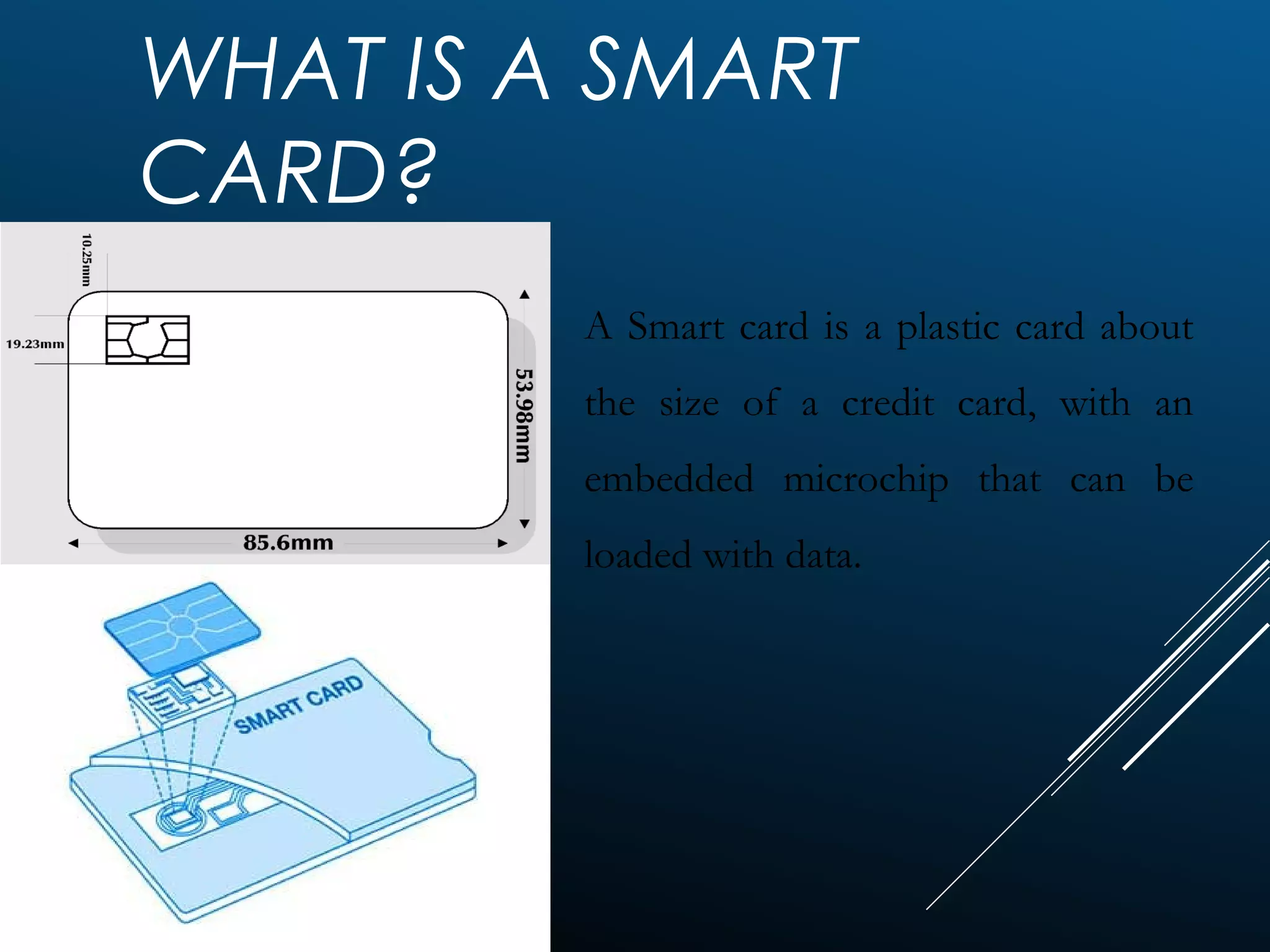
WHAT IS A SMART
CARD?
A Smart card is a plastic card about
the size of a credit card, with an
embedded microchip that can be
loaded with data.
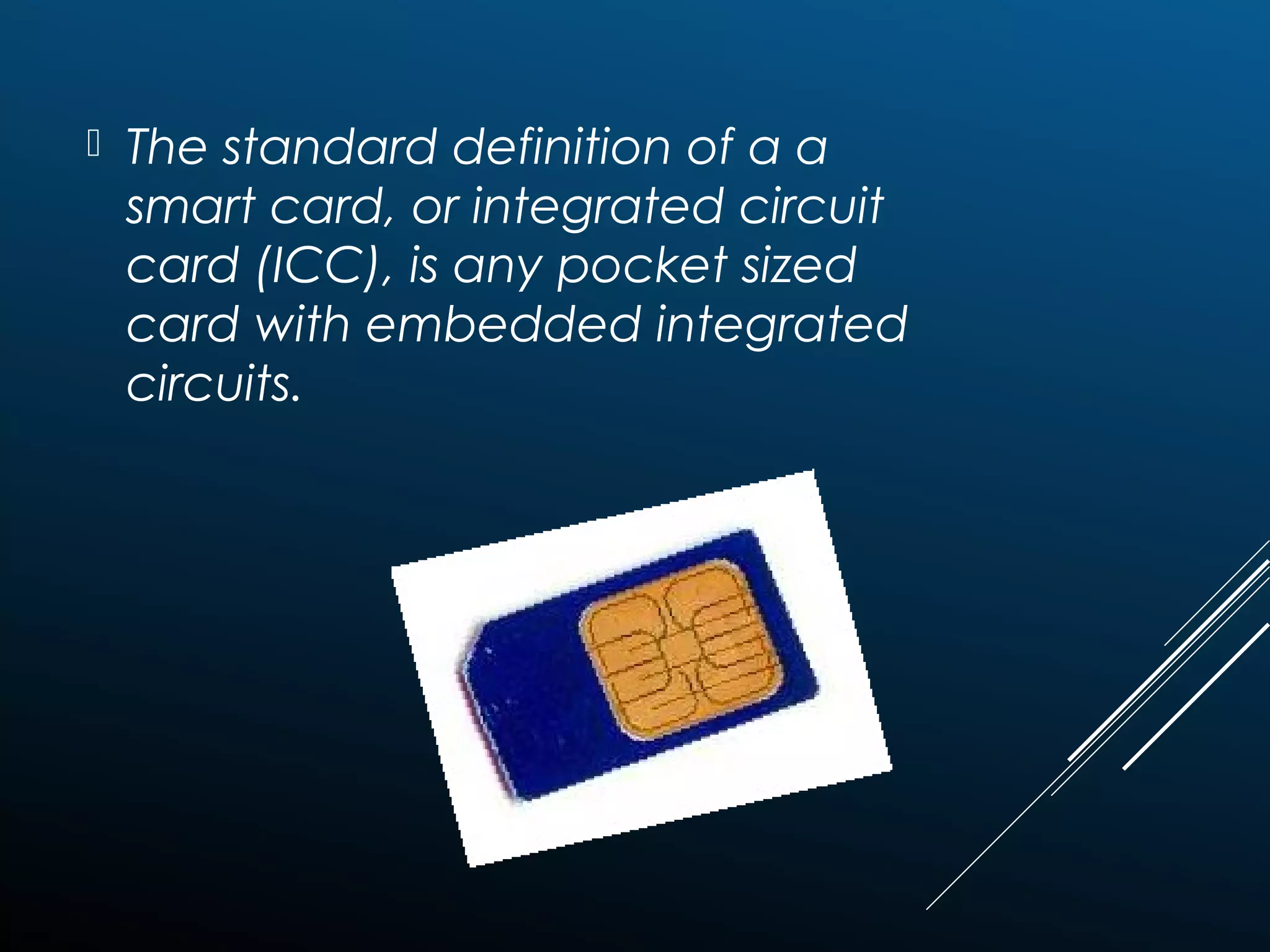
 The standard definition of a a
smart card, or integrated circuit
card (ICC), is any pocket sized
card with embedded integrated
circuits.
CONTACT SMART CARDS
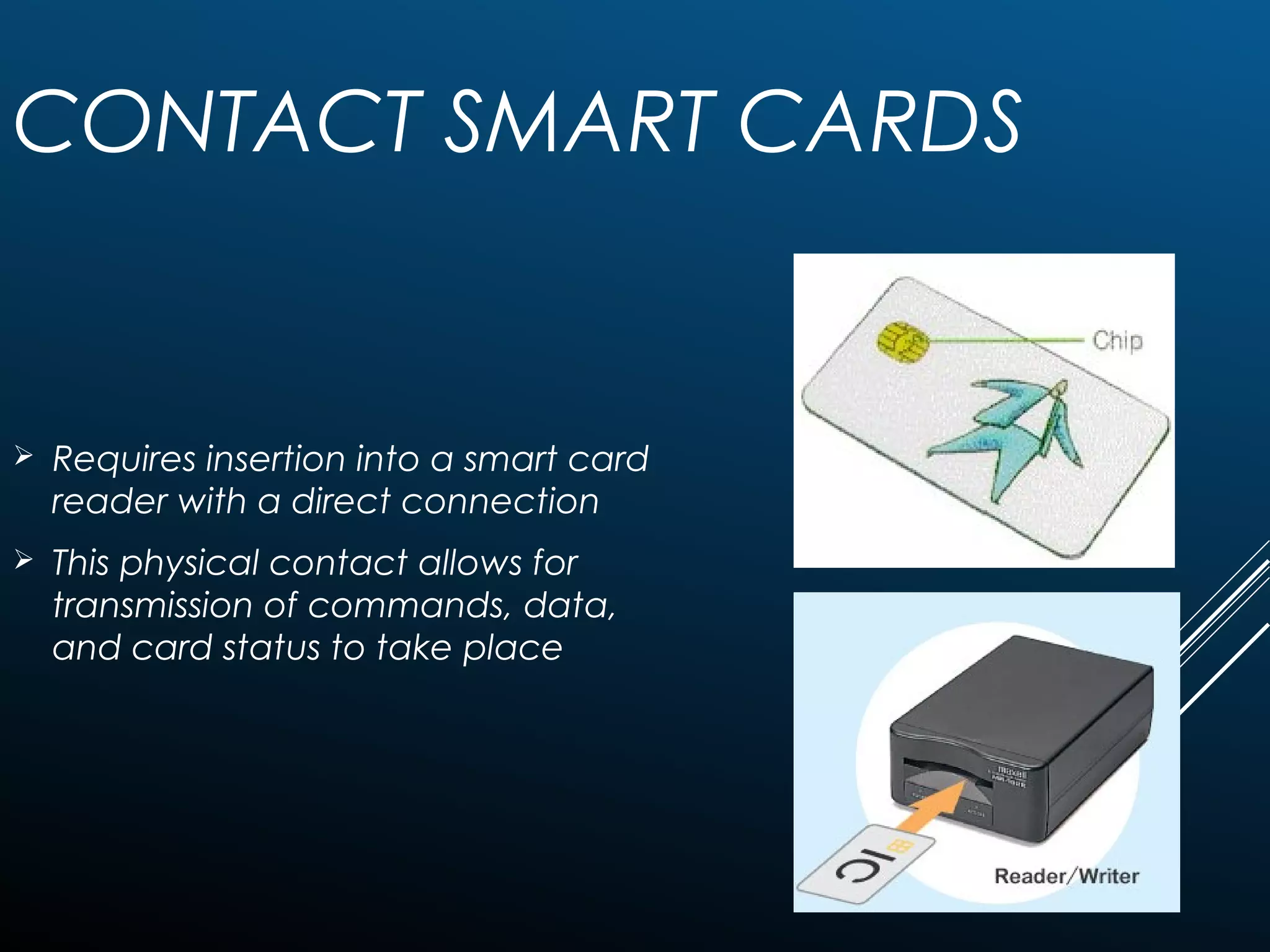
 Requires insertion into a smart card
reader with a direct connection
 This physical contact allows for
transmission of commands, data,
and card status to take place
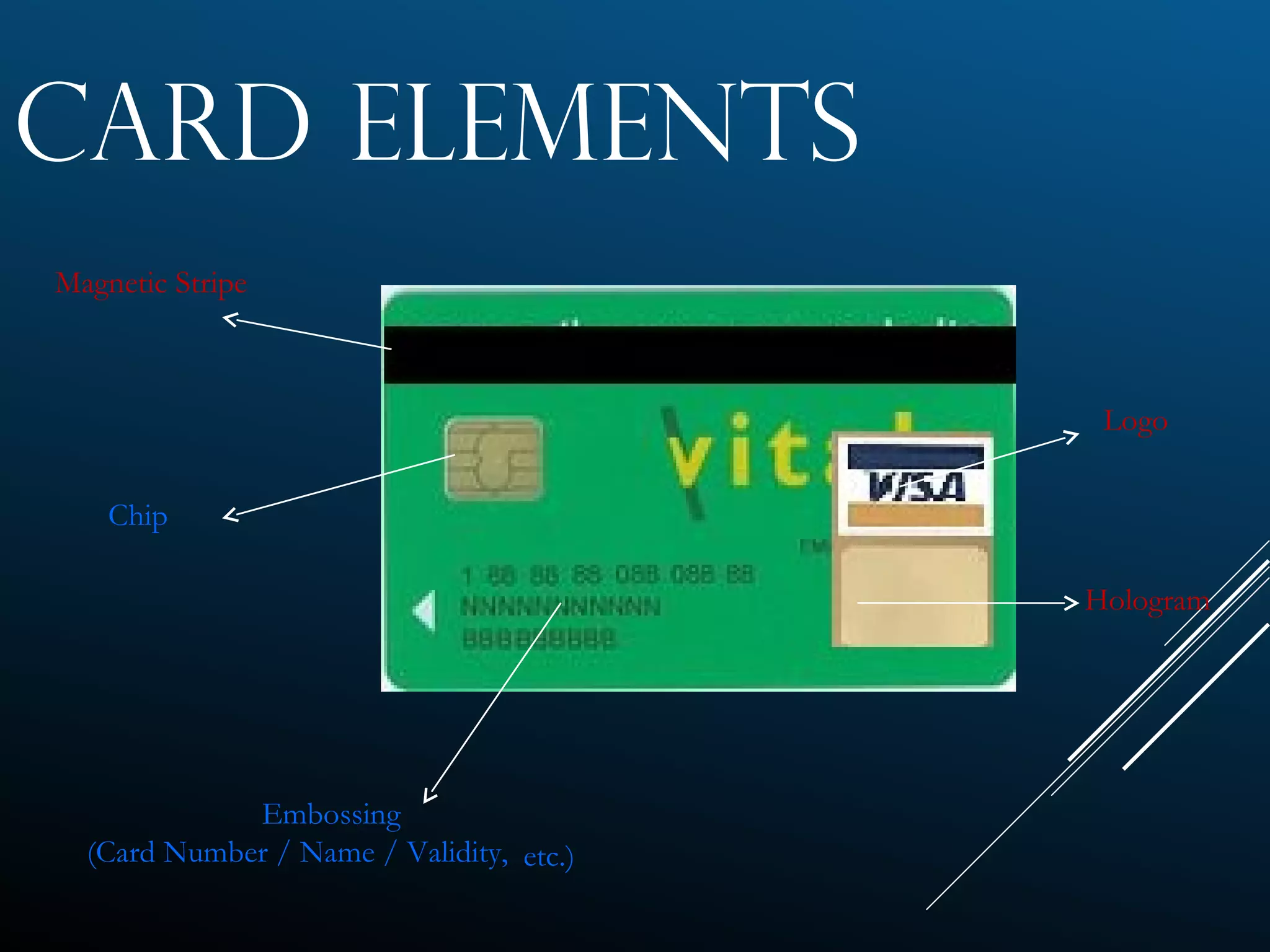
CARD ELEMENTS
Magnetic Stripe
Chip
Embossing
(Card Number / Name / Validity, etc.)
Logo
Hologram
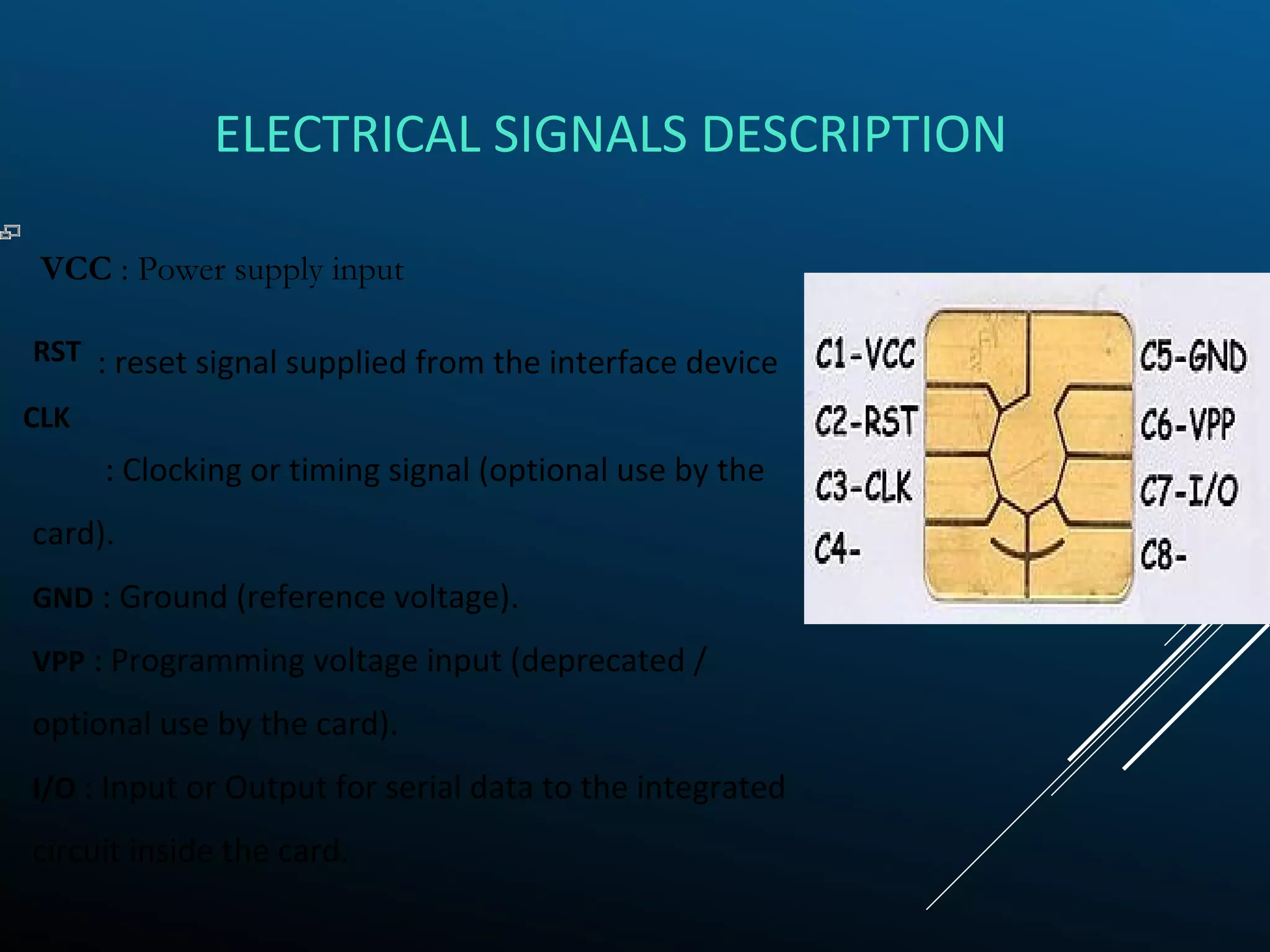
ELECTRICAL SIGNALS DESCRIPTION
: Clocking or timing signal (optional use by the
card).
GND : Ground (reference voltage).
VPP : Programming voltage input (deprecated /
optional use by the card).
I/O : Input or Output for serial data to the integrated
circuit inside the card.
VCC : Power supply input
: reset signal supplied from the interface deviceRST
CLK
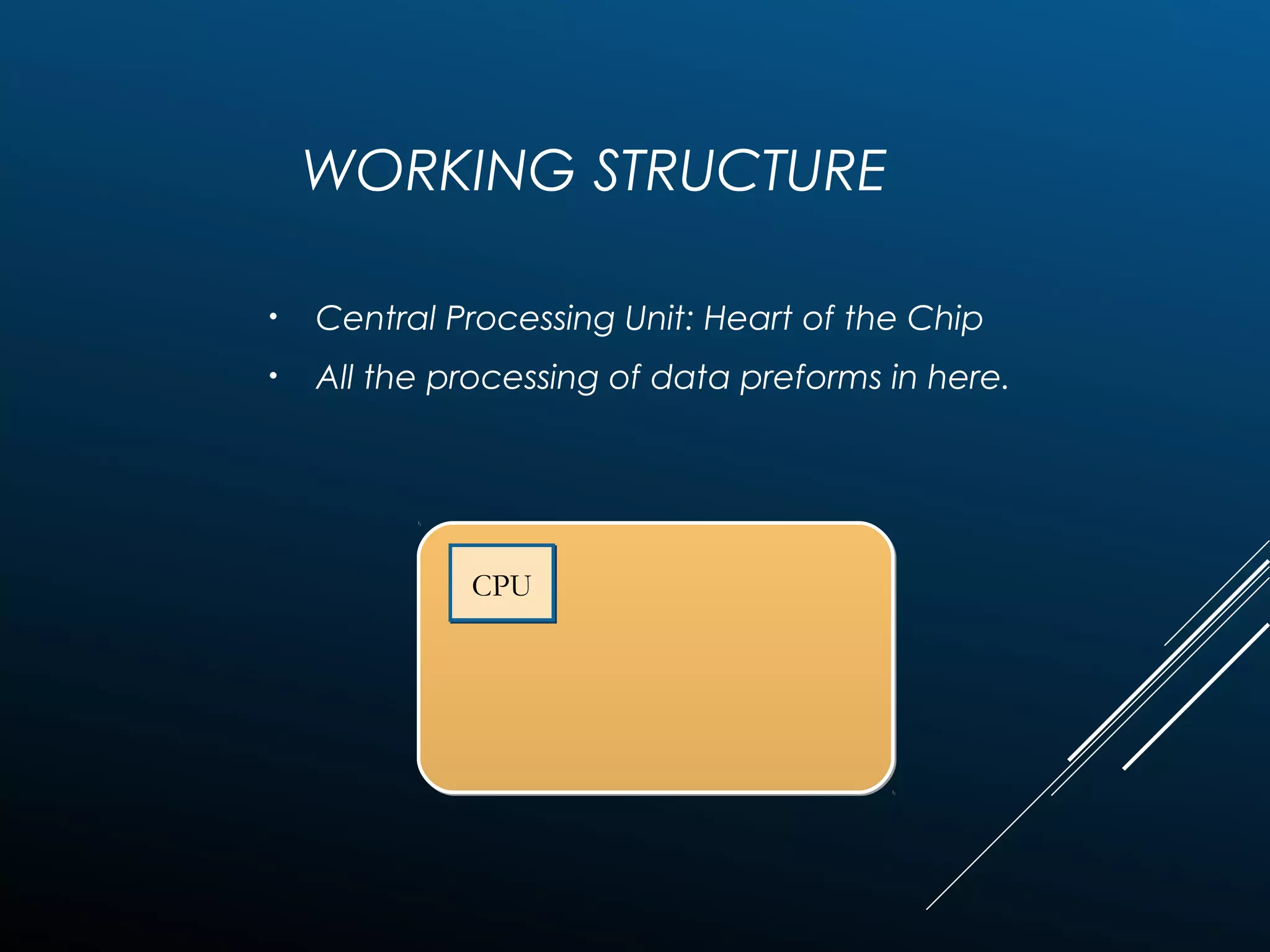
WORKING STRUCTURE
• Central Processing Unit: Heart of the Chip
• All the processing of data preforms in here.
CPUCPU
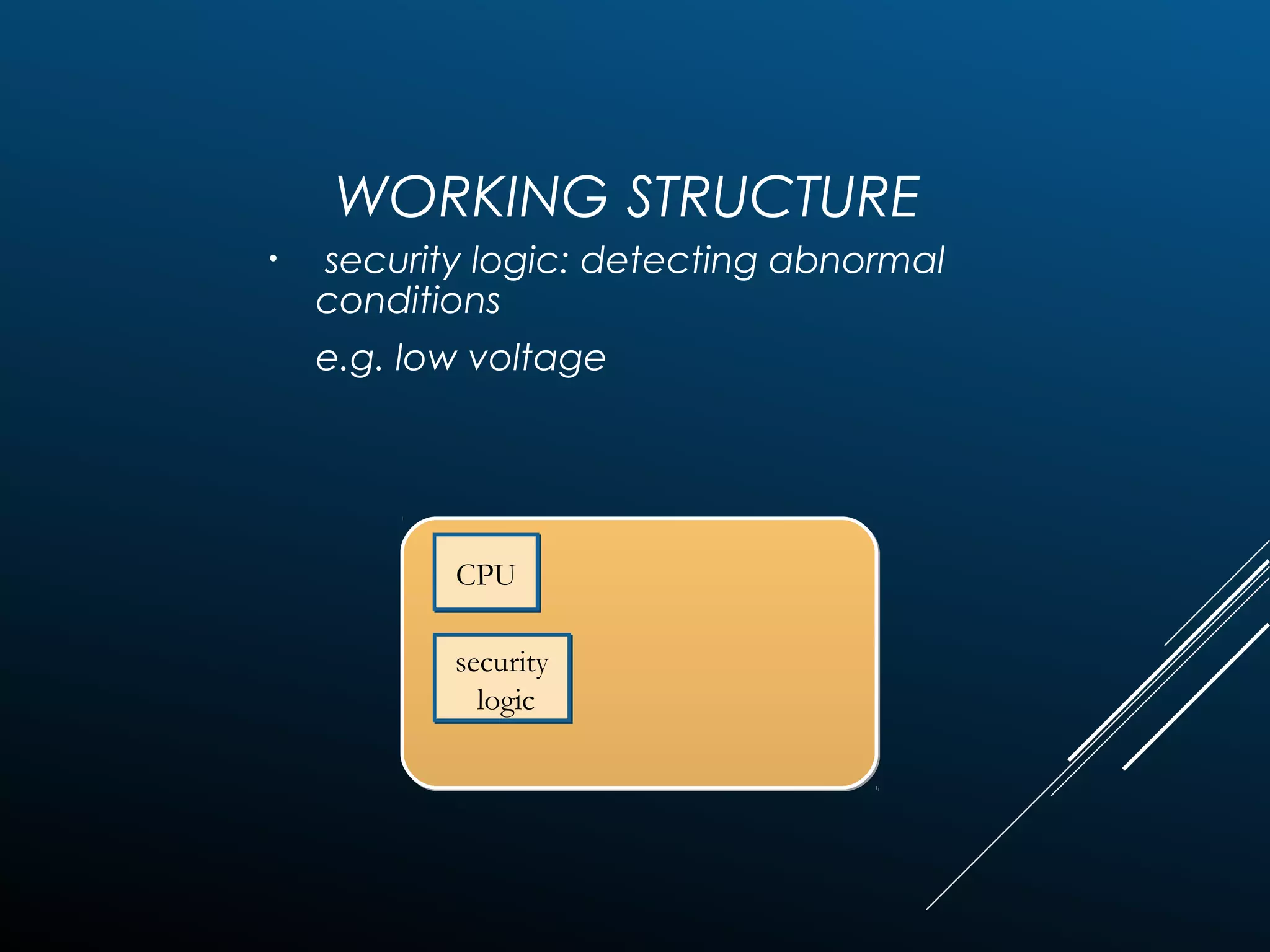
WORKING STRUCTURE
• security logic: detecting abnormal
conditions
e.g. low voltage
CPUCPU
security
logic
security
logic
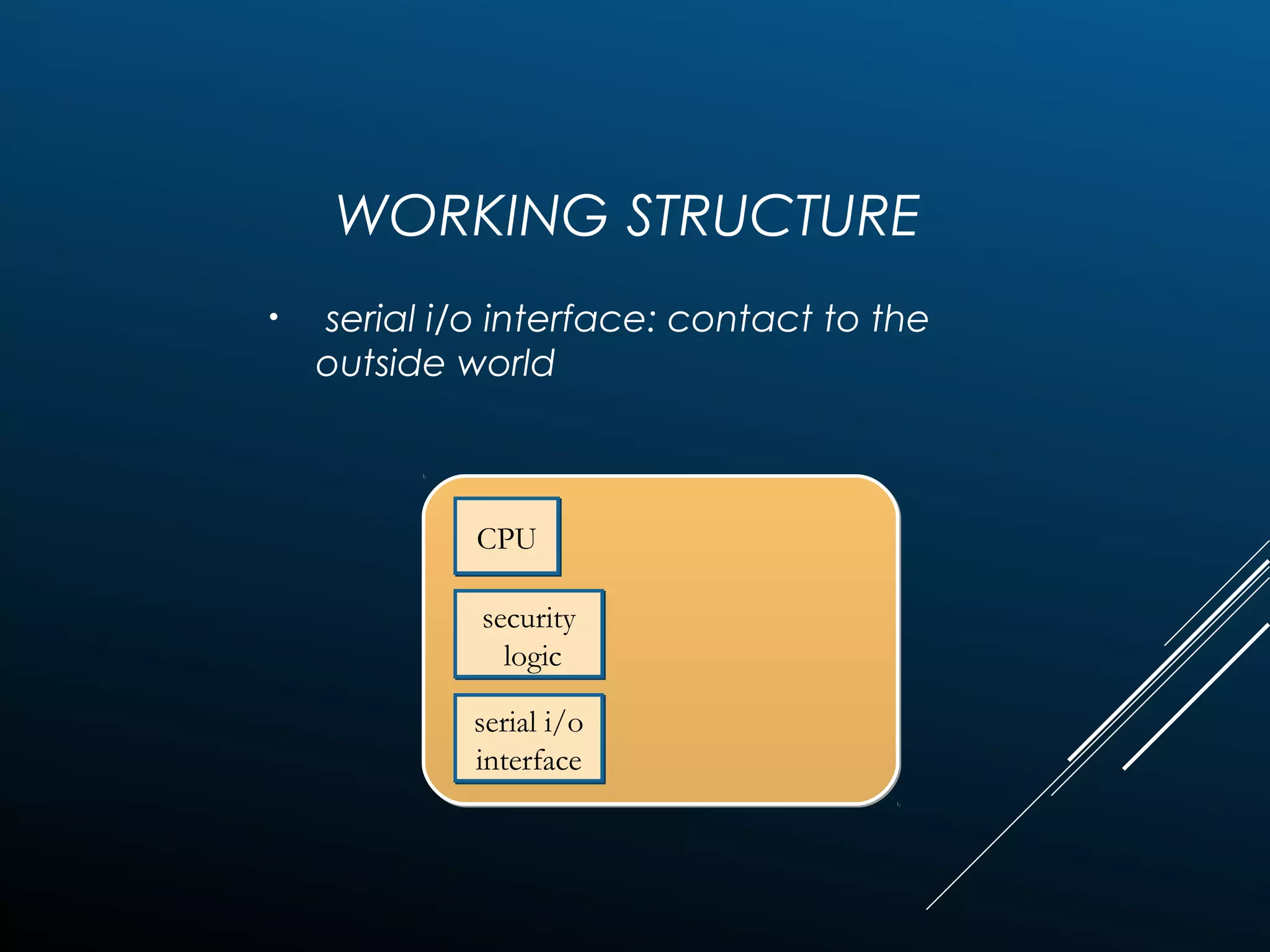
WORKING STRUCTURE
• serial i/o interface: contact to the
outside world
CPUCPU
security
logic
security
logic
serial i/o
interface
serial i/o
interface
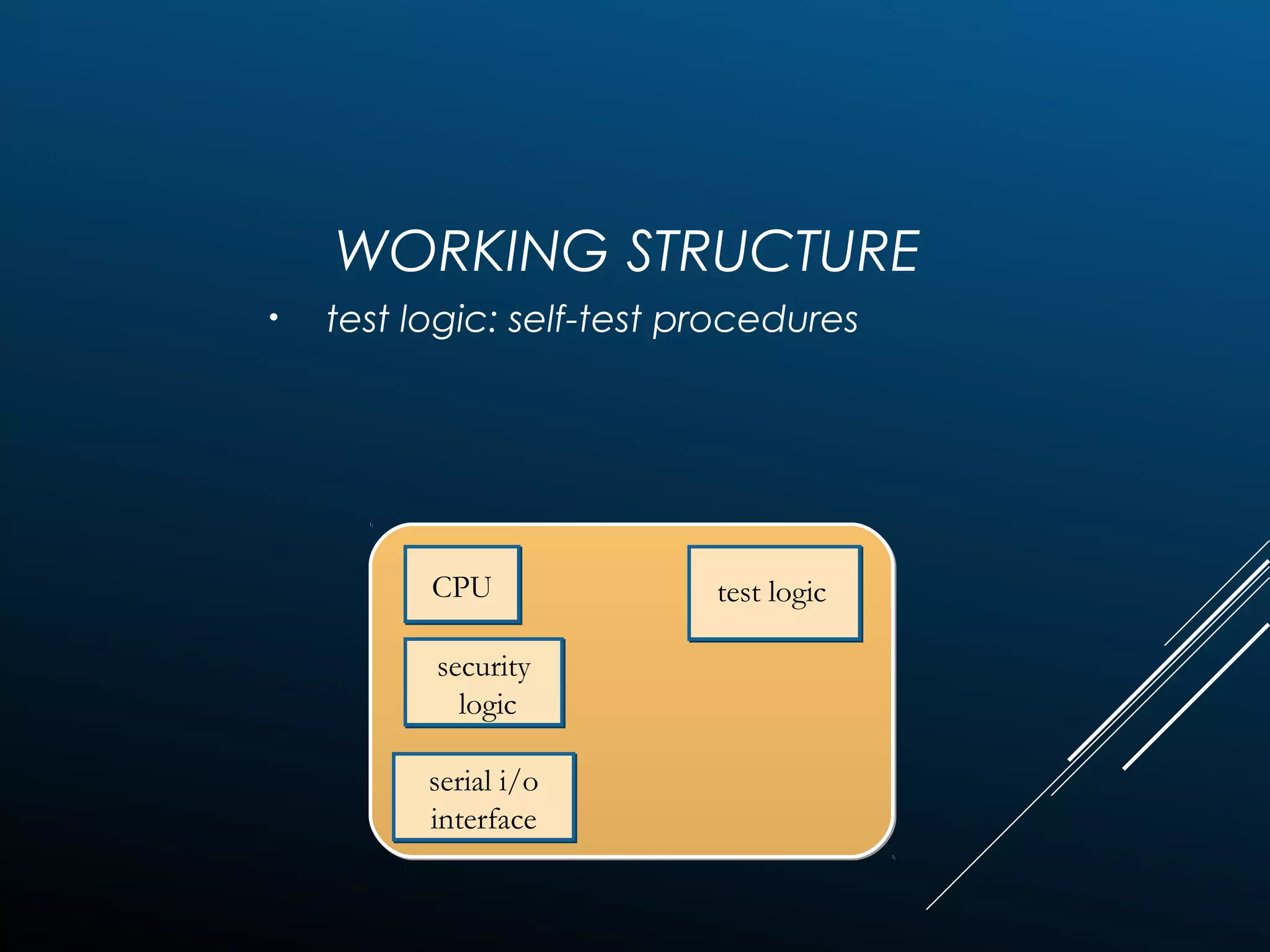
WORKING STRUCTURE
• test logic: self-test procedures
CPUCPU
security
logic
security
logic
serial i/o
interface
serial i/o
interface
test logic
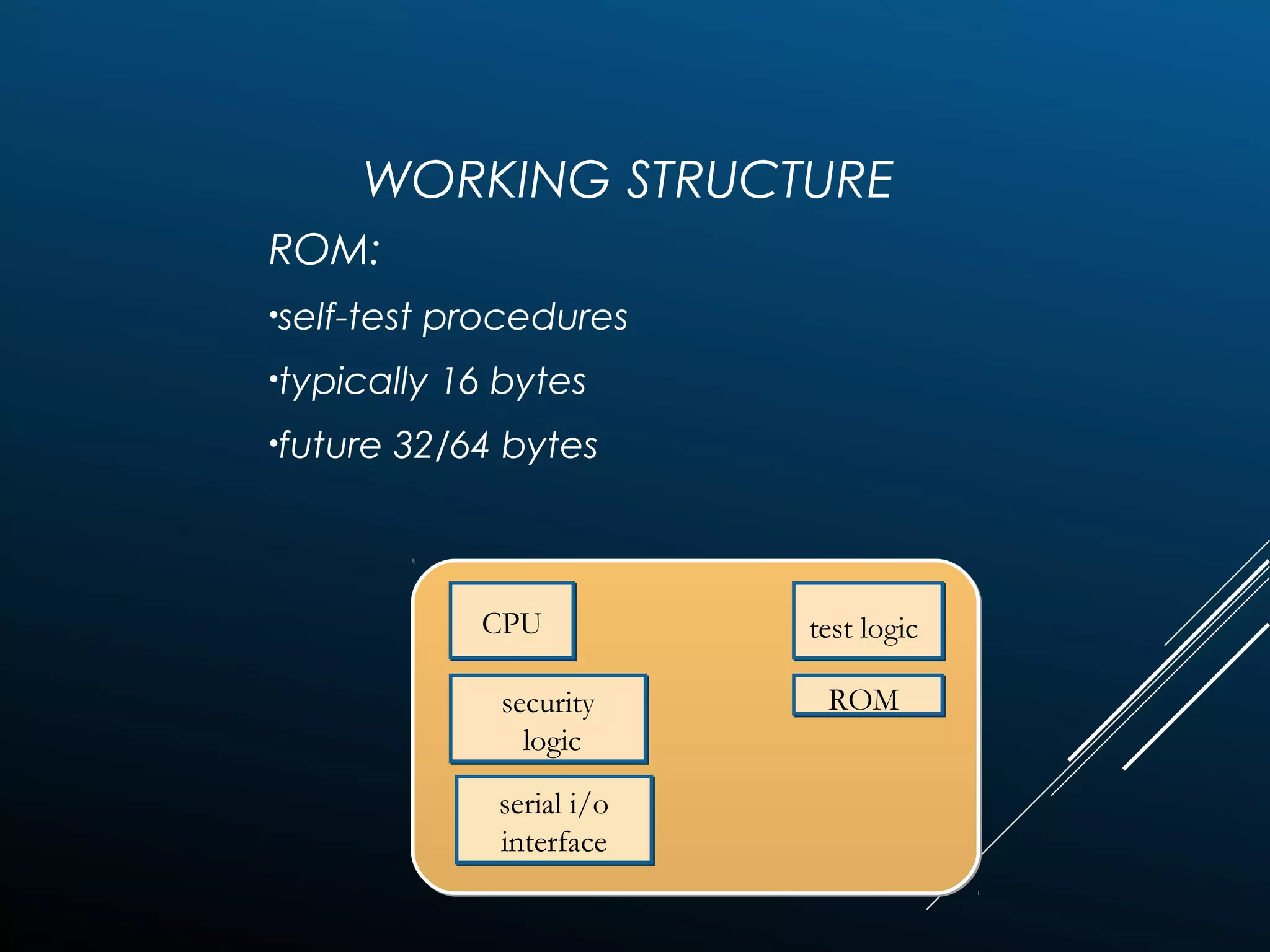
WORKING STRUCTURE
ROM:
•self-test procedures
•typically 16 bytes
•future 32/64 bytes
CPUCPU
security
logic
security
logic
serial i/o
interface
serial i/o
interface
test logic
ROM
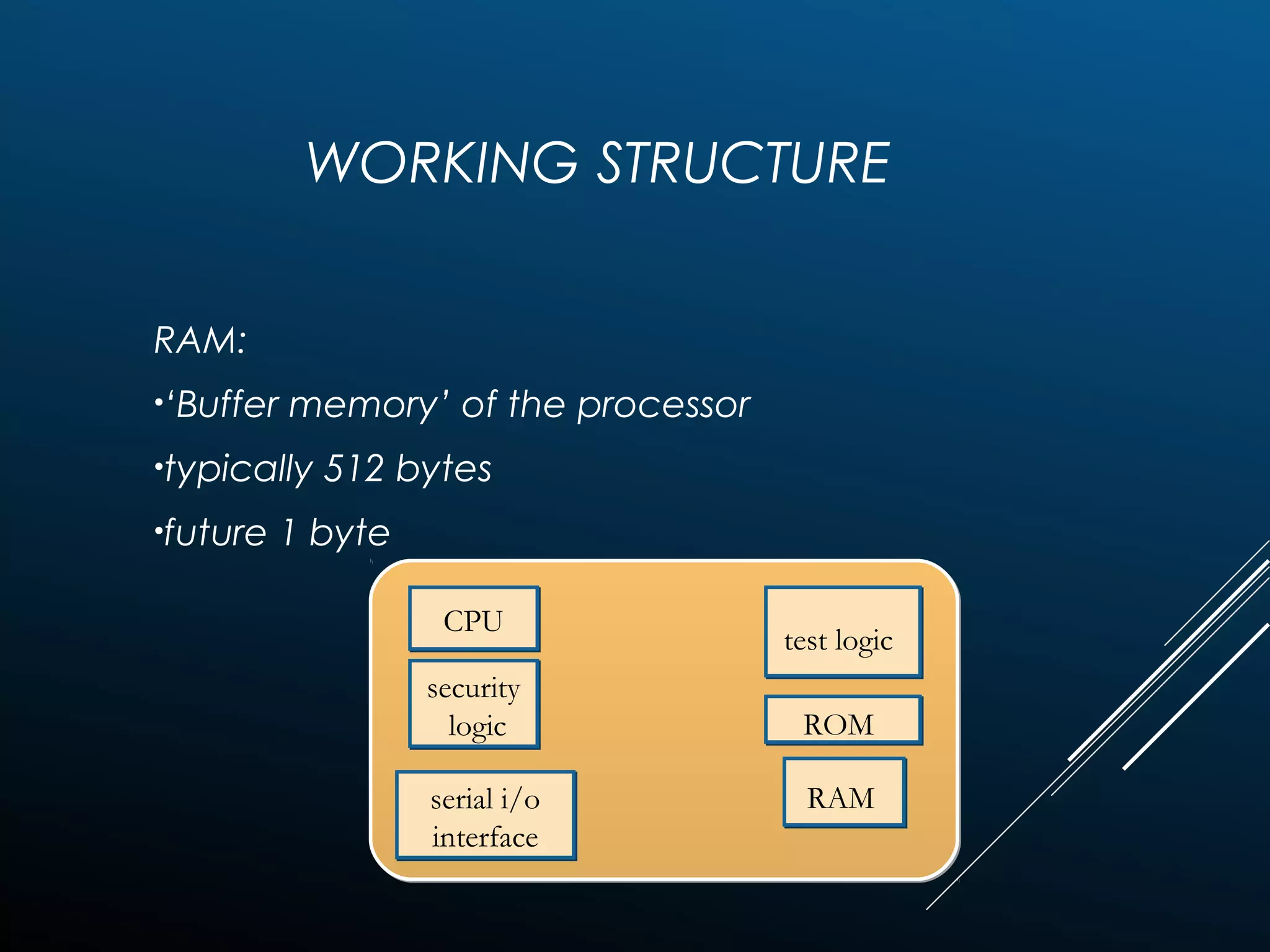
WORKING STRUCTURE
RAM:
•‘Buffer memory’ of the processor
•typically 512 bytes
•future 1 byte
CPUCPU
security
logic
security
logic
serial i/o
interface
serial i/o
interface
test logic
ROM
RAM
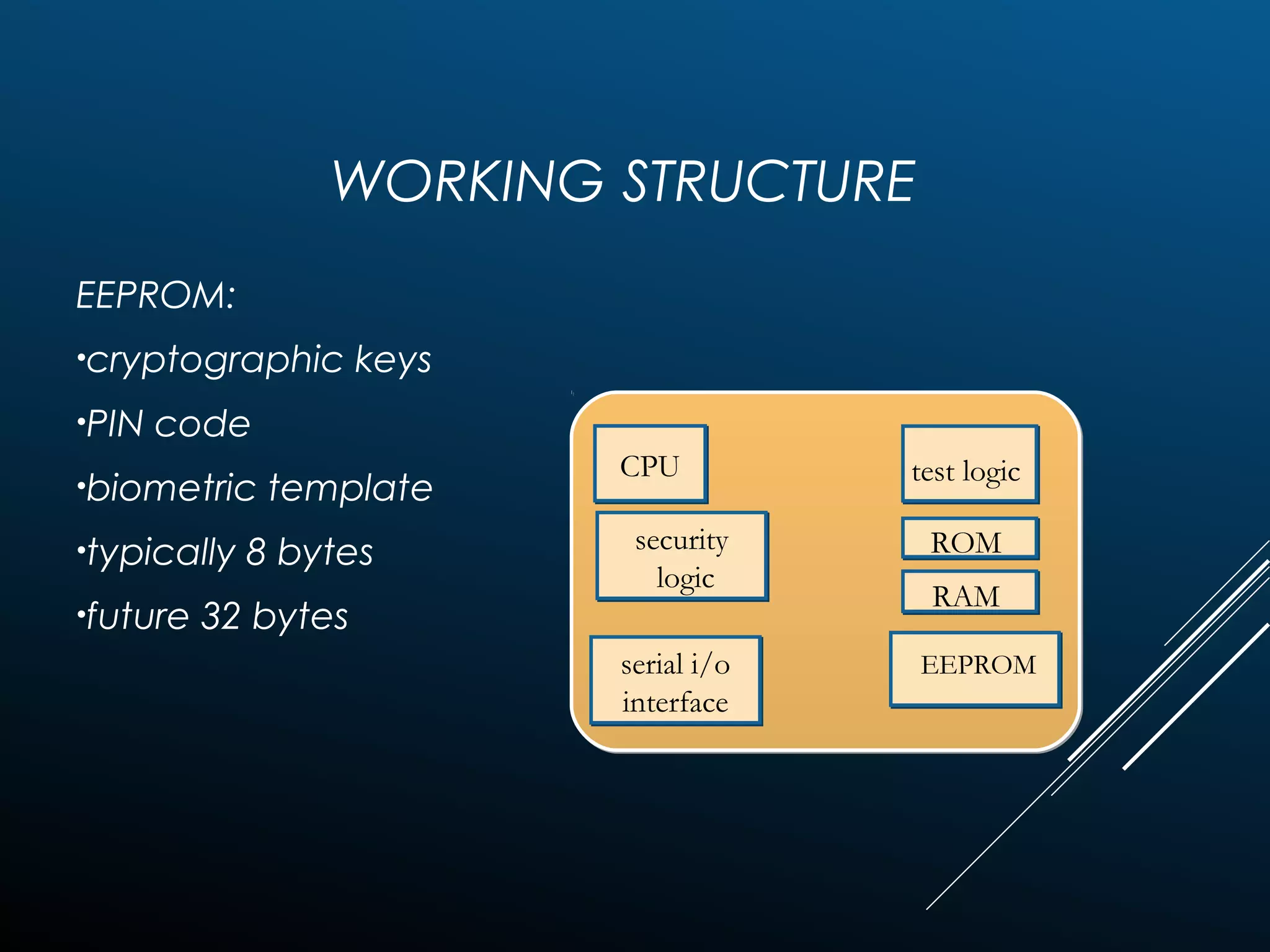
WORKING STRUCTURE
EEPROM:
•cryptographic keys
•PIN code
•biometric template
•typically 8 bytes
•future 32 bytes
CPUCPU
security
logic
security
logic
serial i/o
interface
serial i/o
interface
test logic
ROM
RAM
EEPROM
WORKING STRUCTURE
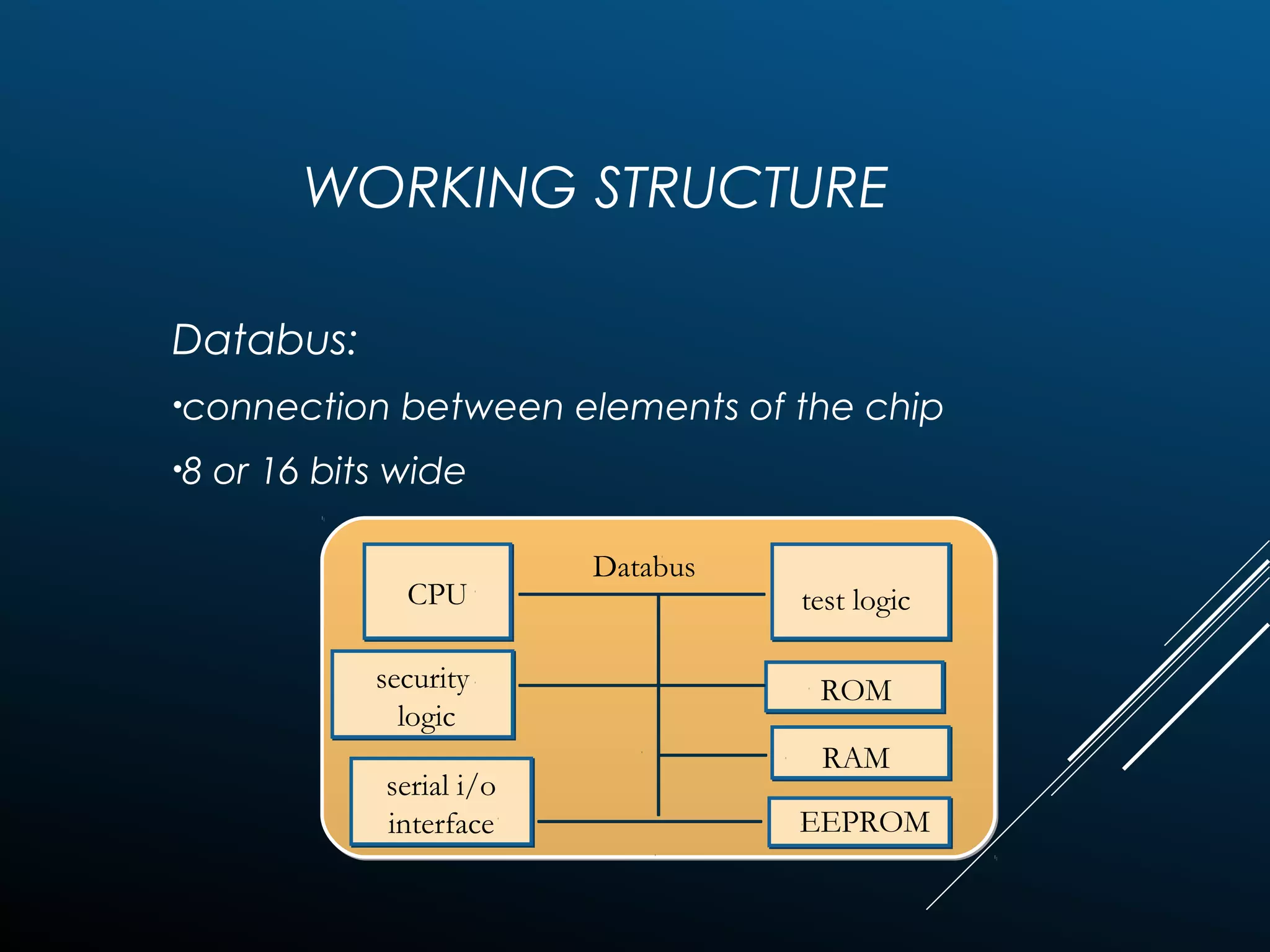
Databus:
•connection between elements of the chip
•8 or 16 bits wide
CPUCPU
security
logic
security
logic
serial i/o
interface
serial i/o
interface
test logic
ROM
RAM
EEPROM
Databus
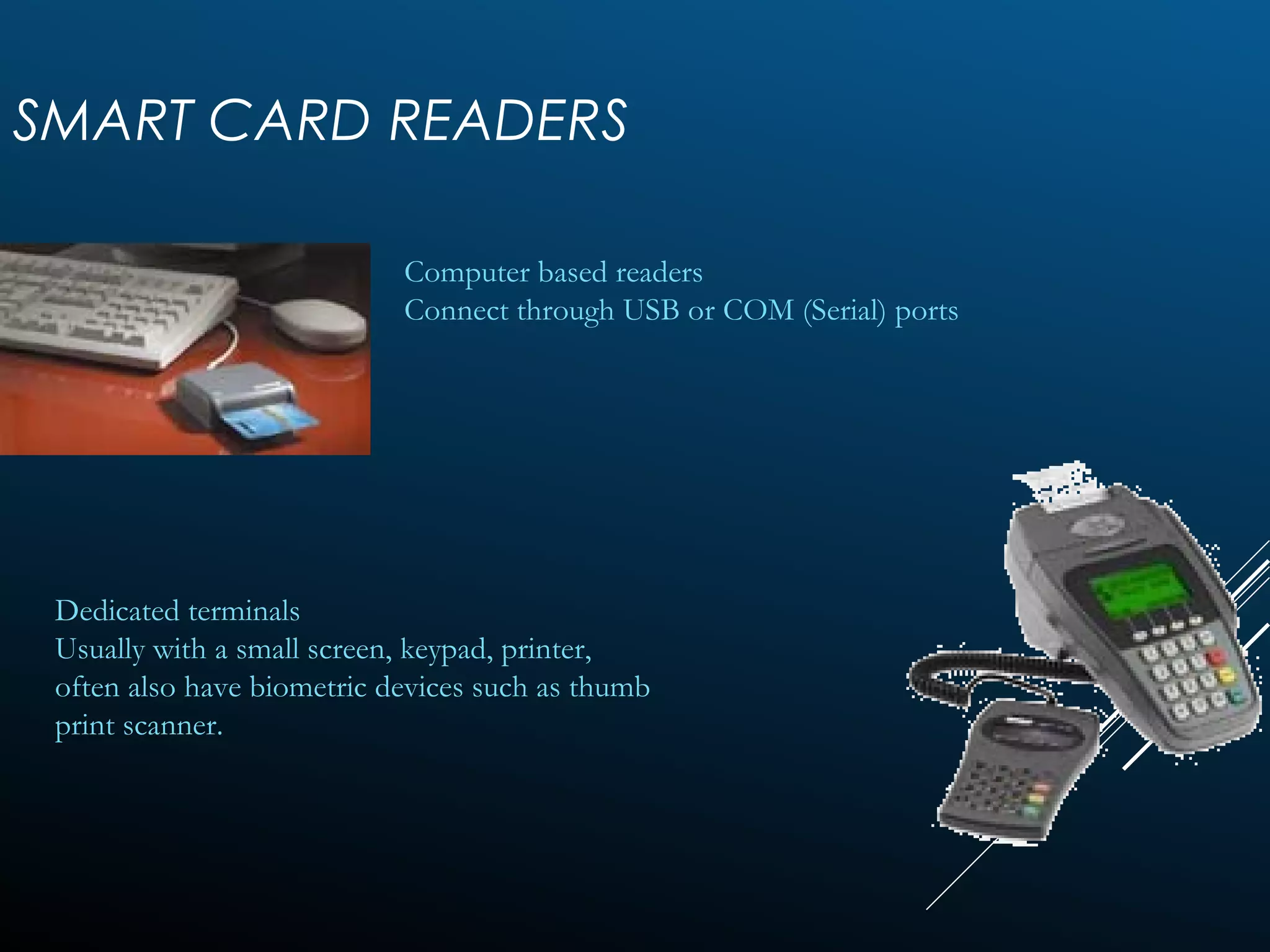
SMART CARD READERS
Computer based readers
Connect through USB or COM (Serial) ports
Dedicated terminals
Usually with a small screen, keypad, printer,
often also have biometric devices such as thumb
print scanner.
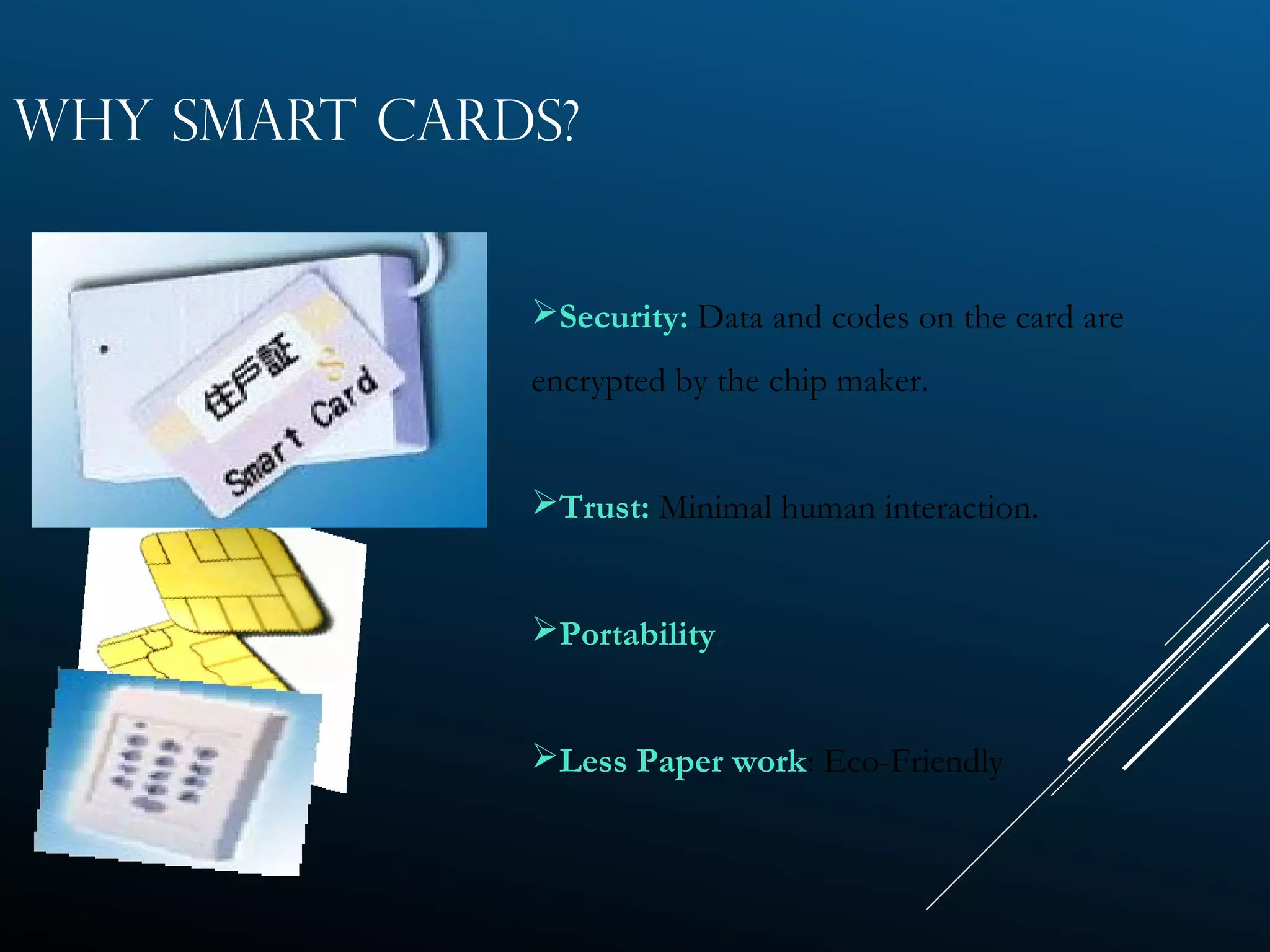
WHY SMART CARDS?
Security: Data and codes on the card are
encrypted by the chip maker.
Trust: Minimal human interaction.
Portability.
Less Paper work: Eco-Friendly
WHY USE SMART CARDS?
 Can store currently up to 7000 times more data than a
magnetic stripe card.
 Information that is stored on the card can be updated.
 Magnetic stripe cards are vulnerable to many types of frauds
 A single card can be used for multiple applications (cash,
identification, building access, etc.)
 Smart cards provide a 3-fold approach to authentic
identification:
• Pin (password)
• Cryptographic verification
• Biometrics
PASSWORD VERIFICATION
 Terminal asks the user to provide a password.
 Password is sent to Card for verification.
 permit user authentication.
CRYPTOGRAPHIC VERIFICATION
 Terminal verify card (INTERNAL AUTH)
 Terminal sends a random number to card to be
hashed or encrypted using a key.
 Card provides the hash or cyphertext.
 Terminal can know that the card is authentic.
 Card needs to verify (EXTERNAL AUTH)
 Primarily for the “Entity Authentication”
BIOMETRIC TECHNIQUES
 Finger print identification.
 Features of finger prints can be kept on the card (even verified
on the card)
 Photograph/IRIS pattern etc.
 Such information is to be verified by a person. The information
can be stored in the card securely
SMART CARD APPLICATIONS
Government programs
 Banking & Finance
 Mobile Communication
 Pay Phone Cards
 Transportation
 Electronic Tolls
 Passports
 Electronic Cash
 Retailer Loyalty Programs
 Information security
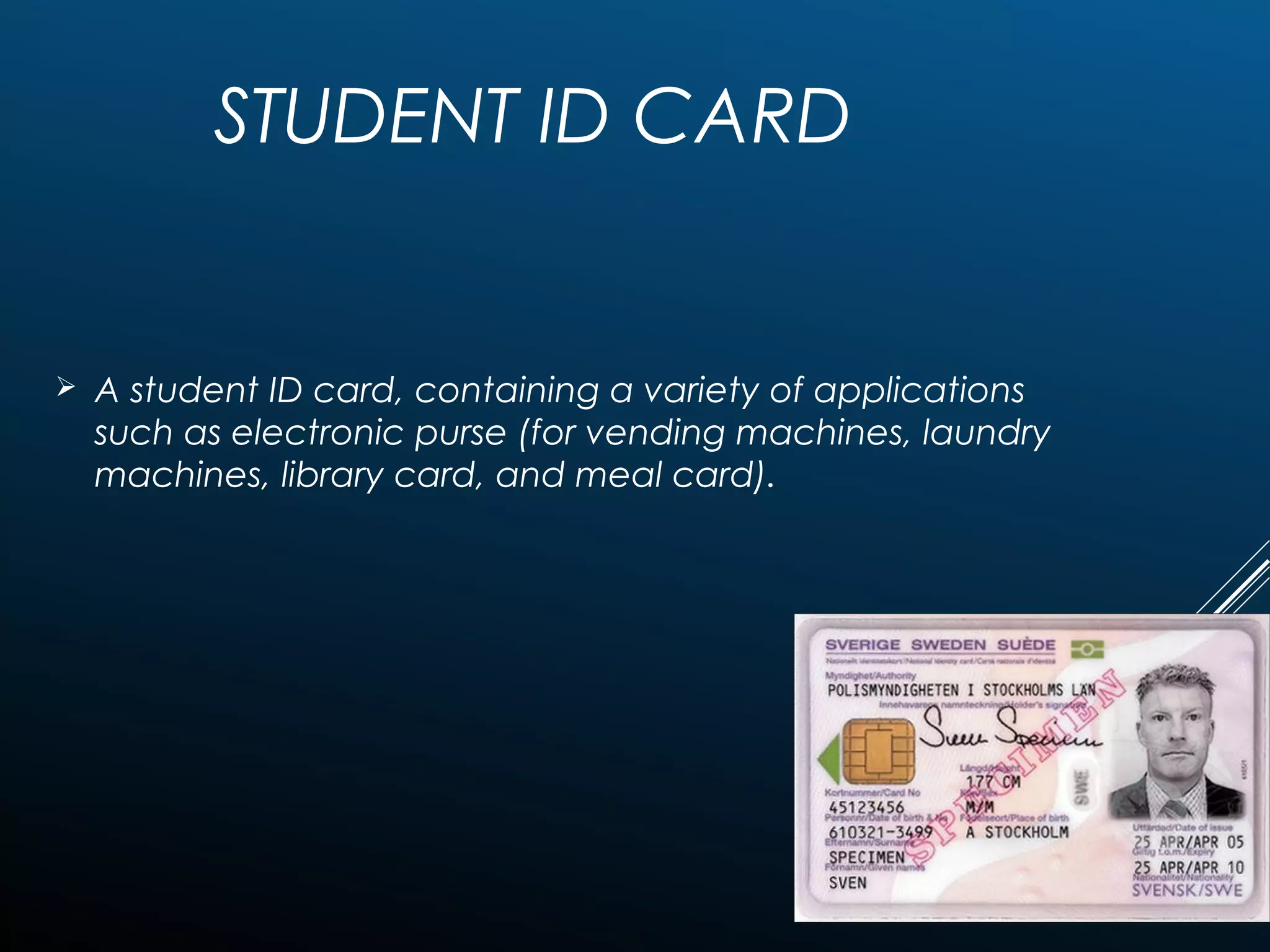
STUDENT ID CARD
 A student ID card, containing a variety of applications
such as electronic purse (for vending machines, laundry
machines, library card, and meal card).
ADVANTAGES
 Proven to be more reliable than the OTHER cards.
 Can store up to thousands of times of the information than the magnetic
stripe card.
 Reduces tampering through high security mechanisms.
 Can be disposable or reusable.
 Performs multiple functions.
 Has wide range of applications (e.g., banking, transportation, healthcare...)
 Compatible with portable electronics (e.g., PCs, telephones...)
DISADVANTAGES
.
In the example of internet banking,
if the PC is infected with any kind of malware, the security model is broken.
Malware can override the communication (both input via keyboard and output via
application screen) between the user and the internet banking application (eg.
browser). This would result in modifying transactions by the malware and
unnoticed by the user. There is malware in the wild with this capability (eg. Trojan.
Silentbanker).
THANK YOU

Smartcards and Authentication Tokens

  • 1.
  • 2.
     Authentication tokensare used to prove one's identity electronically . sometimes a hardware token, security token, USB token, cryptographic token, software token, virtual token etc.
  • 3.
    • The tokenuse a password to prove that the customer is who they claim to be. • The token acts like an electronic key to access something. • Some may store cryptographic keys, 1. digital signature 2. biometric data 3. fingerprint minutiaer.
  • 4.
    Time-synchronized one-time passwords Time-synchronizedone-time passwords change constantly at a set time interval, e.g. once per minute. To do this some sort of synchronization must exist between the client's token and the authentication server. Mathematical-algorithm-based one-time passwords Another type of one-time password uses a complex mathematical algorithm, such as a hash chain, to generate a series of one-time passwords from a secret shared key. Each password is unguessable, even when previous passwords are known.
  • 5.
    Connected tokens •Connected tokensare tokens that must be physically connected to the computer with which the user is authenticating. •Tokens in this category automatically transmit the authentication information to the client computer once a physical connection is made, eliminating the need for the user to manually enter the authentication information • To use a connected token, the appropriate input device must be installed. The most common types of physical tokens are smart cards and USB tokens, which require a smart card reader and a USB port
  • 6.
    • The numbermust be copied into the PASSCODE field by hand. • Disconnected tokens have neither a physical nor logical connection to the client computer. • They typically do not require a special input device, and instead use a built-in screen to display the generated authentication data, which the user enters manually themselves via a keyboard or keypad. DISCONNECTED TOKENS
  • 7.
  • 8.
    MAGNETIC STRIPE CARDS Standardtechnology for bank cards, driver’s licenses, library cards, and so on……
  • 9.
    OPTICAL CARDS Uses alaser to read and write the card Photo ID Fingerprint
  • 10.
    MEMORY CARDS • Canstore: Financial Info Personal Info Specialized Info • Cannot process Info ITECH 7215 Information Security
  • 11.
    MICROPROCESSOR CARDS/SMART CARD • Storeinformation • Carry out local processing • Perform Complex Calculations
  • 12.
    WHAT IS ASMART CARD? A Smart card is a plastic card about the size of a credit card, with an embedded microchip that can be loaded with data.
  • 13.
     The standarddefinition of a a smart card, or integrated circuit card (ICC), is any pocket sized card with embedded integrated circuits.
  • 14.
    CONTACT SMART CARDS Requires insertion into a smart card reader with a direct connection  This physical contact allows for transmission of commands, data, and card status to take place
  • 16.
    CARD ELEMENTS Magnetic Stripe Chip Embossing (CardNumber / Name / Validity, etc.) Logo Hologram
  • 17.
    ELECTRICAL SIGNALS DESCRIPTION :Clocking or timing signal (optional use by the card). GND : Ground (reference voltage). VPP : Programming voltage input (deprecated / optional use by the card). I/O : Input or Output for serial data to the integrated circuit inside the card. VCC : Power supply input : reset signal supplied from the interface deviceRST CLK
  • 18.
    WORKING STRUCTURE • CentralProcessing Unit: Heart of the Chip • All the processing of data preforms in here. CPUCPU
  • 19.
    WORKING STRUCTURE • securitylogic: detecting abnormal conditions e.g. low voltage CPUCPU security logic security logic
  • 20.
    WORKING STRUCTURE • seriali/o interface: contact to the outside world CPUCPU security logic security logic serial i/o interface serial i/o interface
  • 21.
    WORKING STRUCTURE • testlogic: self-test procedures CPUCPU security logic security logic serial i/o interface serial i/o interface test logic
  • 22.
    WORKING STRUCTURE ROM: •self-test procedures •typically16 bytes •future 32/64 bytes CPUCPU security logic security logic serial i/o interface serial i/o interface test logic ROM
  • 23.
    WORKING STRUCTURE RAM: •‘Buffer memory’of the processor •typically 512 bytes •future 1 byte CPUCPU security logic security logic serial i/o interface serial i/o interface test logic ROM RAM
  • 24.
    WORKING STRUCTURE EEPROM: •cryptographic keys •PINcode •biometric template •typically 8 bytes •future 32 bytes CPUCPU security logic security logic serial i/o interface serial i/o interface test logic ROM RAM EEPROM
  • 25.
    WORKING STRUCTURE Databus: •connection betweenelements of the chip •8 or 16 bits wide CPUCPU security logic security logic serial i/o interface serial i/o interface test logic ROM RAM EEPROM Databus
  • 26.
    SMART CARD READERS Computerbased readers Connect through USB or COM (Serial) ports Dedicated terminals Usually with a small screen, keypad, printer, often also have biometric devices such as thumb print scanner.
  • 27.
    WHY SMART CARDS? Security:Data and codes on the card are encrypted by the chip maker. Trust: Minimal human interaction. Portability. Less Paper work: Eco-Friendly
  • 28.
    WHY USE SMARTCARDS?  Can store currently up to 7000 times more data than a magnetic stripe card.  Information that is stored on the card can be updated.  Magnetic stripe cards are vulnerable to many types of frauds  A single card can be used for multiple applications (cash, identification, building access, etc.)  Smart cards provide a 3-fold approach to authentic identification: • Pin (password) • Cryptographic verification • Biometrics
  • 29.
    PASSWORD VERIFICATION  Terminalasks the user to provide a password.  Password is sent to Card for verification.  permit user authentication.
  • 30.
    CRYPTOGRAPHIC VERIFICATION  Terminalverify card (INTERNAL AUTH)  Terminal sends a random number to card to be hashed or encrypted using a key.  Card provides the hash or cyphertext.  Terminal can know that the card is authentic.  Card needs to verify (EXTERNAL AUTH)  Primarily for the “Entity Authentication”
  • 31.
    BIOMETRIC TECHNIQUES  Fingerprint identification.  Features of finger prints can be kept on the card (even verified on the card)  Photograph/IRIS pattern etc.  Such information is to be verified by a person. The information can be stored in the card securely
  • 32.
    SMART CARD APPLICATIONS Governmentprograms  Banking & Finance  Mobile Communication  Pay Phone Cards  Transportation  Electronic Tolls  Passports  Electronic Cash  Retailer Loyalty Programs  Information security
  • 33.
    STUDENT ID CARD A student ID card, containing a variety of applications such as electronic purse (for vending machines, laundry machines, library card, and meal card).
  • 34.
    ADVANTAGES  Proven tobe more reliable than the OTHER cards.  Can store up to thousands of times of the information than the magnetic stripe card.  Reduces tampering through high security mechanisms.  Can be disposable or reusable.  Performs multiple functions.  Has wide range of applications (e.g., banking, transportation, healthcare...)  Compatible with portable electronics (e.g., PCs, telephones...)
  • 35.
    DISADVANTAGES . In the exampleof internet banking, if the PC is infected with any kind of malware, the security model is broken. Malware can override the communication (both input via keyboard and output via application screen) between the user and the internet banking application (eg. browser). This would result in modifying transactions by the malware and unnoticed by the user. There is malware in the wild with this capability (eg. Trojan. Silentbanker).
  • 36.