ScreencastingAVLM 2011Bas Bergervoet & Stijn van Laer
What is a screencast?A screencast is a digital recording of the computer screen, also known as video screen capture, often including audio and sometimes including webcam video.
(Dis)AdvantagesA real DIY instrumentAn easy and accessible way of enriching learning materials with multimedia contentIt enables distance learningStudent-centered in a certain way (student decides when/where)Online video can create access for non-regular student groupsOnline video enables possibilities of re-use.A (small) learning curveICT knowledgeApplication of the mediumA good screencast needs preparation and takes time to create.Good hardware is necessary (good computer, microphone, webcam)There’s a danger of ‘overstretching’ a screencast
Possible educational applications	Offering instructional videos for ICT applicationsExplaining (parts of) softwareExplaining websites or web applications and their functionsTypical: screen recording + voice over audio.Creating “mini lectures”Giving a short instructionE.g. a complex assignment, a difficult word, (part of) a theory, etc, could be recorded so that students can repeatedly watch it and learn at their own pace.Giving/solving an assignmentE.g. teacher/student takes a certain position or defends a certain statement concerning a relevant theme in a courseTypical: Audio + image of teacher with additional slides/mindmaps/spreadsheets/websites/etc.
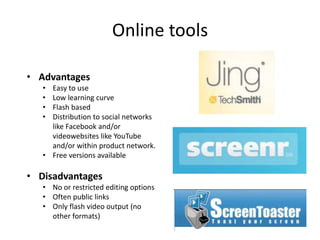
Online toolsAdvantages
Easy to use
Low learning curve
Flash based
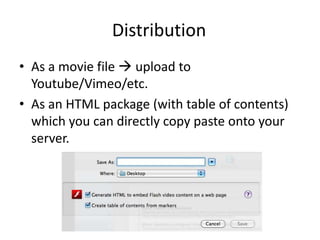
Distribution to social networks like Facebook and/or videowebsites like YouTube and/or within product network.
Free versions available
Disadvantages
No or restricted editing options
Often public links
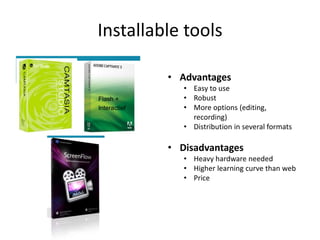
Only flash video output (no other formats)Installable toolsAdvantages
Easy to use
Robust
More options (editing, recording)

Screencasts

  • 1.
  • 2.
    What is ascreencast?A screencast is a digital recording of the computer screen, also known as video screen capture, often including audio and sometimes including webcam video.
  • 3.
    (Dis)AdvantagesA real DIYinstrumentAn easy and accessible way of enriching learning materials with multimedia contentIt enables distance learningStudent-centered in a certain way (student decides when/where)Online video can create access for non-regular student groupsOnline video enables possibilities of re-use.A (small) learning curveICT knowledgeApplication of the mediumA good screencast needs preparation and takes time to create.Good hardware is necessary (good computer, microphone, webcam)There’s a danger of ‘overstretching’ a screencast
  • 4.
    Possible educational applications Offeringinstructional videos for ICT applicationsExplaining (parts of) softwareExplaining websites or web applications and their functionsTypical: screen recording + voice over audio.Creating “mini lectures”Giving a short instructionE.g. a complex assignment, a difficult word, (part of) a theory, etc, could be recorded so that students can repeatedly watch it and learn at their own pace.Giving/solving an assignmentE.g. teacher/student takes a certain position or defends a certain statement concerning a relevant theme in a courseTypical: Audio + image of teacher with additional slides/mindmaps/spreadsheets/websites/etc.
  • 5.
  • 6.
  • 7.
  • 8.
  • 9.
    Distribution to socialnetworks like Facebook and/or videowebsites like YouTube and/or within product network.
  • 10.
  • 11.
  • 12.
    No or restrictedediting options
  • 13.
  • 14.
    Only flash videooutput (no other formats)Installable toolsAdvantages
  • 15.
  • 16.
  • 17.