Video Tips [email_address]
3 P’s to Video Production Pre-production Planning Production Shooting Post-production Editing
Pre-pro Great planning = great video Identify persuasive goals & target behaviors FIRST Form follows function  Audience?  Context?  Distribution?
Pre-pro: Story, Subjects, Content Map out the story – key points What does your audience need to know? Why should somebody care? Transformation, change in story Subjects Think like a journalist – Who has the info I need? Aim for 3 subjects – 1 is ok Video is visual What can I show you to make you care? Think actions, events, locations.
Day of the Shoot Arrive early. Bring your agenda / questions. Releases 30-min shoot = 3 hour day
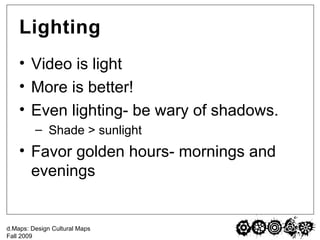
Lighting Video is light More is better! Even lighting- be wary of shadows. Shade > sunlight  Favor golden hours- mornings and evenings
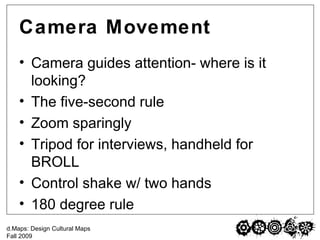
Camera Movement Camera guides attention- where is it looking? The five-second rule Zoom sparingly Tripod for interviews, handheld for BROLL Control shake w/ two hands 180 degree rule
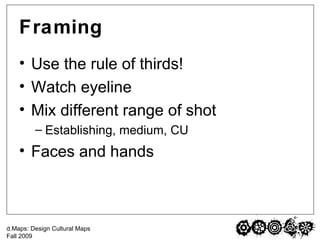
Framing Use the rule of thirds! Watch eyeline Mix different range of shot Establishing, medium, CU Faces and hands
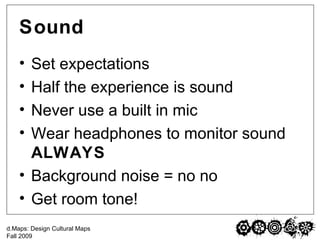
Sound Set expectations Half the experience is sound Never use a built in mic Wear headphones to monitor sound  ALWAYS Background noise = no no Get room tone!
Interviews Backbone of your video. Location, location, location Avoid loud places, interruptions. Make your subject feel comfortable. Talk to eyes, not to cam Stop, start, repeat
Editing iMovie vs. Final Cut Pro FCP – better organization, dealing with different codecs/formats,  Can fine-tune & troubleshoot more easily  Far less danger of screwing up your footage Capturing DV = big files.  Get an external USB/Firewire cable. Match settings of video to capture settings. Organizing Interviews, BROLL
Editing Editing Interviews then BROLL Music  Add music into timeline based on preference Should help set mood, but should not be distracting SAVE & Back-up OFTEN! Export – H.264 is good for web Small web version, full res version Best way to learn it is to do it
5 take-aways Be prepared Camera movement Framing Consistent lighting Sound matters!
Resources Google is your friend – blogs, message boards, support sites www.KenStone.net Meyer Library Media Center CurrentTV Training Tips YouTube How To’s
Project 3 Challenge Option A: 1 shot and 1 take Option B: 1 sequence of shots *NO EDITING **LESS THAN 1 MINUTE
Credits Special thanks to Ben Henretig and Keenan Newman for video tips

Video Tips

  • 1.
  • 2.
    3 P’s toVideo Production Pre-production Planning Production Shooting Post-production Editing
  • 3.
    Pre-pro Great planning= great video Identify persuasive goals & target behaviors FIRST Form follows function Audience? Context? Distribution?
  • 4.
    Pre-pro: Story, Subjects,Content Map out the story – key points What does your audience need to know? Why should somebody care? Transformation, change in story Subjects Think like a journalist – Who has the info I need? Aim for 3 subjects – 1 is ok Video is visual What can I show you to make you care? Think actions, events, locations.
  • 5.
    Day of theShoot Arrive early. Bring your agenda / questions. Releases 30-min shoot = 3 hour day
  • 6.
    Lighting Video islight More is better! Even lighting- be wary of shadows. Shade > sunlight Favor golden hours- mornings and evenings
  • 7.
    Camera Movement Cameraguides attention- where is it looking? The five-second rule Zoom sparingly Tripod for interviews, handheld for BROLL Control shake w/ two hands 180 degree rule
  • 8.
    Framing Use therule of thirds! Watch eyeline Mix different range of shot Establishing, medium, CU Faces and hands
  • 9.
    Sound Set expectationsHalf the experience is sound Never use a built in mic Wear headphones to monitor sound ALWAYS Background noise = no no Get room tone!
  • 10.
    Interviews Backbone ofyour video. Location, location, location Avoid loud places, interruptions. Make your subject feel comfortable. Talk to eyes, not to cam Stop, start, repeat
  • 11.
    Editing iMovie vs.Final Cut Pro FCP – better organization, dealing with different codecs/formats, Can fine-tune & troubleshoot more easily Far less danger of screwing up your footage Capturing DV = big files. Get an external USB/Firewire cable. Match settings of video to capture settings. Organizing Interviews, BROLL
  • 12.
    Editing Editing Interviewsthen BROLL Music Add music into timeline based on preference Should help set mood, but should not be distracting SAVE & Back-up OFTEN! Export – H.264 is good for web Small web version, full res version Best way to learn it is to do it
  • 13.
    5 take-aways Beprepared Camera movement Framing Consistent lighting Sound matters!
  • 14.
    Resources Google isyour friend – blogs, message boards, support sites www.KenStone.net Meyer Library Media Center CurrentTV Training Tips YouTube How To’s
  • 15.
    Project 3 ChallengeOption A: 1 shot and 1 take Option B: 1 sequence of shots *NO EDITING **LESS THAN 1 MINUTE
  • 16.
    Credits Special thanksto Ben Henretig and Keenan Newman for video tips