Dayalbagh Educational Institute
Sample Instrument Using Lab View
Presented By-
Abhijeet Agarwal
M.Tech 1st Year
Full Time
INTRODUCTION
 Lab VIEW is the acronym for Laboratory
Virtual Instrument Engineering Workbench
 It is a Graphical-based programming
language
 VI (virtual instrument) is the basic Lab
VIEW element
 Programming languages such as C,
C++,BASIC use functions and subroutines
Lab View uses VI
 Application of Lab View
 Analog b/w Lab View and C
 Lab View Environment
 Built in Help
 Programing Concept
 Control Pallete, Tool Pallete & Functional Panel
 Sample Instrument
 Block Diagram
 Instrument Diagram
 How to use the VI and their works
 Conclusions
BENEFITS
 Extensive Interface - Even people with limited coding experience can write
programs and deploy solutions in reduced time interval. It also includes An
interface to .NET framework assembly
 Code Reuse and Platform independent -The G-code is independent of the
operating system
 Parallel Processing- Easy to code programs with multiple tasks performed in
parallel by multithreading
APPLICATIONS OF Lab VIEW
 Machine monitoring and control :Lab VIEW Real-Time
module helps in preparing powerful machine monitoring
and control applications
 Research and Analysis : Scientist and Researchers use it
biomedical ,aerospace energy industries etc .
 Control Design : Real world data can be compared with
theoretical data .
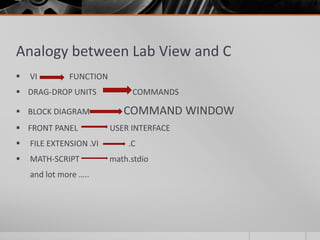
Analogy between Lab View and C
 VI FUNCTION
 DRAG-DROP UNITS COMMANDS
 BLOCK DIAGRAM COMMAND WINDOW
 FRONT PANEL USER INTERFACE
 FILE EXTENSION .VI .C
 MATH-SCRIPT math.stdio
and lot more …..
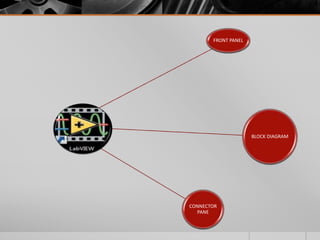
FRONT PANEL
BLOCK DIAGRAM
CONNECTOR
PANE
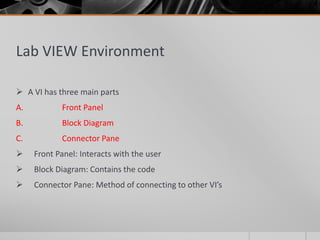
Lab VIEW Environment
 A VI has three main parts
A. Front Panel
B. Block Diagram
C. Connector Pane
 Front Panel: Interacts with the user
 Block Diagram: Contains the code
 Connector Pane: Method of connecting to other VI’s
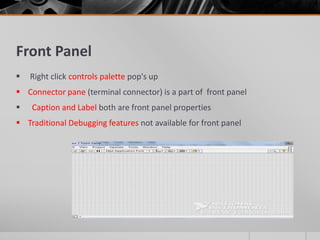
Front Panel
 Right click controls palette pop's up
 Connector pane (terminal connector) is a part of front panel
 Caption and Label both are front panel properties
 Traditional Debugging features not available for front panel
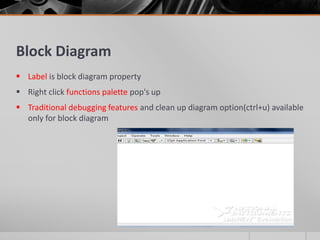
Block Diagram
 Label is block diagram property
 Right click functions palette pop's up
 Traditional debugging features and clean up diagram option(ctrl+u) available
only for block diagram
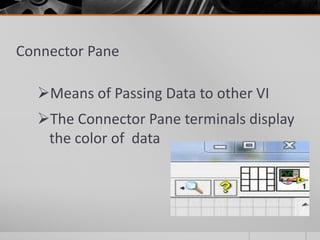
Connector Pane
Means of Passing Data to other VI
The Connector Pane terminals display
the color of data
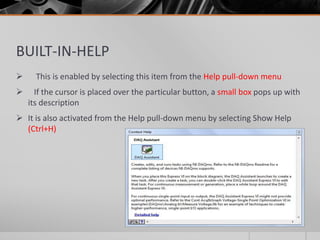
BUILT-IN-HELP
 This is enabled by selecting this item from the Help pull-down menu
 If the cursor is placed over the particular button, a small box pops up with
its description
 It is also activated from the Help pull-down menu by selecting Show Help
(Ctrl+H)
Lab VIEW Programming Concept
 Lab VIEW follows Data-Flow programming
 The process to determine the execution of program is called Arbitrary-
Interleaving
 During compilation the VI compiler constructs a wired table
 Lab VIEW functions are polymorphic
 Lab VIEW is not an interpreted language it is compiled behind the scenes by Lab
VIEW’s execution engine
 Lab VIEW constructs a wire table for the VI
 This wire table identifies elements in the block diagram that have inputs needed
for that element to run
 A Lab VIEW program is executed by pressing the arrow or the Run button
located in the palette along the top of the window
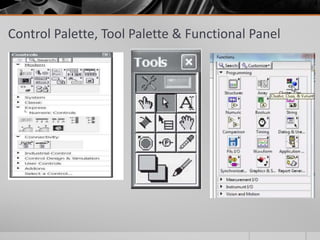
Control Palette, Tool Palette & Functional Panel
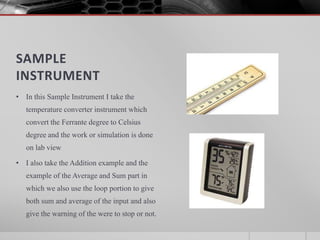
SAMPLE
INSTRUMENT
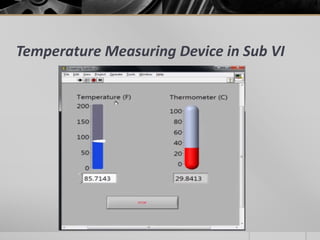
• In this Sample Instrument I take the
temperature converter instrument which
convert the Ferrante degree to Celsius
degree and the work or simulation is done
on lab view
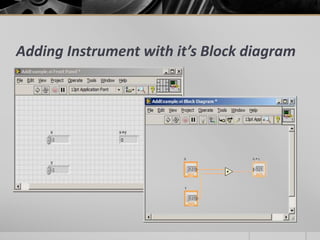
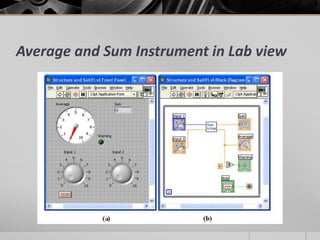
• I also take the Addition example and the
example of the Average and Sum part in
which we also use the loop portion to give
both sum and average of the input and also
give the warning of the were to stop or not.
Temperature Measuring Device in Sub VI
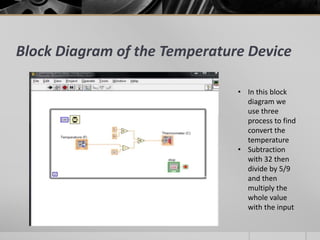
Block Diagram of the Temperature Device
• In this block
diagram we
use three
process to find
convert the
temperature
• Subtraction
with 32 then
divide by 5/9
and then
multiply the
whole value
with the input
Adding Instrument with it’s Block diagram
Average and Sum Instrument in Lab view
How it Work and how we make the VI of the
Block diagram so that it can’t be complex
• In this we have take the whole block diagram in to the single VI
• When we click on the whole VI which we have take on the block
diagram
• The Separate Windows of both front and the block diagram open in
which you can change what you can
• We can also use the additional function of using the new button which
or the ON/OFF switch we can help you help you start the instrument
• It shows the complicated block diagram into the small single block
which we can you use
Conclusion
 Lab view is one of the Graphical user interface which is used for the making
and checking the instruments
 It’s user interface is the user friendly which make them usable for both the
industrialist and as well as the students who want to learn.
 We can’t use the coding here there interface provide the best tools and layout
in which you can make either the block diagram or the instrument you can
check them simultaneously.
 The instrument which would be make on the lab view can be check by using
due it’s VI process
 It’s reduce the work and the cost of the making of instruments
Sample instrument using lab view  abhijeet agarwal-1

Sample instrument using lab view abhijeet agarwal-1

  • 1.
    Dayalbagh Educational Institute SampleInstrument Using Lab View Presented By- Abhijeet Agarwal M.Tech 1st Year Full Time
  • 2.
    INTRODUCTION  Lab VIEWis the acronym for Laboratory Virtual Instrument Engineering Workbench  It is a Graphical-based programming language  VI (virtual instrument) is the basic Lab VIEW element  Programming languages such as C, C++,BASIC use functions and subroutines Lab View uses VI
  • 3.
     Application ofLab View  Analog b/w Lab View and C  Lab View Environment  Built in Help  Programing Concept  Control Pallete, Tool Pallete & Functional Panel  Sample Instrument  Block Diagram  Instrument Diagram  How to use the VI and their works  Conclusions
  • 4.
    BENEFITS  Extensive Interface- Even people with limited coding experience can write programs and deploy solutions in reduced time interval. It also includes An interface to .NET framework assembly  Code Reuse and Platform independent -The G-code is independent of the operating system  Parallel Processing- Easy to code programs with multiple tasks performed in parallel by multithreading
  • 5.
    APPLICATIONS OF LabVIEW  Machine monitoring and control :Lab VIEW Real-Time module helps in preparing powerful machine monitoring and control applications  Research and Analysis : Scientist and Researchers use it biomedical ,aerospace energy industries etc .  Control Design : Real world data can be compared with theoretical data .
  • 6.
    Analogy between LabView and C  VI FUNCTION  DRAG-DROP UNITS COMMANDS  BLOCK DIAGRAM COMMAND WINDOW  FRONT PANEL USER INTERFACE  FILE EXTENSION .VI .C  MATH-SCRIPT math.stdio and lot more …..
  • 7.
  • 8.
    Lab VIEW Environment A VI has three main parts A. Front Panel B. Block Diagram C. Connector Pane  Front Panel: Interacts with the user  Block Diagram: Contains the code  Connector Pane: Method of connecting to other VI’s
  • 9.
    Front Panel  Rightclick controls palette pop's up  Connector pane (terminal connector) is a part of front panel  Caption and Label both are front panel properties  Traditional Debugging features not available for front panel
  • 10.
    Block Diagram  Labelis block diagram property  Right click functions palette pop's up  Traditional debugging features and clean up diagram option(ctrl+u) available only for block diagram
  • 11.
    Connector Pane Means ofPassing Data to other VI The Connector Pane terminals display the color of data
  • 12.
    BUILT-IN-HELP  This isenabled by selecting this item from the Help pull-down menu  If the cursor is placed over the particular button, a small box pops up with its description  It is also activated from the Help pull-down menu by selecting Show Help (Ctrl+H)
  • 13.
    Lab VIEW ProgrammingConcept  Lab VIEW follows Data-Flow programming  The process to determine the execution of program is called Arbitrary- Interleaving  During compilation the VI compiler constructs a wired table  Lab VIEW functions are polymorphic  Lab VIEW is not an interpreted language it is compiled behind the scenes by Lab VIEW’s execution engine  Lab VIEW constructs a wire table for the VI  This wire table identifies elements in the block diagram that have inputs needed for that element to run  A Lab VIEW program is executed by pressing the arrow or the Run button located in the palette along the top of the window
  • 14.
    Control Palette, ToolPalette & Functional Panel
  • 15.
    SAMPLE INSTRUMENT • In thisSample Instrument I take the temperature converter instrument which convert the Ferrante degree to Celsius degree and the work or simulation is done on lab view • I also take the Addition example and the example of the Average and Sum part in which we also use the loop portion to give both sum and average of the input and also give the warning of the were to stop or not.
  • 16.
  • 17.
    Block Diagram ofthe Temperature Device • In this block diagram we use three process to find convert the temperature • Subtraction with 32 then divide by 5/9 and then multiply the whole value with the input
  • 18.
    Adding Instrument withit’s Block diagram
  • 19.
    Average and SumInstrument in Lab view
  • 20.
    How it Workand how we make the VI of the Block diagram so that it can’t be complex • In this we have take the whole block diagram in to the single VI • When we click on the whole VI which we have take on the block diagram • The Separate Windows of both front and the block diagram open in which you can change what you can • We can also use the additional function of using the new button which or the ON/OFF switch we can help you help you start the instrument • It shows the complicated block diagram into the small single block which we can you use
  • 21.
    Conclusion  Lab viewis one of the Graphical user interface which is used for the making and checking the instruments  It’s user interface is the user friendly which make them usable for both the industrialist and as well as the students who want to learn.  We can’t use the coding here there interface provide the best tools and layout in which you can make either the block diagram or the instrument you can check them simultaneously.  The instrument which would be make on the lab view can be check by using due it’s VI process  It’s reduce the work and the cost of the making of instruments