A Presentation on
• Introduction to LabVIEW
• LabVIEW Software Overview
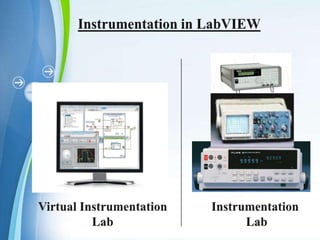
•Instrumentation in LabVIEW
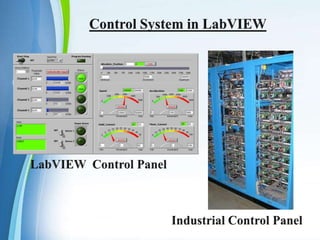
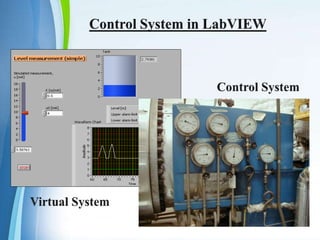
• Control System in LabVIEW
• Examples
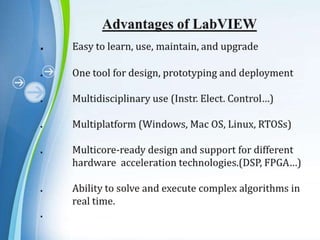
• Advantages
• Applications
• References
Introduction to
.

Lab VIEW is a graphical programming
language that uses icons instead of lines of
text to create programs.
. LabVIEW program called Virtual Instrument
produced by National Instruments in 1988.
. LabVIEW is a much loved tool of the scientist
and engineer.
. Jeff Kodosky is the “Father of LabVIEW”.
. Lab VIEW programs are called virtual
instruments, or VIs, because their appearance
and operation imitate physical instruments,
such as oscilloscopes and multimeters etc.
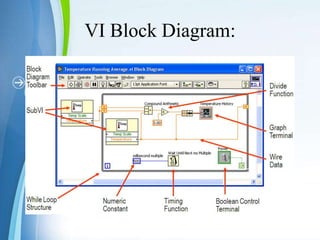
. After build the user interface, add code using VIs
and structures to control the front panel objects.
The block diagram contains this code.
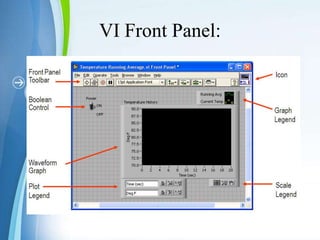
VI Front Panel:
VI Block Diagram:
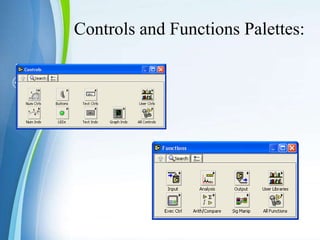
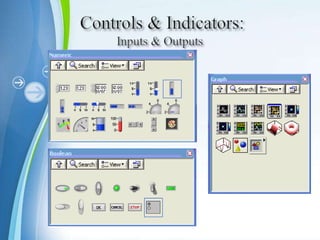
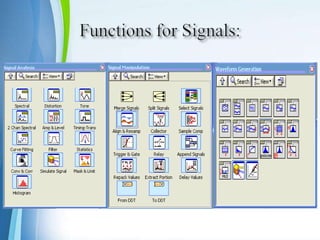
Controls and Functions Palettes:
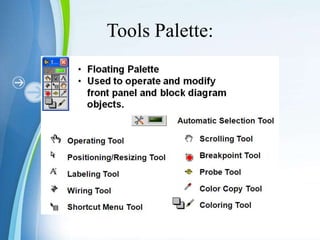
Tools Palette:
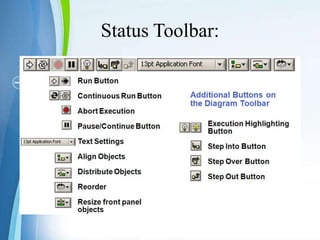
Status Toolbar:
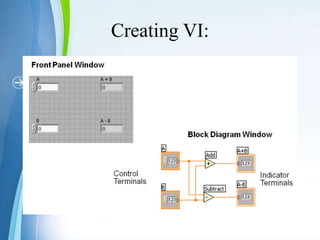
Creating VI:
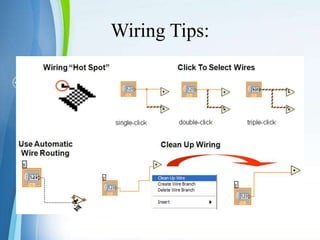
Wiring Tips:
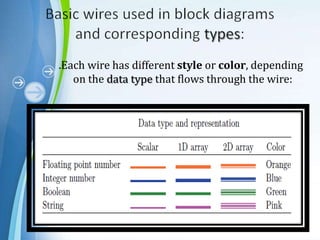
.Each wire has different style or color, depending
on the data type that flows through the wire:
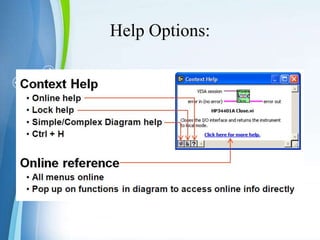
Help Options:






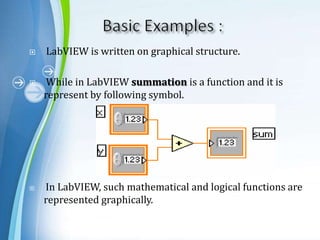
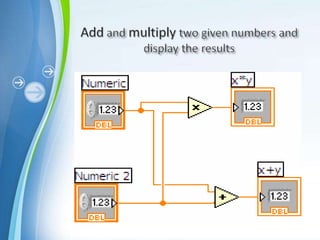
LabVIEW is written on graphical structure.

While in LabVIEW summation is a function and it is
represent by following symbol.

In LabVIEW, such mathematical and logical functions are
represented graphically.
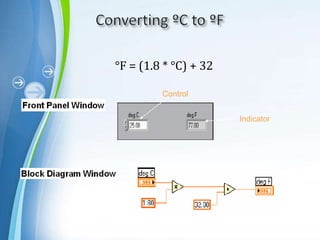
°F = (1.8 * °C) + 32
Control
Indicator
Labview
Labview
Labview
Labview
Labview
Labview
Labview
Labview
Labview
Labview
Labview

Labview

  • 1.
  • 2.
    • Introduction toLabVIEW • LabVIEW Software Overview •Instrumentation in LabVIEW • Control System in LabVIEW • Examples • Advantages • Applications • References
  • 3.
  • 4.
    . Lab VIEW isa graphical programming language that uses icons instead of lines of text to create programs. . LabVIEW program called Virtual Instrument produced by National Instruments in 1988. . LabVIEW is a much loved tool of the scientist and engineer. . Jeff Kodosky is the “Father of LabVIEW”.
  • 5.
    . Lab VIEWprograms are called virtual instruments, or VIs, because their appearance and operation imitate physical instruments, such as oscilloscopes and multimeters etc. . After build the user interface, add code using VIs and structures to control the front panel objects. The block diagram contains this code.
  • 7.
  • 8.
  • 9.
  • 10.
  • 11.
  • 12.
  • 14.
  • 15.
    .Each wire hasdifferent style or color, depending on the data type that flows through the wire:
  • 18.
  • 19.
       LabVIEW is writtenon graphical structure. While in LabVIEW summation is a function and it is represent by following symbol. In LabVIEW, such mathematical and logical functions are represented graphically.
  • 21.
    °F = (1.8* °C) + 32 Control Indicator