Introduction
 Lab VIEW (short for Laboratory Virtual
Instrumentation Engineering Workbench)
 Platform and development environment for a visual
programming language from National Instruments
 The graphical language is named "G". Originally
released for the Apple Macintosh in 1986,
 Lab VIEW is commonly used for data acquisition,
instrument control, and industrial automation on a
variety of platforms including Microsoft Windows,
various flavors of UNIX, Linux, and Mac OS X.
Start using Lab VIEW
The topics are as follows:
 The Lab VIEW Environment
 Front Panel and Block Diagram
 Palettes: Control Palette, Functions Palette,
Tools Palette
 Data type
 Data flow Programming
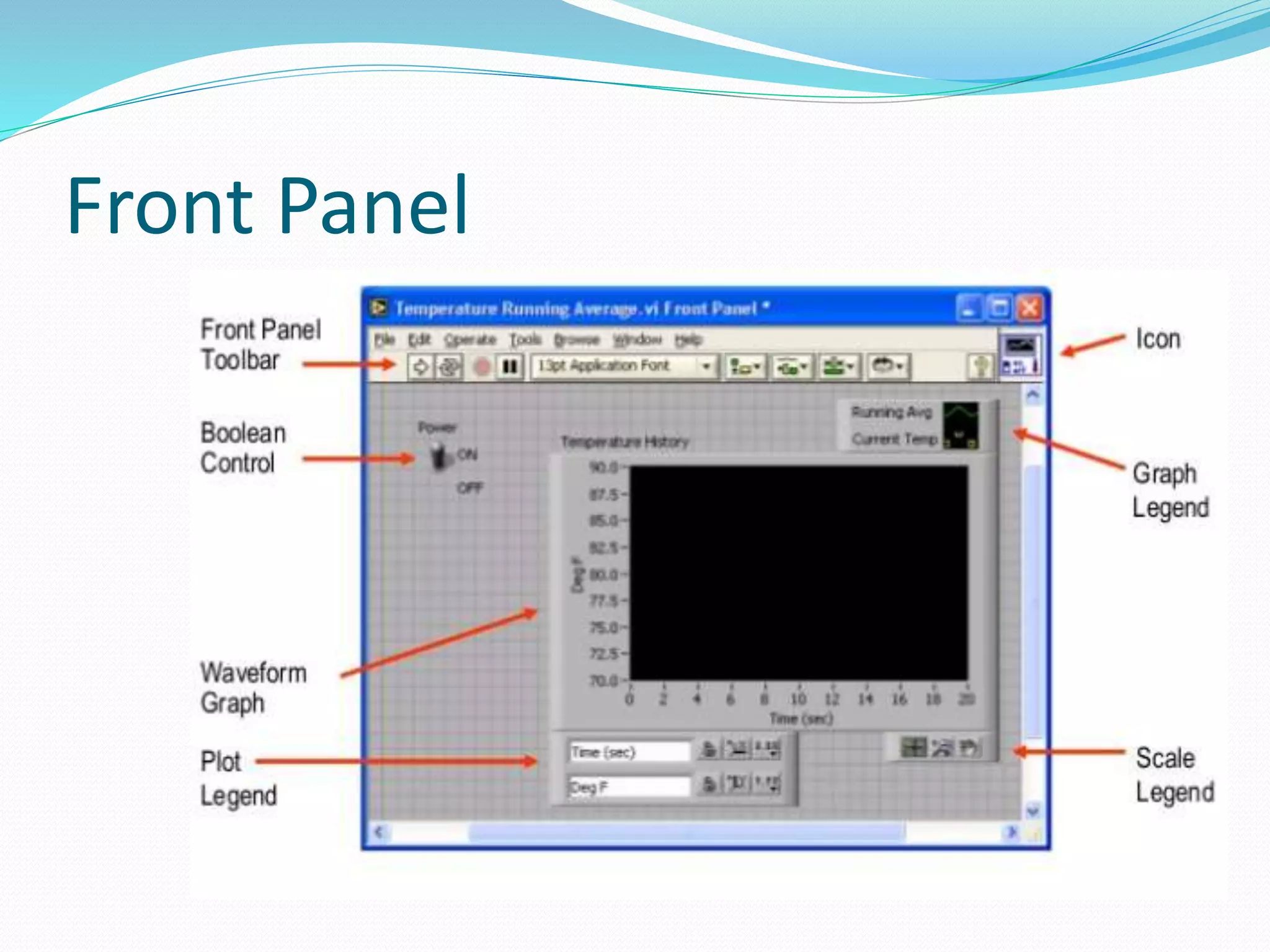
Front Panel
 In Lab VIEW, you build a user interface, or front panel,
with controls and indicators. Controls are knobs, push
buttons, dials, and other input devices. Indicators are
graphs, LEDs, and other displays.
Front Panel
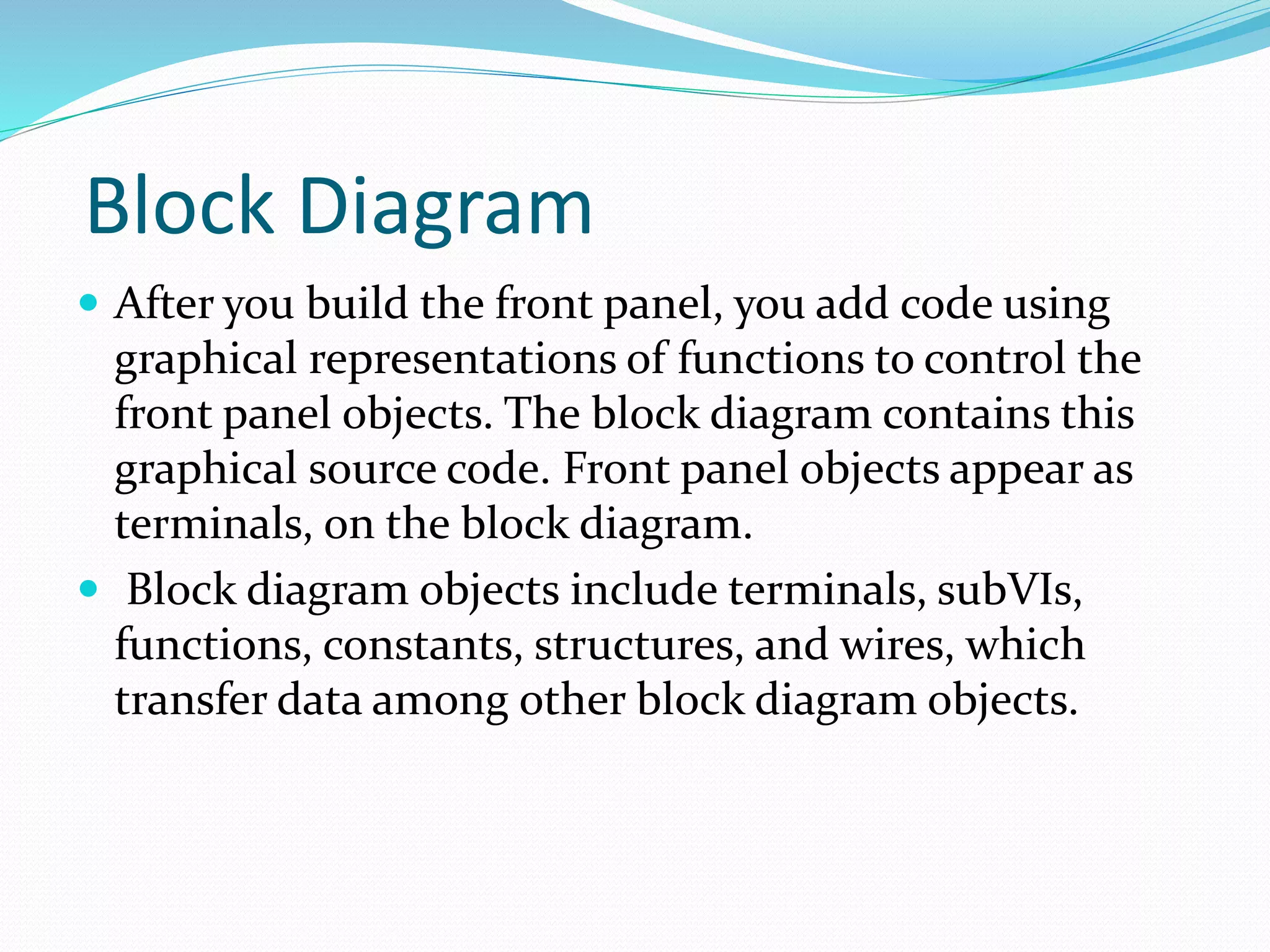
Block Diagram
 After you build the front panel, you add code using
graphical representations of functions to control the
front panel objects. The block diagram contains this
graphical source code. Front panel objects appear as
terminals, on the block diagram.
 Block diagram objects include terminals, subVIs,
functions, constants, structures, and wires, which
transfer data among other block diagram objects.
Block Diagram
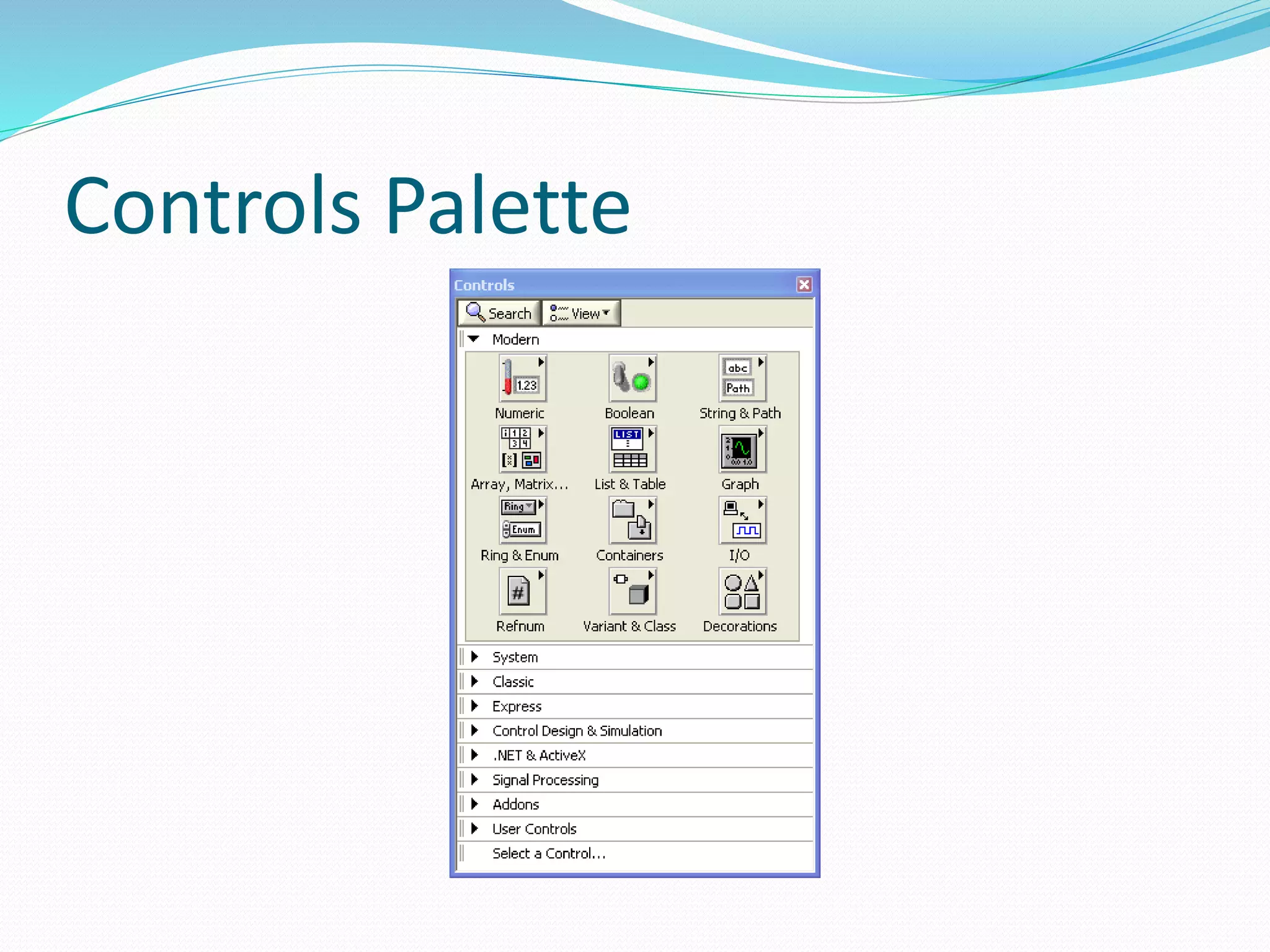
Controls Palette
 The Controls palette is available only on the front
panel.
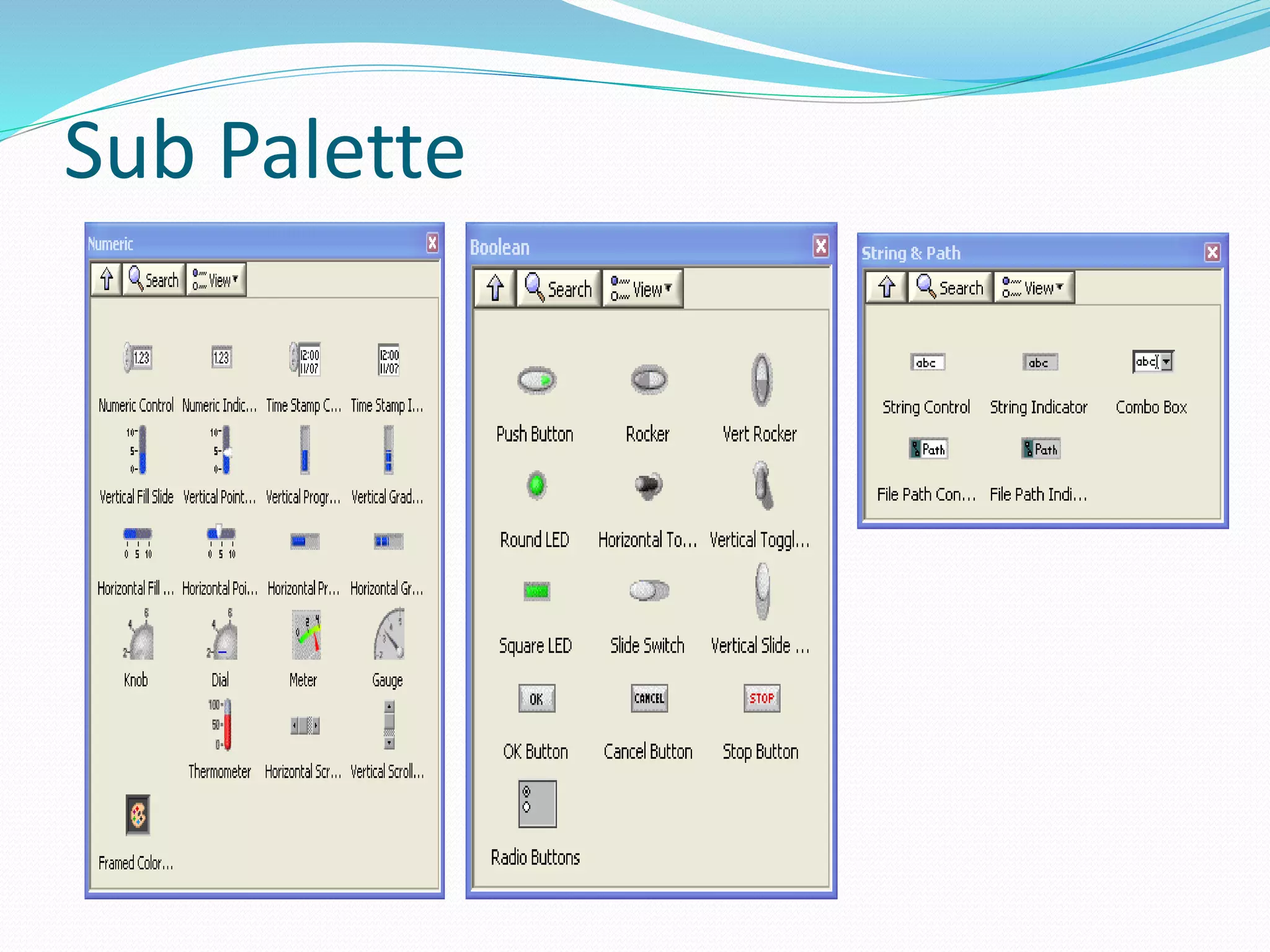
 The Controls palette contains the controls and
indicators you use to build the front panel.
Controls Palette
Sub Palette
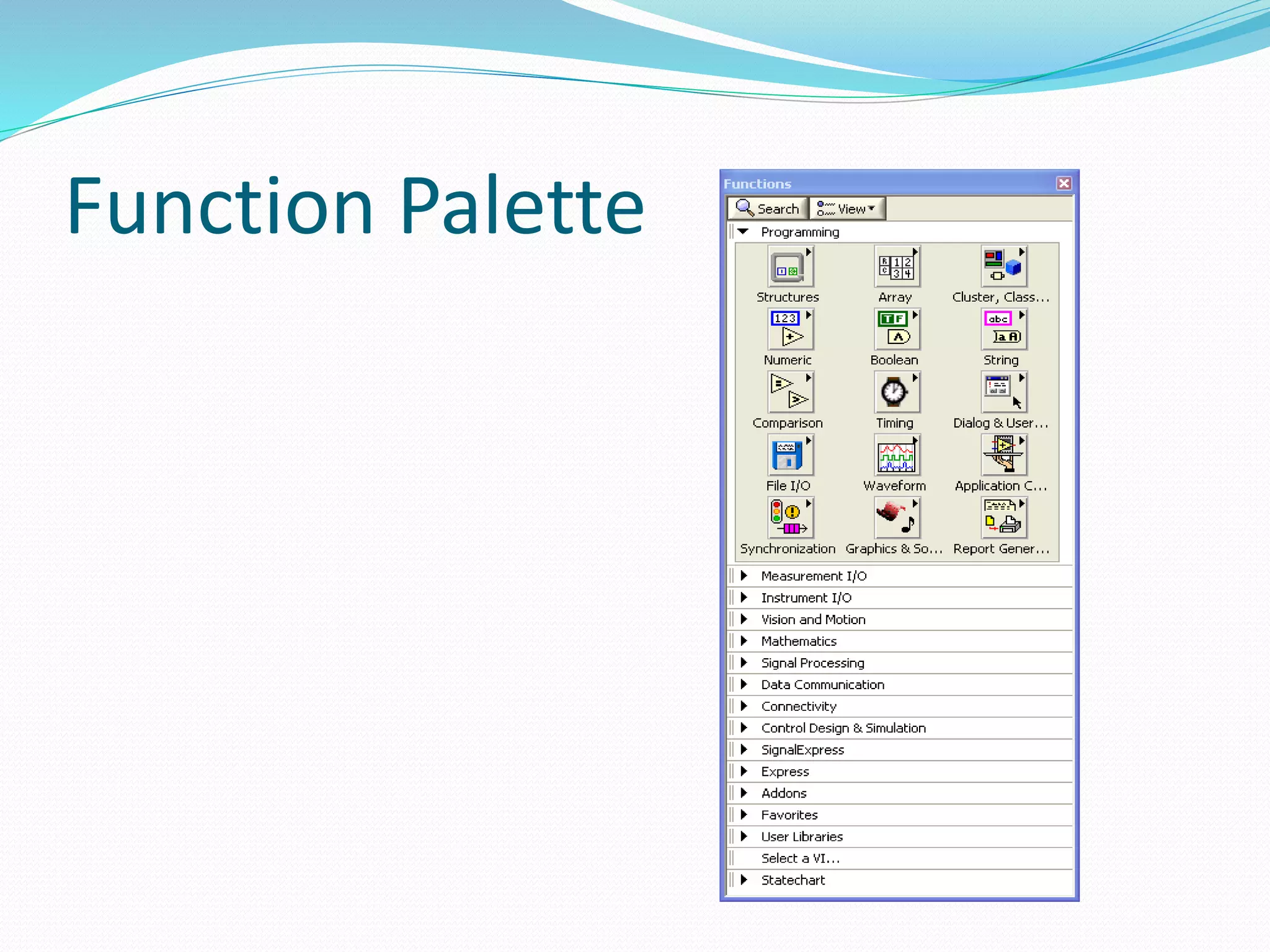
Function Palette
 The Functions palette is available only on the block
diagram.
 The Functions palette contains the VIs and functions
you use to build the block diagram
Function Palette
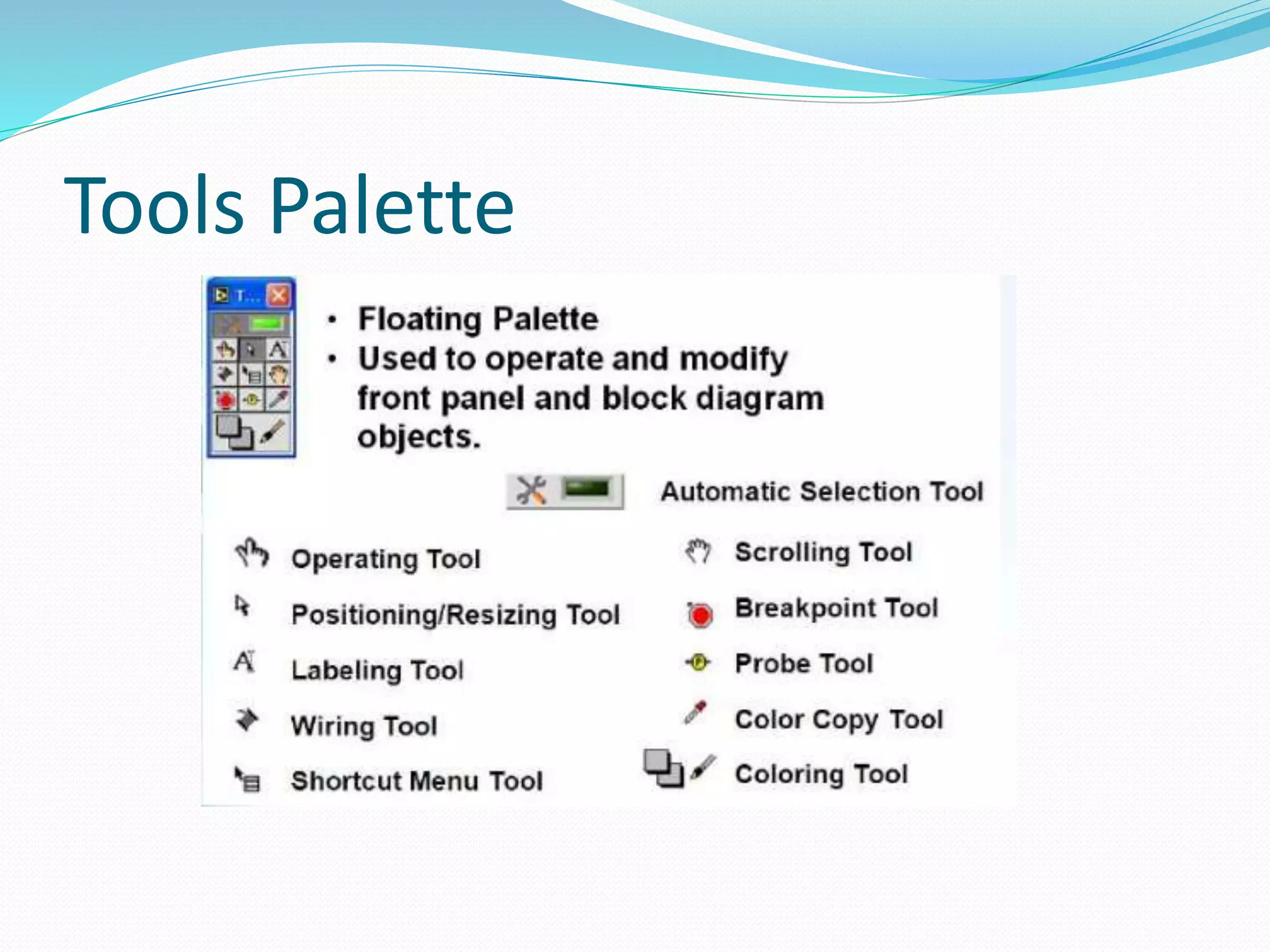
Tools Palette
 You can create, modify, and debug VIs using the tools
located on the floating Tools palette.
 The Tools palette is available on both the front panel
and the block diagram.
 A tool is a special operating mode of the mouse cursor.
 The cursor corresponds to the icon of the tool selected
in the Tools palette.
 Use the tools to operate and modify front panel and
block diagram objects.
Tools Palette
Data Types
 Numeric
 String
 Boolean
 Enum
 Ring
 Wave form
 Dynamic Data Type
 Variant
Loops and Structures
 For Loop
 While Loop
 Case Structure
 Sequence Structure
 Event Structure
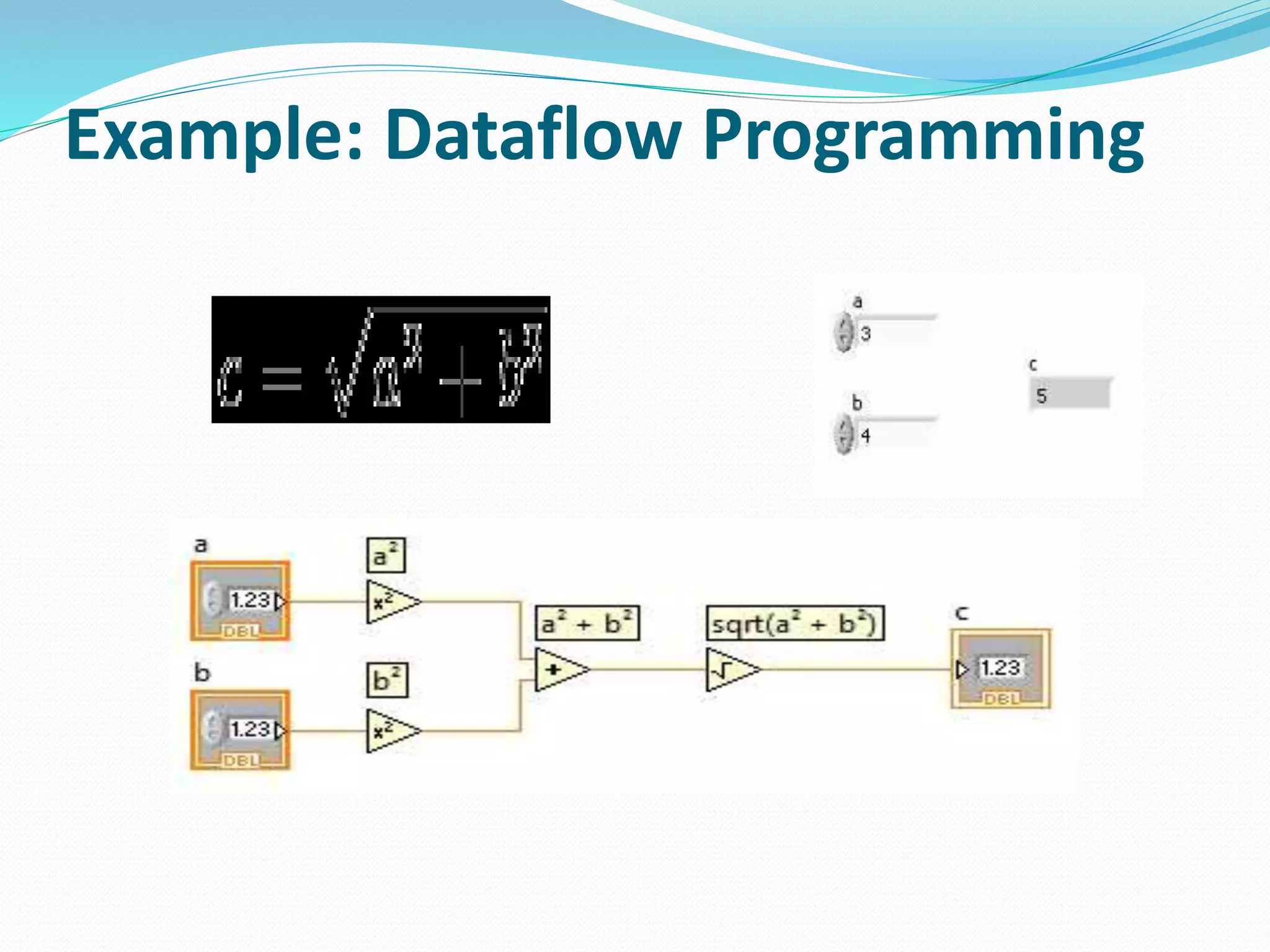
Dataflow Programming
 Lab VIEW follows a dataflow model for running VIs. A
block diagram node executes when all its inputs are
available. When a node completes execution, it
supplies data to its output terminals and passes the
output data to the next node in the dataflow path.
 Visual Basic, C++/C#, Java, and most other text-based
programming languages follow a control flow model of
program execution. In control flow, the sequential
order of program elements determines the execution
order of a program.
Example: Dataflow Programming
Thank You…,

Lab view

  • 2.
    Introduction  Lab VIEW(short for Laboratory Virtual Instrumentation Engineering Workbench)  Platform and development environment for a visual programming language from National Instruments  The graphical language is named "G". Originally released for the Apple Macintosh in 1986,  Lab VIEW is commonly used for data acquisition, instrument control, and industrial automation on a variety of platforms including Microsoft Windows, various flavors of UNIX, Linux, and Mac OS X.
  • 3.
    Start using LabVIEW The topics are as follows:  The Lab VIEW Environment  Front Panel and Block Diagram  Palettes: Control Palette, Functions Palette, Tools Palette  Data type  Data flow Programming
  • 4.
    Front Panel  InLab VIEW, you build a user interface, or front panel, with controls and indicators. Controls are knobs, push buttons, dials, and other input devices. Indicators are graphs, LEDs, and other displays.
  • 5.
  • 6.
    Block Diagram  Afteryou build the front panel, you add code using graphical representations of functions to control the front panel objects. The block diagram contains this graphical source code. Front panel objects appear as terminals, on the block diagram.  Block diagram objects include terminals, subVIs, functions, constants, structures, and wires, which transfer data among other block diagram objects.
  • 7.
  • 8.
    Controls Palette  TheControls palette is available only on the front panel.  The Controls palette contains the controls and indicators you use to build the front panel.
  • 9.
  • 10.
  • 11.
    Function Palette  TheFunctions palette is available only on the block diagram.  The Functions palette contains the VIs and functions you use to build the block diagram
  • 12.
  • 13.
    Tools Palette  Youcan create, modify, and debug VIs using the tools located on the floating Tools palette.  The Tools palette is available on both the front panel and the block diagram.  A tool is a special operating mode of the mouse cursor.  The cursor corresponds to the icon of the tool selected in the Tools palette.  Use the tools to operate and modify front panel and block diagram objects.
  • 14.
  • 15.
    Data Types  Numeric String  Boolean  Enum  Ring  Wave form  Dynamic Data Type  Variant
  • 16.
    Loops and Structures For Loop  While Loop  Case Structure  Sequence Structure  Event Structure
  • 17.
    Dataflow Programming  LabVIEW follows a dataflow model for running VIs. A block diagram node executes when all its inputs are available. When a node completes execution, it supplies data to its output terminals and passes the output data to the next node in the dataflow path.  Visual Basic, C++/C#, Java, and most other text-based programming languages follow a control flow model of program execution. In control flow, the sequential order of program elements determines the execution order of a program.
  • 18.
  • 19.