 INTRODUCTION
 LabVIEW ENVIRONMENT
 LabVIEW PROGRAMMING CONCEPT
 SOFTWARE CONSTRUCTS IN
LabVIEW
INTRODUCTION
• LabVIEW is the acronym for Laboratory
Virtual Instrument Engineering Workbench
• It is a Graphical-based programming language
• VI (virtual instrument) is the basic LabVIEW
element
• Programming languages such as C, C++,BASIC
use functions and subroutines LabVIEW uses
VI
BENEFITS
Extensive Interface - Even people with limited
coding experience can write programs and
deploy solutions in reduced time interval.It
also includes An interface to .NET framework
assembly
 Code Reuse and Platform independent -The
G-code is independent of the operating system
Parallel Processing- Easy to code programs
with multiple tasksperformed in parallel by
multithreading
APPLICATIONS OF LabVIEW
Machine monitoring and control :LabVIEW
Real-Time module helps in preparing powerful
machine monitoring and control applications
 Research and Analysis : Scientist and
Researchers use it biomedical ,aerospace
energy industries etc .
 Control Design : Real world data can be
compared with theoretical data .
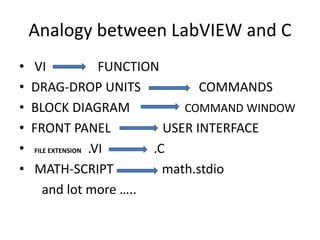
Analogy between LabVIEW and C
• VI FUNCTION
• DRAG-DROP UNITS COMMANDS
• BLOCK DIAGRAM COMMAND WINDOW
• FRONT PANEL USER INTERFACE
• FILE EXTENSION .VI .C
• MATH-SCRIPT math.stdio
and lot more …..
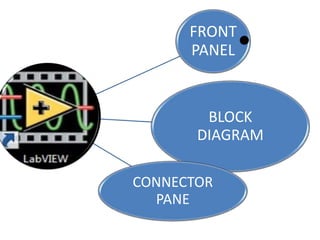
FRONT
PANEL•
BLOCK
DIAGRAM
CONNECTOR
PANE
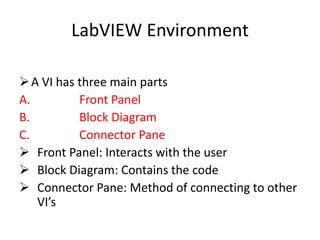
LabVIEW Environment
A VI has three main parts
A. Front Panel
B. Block Diagram
C. Connector Pane
 Front Panel: Interacts with the user
 Block Diagram: Contains the code
 Connector Pane: Method of connecting to other
VI’s
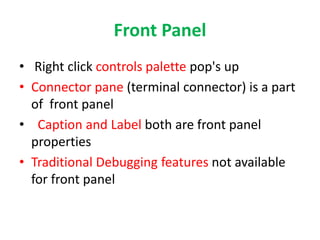
Front Panel
• Right click controls palette pop's up
• Connector pane (terminal connector) is a part
of front panel
• Caption and Label both are front panel
properties
• Traditional Debugging features not available
for front panel
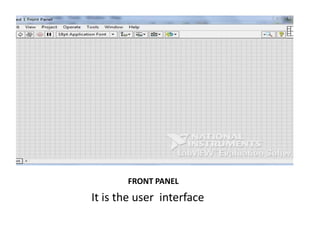
FRONT PANEL
It is the user interface
Block Diagram
• Label is block diagram property
• Right click functions palette pop's up
• Traditional debugging features and clean up
diagram option(ctrl+u) available only for block
diagram
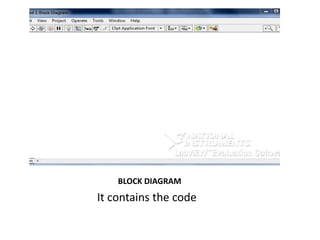
BLOCK DIAGRAM
It contains the code
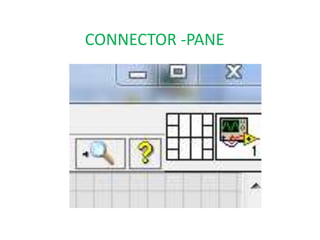
Connector Pane
Means of Passing Data to other VI
The Connector Pane terminals display
the color of data
CONNECTOR -PANE
Means of passing data to other VI
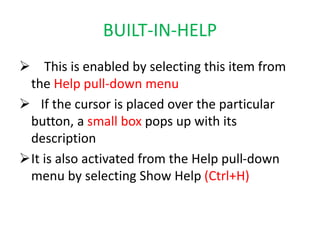
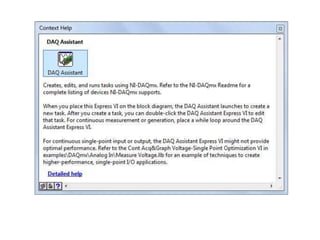
BUILT-IN-HELP
 This is enabled by selecting this item from
the Help pull-down menu
 If the cursor is placed over the particular
button, a small box pops up with its
description
It is also activated from the Help pull-down
menu by selecting Show Help (Ctrl+H)
LabVIEW Programming Concept
LabVIEW follows Data-Flow programming
The process to determine the execution of
program is called Arbitrary-Interleaving
During compilation the VI compiler constructs
a wired table
LabVIEW functions are polymorphic
 LabVIEW is not an interpreted language it is
compiled behind the scenes by LabVIEW’s
execution engine
LabVIEW constructs a wire table for the VI
This wire table identifies elements in the block
diagram that have inputs needed for that
element to run
A LabVIEW program is executed by pressing
the arrow or the Run button located in the
palette along the top of the window
LabVIEW has three palettes
o Functions Palette
o Control Palette
o Tools Palette
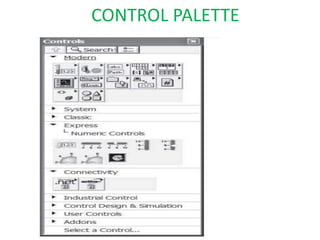
CONTROL PALETTE
Invoke the control palette by clicking
VIEW-CONTROL PALETTE or by right clicking
on the front panel
 The controls are grouped into categories in a
tree
The sub palettes have a lock in the top left
corner to keep the window visible while you
are working with the controls
FUNCTION PALETTE
 Invoke the function palette by VIEW-
FUCNTION PALETTE or by right clicking on the
block diagram
 The functions are grouped into categories
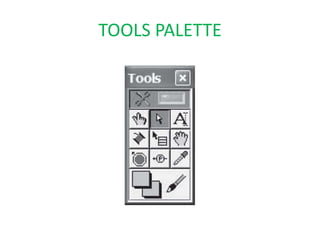
TOOLS PALETTE
VARIOUS TOOLS
 Automatic tool selection
Operating value
 Positioning
Labeling
Wiring
Short-cut menu
Scrolling
Breakpoint
Probe
Get color
Coloring
DATA TYPES
 Numeric
String
Dynamic Data type
 Boolean
Enum
Ring
Waveform
Variant
Timestamp
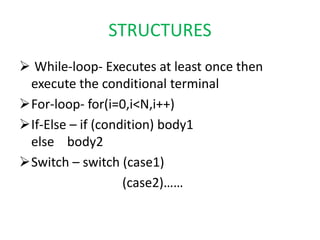
STRUCTURES
 While-loop- Executes at least once then
execute the conditional terminal
For-loop- for(i=0,i<N,i++)
If-Else – if (condition) body1
else body2
Switch – switch (case1)
(case2)……
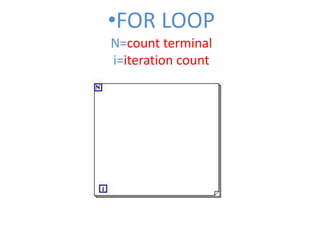
•FOR LOOP
N=count terminal
i=iteration count
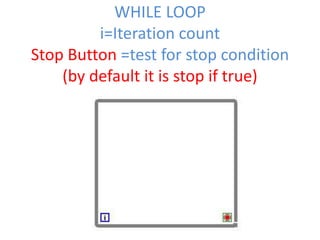
WHILE LOOP
i=Iteration count
Stop Button =test for stop condition
(by default it is stop if true)
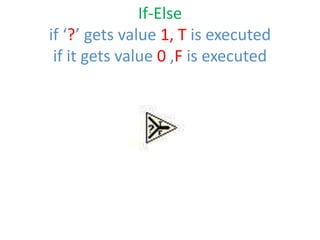
If-Else
if ‘?’ gets value 1, T is executed
if it gets value 0 ,F is executed
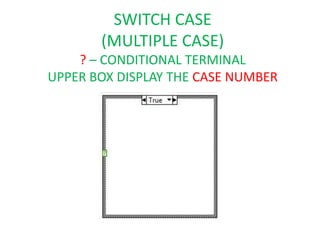
SWITCH CASE
(MULTIPLE CASE)
? – CONDITIONAL TERMINAL
UPPER BOX DISPLAY THE CASE NUMBER

Presentation on LabVIEW Basics

  • 1.
     INTRODUCTION  LabVIEWENVIRONMENT  LabVIEW PROGRAMMING CONCEPT  SOFTWARE CONSTRUCTS IN LabVIEW
  • 2.
    INTRODUCTION • LabVIEW isthe acronym for Laboratory Virtual Instrument Engineering Workbench • It is a Graphical-based programming language • VI (virtual instrument) is the basic LabVIEW element • Programming languages such as C, C++,BASIC use functions and subroutines LabVIEW uses VI
  • 3.
    BENEFITS Extensive Interface -Even people with limited coding experience can write programs and deploy solutions in reduced time interval.It also includes An interface to .NET framework assembly  Code Reuse and Platform independent -The G-code is independent of the operating system Parallel Processing- Easy to code programs with multiple tasksperformed in parallel by multithreading
  • 4.
    APPLICATIONS OF LabVIEW Machinemonitoring and control :LabVIEW Real-Time module helps in preparing powerful machine monitoring and control applications  Research and Analysis : Scientist and Researchers use it biomedical ,aerospace energy industries etc .  Control Design : Real world data can be compared with theoretical data .
  • 5.
    Analogy between LabVIEWand C • VI FUNCTION • DRAG-DROP UNITS COMMANDS • BLOCK DIAGRAM COMMAND WINDOW • FRONT PANEL USER INTERFACE • FILE EXTENSION .VI .C • MATH-SCRIPT math.stdio and lot more …..
  • 6.
  • 7.
    LabVIEW Environment A VIhas three main parts A. Front Panel B. Block Diagram C. Connector Pane  Front Panel: Interacts with the user  Block Diagram: Contains the code  Connector Pane: Method of connecting to other VI’s
  • 8.
    Front Panel • Rightclick controls palette pop's up • Connector pane (terminal connector) is a part of front panel • Caption and Label both are front panel properties • Traditional Debugging features not available for front panel
  • 9.
    FRONT PANEL It isthe user interface
  • 10.
    Block Diagram • Labelis block diagram property • Right click functions palette pop's up • Traditional debugging features and clean up diagram option(ctrl+u) available only for block diagram
  • 11.
  • 12.
    Connector Pane Means ofPassing Data to other VI The Connector Pane terminals display the color of data
  • 13.
    CONNECTOR -PANE Means ofpassing data to other VI
  • 14.
    BUILT-IN-HELP  This isenabled by selecting this item from the Help pull-down menu  If the cursor is placed over the particular button, a small box pops up with its description It is also activated from the Help pull-down menu by selecting Show Help (Ctrl+H)
  • 16.
    LabVIEW Programming Concept LabVIEWfollows Data-Flow programming The process to determine the execution of program is called Arbitrary-Interleaving During compilation the VI compiler constructs a wired table LabVIEW functions are polymorphic  LabVIEW is not an interpreted language it is compiled behind the scenes by LabVIEW’s execution engine
  • 17.
    LabVIEW constructs awire table for the VI This wire table identifies elements in the block diagram that have inputs needed for that element to run A LabVIEW program is executed by pressing the arrow or the Run button located in the palette along the top of the window
  • 18.
    LabVIEW has threepalettes o Functions Palette o Control Palette o Tools Palette
  • 19.
  • 20.
    Invoke the controlpalette by clicking VIEW-CONTROL PALETTE or by right clicking on the front panel  The controls are grouped into categories in a tree The sub palettes have a lock in the top left corner to keep the window visible while you are working with the controls
  • 21.
    FUNCTION PALETTE  Invokethe function palette by VIEW- FUCNTION PALETTE or by right clicking on the block diagram  The functions are grouped into categories
  • 22.
  • 23.
    VARIOUS TOOLS  Automatictool selection Operating value  Positioning Labeling Wiring Short-cut menu Scrolling Breakpoint Probe Get color Coloring
  • 24.
    DATA TYPES  Numeric String DynamicData type  Boolean Enum Ring Waveform Variant Timestamp
  • 25.
    STRUCTURES  While-loop- Executesat least once then execute the conditional terminal For-loop- for(i=0,i<N,i++) If-Else – if (condition) body1 else body2 Switch – switch (case1) (case2)……
  • 26.
  • 27.
    WHILE LOOP i=Iteration count StopButton =test for stop condition (by default it is stop if true)
  • 28.
    If-Else if ‘?’ getsvalue 1, T is executed if it gets value 0 ,F is executed
  • 29.
    SWITCH CASE (MULTIPLE CASE) ?– CONDITIONAL TERMINAL UPPER BOX DISPLAY THE CASE NUMBER