U N D E R S T A N D I N G T H E I N T E R N E T
INTERNET SERVERS
INTERNET SERVERS
 The Internet is made up of client computers, servers,
cables, and network connection devices. Each has a
different role in the Internet infrastructure: connection
devices are responsible for data traffic, whereas servers
enable information and resources to be shared among
the computers. Servers are configured as high-
performance computers and run special software to
perform their tasks. They operate 24 hours a day to
provide full-time service to their clients.
Web Servers
 Web Servers are the foundation of the Internet. Web
pages are stored in Web servers. Whenever you open
up your browser and type in a Web site address
(http://www.mackosova.com), it is a server that gets
you the page you request.
Mail Servers
 Mail Serves are as crucial as Web servers. They move
and store mail over private networks and across the
Internet. E-Mail servers utilize the SMTP, POP, and
IMAP protocols.
FTP (File Transfer Protocol) Servers
 FTP allows you to transfer files between two
computers on the Internet. To transfer files with
FTP, you use a program that is often called the client.
The FTP client program initiates a connection to an
FTP server to download or upload files. FTP servers
store text files, graphic files, sound files, etc.
Database Servers
 Database Servers are specifically configured to run
database software. A database is a collection of data
that is organized so that its contents can be easily
accessed, managed, and updated.
Real-Time Communication Servers
 Chat and IRC servers enable a large number of users
to exchange information in an environment similar
to an Internet newsgroup but with real-time
discussion capabilities. Instant messaging servers,
like chat servers, facilitate communication in real
time. However, instant messaging generally involves
one conversation between two people.
DNS (Domain Name Server)
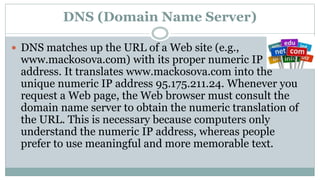
 DNS matches up the URL of a Web site (e.g.,
www.mackosova.com) with its proper numeric IP
address. It translates www.mackosova.com into the
unique numeric IP address 95.175.211.24. Whenever you
request a Web page, the Web browser must consult the
domain name server to obtain the numeric translation of
the URL. This is necessary because computers only
understand the numeric IP address, whereas people
prefer to use meaningful and more memorable text.
Streaming Media Server
 Streaming technology is used to transfer data over
the Internet as a continues stream. A Streaming
Media server transfers multimedia files to the clients’
computers using streaming technologies. A client
media player can begin playing the data (such as a
movie) before the entire file has been transmitted.
DHCP (Dynamic Host Configuration Protocol) Servers
 A DHCP Server automatically gives network devices
the configuration information (an IP address, subnet
mask, and default gateway) required to communicate
on a network.

S01.L02 - Internet Servers

  • 1.
    U N DE R S T A N D I N G T H E I N T E R N E T INTERNET SERVERS
  • 2.
    INTERNET SERVERS  TheInternet is made up of client computers, servers, cables, and network connection devices. Each has a different role in the Internet infrastructure: connection devices are responsible for data traffic, whereas servers enable information and resources to be shared among the computers. Servers are configured as high- performance computers and run special software to perform their tasks. They operate 24 hours a day to provide full-time service to their clients.
  • 3.
    Web Servers  WebServers are the foundation of the Internet. Web pages are stored in Web servers. Whenever you open up your browser and type in a Web site address (http://www.mackosova.com), it is a server that gets you the page you request.
  • 4.
    Mail Servers  MailServes are as crucial as Web servers. They move and store mail over private networks and across the Internet. E-Mail servers utilize the SMTP, POP, and IMAP protocols.
  • 5.
    FTP (File TransferProtocol) Servers  FTP allows you to transfer files between two computers on the Internet. To transfer files with FTP, you use a program that is often called the client. The FTP client program initiates a connection to an FTP server to download or upload files. FTP servers store text files, graphic files, sound files, etc.
  • 6.
    Database Servers  DatabaseServers are specifically configured to run database software. A database is a collection of data that is organized so that its contents can be easily accessed, managed, and updated.
  • 7.
    Real-Time Communication Servers Chat and IRC servers enable a large number of users to exchange information in an environment similar to an Internet newsgroup but with real-time discussion capabilities. Instant messaging servers, like chat servers, facilitate communication in real time. However, instant messaging generally involves one conversation between two people.
  • 8.
    DNS (Domain NameServer)  DNS matches up the URL of a Web site (e.g., www.mackosova.com) with its proper numeric IP address. It translates www.mackosova.com into the unique numeric IP address 95.175.211.24. Whenever you request a Web page, the Web browser must consult the domain name server to obtain the numeric translation of the URL. This is necessary because computers only understand the numeric IP address, whereas people prefer to use meaningful and more memorable text.
  • 9.
    Streaming Media Server Streaming technology is used to transfer data over the Internet as a continues stream. A Streaming Media server transfers multimedia files to the clients’ computers using streaming technologies. A client media player can begin playing the data (such as a movie) before the entire file has been transmitted.
  • 10.
    DHCP (Dynamic HostConfiguration Protocol) Servers  A DHCP Server automatically gives network devices the configuration information (an IP address, subnet mask, and default gateway) required to communicate on a network.