I N T E R N E T B A S I C S
UNDERSTANDING THE
CLOUD
WHAT IS THE CLOUD?
• Simply put, the cloud is the Internet—more specifically,
it's all of the things you can access remotely over the
Internet. When something is in the cloud, it means it's
stored on Internet servers instead of your computer's
hard drive.
WHY USE THE CLOUD?
• Some of the main reasons to use the cloud are
convenience and reliability. For example, if you've ever
used a web-based email service, such as Gmail or
Yahoo! Mail, you've already used the cloud. All of the
emails in a web-based service are stored on servers
rather than on your computer's hard drive. This means
you can access your email from any computer with an
Internet connection. It also means you'll be able to
recover your emails if something happens to your
computer.
MOST COMMON REASONS TO
USE THE CLOUD
FILE STORAGE
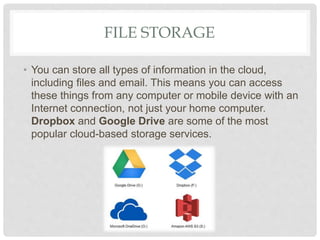
• You can store all types of information in the cloud,
including files and email. This means you can access
these things from any computer or mobile device with an
Internet connection, not just your home computer.
Dropbox and Google Drive are some of the most
popular cloud-based storage services.
FILE SHARING
• The cloud makes it easy to share files with several
people at the same time. For example, you could upload
several photos to a cloud-based photo service like Flickr
or iCloud Photos, then quickly share them with friends
and family.
BACKING UP DATA
• You can also use the cloud to protect your files. Apps like
Mozy and Carbonite automatically back up your data to
the cloud. This way, if your computer ever is lost, stolen,
or damaged, you'll still be able to recover these files from
the cloud.
WHAT IS A WEB APP?
• Desktop applications allow you to perform tasks on
your computer. But there are also web applications - or
web apps - that run in the cloud and do not need to be
installed on your computer. Many of the most popular
sites on the Internet are actually web apps. You may
have even used a web app without realizing it!
PIXLR
• Pixlr is an image editing application that runs in your web
browser. Much like Adobe Photoshop, it includes many
advanced features, like color correction and sharpening
tools.
GOOGLE DOCS
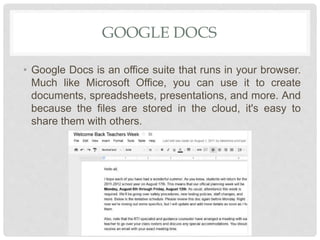
• Google Docs is an office suite that runs in your browser.
Much like Microsoft Office, you can use it to create
documents, spreadsheets, presentations, and more. And
because the files are stored in the cloud, it's easy to
share them with others.

S01.L04 - Understanding the Cloud

  • 1.
    I N TE R N E T B A S I C S UNDERSTANDING THE CLOUD
  • 2.
    WHAT IS THECLOUD? • Simply put, the cloud is the Internet—more specifically, it's all of the things you can access remotely over the Internet. When something is in the cloud, it means it's stored on Internet servers instead of your computer's hard drive.
  • 3.
    WHY USE THECLOUD? • Some of the main reasons to use the cloud are convenience and reliability. For example, if you've ever used a web-based email service, such as Gmail or Yahoo! Mail, you've already used the cloud. All of the emails in a web-based service are stored on servers rather than on your computer's hard drive. This means you can access your email from any computer with an Internet connection. It also means you'll be able to recover your emails if something happens to your computer.
  • 4.
    MOST COMMON REASONSTO USE THE CLOUD
  • 5.
    FILE STORAGE • Youcan store all types of information in the cloud, including files and email. This means you can access these things from any computer or mobile device with an Internet connection, not just your home computer. Dropbox and Google Drive are some of the most popular cloud-based storage services.
  • 6.
    FILE SHARING • Thecloud makes it easy to share files with several people at the same time. For example, you could upload several photos to a cloud-based photo service like Flickr or iCloud Photos, then quickly share them with friends and family.
  • 7.
    BACKING UP DATA •You can also use the cloud to protect your files. Apps like Mozy and Carbonite automatically back up your data to the cloud. This way, if your computer ever is lost, stolen, or damaged, you'll still be able to recover these files from the cloud.
  • 8.
    WHAT IS AWEB APP? • Desktop applications allow you to perform tasks on your computer. But there are also web applications - or web apps - that run in the cloud and do not need to be installed on your computer. Many of the most popular sites on the Internet are actually web apps. You may have even used a web app without realizing it!
  • 9.
    PIXLR • Pixlr isan image editing application that runs in your web browser. Much like Adobe Photoshop, it includes many advanced features, like color correction and sharpening tools.
  • 10.
    GOOGLE DOCS • GoogleDocs is an office suite that runs in your browser. Much like Microsoft Office, you can use it to create documents, spreadsheets, presentations, and more. And because the files are stored in the cloud, it's easy to share them with others.