 HTML is the text markup
language which lets us create pages
that can be read on the Web.
 Everything available on Web
Sites is specially coded using
HTML.
 Hypertext – Ordinary text
that has extra feature of
linking.
 Markup – Process of adding
display related features.
 Language – It has its own
syntax and rules.
It is a computer language that
has revolutionized the
presentation of information and
data on the World Wide Web.
IMPORTANCE :
 It is a versatile language.
 It can be used to display any type of
document on the host computer anywhere in
the world.
 An additional feature of linking one
document with another.
LIMITATIONS : User cannot interact with
the web page & It is dependent on scripting
languages.
 HTTP is the application protocol for
communication, distribution, collaboration
of information systems.
 It is a set of defined rules and
regulations that determine how data is
transmitted from one network to
another.
.
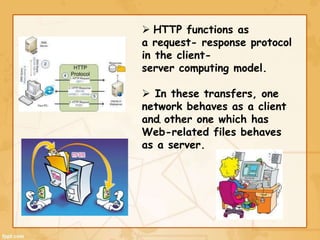
 HTTP functions as
a request- response protocol
in the client-
server computing model.
 In these transfers, one
network behaves as a client
and other one which has
Web-related files behaves
as a server.
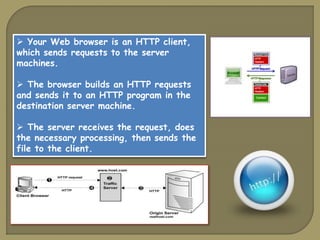
 Your Web browser is an HTTP client,
which sends requests to the server
machines.
 The browser builds an HTTP requests
and sends it to an HTTP program in the
destination server machine.
 The server receives the request, does
the necessary processing, then sends the
file to the client.
Working of Web
SURFING
 Surfing – Navigation through
web pages of information based
on our interests.
 Web works using the client-
server architecture.
 Web consists of-
 Personal computer
 Web browser software
 Server
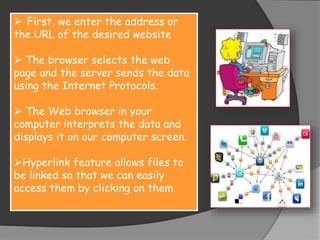
 First, we enter the address or
the URL of the desired website .
 The browser selects the web
page and the server sends the data
using the Internet Protocols.
 The Web browser in your
computer interprets the data and
displays it on our computer screen.
Hyperlink feature allows files to
be linked so that we can easily
access them by clicking on them.
INTERNET WORKING AND ITS FEATURES

INTERNET WORKING AND ITS FEATURES

  • 2.
     HTML isthe text markup language which lets us create pages that can be read on the Web.  Everything available on Web Sites is specially coded using HTML.
  • 3.
     Hypertext –Ordinary text that has extra feature of linking.  Markup – Process of adding display related features.  Language – It has its own syntax and rules. It is a computer language that has revolutionized the presentation of information and data on the World Wide Web.
  • 4.
    IMPORTANCE :  Itis a versatile language.  It can be used to display any type of document on the host computer anywhere in the world.  An additional feature of linking one document with another. LIMITATIONS : User cannot interact with the web page & It is dependent on scripting languages.
  • 6.
     HTTP isthe application protocol for communication, distribution, collaboration of information systems.  It is a set of defined rules and regulations that determine how data is transmitted from one network to another.
  • 7.
    .  HTTP functionsas a request- response protocol in the client- server computing model.  In these transfers, one network behaves as a client and other one which has Web-related files behaves as a server.
  • 8.
     Your Webbrowser is an HTTP client, which sends requests to the server machines.  The browser builds an HTTP requests and sends it to an HTTP program in the destination server machine.  The server receives the request, does the necessary processing, then sends the file to the client.
  • 9.
  • 10.
     Surfing –Navigation through web pages of information based on our interests.  Web works using the client- server architecture.  Web consists of-  Personal computer  Web browser software  Server
  • 11.
     First, weenter the address or the URL of the desired website .  The browser selects the web page and the server sends the data using the Internet Protocols.  The Web browser in your computer interprets the data and displays it on our computer screen. Hyperlink feature allows files to be linked so that we can easily access them by clicking on them.