What Every Employee Needs to Know About Information Security Ben Rothke, CISSP
About me Previously with ThruPoint, Baltimore Technologies, Ernst & Young, Citibank Have worked in the information technology sector since 1988 and information security since 1994 Frequent writer and speaker Author of  Computer Security: 20 Things Every Employee Should Know  (McGraw-Hill 2006)
Agenda This session is: Overview and introduction of the most common information security risks that you need to deal with Awareness introduction as a step in helping you take the necessary precautions to ensure you are can protect your computer and data. This session is not: Comprehensive overview of information security Full awareness session A monologue  Feel free at any point today to make a correction, comment, etc.
A word from the lawyers AXA is the world’s largest financial services company and offers a wide spectrum of financial services and perspectives. The views expressed in this presentation are that of the presenter and are not necessarily the views of AXA, its directors or affiliates.  Nor does AXA make any representation or accept any liability for its accuracy or completeness.  AXA is not liable for any losses or damages arising from the use of the content from this presentation.
The need for information security Protect data assets Ensure the privacy, security and confidentiality of the petabytes of corporate employee and client data Ensure regulatory compliance
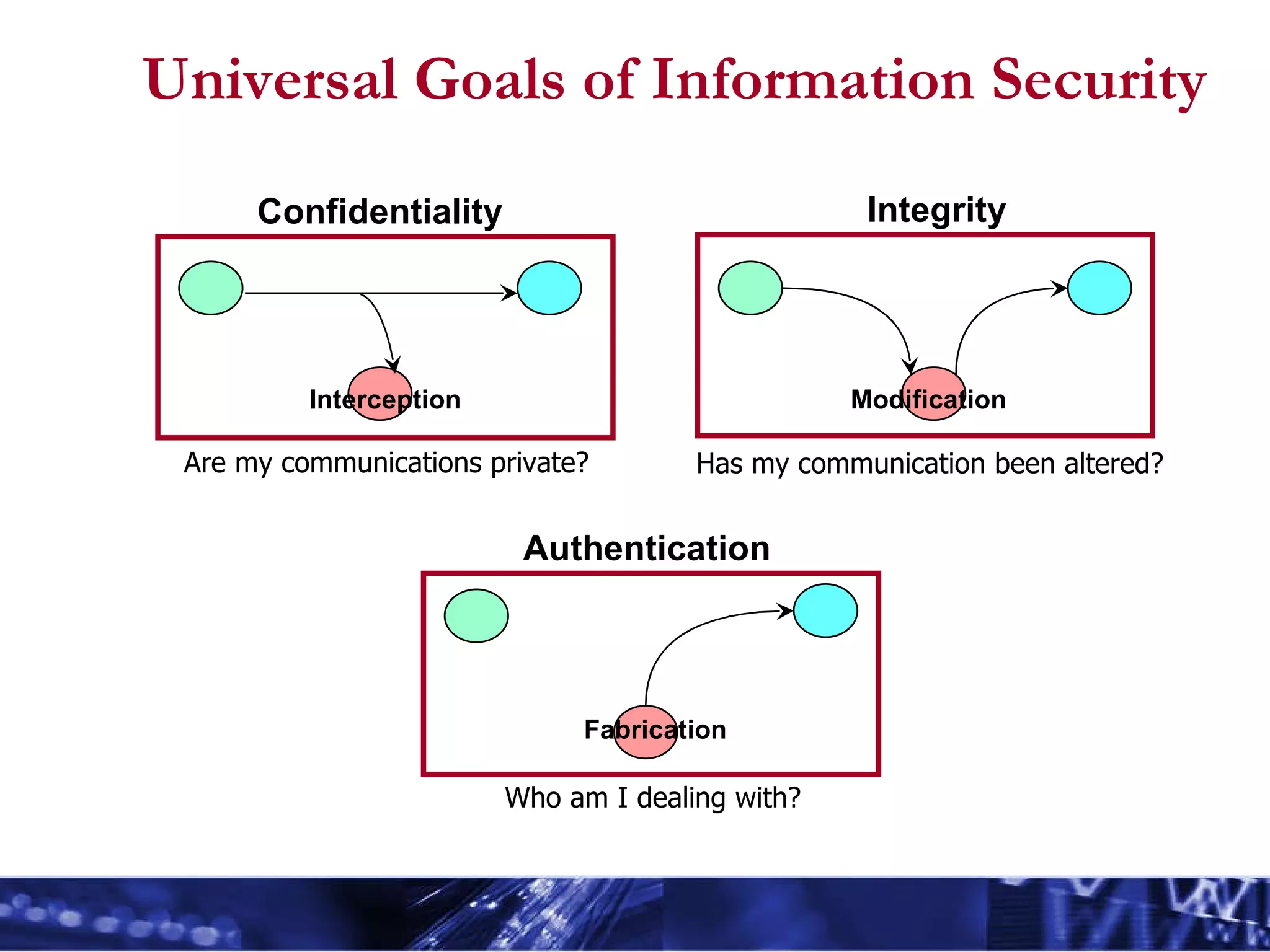
Universal Goals of Information Security Confidentiality Integrity Authentication Interception Modification Fabrication Are my communications private? Has my communication been altered? Who am I dealing with?
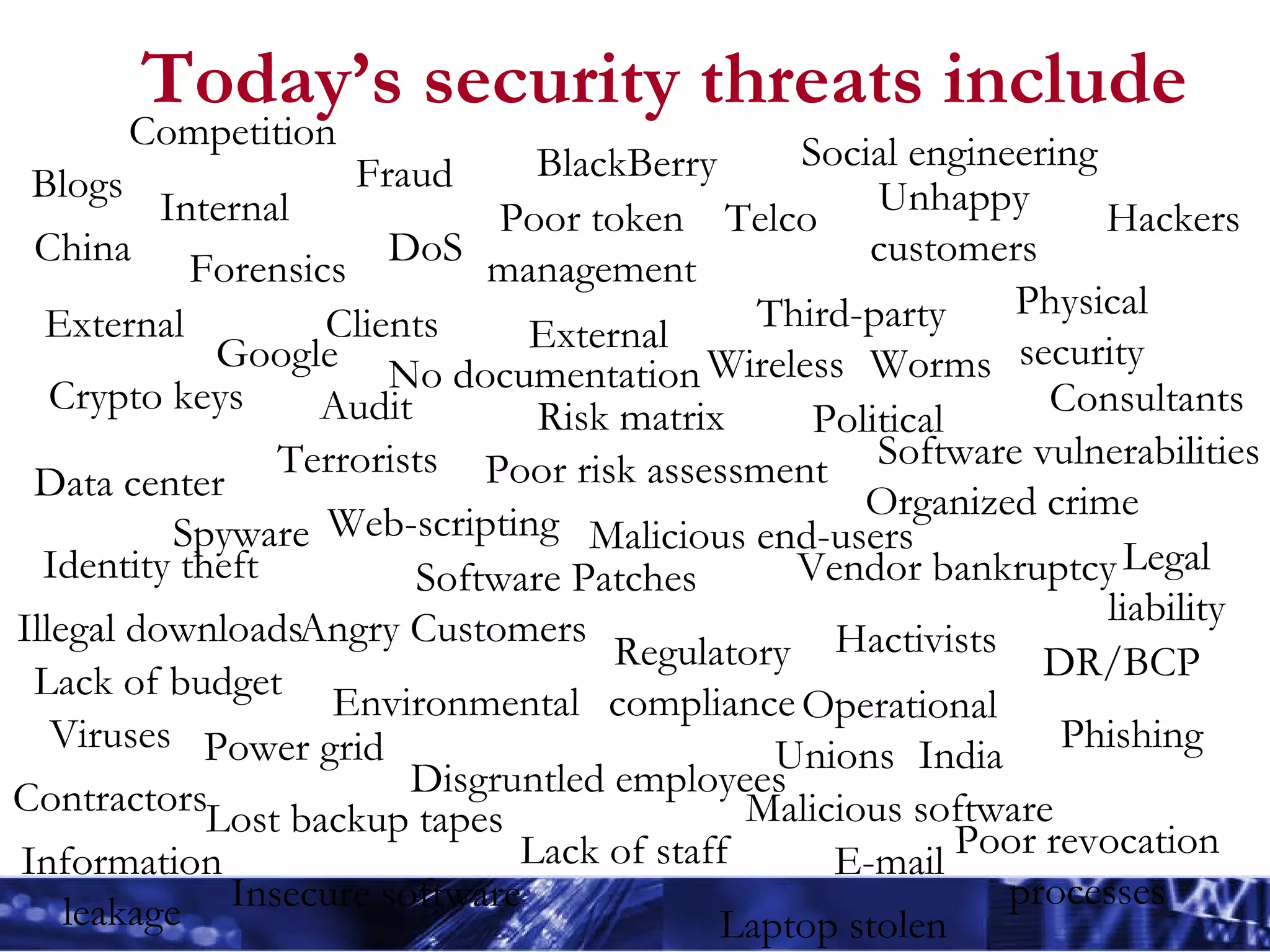
Today’s security threats include Lost backup tapes Hackers Risk matrix Software Patches Power grid Data center Poor token management Political Malicious end-users Angry Customers Regulatory compliance Contractors Telco Poor revocation processes Terrorists Legal liability Unions External Environmental DR/BCP Internal External Unhappy customers Physical security Disgruntled employees Consultants Third-party Clients Operational Audit Lack of budget Vendor bankruptcy Software vulnerabilities Forensics Crypto keys Lack of staff Fraud Poor risk assessment Hactivists Spyware Blogs Insecure software Wireless Google No documentation Organized crime China India Illegal downloads Web-scripting Viruses Worms Malicious software Laptop stolen Phishing Identity theft DoS BlackBerry Social engineering Competition Information leakage E-mail
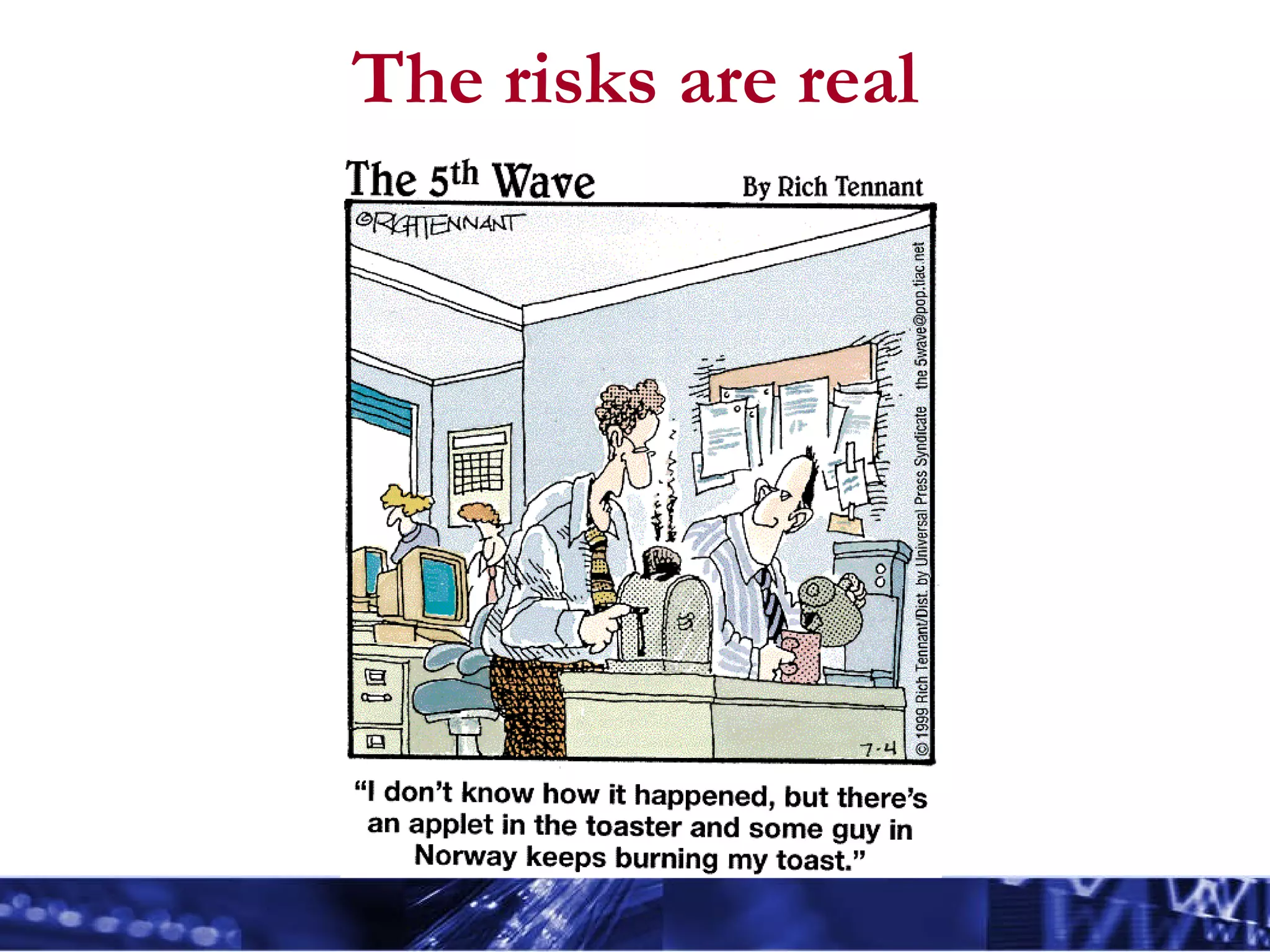
The risks are real
What is security awareness? Security awareness  refers to those practices, technologies and services used to promote user awareness, user training, and user responsibility with regard to security risks, vulnerabilities, methods, and procedures related to information technology resources. An initiative that sets the stage for training by changing organizational  attitudes  to realize the  importance  of information security and the adverse consequences of security  failures .
Why do we need security awareness? We intuitively realize the need to safeguard our physical assets. How to secure digital assets is not as intuitive. Many people have a mindset that nothing important exists on their computer There is a misconception that technology alone solve all security problems Everyone needs to recognize the existence of internal threats as well as the external threats Users need to change their beliefs, attitudes and behavior about using technology
Security Awareness Different groups within the same organization have very different needs. Legal, R&D, development, HR, finance, etc. The IT risk management group will determine what those levels are for your organization. All departments share the basic need, but the levels and depth varies But they all need to be aware of the risks.
Your role within information security You have a duty to be attentive to conditions and circumstances you observe and actions you directly take. You must be diligent in your commitment to report suspicious activity. You must understand company policy to become an effective team member.
Knowledge Is Power Learn to protect information Turn off computers not in extended use Utilize passwords and change regularly Use shredders before discarding documents with proprietary, confidential or personal information Be aware of potential telephone scams designed to solicit proprietary or personal information Do not provide confidential information or access details to non-verified personnel Avoid the unnecessary transmittal of confidential data via e-mail or fax.
Core Awareness Areas Security starts at the door and goes to the top Viruses Spyware/crimeware email Physical security Laptops  Passwords Social engineering Phishing Acceptable and incidental use
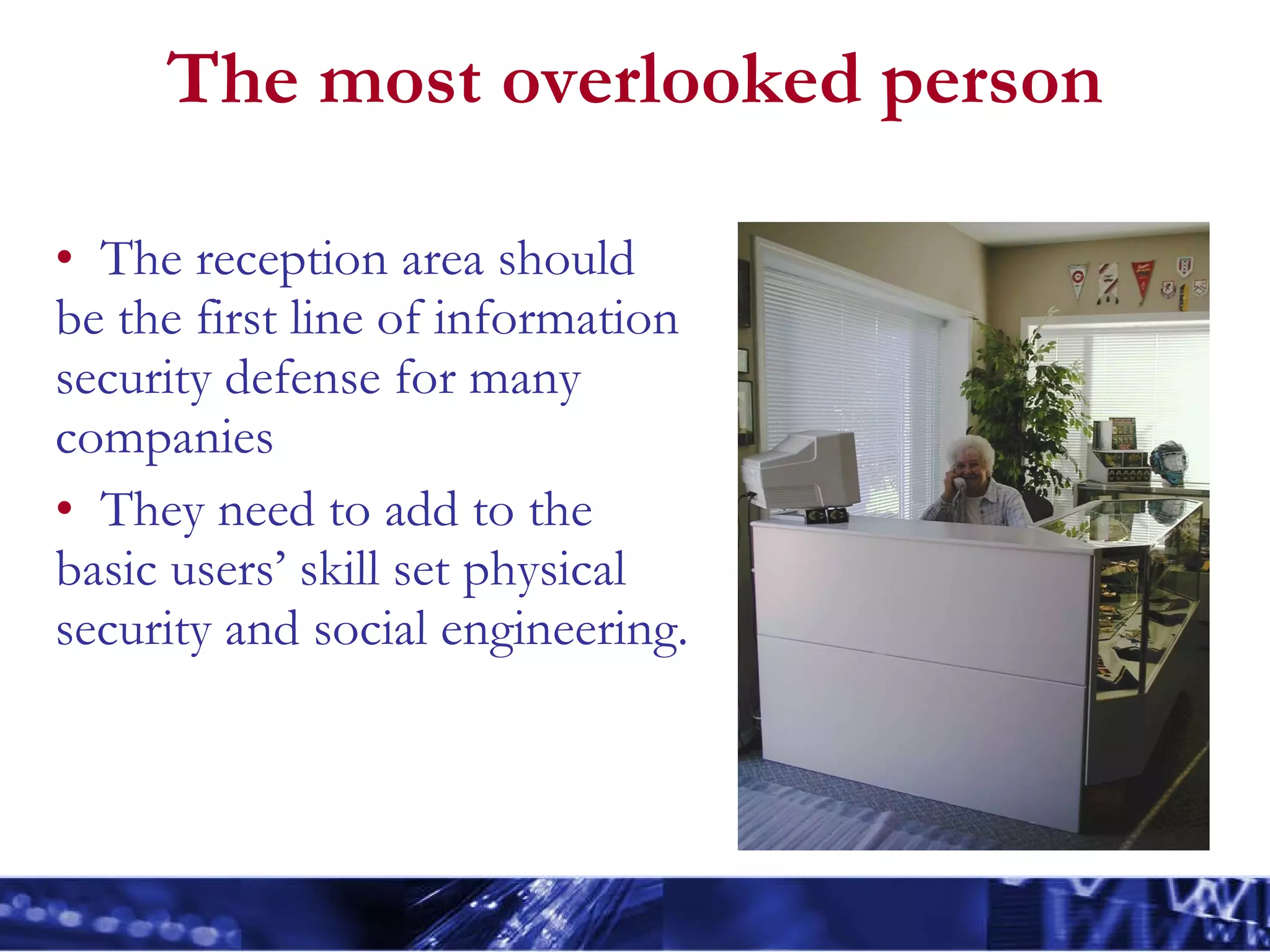
The most overlooked person The reception area should be the first line of information security defense for many companies They need to add to the basic users’ skill set physical security and social engineering.
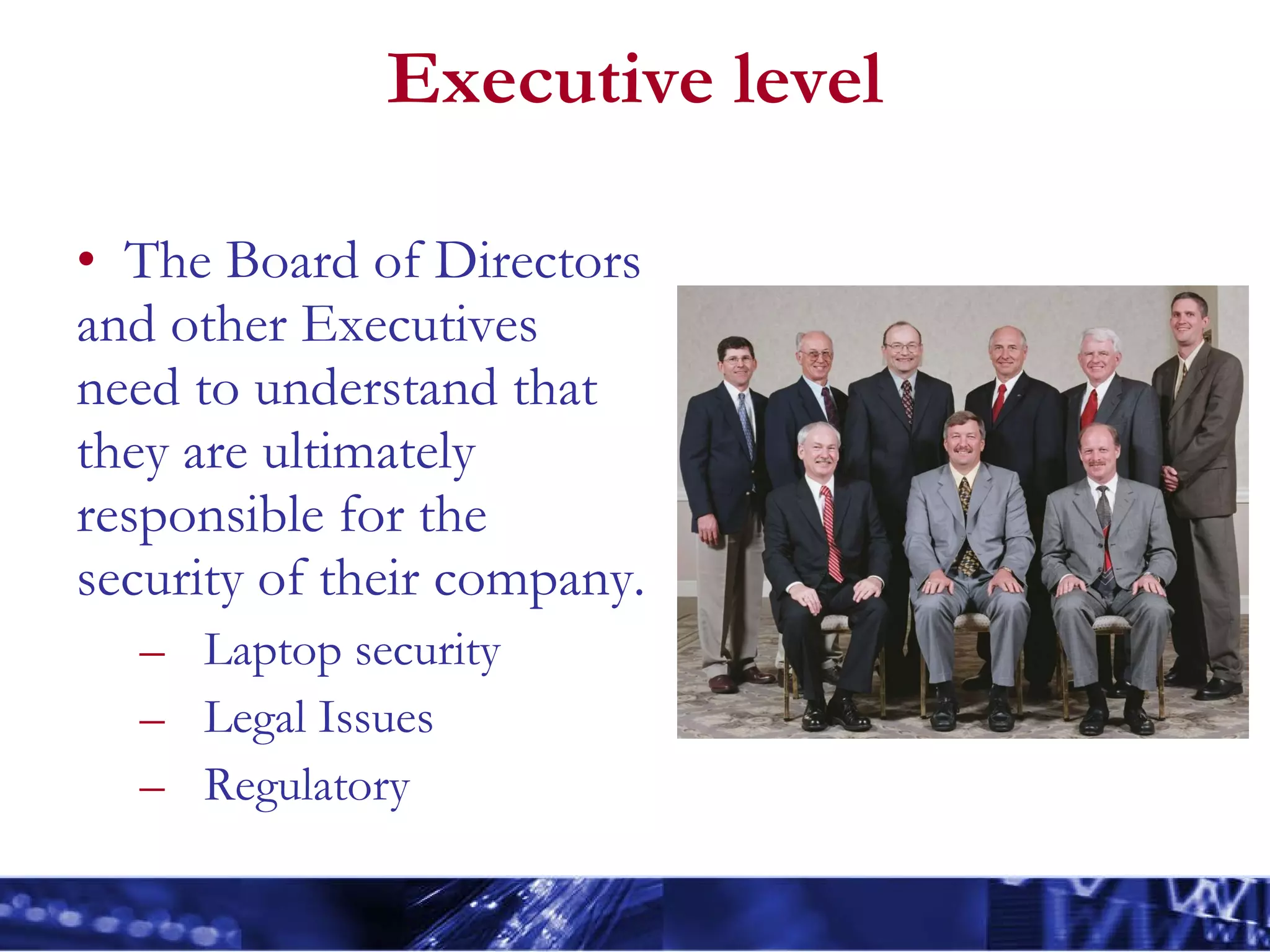
Executive level The Board of Directors and other Executives need to understand that they are ultimately responsible for the security of their company.  Laptop security Legal Issues Regulatory
Viruses A dangerous computer program with the characteristic feature of being able to generate copies of itself, and thereby spreading.  May have a destructive payload that is activated under certain conditions.
Effects of a virus Benign annoying interruptions such as displaying a comical message when striking a certain letter on the keyboard  Destructive file deletion/hard drive destruction system slowdown complete system compromise
Spyware, but call it crimeware Any software that covertly gathers user information  without their knowledge.  Often bundled as a hidden component of freeware or shareware programs.  Once installed, spyware monitors user activity on the Internet and transmits that information in the background to someone else. Spyware can share your personal information with third parties without your knowledge or consent.
E-mail safety A day-to-day necessity in our business world Be aware of exposure and dangers with email Unwanted email (spam) or abusive email Mail attachments – computer viruses Request for confidential information Email forgery Ease of misaddressing
E-mail safety Be careful with email attachments! - They can be an open door to your computer. Trust but verify - Don’t hesitate to contact the sender to verify if they actually sent an attachment Avoid links to jokes, free downloads, etc.  Do you really know where that link goes? Be aware of virus hoaxes Be hesitant to submit personal data over email
Corporate email policies e-mail is intended to be used primarily for business communications e-mail must be used responsibly You are accountable for the content of all text, audio or visual images originated, sent or forwarded. e-mails sent through the corporate messaging system are the property of the company .  Your employer will likely use a monitoring system to capture, retain and archive all e-mail received and sent by users, regardless of whether the e-mail is deleted. They retain the right to monitor messages and retrieve them at a later date for any purpose. Use an corporate domains to send and receive all business-related e-mails. Don’t use Hotmail, Yahoo, Gmail, etc. Mass interdepartmental e-mails likely need to be reviewed and approved by the Internal Communications department.
E-mail safety
Physical security Don’t assume physical security for your areas Lock your office Laptop computers are ideal for thieves About half of laptop thefts occur in offices or meeting rooms It looks normal to carry them, in contrast to a desktop computer One can be placed inside a backpack They can be sold as used computers via electronic auctions and sales channels They may contain information that can be valuable to the right people
Physical security Keep confidential documents off your desk Don’t share your access Take note of strangers in your area Use laptop locking devices Keep a record of make, model, serial number Be careful of piggybacking This is when someone follows you through a locked door Be careful of “bump and run” – especially in airports
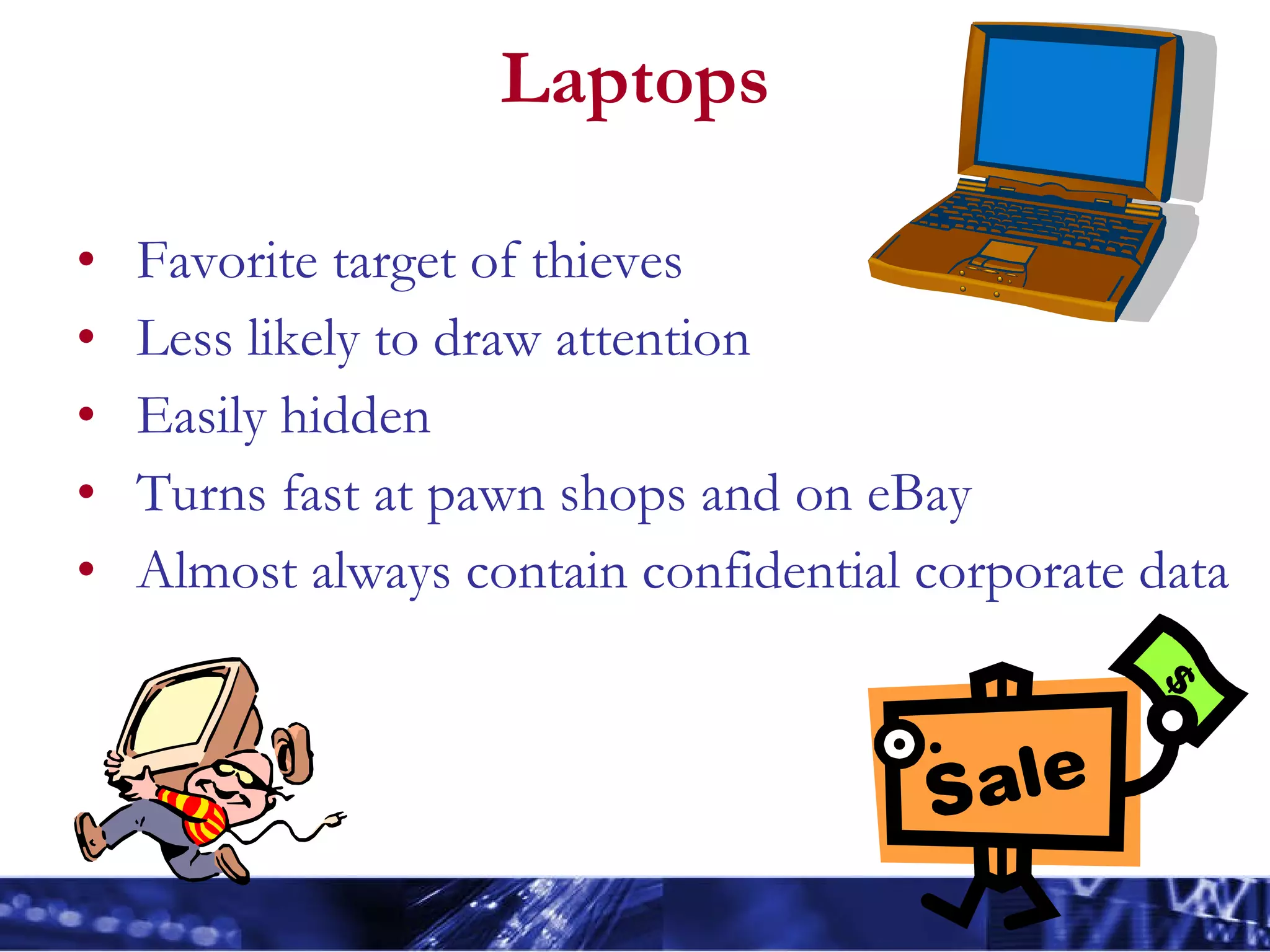
Laptops Favorite target of thieves Less likely to draw attention Easily hidden Turns fast at pawn shops and on eBay Almost always contain confidential corporate data
Passwords Your password is a very important secret No Post-It notes Do not share it with anyone Change your password whenever you think it has been compromised Check out  Password Safe http://passwordsafe.sourceforge.net/
Choosing effective passwords Effective passwords can be created by: using at least one symbol or number, preferably not just one at the end. using a varying combination of lower and upper case letters (i.e. IsDIMs) using longer passwords using two words that normally don’t go together that are separated by  a punctuation mark or number. For example, ‘star6tan’ would be difficult to guess using the first letters of a phrase you can remember:
Poor passwords Alphabetic series either forwards or backwards ABCDEF, FEDCBA Numeric series, either forwards or backwards 123456, 654321 All identical letters or numbers AAAAAA, 111111 Common keyboard shortcut ASDFG, QWERTY, ZXCVBN, POIUY, LKJHG Easily guessed userid, PID, or any variation thereof (backwards, changing case, etc.) Word/s referring to anything noticeable about you Spouse’s name, child, pet, favorite team, or literary character Word that appears in a dictionary
Social engineering Social engineering – hacking people When an attacker attempts to pose as someone else to gain unauthorized access to your computer.  When one is deceived or conned into divulging information that would  not be shared – under normal circumstances Attacker is often a smooth-talker that tries to gain your confidence by possibly posing as someone from IT to get you to reveal your passwords or personal information.  May be attempting to gain unauthorized access, unauthorized use, or unauthorized disclosure of an information system, network or data.  May be trying to modify the system configuration.
Social engineering The intruder may do this in person, by email, or over the phone. Beware of what you throw in the trash; intruders often participate in dumpster-diving by digging or scavenging in the trash area for useful information.  Shred important information.  The intruder may try to prey on unsuspecting help desks or support areas, or receptionist/administrative areas by pretending to be a user needing assistance to gain unauthorized accesses.  The hacker uses the information gathered from social engineering to launch his attack.
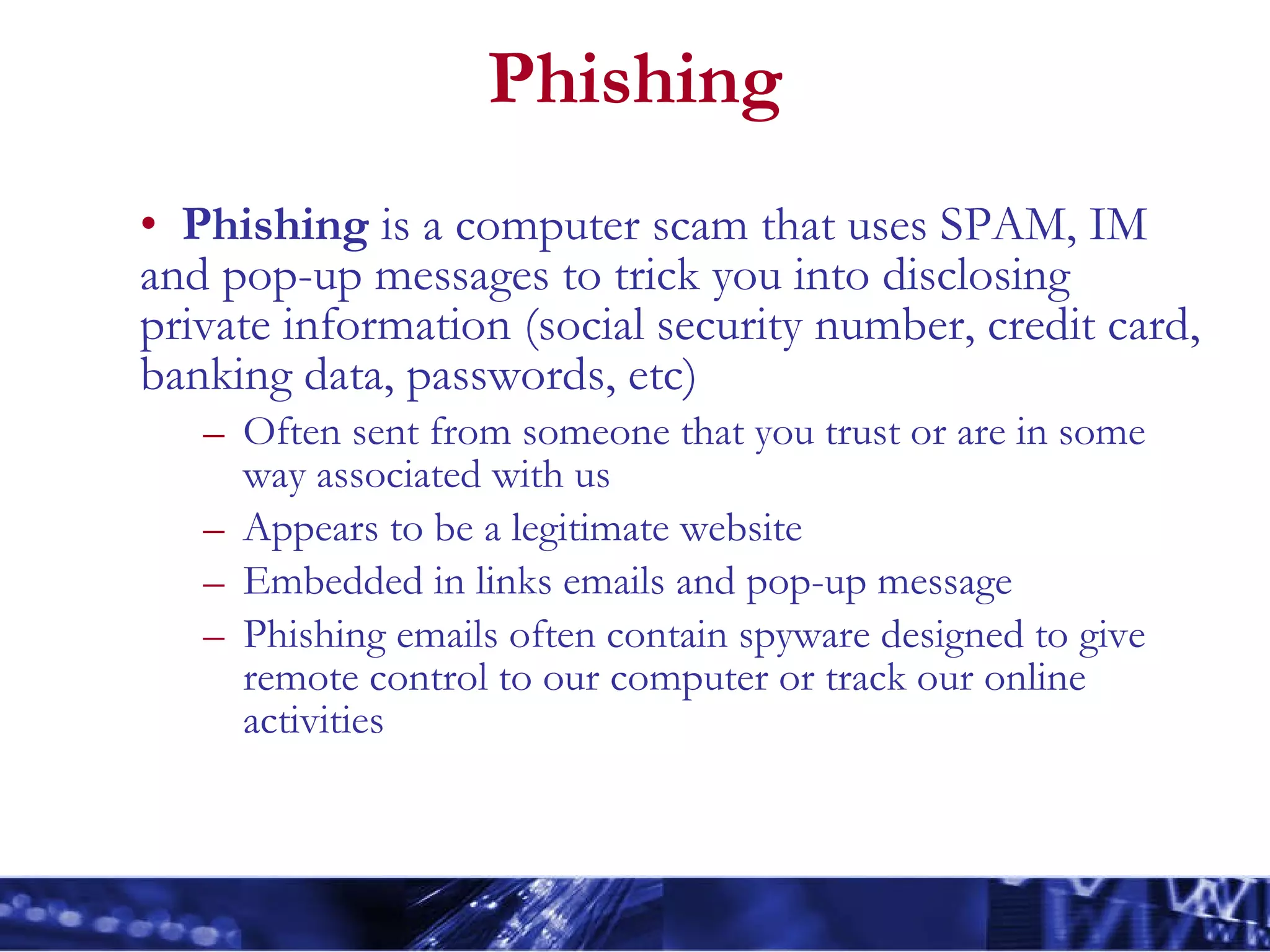
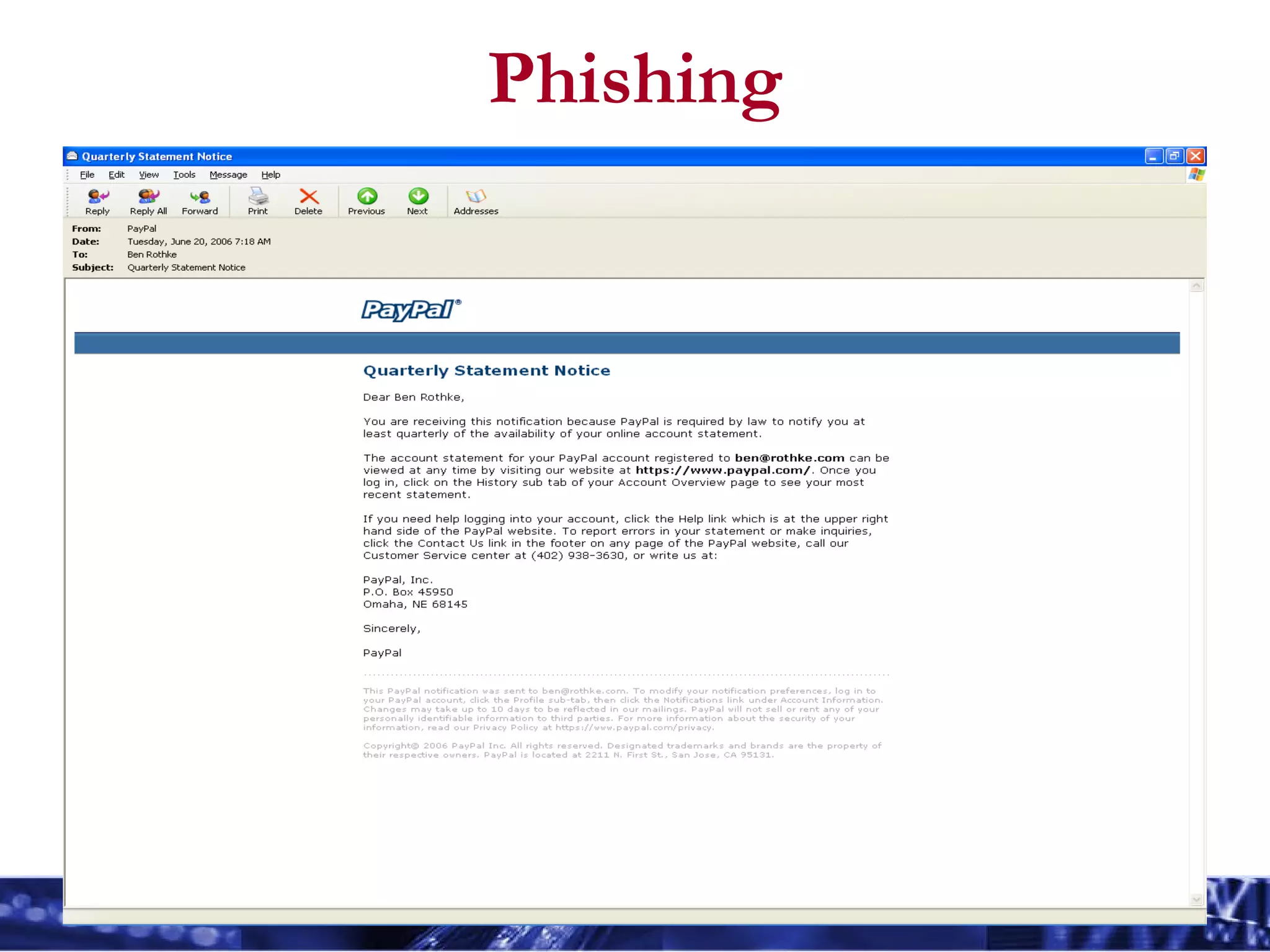
Phishing Phishing  is a computer scam that uses SPAM, IM and pop-up messages to trick you into disclosing private information (social security number, credit card, banking data, passwords, etc)  Often sent from someone that you trust or are in some way associated with us Appears to be a legitimate website  Embedded in links emails and pop-up message  Phishing emails often contain spyware designed to give remote control to our computer or track our online activities
Phishing
Phishing
Phishing
Acceptable Use Most companies allow  incidental use  of phones,  computers, messaging and the Internet.  The following sites  might  be acceptable: msnbc.com, espn.com, worldcup.com, 1010wins.com Don’t ever visit offensive non-business sites Racist, pornography, violent, gambling, hate, etc. Your activities will likely be logged Know what is acceptable and follow the rules Realize the companies have and will fire employees for violating acceptable use policies
Incidental use Incidental personal use of corporate IT  resources is allowed if,  It does not consume more than an insignificant amount of resources that could otherwise be used for business purposes It does not interfere with employee productivity It does not prevent any business activity
Conclusions
Keep things in context Don’t be overwhelmed by your newfound information security responsibilities Your have a corporate information security staff that can help Computer security will eventually feel like second nature Effective security is  not  being paranoid It is about acting intelligently and diligently in reference to data protection
Keep things in context The best way to ensure effective information security is to follow common sense combined with a healthy dose of skepticism. Don’t  automatically  believe that every email you receive is authentic or that the person on the other end of the phone is who they claim to be Be pragmatic and cautious in matters of computer and information security. Do that and you will be fine.
Ben Rothke CISSP, CISM brothke@gmail.com

Rothke Sia 2006

  • 1.
    What Every EmployeeNeeds to Know About Information Security Ben Rothke, CISSP
  • 2.
    About me Previouslywith ThruPoint, Baltimore Technologies, Ernst & Young, Citibank Have worked in the information technology sector since 1988 and information security since 1994 Frequent writer and speaker Author of Computer Security: 20 Things Every Employee Should Know (McGraw-Hill 2006)
  • 3.
    Agenda This sessionis: Overview and introduction of the most common information security risks that you need to deal with Awareness introduction as a step in helping you take the necessary precautions to ensure you are can protect your computer and data. This session is not: Comprehensive overview of information security Full awareness session A monologue Feel free at any point today to make a correction, comment, etc.
  • 4.
    A word fromthe lawyers AXA is the world’s largest financial services company and offers a wide spectrum of financial services and perspectives. The views expressed in this presentation are that of the presenter and are not necessarily the views of AXA, its directors or affiliates. Nor does AXA make any representation or accept any liability for its accuracy or completeness. AXA is not liable for any losses or damages arising from the use of the content from this presentation.
  • 5.
    The need forinformation security Protect data assets Ensure the privacy, security and confidentiality of the petabytes of corporate employee and client data Ensure regulatory compliance
  • 6.
    Universal Goals ofInformation Security Confidentiality Integrity Authentication Interception Modification Fabrication Are my communications private? Has my communication been altered? Who am I dealing with?
  • 7.
    Today’s security threatsinclude Lost backup tapes Hackers Risk matrix Software Patches Power grid Data center Poor token management Political Malicious end-users Angry Customers Regulatory compliance Contractors Telco Poor revocation processes Terrorists Legal liability Unions External Environmental DR/BCP Internal External Unhappy customers Physical security Disgruntled employees Consultants Third-party Clients Operational Audit Lack of budget Vendor bankruptcy Software vulnerabilities Forensics Crypto keys Lack of staff Fraud Poor risk assessment Hactivists Spyware Blogs Insecure software Wireless Google No documentation Organized crime China India Illegal downloads Web-scripting Viruses Worms Malicious software Laptop stolen Phishing Identity theft DoS BlackBerry Social engineering Competition Information leakage E-mail
  • 8.
  • 9.
    What is securityawareness? Security awareness refers to those practices, technologies and services used to promote user awareness, user training, and user responsibility with regard to security risks, vulnerabilities, methods, and procedures related to information technology resources. An initiative that sets the stage for training by changing organizational attitudes to realize the importance of information security and the adverse consequences of security failures .
  • 10.
    Why do weneed security awareness? We intuitively realize the need to safeguard our physical assets. How to secure digital assets is not as intuitive. Many people have a mindset that nothing important exists on their computer There is a misconception that technology alone solve all security problems Everyone needs to recognize the existence of internal threats as well as the external threats Users need to change their beliefs, attitudes and behavior about using technology
  • 11.
    Security Awareness Differentgroups within the same organization have very different needs. Legal, R&D, development, HR, finance, etc. The IT risk management group will determine what those levels are for your organization. All departments share the basic need, but the levels and depth varies But they all need to be aware of the risks.
  • 12.
    Your role withininformation security You have a duty to be attentive to conditions and circumstances you observe and actions you directly take. You must be diligent in your commitment to report suspicious activity. You must understand company policy to become an effective team member.
  • 13.
    Knowledge Is PowerLearn to protect information Turn off computers not in extended use Utilize passwords and change regularly Use shredders before discarding documents with proprietary, confidential or personal information Be aware of potential telephone scams designed to solicit proprietary or personal information Do not provide confidential information or access details to non-verified personnel Avoid the unnecessary transmittal of confidential data via e-mail or fax.
  • 14.
    Core Awareness AreasSecurity starts at the door and goes to the top Viruses Spyware/crimeware email Physical security Laptops Passwords Social engineering Phishing Acceptable and incidental use
  • 15.
    The most overlookedperson The reception area should be the first line of information security defense for many companies They need to add to the basic users’ skill set physical security and social engineering.
  • 16.
    Executive level TheBoard of Directors and other Executives need to understand that they are ultimately responsible for the security of their company. Laptop security Legal Issues Regulatory
  • 17.
    Viruses A dangerouscomputer program with the characteristic feature of being able to generate copies of itself, and thereby spreading. May have a destructive payload that is activated under certain conditions.
  • 18.
    Effects of avirus Benign annoying interruptions such as displaying a comical message when striking a certain letter on the keyboard Destructive file deletion/hard drive destruction system slowdown complete system compromise
  • 19.
    Spyware, but callit crimeware Any software that covertly gathers user information without their knowledge. Often bundled as a hidden component of freeware or shareware programs. Once installed, spyware monitors user activity on the Internet and transmits that information in the background to someone else. Spyware can share your personal information with third parties without your knowledge or consent.
  • 20.
    E-mail safety Aday-to-day necessity in our business world Be aware of exposure and dangers with email Unwanted email (spam) or abusive email Mail attachments – computer viruses Request for confidential information Email forgery Ease of misaddressing
  • 21.
    E-mail safety Becareful with email attachments! - They can be an open door to your computer. Trust but verify - Don’t hesitate to contact the sender to verify if they actually sent an attachment Avoid links to jokes, free downloads, etc. Do you really know where that link goes? Be aware of virus hoaxes Be hesitant to submit personal data over email
  • 22.
    Corporate email policiese-mail is intended to be used primarily for business communications e-mail must be used responsibly You are accountable for the content of all text, audio or visual images originated, sent or forwarded. e-mails sent through the corporate messaging system are the property of the company . Your employer will likely use a monitoring system to capture, retain and archive all e-mail received and sent by users, regardless of whether the e-mail is deleted. They retain the right to monitor messages and retrieve them at a later date for any purpose. Use an corporate domains to send and receive all business-related e-mails. Don’t use Hotmail, Yahoo, Gmail, etc. Mass interdepartmental e-mails likely need to be reviewed and approved by the Internal Communications department.
  • 23.
  • 24.
    Physical security Don’tassume physical security for your areas Lock your office Laptop computers are ideal for thieves About half of laptop thefts occur in offices or meeting rooms It looks normal to carry them, in contrast to a desktop computer One can be placed inside a backpack They can be sold as used computers via electronic auctions and sales channels They may contain information that can be valuable to the right people
  • 25.
    Physical security Keepconfidential documents off your desk Don’t share your access Take note of strangers in your area Use laptop locking devices Keep a record of make, model, serial number Be careful of piggybacking This is when someone follows you through a locked door Be careful of “bump and run” – especially in airports
  • 26.
    Laptops Favorite targetof thieves Less likely to draw attention Easily hidden Turns fast at pawn shops and on eBay Almost always contain confidential corporate data
  • 27.
    Passwords Your passwordis a very important secret No Post-It notes Do not share it with anyone Change your password whenever you think it has been compromised Check out Password Safe http://passwordsafe.sourceforge.net/
  • 28.
    Choosing effective passwordsEffective passwords can be created by: using at least one symbol or number, preferably not just one at the end. using a varying combination of lower and upper case letters (i.e. IsDIMs) using longer passwords using two words that normally don’t go together that are separated by a punctuation mark or number. For example, ‘star6tan’ would be difficult to guess using the first letters of a phrase you can remember:
  • 29.
    Poor passwords Alphabeticseries either forwards or backwards ABCDEF, FEDCBA Numeric series, either forwards or backwards 123456, 654321 All identical letters or numbers AAAAAA, 111111 Common keyboard shortcut ASDFG, QWERTY, ZXCVBN, POIUY, LKJHG Easily guessed userid, PID, or any variation thereof (backwards, changing case, etc.) Word/s referring to anything noticeable about you Spouse’s name, child, pet, favorite team, or literary character Word that appears in a dictionary
  • 30.
    Social engineering Socialengineering – hacking people When an attacker attempts to pose as someone else to gain unauthorized access to your computer. When one is deceived or conned into divulging information that would not be shared – under normal circumstances Attacker is often a smooth-talker that tries to gain your confidence by possibly posing as someone from IT to get you to reveal your passwords or personal information. May be attempting to gain unauthorized access, unauthorized use, or unauthorized disclosure of an information system, network or data. May be trying to modify the system configuration.
  • 31.
    Social engineering Theintruder may do this in person, by email, or over the phone. Beware of what you throw in the trash; intruders often participate in dumpster-diving by digging or scavenging in the trash area for useful information. Shred important information. The intruder may try to prey on unsuspecting help desks or support areas, or receptionist/administrative areas by pretending to be a user needing assistance to gain unauthorized accesses. The hacker uses the information gathered from social engineering to launch his attack.
  • 32.
    Phishing Phishing is a computer scam that uses SPAM, IM and pop-up messages to trick you into disclosing private information (social security number, credit card, banking data, passwords, etc) Often sent from someone that you trust or are in some way associated with us Appears to be a legitimate website Embedded in links emails and pop-up message Phishing emails often contain spyware designed to give remote control to our computer or track our online activities
  • 33.
  • 34.
  • 35.
  • 36.
    Acceptable Use Mostcompanies allow incidental use of phones, computers, messaging and the Internet. The following sites might be acceptable: msnbc.com, espn.com, worldcup.com, 1010wins.com Don’t ever visit offensive non-business sites Racist, pornography, violent, gambling, hate, etc. Your activities will likely be logged Know what is acceptable and follow the rules Realize the companies have and will fire employees for violating acceptable use policies
  • 37.
    Incidental use Incidentalpersonal use of corporate IT resources is allowed if, It does not consume more than an insignificant amount of resources that could otherwise be used for business purposes It does not interfere with employee productivity It does not prevent any business activity
  • 38.
  • 39.
    Keep things incontext Don’t be overwhelmed by your newfound information security responsibilities Your have a corporate information security staff that can help Computer security will eventually feel like second nature Effective security is not being paranoid It is about acting intelligently and diligently in reference to data protection
  • 40.
    Keep things incontext The best way to ensure effective information security is to follow common sense combined with a healthy dose of skepticism. Don’t automatically believe that every email you receive is authentic or that the person on the other end of the phone is who they claim to be Be pragmatic and cautious in matters of computer and information security. Do that and you will be fine.
  • 41.
    Ben Rothke CISSP,CISM brothke@gmail.com