



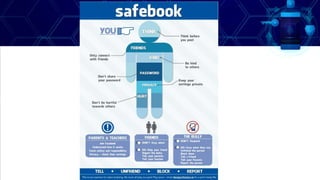
SECURITY
SAFETY
PRIVACY
ONLINE SAFETY, SECURITY,
ETHICS, AND ETIQUETTE
Learning Competencies
•The learners will be able to:
•Apply online safety, security, ethics, and etiquette
standards and practice in the use of ICTs as it would
relate to their specific professional tracks
•Discuss what constitutes appropriate and
inappropriate online behavior;
Learning Competencies
•The learners will be able to:
•Make the students discern possible deceptive
information and wrongly evaluated data; and
•Make the students understand the importance of
making judgment calls on possible implications and
consequences of making certain information public
Topic Outline
•Online Safety/Internet Safety
•Online Threats & Types
•Online Safety Measures
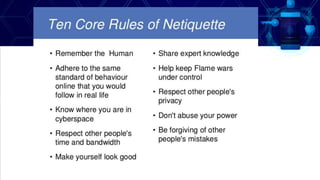
• Online Ethics and Netiquette
GALLERY WALK
FORMATIVE ASSESSMENT
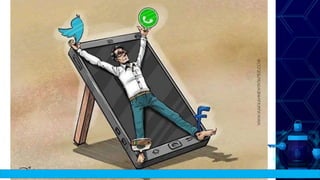
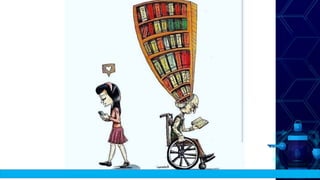
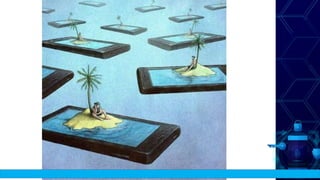
DIRECTION:
1. The teacher will show some images to the students related
with the upcoming discussion.
2. Each student will be given 1 minutes to write their
observation on the following images.
4. After the activity the students will share their observation
about the image.
ONLINE SAFETY
HOW SAFE ARE YOU?
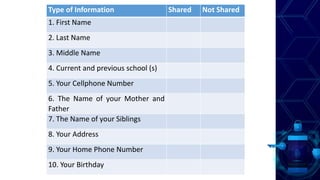
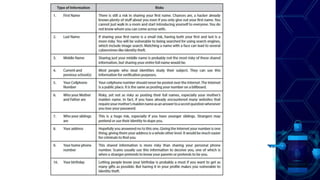
Type of Information Shared Not Shared
1. First Name
2. Last Name
3. Middle Name
4. Current and previous school (s)
5. Your Cellphone Number
6. The Name of your Mother and
Father
7. The Name of your Siblings
8. Your Address
9. Your Home Phone Number
10. Your Birthday
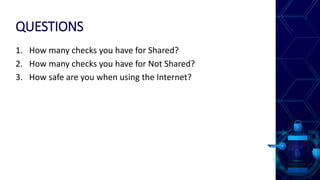
QUESTIONS
1. How many checks you have for Shared?
2. How many checks you have for Not Shared?
3. How safe are you when using the Internet?
ONLINE SAFETY
Refers to the practices and precautions that should be
observed when using the internet to ensure that the
users as well as their computers and personal
information are safe from crimes associated with using
the internet.
ONLINE SAFETY
•Numerous delinquencies that can be
committed on the internet:
•Stalking
•Identity theft
•Privacy violations
•Harassment
ONLINE SAFETY MEASURES
• Never give any personal information out about yourself
over the Internet.
• Do not give any banking or sensitive information unless
you are sure that it is a reputable business having a
secure service. To make sure that you are in a secured
network, the website address should begin with
“https://” as opposed to “http://”. Never access your
accounts by following an email link, instead type the URL
by yourself.
• Never open messages or attachments from someone you
do not know.
ONLINE SAFETY MEASURES
•Regularly review your privacy settings in your online
accounts to make sure you are not sharing important
personal information.
•When using a public computer terminal, be sure to
delete your browsing data before leaving.
•Keep your software updated to avoid security holes.
•Do not download or install software or anything on
your computer or cell phone that is unknown to you.
ONLINE THREATS
DEFINITION & TYPES OF THREATS
ONLINE THREATS
An act performed by a knowledgeable
computer user sometimes referred to as
hacker that illegally browses or steal
someone’s information.
TYPES OF THREATS
P G I M H L N K A B
A H N S Y I J G C N
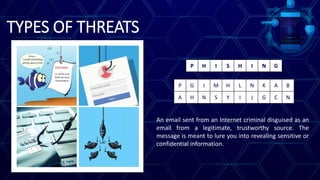
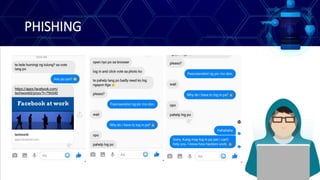
P H I S H I N G
An email sent from an Internet criminal disguised as an
email from a legitimate, trustworthy source. The
message is meant to lure you into revealing sensitive or
confidential information.
PHISHING
TYPES OF THREATS
P G I M R L N K A B
A H N S Y I J G C N
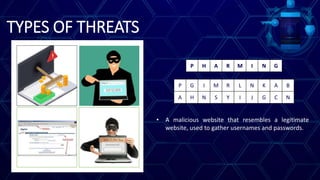
P H A R M I N G
• A malicious website that resembles a legitimate
website, used to gather usernames and passwords.
PHARMING
TYPES OF THREATS
I B T M A N E T K O
Z N X E R C L S N P
I N T E R N E T
S C A M
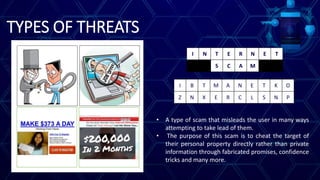
• A type of scam that misleads the user in many ways
attempting to take lead of them.
• The purpose of this scam is to cheat the target of
their personal property directly rather than private
information through fabricated promises, confidence
tricks and many more.
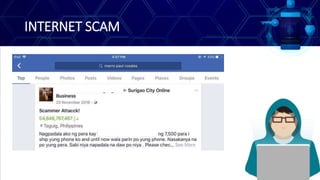
INTERNET SCAM
TYPES OF THREATS
I B T M A N E T K O
S N X E R B L O N T
I N T E R N E T
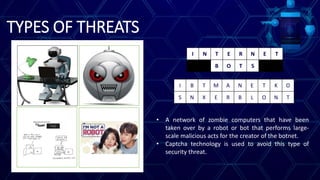
B O T S
• A network of zombie computers that have been
taken over by a robot or bot that performs large-
scale malicious acts for the creator of the botnet.
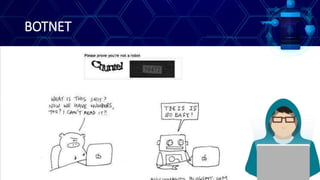
• Captcha technology is used to avoid this type of
security threat.
BOTNET
TYPES OF THREATS
M K A C L G G D C E
X I V I W H A F R B
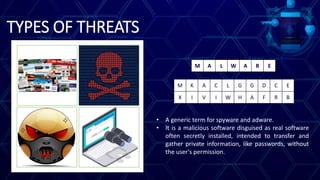
M A L W A R E
• A generic term for spyware and adware.
• It is a malicious software disguised as real software
often secretly installed, intended to transfer and
gather private information, like passwords, without
the user's permission.
MALWARE
• Adware - Adware (short for advertising-
supported software) is a type of malware that
automatically delivers advertisements.
• Examples: Banner Ads & Pop-up Ads
• Spyware - A type of malware that functions by
spying on user activity without their knowledge.
• These spying capabilities can include activity
monitoring, collecting keystrokes, data harvesting
(account information, logins, financial data), and
more.
• Example: Keylogger
TYPES OF THREATS
V K W N O E R B S A
Z I R M U S F N M X
V I R U S &
W O R M
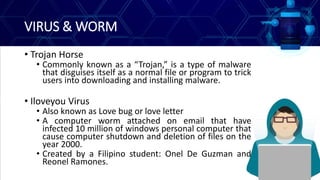
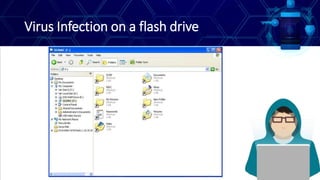
• Virus is a program designed to replicate by attaching
itself into other computer programs, data files, or
the boot sector of the hard drive.
• Worm is can be injected into a network by any types
of means, like a USB stick or an email attachment.
VIRUS & WORM
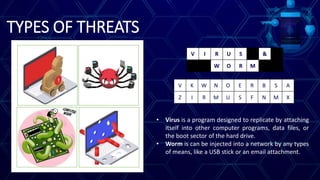
• Trojan Horse
• Commonly known as a “Trojan,” is a type of malware
that disguises itself as a normal file or program to trick
users into downloading and installing malware.
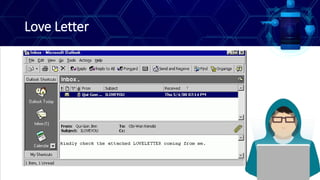
• Iloveyou Virus
• Also known as Love bug or love letter
• A computer worm attached on email that have
infected 10 million of windows personal computer that
cause computer shutdown and deletion of files on the
year 2000.
• Created by a Filipino student: Onel De Guzman and
Reonel Ramones.
Love Letter
Virus Infection on a flash drive
TYPES OF THREATS
C X O L M Q P S U V
E Z R B B R U W G T
C O M P U T E R
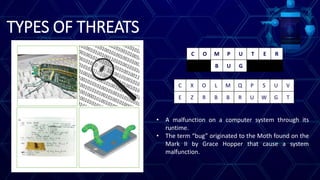
B U G
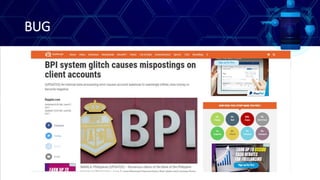
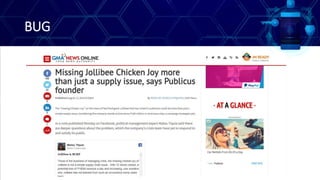
• A malfunction on a computer system through its
runtime.
• The term “bug” originated to the Moth found on the
Mark II by Grace Hopper that cause a system
malfunction.
BUG
BUG
TYPES OF THREATS
C K Y J R T M L O I
G B N E S H A Q K P
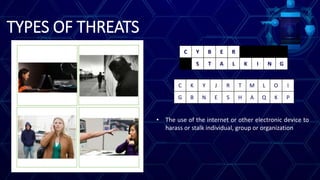
C Y B E R
S T A L K I N G
• The use of the internet or other electronic device to
harass or stalk individual, group or organization
TYPES OF THREATS
C K Y J R T M L O I
G B N E S H A Q K P
C Y B E R
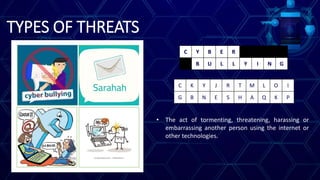
B U L L Y I N G
• The act of tormenting, threatening, harassing or
embarrassing another person using the internet or
other technologies.
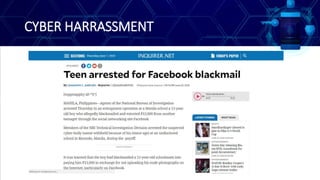
CYBER HARRASSMENT
TYPES OF THREATS
M K A C L G S D C E
X I V I W H A F P B
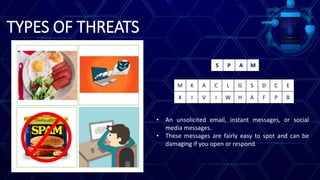
S P A M
• An unsolicited email, instant messages, or social
media messages.
• These messages are fairly easy to spot and can be
damaging if you open or respond.
TYPES OF THREATS
P G I M R L N K A B
A H N S Y I J G C N
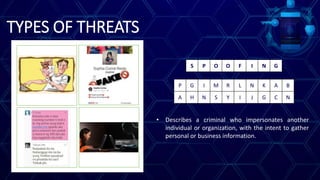
S P O O F I N G
• Describes a criminal who impersonates another
individual or organization, with the intent to gather
personal or business information.
LESSON RECAP
ONLINE ETHICS AND
NETIQUETTE
Netiquette, Online Safety, Computer Ethics & Privacy
NETIQUETTE
• Comes from the word Network and Etiquette.
• Is a set of rules and norms for acceptable conduct or
behaviour online.
COMPUTER ETHICS
• Concerned with how computing professionals should
make decisions regarding professional and social
conduct.
PRIVACY
• Refers to the right of individuals to deny or restrict the
collection and used of information about them.
HOW DO WE MAINTAIN OUR
PRIVACY?
AUTHENTICATION
• A process where users verifies their identity.
• Deals with the problem of determining whether a user
should be allowed access to a particular system.
• Four commonly authentication methods:
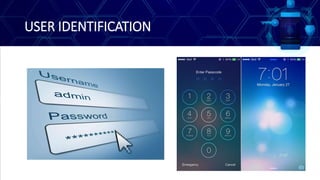
• User Identification
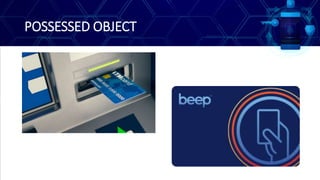
• Possessed Objects
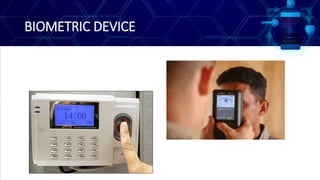
• Biometric Device
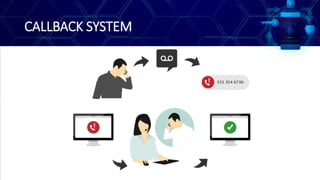
• Callback System
USER IDENTIFICATION
POSSESSED OBJECT
BIOMETRIC DEVICE
CALLBACK SYSTEM
THANK YOU FOR LISTENING
BE A RESPONSIBLE NETIZEN

Online safety, security, ethics & etiquette

  • 1.
  • 2.
    Learning Competencies •The learnerswill be able to: •Apply online safety, security, ethics, and etiquette standards and practice in the use of ICTs as it would relate to their specific professional tracks •Discuss what constitutes appropriate and inappropriate online behavior;
  • 3.
    Learning Competencies •The learnerswill be able to: •Make the students discern possible deceptive information and wrongly evaluated data; and •Make the students understand the importance of making judgment calls on possible implications and consequences of making certain information public
  • 4.
    Topic Outline •Online Safety/InternetSafety •Online Threats & Types •Online Safety Measures • Online Ethics and Netiquette
  • 5.
  • 6.
    DIRECTION: 1. The teacherwill show some images to the students related with the upcoming discussion. 2. Each student will be given 1 minutes to write their observation on the following images. 4. After the activity the students will share their observation about the image.
  • 12.
  • 13.
    Type of InformationShared Not Shared 1. First Name 2. Last Name 3. Middle Name 4. Current and previous school (s) 5. Your Cellphone Number 6. The Name of your Mother and Father 7. The Name of your Siblings 8. Your Address 9. Your Home Phone Number 10. Your Birthday
  • 15.
    QUESTIONS 1. How manychecks you have for Shared? 2. How many checks you have for Not Shared? 3. How safe are you when using the Internet?
  • 16.
    ONLINE SAFETY Refers tothe practices and precautions that should be observed when using the internet to ensure that the users as well as their computers and personal information are safe from crimes associated with using the internet.
  • 17.
    ONLINE SAFETY •Numerous delinquenciesthat can be committed on the internet: •Stalking •Identity theft •Privacy violations •Harassment
  • 18.
    ONLINE SAFETY MEASURES •Never give any personal information out about yourself over the Internet. • Do not give any banking or sensitive information unless you are sure that it is a reputable business having a secure service. To make sure that you are in a secured network, the website address should begin with “https://” as opposed to “http://”. Never access your accounts by following an email link, instead type the URL by yourself. • Never open messages or attachments from someone you do not know.
  • 19.
    ONLINE SAFETY MEASURES •Regularlyreview your privacy settings in your online accounts to make sure you are not sharing important personal information. •When using a public computer terminal, be sure to delete your browsing data before leaving. •Keep your software updated to avoid security holes. •Do not download or install software or anything on your computer or cell phone that is unknown to you.
  • 20.
  • 21.
    ONLINE THREATS An actperformed by a knowledgeable computer user sometimes referred to as hacker that illegally browses or steal someone’s information.
  • 22.
    TYPES OF THREATS PG I M H L N K A B A H N S Y I J G C N P H I S H I N G An email sent from an Internet criminal disguised as an email from a legitimate, trustworthy source. The message is meant to lure you into revealing sensitive or confidential information.
  • 23.
  • 24.
    TYPES OF THREATS PG I M R L N K A B A H N S Y I J G C N P H A R M I N G • A malicious website that resembles a legitimate website, used to gather usernames and passwords.
  • 25.
  • 26.
    TYPES OF THREATS IB T M A N E T K O Z N X E R C L S N P I N T E R N E T S C A M • A type of scam that misleads the user in many ways attempting to take lead of them. • The purpose of this scam is to cheat the target of their personal property directly rather than private information through fabricated promises, confidence tricks and many more.
  • 27.
  • 28.
    TYPES OF THREATS IB T M A N E T K O S N X E R B L O N T I N T E R N E T B O T S • A network of zombie computers that have been taken over by a robot or bot that performs large- scale malicious acts for the creator of the botnet. • Captcha technology is used to avoid this type of security threat.
  • 29.
  • 30.
    TYPES OF THREATS MK A C L G G D C E X I V I W H A F R B M A L W A R E • A generic term for spyware and adware. • It is a malicious software disguised as real software often secretly installed, intended to transfer and gather private information, like passwords, without the user's permission.
  • 31.
    MALWARE • Adware -Adware (short for advertising- supported software) is a type of malware that automatically delivers advertisements. • Examples: Banner Ads & Pop-up Ads • Spyware - A type of malware that functions by spying on user activity without their knowledge. • These spying capabilities can include activity monitoring, collecting keystrokes, data harvesting (account information, logins, financial data), and more. • Example: Keylogger
  • 32.
    TYPES OF THREATS VK W N O E R B S A Z I R M U S F N M X V I R U S & W O R M • Virus is a program designed to replicate by attaching itself into other computer programs, data files, or the boot sector of the hard drive. • Worm is can be injected into a network by any types of means, like a USB stick or an email attachment.
  • 33.
    VIRUS & WORM •Trojan Horse • Commonly known as a “Trojan,” is a type of malware that disguises itself as a normal file or program to trick users into downloading and installing malware. • Iloveyou Virus • Also known as Love bug or love letter • A computer worm attached on email that have infected 10 million of windows personal computer that cause computer shutdown and deletion of files on the year 2000. • Created by a Filipino student: Onel De Guzman and Reonel Ramones.
  • 34.
  • 35.
    Virus Infection ona flash drive
  • 36.
    TYPES OF THREATS CX O L M Q P S U V E Z R B B R U W G T C O M P U T E R B U G • A malfunction on a computer system through its runtime. • The term “bug” originated to the Moth found on the Mark II by Grace Hopper that cause a system malfunction.
  • 37.
  • 38.
  • 39.
    TYPES OF THREATS CK Y J R T M L O I G B N E S H A Q K P C Y B E R S T A L K I N G • The use of the internet or other electronic device to harass or stalk individual, group or organization
  • 40.
    TYPES OF THREATS CK Y J R T M L O I G B N E S H A Q K P C Y B E R B U L L Y I N G • The act of tormenting, threatening, harassing or embarrassing another person using the internet or other technologies.
  • 41.
  • 42.
    TYPES OF THREATS MK A C L G S D C E X I V I W H A F P B S P A M • An unsolicited email, instant messages, or social media messages. • These messages are fairly easy to spot and can be damaging if you open or respond.
  • 43.
    TYPES OF THREATS PG I M R L N K A B A H N S Y I J G C N S P O O F I N G • Describes a criminal who impersonates another individual or organization, with the intent to gather personal or business information.
  • 44.
  • 45.
    ONLINE ETHICS AND NETIQUETTE Netiquette,Online Safety, Computer Ethics & Privacy
  • 46.
    NETIQUETTE • Comes fromthe word Network and Etiquette. • Is a set of rules and norms for acceptable conduct or behaviour online.
  • 47.
    COMPUTER ETHICS • Concernedwith how computing professionals should make decisions regarding professional and social conduct.
  • 50.
    PRIVACY • Refers tothe right of individuals to deny or restrict the collection and used of information about them.
  • 51.
    HOW DO WEMAINTAIN OUR PRIVACY?
  • 52.
    AUTHENTICATION • A processwhere users verifies their identity. • Deals with the problem of determining whether a user should be allowed access to a particular system. • Four commonly authentication methods: • User Identification • Possessed Objects • Biometric Device • Callback System
  • 53.
  • 54.
  • 55.
  • 56.
  • 57.
    THANK YOU FORLISTENING BE A RESPONSIBLE NETIZEN

Editor's Notes

  • #54  Is a unique combination of characters (letter, number or symbol) that identify specific user Examples: Pin number and Password
  • #55 Is an any item that you must carry to gain access to computer of computer facility Examples: ATM card, credit card, and smart card
  • #56 Is a device that translates personal characteristics into digital code that is compared with the digital code stored in the database. Examples: Fingerprint reader, iris scanner, hand geometric scanner and signature verification system
  • #57 A system used for protecting a computer network, in which a user calls into a computer, which checks the person's username and password, ends the call, and then calls back the number connected with that username and password