DHCP, DNS and Proxy
         servers
Members:

    Muhammad Yasir          10-arid-479
    Muhammad Rizwan         10-arid-473
    Talib Mehmood           09-arid-828

Group = J
Special Thanks:
          Sir Ghawas Khan
DHCP             Server
   Dynamic Host Configuration Protocol
    (DHCP) is a network configuration protocol for
    hosts on Internet Protocol (IP) networks.
    Computers that are connected to IP networks
    must be configured before they can
    communicate with other hosts.

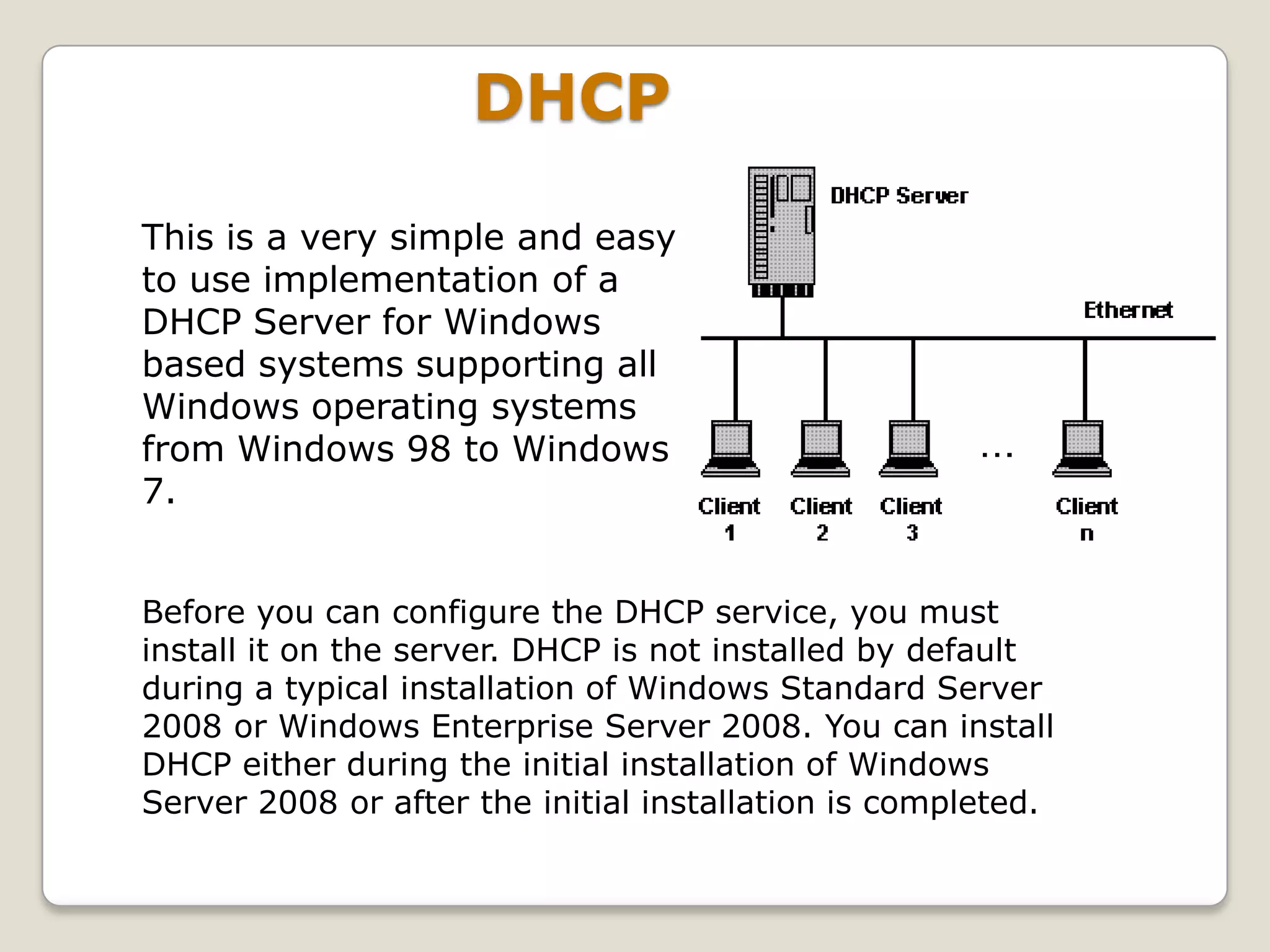
   A DHCP Server assigns IP addresses to client
    computers. This is very often used in enterprise
    networks to reduce configuration efforts. All IP
    addresses of all computers are stored in a
    database that resides on a server machine.
DHCP

This is a very simple and easy
to use implementation of a
DHCP Server for Windows
based systems supporting all
Windows operating systems
from Windows 98 to Windows
7.


Before you can configure the DHCP service, you must
install it on the server. DHCP is not installed by default
during a typical installation of Windows Standard Server
2008 or Windows Enterprise Server 2008. You can install
DHCP either during the initial installation of Windows
Server 2008 or after the initial installation is completed.
How to DHCP install and Configure
   Step 1: Go to Start and select on
    Administration Tool click on server
    manager
   Step 2: Click Roles then click add role from
    right of window
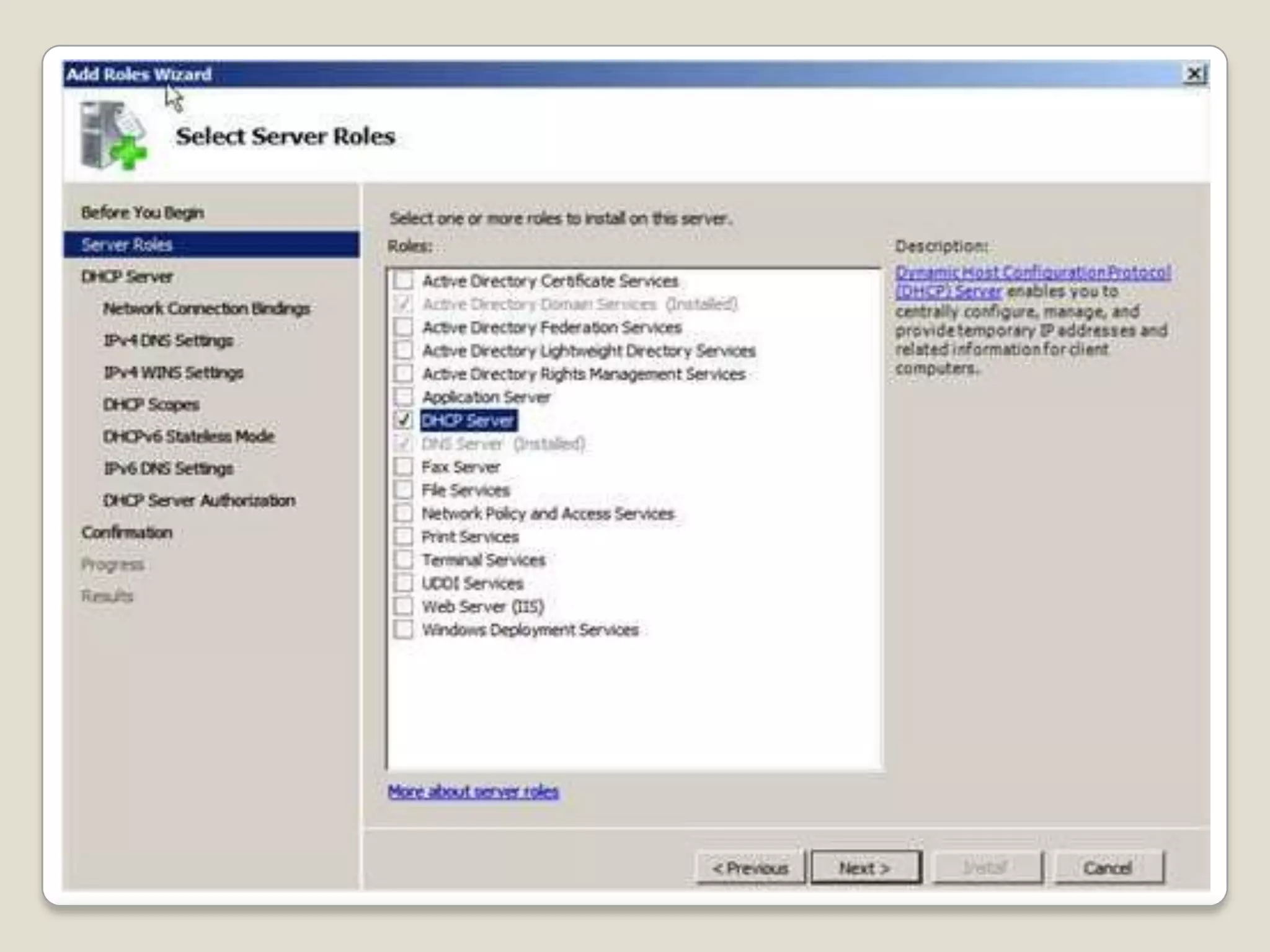
   Step 3: new window apear click next and
    check the Dynamic Host Configuration
    Protocol and click next
   Step 4: There are step shown
    bellow(figures)
   Step 5: Click Next button for install
DHCP installation in windows server
                 2008
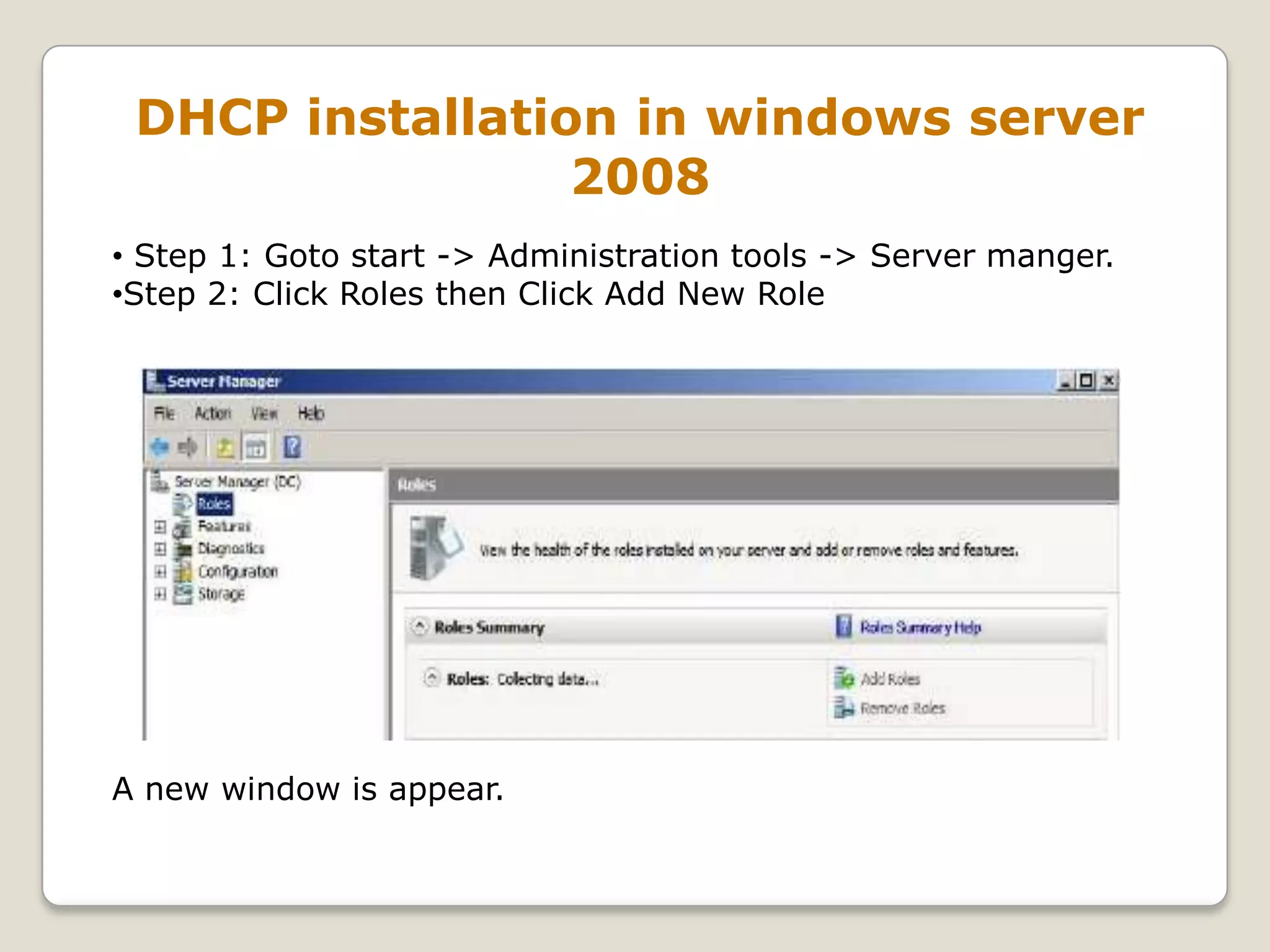
• Step 1: Goto start -> Administration tools -> Server manger.
•Step 2: Click Roles then Click Add New Role


A new window is appear.
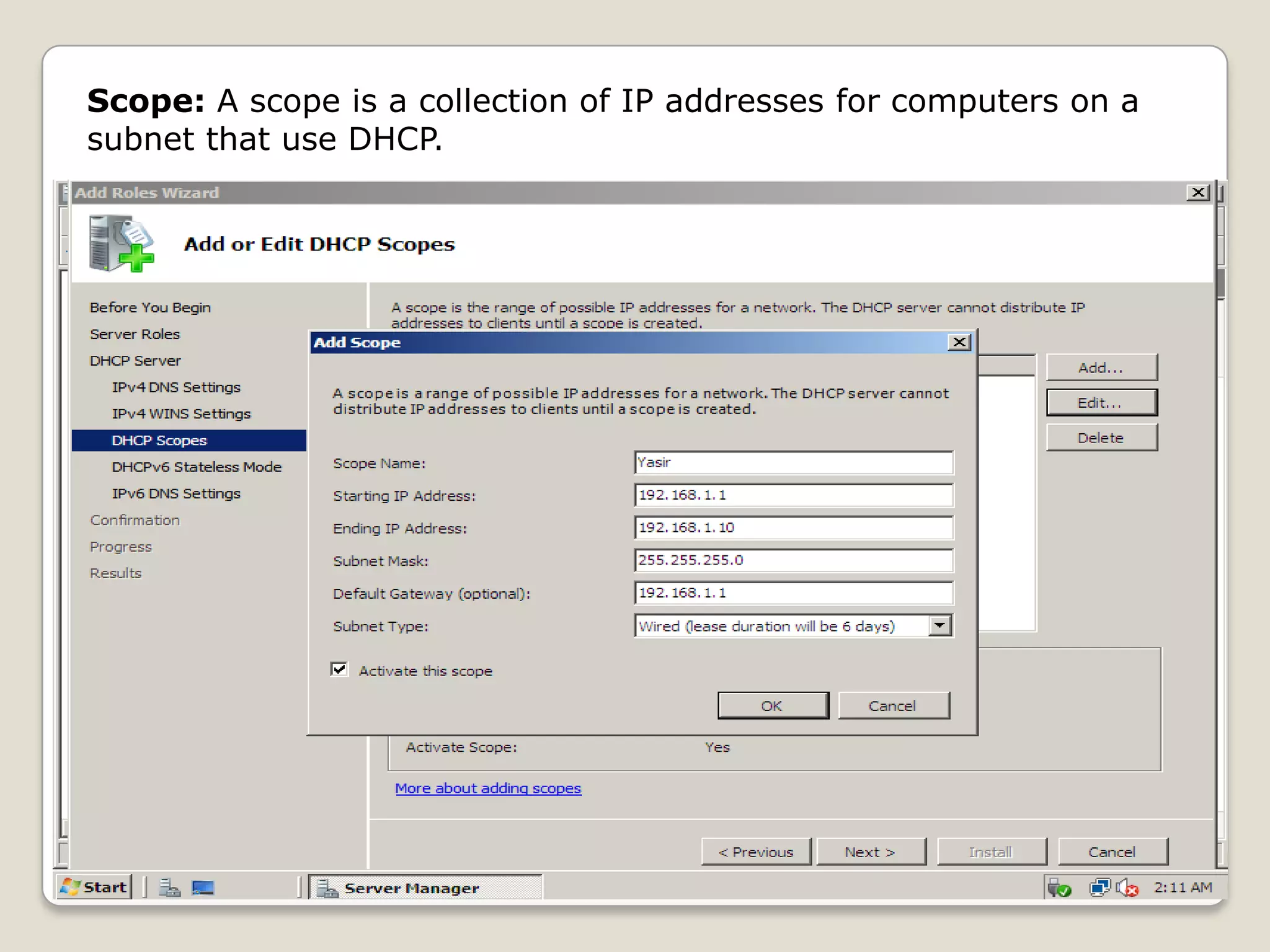
Scope: A scope is a collection of IP addresses for computers on a
subnet that use DHCP.
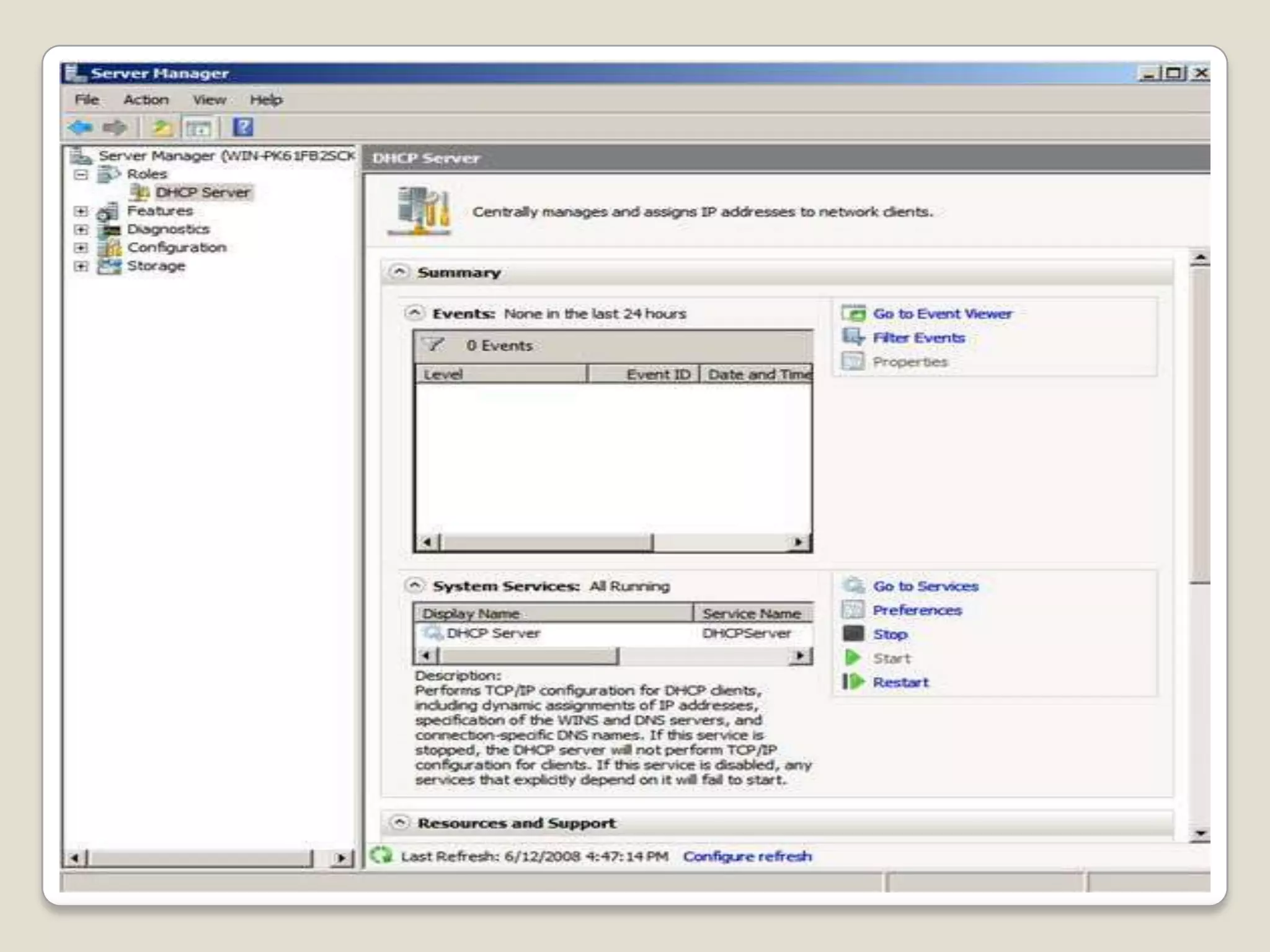
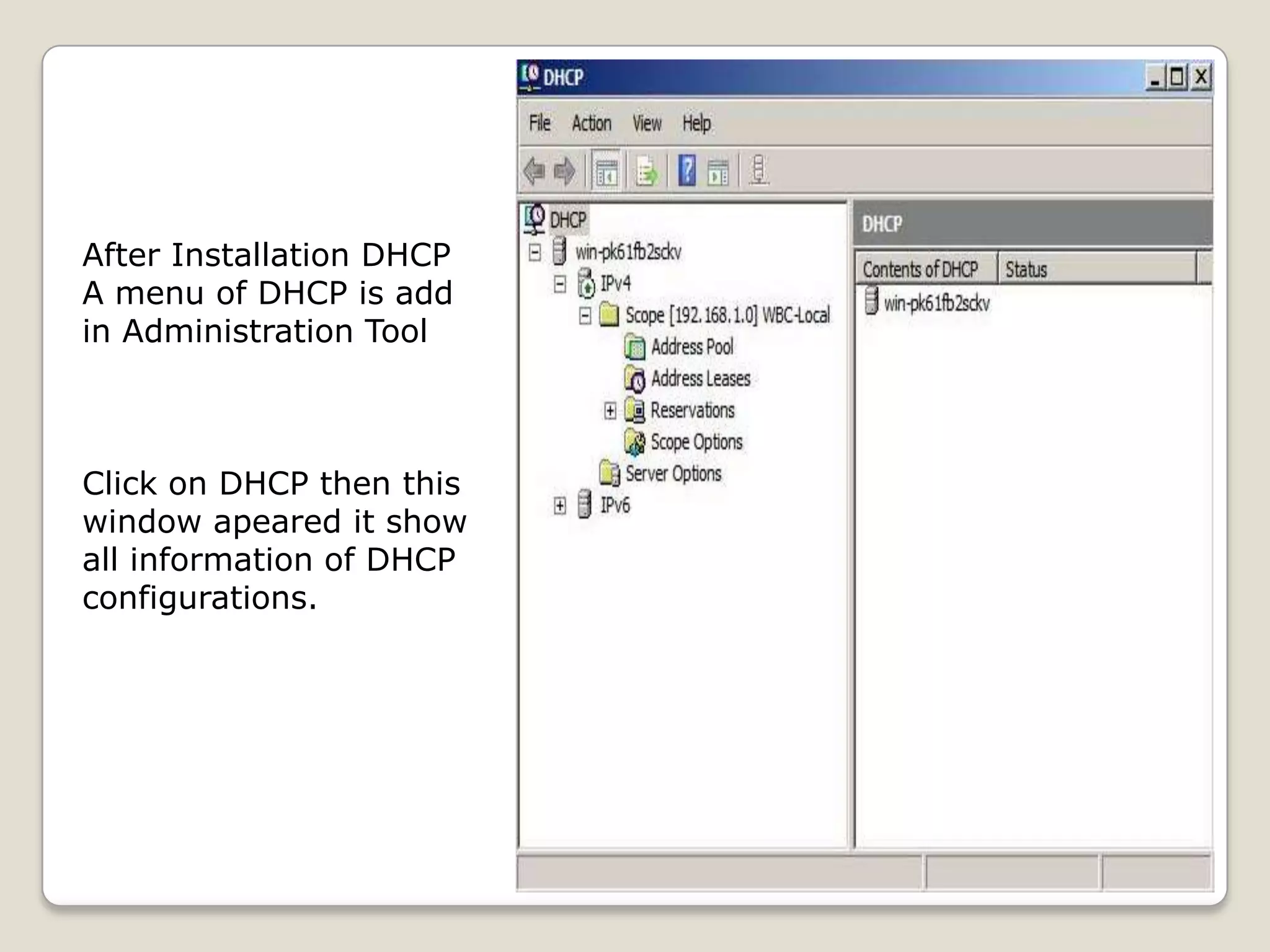
After Installation DHCP
A menu of DHCP is add
in Administration Tool


Click on DHCP then this
window apeared it show
all information of DHCP
configurations.
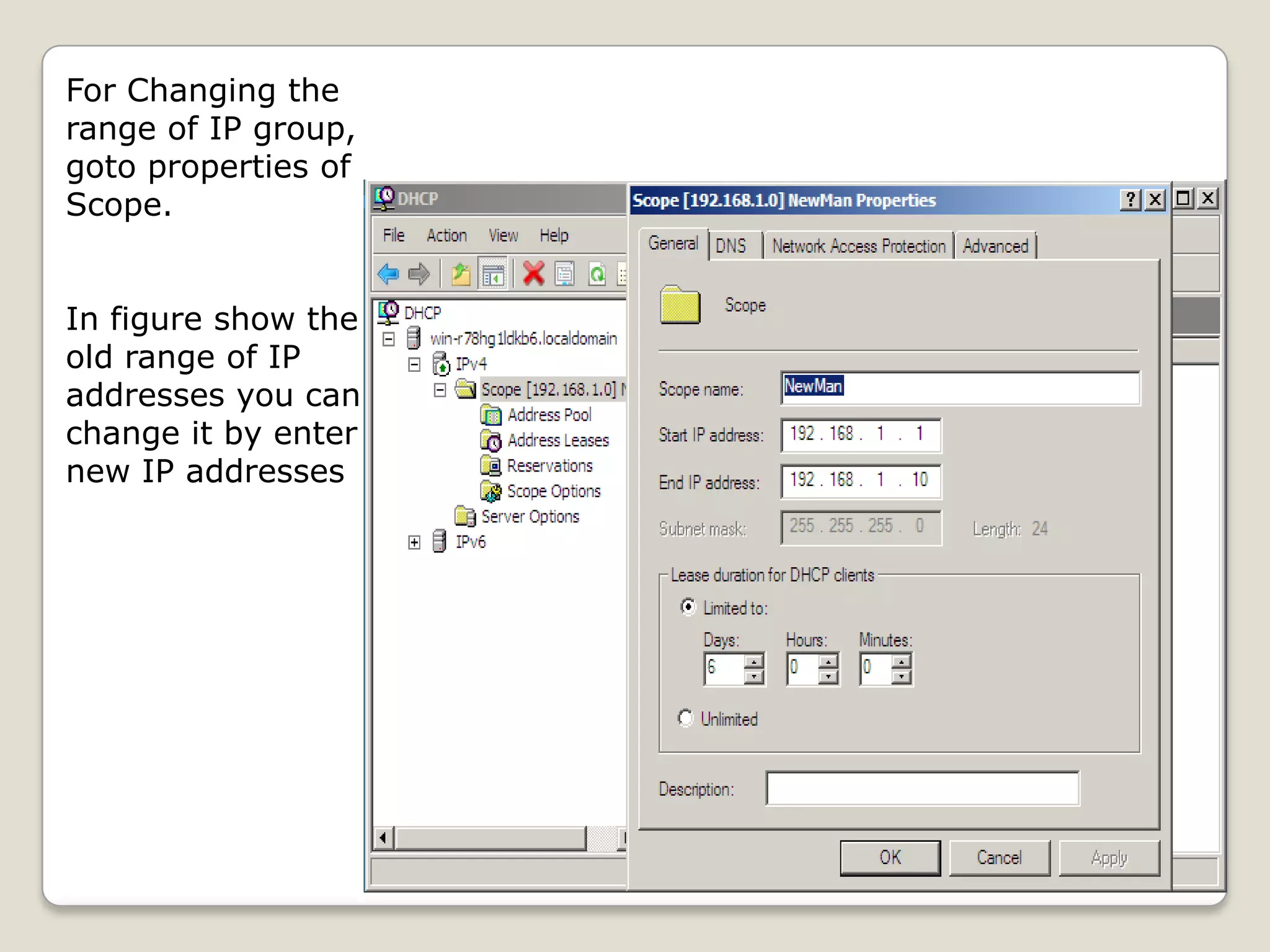
For Changing the
range of IP group,
goto properties of
Scope.


In figure show the
old range of IP
addresses you can
change it by enter
new IP addresses
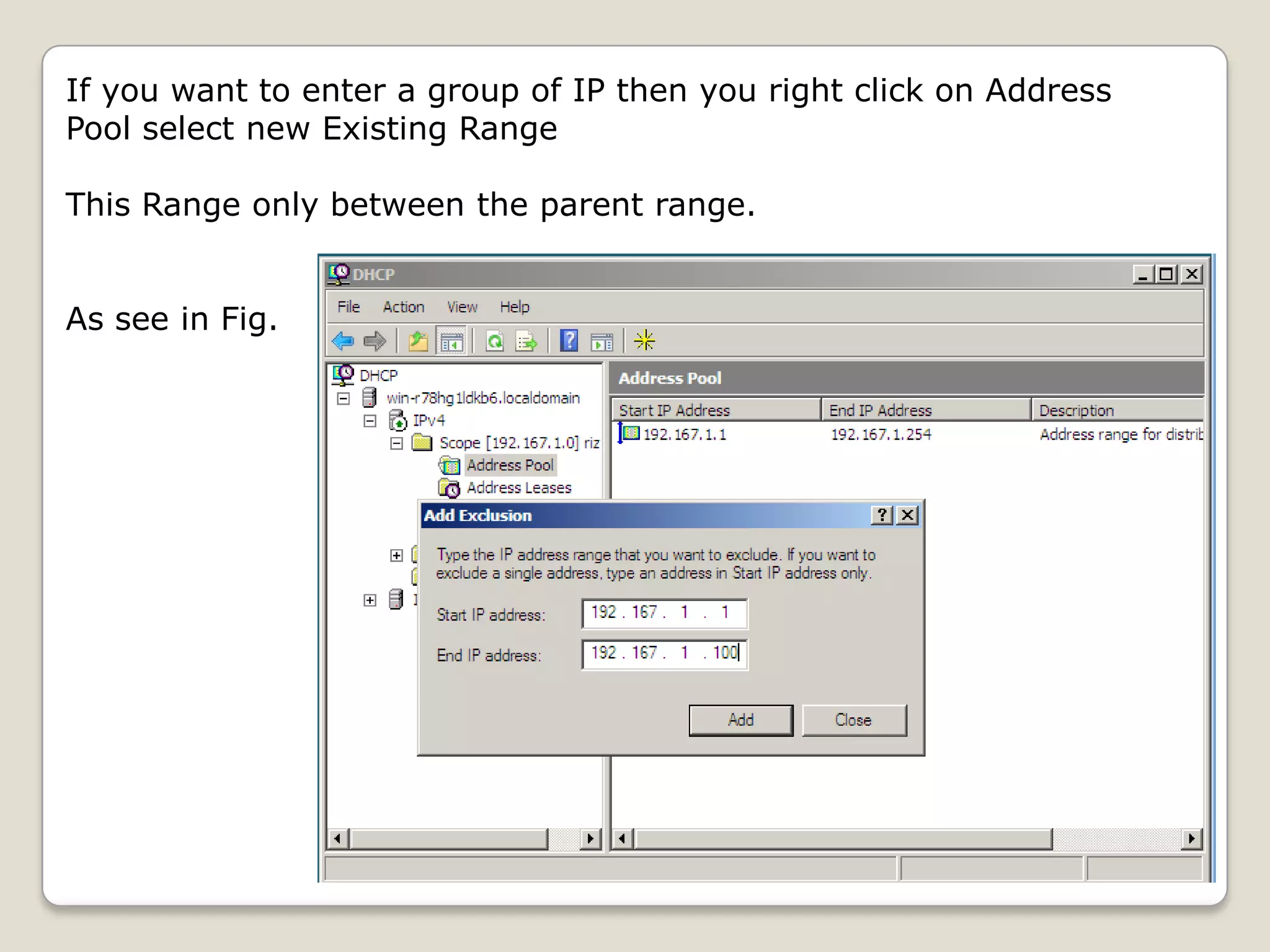
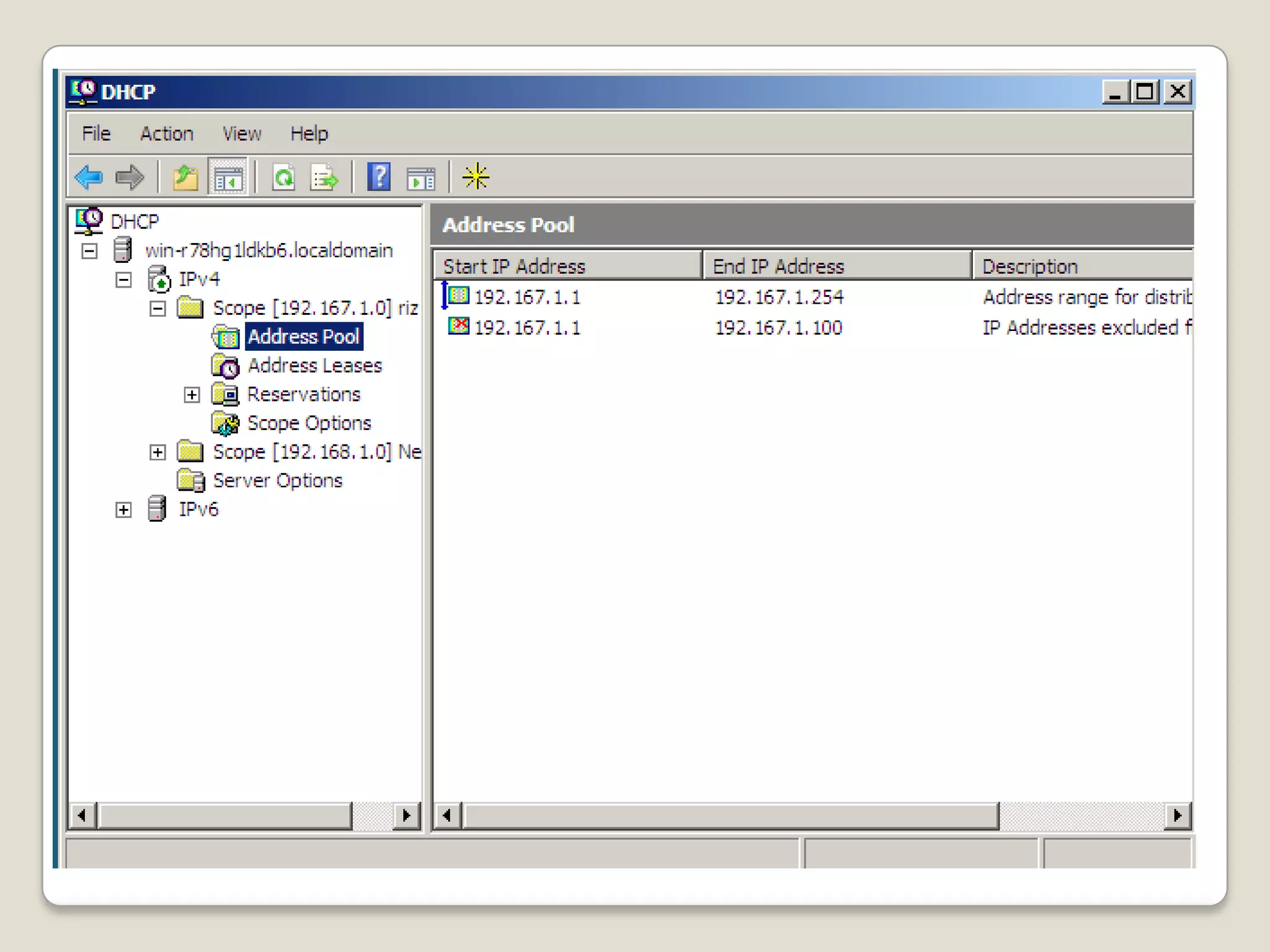
If you want to enter a group of IP then you right click on Address
Pool select new Existing Range

This Range only between the parent range.


As see in Fig.
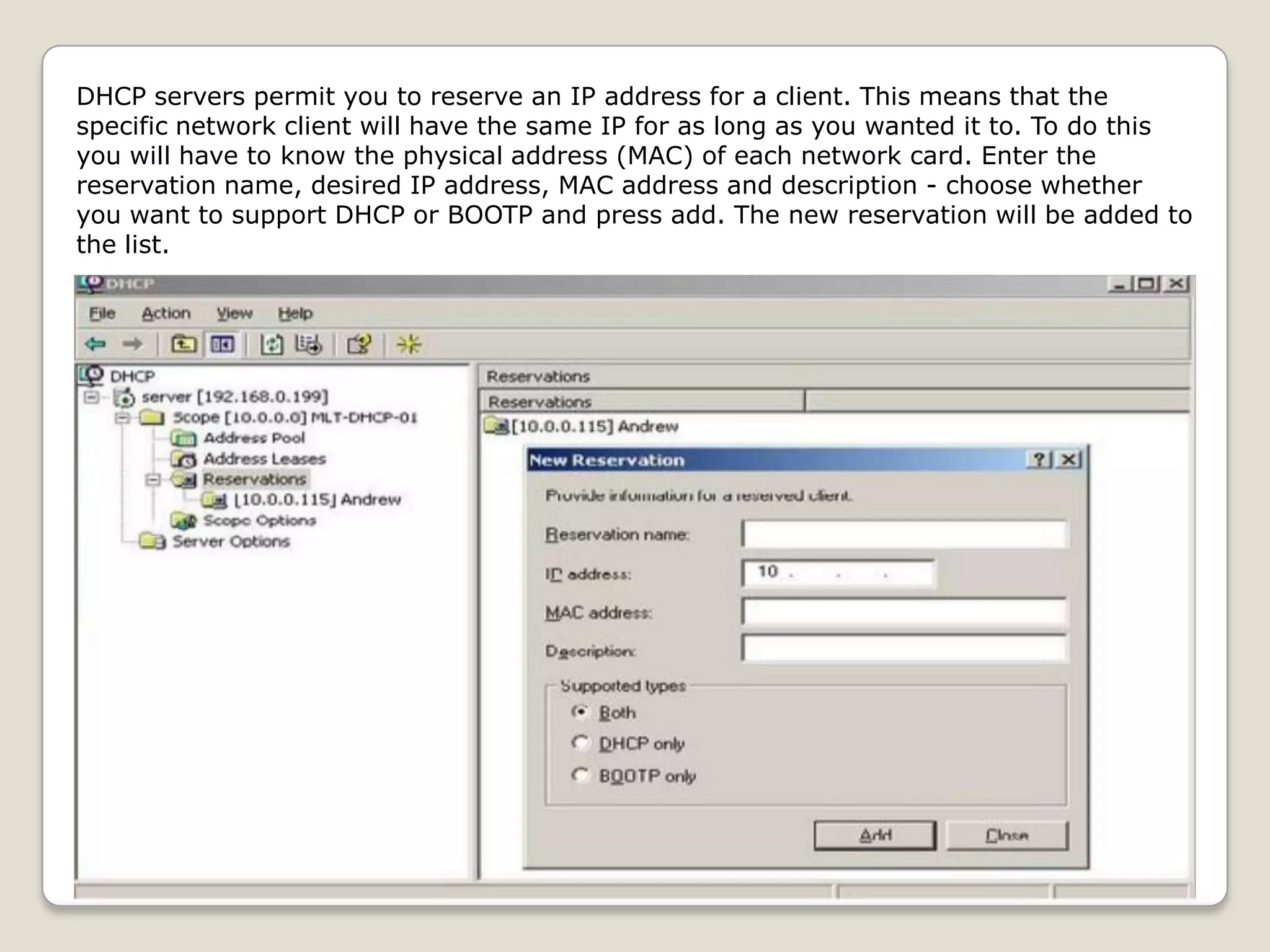
DHCP servers permit you to reserve an IP address for a client. This means that the
specific network client will have the same IP for as long as you wanted it to. To do this
you will have to know the physical address (MAC) of each network card. Enter the
reservation name, desired IP address, MAC address and description - choose whether
you want to support DHCP or BOOTP and press add. The new reservation will be added to
the list.
DHCP Server TroubleShooting

Before Troubleshooting we must find what the problum e.g
Unable to provide servers to clients or Server stopped or Data
is loss during transfering.


• Authorize the DHCP server in the enterprise where it is being used.
• Inappropriate Address Assignment
• IP Address Conflicts
• DHCP overlaped


http://www.windowsnetworking.com
DNS Server

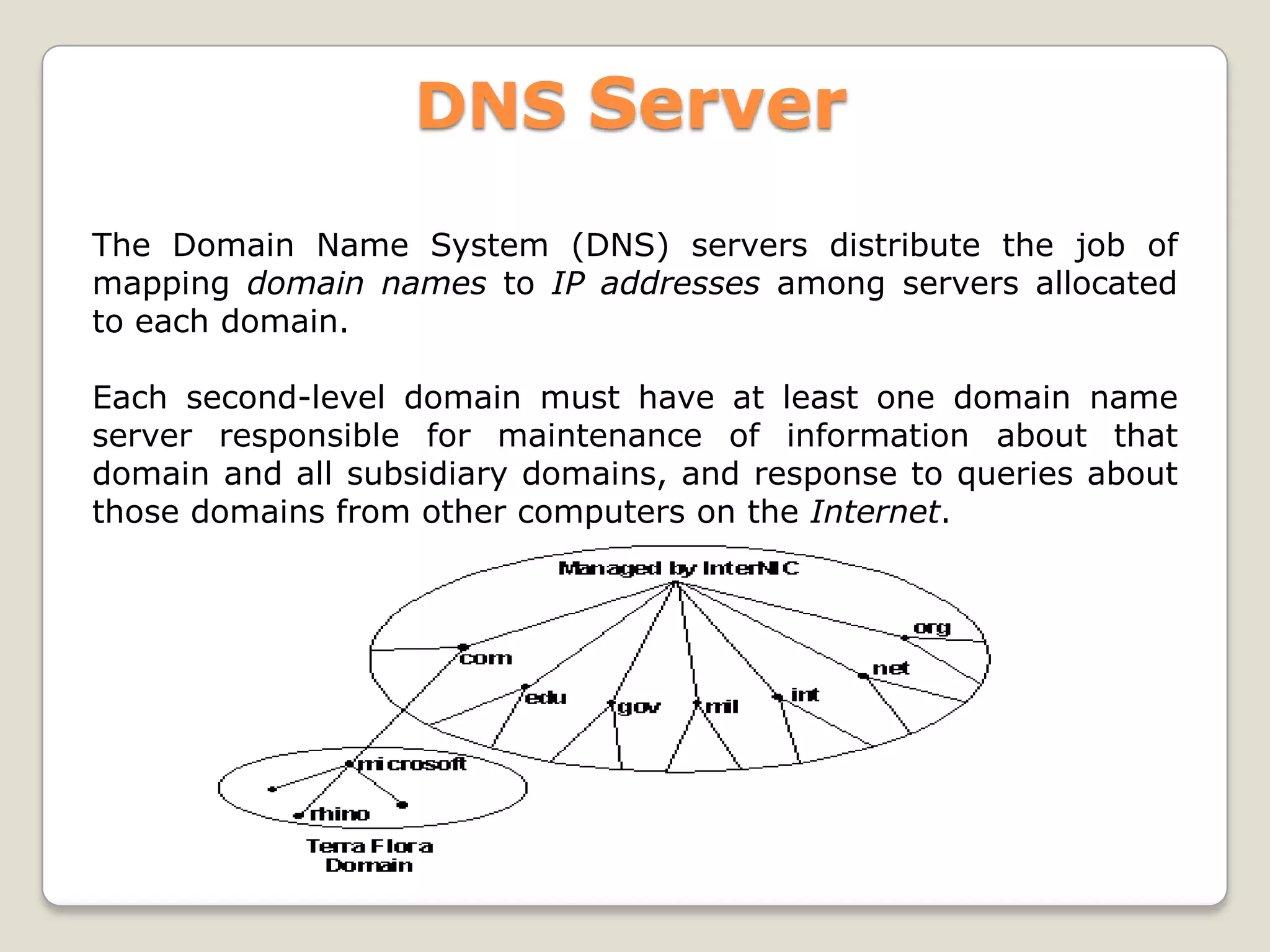
The Domain Name System (DNS) servers distribute the job of
mapping domain names to IP addresses among servers allocated
to each domain.

Each second-level domain must have at least one domain name
server responsible for maintenance of information about that
domain and all subsidiary domains, and response to queries about
those domains from other computers on the Internet.
DNS Installation and Configuration


Intallation
1. Go to Start, Administration Tool and then click Server
   Manager.
2. In the results pane, under Roles Summary, click Add roles.
3. In the Add Roles Wizard, if the Before You Begin page
   appears, click Next.
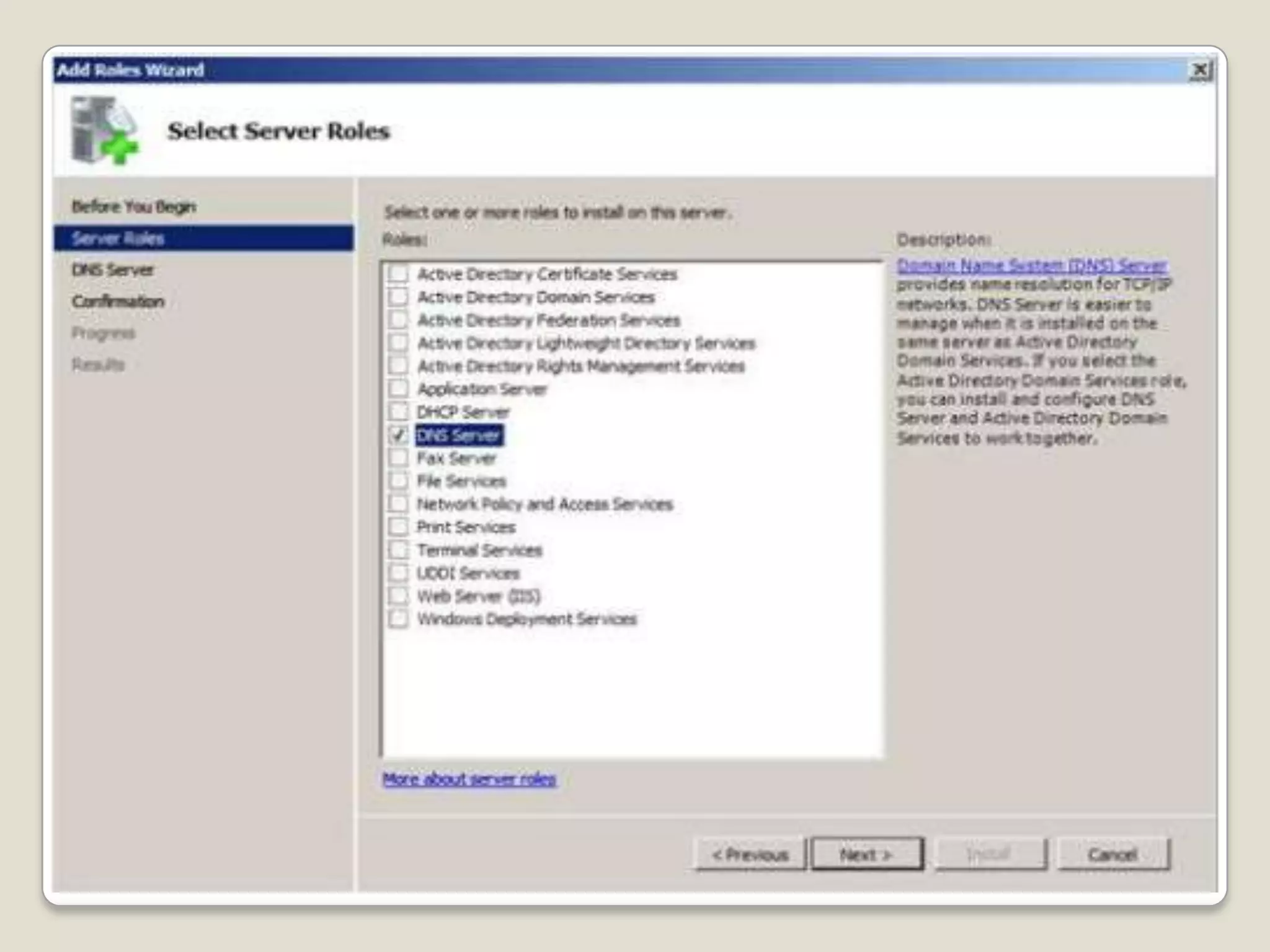
4. In the Roles list, click DNS Server, and then click Next.
5. Read the information on the DNS Server page, and then click
   Next.
6. On the Confirm Installation Options page, verify that the
   DNS Server role will be installed, and then click Install.
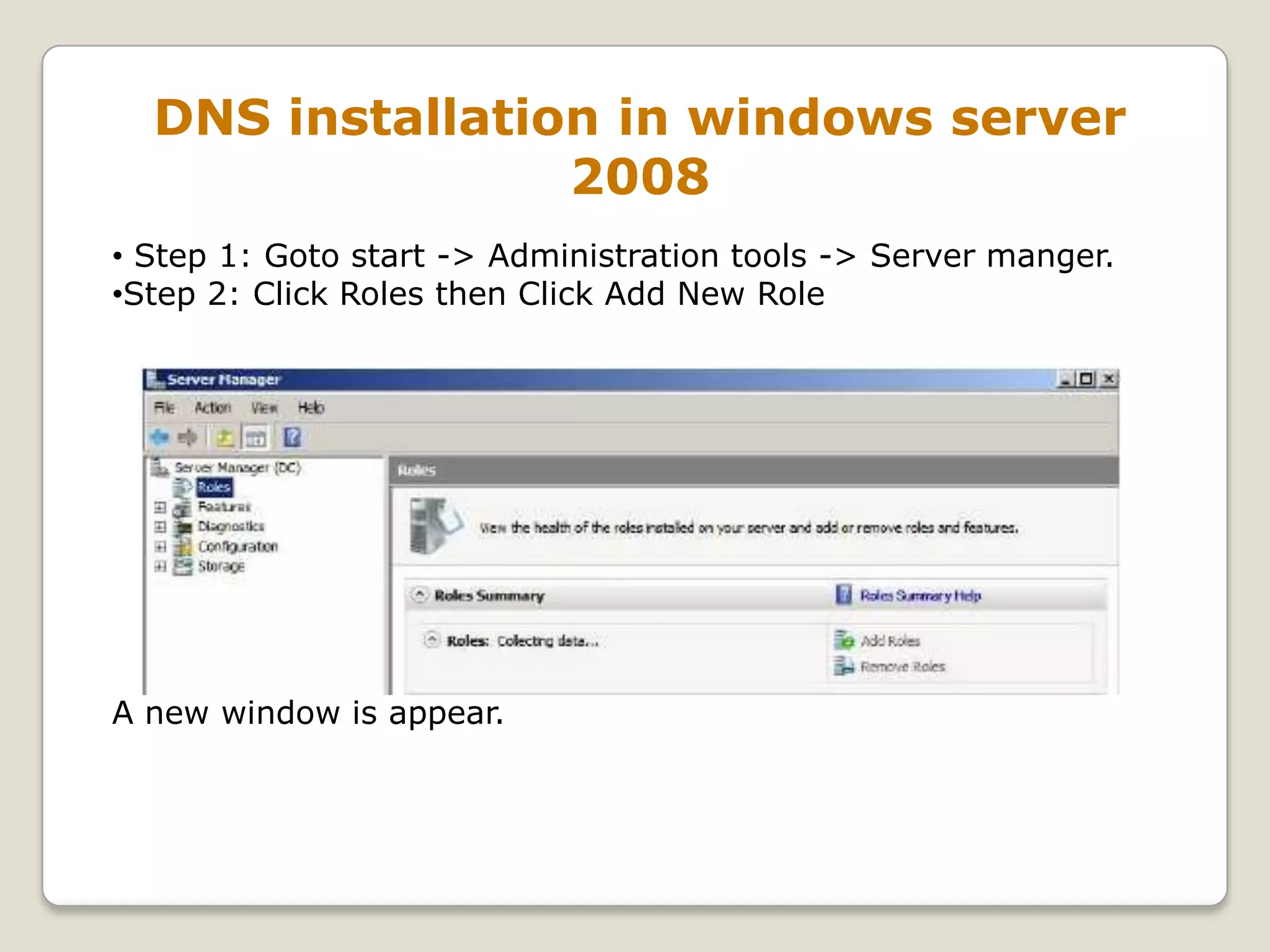
DNS installation in windows server
                 2008
• Step 1: Goto start -> Administration tools -> Server manger.
•Step 2: Click Roles then Click Add New Role


A new window is appear.
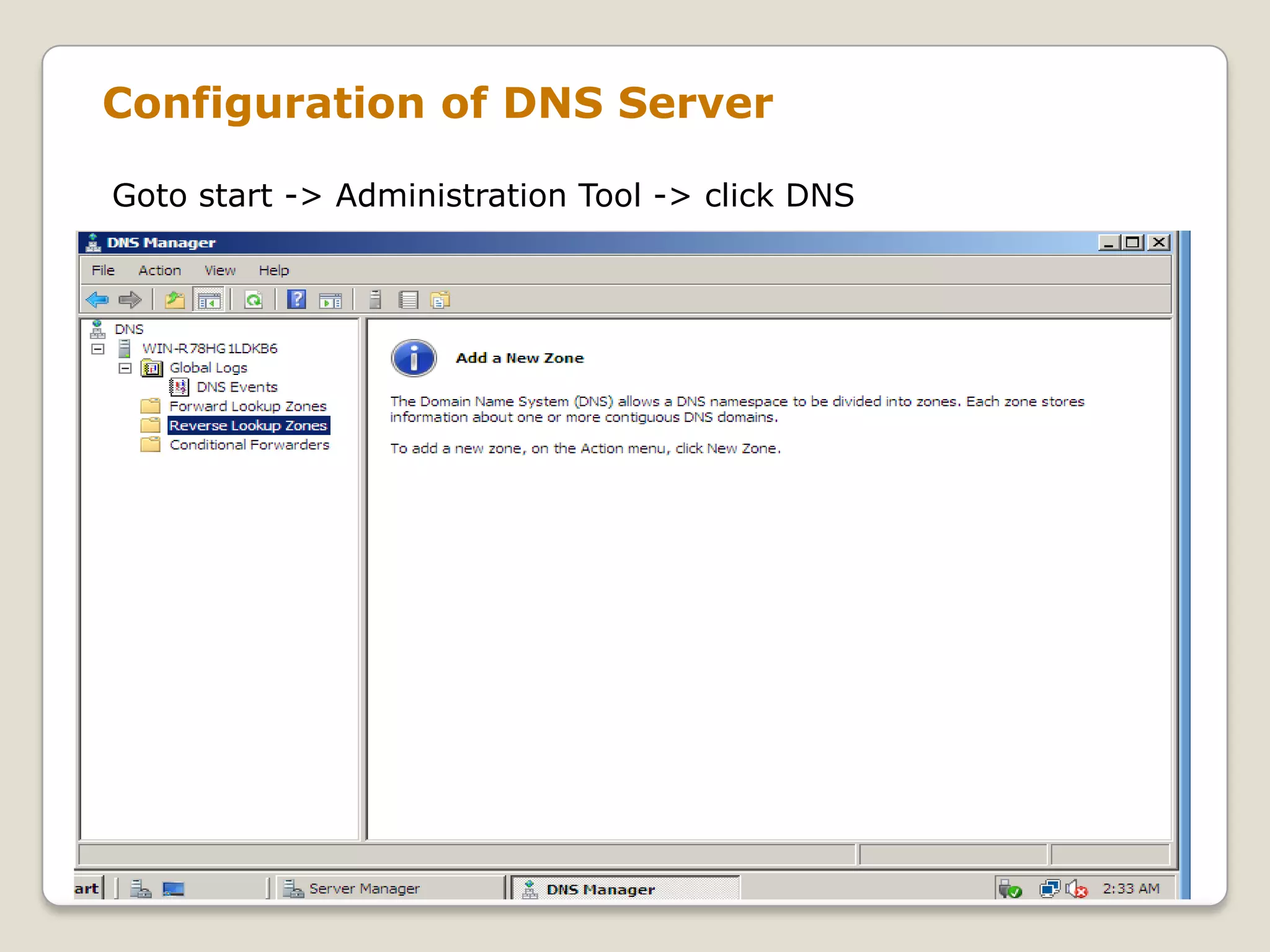
Configuration of DNS Server

Goto start -> Administration Tool -> click DNS
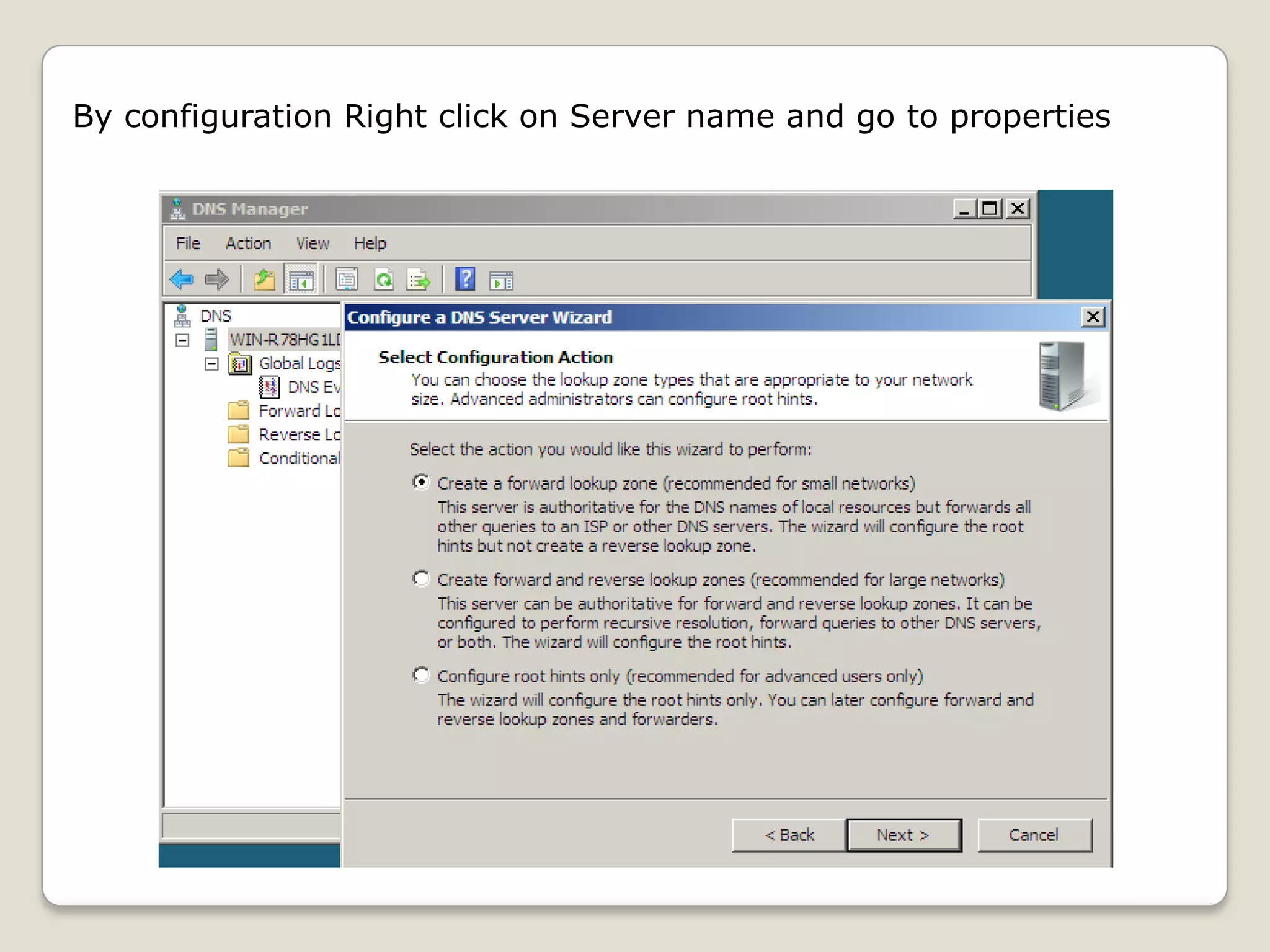
By configuration Right click on Server name and go to properties
A forward lookup zone is the most common type of zone. DNS
clients can use this zone to obtain such information as IP
addresses that correspond to DNS domain names or services
that is stored in the zone.

 Another type of zone, a reverse lookup zone, provides mapping
from IP addresses back to DNS domain names.

DNS provides a reverse lookup process, in which clients use a
known IP address during a name query and look up a computer
name based on its address. A reverse lookup takes the form of a
question, such as "Can you tell me the DNS name of the
computer that uses the IP address 192.168.1.20?“
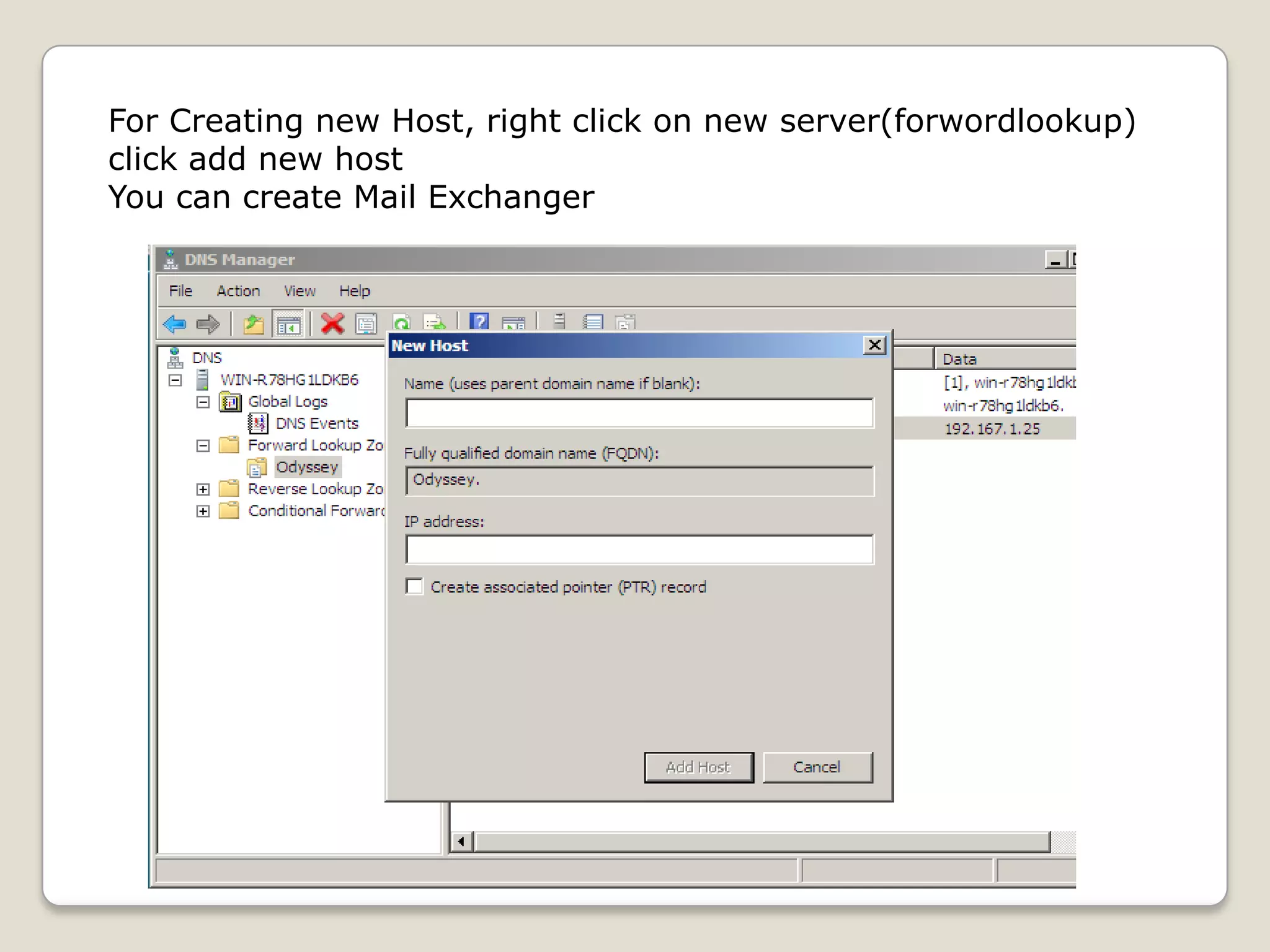
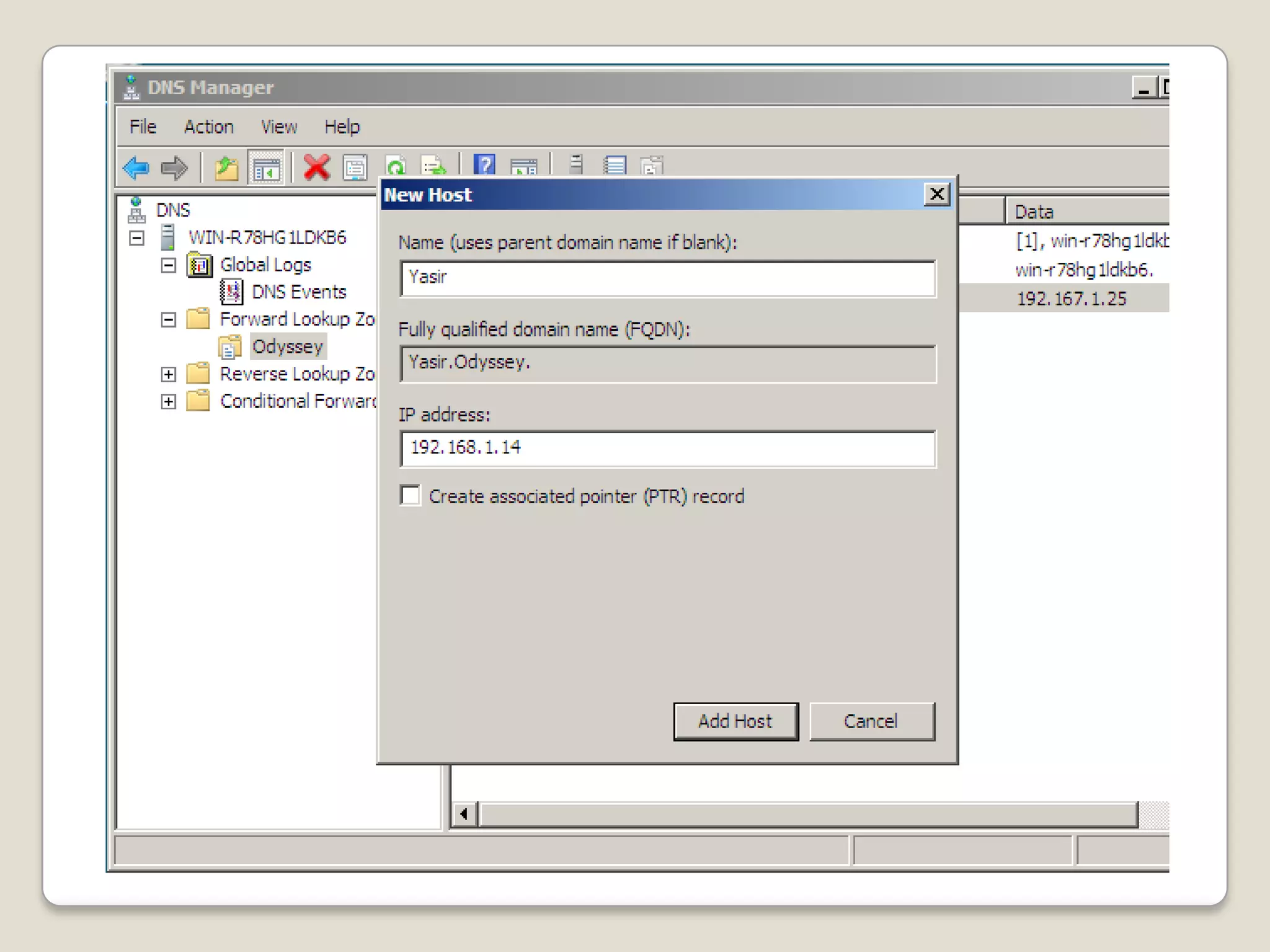
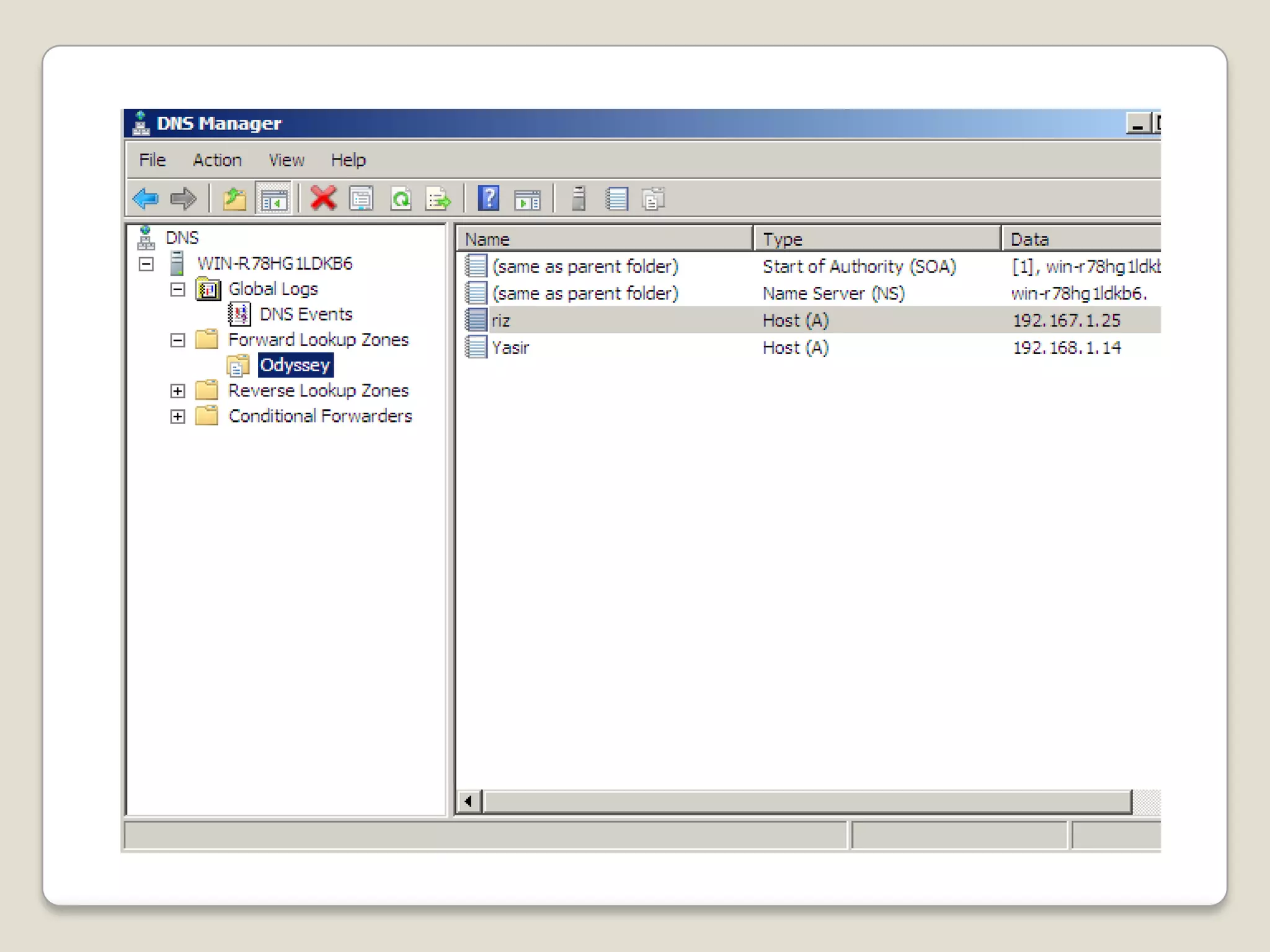
For Creating new Host, right click on new server(forwordlookup)
click add new host
You can create Mail Exchanger
Proxy Server
A proxy server is a computer that offers a computer
network service to allow clients to make indirect
network connections to other network services. A client
connects to the proxy server, then requests a
connection, file, or other resource available on a
different server. The proxy provides the resource either
by connecting to the specified server or by serving it
from a cache. In some cases, the proxy may alter the
client's request or the server's response for various
purposes.
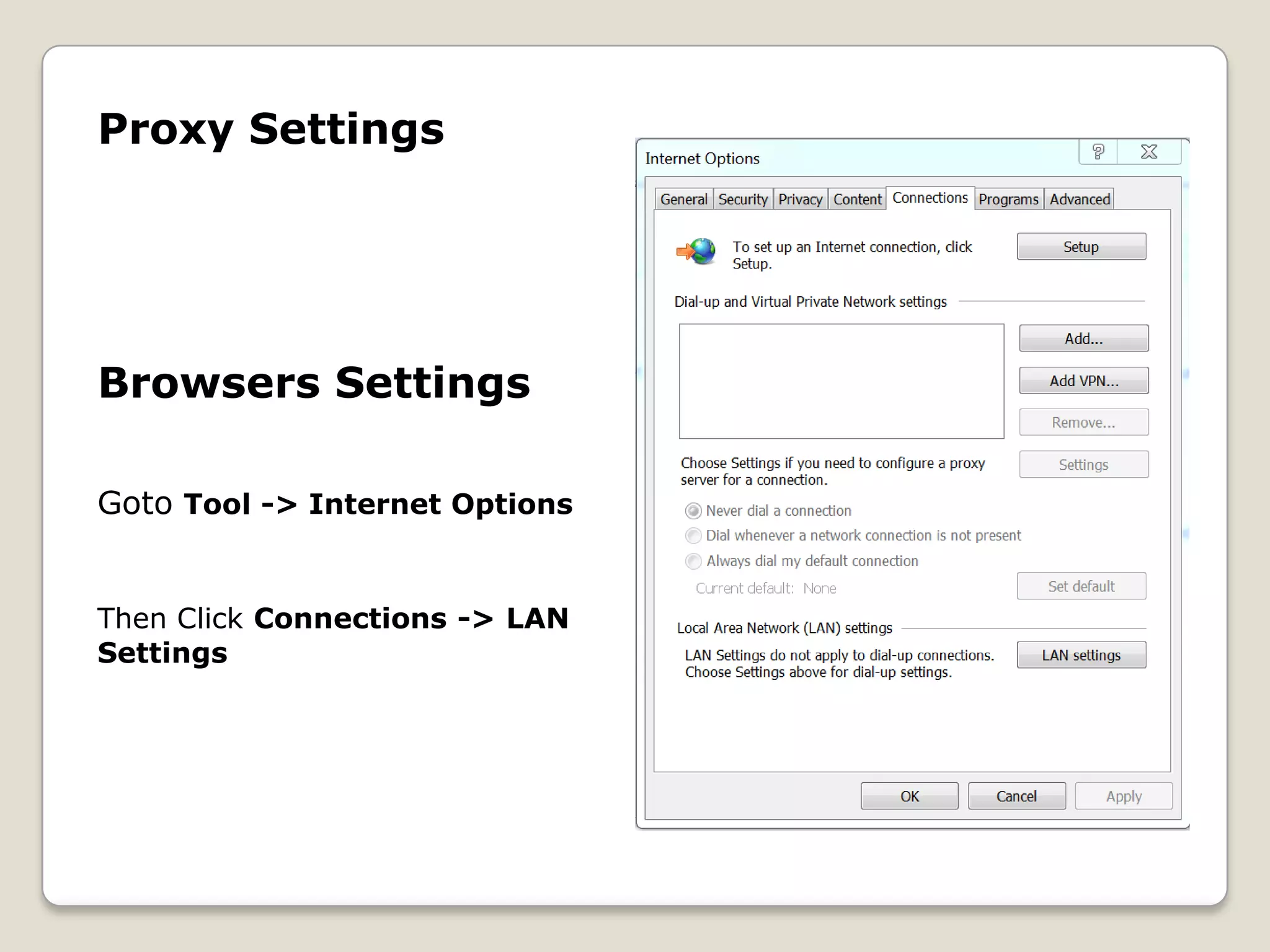
Proxy Settings


Browsers Settings

Goto Tool -> Internet Options


Then Click Connections -> LAN
Settings
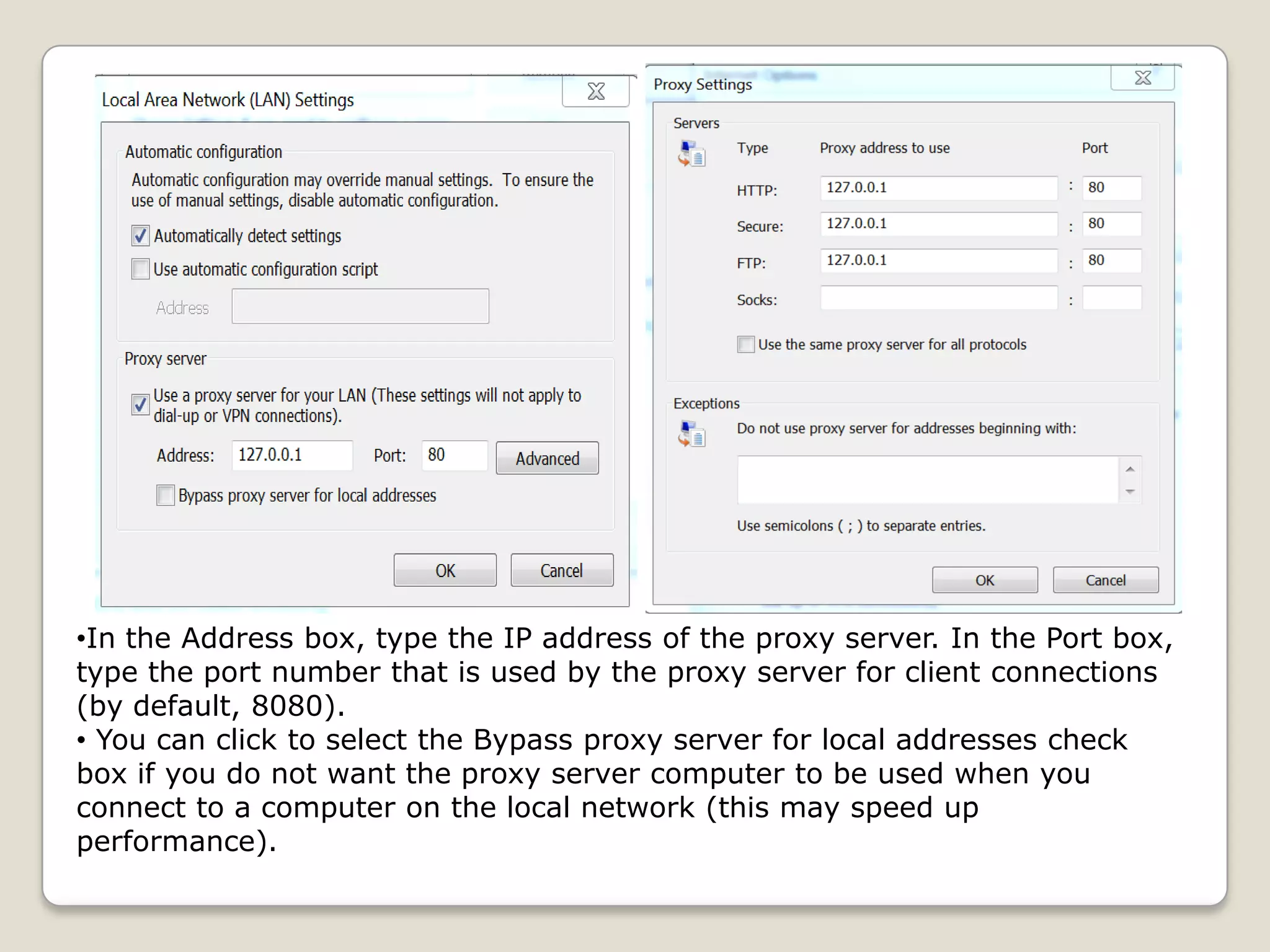
•In the Address box, type the IP address of the proxy server. In the Port box,
type the port number that is used by the proxy server for client connections
(by default, 8080).
• You can click to select the Bypass proxy server for local addresses check
box if you do not want the proxy server computer to be used when you
connect to a computer on the local network (this may speed up
performance).
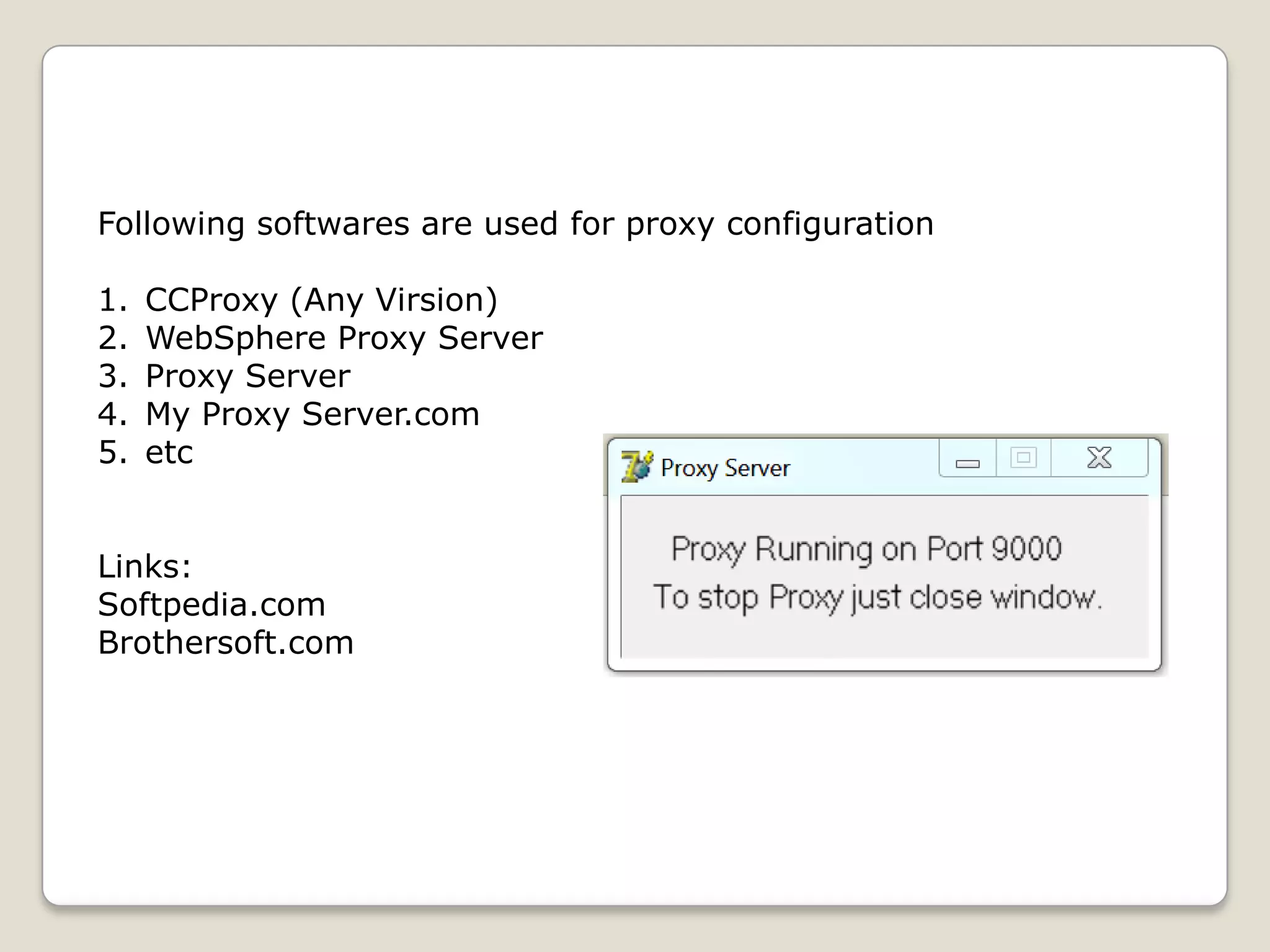
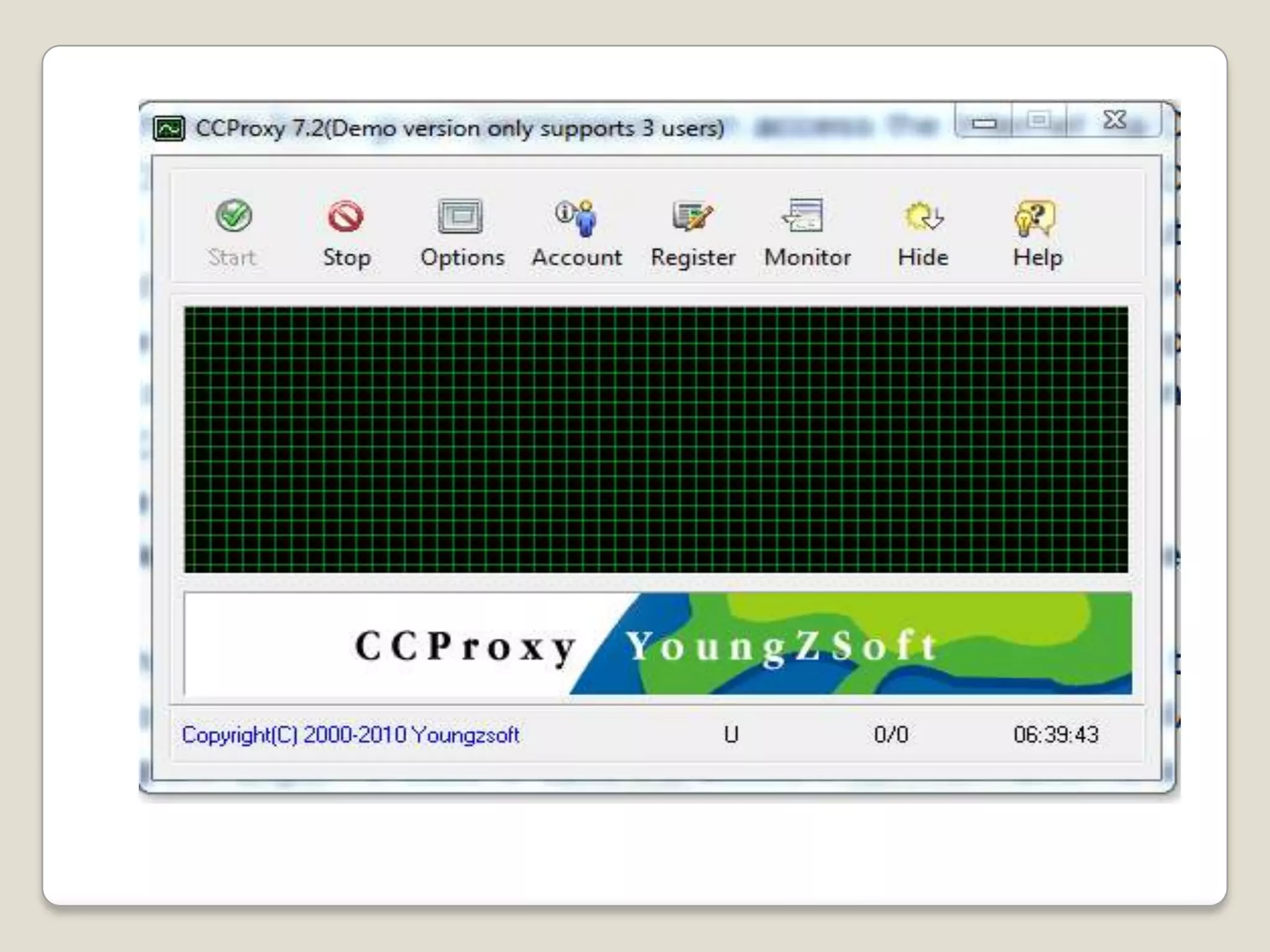
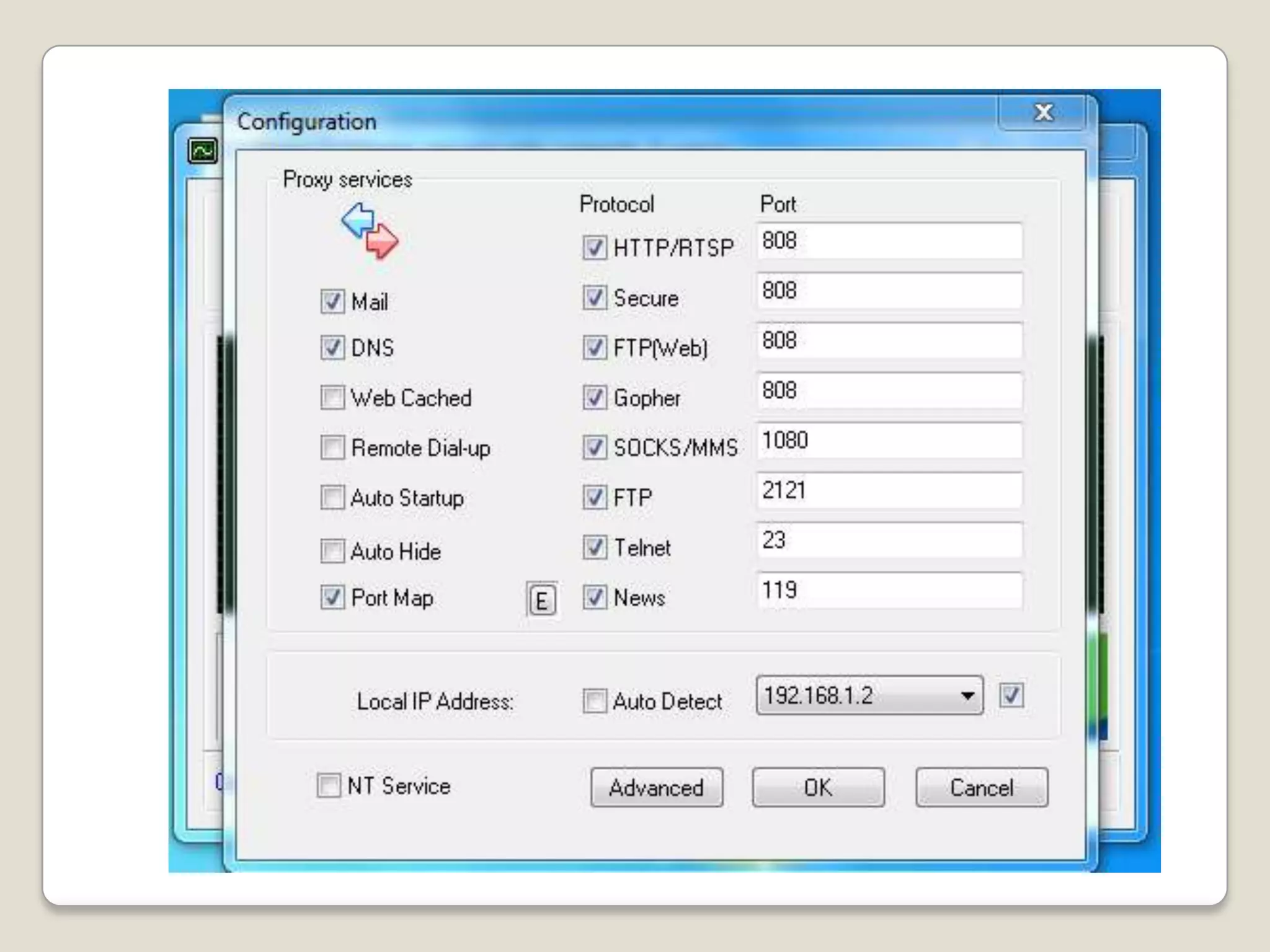
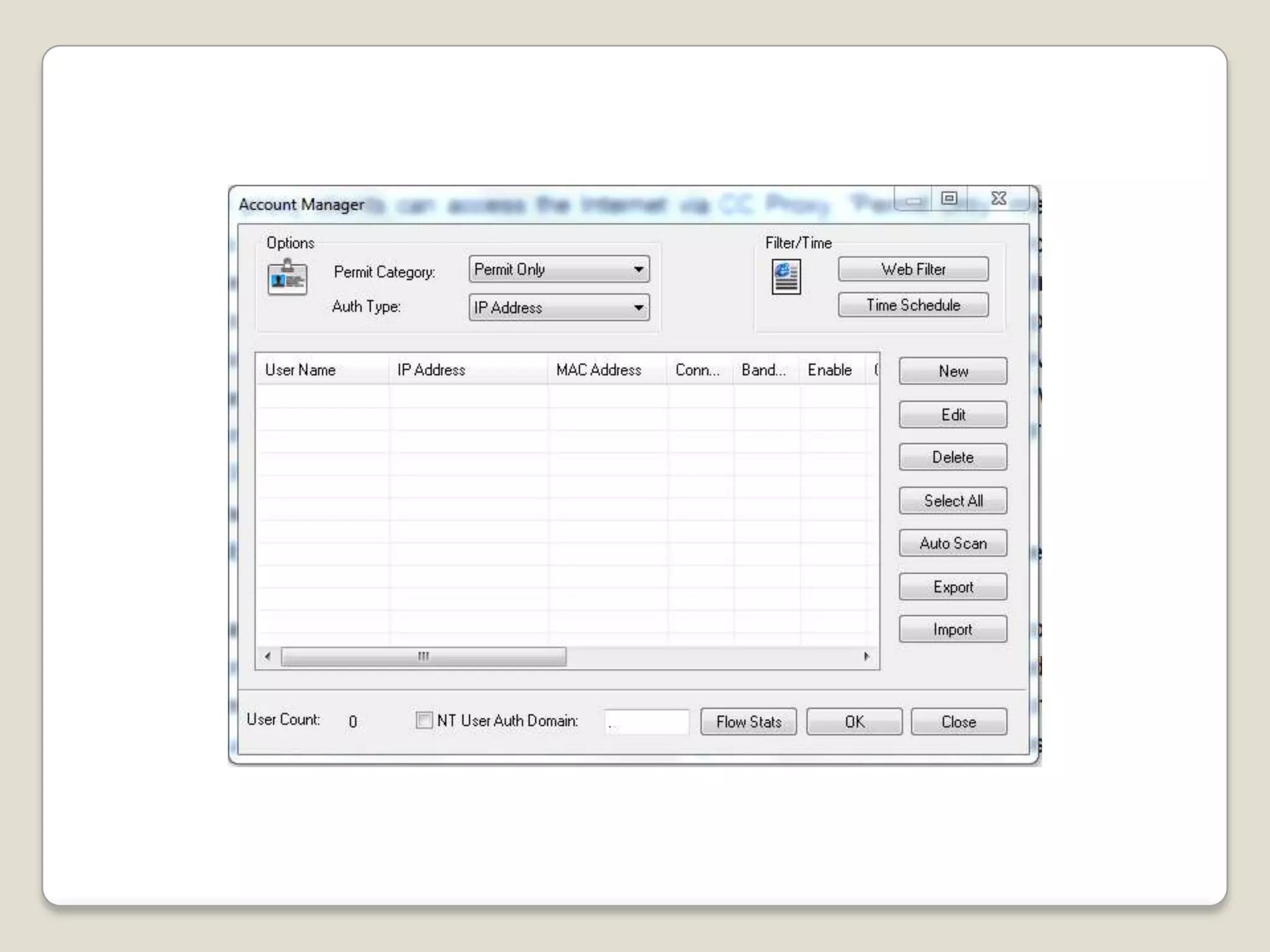
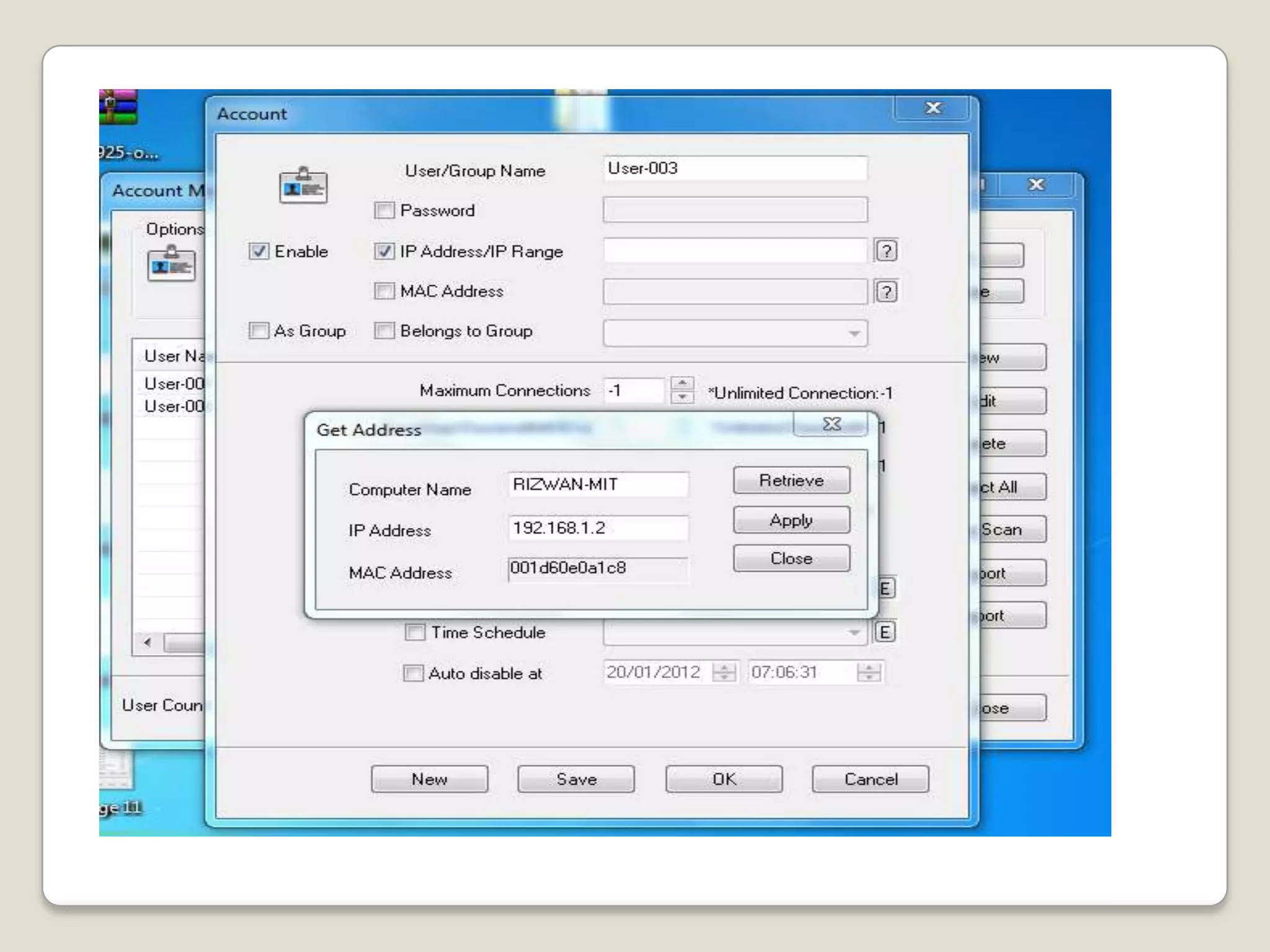
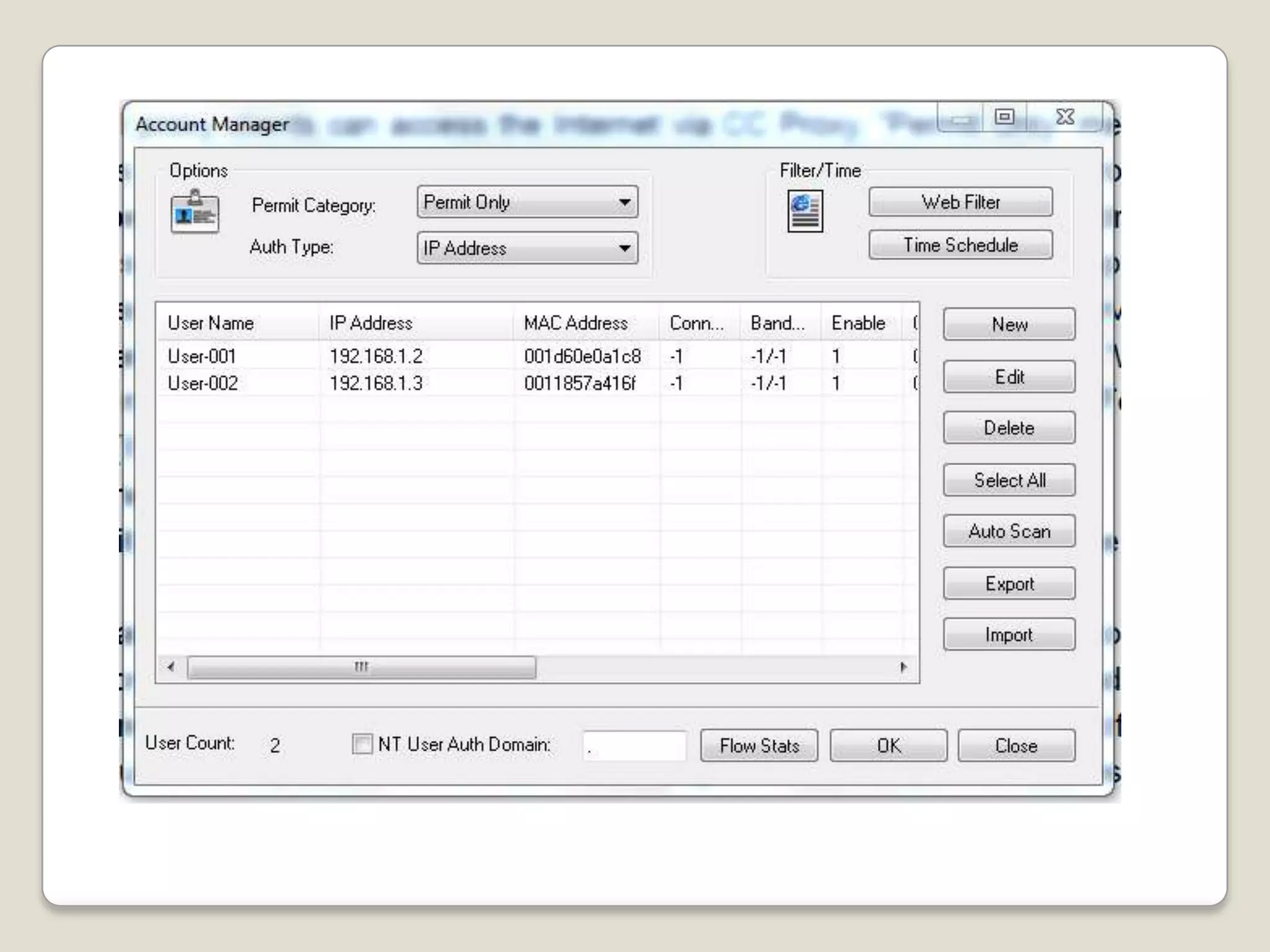
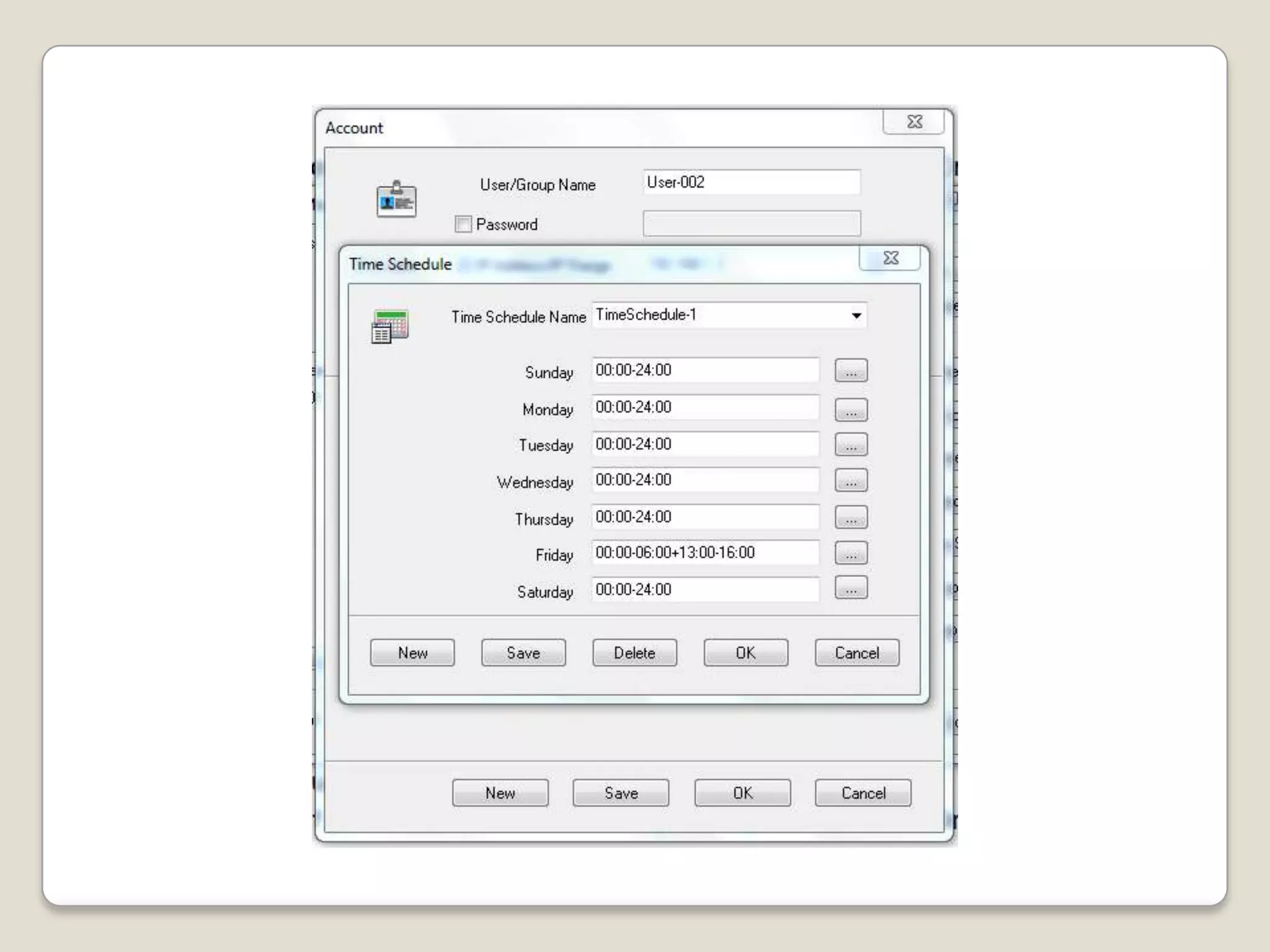
Following softwares are used for proxy configuration

1.   CCProxy (Any Virsion)
2.   WebSphere Proxy Server
3.   Proxy Server
4.   My Proxy Server.com
5.   etc


Links:
Softpedia.com
Brothersoft.com
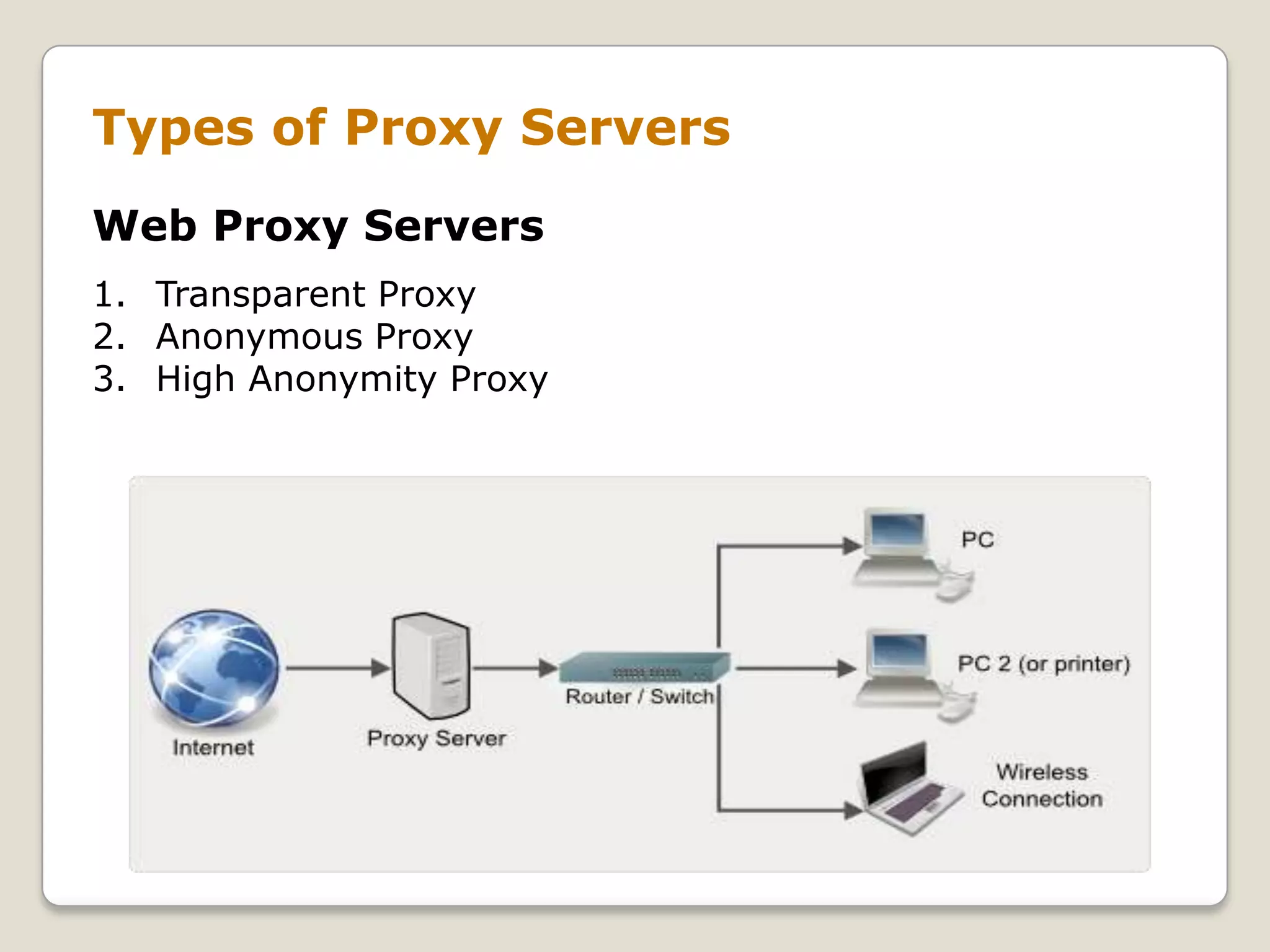
Types of Proxy Servers
Web Proxy Servers
1. Transparent Proxy
2. Anonymous Proxy
3. High Anonymity Proxy
Transparent Proxy
          A transparent proxy is a server that satisfies the definition
of a proxy, but does not enforce any local policies. It means that it
does not add, delete or modify attributes or modify information
within messages it forwards. These are generally used for their
ability to cache websites and do not effectively provide any
anonymity to those who use them. However, the use of a
transparent proxy will get you around simple IP bans. Further, your
web browser does not require special configuration and the cache
is transparent to the end-user. This is also known as transparent
forward proxy.
Anonymous Proxy
          An anonymous proxy server also known as web proxy,
generally attempts to anonymize web surfing by hiding the
original IP address of the end user. This type of proxy server are
typically difficult to track, and provides reasonable anonymity for
most users.

High Anonymity Proxy
This type of proxy server does not identify itself as a proxy
server and does not make available the original IP address.
Dhcp, dns and proxy server (1)

  • 2.
    DHCP, DNS andProxy servers Members: Muhammad Yasir 10-arid-479 Muhammad Rizwan 10-arid-473 Talib Mehmood 09-arid-828 Group = J Special Thanks: Sir Ghawas Khan
  • 3.
    DHCP Server  Dynamic Host Configuration Protocol (DHCP) is a network configuration protocol for hosts on Internet Protocol (IP) networks. Computers that are connected to IP networks must be configured before they can communicate with other hosts.  A DHCP Server assigns IP addresses to client computers. This is very often used in enterprise networks to reduce configuration efforts. All IP addresses of all computers are stored in a database that resides on a server machine.
  • 4.
    DHCP This is avery simple and easy to use implementation of a DHCP Server for Windows based systems supporting all Windows operating systems from Windows 98 to Windows 7. Before you can configure the DHCP service, you must install it on the server. DHCP is not installed by default during a typical installation of Windows Standard Server 2008 or Windows Enterprise Server 2008. You can install DHCP either during the initial installation of Windows Server 2008 or after the initial installation is completed.
  • 5.
    How to DHCPinstall and Configure  Step 1: Go to Start and select on Administration Tool click on server manager  Step 2: Click Roles then click add role from right of window  Step 3: new window apear click next and check the Dynamic Host Configuration Protocol and click next  Step 4: There are step shown bellow(figures)  Step 5: Click Next button for install
  • 6.
    DHCP installation inwindows server 2008 • Step 1: Goto start -> Administration tools -> Server manger. •Step 2: Click Roles then Click Add New Role A new window is appear.
  • 8.
    Scope: A scopeis a collection of IP addresses for computers on a subnet that use DHCP.
  • 10.
    After Installation DHCP Amenu of DHCP is add in Administration Tool Click on DHCP then this window apeared it show all information of DHCP configurations.
  • 11.
    For Changing the rangeof IP group, goto properties of Scope. In figure show the old range of IP addresses you can change it by enter new IP addresses
  • 12.
    If you wantto enter a group of IP then you right click on Address Pool select new Existing Range This Range only between the parent range. As see in Fig.
  • 14.
    DHCP servers permityou to reserve an IP address for a client. This means that the specific network client will have the same IP for as long as you wanted it to. To do this you will have to know the physical address (MAC) of each network card. Enter the reservation name, desired IP address, MAC address and description - choose whether you want to support DHCP or BOOTP and press add. The new reservation will be added to the list.
  • 15.
    DHCP Server TroubleShooting BeforeTroubleshooting we must find what the problum e.g Unable to provide servers to clients or Server stopped or Data is loss during transfering. • Authorize the DHCP server in the enterprise where it is being used. • Inappropriate Address Assignment • IP Address Conflicts • DHCP overlaped http://www.windowsnetworking.com
  • 16.
    DNS Server The DomainName System (DNS) servers distribute the job of mapping domain names to IP addresses among servers allocated to each domain. Each second-level domain must have at least one domain name server responsible for maintenance of information about that domain and all subsidiary domains, and response to queries about those domains from other computers on the Internet.
  • 17.
    DNS Installation andConfiguration Intallation 1. Go to Start, Administration Tool and then click Server Manager. 2. In the results pane, under Roles Summary, click Add roles. 3. In the Add Roles Wizard, if the Before You Begin page appears, click Next. 4. In the Roles list, click DNS Server, and then click Next. 5. Read the information on the DNS Server page, and then click Next. 6. On the Confirm Installation Options page, verify that the DNS Server role will be installed, and then click Install.
  • 18.
    DNS installation inwindows server 2008 • Step 1: Goto start -> Administration tools -> Server manger. •Step 2: Click Roles then Click Add New Role A new window is appear.
  • 20.
    Configuration of DNSServer Goto start -> Administration Tool -> click DNS
  • 21.
    By configuration Rightclick on Server name and go to properties
  • 22.
    A forward lookupzone is the most common type of zone. DNS clients can use this zone to obtain such information as IP addresses that correspond to DNS domain names or services that is stored in the zone. Another type of zone, a reverse lookup zone, provides mapping from IP addresses back to DNS domain names. DNS provides a reverse lookup process, in which clients use a known IP address during a name query and look up a computer name based on its address. A reverse lookup takes the form of a question, such as "Can you tell me the DNS name of the computer that uses the IP address 192.168.1.20?“
  • 23.
    For Creating newHost, right click on new server(forwordlookup) click add new host You can create Mail Exchanger
  • 26.
    Proxy Server A proxyserver is a computer that offers a computer network service to allow clients to make indirect network connections to other network services. A client connects to the proxy server, then requests a connection, file, or other resource available on a different server. The proxy provides the resource either by connecting to the specified server or by serving it from a cache. In some cases, the proxy may alter the client's request or the server's response for various purposes.
  • 27.
    Proxy Settings Browsers Settings GotoTool -> Internet Options Then Click Connections -> LAN Settings
  • 28.
    •In the Addressbox, type the IP address of the proxy server. In the Port box, type the port number that is used by the proxy server for client connections (by default, 8080). • You can click to select the Bypass proxy server for local addresses check box if you do not want the proxy server computer to be used when you connect to a computer on the local network (this may speed up performance).
  • 29.
    Following softwares areused for proxy configuration 1. CCProxy (Any Virsion) 2. WebSphere Proxy Server 3. Proxy Server 4. My Proxy Server.com 5. etc Links: Softpedia.com Brothersoft.com
  • 36.
    Types of ProxyServers Web Proxy Servers 1. Transparent Proxy 2. Anonymous Proxy 3. High Anonymity Proxy
  • 37.
    Transparent Proxy A transparent proxy is a server that satisfies the definition of a proxy, but does not enforce any local policies. It means that it does not add, delete or modify attributes or modify information within messages it forwards. These are generally used for their ability to cache websites and do not effectively provide any anonymity to those who use them. However, the use of a transparent proxy will get you around simple IP bans. Further, your web browser does not require special configuration and the cache is transparent to the end-user. This is also known as transparent forward proxy.
  • 38.
    Anonymous Proxy An anonymous proxy server also known as web proxy, generally attempts to anonymize web surfing by hiding the original IP address of the end user. This type of proxy server are typically difficult to track, and provides reasonable anonymity for most users. High Anonymity Proxy This type of proxy server does not identify itself as a proxy server and does not make available the original IP address.