Really Big Elephants
                Data
         Warehousing
                              with
          PostgreSQL

                          Josh Berkus
           MySQL User Conference 2011
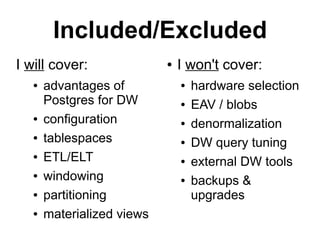
Included/Excluded
I will cover:               ●   I won't cover:
   ●   advantages of            ●   hardware selection
       Postgres for DW          ●   EAV / blobs
   ●   configuration            ●   denormalization
   ●   tablespaces              ●   DW query tuning
   ●   ETL/ELT                  ●   external DW tools
   ●   windowing                ●   backups &
   ●   partitioning                 upgrades
   ●   materialized views
What is a
“data warehouse”?
synonyms etc.
●   Business Intelligence
    ●   also BI/DW
●   Analytics database
●   OnLine Analytical Processing
    (OLAP)
●   Data Mining
●   Decision Support
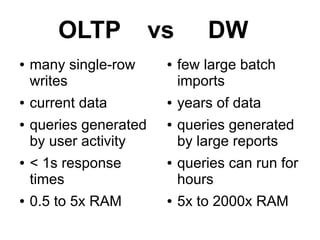
OLTP            vs       DW
●   many single-row      ●   few large batch
    writes                   imports
●   current data         ●   years of data
●   queries generated    ●   queries generated
    by user activity         by large reports
●   < 1s response        ●   queries can run for
    times                    hours
●   0.5 to 5x RAM        ●   5x to 2000x RAM
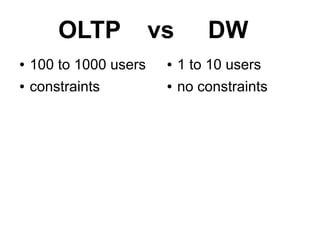
OLTP            vs       DW
●   100 to 1000 users    ●   1 to 10 users
●   constraints          ●   no constraints
Why use
 PostgreSQL for
data warehousing?
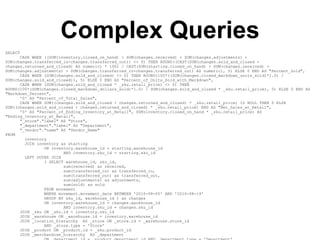
Complex Queries
SELECT
      CASE WHEN ((SUM(inventory.closed_on_hand) + SUM(changes.received) + SUM(changes.adjustments) +
SUM(changes.transferred_in-changes.transferred_out)) <> 0) THEN ROUND((CAST(SUM(changes.sold_and_closed +
changes.returned_and_closed) AS numeric) * 100) / CAST(SUM(starting.closed_on_hand) + SUM(changes.received) +
SUM(changes.adjustments) + SUM(changes.transferred_in-changes.transferred_out) AS numeric), 5) ELSE 0 END AS "Percent_Sold",
      CASE WHEN (SUM(changes.sold_and_closed) <> 0) THEN ROUND(100*((SUM(changes.closed_markdown_units_sold)*1.0) /
SUM(changes.sold_and_closed)), 5) ELSE 0 END AS "Percent_of_Units_Sold_with_Markdown",
      CASE WHEN (SUM(changes.sold_and_closed * _sku.retail_price) <> 0) THEN
ROUND(100*(SUM(changes.closed_markdown_dollars_sold)*1.0) / SUM(changes.sold_and_closed * _sku.retail_price), 5) ELSE 0 END AS
"Markdown_Percent",
      '0' AS "Percent_of_Total_Sales",
      CASE WHEN SUM((changes.sold_and_closed + changes.returned_and_closed) * _sku.retail_price) IS NULL THEN 0 ELSE
SUM((changes.sold_and_closed + changes.returned_and_closed) * _sku.retail_price) END AS "Net_Sales_at_Retail",
      '0' AS "Percent_of_Ending_Inventory_at_Retail", SUM(inventory.closed_on_hand * _sku.retail_price) AS
"Ending_Inventory_at_Retail",
      "_store"."label" AS "Store",
      "_department"."label" AS "Department",
      "_vendor"."name" AS "Vendor_Name"
FROM
        inventory
        JOIN inventory as starting
                ON inventory.warehouse_id = starting.warehouse_id
                        AND inventory.sku_id = starting.sku_id
        LEFT OUTER JOIN
                ( SELECT warehouse_id, sku_id,
                        sum(received) as received,
                        sum(transferred_in) as transferred_in,
                        sum(transferred_out) as transferred_out,
                        sum(adjustments) as adjustments,
                        sum(sold) as sold
                FROM movement
                WHERE movement.movement_date BETWEEN '2010-08-05' AND '2010-08-19'
                GROUP BY sku_id, warehouse_id ) as changes
                ON inventory.warehouse_id = changes.warehouse_id
                        AND inventory.sku_id = changes.sku_id
      JOIN _sku ON _sku.id = inventory.sku_id
      JOIN _warehouse ON _warehouse.id = inventory.warehouse_id
      JOIN _location_hierarchy AS _store ON _store.id = _warehouse.store_id
                AND _store.type = 'Store'
      JOIN _product ON _product.id = _sku.product_id
      JOIN _merchandise_hierarchy AS _department
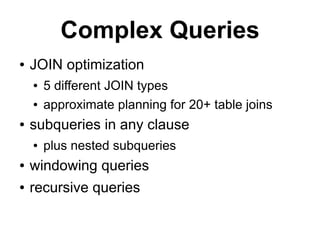
Complex Queries
●   JOIN optimization
    ●   5 different JOIN types
    ●   approximate planning for 20+ table joins
●   subqueries in any clause
    ●   plus nested subqueries
●   windowing queries
●   recursive queries
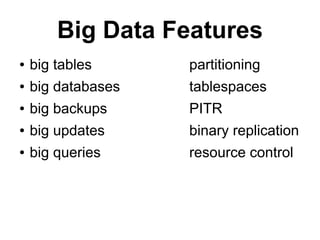
Big Data Features
●   big tables      partitioning
●   big databases   tablespaces
●   big backups     PITR
●   big updates     binary replication
●   big queries     resource control
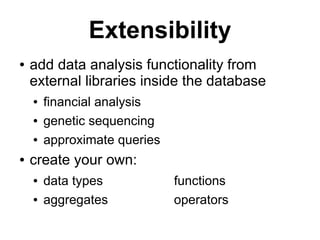
Extensibility
●   add data analysis functionality from
    external libraries inside the database
    ●   financial analysis
    ●   genetic sequencing
    ●   approximate queries
●   create your own:
    ●   data types            functions
    ●   aggregates            operators
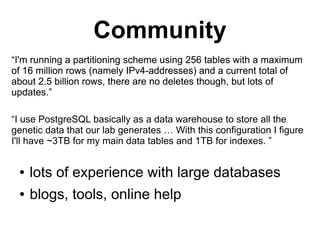
Community
“I'm running a partitioning scheme using 256 tables with a maximum
of 16 million rows (namely IPv4-addresses) and a current total of
about 2.5 billion rows, there are no deletes though, but lots of
updates.”

“I use PostgreSQL basically as a data warehouse to store all the
genetic data that our lab generates … With this configuration I figure
I'll have ~3TB for my main data tables and 1TB for indexes. ”


 ●   lots of experience with large databases
 ●   blogs, tools, online help
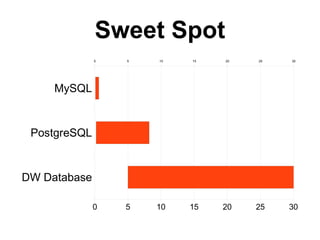
Sweet Spot
              0   5   10   15   20   25   30


     MySQL


 PostgreSQL


DW Database

              0   5   10   15   20   25   30
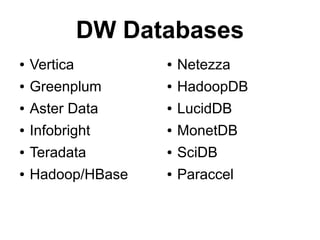
DW Databases
●   Vertica         ●   Netezza
●   Greenplum       ●   HadoopDB
●   Aster Data      ●   LucidDB
●   Infobright      ●   MonetDB
●   Teradata        ●   SciDB
●   Hadoop/HBase    ●   Paraccel
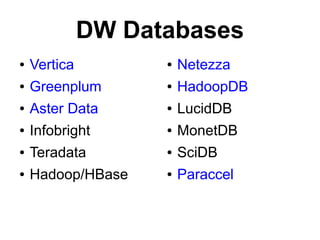
DW Databases
●   Vertica         ●   Netezza
●   Greenplum       ●   HadoopDB
●   Aster Data      ●   LucidDB
●   Infobright      ●   MonetDB
●   Teradata        ●   SciDB
●   Hadoop/HBase    ●   Paraccel
How do I configure
 PostgreSQL for
data warehousing?
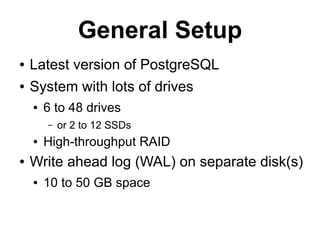
General Setup
●   Latest version of PostgreSQL
●   System with lots of drives
    ●   6 to 48 drives
        –   or 2 to 12 SSDs
    ●   High-throughput RAID
●   Write ahead log (WAL) on separate disk(s)
    ●   10 to 50 GB space
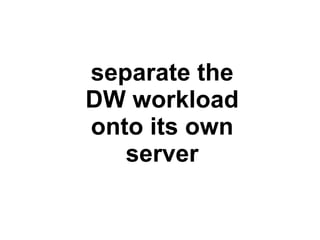
separate the
DW workload
onto its own
   server
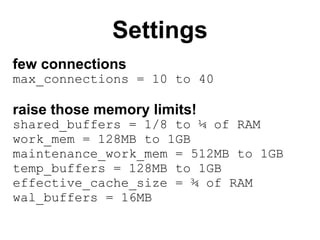
Settings
few connections
max_connections = 10 to 40

raise those memory limits!
shared_buffers = 1/8 to ¼ of RAM
work_mem = 128MB to 1GB
maintenance_work_mem = 512MB to 1GB
temp_buffers = 128MB to 1GB
effective_cache_size = ¾ of RAM
wal_buffers = 16MB
No autovacuum
autovacuum = off
vacuum_cost_delay = off
●   do your VACUUMs and ANALYZEs as part
    of the batch load process
    ●   usually several of them
●   also maintain tables by partitioning
What are
tablespaces?
logical data extents
●   lets you put some of your data on specific
    devices / disks

CREATE TABLESPACE 'history_log'
LOCATION '/mnt/san2/history_log';
ALTER TABLE history_log TABLESPACE
history_log;
tablespace reasons
●   parallelize access
    ●   your largest “fact table” on one tablespace
    ●   its indexes on another
        –   not as useful if you have a good SAN
●   temp tablespace for temp tables
●   move key join tables to SSD
●   migrate to new storage one table at a time
What is ETL
and how do I do it?
Extract, Transform, Load
●   how you turn external raw data into
    normalized database data
    ●   Apache logs → web analytics DB
    ●   CSV POS files → financial reporting DB
    ●   OLTP server → 10-year data warehouse
●   also called ELT when the transformation is
    done inside the database
    ●   PostgreSQL is particularly good for ELT
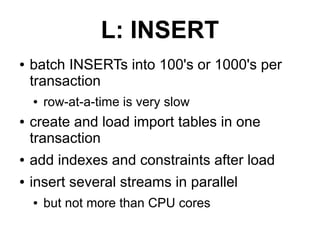
L: INSERT
●   batch INSERTs into 100's or 1000's per
    transaction
    ●   row-at-a-time is very slow
●   create and load import tables in one
    transaction
●   add indexes and constraints after load
●   insert several streams in parallel
    ●   but not more than CPU cores
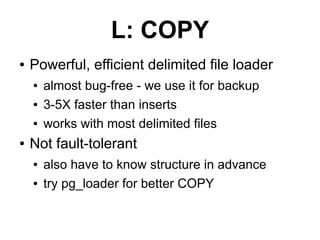
L: COPY
●   Powerful, efficient delimited file loader
    ●   almost bug-free - we use it for backup
    ●   3-5X faster than inserts
    ●   works with most delimited files
●   Not fault-tolerant
    ●   also have to know structure in advance
    ●   try pg_loader for better COPY
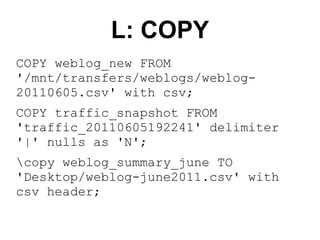
L: COPY
COPY weblog_new FROM
'/mnt/transfers/weblogs/weblog-
20110605.csv' with csv;
COPY traffic_snapshot FROM
'traffic_20110605192241' delimiter
'|' nulls as 'N';
copy weblog_summary_june TO
'Desktop/weblog-june2011.csv' with
csv header;
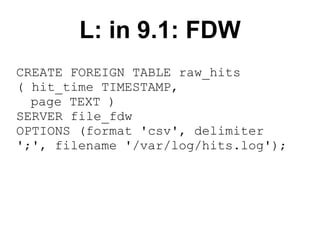
L: in 9.1: FDW
CREATE FOREIGN TABLE raw_hits
( hit_time TIMESTAMP,
  page TEXT )
SERVER file_fdw
OPTIONS (format 'csv', delimiter
';', filename '/var/log/hits.log');
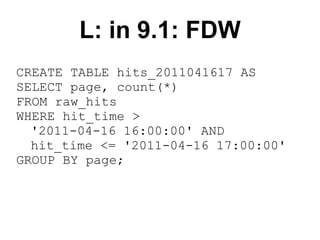
L: in 9.1: FDW
CREATE TABLE hits_2011041617 AS
SELECT page, count(*)
FROM raw_hits
WHERE hit_time >
  '2011-04-16 16:00:00' AND
  hit_time <= '2011-04-16 17:00:00'
GROUP BY page;
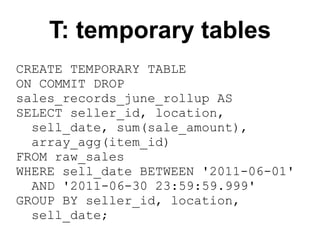
T: temporary tables
CREATE TEMPORARY TABLE
ON COMMIT DROP
sales_records_june_rollup AS
SELECT seller_id, location,
  sell_date, sum(sale_amount),
  array_agg(item_id)
FROM raw_sales
WHERE sell_date BETWEEN '2011-06-01'
  AND '2011-06-30 23:59:59.999'
GROUP BY seller_id, location,
  sell_date;
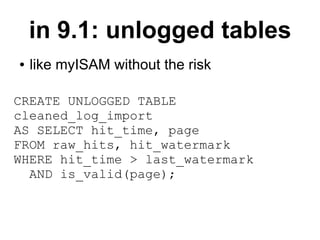
in 9.1: unlogged tables
●   like myISAM without the risk

CREATE UNLOGGED TABLE
cleaned_log_import
AS SELECT hit_time, page
FROM raw_hits, hit_watermark
WHERE hit_time > last_watermark
  AND is_valid(page);
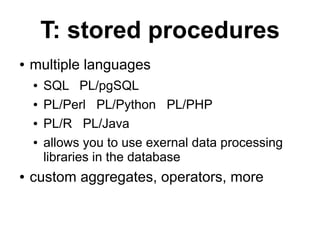
T: stored procedures
●   multiple languages
    ●   SQL PL/pgSQL
    ●   PL/Perl PL/Python PL/PHP
    ●   PL/R PL/Java
    ●   allows you to use exernal data processing
        libraries in the database
●   custom aggregates, operators, more
CREATE OR REPLACE FUNCTION normalize_query ( queryin text )
RETURNS TEXT LANGUAGE PLPERL STABLE STRICT AS $f$
# this function "normalizes" queries by stripping out constants.
# some regexes by Guillaume Smet under The PostgreSQL License.
local $_ = $_[0];
#first cleanup the whitespace
        s/s+/ /g;
        s/s,/,/g;
        s/,(S)/, $1/g;
        s/^s//g;
        s/s$//g;
#remove any double quotes and quoted text
        s/'//g;
        s/'[^']*'/''/g;
        s/''('')+/''/g;
#remove TRUE and FALSE
        s/(W)TRUE(W)/$1BOOL$2/gi;
        s/(W)FALSE(W)/$1BOOL$2/gi;
#remove any bare numbers or hex numbers
        s/([^a-zA-Z_$-])-?([0-9]+)/${1}0/g;
        s/([^a-z_$-])0x[0-9a-f]{1,10}/${1}0x/ig;
#normalize any IN statements
        s/(INs*)(['0x,s]*)/${1}(...)/ig;
#return the normalized query
return $_;
$f$;
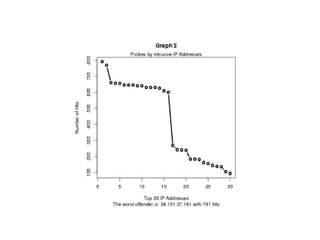
CREATE OR REPLACE FUNCTION f_graph2() RETURNS text AS '
sql <- paste("SELECT id as x,hit as y FROM mytemp LIMIT
30",sep="");
str <- c(pg.spi.exec(sql));
mymain <- "Graph 2";
mysub <- paste("The worst offender is: ",str[1,3]," with
",str[1,2]," hits",sep="");
myxlab <- "Top 30 IP Addresses";
myylab <- "Number of Hits";
pdf(''/tmp/graph2.pdf'');
plot(str,type="b",main=mymain,sub=mysub,xlab=myxlab,ylab
=myylab,lwd=3);
mtext("Probes by intrusive IP Addresses",side=3);
dev.off();
print(''DONE'');
' LANGUAGE plr;
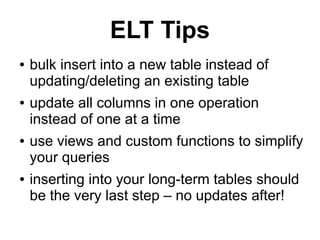
ELT Tips
●   bulk insert into a new table instead of
    updating/deleting an existing table
●   update all columns in one operation
    instead of one at a time
●   use views and custom functions to simplify
    your queries
●   inserting into your long-term tables should
    be the very last step – no updates after!
What's a
windowing query?
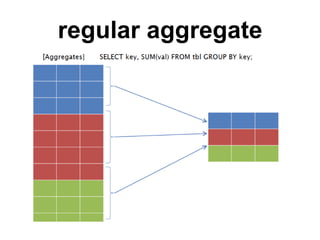
regular aggregate
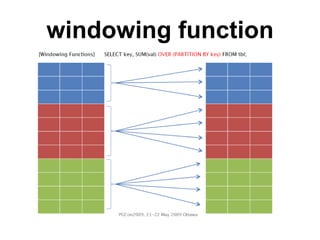
windowing function
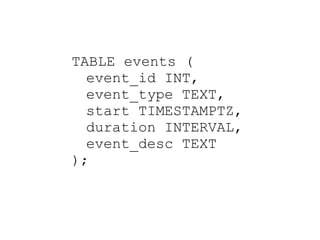
TABLE events (
  event_id INT,
  event_type TEXT,
  start TIMESTAMPTZ,
  duration INTERVAL,
  event_desc TEXT
);
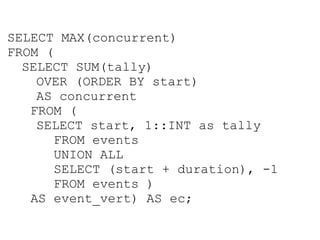
SELECT MAX(concurrent)
FROM (
  SELECT SUM(tally)
    OVER (ORDER BY start)
    AS concurrent
   FROM (
    SELECT start, 1::INT as tally
      FROM events
      UNION ALL
      SELECT (start + duration), -1
      FROM events )
   AS event_vert) AS ec;
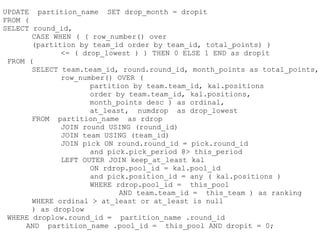
UPDATE partition_name SET drop_month = dropit
FROM (
SELECT round_id,
       CASE WHEN ( ( row_number() over
       (partition by team_id order by team_id, total_points) )
              <= ( drop_lowest ) ) THEN 0 ELSE 1 END as dropit
 FROM (
       SELECT team.team_id, round.round_id, month_points as total_points,
              row_number() OVER (
                     partition by team.team_id, kal.positions
                     order by team.team_id, kal.positions,
                     month_points desc ) as ordinal,
                     at_least, numdrop as drop_lowest
       FROM partition_name as rdrop
              JOIN round USING (round_id)
              JOIN team USING (team_id)
              JOIN pick ON round.round_id = pick.round_id
                     and pick.pick_period @> this_period
              LEFT OUTER JOIN keep_at_least kal
                     ON rdrop.pool_id = kal.pool_id
                     and pick.position_id = any ( kal.positions )
                     WHERE rdrop.pool_id = this_pool
                            AND team.team_id = this_team ) as ranking
       WHERE ordinal > at_least or at_least is null
       ) as droplow
 WHERE droplow.round_id = partition_name .round_id
     AND partition_name .pool_id = this_pool AND dropit = 0;
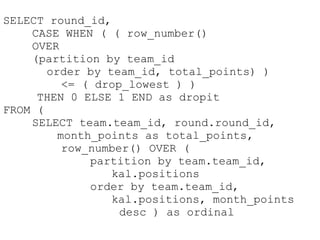
SELECT round_id,
    CASE WHEN ( ( row_number()
    OVER
    (partition by team_id
       order by team_id, total_points) )
          <= ( drop_lowest ) )
     THEN 0 ELSE 1 END as dropit
FROM (
    SELECT team.team_id, round.round_id,
         month_points as total_points,
          row_number() OVER (
              partition by team.team_id,
                 kal.positions
              order by team.team_id,
                 kal.positions, month_points
                   desc ) as ordinal
stream processing SQL
●   replace multiple queries with a single
    query
    ●   avoid scanning large tables multiple times
●   replace pages of application code
    ●   and MB of data transmission
●   SQL alternative to map/reduce
    ●   (for some data mining tasks)
How do I partition
  my tables?
Postgres partitioning
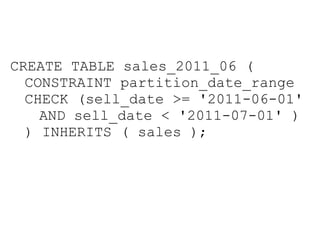
●   based on table inheritance and constraint
    exclusion
    ●   partitions are also full tables
    ●   explicit constraints define the range of the
        partion
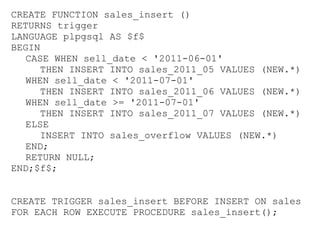
    ●   triggers or RULEs handle insert/update
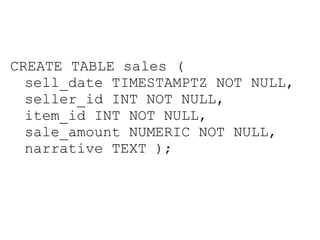
CREATE TABLE sales (
  sell_date TIMESTAMPTZ NOT NULL,
  seller_id INT NOT NULL,
  item_id INT NOT NULL,
  sale_amount NUMERIC NOT NULL,
  narrative TEXT );
CREATE TABLE sales_2011_06 (
  CONSTRAINT partition_date_range
  CHECK (sell_date >= '2011-06-01'
    AND sell_date < '2011-07-01' )
  ) INHERITS ( sales );
CREATE FUNCTION sales_insert ()
RETURNS trigger
LANGUAGE plpgsql AS $f$
BEGIN
   CASE WHEN sell_date < '2011-06-01'
      THEN INSERT INTO sales_2011_05 VALUES (NEW.*)
   WHEN sell_date < '2011-07-01'
      THEN INSERT INTO sales_2011_06 VALUES (NEW.*)
   WHEN sell_date >= '2011-07-01'
      THEN INSERT INTO sales_2011_07 VALUES (NEW.*)
   ELSE
      INSERT INTO sales_overflow VALUES (NEW.*)
   END;
   RETURN NULL;
END;$f$;


CREATE TRIGGER sales_insert BEFORE INSERT ON sales
FOR EACH ROW EXECUTE PROCEDURE sales_insert();
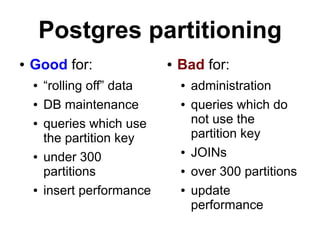
Postgres partitioning
●   Good for:                ●   Bad for:
    ●   “rolling off” data       ●   administration
    ●   DB maintenance           ●   queries which do
    ●   queries which use            not use the
        the partition key            partition key
    ●   under 300
                                 ●   JOINs
        partitions               ●   over 300 partitions
    ●   insert performance       ●   update
                                     performance
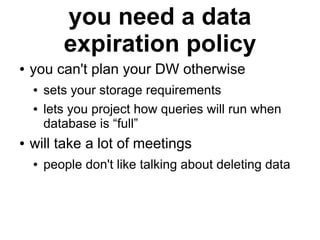
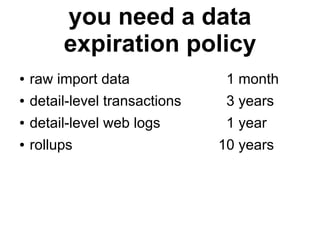
you need a data
           expiration policy
●   you can't plan your DW otherwise
    ●   sets your storage requirements
    ●   lets you project how queries will run when
        database is “full”
●   will take a lot of meetings
    ●   people don't like talking about deleting data
you need a data
         expiration policy
●   raw import data              1 month
●   detail-level transactions    3 years
●   detail-level web logs        1 year
●   rollups                     10 years
What's a
materialized view?
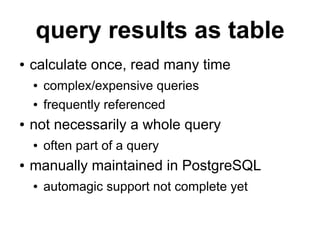
query results as table
●   calculate once, read many time
    ●   complex/expensive queries
    ●   frequently referenced
●   not necessarily a whole query
    ●   often part of a query
●   manually maintained in PostgreSQL
    ●   automagic support not complete yet
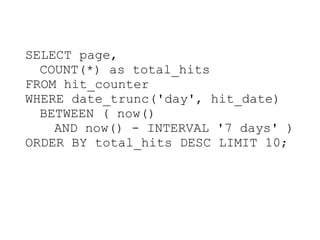
SELECT page,
  COUNT(*) as total_hits
FROM hit_counter
WHERE date_trunc('day', hit_date)
  BETWEEN ( now()
    AND now() - INTERVAL '7 days' )
ORDER BY total_hits DESC LIMIT 10;
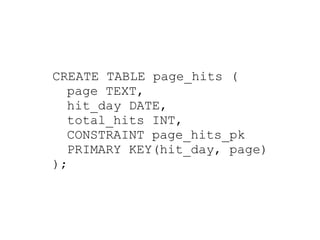
CREATE TABLE page_hits (
  page TEXT,
  hit_day DATE,
  total_hits INT,
  CONSTRAINT page_hits_pk
  PRIMARY KEY(hit_day, page)
);
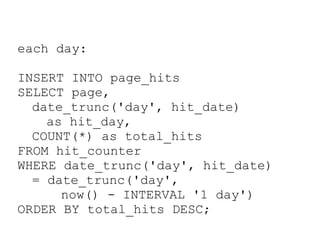
each day:

INSERT INTO page_hits
SELECT page,
  date_trunc('day', hit_date)
    as hit_day,
  COUNT(*) as total_hits
FROM hit_counter
WHERE date_trunc('day', hit_date)
  = date_trunc('day',
      now() - INTERVAL '1 day')
ORDER BY total_hits DESC;
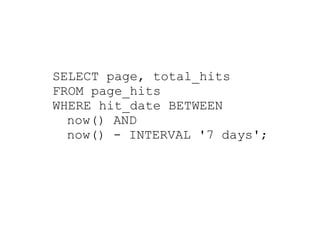
SELECT page, total_hits
FROM page_hits
WHERE hit_date BETWEEN
  now() AND
  now() - INTERVAL '7 days';
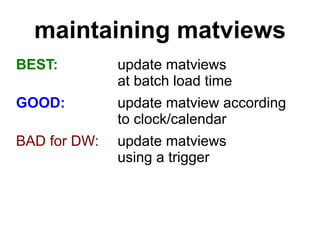
maintaining matviews
BEST:         update matviews
              at batch load time
GOOD:         update matview according
              to clock/calendar
BAD for DW:   update matviews
              using a trigger
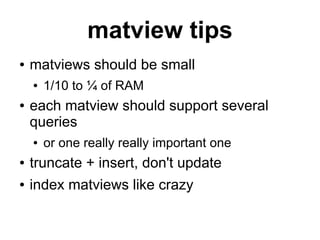
matview tips
●   matviews should be small
    ●   1/10 to ¼ of RAM
●   each matview should support several
    queries
    ●   or one really really important one
●   truncate + insert, don't update
●   index matviews like crazy
Contact
●   Josh Berkus: josh@pgexperts.com
    ●   blog: blogs.ittoolbox.com/database/soup
●   PostgreSQL: www.postgresql.org
    ●   pgexperts: www.pgexperts.com
●   Upcoming Events
    ●   pgCon: Ottawa: May 17-20
    ●   OpenSourceBridge: Portland: June
         This talk is copyright 2010 Josh Berkus and is licensed under the creative commons attribution
         license. Special thanks for materials to: Elein Mustain (PL/R), Hitoshi Harada and David Fetter
         (windowing functions), Andrew Dunstan (file_FDW)

Really Big Elephants: PostgreSQL DW

  • 1.
    Really Big Elephants Data Warehousing with PostgreSQL Josh Berkus MySQL User Conference 2011
  • 2.
    Included/Excluded I will cover: ● I won't cover: ● advantages of ● hardware selection Postgres for DW ● EAV / blobs ● configuration ● denormalization ● tablespaces ● DW query tuning ● ETL/ELT ● external DW tools ● windowing ● backups & ● partitioning upgrades ● materialized views
  • 3.
    What is a “datawarehouse”?
  • 4.
    synonyms etc. ● Business Intelligence ● also BI/DW ● Analytics database ● OnLine Analytical Processing (OLAP) ● Data Mining ● Decision Support
  • 5.
    OLTP vs DW ● many single-row ● few large batch writes imports ● current data ● years of data ● queries generated ● queries generated by user activity by large reports ● < 1s response ● queries can run for times hours ● 0.5 to 5x RAM ● 5x to 2000x RAM
  • 6.
    OLTP vs DW ● 100 to 1000 users ● 1 to 10 users ● constraints ● no constraints
  • 7.
    Why use PostgreSQLfor data warehousing?
  • 8.
    Complex Queries SELECT CASE WHEN ((SUM(inventory.closed_on_hand) + SUM(changes.received) + SUM(changes.adjustments) + SUM(changes.transferred_in-changes.transferred_out)) <> 0) THEN ROUND((CAST(SUM(changes.sold_and_closed + changes.returned_and_closed) AS numeric) * 100) / CAST(SUM(starting.closed_on_hand) + SUM(changes.received) + SUM(changes.adjustments) + SUM(changes.transferred_in-changes.transferred_out) AS numeric), 5) ELSE 0 END AS "Percent_Sold", CASE WHEN (SUM(changes.sold_and_closed) <> 0) THEN ROUND(100*((SUM(changes.closed_markdown_units_sold)*1.0) / SUM(changes.sold_and_closed)), 5) ELSE 0 END AS "Percent_of_Units_Sold_with_Markdown", CASE WHEN (SUM(changes.sold_and_closed * _sku.retail_price) <> 0) THEN ROUND(100*(SUM(changes.closed_markdown_dollars_sold)*1.0) / SUM(changes.sold_and_closed * _sku.retail_price), 5) ELSE 0 END AS "Markdown_Percent", '0' AS "Percent_of_Total_Sales", CASE WHEN SUM((changes.sold_and_closed + changes.returned_and_closed) * _sku.retail_price) IS NULL THEN 0 ELSE SUM((changes.sold_and_closed + changes.returned_and_closed) * _sku.retail_price) END AS "Net_Sales_at_Retail", '0' AS "Percent_of_Ending_Inventory_at_Retail", SUM(inventory.closed_on_hand * _sku.retail_price) AS "Ending_Inventory_at_Retail", "_store"."label" AS "Store", "_department"."label" AS "Department", "_vendor"."name" AS "Vendor_Name" FROM inventory JOIN inventory as starting ON inventory.warehouse_id = starting.warehouse_id AND inventory.sku_id = starting.sku_id LEFT OUTER JOIN ( SELECT warehouse_id, sku_id, sum(received) as received, sum(transferred_in) as transferred_in, sum(transferred_out) as transferred_out, sum(adjustments) as adjustments, sum(sold) as sold FROM movement WHERE movement.movement_date BETWEEN '2010-08-05' AND '2010-08-19' GROUP BY sku_id, warehouse_id ) as changes ON inventory.warehouse_id = changes.warehouse_id AND inventory.sku_id = changes.sku_id JOIN _sku ON _sku.id = inventory.sku_id JOIN _warehouse ON _warehouse.id = inventory.warehouse_id JOIN _location_hierarchy AS _store ON _store.id = _warehouse.store_id AND _store.type = 'Store' JOIN _product ON _product.id = _sku.product_id JOIN _merchandise_hierarchy AS _department
  • 9.
    Complex Queries ● JOIN optimization ● 5 different JOIN types ● approximate planning for 20+ table joins ● subqueries in any clause ● plus nested subqueries ● windowing queries ● recursive queries
  • 10.
    Big Data Features ● big tables partitioning ● big databases tablespaces ● big backups PITR ● big updates binary replication ● big queries resource control
  • 11.
    Extensibility ● add data analysis functionality from external libraries inside the database ● financial analysis ● genetic sequencing ● approximate queries ● create your own: ● data types functions ● aggregates operators
  • 12.
    Community “I'm running apartitioning scheme using 256 tables with a maximum of 16 million rows (namely IPv4-addresses) and a current total of about 2.5 billion rows, there are no deletes though, but lots of updates.” “I use PostgreSQL basically as a data warehouse to store all the genetic data that our lab generates … With this configuration I figure I'll have ~3TB for my main data tables and 1TB for indexes. ” ● lots of experience with large databases ● blogs, tools, online help
  • 13.
    Sweet Spot 0 5 10 15 20 25 30 MySQL PostgreSQL DW Database 0 5 10 15 20 25 30
  • 14.
    DW Databases ● Vertica ● Netezza ● Greenplum ● HadoopDB ● Aster Data ● LucidDB ● Infobright ● MonetDB ● Teradata ● SciDB ● Hadoop/HBase ● Paraccel
  • 15.
    DW Databases ● Vertica ● Netezza ● Greenplum ● HadoopDB ● Aster Data ● LucidDB ● Infobright ● MonetDB ● Teradata ● SciDB ● Hadoop/HBase ● Paraccel
  • 16.
    How do Iconfigure PostgreSQL for data warehousing?
  • 17.
    General Setup ● Latest version of PostgreSQL ● System with lots of drives ● 6 to 48 drives – or 2 to 12 SSDs ● High-throughput RAID ● Write ahead log (WAL) on separate disk(s) ● 10 to 50 GB space
  • 18.
  • 19.
    Settings few connections max_connections =10 to 40 raise those memory limits! shared_buffers = 1/8 to ¼ of RAM work_mem = 128MB to 1GB maintenance_work_mem = 512MB to 1GB temp_buffers = 128MB to 1GB effective_cache_size = ¾ of RAM wal_buffers = 16MB
  • 20.
    No autovacuum autovacuum =off vacuum_cost_delay = off ● do your VACUUMs and ANALYZEs as part of the batch load process ● usually several of them ● also maintain tables by partitioning
  • 21.
  • 22.
    logical data extents ● lets you put some of your data on specific devices / disks CREATE TABLESPACE 'history_log' LOCATION '/mnt/san2/history_log'; ALTER TABLE history_log TABLESPACE history_log;
  • 23.
    tablespace reasons ● parallelize access ● your largest “fact table” on one tablespace ● its indexes on another – not as useful if you have a good SAN ● temp tablespace for temp tables ● move key join tables to SSD ● migrate to new storage one table at a time
  • 24.
    What is ETL andhow do I do it?
  • 25.
    Extract, Transform, Load ● how you turn external raw data into normalized database data ● Apache logs → web analytics DB ● CSV POS files → financial reporting DB ● OLTP server → 10-year data warehouse ● also called ELT when the transformation is done inside the database ● PostgreSQL is particularly good for ELT
  • 26.
    L: INSERT ● batch INSERTs into 100's or 1000's per transaction ● row-at-a-time is very slow ● create and load import tables in one transaction ● add indexes and constraints after load ● insert several streams in parallel ● but not more than CPU cores
  • 27.
    L: COPY ● Powerful, efficient delimited file loader ● almost bug-free - we use it for backup ● 3-5X faster than inserts ● works with most delimited files ● Not fault-tolerant ● also have to know structure in advance ● try pg_loader for better COPY
  • 28.
    L: COPY COPY weblog_newFROM '/mnt/transfers/weblogs/weblog- 20110605.csv' with csv; COPY traffic_snapshot FROM 'traffic_20110605192241' delimiter '|' nulls as 'N'; copy weblog_summary_june TO 'Desktop/weblog-june2011.csv' with csv header;
  • 29.
    L: in 9.1:FDW CREATE FOREIGN TABLE raw_hits ( hit_time TIMESTAMP, page TEXT ) SERVER file_fdw OPTIONS (format 'csv', delimiter ';', filename '/var/log/hits.log');
  • 30.
    L: in 9.1:FDW CREATE TABLE hits_2011041617 AS SELECT page, count(*) FROM raw_hits WHERE hit_time > '2011-04-16 16:00:00' AND hit_time <= '2011-04-16 17:00:00' GROUP BY page;
  • 31.
    T: temporary tables CREATETEMPORARY TABLE ON COMMIT DROP sales_records_june_rollup AS SELECT seller_id, location, sell_date, sum(sale_amount), array_agg(item_id) FROM raw_sales WHERE sell_date BETWEEN '2011-06-01' AND '2011-06-30 23:59:59.999' GROUP BY seller_id, location, sell_date;
  • 32.
    in 9.1: unloggedtables ● like myISAM without the risk CREATE UNLOGGED TABLE cleaned_log_import AS SELECT hit_time, page FROM raw_hits, hit_watermark WHERE hit_time > last_watermark AND is_valid(page);
  • 33.
    T: stored procedures ● multiple languages ● SQL PL/pgSQL ● PL/Perl PL/Python PL/PHP ● PL/R PL/Java ● allows you to use exernal data processing libraries in the database ● custom aggregates, operators, more
  • 34.
    CREATE OR REPLACEFUNCTION normalize_query ( queryin text ) RETURNS TEXT LANGUAGE PLPERL STABLE STRICT AS $f$ # this function "normalizes" queries by stripping out constants. # some regexes by Guillaume Smet under The PostgreSQL License. local $_ = $_[0]; #first cleanup the whitespace s/s+/ /g; s/s,/,/g; s/,(S)/, $1/g; s/^s//g; s/s$//g; #remove any double quotes and quoted text s/'//g; s/'[^']*'/''/g; s/''('')+/''/g; #remove TRUE and FALSE s/(W)TRUE(W)/$1BOOL$2/gi; s/(W)FALSE(W)/$1BOOL$2/gi; #remove any bare numbers or hex numbers s/([^a-zA-Z_$-])-?([0-9]+)/${1}0/g; s/([^a-z_$-])0x[0-9a-f]{1,10}/${1}0x/ig; #normalize any IN statements s/(INs*)(['0x,s]*)/${1}(...)/ig; #return the normalized query return $_; $f$;
  • 35.
    CREATE OR REPLACEFUNCTION f_graph2() RETURNS text AS ' sql <- paste("SELECT id as x,hit as y FROM mytemp LIMIT 30",sep=""); str <- c(pg.spi.exec(sql)); mymain <- "Graph 2"; mysub <- paste("The worst offender is: ",str[1,3]," with ",str[1,2]," hits",sep=""); myxlab <- "Top 30 IP Addresses"; myylab <- "Number of Hits"; pdf(''/tmp/graph2.pdf''); plot(str,type="b",main=mymain,sub=mysub,xlab=myxlab,ylab =myylab,lwd=3); mtext("Probes by intrusive IP Addresses",side=3); dev.off(); print(''DONE''); ' LANGUAGE plr;
  • 37.
    ELT Tips ● bulk insert into a new table instead of updating/deleting an existing table ● update all columns in one operation instead of one at a time ● use views and custom functions to simplify your queries ● inserting into your long-term tables should be the very last step – no updates after!
  • 38.
  • 39.
  • 40.
  • 41.
    TABLE events ( event_id INT, event_type TEXT, start TIMESTAMPTZ, duration INTERVAL, event_desc TEXT );
  • 42.
    SELECT MAX(concurrent) FROM ( SELECT SUM(tally) OVER (ORDER BY start) AS concurrent FROM ( SELECT start, 1::INT as tally FROM events UNION ALL SELECT (start + duration), -1 FROM events ) AS event_vert) AS ec;
  • 43.
    UPDATE partition_name SETdrop_month = dropit FROM ( SELECT round_id, CASE WHEN ( ( row_number() over (partition by team_id order by team_id, total_points) ) <= ( drop_lowest ) ) THEN 0 ELSE 1 END as dropit FROM ( SELECT team.team_id, round.round_id, month_points as total_points, row_number() OVER ( partition by team.team_id, kal.positions order by team.team_id, kal.positions, month_points desc ) as ordinal, at_least, numdrop as drop_lowest FROM partition_name as rdrop JOIN round USING (round_id) JOIN team USING (team_id) JOIN pick ON round.round_id = pick.round_id and pick.pick_period @> this_period LEFT OUTER JOIN keep_at_least kal ON rdrop.pool_id = kal.pool_id and pick.position_id = any ( kal.positions ) WHERE rdrop.pool_id = this_pool AND team.team_id = this_team ) as ranking WHERE ordinal > at_least or at_least is null ) as droplow WHERE droplow.round_id = partition_name .round_id AND partition_name .pool_id = this_pool AND dropit = 0;
  • 44.
    SELECT round_id, CASE WHEN ( ( row_number() OVER (partition by team_id order by team_id, total_points) ) <= ( drop_lowest ) ) THEN 0 ELSE 1 END as dropit FROM ( SELECT team.team_id, round.round_id, month_points as total_points, row_number() OVER ( partition by team.team_id, kal.positions order by team.team_id, kal.positions, month_points desc ) as ordinal
  • 45.
    stream processing SQL ● replace multiple queries with a single query ● avoid scanning large tables multiple times ● replace pages of application code ● and MB of data transmission ● SQL alternative to map/reduce ● (for some data mining tasks)
  • 46.
    How do Ipartition my tables?
  • 47.
    Postgres partitioning ● based on table inheritance and constraint exclusion ● partitions are also full tables ● explicit constraints define the range of the partion ● triggers or RULEs handle insert/update
  • 48.
    CREATE TABLE sales( sell_date TIMESTAMPTZ NOT NULL, seller_id INT NOT NULL, item_id INT NOT NULL, sale_amount NUMERIC NOT NULL, narrative TEXT );
  • 49.
    CREATE TABLE sales_2011_06( CONSTRAINT partition_date_range CHECK (sell_date >= '2011-06-01' AND sell_date < '2011-07-01' ) ) INHERITS ( sales );
  • 50.
    CREATE FUNCTION sales_insert() RETURNS trigger LANGUAGE plpgsql AS $f$ BEGIN CASE WHEN sell_date < '2011-06-01' THEN INSERT INTO sales_2011_05 VALUES (NEW.*) WHEN sell_date < '2011-07-01' THEN INSERT INTO sales_2011_06 VALUES (NEW.*) WHEN sell_date >= '2011-07-01' THEN INSERT INTO sales_2011_07 VALUES (NEW.*) ELSE INSERT INTO sales_overflow VALUES (NEW.*) END; RETURN NULL; END;$f$; CREATE TRIGGER sales_insert BEFORE INSERT ON sales FOR EACH ROW EXECUTE PROCEDURE sales_insert();
  • 51.
    Postgres partitioning ● Good for: ● Bad for: ● “rolling off” data ● administration ● DB maintenance ● queries which do ● queries which use not use the the partition key partition key ● under 300 ● JOINs partitions ● over 300 partitions ● insert performance ● update performance
  • 52.
    you need adata expiration policy ● you can't plan your DW otherwise ● sets your storage requirements ● lets you project how queries will run when database is “full” ● will take a lot of meetings ● people don't like talking about deleting data
  • 53.
    you need adata expiration policy ● raw import data 1 month ● detail-level transactions 3 years ● detail-level web logs 1 year ● rollups 10 years
  • 54.
  • 55.
    query results astable ● calculate once, read many time ● complex/expensive queries ● frequently referenced ● not necessarily a whole query ● often part of a query ● manually maintained in PostgreSQL ● automagic support not complete yet
  • 56.
    SELECT page, COUNT(*) as total_hits FROM hit_counter WHERE date_trunc('day', hit_date) BETWEEN ( now() AND now() - INTERVAL '7 days' ) ORDER BY total_hits DESC LIMIT 10;
  • 57.
    CREATE TABLE page_hits( page TEXT, hit_day DATE, total_hits INT, CONSTRAINT page_hits_pk PRIMARY KEY(hit_day, page) );
  • 58.
    each day: INSERT INTOpage_hits SELECT page, date_trunc('day', hit_date) as hit_day, COUNT(*) as total_hits FROM hit_counter WHERE date_trunc('day', hit_date) = date_trunc('day', now() - INTERVAL '1 day') ORDER BY total_hits DESC;
  • 59.
    SELECT page, total_hits FROMpage_hits WHERE hit_date BETWEEN now() AND now() - INTERVAL '7 days';
  • 60.
    maintaining matviews BEST: update matviews at batch load time GOOD: update matview according to clock/calendar BAD for DW: update matviews using a trigger
  • 61.
    matview tips ● matviews should be small ● 1/10 to ¼ of RAM ● each matview should support several queries ● or one really really important one ● truncate + insert, don't update ● index matviews like crazy
  • 62.
    Contact ● Josh Berkus: josh@pgexperts.com ● blog: blogs.ittoolbox.com/database/soup ● PostgreSQL: www.postgresql.org ● pgexperts: www.pgexperts.com ● Upcoming Events ● pgCon: Ottawa: May 17-20 ● OpenSourceBridge: Portland: June This talk is copyright 2010 Josh Berkus and is licensed under the creative commons attribution license. Special thanks for materials to: Elein Mustain (PL/R), Hitoshi Harada and David Fetter (windowing functions), Andrew Dunstan (file_FDW)