LOCKING DOWN
WORDPRESS
Security, Page Speed
Optimization
&
Implications on SEO
WHY SECURE YOUR SITE?
      Protect your visitors
      Save money, time and effort


@PROTECHIG
INITIAL THINGS TO CONSIDER…
                                     What is WordPress’s biggest
                                     Vulnerability?
      Your Individual/Website’s      78% of malaware infections
        Goals                           are caused by outdated core
      Choosing the right web host      applications, plugins,
                                        modules, or some other
      How much traffic do you
                                        server side software
        have                                           Sucuri Labs
      Backups – How often? How
        thorough?


@PROTECHIG
BASIC SECURITY MEASURES
      Admin Username
      Admin Password
      Using different user for basic tasks
      Location
      Themes & Plugins
      Login Lockdown


@PROTECHIG
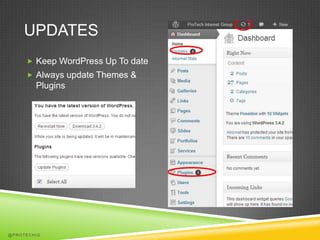
UPDATES
      Keep WordPress Up To date
      Always update Themes &
        Plugins


@PROTECHIG
CREDENTALS
      The most common Administrator username is “admin” it’s easy for
        hackers to guess
      Use Secure passwords with Capital Letters, Numbers, and
        Special Characters
      Create Different, non-admin accounts to use for basic tasks
              Editing Posts
              Publishing


       Get A Secure Password http://strongpasswordgenerator.com


@PROTECHIG
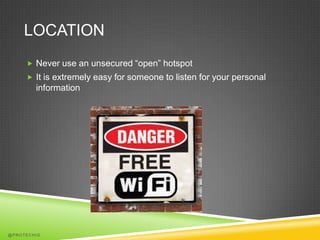
LOCATION
      Never use an unsecured “open” hotspot
      It is extremely easy for someone to listen for your personal
        information


@PROTECHIG
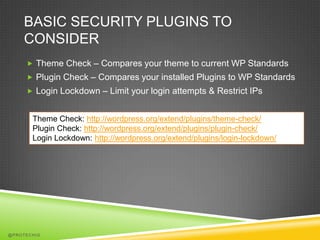
BASIC SECURITY PLUGINS TO
    CONSIDER
      Theme Check – Compares your theme to current WP Standards
      Plugin Check – Compares your installed Plugins to WP Standards
      Login Lockdown – Limit your login attempts & Restrict IPs


       Theme Check: http://wordpress.org/extend/plugins/theme-check/
       Plugin Check: http://wordpress.org/extend/plugins/plugin-check/
       Login Lockdown: http://wordpress.org/extend/plugins/login-lockdown/


@PROTECHIG
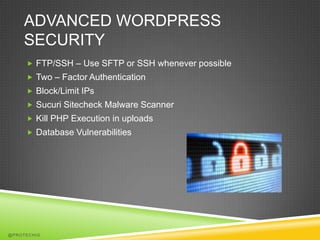
ADVANCED WORDPRESS
    SECURITY
      FTP/SSH – Use SFTP or SSH whenever possible
      Two – Factor Authentication
      Block/Limit IPs
      Sucuri Sitecheck Malware Scanner
      Kill PHP Execution in uploads
      Database Vulnerabilities


@PROTECHIG
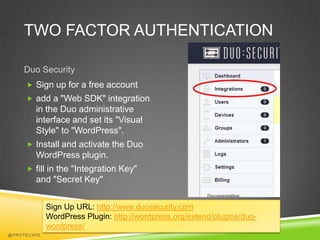
TWO FACTOR AUTHENTICATION

    Duo Security
      Sign up for a free account
      add a "Web SDK" integration
        in the Duo administrative
        interface and set its "Visual
        Style" to "WordPress".
      Install and activate the Duo
        WordPress plugin.
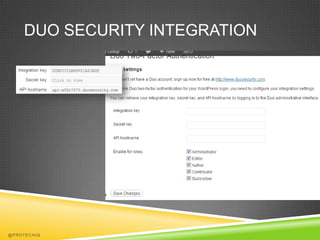
      fill in the "Integration Key"
        and "Secret Key"


             Sign Up URL: http://www.duosecurity.com
             WordPress Plugin: http://wordpress.org/extend/plugins/duo-
             wordpress/
@PROTECHIG
DUO SECURITY INTEGRATION


@PROTECHIG
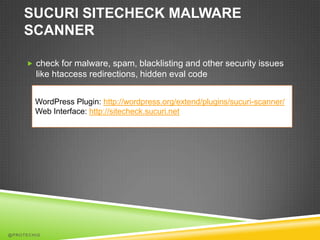
SUCURI SITECHECK MALWARE
    SCANNER

      check for malware, spam, blacklisting and other security issues
        like htaccess redirections, hidden eval code


        WordPress Plugin: http://wordpress.org/extend/plugins/sucuri-scanner/
        Web Interface: http://sitecheck.sucuri.net


@PROTECHIG
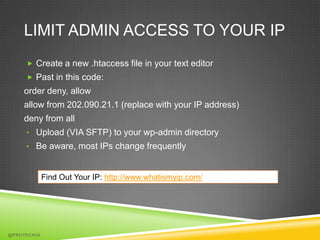
LIMIT ADMIN ACCESS TO YOUR IP
      Create a new .htaccess file in your text editor
      Past in this code:
    order deny, allow
    allow from 202.090.21.1 (replace with your IP address)
    deny from all
     • Upload (VIA SFTP) to your wp-admin directory
     • Be aware, most IPs change frequently


             Find Out Your IP: http://www.whatismyip.com/


@PROTECHIG
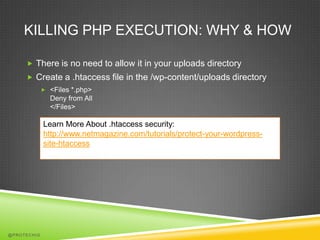
KILLING PHP EXECUTION: WHY & HOW

      There is no need to allow it in your uploads directory
      Create a .htaccess file in the /wp-content/uploads directory
              <Files *.php>
               Deny from All
               </Files>

             Learn More About .htaccess security:
             http://www.netmagazine.com/tutorials/protect-your-wordpress-
             site-htaccess


@PROTECHIG
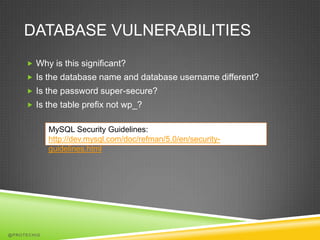
DATABASE VULNERABILITIES
      Why is this significant?
      Is the database name and database username different?
      Is the password super-secure?
      Is the table prefix not wp_?


             MySQL Security Guidelines:
             http://dev.mysql.com/doc/refman/5.0/en/security-
             guidelines.html


@PROTECHIG
CHANGING DATABASE TABLE
    PREFIX
      During the initial WordPress install
              Change it in wp-config.php, or in the guided install


      After WordPress is installed
        1.      Access Database through PHPMyAdmin (or SSH)
        2.      Change the table prefix manually
        3.      Update wp-config.php


@PROTECHIG
BACKDOOR HACK
      Your Website is accessed through unconventional methods
              FTP
              SSH
              WP-Admin

      Constantly Evolving


@PROTECHIG
DRIVE-BY DOWNLOADS
      The web equivalent to a drive-by shooting
      Point is to download a payload onto users local machine


    How Do Hackers Gain Access?
      SQL Injection
      Compromised Credentials (WordPress, FTP)
      Outdated Software


@PROTECHIG
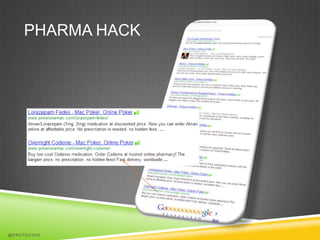
PHARMA HACK


@PROTECHIG
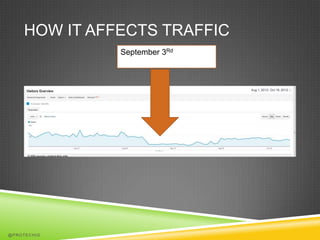
HOW IT AFFECTS TRAFFIC
              September 3Rd


@PROTECHIG
WORDPRESS OPTIMIZATION


@PROTECHIG
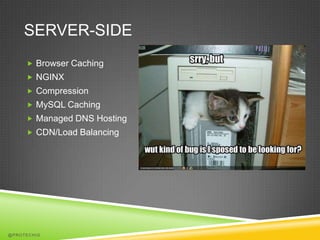
SERVER-SIDE
      Browser Caching
      NGINX
      Compression
      MySQL Caching
      Managed DNS Hosting
      CDN/Load Balancing


@PROTECHIG
WORDPRESS SPECIFIC
      WP Super Cache / W3 Total Cache
      WP Smush.it
      Remove Unnecessary plugins


     WP Super Cache: http://wordpress.org/extend/plugins/wp-super-
     cache/
     W3 Total Cache: http://wordpress.org/extend/plugins/w3-total-cache/
     WP Smush.it: http://wordpress.org/extend/plugins/wp-smushit/


@PROTECHIG
DESIGNER LEVEL
      Minify HTML/JavaScript/CSS
      Avoid the @import CSS
      Enque Google’s Version of Jquery
      Web Fonts
      Use Image Sprites


@PROTECHIG
THANKS FOR LISTENING
      Slideshare: ZachRussell
      Twitter: @ProTechIg
      Website: protechig.com


@PROTECHIG

Locking down word press

  • 1.
    LOCKING DOWN WORDPRESS Security, PageSpeed Optimization & Implications on SEO
  • 2.
    WHY SECURE YOURSITE?  Protect your visitors  Save money, time and effort @PROTECHIG
  • 3.
    INITIAL THINGS TOCONSIDER… What is WordPress’s biggest Vulnerability?  Your Individual/Website’s  78% of malaware infections Goals are caused by outdated core  Choosing the right web host applications, plugins, modules, or some other  How much traffic do you server side software have Sucuri Labs  Backups – How often? How thorough? @PROTECHIG
  • 4.
    BASIC SECURITY MEASURES  Admin Username  Admin Password  Using different user for basic tasks  Location  Themes & Plugins  Login Lockdown @PROTECHIG
  • 5.
    UPDATES  Keep WordPress Up To date  Always update Themes & Plugins @PROTECHIG
  • 6.
    CREDENTALS  The most common Administrator username is “admin” it’s easy for hackers to guess  Use Secure passwords with Capital Letters, Numbers, and Special Characters  Create Different, non-admin accounts to use for basic tasks  Editing Posts  Publishing Get A Secure Password http://strongpasswordgenerator.com @PROTECHIG
  • 7.
    LOCATION  Never use an unsecured “open” hotspot  It is extremely easy for someone to listen for your personal information @PROTECHIG
  • 8.
    BASIC SECURITY PLUGINSTO CONSIDER  Theme Check – Compares your theme to current WP Standards  Plugin Check – Compares your installed Plugins to WP Standards  Login Lockdown – Limit your login attempts & Restrict IPs Theme Check: http://wordpress.org/extend/plugins/theme-check/ Plugin Check: http://wordpress.org/extend/plugins/plugin-check/ Login Lockdown: http://wordpress.org/extend/plugins/login-lockdown/ @PROTECHIG
  • 9.
    ADVANCED WORDPRESS SECURITY  FTP/SSH – Use SFTP or SSH whenever possible  Two – Factor Authentication  Block/Limit IPs  Sucuri Sitecheck Malware Scanner  Kill PHP Execution in uploads  Database Vulnerabilities @PROTECHIG
  • 10.
    TWO FACTOR AUTHENTICATION Duo Security  Sign up for a free account  add a "Web SDK" integration in the Duo administrative interface and set its "Visual Style" to "WordPress".  Install and activate the Duo WordPress plugin.  fill in the "Integration Key" and "Secret Key" Sign Up URL: http://www.duosecurity.com WordPress Plugin: http://wordpress.org/extend/plugins/duo- wordpress/ @PROTECHIG
  • 11.
  • 12.
    SUCURI SITECHECK MALWARE SCANNER  check for malware, spam, blacklisting and other security issues like htaccess redirections, hidden eval code WordPress Plugin: http://wordpress.org/extend/plugins/sucuri-scanner/ Web Interface: http://sitecheck.sucuri.net @PROTECHIG
  • 13.
    LIMIT ADMIN ACCESSTO YOUR IP  Create a new .htaccess file in your text editor  Past in this code: order deny, allow allow from 202.090.21.1 (replace with your IP address) deny from all • Upload (VIA SFTP) to your wp-admin directory • Be aware, most IPs change frequently Find Out Your IP: http://www.whatismyip.com/ @PROTECHIG
  • 14.
    KILLING PHP EXECUTION:WHY & HOW  There is no need to allow it in your uploads directory  Create a .htaccess file in the /wp-content/uploads directory  <Files *.php> Deny from All </Files> Learn More About .htaccess security: http://www.netmagazine.com/tutorials/protect-your-wordpress- site-htaccess @PROTECHIG
  • 15.
    DATABASE VULNERABILITIES  Why is this significant?  Is the database name and database username different?  Is the password super-secure?  Is the table prefix not wp_? MySQL Security Guidelines: http://dev.mysql.com/doc/refman/5.0/en/security- guidelines.html @PROTECHIG
  • 16.
    CHANGING DATABASE TABLE PREFIX  During the initial WordPress install  Change it in wp-config.php, or in the guided install  After WordPress is installed 1. Access Database through PHPMyAdmin (or SSH) 2. Change the table prefix manually 3. Update wp-config.php @PROTECHIG
  • 17.
    BACKDOOR HACK  Your Website is accessed through unconventional methods  FTP  SSH  WP-Admin  Constantly Evolving @PROTECHIG
  • 18.
    DRIVE-BY DOWNLOADS  The web equivalent to a drive-by shooting  Point is to download a payload onto users local machine How Do Hackers Gain Access?  SQL Injection  Compromised Credentials (WordPress, FTP)  Outdated Software @PROTECHIG
  • 19.
  • 20.
    HOW IT AFFECTSTRAFFIC September 3Rd @PROTECHIG
  • 21.
  • 22.
    SERVER-SIDE  Browser Caching  NGINX  Compression  MySQL Caching  Managed DNS Hosting  CDN/Load Balancing @PROTECHIG
  • 23.
    WORDPRESS SPECIFIC  WP Super Cache / W3 Total Cache  WP Smush.it  Remove Unnecessary plugins WP Super Cache: http://wordpress.org/extend/plugins/wp-super- cache/ W3 Total Cache: http://wordpress.org/extend/plugins/w3-total-cache/ WP Smush.it: http://wordpress.org/extend/plugins/wp-smushit/ @PROTECHIG
  • 24.
    DESIGNER LEVEL  Minify HTML/JavaScript/CSS  Avoid the @import CSS  Enque Google’s Version of Jquery  Web Fonts  Use Image Sprites @PROTECHIG
  • 25.
    THANKS FOR LISTENING  Slideshare: ZachRussell  Twitter: @ProTechIg  Website: protechig.com @PROTECHIG