WordPress Security Basics
Ryan Plas - @wordplas
Defense In Depth
Defense In Depth
The idea behind the defense in depth approach is to defend a
system against any particular attack using several independent
methods.1
There is no single approach to security - have many layers.
1: https://en.wikipedia.org/wiki/Defenseindepth_(computing)
Defense In Depth
Layers:
1. Code
2. Authentication
3. Hosting
Code
Code
What this section isn't: How to write secure code
What this section is: How to make sure the code of your site is
secure
Code
Keep your site updated
• Auto updates for minor versions since 3.7
• Update to major versions as soon as possible
Code
Keep your plugins and themes updated
• The longer you wait, the more likely there's a vulnerability.
• WPScan Vulnerability Database
Code
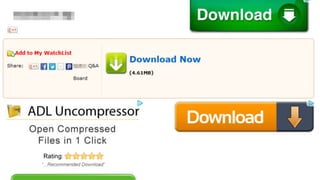
Only use plugins and themes from reputable sources
• Trusted brands/companies
• Don't avoid paying money
• Don't look for free versions of premium plugins/themes
• The Plugin/Theme repo is your friend
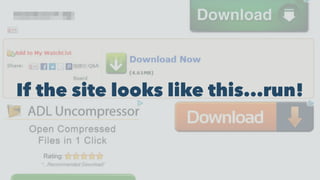
If the site looks like this...run!
Authentication
Authentication
Use a strong password
• Question...what is a strong password?
Authentication
Use one of preferably both of the following:
• Password manager
• Two-factor authentication
Authentication
Password Manager:
• Program that can create and securely store passwords
• Allows you to use longer/more complex passwords without
having to memorize or write them down
Authentication
Two-factor Authentication:
• Something you know - password, pin
• Something you have - phone, YubiKey
Authentication
Passwords:
Use a password manager and/or two-factor authentication
• LastPass, 1Password, Dashlane - Personal
• Duo, Google Authenticator, etc. - Plugin
If you can't do that, use a long but easy to remember password.
• correct horse battery staple
• [date]-[place]-[thing]: 1976-Switzerland-dragon
Principle of Least Privilege
Authentication
Principle of least privilege:
• Any user should only be able to access exactly what they
need to and nothing else.
• Don't make everyone an admin
• Restrict user roles to only what is required
• Use a plugin if necessary
Authentication
Bonus: Don't use admin as a username
Hosting
Hosting
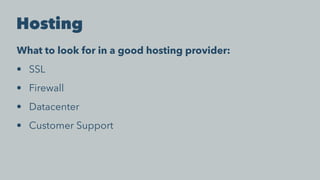
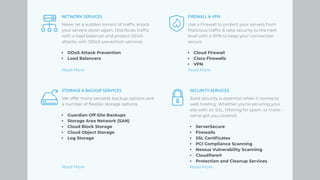
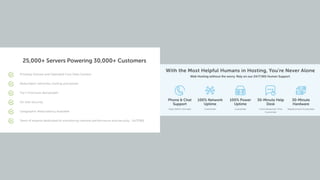
What to look for in a good hosting provider:
• SSL
• Firewall
• Datacenter
• Customer Support
Rapid-fire Tips
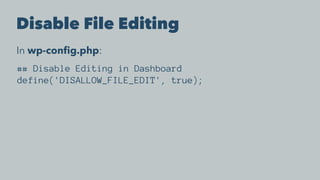
Disable File Editing
In wp-config.php:
## Disable Editing in Dashboard
define('DISALLOW_FILE_EDIT', true);
Limit Login Attempts
• Make brute forcing passwords take much longer
• Potentially block malicious attempts
• Lots of plugins that do this
• JetPack, Limit Login Attempts
Backup Your Site
• Helps in the event of a security incident
• Able to roll back to an unaffected backup
• Lots of plugins/services that do this
• Backup Buddy, BackWPUp
"Complete" Solutions
• No solution is "complete" (Defense in Depth)
• But...these have a lot of the features we talked about
• iThemes Security - plugin
• JetPack - plugin
• Wordfence - plugin
• Securi - hosting/security platform
wpscan
• Command-line utility to scan a WP install for vulnerabilities
• https://github.com/wpscanteam/wpscan
• *ONLY USE ON SITES YOU OWN*
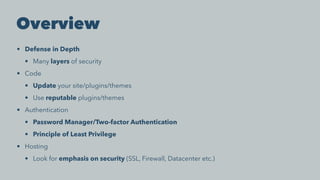
Overview
• Defense in Depth
• Many layers of security
• Code
• Update your site/plugins/themes
• Use reputable plugins/themes
• Authentication
• Password Manager/Two-factor Authentication
• Principle of Least Privilege
• Hosting
• Look for emphasis on security (SSL, Firewall, Datacenter etc.)
Questions?
Ryan Plas
@wordplas
github.com/ryanplasma

WordPress Security Basics

  • 1.
  • 2.
  • 3.
    Defense In Depth Theidea behind the defense in depth approach is to defend a system against any particular attack using several independent methods.1 There is no single approach to security - have many layers. 1: https://en.wikipedia.org/wiki/Defenseindepth_(computing)
  • 4.
    Defense In Depth Layers: 1.Code 2. Authentication 3. Hosting
  • 5.
  • 6.
    Code What this sectionisn't: How to write secure code What this section is: How to make sure the code of your site is secure
  • 7.
    Code Keep your siteupdated • Auto updates for minor versions since 3.7 • Update to major versions as soon as possible
  • 8.
    Code Keep your pluginsand themes updated • The longer you wait, the more likely there's a vulnerability. • WPScan Vulnerability Database
  • 9.
    Code Only use pluginsand themes from reputable sources • Trusted brands/companies • Don't avoid paying money • Don't look for free versions of premium plugins/themes • The Plugin/Theme repo is your friend
  • 11.
    If the sitelooks like this...run!
  • 12.
  • 13.
    Authentication Use a strongpassword • Question...what is a strong password?
  • 14.
    Authentication Use one ofpreferably both of the following: • Password manager • Two-factor authentication
  • 15.
    Authentication Password Manager: • Programthat can create and securely store passwords • Allows you to use longer/more complex passwords without having to memorize or write them down
  • 16.
    Authentication Two-factor Authentication: • Somethingyou know - password, pin • Something you have - phone, YubiKey
  • 17.
    Authentication Passwords: Use a passwordmanager and/or two-factor authentication • LastPass, 1Password, Dashlane - Personal • Duo, Google Authenticator, etc. - Plugin If you can't do that, use a long but easy to remember password. • correct horse battery staple • [date]-[place]-[thing]: 1976-Switzerland-dragon
  • 18.
  • 19.
    Authentication Principle of leastprivilege: • Any user should only be able to access exactly what they need to and nothing else. • Don't make everyone an admin • Restrict user roles to only what is required • Use a plugin if necessary
  • 20.
  • 21.
  • 22.
    Hosting What to lookfor in a good hosting provider: • SSL • Firewall • Datacenter • Customer Support
  • 25.
  • 26.
    Disable File Editing Inwp-config.php: ## Disable Editing in Dashboard define('DISALLOW_FILE_EDIT', true);
  • 27.
    Limit Login Attempts •Make brute forcing passwords take much longer • Potentially block malicious attempts • Lots of plugins that do this • JetPack, Limit Login Attempts
  • 28.
    Backup Your Site •Helps in the event of a security incident • Able to roll back to an unaffected backup • Lots of plugins/services that do this • Backup Buddy, BackWPUp
  • 29.
    "Complete" Solutions • Nosolution is "complete" (Defense in Depth) • But...these have a lot of the features we talked about • iThemes Security - plugin • JetPack - plugin • Wordfence - plugin • Securi - hosting/security platform
  • 30.
    wpscan • Command-line utilityto scan a WP install for vulnerabilities • https://github.com/wpscanteam/wpscan • *ONLY USE ON SITES YOU OWN*
  • 31.
    Overview • Defense inDepth • Many layers of security • Code • Update your site/plugins/themes • Use reputable plugins/themes • Authentication • Password Manager/Two-factor Authentication • Principle of Least Privilege • Hosting • Look for emphasis on security (SSL, Firewall, Datacenter etc.)
  • 32.
  • 33.