
BY BRAD WILLIAMS & BRIAN MESSENLEHNER
Brad Williams
Co-Founder WebDevStudios.com
Co-Author Professional WordPress
& Professional WordPress
Plugin Development
Co-Organizer WordCamp Philly
Co-Host DradCast
Brian Messenlehner
Co-Founder WebDevStudios.com
Co-Author Building Web Apps with
WordPress
Co-Organizer New Jersey WordPress
Meetup
• Security Stats
• Example Hack
• Top Security Tips
• Recommended Plugins & Services
• Resources
FOR WORDPRESS
Security Stats
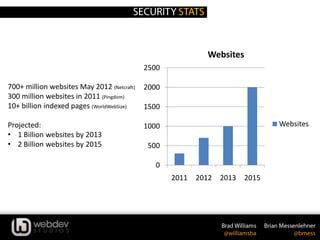
700+ million websites May 2012 (Netcraft)
300 million websites in 2011 (Pingdom)
10+ billion indexed pages (WorldWebSize)
Projected:
• 1 Billion websites by 2013
• 2 Billion websites by 2015
0
500
1000
1500
2000
2500
2011 2012 2013 2015
Websites
Websites
WordPress Stats
• 73+ Million WordPress powered websites
• 18.9% of all websites are running WordPress
• 22 out of every 100 new domains in the U.S.
launches with WordPress
• Projected 300-500 Million WordPress sites by
2015
Web Malware Stats
• 403 Million unique variants of malware in 2011 (Symantec)
• 140% growth since 2010
• 81% increase in malicious web-based attacks between 2010 -
2011
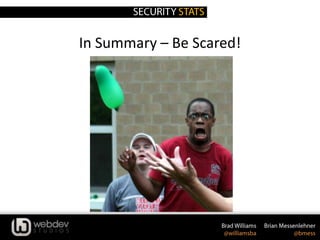
In Summary – Be Scared!
FOR WORDPRESS
Hack Example
Link Injection
Hacker bots look for known exploits (SQL Injection, folder
permissions, etc)
This allows them to insert spam files/links into
your WordPress Themes, plugins, and core files.
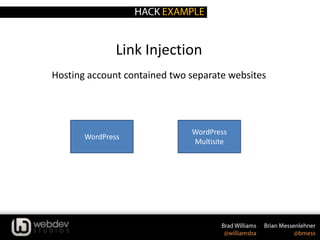
Link Injection
Hosting account contained two separate websites
WordPress
WordPress
Multisite
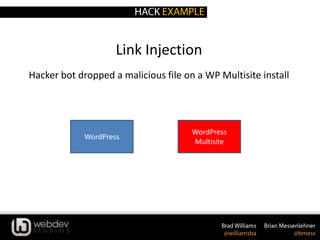
Link Injection
Hacker bot dropped a malicious file on a WP Multisite install
WordPress
WordPress
Multisite
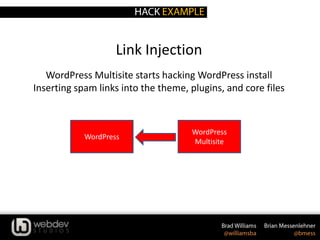
Link Injection
WordPress Multisite starts hacking WordPress install
Inserting spam links into the theme, plugins, and core files
WordPress
WordPress
Multisite
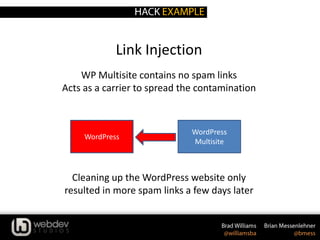
Link Injection
WP Multisite contains no spam links
Acts as a carrier to spread the contamination
Cleaning up the WordPress website only
resulted in more spam links a few days later
WordPress
WordPress
Multisite
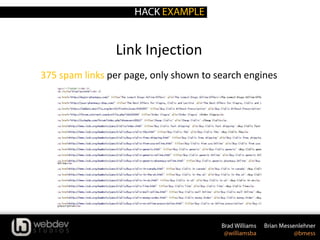
Link Injection
375 spam links per page, only shown to search engines
FOR WORDPRESS
Securing WordPress
FOR WORDPRESS
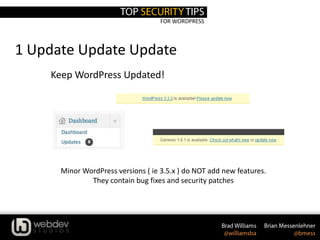
1 Update Update Update
Keep WordPress Updated!
Minor WordPress versions ( ie 3.5.x ) do NOT add new features.
They contain bug fixes and security patches
FOR WORDPRESS
1 Update Update Update
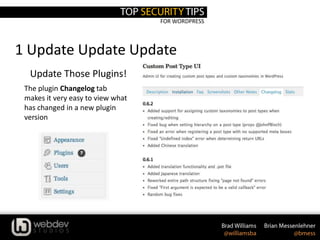
Update Those Plugins!
The plugin Changelog tab
makes it very easy to view what
has changed in a new plugin
version
FOR WORDPRESS
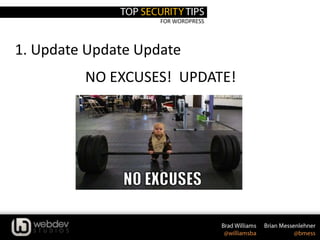
1. Update Update Update
NO EXCUSES! UPDATE!
FOR WORDPRESS
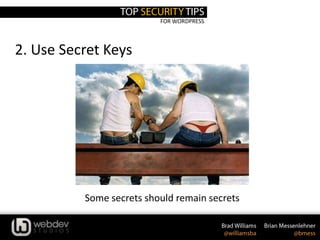
2. Use Secret Keys
Some secrets should remain secrets
FOR WORDPRESS
2. Use Secret Keys
define('AUTH_KEY', 'put your unique phrase here');
define('SECURE_AUTH_KEY', 'put your unique phrase here');
define('LOGGED_IN_KEY', 'put your unique phrase here');
define('NONCE_KEY', 'put your unique phrase here');
define('AUTH_SALT', 'put your unique phrase here');
define('SECURE_AUTH_SALT', 'put your unique phrase here');
define('LOGGED_IN_SALT', 'put your unique phrase here');
define('NONCE_SALT', 'put your unique phrase here');
1. Edit wp-config.php
A secret key is a hashing salt which makes your site harder to hack by adding random
elements to the password.
2. Visit this URL to get your secret keys: https://api.wordpress.org/secret-key/1.1/salt
BEFORE
define('AUTH_KEY', '*8`:Balq!`,-j.JTl~sP%&>@ON,t(}S6)IG|nG1JIfY(,y=][-3$!N6be]-af|BD');
define('SECURE_AUTH_KEY', 'q+i-|3S~d?];6$[$!ZOXbw6c]0 !k/,UxOod>fqV!sWCkvBihF2#hI=CDt_}WaH1');
define('LOGGED_IN_KEY', 'D/QoRf{=&OC=CrT/^Zq}M9MPT&49^O}G+m2L{ItpX_jh(-I&-?pkeC_SaF0nw;m+');
define('NONCE_KEY', 'oJo8C&sc+ C7Yc,W1v o5}.FR,Zk!J<]vaCa%2D9nj8otj5z8UnJ_q.Q!hgpQ*-H');
define('AUTH_SALT', 'r>O/;U|xg~I5v.u(Nq+JMfYHk.*[p8!baAsb1DKa8.0}q/@V5snU1hV2eR!|whmt');
define('SECURE_AUTH_SALT', '3s1|cIj d7y<?]Z1n# i1^FQ *L(Kax)Y%r(mp[DUX.1a3!jv(;P_H6Q7|y.!7|-');
define('LOGGED_IN_SALT', '`@>+QdZhD!|AKk09*mr~-F]/F39Sxjl31FX8uw+wxUYI;U{NWx|y|+bKJ*4`uF`*');
define('NONCE_SALT', 'O+#iqcPw#]O4TcC%Kz_DAf:mK!Zy@Zt*Kmm^C25U|T!|?ldOf/l1TZ6Tw$9y[M/6');
AFTER
FOR WORDPRESS
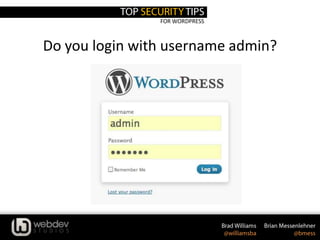
Do you login with username admin?
FOR WORDPRESS
FOR WORDPRESS
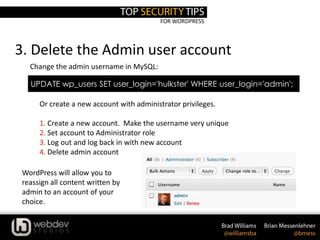
3. Delete the Admin user account
UPDATE wp_users SET user_login='hulkster' WHERE user_login='admin';
Change the admin username in MySQL:
Or create a new account with administrator privileges.
1. Create a new account. Make the username very unique
2. Set account to Administrator role
3. Log out and log back in with new account
4. Delete admin account
WordPress will allow you to
reassign all content written by
admin to an account of your
choice.
FOR WORDPRESS
3. Delete the Admin user account
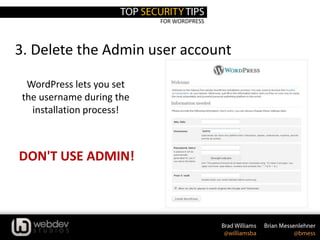
WordPress lets you set
the username during the
installation process!
DON'T USE ADMIN!
FOR WORDPRESS
3. Delete the Admin user account
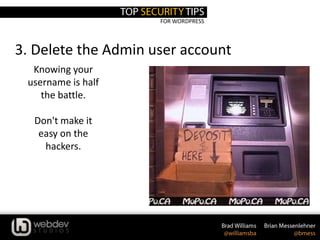
Knowing your
username is half
the battle.
Don't make it
easy on the
hackers.
FOR WORDPRESS
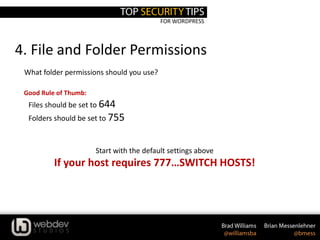
4. File and Folder Permissions
What folder permissions should you use?
Good Rule of Thumb:
• Files should be set to 644
• Folders should be set to 755
Start with the default settings above
If your host requires 777…SWITCH HOSTS!
FOR WORDPRESS
4. File and Folder Permissions
find [your path here] -type d -exec chmod 755 {} ;
find [your path here] -type f -exec chmod 644 {} ;
Or via SSH with the following commands
FOR WORDPRESS
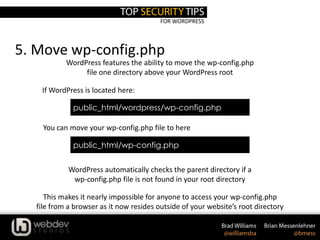
5. Move wp-config.php
WordPress features the ability to move the wp-config.php
file one directory above your WordPress root
This makes it nearly impossible for anyone to access your wp-config.php
file from a browser as it now resides outside of your website’s root directory
You can move your wp-config.php file to here
WordPress automatically checks the parent directory if a
wp-config.php file is not found in your root directory
public_html/wordpress/wp-config.php
If WordPress is located here:
public_html/wp-config.php
FOR WORDPRESS
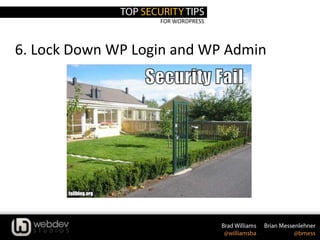
6. Lock Down WP Login and WP Admin
FOR WORDPRESS
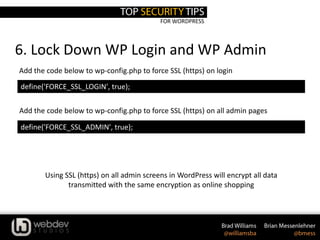
6. Lock Down WP Login and WP Admin
define('FORCE_SSL_LOGIN', true);
Add the code below to wp-config.php to force SSL (https) on login
Add the code below to wp-config.php to force SSL (https) on all admin pages
define('FORCE_SSL_ADMIN', true);
Using SSL (https) on all admin screens in WordPress will encrypt all data
transmitted with the same encryption as online shopping
FOR WORDPRESS
6. Lock Down WP Login and WP Admin
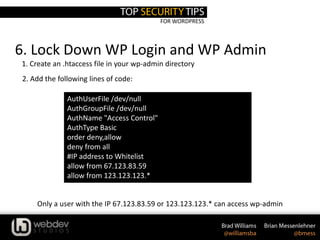
AuthUserFile /dev/null
AuthGroupFile /dev/null
AuthName "Access Control"
AuthType Basic
order deny,allow
deny from all
#IP address to Whitelist
allow from 67.123.83.59
allow from 123.123.123.*
1. Create an .htaccess file in your wp-admin directory
Only a user with the IP 67.123.83.59 or 123.123.123.* can access wp-admin
2. Add the following lines of code:
FOR WORDPRESS
7. Use Trusted Sources for Themes & Plugins
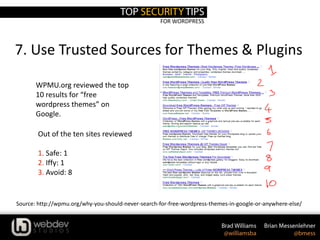
WPMU.org reviewed the top
10 results for “free
wordpress themes” on
Google.
Out of the ten sites reviewed
1. Safe: 1
2. Iffy: 1
3. Avoid: 8
Source: http://wpmu.org/why-you-should-never-search-for-free-wordpress-themes-in-google-or-anywhere-else/
FOR WORDPRESS
7. Use Trusted Sources for Themes & Plugins
Source: http://wpmu.org/why-you-should-never-search-for-free-wordpress-themes-in-google-or-anywhere-else/
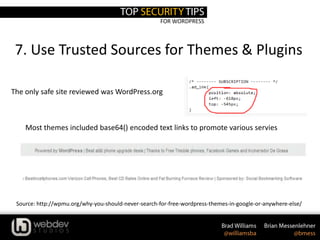
The only safe site reviewed was WordPress.org
Most themes included base64() encoded text links to promote various servies
FOR WORDPRESS
8. Be Secure Locally
Think of your local environment as if it was a medieval castle and you’re the queen or
king. Your kingdom must be protected!
Keep your computer up to date
• Ensure you’re patching or installing updates ASAP
• Automatic updates rock!
Install an anti-virus solution
• Ensure you’re keeping definitions current
• Automatic updates aren’t a bad idea here either!
Yes, personal firewalls still apply!
FOR WORDPRESS
8. Be Secure Locally
It’s your information, but who’s watching & listening? You may be a network geek at
home, but what happens at Starbucks?
Your Internet Connection
Use SSL whenever possible, especially on an unverified connection.
• HTTPS is a great way to ensure your transactions & traffic are traveling with security in mind.
Connecting To Your Site(s)
Consider using sFTP or SSH vs. FTP
•Still widely marketed, but did you know your credentials are passed unencrypted when using FTP?
•If unavoidable, do not allow anonymous logins, limit connections, practice least privilege.
•Don’t store your credentials in your FTP client.
FOR WORDPRESS
9. Use a Trusted Host
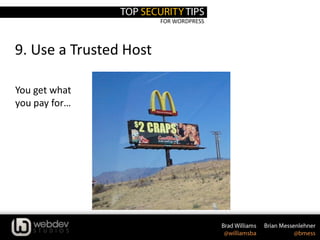
You get what
you pay for…
FOR WORDPRESS
9. Use a Trusted Host
At the end of the day, hosting providers market the world. You in turn, should
have opportunity to know how they’re going to protect you.
Your Lovely Host
• Cheap doesn’t always mean best, or
safe!
• How many sites on their network are
blacklisted for malware reasons?
• What version of software do they run and
how often do they update?
• How are account credentials stored &
who has access?
FOR WORDPRESS
10. Use Common Sense
• Use a strong password
• BAD: bradisawesome
• GOOD: SCrEE79joLly$
• A=@, E=3, S=$, O=0 (This is not unique, they know this)
• Update passwords regularly (Monthly, make a schedule)
• Know your admins, limit number of accounts (WP, FTP, Hosting, etc)
• Backup, Backup, Backup (Use BackupBuddy for scheduled backups)
FOR WORDPRESS
Plugins & Services
FOR WORDPRESS
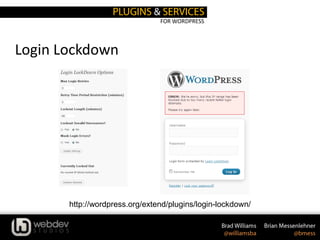
Login Lockdown
http://wordpress.org/extend/plugins/login-lockdown/
FOR WORDPRESS
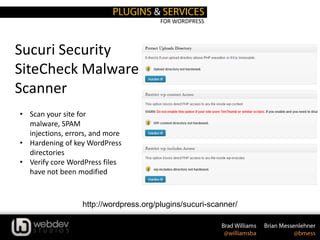
Sucuri Security
SiteCheck Malware
Scanner
http://wordpress.org/plugins/sucuri-scanner/
• Scan your site for
malware, SPAM
injections, errors, and more
• Hardening of key WordPress
directories
• Verify core WordPress files
have not been modified
FOR WORDPRESS
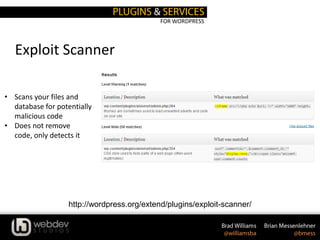
Exploit Scanner
http://wordpress.org/extend/plugins/exploit-scanner/
• Scans your files and
database for potentially
malicious code
• Does not remove
code, only detects it
FOR WORDPRESS
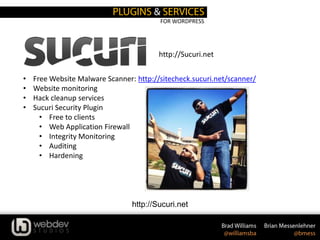
http://Sucuri.net
• Free Website Malware Scanner: http://sitecheck.sucuri.net/scanner/
• Website monitoring
• Hack cleanup services
• Sucuri Security Plugin
• Free to clients
• Web Application Firewall
• Integrity Monitoring
• Auditing
• Hardening
http://Sucuri.net
FOR WORDPRESS
• Security Related Articles
• http://codex.wordpress.org/Hardening_WordPress
• http://blog.sucuri.net/2012/04/lockdown-wordpress-a-security-webinar-with-dre-armeda.html
• http://blog.sucuri.net/2012/04/ask-sucuri-how-to-stop-the-hacker-and-ensure-your-site-is-
locked.html
• http://blog.sucuri.net/2012/04/ask-sucuri-what-should-i-know-when-engaging-a-web-
malware-company.html
• Clean a Hacked Site
• http://codex.wordpress.org/FAQ_My_site_was_hacked
• http://www.marketingtechblog.com/wordpress-hacked/
• Support Forums
• Hacked: http://wordpress.org/tags/hacked
• Malware: http://wordpress.org/tags/malware
Brad Williams
brad@webdevstudios.com
Blog: strangework.com
Twitter: @williamsba
http://bit.ly/prowp2
Brian Messenlehner
brian@webdevstudios.com
Blog: brian.messenlehner.com
Twitter: @bmess
http://bit.ly/prowp2

Protect Your WordPress From The Inside Out

  • 1.
    BY BRAD WILLIAMS& BRIAN MESSENLEHNER
  • 2.
    Brad Williams Co-Founder WebDevStudios.com Co-AuthorProfessional WordPress & Professional WordPress Plugin Development Co-Organizer WordCamp Philly Co-Host DradCast Brian Messenlehner Co-Founder WebDevStudios.com Co-Author Building Web Apps with WordPress Co-Organizer New Jersey WordPress Meetup
  • 3.
    • Security Stats •Example Hack • Top Security Tips • Recommended Plugins & Services • Resources
  • 4.
  • 5.
    700+ million websitesMay 2012 (Netcraft) 300 million websites in 2011 (Pingdom) 10+ billion indexed pages (WorldWebSize) Projected: • 1 Billion websites by 2013 • 2 Billion websites by 2015 0 500 1000 1500 2000 2500 2011 2012 2013 2015 Websites Websites
  • 6.
    WordPress Stats • 73+Million WordPress powered websites • 18.9% of all websites are running WordPress • 22 out of every 100 new domains in the U.S. launches with WordPress • Projected 300-500 Million WordPress sites by 2015
  • 7.
    Web Malware Stats •403 Million unique variants of malware in 2011 (Symantec) • 140% growth since 2010 • 81% increase in malicious web-based attacks between 2010 - 2011
  • 8.
    In Summary –Be Scared!
  • 9.
  • 10.
    Link Injection Hacker botslook for known exploits (SQL Injection, folder permissions, etc) This allows them to insert spam files/links into your WordPress Themes, plugins, and core files.
  • 11.
    Link Injection Hosting accountcontained two separate websites WordPress WordPress Multisite
  • 12.
    Link Injection Hacker botdropped a malicious file on a WP Multisite install WordPress WordPress Multisite
  • 13.
    Link Injection WordPress Multisitestarts hacking WordPress install Inserting spam links into the theme, plugins, and core files WordPress WordPress Multisite
  • 14.
    Link Injection WP Multisitecontains no spam links Acts as a carrier to spread the contamination Cleaning up the WordPress website only resulted in more spam links a few days later WordPress WordPress Multisite
  • 15.
    Link Injection 375 spamlinks per page, only shown to search engines
  • 16.
  • 17.
    FOR WORDPRESS 1 UpdateUpdate Update Keep WordPress Updated! Minor WordPress versions ( ie 3.5.x ) do NOT add new features. They contain bug fixes and security patches
  • 18.
    FOR WORDPRESS 1 UpdateUpdate Update Update Those Plugins! The plugin Changelog tab makes it very easy to view what has changed in a new plugin version
  • 19.
    FOR WORDPRESS 1. UpdateUpdate Update NO EXCUSES! UPDATE!
  • 20.
    FOR WORDPRESS 2. UseSecret Keys Some secrets should remain secrets
  • 21.
    FOR WORDPRESS 2. UseSecret Keys define('AUTH_KEY', 'put your unique phrase here'); define('SECURE_AUTH_KEY', 'put your unique phrase here'); define('LOGGED_IN_KEY', 'put your unique phrase here'); define('NONCE_KEY', 'put your unique phrase here'); define('AUTH_SALT', 'put your unique phrase here'); define('SECURE_AUTH_SALT', 'put your unique phrase here'); define('LOGGED_IN_SALT', 'put your unique phrase here'); define('NONCE_SALT', 'put your unique phrase here'); 1. Edit wp-config.php A secret key is a hashing salt which makes your site harder to hack by adding random elements to the password. 2. Visit this URL to get your secret keys: https://api.wordpress.org/secret-key/1.1/salt BEFORE define('AUTH_KEY', '*8`:Balq!`,-j.JTl~sP%&>@ON,t(}S6)IG|nG1JIfY(,y=][-3$!N6be]-af|BD'); define('SECURE_AUTH_KEY', 'q+i-|3S~d?];6$[$!ZOXbw6c]0 !k/,UxOod>fqV!sWCkvBihF2#hI=CDt_}WaH1'); define('LOGGED_IN_KEY', 'D/QoRf{=&OC=CrT/^Zq}M9MPT&49^O}G+m2L{ItpX_jh(-I&-?pkeC_SaF0nw;m+'); define('NONCE_KEY', 'oJo8C&sc+ C7Yc,W1v o5}.FR,Zk!J<]vaCa%2D9nj8otj5z8UnJ_q.Q!hgpQ*-H'); define('AUTH_SALT', 'r>O/;U|xg~I5v.u(Nq+JMfYHk.*[p8!baAsb1DKa8.0}q/@V5snU1hV2eR!|whmt'); define('SECURE_AUTH_SALT', '3s1|cIj d7y<?]Z1n# i1^FQ *L(Kax)Y%r(mp[DUX.1a3!jv(;P_H6Q7|y.!7|-'); define('LOGGED_IN_SALT', '`@>+QdZhD!|AKk09*mr~-F]/F39Sxjl31FX8uw+wxUYI;U{NWx|y|+bKJ*4`uF`*'); define('NONCE_SALT', 'O+#iqcPw#]O4TcC%Kz_DAf:mK!Zy@Zt*Kmm^C25U|T!|?ldOf/l1TZ6Tw$9y[M/6'); AFTER
  • 22.
    FOR WORDPRESS Do youlogin with username admin?
  • 23.
  • 24.
    FOR WORDPRESS 3. Deletethe Admin user account UPDATE wp_users SET user_login='hulkster' WHERE user_login='admin'; Change the admin username in MySQL: Or create a new account with administrator privileges. 1. Create a new account. Make the username very unique 2. Set account to Administrator role 3. Log out and log back in with new account 4. Delete admin account WordPress will allow you to reassign all content written by admin to an account of your choice.
  • 25.
    FOR WORDPRESS 3. Deletethe Admin user account WordPress lets you set the username during the installation process! DON'T USE ADMIN!
  • 26.
    FOR WORDPRESS 3. Deletethe Admin user account Knowing your username is half the battle. Don't make it easy on the hackers.
  • 27.
    FOR WORDPRESS 4. Fileand Folder Permissions What folder permissions should you use? Good Rule of Thumb: • Files should be set to 644 • Folders should be set to 755 Start with the default settings above If your host requires 777…SWITCH HOSTS!
  • 28.
    FOR WORDPRESS 4. Fileand Folder Permissions find [your path here] -type d -exec chmod 755 {} ; find [your path here] -type f -exec chmod 644 {} ; Or via SSH with the following commands
  • 29.
    FOR WORDPRESS 5. Movewp-config.php WordPress features the ability to move the wp-config.php file one directory above your WordPress root This makes it nearly impossible for anyone to access your wp-config.php file from a browser as it now resides outside of your website’s root directory You can move your wp-config.php file to here WordPress automatically checks the parent directory if a wp-config.php file is not found in your root directory public_html/wordpress/wp-config.php If WordPress is located here: public_html/wp-config.php
  • 30.
    FOR WORDPRESS 6. LockDown WP Login and WP Admin
  • 31.
    FOR WORDPRESS 6. LockDown WP Login and WP Admin define('FORCE_SSL_LOGIN', true); Add the code below to wp-config.php to force SSL (https) on login Add the code below to wp-config.php to force SSL (https) on all admin pages define('FORCE_SSL_ADMIN', true); Using SSL (https) on all admin screens in WordPress will encrypt all data transmitted with the same encryption as online shopping
  • 32.
    FOR WORDPRESS 6. LockDown WP Login and WP Admin AuthUserFile /dev/null AuthGroupFile /dev/null AuthName "Access Control" AuthType Basic order deny,allow deny from all #IP address to Whitelist allow from 67.123.83.59 allow from 123.123.123.* 1. Create an .htaccess file in your wp-admin directory Only a user with the IP 67.123.83.59 or 123.123.123.* can access wp-admin 2. Add the following lines of code:
  • 33.
    FOR WORDPRESS 7. UseTrusted Sources for Themes & Plugins WPMU.org reviewed the top 10 results for “free wordpress themes” on Google. Out of the ten sites reviewed 1. Safe: 1 2. Iffy: 1 3. Avoid: 8 Source: http://wpmu.org/why-you-should-never-search-for-free-wordpress-themes-in-google-or-anywhere-else/
  • 34.
    FOR WORDPRESS 7. UseTrusted Sources for Themes & Plugins Source: http://wpmu.org/why-you-should-never-search-for-free-wordpress-themes-in-google-or-anywhere-else/ The only safe site reviewed was WordPress.org Most themes included base64() encoded text links to promote various servies
  • 35.
    FOR WORDPRESS 8. BeSecure Locally Think of your local environment as if it was a medieval castle and you’re the queen or king. Your kingdom must be protected! Keep your computer up to date • Ensure you’re patching or installing updates ASAP • Automatic updates rock! Install an anti-virus solution • Ensure you’re keeping definitions current • Automatic updates aren’t a bad idea here either! Yes, personal firewalls still apply!
  • 36.
    FOR WORDPRESS 8. BeSecure Locally It’s your information, but who’s watching & listening? You may be a network geek at home, but what happens at Starbucks? Your Internet Connection Use SSL whenever possible, especially on an unverified connection. • HTTPS is a great way to ensure your transactions & traffic are traveling with security in mind. Connecting To Your Site(s) Consider using sFTP or SSH vs. FTP •Still widely marketed, but did you know your credentials are passed unencrypted when using FTP? •If unavoidable, do not allow anonymous logins, limit connections, practice least privilege. •Don’t store your credentials in your FTP client.
  • 37.
    FOR WORDPRESS 9. Usea Trusted Host You get what you pay for…
  • 38.
    FOR WORDPRESS 9. Usea Trusted Host At the end of the day, hosting providers market the world. You in turn, should have opportunity to know how they’re going to protect you. Your Lovely Host • Cheap doesn’t always mean best, or safe! • How many sites on their network are blacklisted for malware reasons? • What version of software do they run and how often do they update? • How are account credentials stored & who has access?
  • 39.
    FOR WORDPRESS 10. UseCommon Sense • Use a strong password • BAD: bradisawesome • GOOD: SCrEE79joLly$ • A=@, E=3, S=$, O=0 (This is not unique, they know this) • Update passwords regularly (Monthly, make a schedule) • Know your admins, limit number of accounts (WP, FTP, Hosting, etc) • Backup, Backup, Backup (Use BackupBuddy for scheduled backups)
  • 40.
  • 41.
  • 42.
    FOR WORDPRESS Sucuri Security SiteCheckMalware Scanner http://wordpress.org/plugins/sucuri-scanner/ • Scan your site for malware, SPAM injections, errors, and more • Hardening of key WordPress directories • Verify core WordPress files have not been modified
  • 43.
    FOR WORDPRESS Exploit Scanner http://wordpress.org/extend/plugins/exploit-scanner/ •Scans your files and database for potentially malicious code • Does not remove code, only detects it
  • 44.
    FOR WORDPRESS http://Sucuri.net • FreeWebsite Malware Scanner: http://sitecheck.sucuri.net/scanner/ • Website monitoring • Hack cleanup services • Sucuri Security Plugin • Free to clients • Web Application Firewall • Integrity Monitoring • Auditing • Hardening http://Sucuri.net
  • 45.
    FOR WORDPRESS • SecurityRelated Articles • http://codex.wordpress.org/Hardening_WordPress • http://blog.sucuri.net/2012/04/lockdown-wordpress-a-security-webinar-with-dre-armeda.html • http://blog.sucuri.net/2012/04/ask-sucuri-how-to-stop-the-hacker-and-ensure-your-site-is- locked.html • http://blog.sucuri.net/2012/04/ask-sucuri-what-should-i-know-when-engaging-a-web- malware-company.html • Clean a Hacked Site • http://codex.wordpress.org/FAQ_My_site_was_hacked • http://www.marketingtechblog.com/wordpress-hacked/ • Support Forums • Hacked: http://wordpress.org/tags/hacked • Malware: http://wordpress.org/tags/malware
  • 46.
    Brad Williams brad@webdevstudios.com Blog: strangework.com Twitter:@williamsba http://bit.ly/prowp2 Brian Messenlehner brian@webdevstudios.com Blog: brian.messenlehner.com Twitter: @bmess http://bit.ly/prowp2