Professional CommunicationBest practices and tips for enhancing business communication
IntroductionsTurn to someone next to youShare info at rightIn a moment, you’ll be asked to introduce the person to the group, giving the information they gave youName, department, something I like about my job
AgendaCosts & BenefitsFunctionsTypesOral vs. WrittenBest PracticesSummary
Costs & Benefits
Costs of Poor Communication*barriers to communication: lack of communication skills, differing frames of reference,		fear of reprisals, unclear/lengthy paths of communication, lack of trust, ambiguityUnclear expectationsMisunderstandingsNot communicating ideas & knowledgeWasted time & resourcesBad relationshipsSlow skills development & longer to solve problems
Benefits of Effective Communication
Functions of Organizational Communication
FunctionsTo informTo persuadeTo promote goodwill
Types of Business Communication
Types: Face to Face
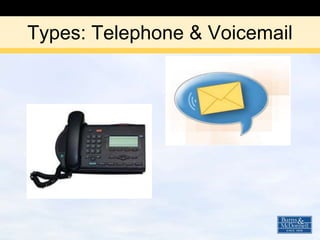
Types: Telephone & Voicemail
Types: Written (personal)
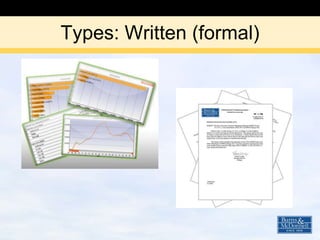
Types: Written (formal)
Oral vs. Written
Advantages of VerbalMore personal and motivatingMinimizes misunderstandingsAllows immediate responseEasy, comes more naturally
Disadvantages of VerbalNo written recordMay be inconvenientCan be forgotten
Advantages of WrittenPermanent recordConvenientEasily distributedCan be revised/proofread
Disadvantages of WrittenTakes more timeProvides no immediate response to either partyMisunderstandings can arise from lack of body language/verbal clues
ActivityGet up out of your seatFind someone you weren’t sitting next toStand back to backTake turns commenting or recalling something we just discussed
Best Practices
Best Practices: Face to FacePrepareAsk for/be receptive to honest feedbackPractice active listening
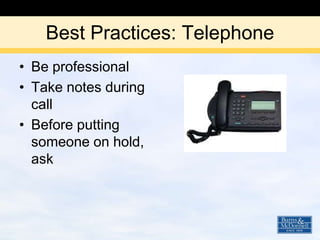
Best Practices: TelephoneBe professionalTake notes during callBefore putting someone on hold, ask
Best Practices: VoicemailCheck your messages regularly and respond in timely mannerWhen leaving voicemail:State name and numberShort messagerestate name and number
Best Practices: Written (personal)Subject lineGreetingSpell checkBulletsAvoid “texting” language
Best Practices: Written (formal)Appearance and formatClear language: simple & logicalConcise and well organizedKeep objectives in mindMake clear action you want taken
10 Golden Rules of Social Media
Best Practices that Apply to AllChoose best type for use – see tableUse plain languageAvoid jargonReduce ambiguityConsider purpose/appropriateness of graphics
Summary & Review
Which communication channel would you choose?You want to be able to ask/answer questions immediatelyIn PersonYou need a quick response to determine if someone is availableInstant Message (IM)You need feedback, but not immediatelye-mail
ResourcesMGMT 254 Business Communications, Mary Ellen Guffey, (Columbia College Edition, 2008)Effective Communication: The essential guide to thinking and working smarter by Chris Roebuck (Amacom, 1998)10 Golden Rules of Social Media by Aliza Sherman

Professional Communication

Editor's Notes

  • #2 Thank you for taking time during your lunch hour to participate in today’s class.I’m Sue Maden, and I’ll be your guide through today’s material.
  • #3 Did you employ “active listening skills” in preparing your introduction?Seven Steps to Listening Ask QuestionsConcentrateSense main ideasListen for rationale behind what the other person is sayingListen for key wordsOrganize what you hear Take notesAbbreviated version for small groups – self introductions
  • #4 Cost of POOR communication, benefits of EFFECTIVEOral vs Written – advantages & disadvantages
  • #5 To help me illustrate what can happen when communication goes wrong, I’ve invited two old friends, Bud Abbott and Lou Costello. Let’s watch just under 2 minutes of this classic scene.
  • #7 The ones you see on the left, lead to the ones on the right.lack of communication skills – we’re helping with that now!differing frames of reference cause misunderstandingsfear of reprisals – not just manager to subordinate; can also happen when someone is rude or difficult, leads you to not want to communicate and to bad relationshipsAmbiguity leads to doing things wrong, having to re-do, etc.
  • #8 On the other hand, by employing effective communication skills, we have the following results.
  • #10 To inform – also to enlighten or educate. For example: Friday News, Wellness emails, volunteer opportunities.To persuade: for example, requests for information or assistanceTo promote goodwill: for example, a thank you or recognition Be genuineEstablish rapport – commonly said, “You don’t’ have to like someone to work with them, but it sure makes it a nicer place to work if you do.” Consider how you message is being received. Are you showing respect for the other person? Is it a good use of your time and theirs, and so on.
  • #11 Here’s an overview of the types we’ll discuss today…
  • #14 EmailSocial networking communications such as LinkedIn and Twitter
  • #15 Such as reports and memos
  • #16 Let’s focus on the advantages and disadvantages of oral vs written communication.There’s an area on your handout to take notes if you choose to, 1st page, top right corner.
  • #17 -may be your best way to communicate—choose appropriately for each situation-minimizes misunderstandings – questions can be asked, situations clarified immediately-rapid/flexible delivery-time of delivery under sender’s control
  • #18 -no written record—do a written follow-up-may be inconvenient and waste time-can be forgotten, especially if complex or lengthy
  • #19 -recipient can go over sections until they are understood and can digest at his own pace-good to use when messages are complex or lengthy-”easily distributed” is both an advantage and disadvantage
  • #20 -impersonal- Recipient “can” respond, but may not
  • #21 I’ll give you 2-3 minutes to take turns doing this.Demonstrates how difficult communication is when we can't see expression and body language.
  • #22 Listed on handout, page 1, bottom half
  • #23 Seven Steps to Listening Ask QuestionsConcentrateSense main ideasListen for rationale behind what the other person is sayingListen for key wordsOrganize what you hear Take notes
  • #24 -needs to be used in a professional manner-requires more concentration than face-to-face communication-devote your full attention to the call (no multitasking)-take notes to help you remember the key points-when you place a call, have a the person you are calling understand your objective-when you receive the call, help the caller achieve his objective -you represent Burns & McDonnell-answer within four rings – introduce yourself-before putting someone on hold, ask him if that is acceptable to him-if transferring a call, give the caller the name and number of the person to whom he’s being transferred in case the call doesn’t go through-be sure to follow-up with action if required
  • #25 -follow Burns & McDonnell voicemail procedures-check your messages frequently; respond in a timely manner-update your voicemail in a timely manner-when leaving a voicemail: 1) state name & # 2) short msg. 3) restate name & #
  • #26 -use a direct, concise, & descriptive subject line (this is the first impression) -remember: you are always one keystroke away from being deleted-always identify yourself-do not send non-business email from your business address-using a greeting and a salutation (avoid “Best Regards”) – treat like a letter-use spell check-use bullets and other organizational tools to help the reader-consider spacing between paragraphs-use correct grammar – “texting” language is not appropriate in business email-capitalize the first letter of names to show respects-keep company’s style/culture in mind - texting language okay if you know the person well and is appropriate-avoid wallpaper and text that can make your email hard to read. Maybe be fun or pretty, but think first of your reader and the benefit to him/her
  • #27 appearance & format are important – no text lingouse clear language, keep it simple & logicalbe concise and well-organized – use bulletskeep your objectives in mind while composing the communicationplan before you writemake clear to the reader the action you want takenbe politeprovide all necessary information/references/sources needed by the readerproofreading tips: read it backwards, read it aloud, take a break, reread it
  • #28 Just some thoughts to consider…now or in future as you use these more.While we don’t necessarily use, and in some cases, even give access to all of these at this time, I know that many of us use them to communicate. And as lines blur between work and home, you may be communicating on one of these that are considered “social”, but that doesn’t necessarily mean it’s not also professional. And in doing so, there are things you should consider.I’ll be sending a link to the article in a follow up email.
  • #29 Avoid jargon – known only to your area of specialtyWhen considering graphics – consider the purpose, as well as the space, file size, etc.