By: Omar Hussein
Agenda











Introduction.
Why we need to write a report !
Why is the reporter !
What is the report !
Types of the report.
Bad and Good report.
Report.
Report writing process.
Final touches.
Summary.
Introduction
 Difference between :
 Scientific Paper.
 Research.
 Essay.
 Report.
Scientific Paper
 Scientific purposes.
 Max. 4 papers .

 Have pictures and diagrams .
 Very specific.
Research
 Searching, searching and

searching.

 Research includes any

gathering of data, information
and facts for the advancement
of knowledge.
Essay
 Generally a short piece of






writing written from an
author's personal point of
view.
Presents an argument.
Always needs references.
Rarely uses graphics.
Journals and magazines.
Why we need to write a report !
 To enable us to keep records.
 To tell about failures and successes.

 To determine further actions.
 For ourselves, to keep on knowing what we are doing.
 To communicate to donors and funders (how the project

progresses).
Why we need to write a report !
 To let other people know about the developments of a

project, so other people can be encouraged to do their
own projects.
 To use for evaluation.
 And for the Government.
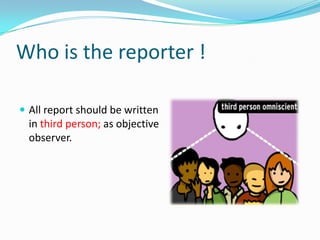
Who is the reporter !
 All report should be written

in third person; as objective
observer.
What is the report !
 “A report is a statement of the results of an investigation

or of any matter on which definite information is
required” –(Oxford English Dictionary).
 Reports are a highly structured form of writing.
 Report writing is an essential skill for professionals.

 Presents information as clearly and succinctly as

possible.
Types of the report
 According to use:
 External.
 Internal.

 According to period:
 Routine.
 Special.

 According to levels of management:





Reports to top management.
Reports to Functional Management.
Reports to junior level management.
Functional reports.
Types of the report
 Corporate Reports:





Statutory report.
Directors’ report.
Auditors’ report.
Non-statutory report

 Other Reports:





Review.
Cost-Audit.
Interim.
Oral.
Good Report ….
 Meet the needs of the readers.
 Answers the questions.

 Is it at the right level of readers ?!
 Clear logical structure.
Report Structure












Letter of transmittal(covering letter)
Title page.
Table of contents.
List of abbreviations and/or glossary.
Executive summary/abstract.
Introduction.
Body.
Conclusion.
Recommendations.
Bibliography.
Appendices.
Letter of transmittal.
 This is a letter to the person who commissioned the

report, in which you effectively hand over your work to
that person … include :
Letter of transmittal.
 A salutation (eg. Dear Ms Podolinsky).
 The purpose of the letter (eg. Here is the final version of






the report on ‘Underwater Welding’ which was
commissioned by your organization.)
The main finding of the report.
Any important considerations.
An acknowledgement of any significant help.
An expression of pleasure or gratitude (eg. Thank you for
giving us the opportunity to work on this report.)
Title page
 the report title which clearly states the purpose of the

report.
 full details of the person(s) for whom the report was

prepared.
 full details of the person(s) who prepared the report.
 the date of the presentation of the report.
Title page
EVALUATION OF FACSIMILE TRANSMISSION (FAX)
FOR USE IN SMALL BUSINESS OPERATIONS
Prepared for:
Joe Smith, INSTRUCTOR
Prepared by:
Bob Barker
July 28, 2006
Table of Contents
 This is a list of the headings and appendices of the report.
 Depending on the complexity and length of the report,

you could list tables, figures and appendices separately.
 Make sure the correct page numbers are shown opposite
the contents.
 Up-to-date word processing packages can generate a
table of contents for you.
Table of Contents
Abbreviations and/or Glossary
 If necessary, you should provide an alphabetical list of the

abbreviations you have used in the report, especially if
they may not be familiar to all readers of the report.
 If you have used a lot of technical terms, you should also

provide a glossary (an alphabetical list of the terms, with
brief explanations of their meanings).
Abbreviations and/or Glossary
Acknowledgements
 This is a short paragraph thanking any person or

organization which gave you help in collecting data or
preparing the report.
Acknowledgements
Abstract
 An abstract is quite different from an introduction.

 It is a summary of the report, in which you include one

sentence (or so) for every main section of your report.
Abstract
 the context of the research.
 the purpose of the report.
 the major findings (you may need several sentences

here).
 the conclusions.
 the main recommendations.

 Write the abstract after you have written the report.
Abstract
Introduction

 Give enough background information to provide a context

for the report.
 State the purpose of the report.
 Clarify key terms and indicate the scope of the report (ie

what the report will cover).
 Scope of report.
 Explanation of arrangement of report sections.
Introduction
Body
 The content of the body depends on the

purpose of the report.
Body
 A report of primary research would include:
 Literature review.
 Method.

 Findings or results.
 Discussion.
Conclusion
 Sum up the main points of the report.
 Outlines the findings of the research.

 The conclusion should clearly relate to the objectives of

your report.
 No surprises please!
Conclusion
Recommendations
 These are suggestions for future action. They must be

logically derived from the body of your report.
 Based on the conclusion.
 Practical.
 Specific.
 Well organized.
Recommendations
 Be brief, and draw your main points from the Discussion
 Be strong, and advocate action
 Use the active voice
 Satisfy the requirements established in the Introduction
 Use point form if several recommendations are being made
Bibliography

 Text consulted but not referred to directly in the report.
Bibliography
Appendices
 Contains material which is too detailed, technical, or

complex to include in the body of the report.
 Placed at the end of a report.
 Arranged in the order referred to in the report.
Appendices
Report writing process
Objective

Planning

Collect the
information

Structure

Audience

Organize the
information

Finishing
Objective
 Define the scope of investigation.

 Identify the purpose …
 To inform?
 To convince?
Planning
 How much time do you have to write the report?
 How can your work be divided up into the various stage?
 Set yourself deadline for the various stages.
Collect the information
 What is the information you need?
 How much do you need?

 Where do you find it?
 Survey.
 Organizations.
 Online.
 Publications.
Organize the information
 Discriminate between relevant and irrelevant information.

 Sort/Organize information under main ideas/details.
Audience
Often three different audiences
 The casual reader/big boss who wants the main message as

painlessly as possible.
 The interested reader who wants more detail but doesen’t

want to grapple with all the gory technical details.
 The guru who wants the whole story.
What to Do ?! ….
 Include an abstract for the big boss.
 A mail body for the interested non-specialist.
 A technical appendix for the guru.

 Thus, a structure emerges !
Finishing the report
 Write a complete short sentences.
 Avoid jargon and cliché, strive for simplicity.
 One theme per paragraph.
Final touches
 Type
 Don’t use too many styles.
 Avoid all Caps.
 Difficult to read.
 Double space.
 Number placement.
 Bottom center.
 Major Headings in 18 point Times New Roman

 Secondary Headings in 14 point Times New Roman
 Introductory Headings in 12 point Times New Roman
Final touches
 Paper
 High Quality.

 20# Weight.
 White/Off-White.
 8 1/2 * 11.
Final touches
 Margins
 Top & sides – 1”

 Bottom – 1 ½”
 Left & Right – 11/4”
Final touches
 Avoid trying to type a perfect first draft.
 Write the report in pieces, treating each section as a
mini-report complete in itself – with an introductory
section, a development in the middle, and a
concluding section.

 Avoid editing at this point – wait until you have
completed the report sections.
Final touches
 Use I, we, me, and my …. Instead of:
“The components have been ordered…”
“A data survey was conducted…”

Try:
“I have ordered the components…”
“We have conducted a data survey…”
Final touches
 Always use the active voice in your report writing
 A. Carl Dunstan investigated the problem.
 B. The problem was investigated by Carl Dunstan.

 Using the active voice is especially important when
making recommendations:
 Passive: “It is recommended that…”

 Active: “I (or we) recommend that…”
Final touches
 Avoid Cluttering Language
 Use simple words.
 Remove words of low information content.





In order to (replace with to).
Effect an improvement in (use improve).
An effort should be made to (replace with we should).
Located in the vicinity of (use nearer to).
Final touches
 Illustrations
 Ask yourself three questions:
 Which kind of illustration (table, graph, bar chart, flow

diagram, photograph, etc.) will best illustrate the particular
feature or characteristic I want my readers to comprehend?
Final touches
 Will readers be using the illustration

simply to gain a visual impression of an aspect being
discussed, or will they be expected to extract information
from it?
 Will the illustration be referred to only once, to amplify or

explain a point, or will it be referred to several times in the
report? (If it will be referred to frequently, its position
needs to be carefully considered).
Final touches
 Some General Guidelines..
 Number each illustration sequentially and always refer to

it in the report, like this:
 …in Figure 2 the monthly profits for financial year 1999-

2000 are compared with those for the two previous years.
Final touches
 Give every illustration a title:
 Fig. 2. Financial year 1999-2000 profits compared to two
previous years.
 Decide where in the report your illustration should appear




If the illustration is large or extremely complex, insert it as an
attachment at the end of the report
If readers will need to refer to the illustration as they read the
report, place it directly in or beside the report text
Final touches
 Graphics

 Objective

 Table

 To show exact figures and

 Bar Chart
 Line Chart

values
 To compare one item with
others
 To demonstrate changes
in quantitative data over
time
Final touches
 Pie Chart

 Flow Chart

 To visualize a whole unit and

the proportions of its
components

 To display a process or

procedure

 Organization Chart

 To define a hierarchy of

 Photograph, Map,

 To create authenticity, to

Illustration

elements

spotlight a location, and to
show an item in use
Final touches
 Instructions for workers telling

them how to distinguish
between worker accidents that
must be reported to provincial
and federal agencies and those
that need not be reported.
 Flow Chart
Final touches
 Figures showing what

proportion of every
provincial tax dollar is
spent on education, social
services, transportation,
debt, and other expenses.
 Pie Chart
Final touches
 Data showing the

academic, administrative,
and operation divisions of
a college, from the
president to department
chairs and division
managers.
 Organization Chart
Final touches
 Figures comparing the sales

of VCRs, colour TVs, and
personal computers over
the past ten years.
 Line Graph
Final touches
Checklist for a report
 Have I read the assignment criteria clearly and clarified

what needs to be in the report and what type of report it
is to be?
 Checked punctuation and spelling?
Final touches
 Followed the structure, using the correct headings?
 Provided a title page?
 Provided an executive summary?
 Provided a table of contents?
 Provided an introduction?
 Provided the literature review?
 Explained the method of how the data was gathered?
 Discussed the results and findings?
 Come to a conclusion?
 Made some recommendations?
 Provided references in the correct format?
 Included any appendices?
Summary
 Difference between :Scientific Paper, Research, Essay and






Report.
Needs of writing a report and who is the person who
write the report.
classify the report types.
How to write a report.
Final touches to make the report formal.
Examples of reports.
Omar Hussein

OmarHusseinGafar

@omar_7ussein

How to write a formal Report

  • 1.
  • 2.
    Agenda           Introduction. Why we needto write a report ! Why is the reporter ! What is the report ! Types of the report. Bad and Good report. Report. Report writing process. Final touches. Summary.
  • 3.
    Introduction  Difference between:  Scientific Paper.  Research.  Essay.  Report.
  • 4.
    Scientific Paper  Scientificpurposes.  Max. 4 papers .  Have pictures and diagrams .  Very specific.
  • 5.
    Research  Searching, searchingand searching.  Research includes any gathering of data, information and facts for the advancement of knowledge.
  • 6.
    Essay  Generally ashort piece of     writing written from an author's personal point of view. Presents an argument. Always needs references. Rarely uses graphics. Journals and magazines.
  • 8.
    Why we needto write a report !  To enable us to keep records.  To tell about failures and successes.  To determine further actions.  For ourselves, to keep on knowing what we are doing.  To communicate to donors and funders (how the project progresses).
  • 9.
    Why we needto write a report !  To let other people know about the developments of a project, so other people can be encouraged to do their own projects.  To use for evaluation.  And for the Government.
  • 11.
    Who is thereporter !  All report should be written in third person; as objective observer.
  • 13.
    What is thereport !  “A report is a statement of the results of an investigation or of any matter on which definite information is required” –(Oxford English Dictionary).  Reports are a highly structured form of writing.  Report writing is an essential skill for professionals.  Presents information as clearly and succinctly as possible.
  • 15.
    Types of thereport  According to use:  External.  Internal.  According to period:  Routine.  Special.  According to levels of management:     Reports to top management. Reports to Functional Management. Reports to junior level management. Functional reports.
  • 16.
    Types of thereport  Corporate Reports:     Statutory report. Directors’ report. Auditors’ report. Non-statutory report  Other Reports:     Review. Cost-Audit. Interim. Oral.
  • 18.
    Good Report …. Meet the needs of the readers.  Answers the questions.  Is it at the right level of readers ?!  Clear logical structure.
  • 20.
    Report Structure            Letter oftransmittal(covering letter) Title page. Table of contents. List of abbreviations and/or glossary. Executive summary/abstract. Introduction. Body. Conclusion. Recommendations. Bibliography. Appendices.
  • 21.
    Letter of transmittal. This is a letter to the person who commissioned the report, in which you effectively hand over your work to that person … include :
  • 22.
    Letter of transmittal. A salutation (eg. Dear Ms Podolinsky).  The purpose of the letter (eg. Here is the final version of     the report on ‘Underwater Welding’ which was commissioned by your organization.) The main finding of the report. Any important considerations. An acknowledgement of any significant help. An expression of pleasure or gratitude (eg. Thank you for giving us the opportunity to work on this report.)
  • 23.
    Title page  thereport title which clearly states the purpose of the report.  full details of the person(s) for whom the report was prepared.  full details of the person(s) who prepared the report.  the date of the presentation of the report.
  • 24.
    Title page EVALUATION OFFACSIMILE TRANSMISSION (FAX) FOR USE IN SMALL BUSINESS OPERATIONS Prepared for: Joe Smith, INSTRUCTOR Prepared by: Bob Barker July 28, 2006
  • 25.
    Table of Contents This is a list of the headings and appendices of the report.  Depending on the complexity and length of the report, you could list tables, figures and appendices separately.  Make sure the correct page numbers are shown opposite the contents.  Up-to-date word processing packages can generate a table of contents for you.
  • 26.
  • 27.
    Abbreviations and/or Glossary If necessary, you should provide an alphabetical list of the abbreviations you have used in the report, especially if they may not be familiar to all readers of the report.  If you have used a lot of technical terms, you should also provide a glossary (an alphabetical list of the terms, with brief explanations of their meanings).
  • 28.
  • 29.
    Acknowledgements  This isa short paragraph thanking any person or organization which gave you help in collecting data or preparing the report.
  • 30.
  • 31.
    Abstract  An abstractis quite different from an introduction.  It is a summary of the report, in which you include one sentence (or so) for every main section of your report.
  • 32.
    Abstract  the contextof the research.  the purpose of the report.  the major findings (you may need several sentences here).  the conclusions.  the main recommendations.  Write the abstract after you have written the report.
  • 33.
  • 34.
    Introduction  Give enoughbackground information to provide a context for the report.  State the purpose of the report.  Clarify key terms and indicate the scope of the report (ie what the report will cover).  Scope of report.  Explanation of arrangement of report sections.
  • 35.
  • 36.
    Body  The contentof the body depends on the purpose of the report.
  • 37.
    Body  A reportof primary research would include:  Literature review.  Method.  Findings or results.  Discussion.
  • 38.
    Conclusion  Sum upthe main points of the report.  Outlines the findings of the research.  The conclusion should clearly relate to the objectives of your report.  No surprises please!
  • 39.
  • 40.
    Recommendations  These aresuggestions for future action. They must be logically derived from the body of your report.  Based on the conclusion.  Practical.  Specific.  Well organized.
  • 41.
    Recommendations  Be brief,and draw your main points from the Discussion  Be strong, and advocate action  Use the active voice  Satisfy the requirements established in the Introduction  Use point form if several recommendations are being made
  • 42.
    Bibliography  Text consultedbut not referred to directly in the report.
  • 43.
  • 44.
    Appendices  Contains materialwhich is too detailed, technical, or complex to include in the body of the report.  Placed at the end of a report.  Arranged in the order referred to in the report.
  • 45.
  • 47.
    Report writing process Objective Planning Collectthe information Structure Audience Organize the information Finishing
  • 48.
    Objective  Define thescope of investigation.  Identify the purpose …  To inform?  To convince?
  • 49.
    Planning  How muchtime do you have to write the report?  How can your work be divided up into the various stage?  Set yourself deadline for the various stages.
  • 50.
    Collect the information What is the information you need?  How much do you need?  Where do you find it?  Survey.  Organizations.  Online.  Publications.
  • 51.
    Organize the information Discriminate between relevant and irrelevant information.  Sort/Organize information under main ideas/details.
  • 52.
    Audience Often three differentaudiences  The casual reader/big boss who wants the main message as painlessly as possible.  The interested reader who wants more detail but doesen’t want to grapple with all the gory technical details.  The guru who wants the whole story.
  • 53.
    What to Do?! ….  Include an abstract for the big boss.  A mail body for the interested non-specialist.  A technical appendix for the guru.  Thus, a structure emerges !
  • 54.
    Finishing the report Write a complete short sentences.  Avoid jargon and cliché, strive for simplicity.  One theme per paragraph.
  • 56.
    Final touches  Type Don’t use too many styles.  Avoid all Caps.  Difficult to read.  Double space.  Number placement.  Bottom center.  Major Headings in 18 point Times New Roman  Secondary Headings in 14 point Times New Roman  Introductory Headings in 12 point Times New Roman
  • 57.
    Final touches  Paper High Quality.  20# Weight.  White/Off-White.  8 1/2 * 11.
  • 58.
    Final touches  Margins Top & sides – 1”  Bottom – 1 ½”  Left & Right – 11/4”
  • 59.
    Final touches  Avoidtrying to type a perfect first draft.  Write the report in pieces, treating each section as a mini-report complete in itself – with an introductory section, a development in the middle, and a concluding section.  Avoid editing at this point – wait until you have completed the report sections.
  • 60.
    Final touches  UseI, we, me, and my …. Instead of: “The components have been ordered…” “A data survey was conducted…” Try: “I have ordered the components…” “We have conducted a data survey…”
  • 61.
    Final touches  Alwaysuse the active voice in your report writing  A. Carl Dunstan investigated the problem.  B. The problem was investigated by Carl Dunstan.  Using the active voice is especially important when making recommendations:  Passive: “It is recommended that…”  Active: “I (or we) recommend that…”
  • 62.
    Final touches  AvoidCluttering Language  Use simple words.  Remove words of low information content.     In order to (replace with to). Effect an improvement in (use improve). An effort should be made to (replace with we should). Located in the vicinity of (use nearer to).
  • 63.
    Final touches  Illustrations Ask yourself three questions:  Which kind of illustration (table, graph, bar chart, flow diagram, photograph, etc.) will best illustrate the particular feature or characteristic I want my readers to comprehend?
  • 64.
    Final touches  Willreaders be using the illustration simply to gain a visual impression of an aspect being discussed, or will they be expected to extract information from it?  Will the illustration be referred to only once, to amplify or explain a point, or will it be referred to several times in the report? (If it will be referred to frequently, its position needs to be carefully considered).
  • 65.
    Final touches  SomeGeneral Guidelines..  Number each illustration sequentially and always refer to it in the report, like this:  …in Figure 2 the monthly profits for financial year 1999- 2000 are compared with those for the two previous years.
  • 66.
    Final touches  Giveevery illustration a title:  Fig. 2. Financial year 1999-2000 profits compared to two previous years.  Decide where in the report your illustration should appear   If the illustration is large or extremely complex, insert it as an attachment at the end of the report If readers will need to refer to the illustration as they read the report, place it directly in or beside the report text
  • 67.
    Final touches  Graphics Objective  Table  To show exact figures and  Bar Chart  Line Chart values  To compare one item with others  To demonstrate changes in quantitative data over time
  • 68.
    Final touches  PieChart  Flow Chart  To visualize a whole unit and the proportions of its components  To display a process or procedure  Organization Chart  To define a hierarchy of  Photograph, Map,  To create authenticity, to Illustration elements spotlight a location, and to show an item in use
  • 69.
    Final touches  Instructionsfor workers telling them how to distinguish between worker accidents that must be reported to provincial and federal agencies and those that need not be reported.  Flow Chart
  • 70.
    Final touches  Figuresshowing what proportion of every provincial tax dollar is spent on education, social services, transportation, debt, and other expenses.  Pie Chart
  • 71.
    Final touches  Datashowing the academic, administrative, and operation divisions of a college, from the president to department chairs and division managers.  Organization Chart
  • 72.
    Final touches  Figurescomparing the sales of VCRs, colour TVs, and personal computers over the past ten years.  Line Graph
  • 73.
    Final touches Checklist fora report  Have I read the assignment criteria clearly and clarified what needs to be in the report and what type of report it is to be?  Checked punctuation and spelling?
  • 74.
    Final touches  Followedthe structure, using the correct headings?  Provided a title page?  Provided an executive summary?  Provided a table of contents?  Provided an introduction?  Provided the literature review?  Explained the method of how the data was gathered?  Discussed the results and findings?  Come to a conclusion?  Made some recommendations?  Provided references in the correct format?  Included any appendices?
  • 75.
    Summary  Difference between:Scientific Paper, Research, Essay and      Report. Needs of writing a report and who is the person who write the report. classify the report types. How to write a report. Final touches to make the report formal. Examples of reports.
  • 76.