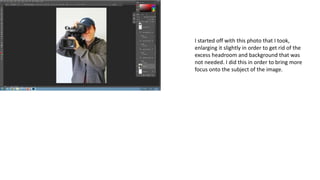
I started off with this photo that I took,
enlarging it slightly in order to get rid of the
excess headroom and background that was
not needed. I did this in order to bring more
focus onto the subject of the image.
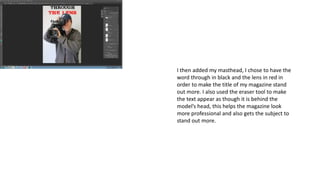
I then added my masthead, I chose to have the
word through in black and the lens in red in
order to make the title of my magazine stand
out more. I also used the eraser tool to make
the text appear as though it is behind the
model’s head, this helps the magazine look
more professional and also gets the subject to
stand out more.
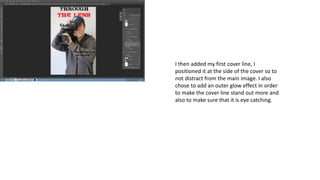
I then added my first cover line, I
positioned it at the side of the cover so to
not distract from the main image. I also
chose to add an outer glow effect in order
to make the cover line stand out more and
also to make sure that it is eye catching.
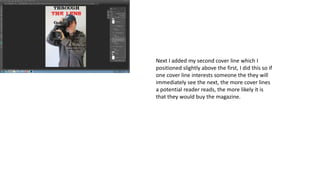
Next I added my second cover line which I
positioned slightly above the first, I did this so if
one cover line interests someone the they will
immediately see the next, the more cover lines
a potential reader reads, the more likely it is
that they would buy the magazine.
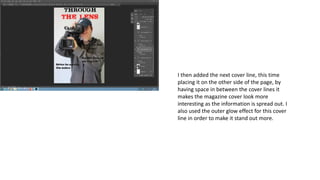
I then added the next cover line, this time
placing it on the other side of the page, by
having space in between the cover lines it
makes the magazine cover look more
interesting as the information is spread out. I
also used the outer glow effect for this cover
line in order to make it stand out more.
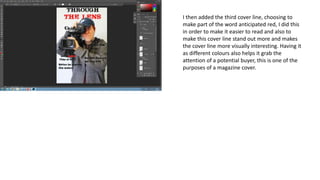
I then added the third cover line, choosing to
make part of the word anticipated red, I did this
in order to make it easier to read and also to
make this cover line stand out more and makes
the cover line more visually interesting. Having it
as different colours also helps it grab the
attention of a potential buyer, this is one of the
purposes of a magazine cover.
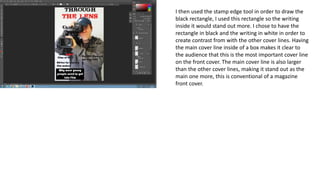
I then used the stamp edge tool in order to draw the
black rectangle, I used this rectangle so the writing
inside it would stand out more. I chose to have the
rectangle in black and the writing in white in order to
create contrast from with the other cover lines. Having
the main cover line inside of a box makes it clear to
the audience that this is the most important cover line
on the front cover. The main cover line is also larger
than the other cover lines, making it stand out as the
main one more, this is conventional of a magazine
front cover.
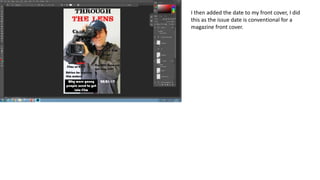
I then added the date to my front cover, I did
this as the issue date is conventional for a
magazine front cover.
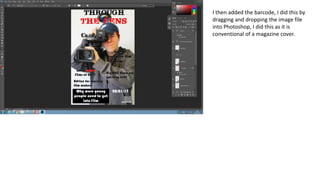
I then added the barcode, I did this by
dragging and dropping the image file
into Photoshop, I did this as it is
conventional of a magazine cover.
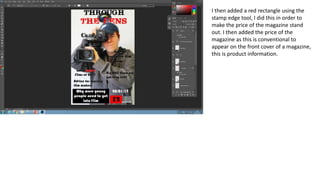
I then added a red rectangle using the
stamp edge tool, I did this in order to
make the price of the magazine stand
out. I then added the price of the
magazine as this is conventional to
appear on the front cover of a magazine,
this is product information.
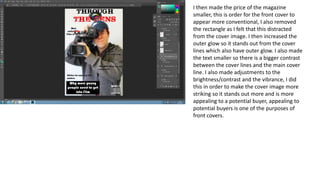
I then made the price of the magazine
smaller, this is order for the front cover to
appear more conventional, I also removed
the rectangle as I felt that this distracted
from the cover image. I then increased the
outer glow so it stands out from the cover
lines which also have outer glow. I also made
the text smaller so there is a bigger contrast
between the cover lines and the main cover
line. I also made adjustments to the
brightness/contrast and the vibrance, I did
this in order to make the cover image more
striking so it stands out more and is more
appealing to a potential buyer, appealing to
potential buyers is one of the purposes of
front covers.

Production process 1 fc

  • 1.
    I started offwith this photo that I took, enlarging it slightly in order to get rid of the excess headroom and background that was not needed. I did this in order to bring more focus onto the subject of the image.
  • 2.
    I then addedmy masthead, I chose to have the word through in black and the lens in red in order to make the title of my magazine stand out more. I also used the eraser tool to make the text appear as though it is behind the model’s head, this helps the magazine look more professional and also gets the subject to stand out more.
  • 3.
    I then addedmy first cover line, I positioned it at the side of the cover so to not distract from the main image. I also chose to add an outer glow effect in order to make the cover line stand out more and also to make sure that it is eye catching.
  • 4.
    Next I addedmy second cover line which I positioned slightly above the first, I did this so if one cover line interests someone the they will immediately see the next, the more cover lines a potential reader reads, the more likely it is that they would buy the magazine.
  • 5.
    I then addedthe next cover line, this time placing it on the other side of the page, by having space in between the cover lines it makes the magazine cover look more interesting as the information is spread out. I also used the outer glow effect for this cover line in order to make it stand out more.
  • 6.
    I then addedthe third cover line, choosing to make part of the word anticipated red, I did this in order to make it easier to read and also to make this cover line stand out more and makes the cover line more visually interesting. Having it as different colours also helps it grab the attention of a potential buyer, this is one of the purposes of a magazine cover.
  • 7.
    I then usedthe stamp edge tool in order to draw the black rectangle, I used this rectangle so the writing inside it would stand out more. I chose to have the rectangle in black and the writing in white in order to create contrast from with the other cover lines. Having the main cover line inside of a box makes it clear to the audience that this is the most important cover line on the front cover. The main cover line is also larger than the other cover lines, making it stand out as the main one more, this is conventional of a magazine front cover.
  • 8.
    I then addedthe date to my front cover, I did this as the issue date is conventional for a magazine front cover.
  • 9.
    I then addedthe barcode, I did this by dragging and dropping the image file into Photoshop, I did this as it is conventional of a magazine cover.
  • 10.
    I then addeda red rectangle using the stamp edge tool, I did this in order to make the price of the magazine stand out. I then added the price of the magazine as this is conventional to appear on the front cover of a magazine, this is product information.
  • 11.
    I then madethe price of the magazine smaller, this is order for the front cover to appear more conventional, I also removed the rectangle as I felt that this distracted from the cover image. I then increased the outer glow so it stands out from the cover lines which also have outer glow. I also made the text smaller so there is a bigger contrast between the cover lines and the main cover line. I also made adjustments to the brightness/contrast and the vibrance, I did this in order to make the cover image more striking so it stands out more and is more appealing to a potential buyer, appealing to potential buyers is one of the purposes of front covers.