Chapter 2
OPERATING
SYSTEM
7 / 1 5 / 2 0 1 7
1
• The operating system is very important system
software .it consists of set of programs and data
for performing general task on a computer .these
are the tasks that have to be performed by all
computers .
• It is a collection of system software that controls
the working of computer systems .it acts as an
interface between the computer user and
computer .
• It facilitates program execution and helps in
developing application programs .
INTRODUCTION
7 / 1 5 / 2 0 1 7
2
1. Booting up and providing a user
interface
2. Managing programs
3. Managing files and directories
4. Controlling system devices
5. Multitasking
FUNCTIONS OF OPERATING SYSTEM
7 / 1 5 / 2 0 1 7
3
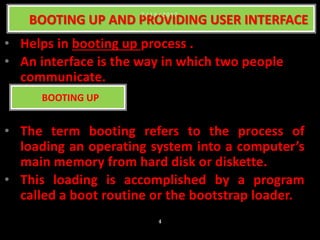
• Helps in booting up process .
• An interface is the way in which two people
communicate.
• The term booting refers to the process of
loading an operating system into a computer’s
main memory from hard disk or diskette.
• This loading is accomplished by a program
called a boot routine or the bootstrap loader.
BOOTING UP AND PROVIDING USER INTERFACE
BOOTING UP
7 / 1 5 / 2 0 1 7
4
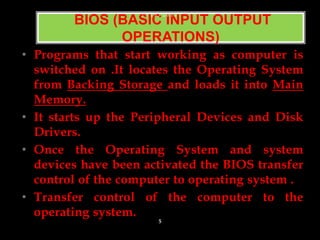
• Programs that start working as computer is
switched on .It locates the Operating System
from Backing Storage and loads it into Main
Memory.
• It starts up the Peripheral Devices and Disk
Drivers.
• Once the Operating System and system
devices have been activated the BIOS transfer
control of the computer to operating system .
• Transfer control of the computer to the
operating system.
BIOS (BASIC INPUT OUTPUT
OPERATIONS)
7 / 1 5 / 2 0 1 7
5
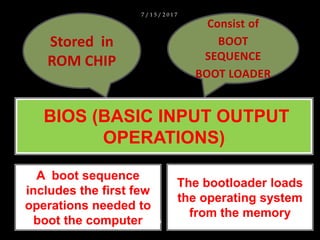
Stored in
ROM CHIP
Consist of
BOOT
SEQUENCE
BOOT LOADER
BIOS (BASIC INPUT OUTPUT
OPERATIONS)
A boot sequence
includes the first few
operations needed to
boot the computer
The bootloader loads
the operating system
from the memory
7 / 1 5 / 2 0 1 7
6
A user interface is a program that allows a
user to communicate with the computer .
USER INTERFACE
7 / 1 5 / 2 0 1 7
7
• The operating system runs all the system
software and application software store
on the computer . Any problem in
operating system means that neither
system nor application software can run
properly .
MANAGING PROGRAMS
7 / 1 5 / 2 0 1 7
8
The Operating System maintains files and
folders by storing each file at a unique
location in its memory .The operating
system can also change the location of
file if required by user .It also allows the
same file to be used by two different
application programs
MANAGING FILES AND
DIRECTORIES
7 / 1 5 / 2 0 1 7
9
• Controls system devices such as
peripheral devices and drives
• Makes sure device perform exact
function as needed by user
CONTROLLING SYSTEM DEVICES
7 / 1 5 / 2 0 1 7
10
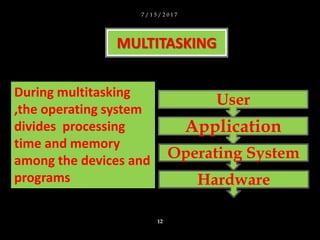
• Doing two or more things at a
same time.
• The operating system lets users
use several devices and work on
several application program at
the same time
MULTITASKING
7 / 1 5 / 2 0 1 7
11
MULTITASKING
User
Application
Operating System
Hardware
During multitasking
,the operating system
divides processing
time and memory
among the devices and
programs
7 / 1 5 / 2 0 1 7
12
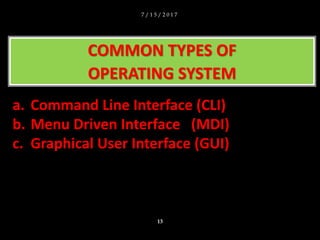
COMMON TYPES OF
OPERATING SYSTEM
a. Command Line Interface (CLI)
b. Menu Driven Interface (MDI)
c. Graphical User Interface (GUI)
7 / 1 5 / 2 0 1 7
13
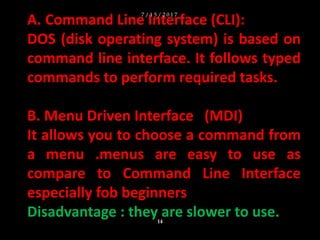
A. Command Line Interface (CLI):
DOS (disk operating system) is based on
command line interface. It follows typed
commands to perform required tasks.
B. Menu Driven Interface (MDI)
It allows you to choose a command from
a menu .menus are easy to use as
compare to Command Line Interface
especially fob beginners
Disadvantage : they are slower to use.
7 / 1 5 / 2 0 1 7
14
C. Graphical User Interface (GUI)
Easiest interface to use ,the Graphical
User Interface (GUI),uses images to
represent options . Some of these images
take the form of icons .Icons are small
pictorial figures that represents tasks
,functions or programs .
7 / 1 5 / 2 0 1 7
15

Operaing system

  • 1.
  • 2.
    • The operatingsystem is very important system software .it consists of set of programs and data for performing general task on a computer .these are the tasks that have to be performed by all computers . • It is a collection of system software that controls the working of computer systems .it acts as an interface between the computer user and computer . • It facilitates program execution and helps in developing application programs . INTRODUCTION 7 / 1 5 / 2 0 1 7 2
  • 3.
    1. Booting upand providing a user interface 2. Managing programs 3. Managing files and directories 4. Controlling system devices 5. Multitasking FUNCTIONS OF OPERATING SYSTEM 7 / 1 5 / 2 0 1 7 3
  • 4.
    • Helps inbooting up process . • An interface is the way in which two people communicate. • The term booting refers to the process of loading an operating system into a computer’s main memory from hard disk or diskette. • This loading is accomplished by a program called a boot routine or the bootstrap loader. BOOTING UP AND PROVIDING USER INTERFACE BOOTING UP 7 / 1 5 / 2 0 1 7 4
  • 5.
    • Programs thatstart working as computer is switched on .It locates the Operating System from Backing Storage and loads it into Main Memory. • It starts up the Peripheral Devices and Disk Drivers. • Once the Operating System and system devices have been activated the BIOS transfer control of the computer to operating system . • Transfer control of the computer to the operating system. BIOS (BASIC INPUT OUTPUT OPERATIONS) 7 / 1 5 / 2 0 1 7 5
  • 6.
    Stored in ROM CHIP Consistof BOOT SEQUENCE BOOT LOADER BIOS (BASIC INPUT OUTPUT OPERATIONS) A boot sequence includes the first few operations needed to boot the computer The bootloader loads the operating system from the memory 7 / 1 5 / 2 0 1 7 6
  • 7.
    A user interfaceis a program that allows a user to communicate with the computer . USER INTERFACE 7 / 1 5 / 2 0 1 7 7
  • 8.
    • The operatingsystem runs all the system software and application software store on the computer . Any problem in operating system means that neither system nor application software can run properly . MANAGING PROGRAMS 7 / 1 5 / 2 0 1 7 8
  • 9.
    The Operating Systemmaintains files and folders by storing each file at a unique location in its memory .The operating system can also change the location of file if required by user .It also allows the same file to be used by two different application programs MANAGING FILES AND DIRECTORIES 7 / 1 5 / 2 0 1 7 9
  • 10.
    • Controls systemdevices such as peripheral devices and drives • Makes sure device perform exact function as needed by user CONTROLLING SYSTEM DEVICES 7 / 1 5 / 2 0 1 7 10
  • 11.
    • Doing twoor more things at a same time. • The operating system lets users use several devices and work on several application program at the same time MULTITASKING 7 / 1 5 / 2 0 1 7 11
  • 12.
    MULTITASKING User Application Operating System Hardware During multitasking ,theoperating system divides processing time and memory among the devices and programs 7 / 1 5 / 2 0 1 7 12
  • 13.
    COMMON TYPES OF OPERATINGSYSTEM a. Command Line Interface (CLI) b. Menu Driven Interface (MDI) c. Graphical User Interface (GUI) 7 / 1 5 / 2 0 1 7 13
  • 14.
    A. Command LineInterface (CLI): DOS (disk operating system) is based on command line interface. It follows typed commands to perform required tasks. B. Menu Driven Interface (MDI) It allows you to choose a command from a menu .menus are easy to use as compare to Command Line Interface especially fob beginners Disadvantage : they are slower to use. 7 / 1 5 / 2 0 1 7 14
  • 15.
    C. Graphical UserInterface (GUI) Easiest interface to use ,the Graphical User Interface (GUI),uses images to represent options . Some of these images take the form of icons .Icons are small pictorial figures that represents tasks ,functions or programs . 7 / 1 5 / 2 0 1 7 15