Software
By Shamzash Alamzeb
What exactly is a
software?
Software
A collection of instructions that tells
the computer what to do
OR
“Software is a
single/collection of
programs that performs a
particular task.”
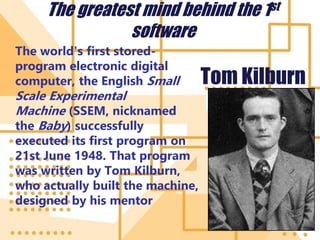
The greatest mind behind the 1st
software
The world's first stored-
program electronic digital
computer, the English Small
Scale Experimental
Machine (SSEM, nicknamed
the Baby) successfully
executed its first program on
21st June 1948. That program
was written by Tom Kilburn,
who actually built the machine,
designed by his mentor
Tom Kilburn
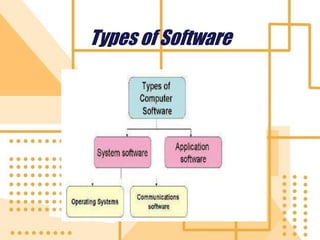
There are three basic
softwares:
System software
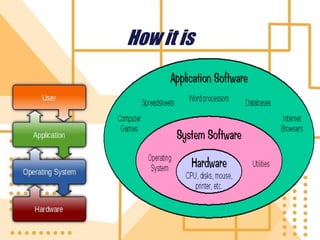
System software is computer
software designed to operate the
computer hardware and to provide
and maintain a platform for running
application software.
Programming software
It is used for providing tools
to the programmer for writing
computer programs and
software by using
programming languages.
Application Software
Also known as Apps, this
is a program or group of
programs designed for
end users
Types of Software
How it is
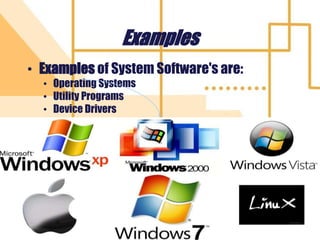
Examples
• Examples of System Software's are:
• Operating Systems
• Utility Programs
• Device Drivers
M. Hammad Waseem 11
Operating System (OS)
• An operating system (OS) is a
collection of software that
manages computer
hardware resources and provides
common services for computer
programs.
• The operating system is a vital component
of the system software in a computer
system.
• Application programs usually require an
operating system to function. 12
13
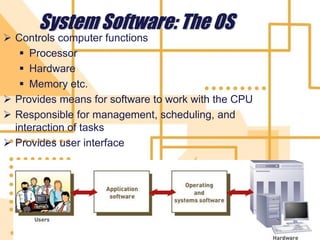
System Software: The OS
 Controls computer functions
 Processor
 Hardware
 Memory etc.
 Provides means for software to work with the CPU
 Responsible for management, scheduling, and
interaction of tasks
 Provides user interface
System Software: Utilities
• A program that performs a specific task
related to the management of computer
functions, resources, or files,
as password protection, memory management, vi
rus protection, and file compression.
• Utility software helps to manage, maintain and
control computer resources(System memory,
cache memory, hard disk space, are examples.)
15
System Software: Utilities
• Utilities: Programs that perform
computer housekeeping tasks
• Manage system resources
• Improve efficiency
• Virus prevention
• system maintenance and
• file compression.
Cont….
• Utilities software
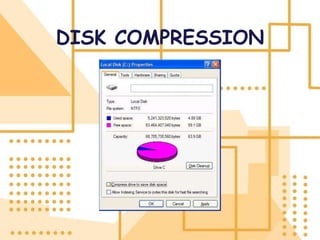
1.disk compression
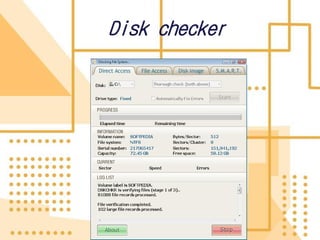
2.disk checker
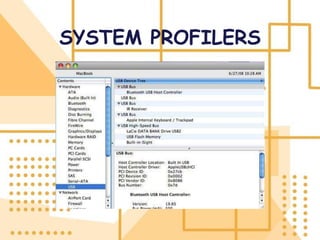
3.system profilers
4.antivirus software
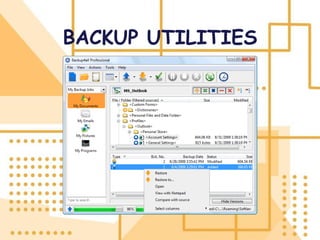
5.backup utilities
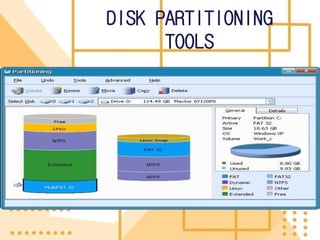
6.DISK PARTITIONING TOOLS
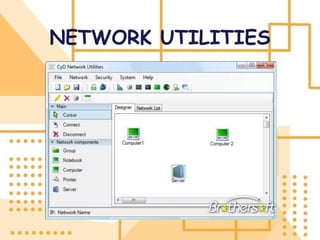
7.NETWORK UTILITIES
DISK COMPRESSION
Disk checker
SYSTEM PROFILERS
ANTIVIRUS
SOFTWARE
BACKUP UTILITIES
DISK PARTITIONING
TOOLS
NETWORK UTILITIES
24
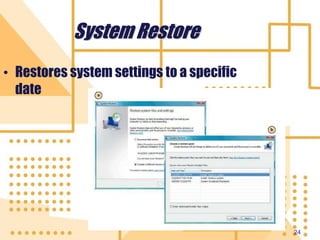
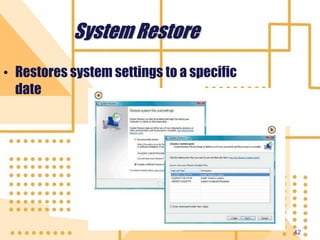
System Restore
• Restores system settings to a specific
date
25
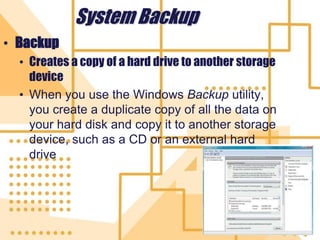
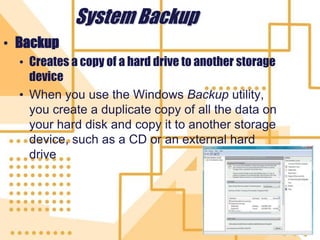
System Backup
• Backup
• Creates a copy of a hard drive to another storage
device
• When you use the Windows Backup utility,
you create a duplicate copy of all the data on
your hard disk and copy it to another storage
device, such as a CD or an external hard
drive
Device Driver
• A Device Driver is a computer
program that operates or controls a
particular type of device that is
attached to a computer.
• Like printers
• CD-ROM readers
26
CONT…
• The sole purpose of a device driver is to
instruct a computer on how to
communicate with the input/output device
(I/O) by translating the operating system's
I/O instructions into a language that a
device can understand. There are various
types of device drivers for I/O devices such
as keyboards, mice, CD/DVD drives,
controllers, printers, graphics cards and
ports.
28
Operating System Categories
• Four categories:
• Real-time (RTOS)
• Single-user, single-task (e.g. 1 student 1
teacher)
• Single-user, multitask [e.g. 1 teacher
multiple students]
• Multiuser
Real T ime Operating System
• Real time operating system mean quick
response or
• That guarantee a cretin capability within a
specify time constraint. E.g. Radar control
system
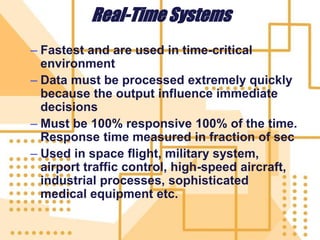
Real-Time Systems
– Fastest and are used in time-critical
environment
– Data must be processed extremely quickly
because the output influence immediate
decisions
– Must be 100% responsive 100% of the time.
Response time measured in fraction of sec
– Used in space flight, military system,
airport traffic control, high-speed aircraft,
industrial processes, sophisticated
medical equipment etc.
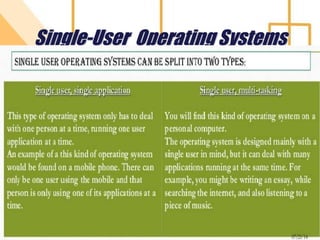
Single-User Operating Systems
32
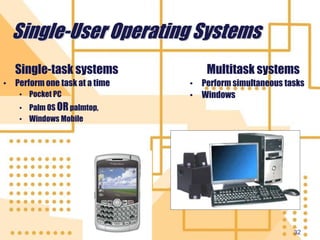
Single-User Operating Systems
Single-task systems
• Perform one task at a time
• Pocket PC
• Palm OS ORpalmtop,
• Windows Mobile
Multitask systems
• Perform simultaneous tasks
• Windows
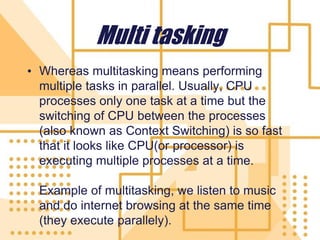
Multi tasking
• Whereas multitasking means performing
multiple tasks in parallel. Usually, CPU
processes only one task at a time but the
switching of CPU between the processes
(also known as Context Switching) is so fast
that it looks like CPU(or processor) is
executing multiple processes at a time.
Example of multitasking, we listen to music
and do internet browsing at the same time
(they execute parallely).
Multiuser Operating Systems
• A multiuser operating system (also known as a
network operating system) enables more than
one user to access the computer system at one
time by efficiently manipulating all the requests
from multiple users.
• Networks require a multiuser operating system
because many users access the server
computer at the same time and share
resources.
• Examples include Linux,UNIX etc.
35
Operating Systems for
Servers and Mainframes
• Servers
• Manage network resources
• Mainframes
• Handle requests from hundreds or thousands
of users simultaneously
• Operating systems:
• Windows Server
• Unix
36
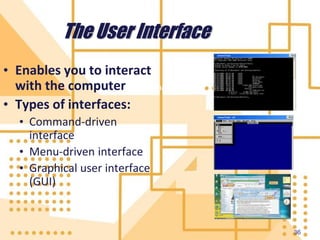
The User Interface
• Enables you to interact
with the computer
• Types of interfaces:
• Command-driven
interface
• Menu-driven interface
• Graphical user interface
(GUI)
Command-driven
37
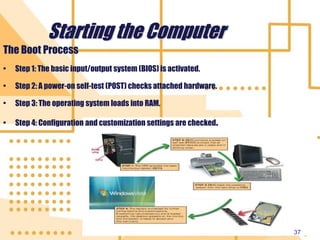
Starting the Computer
The Boot Process
• Step 1: The basic input/output system (BIOS) is activated.
• Step 2: A power-on self-test (POST) checks attached hardware.
• Step 3: The operating system loads into RAM.
• Step 4: Configuration and customization settings are checked.
38
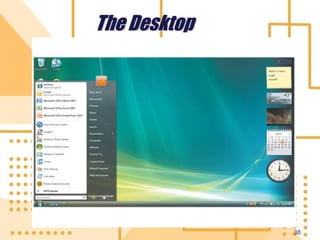
The Desktop
39
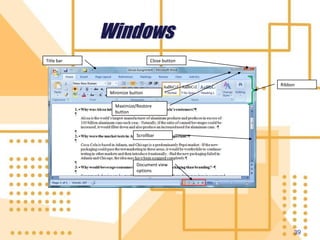
Windows
Title bar Close button
Ribbon
Minimize button
Maximize/Restore
button
Scrollbar
Document view
options
40
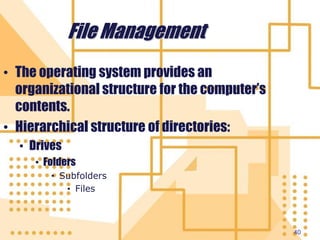
File Management
• The operating system provides an
organizational structure for the computer’s
contents.
• Hierarchical structure of directories:
• Drives
• Folders
• Subfolders
• Files
41
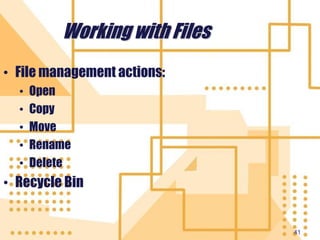
Working with Files
• File management actions:
• Open
• Copy
• Move
• Rename
• Delete
• Recycle Bin
42
System Restore
• Restores system settings to a specific
date
43
System Backup
• Backup
• Creates a copy of a hard drive to another storage
device
• When you use the Windows Backup utility,
you create a duplicate copy of all the data on
your hard disk and copy it to another storage
device, such as a CD or an external hard
drive

ICT-Lecture_-_10.ppt

  • 1.
  • 2.
    What exactly isa software?
  • 3.
    Software A collection ofinstructions that tells the computer what to do OR “Software is a single/collection of programs that performs a particular task.”
  • 4.
    The greatest mindbehind the 1st software The world's first stored- program electronic digital computer, the English Small Scale Experimental Machine (SSEM, nicknamed the Baby) successfully executed its first program on 21st June 1948. That program was written by Tom Kilburn, who actually built the machine, designed by his mentor Tom Kilburn
  • 5.
    There are threebasic softwares:
  • 6.
    System software System softwareis computer software designed to operate the computer hardware and to provide and maintain a platform for running application software.
  • 7.
    Programming software It isused for providing tools to the programmer for writing computer programs and software by using programming languages.
  • 8.
    Application Software Also knownas Apps, this is a program or group of programs designed for end users
  • 9.
  • 10.
  • 11.
    Examples • Examples ofSystem Software's are: • Operating Systems • Utility Programs • Device Drivers M. Hammad Waseem 11
  • 12.
    Operating System (OS) •An operating system (OS) is a collection of software that manages computer hardware resources and provides common services for computer programs. • The operating system is a vital component of the system software in a computer system. • Application programs usually require an operating system to function. 12
  • 13.
    13 System Software: TheOS  Controls computer functions  Processor  Hardware  Memory etc.  Provides means for software to work with the CPU  Responsible for management, scheduling, and interaction of tasks  Provides user interface
  • 14.
    System Software: Utilities •A program that performs a specific task related to the management of computer functions, resources, or files, as password protection, memory management, vi rus protection, and file compression. • Utility software helps to manage, maintain and control computer resources(System memory, cache memory, hard disk space, are examples.)
  • 15.
    15 System Software: Utilities •Utilities: Programs that perform computer housekeeping tasks • Manage system resources • Improve efficiency • Virus prevention • system maintenance and • file compression.
  • 16.
    Cont…. • Utilities software 1.diskcompression 2.disk checker 3.system profilers 4.antivirus software 5.backup utilities 6.DISK PARTITIONING TOOLS 7.NETWORK UTILITIES
  • 17.
  • 18.
  • 19.
  • 20.
  • 21.
  • 22.
  • 23.
  • 24.
    24 System Restore • Restoressystem settings to a specific date
  • 25.
    25 System Backup • Backup •Creates a copy of a hard drive to another storage device • When you use the Windows Backup utility, you create a duplicate copy of all the data on your hard disk and copy it to another storage device, such as a CD or an external hard drive
  • 26.
    Device Driver • ADevice Driver is a computer program that operates or controls a particular type of device that is attached to a computer. • Like printers • CD-ROM readers 26
  • 27.
    CONT… • The solepurpose of a device driver is to instruct a computer on how to communicate with the input/output device (I/O) by translating the operating system's I/O instructions into a language that a device can understand. There are various types of device drivers for I/O devices such as keyboards, mice, CD/DVD drives, controllers, printers, graphics cards and ports.
  • 28.
    28 Operating System Categories •Four categories: • Real-time (RTOS) • Single-user, single-task (e.g. 1 student 1 teacher) • Single-user, multitask [e.g. 1 teacher multiple students] • Multiuser
  • 29.
    Real T imeOperating System • Real time operating system mean quick response or • That guarantee a cretin capability within a specify time constraint. E.g. Radar control system
  • 30.
    Real-Time Systems – Fastestand are used in time-critical environment – Data must be processed extremely quickly because the output influence immediate decisions – Must be 100% responsive 100% of the time. Response time measured in fraction of sec – Used in space flight, military system, airport traffic control, high-speed aircraft, industrial processes, sophisticated medical equipment etc.
  • 31.
  • 32.
    32 Single-User Operating Systems Single-tasksystems • Perform one task at a time • Pocket PC • Palm OS ORpalmtop, • Windows Mobile Multitask systems • Perform simultaneous tasks • Windows
  • 33.
    Multi tasking • Whereasmultitasking means performing multiple tasks in parallel. Usually, CPU processes only one task at a time but the switching of CPU between the processes (also known as Context Switching) is so fast that it looks like CPU(or processor) is executing multiple processes at a time. Example of multitasking, we listen to music and do internet browsing at the same time (they execute parallely).
  • 34.
    Multiuser Operating Systems •A multiuser operating system (also known as a network operating system) enables more than one user to access the computer system at one time by efficiently manipulating all the requests from multiple users. • Networks require a multiuser operating system because many users access the server computer at the same time and share resources. • Examples include Linux,UNIX etc.
  • 35.
    35 Operating Systems for Serversand Mainframes • Servers • Manage network resources • Mainframes • Handle requests from hundreds or thousands of users simultaneously • Operating systems: • Windows Server • Unix
  • 36.
    36 The User Interface •Enables you to interact with the computer • Types of interfaces: • Command-driven interface • Menu-driven interface • Graphical user interface (GUI) Command-driven
  • 37.
    37 Starting the Computer TheBoot Process • Step 1: The basic input/output system (BIOS) is activated. • Step 2: A power-on self-test (POST) checks attached hardware. • Step 3: The operating system loads into RAM. • Step 4: Configuration and customization settings are checked.
  • 38.
  • 39.
    39 Windows Title bar Closebutton Ribbon Minimize button Maximize/Restore button Scrollbar Document view options
  • 40.
    40 File Management • Theoperating system provides an organizational structure for the computer’s contents. • Hierarchical structure of directories: • Drives • Folders • Subfolders • Files
  • 41.
    41 Working with Files •File management actions: • Open • Copy • Move • Rename • Delete • Recycle Bin
  • 42.
    42 System Restore • Restoressystem settings to a specific date
  • 43.
    43 System Backup • Backup •Creates a copy of a hard drive to another storage device • When you use the Windows Backup utility, you create a duplicate copy of all the data on your hard disk and copy it to another storage device, such as a CD or an external hard drive