NMTs for teachin and
NMT f t        hing d
learning digital j
                 journalism


                                 Jude Mathurine
                     Coordinator New Media Lab
                              Rhodes University
                          j.mathurine@ru.ac.za
What are your challeng to teaching ā€˜
                         ges           ā€˜online
    journalism’ and mainsstreaming new media?

• Low bandwidth/No ba   andwidth
• Electricity
• Too few computers
• Expensive software
• Trainers/educators ne d t i i
  T i       / d   t     eed training
• Digital evangelists vs luddites and
  obstructionists in your department
                         r
• Generational, ideologi
                ,      gical differences
What are your challeng to teaching ā€˜
                     ges           ā€˜online
journalism’ and mainsstreaming new media?

• Carry capacity (class size)
• Gender in class vs gla ceiling
                       ass
• Attention economy
Hardware solutions?
• Students purchase netbo computers (Linux or
                           ook
  Windows OS) as a prerequisite for enrolment (most
  books, documents and te  eaching materials could be
  provided electronically an cut down on printing
                           nd
  costs [although copyright remains an issue])
                           t
• Get Microsoft , Nokia Ap
                  Nokia, pple
  to subsidise costs based on bulk
  sales
• Keep a lab of high end computers
  for more advanced prod
                       p duction
Hardware solutions?
• Refurbished computers from international NGOs,
                          s
  e.g.
  e g Computer Aid; also bbusiness,
                          business state agencies
• Find out what mobiles yo students use
                         our
• S t up your labs t allow student mobile phones t
  Set         l b to ll     t d t    bil h       to
  connect to computers (uppload and share podcasts,
  video,
  video documents via bluuetooth,
                         uetooth cable)
Hardware solutions?
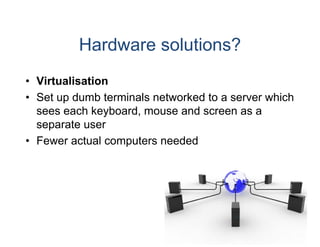
• Virtualisation
• S t up dumb t
  Set    d b terminals net
                  i l etworked to a server which
                             k dt           hi h
  sees each keyboard, mouse and screen as a
  separate user
• Fewer actual computers needed
Hardware solutions?
• Students use cyber cafe to complete
                         es
  assignments
• Assignments are emailed in or submitted on other
                         d
  platforms like Google Do
                         ocs
• OLPC (one laptop per chhild)
What can you do
         y
•   Get students to set up Google Account
                                e Account.

•   Gmail username and passwor offers doorway to:
                                 rd
•   Blogger (bl
    Bl       (blogging)
                   i )
•   Google Docs (Editing/Proofingg)
•   Google Spreadsheets (data an y )
         g    p             (    nalysis)
•   Google Calendar (Timetable/SSMS reminder)
•   Google Reader (RSS feeds)
•   Google Alerts (filters)
•   Google Groups (listserv/discus
                                 ssion groups)
•   Google Analytics (Analysing your website performance)
•   Google Maps (Geography and geo spatial distribution of
                                 d
    information)
•   Youtube (online video bookma arks)
What can you do
         y
•   Share subject related website links with your colleagues
    and students through delicious
                                 s;

•   To d
    T do with students:
            ith t d t
•   Set up new media account for your class
                                 r
•   Get students to bookmark, summmarise and tag web
                                                 g
    pages that they stumble acros in particular categories
                                 ss
    relevant to your teaching
•   Get students to review pages and services and tag
    content to optimise for search (SEO)
                                 h
What can you do
         y
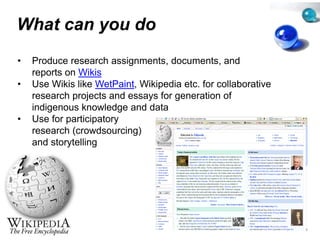
•   Produce research assignment documents and
                                 ts,
                                 ts documents,
    reports on Wikis
•   Use Wikis like WetPaint, Wikip
                                 pedia etc. for collaborative
    research projects and essays f generation of
            h     j t     d       for        ti    f
    indigenous knowledge and da ata
•   Use for participatory
            p      p    y
    research (crowdsourcing)
    and storytelling
• Use blogs for teac g &
          g        ching
  learning
 •   Comment writing
 •   Expert blogging (in depth reseearch in field)
 •   Online writing and editing skills
 •   How to use a Content Manage    ement System
 •   Use as an online newspaper
 •   Rudimentary HTML, CSS (Blo    ogger)
 •   Search engine optimisation (categories, tagging)
 •   Social
     S i l media optimisation (li k
               di     ti i ti (link klove, seeding,
                                    kl         di
     shepherding)
 •   Discuss citizen media and ope journalisms, p
                                  pen j             premises
     of blogging
 •   Follow bloggers to keep up to date on your field.
     Use an RSS reader Blog rea
                   reader.          ading becomes habit.
                                                     habit
What can you do
         y
•   Wordpress
•   LiveJournal
•   Blogger
•   Ning (keep your student/staff b
    Ni (k             t d t/ t ff bl
                                  blogs t
                                        together b
                                            th by
•   creating a blog social network)

•   Build a website?
•   Yola


•   All these sites allow the user to export their work onto a
    hosted solution. Start with blog and migrate later
                                    g
•   Teach coding by getting students to alter blog and
    website templates
Mobile website
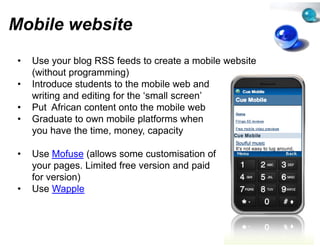
 •   Use your blog RSS feeds to crreate a mobile website
     (without programming)
 •   Introduce students to the mobile web and
     writing and editing f th ā€˜ all screen’
        iti    d diti for the ā€˜small       ’
 •   Put African content onto the m
                                  mobile web
 •   Graduate to own mobile platfo
                              p orms when
     you have the time, money, cappacity

 •   Use Mofuse (allows some cus  stomisation of
     your pages. Limited free versio and paid
                                   on
     for version)
 •   Use Wapple
Video
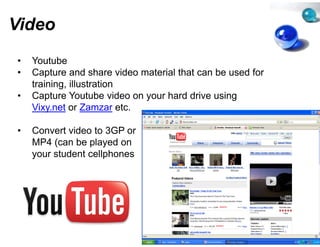
•   Youtube
•   Capture and share video mate
                               erial that can be used for
    training, illustration
•   Capture Y t b video on you h d d i using
    C t       Youtube id       ur hard drive i
    Vixy.net or Zamzar etc.

•   Convert video to 3GP or
    MP4 (can be played on
    your student cellphones
Online economics
               s
•   Create an Adwords account – enter your students on
    the Google Online Marketing C Competition 2010
•   Distinguish between traditiona and emerging online
                                  al
    advertising models
      d ti i        d l
•   Get students to understand ho to build better web
                                  ow
    p g
    pages to maximise revenue generation
                                 ge
•   Gets students to consider techhnical and cultural factors
    affecting the success of online advertising
                                  e
•   Discuss online marketing and media planning
•   Explain concepts used in onlin marketing and
                                  ne
    advertising
Data security

•   Teach students to take an inteerest in managing data
    (creating systems for organisin and storing data) and
                                   ng
    data security (virus guards, protecting your identity
    online)
       li )

•   Download and distribute free v
                                 virusguards like:
                                      g
•   Clamwin
•   Or AVG
Photo-editing

Educators complain about high pr  rice of software
Photo-editing software is available for free
                                  e
Photoshop is now online
Upload i t
U l d picture and retouch th
                  d t     h them at Ph t h
                                    t Photoshop.com

Or install the GIMP Open Source programme
                     p          p g


Once again – no need for expens
                              sive photo editing tools
                                   photo-editing
Classes
•   Subscribe to educational new media/journalism
    podcasts, videos
•   Share podcasts on university s server or through free file
    sharing services lik B
     h i        i    like Box.net t conserve bandwidth
                                t to            b d idth
•   Show students how to upload podcasts cellphones (via
    Bluetooth or cable))
•   Make own podcasts of classes for your students to
                                  s
    download

•   Share your Powerpoints through Slideshare;
•   Learn, read, rate, rank
•   Control access (share only wit your students)
                                 th
•   Use other users slideshows BUT ALWAYS ATTRIBUTE
•   SHARE contents with colleagu using file sharing
                                 ues
    space
Research
•   Create basic research instrumment using Surveymonkey
•   Collect, collate and analyse da (though limited to ten
                                  ata
    questions in free version)
What can you do
         y
•   Use Free Open Source Softw    ware as replacements for
    expensive proprietary tools
•   The PRINCIPLES of productio and editing within a
                                  on
    particular communications di cipline (f example,
       ti l            i ti     dis i li (for      l
    journalism, advertising) are MOORE important than what
    software is used
What can you do
         y
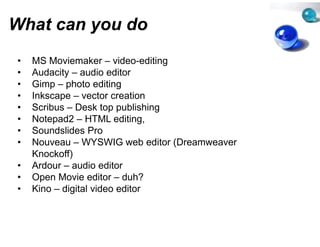
•   MS Moviemaker – video-editin
                        video editin
                                   ng
•   Audacity – audio editor
•   Gimp – photo editing
•   Inkscape – vector creation
    I k              t      ti
•   Scribus – Desk top publishing
•   Notepad2 – HTML editing,
         p                     g
•   Soundslides Pro
•   Nouveau – WYSWIG web edit (Dreamweaver
                                   tor
    Knockoff)
•   Ardour – audio editor
•   Open Movie editor – duh?
•   Kino – digital video editor
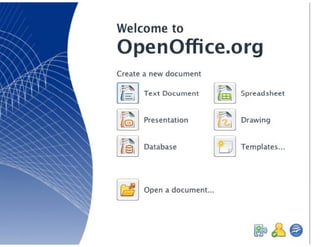
Open Office
 p
Flash animation o widgets
                or

• Teach and learn Flash animat
                             tion or get students to use

•Dipity (animated timelines)
•Mindmeister (mindmapping for web development, story
                                        development
planning)
•Google Maps – (geo spatial di  istribution of media and
information)
  f           )
•Polls – (students learn to prod
                               duce microform for online
interaction))
The Commons

•Contribute and use Creative C
 Contribute                   Commons Material
•Always attribute
•Teach students to contribute a respect the commons
                              and
•Build an African Digital Commons
•Students must understand inteellectual property rights

•Use Flickr/Compfight to get Creative C
           /C   f            Cr       Commons Images
for slideshows
•Use CCMixter to get Creative Commons sound
                 g
Communications

•Use Twitter to publicise JIT inf
 Use                            formation on the course,
share links to new documents, video etc.

•Engage in dialog with your stu
                              udents

•Encourage students to microb
                            blog

•Assess microblogs – Alerts (si    imilar to headline and
blurb writing) will be the first draft of history
            g)                                  y
Web Pub
                  blishing
• XHTML and CSS
• U Bl
  Use Blogger
• Blogger allows users to s up own blog and
                          set
  manipulate th bl t plate and stylesheets t
      i l t the blog templ t     d t l h t to
  change the layout, look a feel of the blog
                          and
• S
  Same code and skills need d t d
          d     d kill    eded to develop and
                                       l     d
  redesign of templates on database websites run on
  Wordpress, Joomla,
  Wordpress Joomla Drup   pal,
                          pal
Production softw
               ware
•   You don't need expensive e
        don t                equipment
•   Many students have cell ph
                             hones that can shoot low
    end photos (2MP)
•   And output video (3GP or M
                             MP4)

•   The school just needs the ccables, software (generally
    free)
    f ) and card readers that will enable students to
    output their mobile material (sound, pictures, video)
    onto a laptop or desktop be
             p p           p efore editingg

•   Low-end cameras or mobile phones for video
                            e
Does this mean w don’t
               we
need high end eq
               quipment?
•     NO
•   Industry will probably insist o having some high end
                                  on
    equipment and you will need to produce some high
                                  d
    quality work
•   It just means you probably n need fewer high end units
    than you think if you think s smart
•   Find out what equipment your students have in their
    pockets, what laptops they h
         k t   h tl t       th have, what software they
                                        h t ft       th
    run
•   Build your course around that
           y
•   Teach the principles not the technology
•   The technology will change; The principles remain
    the same
Free Books t download
                 to
Examples
We The Media by Dan Gillmor
Convergence Culture by Henry Je
                              enkins
The Long Tail by Chris Anderson
Journalism 2.0 b M k B i
J     li 2 0 by Mark Briggs
Free Culture by Lawrence Lessig

Get your class to read chapters fro books for free from
                                  om
  http://books.google.co.za
ā€œThis is a time …for new ped
 This            for         dagogical experiments
  to see what works and wha doesn’t in the new
                             at
 millennium…But
 millennium But we should also resist the hype,
                            d                hype
  maintain a critical attitude and pedagogy and
                             e
 continue to combine print l literacy and classical
  materials with new literac and materials.ā€
                             cies
               (Douglas Kellne 2002)
                             er
Database of Af
               frica J-Schools
http://journalismsch
                   hools.unesco-ci.org

New Media Technologies For Teaching And Learning Digital Journalism

  • 1.
    NMTs for teachinand NMT f t hing d learning digital j journalism Jude Mathurine Coordinator New Media Lab Rhodes University j.mathurine@ru.ac.za
  • 2.
    What are yourchalleng to teaching ā€˜ ges ā€˜online journalism’ and mainsstreaming new media? • Low bandwidth/No ba andwidth • Electricity • Too few computers • Expensive software • Trainers/educators ne d t i i T i / d t eed training • Digital evangelists vs luddites and obstructionists in your department r • Generational, ideologi , gical differences
  • 3.
    What are yourchalleng to teaching ā€˜ ges ā€˜online journalism’ and mainsstreaming new media? • Carry capacity (class size) • Gender in class vs gla ceiling ass • Attention economy
  • 4.
    Hardware solutions? • Studentspurchase netbo computers (Linux or ook Windows OS) as a prerequisite for enrolment (most books, documents and te eaching materials could be provided electronically an cut down on printing nd costs [although copyright remains an issue]) t • Get Microsoft , Nokia Ap Nokia, pple to subsidise costs based on bulk sales • Keep a lab of high end computers for more advanced prod p duction
  • 5.
    Hardware solutions? • Refurbishedcomputers from international NGOs, s e.g. e g Computer Aid; also bbusiness, business state agencies • Find out what mobiles yo students use our • S t up your labs t allow student mobile phones t Set l b to ll t d t bil h to connect to computers (uppload and share podcasts, video, video documents via bluuetooth, uetooth cable)
  • 6.
    Hardware solutions? • Virtualisation •S t up dumb t Set d b terminals net i l etworked to a server which k dt hi h sees each keyboard, mouse and screen as a separate user • Fewer actual computers needed
  • 7.
    Hardware solutions? • Studentsuse cyber cafe to complete es assignments • Assignments are emailed in or submitted on other d platforms like Google Do ocs • OLPC (one laptop per chhild)
  • 9.
    What can youdo y • Get students to set up Google Account e Account. • Gmail username and passwor offers doorway to: rd • Blogger (bl Bl (blogging) i ) • Google Docs (Editing/Proofingg) • Google Spreadsheets (data an y ) g p ( nalysis) • Google Calendar (Timetable/SSMS reminder) • Google Reader (RSS feeds) • Google Alerts (filters) • Google Groups (listserv/discus ssion groups) • Google Analytics (Analysing your website performance) • Google Maps (Geography and geo spatial distribution of d information) • Youtube (online video bookma arks)
  • 10.
    What can youdo y • Share subject related website links with your colleagues and students through delicious s; • To d T do with students: ith t d t • Set up new media account for your class r • Get students to bookmark, summmarise and tag web g pages that they stumble acros in particular categories ss relevant to your teaching • Get students to review pages and services and tag content to optimise for search (SEO) h
  • 11.
    What can youdo y • Produce research assignment documents and ts, ts documents, reports on Wikis • Use Wikis like WetPaint, Wikip pedia etc. for collaborative research projects and essays f generation of h j t d for ti f indigenous knowledge and da ata • Use for participatory p p y research (crowdsourcing) and storytelling
  • 12.
    • Use blogsfor teac g & g ching learning • Comment writing • Expert blogging (in depth reseearch in field) • Online writing and editing skills • How to use a Content Manage ement System • Use as an online newspaper • Rudimentary HTML, CSS (Blo ogger) • Search engine optimisation (categories, tagging) • Social S i l media optimisation (li k di ti i ti (link klove, seeding, kl di shepherding) • Discuss citizen media and ope journalisms, p pen j premises of blogging • Follow bloggers to keep up to date on your field. Use an RSS reader Blog rea reader. ading becomes habit. habit
  • 13.
    What can youdo y • Wordpress • LiveJournal • Blogger • Ning (keep your student/staff b Ni (k t d t/ t ff bl blogs t together b th by • creating a blog social network) • Build a website? • Yola • All these sites allow the user to export their work onto a hosted solution. Start with blog and migrate later g • Teach coding by getting students to alter blog and website templates
  • 14.
    Mobile website • Use your blog RSS feeds to crreate a mobile website (without programming) • Introduce students to the mobile web and writing and editing f th ā€˜ all screen’ iti d diti for the ā€˜small ’ • Put African content onto the m mobile web • Graduate to own mobile platfo p orms when you have the time, money, cappacity • Use Mofuse (allows some cus stomisation of your pages. Limited free versio and paid on for version) • Use Wapple
  • 15.
    Video • Youtube • Capture and share video mate erial that can be used for training, illustration • Capture Y t b video on you h d d i using C t Youtube id ur hard drive i Vixy.net or Zamzar etc. • Convert video to 3GP or MP4 (can be played on your student cellphones
  • 16.
    Online economics s • Create an Adwords account – enter your students on the Google Online Marketing C Competition 2010 • Distinguish between traditiona and emerging online al advertising models d ti i d l • Get students to understand ho to build better web ow p g pages to maximise revenue generation ge • Gets students to consider techhnical and cultural factors affecting the success of online advertising e • Discuss online marketing and media planning • Explain concepts used in onlin marketing and ne advertising
  • 17.
    Data security • Teach students to take an inteerest in managing data (creating systems for organisin and storing data) and ng data security (virus guards, protecting your identity online) li ) • Download and distribute free v virusguards like: g • Clamwin • Or AVG
  • 18.
    Photo-editing Educators complain abouthigh pr rice of software Photo-editing software is available for free e Photoshop is now online Upload i t U l d picture and retouch th d t h them at Ph t h t Photoshop.com Or install the GIMP Open Source programme p p g Once again – no need for expens sive photo editing tools photo-editing
  • 19.
    Classes • Subscribe to educational new media/journalism podcasts, videos • Share podcasts on university s server or through free file sharing services lik B h i i like Box.net t conserve bandwidth t to b d idth • Show students how to upload podcasts cellphones (via Bluetooth or cable)) • Make own podcasts of classes for your students to s download • Share your Powerpoints through Slideshare; • Learn, read, rate, rank • Control access (share only wit your students) th • Use other users slideshows BUT ALWAYS ATTRIBUTE • SHARE contents with colleagu using file sharing ues space
  • 20.
    Research • Create basic research instrumment using Surveymonkey • Collect, collate and analyse da (though limited to ten ata questions in free version)
  • 21.
    What can youdo y • Use Free Open Source Softw ware as replacements for expensive proprietary tools • The PRINCIPLES of productio and editing within a on particular communications di cipline (f example, ti l i ti dis i li (for l journalism, advertising) are MOORE important than what software is used
  • 22.
    What can youdo y • MS Moviemaker – video-editin video editin ng • Audacity – audio editor • Gimp – photo editing • Inkscape – vector creation I k t ti • Scribus – Desk top publishing • Notepad2 – HTML editing, p g • Soundslides Pro • Nouveau – WYSWIG web edit (Dreamweaver tor Knockoff) • Ardour – audio editor • Open Movie editor – duh? • Kino – digital video editor
  • 23.
  • 24.
    Flash animation owidgets or • Teach and learn Flash animat tion or get students to use •Dipity (animated timelines) •Mindmeister (mindmapping for web development, story development planning) •Google Maps – (geo spatial di istribution of media and information) f ) •Polls – (students learn to prod duce microform for online interaction))
  • 25.
    The Commons •Contribute anduse Creative C Contribute Commons Material •Always attribute •Teach students to contribute a respect the commons and •Build an African Digital Commons •Students must understand inteellectual property rights •Use Flickr/Compfight to get Creative C /C f Cr Commons Images for slideshows •Use CCMixter to get Creative Commons sound g
  • 26.
    Communications •Use Twitter topublicise JIT inf Use formation on the course, share links to new documents, video etc. •Engage in dialog with your stu udents •Encourage students to microb blog •Assess microblogs – Alerts (si imilar to headline and blurb writing) will be the first draft of history g) y
  • 27.
    Web Pub blishing • XHTML and CSS • U Bl Use Blogger • Blogger allows users to s up own blog and set manipulate th bl t plate and stylesheets t i l t the blog templ t d t l h t to change the layout, look a feel of the blog and • S Same code and skills need d t d d d kill eded to develop and l d redesign of templates on database websites run on Wordpress, Joomla, Wordpress Joomla Drup pal, pal
  • 28.
    Production softw ware • You don't need expensive e don t equipment • Many students have cell ph hones that can shoot low end photos (2MP) • And output video (3GP or M MP4) • The school just needs the ccables, software (generally free) f ) and card readers that will enable students to output their mobile material (sound, pictures, video) onto a laptop or desktop be p p p efore editingg • Low-end cameras or mobile phones for video e
  • 29.
    Does this meanw don’t we need high end eq quipment? • NO • Industry will probably insist o having some high end on equipment and you will need to produce some high d quality work • It just means you probably n need fewer high end units than you think if you think s smart • Find out what equipment your students have in their pockets, what laptops they h k t h tl t th have, what software they h t ft th run • Build your course around that y • Teach the principles not the technology • The technology will change; The principles remain the same
  • 30.
    Free Books tdownload to Examples We The Media by Dan Gillmor Convergence Culture by Henry Je enkins The Long Tail by Chris Anderson Journalism 2.0 b M k B i J li 2 0 by Mark Briggs Free Culture by Lawrence Lessig Get your class to read chapters fro books for free from om http://books.google.co.za
  • 31.
    ā€œThis is atime …for new ped This for dagogical experiments to see what works and wha doesn’t in the new at millennium…But millennium But we should also resist the hype, d hype maintain a critical attitude and pedagogy and e continue to combine print l literacy and classical materials with new literac and materials.ā€ cies (Douglas Kellne 2002) er
  • 32.
    Database of Af frica J-Schools http://journalismsch hools.unesco-ci.org