Info skills: How it came to be

Erica Plowman
Learning Designer
UELconnect
Friday 13th January 2012
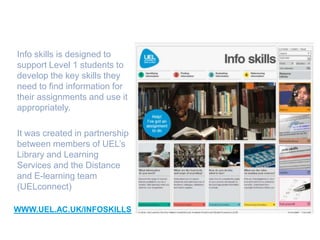
Info skills is designed to
support Level 1 students to
develop the key skills they
need to find information for
their assignments and use it
appropriately.

It was created in partnership
between members of UEL’s
Library and Learning
Services and the Distance
and E-learning team
(UELconnect)

WWW.UEL.AC.UK/INFOSKILLS
Questions we’ve been asked
How did you pull everything together?
How did you make it look so good?
Where did all the materials come from?
Why make it ‘open-access’?
Why not include other study skills?
Who did it?
Why does it
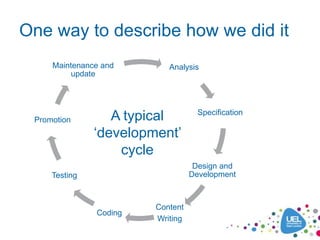
One way to describe how we did it
     Maintenance and       Analysis
          update


                                    Specification
 Promotion        A typical
               ‘development’
                   cycle
                                   Design and
     Testing                      Development


                        Content
               Coding
                        Writing
But this description ..
• Appears too mechanistic to include
  creativity and spontaneity.
• Doesn’t capture the relationships, empathy
  and communication at the heart of the
  process.
• Is often retrofitted onto the messier way
  things really happen!
Maybe it’s more helpful ..
To talk about how things develop rather than
how they ‘are developed’

Which reminds me of ..
‘Evolution’
So let’s talk about Info skills in terms of:
• Species: What kind of creature is it?
• Origins: Where did it come from?
• Evolutionary process: How was it created?
• New forms: What next?
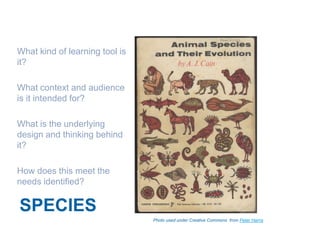
What kind of learning tool is
it?

What context and audience
is it intended for?

What is the underlying
design and thinking behind
it?

How does this meet the
needs identified?


SPECIES
                                Photo used under Creative Commons from Peter Harris
Species
• Static content – complementing F2F sessions, helpdesk/email
  support, specialist Subject Librarian appts and online chat tool
• Independent/self-directed use – ‘designed’ content, explicit,
  consistent, cross-referenced
• Informal learning – learner free to browse around, must attract
  them, not compulsory
• Hybrid resource – reference, information and learning material
• Multimedia – information presented in different formats
• ‘Just-in-time’ or ‘strategic’ – to allow learners to use it in
  different ways, last minute help, answer a specific question,
  refresh knowledge or broader overview of new concepts
• Open access – easiest access and widest reach for all learners
  (distance, part-time, international, pre-entry, partner colleges)
  also advertises support we offer to potential new students
Genetic (design) blueprint
•   Transparent navigation, flexible entry points – supports different points of
    need (starting off / refresher / lastminute.com), maximise learner control
•   Browsable, bite-size resources, variety of formats – flexible paths through
    content, caters to different learner preferences (eg straight to a practice
    quiz, or follow step-by-step guide), engage learners with multimedia
•   Conversational, motivational narratives – address learner
    directly, encourage independent learners to engage with the material
•   Tutor and peer support built-in – videos reflect genuine student experience
    and make it more relevant for them, supportive advice for new students in
    particular
•   Assignment context – emphasis on‘why’ you need these skills not just ‘what’
    they are, home page slideshow sets the scene
•   High quality graphic design/images – to engage and attract learners
•   Usability and accessibility – video subtitles and transcripts, not too text-
    heavy, only 3 levels of navigation, does contain Flash objects however.
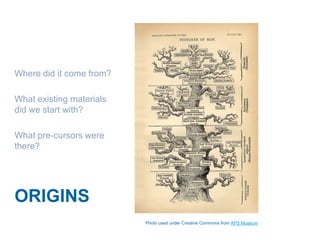
Where did it come from?

What existing materials
did we start with?

What pre-cursors were
there?


ORIGINS
                          Photo used under Creative Commons from APS Museum
Origins – our main starting points
• Existing materials – handouts, leaflets from
  Library, help docs on website, librarians
  support material
• External websites and OERs – lots of
  inspiration from other universities
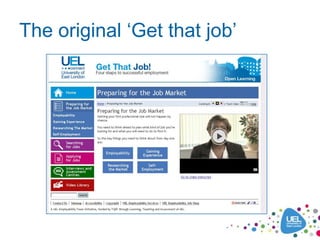
• ‘Get that job’ – we had created an in-house
  resource with Employability colleagues to
  support students with skills needed to apply
  for jobs. It looked like this …
The original ‘Get that job’
Origins
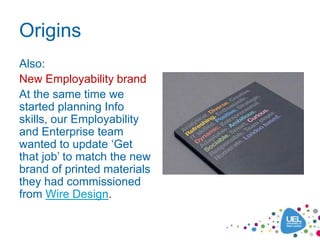
Also:
New Employability brand
At the same time we
started planning Info
skills, our Employability
and Enterprise team
wanted to update ‘Get
that job’ to match the new
brand of printed materials
they had commissioned
from Wire Design.
How was it created?

Who contributed to its
creation and what did
they do?

What were the key
things that made it
happen?


EVOLUTION
                         Photo used under Creative Commons from Mary Margret
The process of evolution
In very basic terms, the theory of evolution goes
something like:
• Existing forms come under pressure from changes
   in the environment
      new conditions, lack of resources
• There is a degree of variety in gene pool
      spontaneous mutations, newcomers to the population
• Genes mix through cross-fertilisation, producing
  slightly different forms
      natural selection favours the better adapted forms
• Over long periods, this should produce new forms
  that are more successful
Info skills evolution
Let’s consider each aspect in terms of this project:

• Existing forms
• Changes in the environment
       new conditions, lack of resources
• Variety in gene pool
       spontaneous mutations, newcomers to the population
• Cross-fertilisation
       natural selection, better adapted
• New forms
Existing forms gave us ideas:
As mentioned in Origins, some of them were:
• UEL Library website guidance docs
• Librarians’ VLE material
• OER and external websites
        Staffordshire Assignment Survival Kit
        Cardiff Information Literacy Resource Bank
        Leeds Skills@Library
        OU Safari
• Original ‘Get that job’ design
• New employability brand
Changes in the environment
New conditions:
    Widening participation, more students with info skills gaps
    Student expectations - access to 24/7 info/help
    Expectation that online tools for learning as media rich and easy-to-
      use as wider internet (Youtube, Google, Amazon etc)
    Information (overload) age – the need to find information. NOW!

Lack of resources:
    Demands on teaching and support staff for F2F and 1:1 support
    Doing ‘more for less’ agenda – maybe needs to be interpreted as
       ‘more of some things and less of others’
    High quality online resources may need a greater investment ‘up
       front’ but if they meet important needs, reach all students, and have
       a good shelf life, they may be more value-added than doing other
       cheaper, quicker things. Needs thinking about.
Variety in gene pool
Diversity of ideas, experiences, expertise, roles, responsibilities:
Project team: Head of Library and Learning Services, Academic Services Manager,
Subject Librarian, Learning Designer, Learning Technology Adviser, Learning Materials
Developer
Subject Matter Experts: Subject Librarians provided ideas advice, content and
volunteered for videos*. Wider Library staff took part in testing.
Specialist input: from Academic Integrity and Psychology (APA referencing), Skills
Modules Leaders also appeared in videos*
Student Voice: volunteers for focus groups, videos and testing, Student Liaison Officers
provided useful perspective
‘Newcomers’ to the population
    External web developers
    A professional cameraman helped us improve quality of in-house videos
    Colleagues and students helped with photos*
    Cardiff Information Literacy Resource Bank – permission to re-purpose 3 quizzes
‘Spontaneous mutations’ – things we didn’t know about when we started
    Employability branding
    CMS tool
                              * Get full written consent for use of anyone’s image
Cross-fertilisation/Natural selection
Continuous collaboration and consultation within our project team, taking ideas back and forth between Subject
Librarians, web developers and others.
Processes:
Inputs:
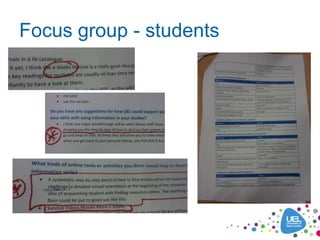
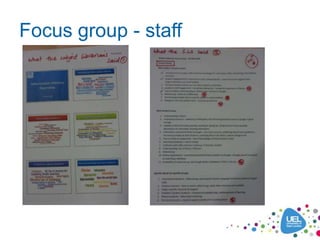
•    Initial focus groups with students and Subject Librarians
•    Requirements discussions with project team, consulting benchmarks
        Output: Project outline documentation, planned structure and milestone plan
•    Review of internal and external online and print material
•    Subject Librarians completed content ‘proformas’ on key areas
        Output: Prototyped ‘proof of concept’ design with small group staff and students
Inputs:
Prototype feedback, specialist consultations, iterations of draft text followed up with individuals, filming and
editing videos, sourcing photos, creating images, screencaptures, pdfs, quizzes, iterations of web design and
functionality
        Output: Finished resources and a CMS tool allowing us to build 80% of the site for a wider evaluation
Inputs:
Feedback collated, amends agreed, text edited and proofread, resources completed, tagging and debugging.
Publicity material and campaign planned. Google analytics set up. FAQ, Glossary, help info compiled.
      Output: Info skills completed and launched after final review by Library colleagues in March 2011
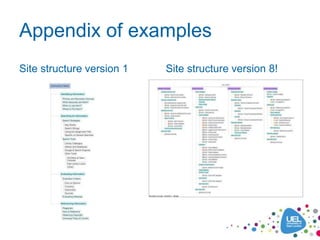
The Appendix of examples illustrates some of these developments
Adaptation
• Collaboration and testing of ideas makes it more likely the
  final result will be ‘well-adapted’ to your population and your
  conditions.
• I prefer ‘well-adapted’ as it sounds like a higher expectation
  and less clinical than ‘fit for purpose’.
• The end result is achieved through a balance of decisions
  based on discussion, evaluation, feedback and testing, and
  sometimes compromises with the technology.
• It happens over iterative cycles: formal ones with set
  evaluation points and continuous informal, small-scale ones.

• It’s an ongoing process – LLS have just completed a 6-month
  evaluation and are planning further updates to Info skills.
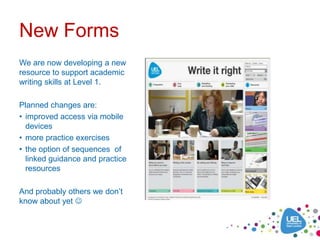
New Forms
We are now developing a new
resource to support academic
writing skills at Level 1.
Planned changes are:
• improved access via mobile
  devices
• more practice exercises
• the option of sequences of
  linked guidance and practice
  resources

And probably others we don’t
know about yet 
Lessons learned from nature?
•   Organic process
      not quite as slow as evolution
      Info skills took about 6 months actual development
      you do need a clear milestone plan but it has to allow for some spontaneity and trying out new
       ideas
      without this our final look and feel and the flexible CMS tool would not have happened
•   Collaborate to create
      diversity of experience/expertise from different disciplines – about 35 people probably contributed to
       this project in total
      collaboration can be slow but often produces the best ideas and helps solve problems
      think of it as having access to a wider talent pool
•   Build in opportunities for growth
      think about how to allow easy updating/adding of new resources (and who by!)
      is there room to expand on the structure you’ve designed?
      this is true for a resource library, VLE site or other type of online tool
•   Testing and evaluation
      more likely the final result will be well-adapted
      keeps it learner-centred
      happening all the time not just at the end

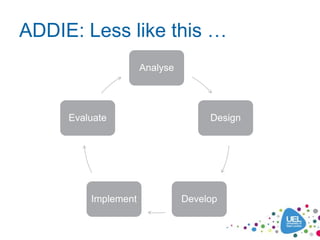
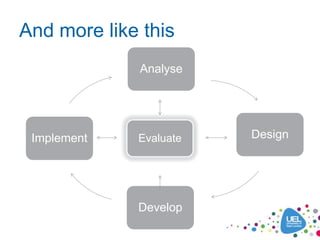
As shown by this view of the development process…
ADDIE: Less like this …
                     Analyse


     Evaluate                       Design


         Implement             Develop
And more like this
             Analyse


 Implement   Evaluate   Design


             Develop
Appendix of examples
Site structure version 1   Site structure version 8!
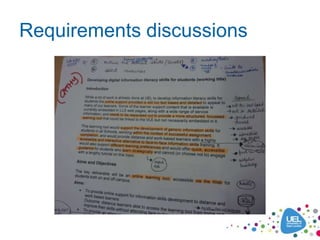
Requirements discussions
Focus group - students
Focus group - staff
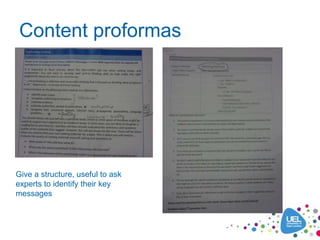
Content proformas


Give a structure, useful to ask
experts to identify their key
messages
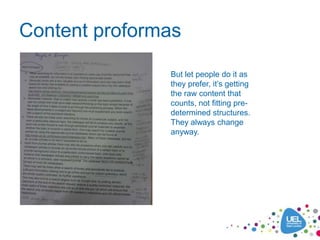
Content proformas

               But let people do it as
               they prefer, it’s getting
               the raw content that
               counts, not fitting pre-
               determined structures.
               They always change
               anyway.
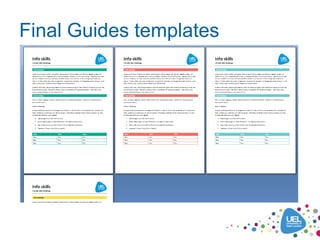
Final Guides templates
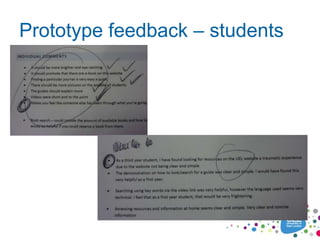
Prototype feedback – students
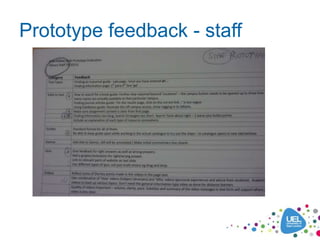
Prototype feedback - staff
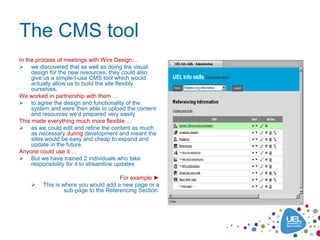
The CMS tool
In the process of meetings with Wire Design…
 we discovered that as well as doing the visual
     design for the new resources, they could also
     give us a simple-t-use CMS tool which would
     actually allow us to build the site flexibly
     ourselves.
We worked in partnership with them …
 to agree the design and functionality of the
     system and were then able to upload the content
     and resources we’d prepared very easily.
This made everything much more flexible …
 as we could edit and refine the content as much
     as necessary during development and meant the
     sites would be easy and cheap to expand and
     update in the future.
Anyone could use it …
 But we have trained 2 individuals who take
     responsibility for it to streamline updates

                                       For example ►
        This is where you would add a new page or a
                  sub-page to the Referencing Section.
CMS: Front and back
The Harvard Referencing   The Harvard Referencing
page on the site          page in the CMS
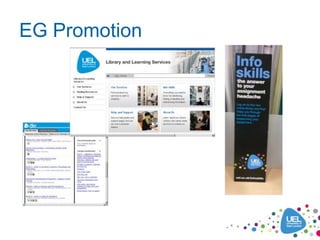
EG Promotion
Info skills: Not the end 

Erica Plowman
e.plowman@uel.ac.uk

Uel ll sconf_130112

  • 1.
    Info skills: Howit came to be Erica Plowman Learning Designer UELconnect Friday 13th January 2012
  • 2.
    Info skills isdesigned to support Level 1 students to develop the key skills they need to find information for their assignments and use it appropriately. It was created in partnership between members of UEL’s Library and Learning Services and the Distance and E-learning team (UELconnect) WWW.UEL.AC.UK/INFOSKILLS
  • 3.
    Questions we’ve beenasked How did you pull everything together? How did you make it look so good? Where did all the materials come from? Why make it ‘open-access’? Why not include other study skills? Who did it? Why does it
  • 4.
    One way todescribe how we did it Maintenance and Analysis update Specification Promotion A typical ‘development’ cycle Design and Testing Development Content Coding Writing
  • 5.
    But this description.. • Appears too mechanistic to include creativity and spontaneity. • Doesn’t capture the relationships, empathy and communication at the heart of the process. • Is often retrofitted onto the messier way things really happen!
  • 6.
    Maybe it’s morehelpful .. To talk about how things develop rather than how they ‘are developed’ Which reminds me of ..
  • 7.
    ‘Evolution’ So let’s talkabout Info skills in terms of: • Species: What kind of creature is it? • Origins: Where did it come from? • Evolutionary process: How was it created? • New forms: What next?
  • 8.
    What kind oflearning tool is it? What context and audience is it intended for? What is the underlying design and thinking behind it? How does this meet the needs identified? SPECIES Photo used under Creative Commons from Peter Harris
  • 9.
    Species • Static content– complementing F2F sessions, helpdesk/email support, specialist Subject Librarian appts and online chat tool • Independent/self-directed use – ‘designed’ content, explicit, consistent, cross-referenced • Informal learning – learner free to browse around, must attract them, not compulsory • Hybrid resource – reference, information and learning material • Multimedia – information presented in different formats • ‘Just-in-time’ or ‘strategic’ – to allow learners to use it in different ways, last minute help, answer a specific question, refresh knowledge or broader overview of new concepts • Open access – easiest access and widest reach for all learners (distance, part-time, international, pre-entry, partner colleges) also advertises support we offer to potential new students
  • 10.
    Genetic (design) blueprint • Transparent navigation, flexible entry points – supports different points of need (starting off / refresher / lastminute.com), maximise learner control • Browsable, bite-size resources, variety of formats – flexible paths through content, caters to different learner preferences (eg straight to a practice quiz, or follow step-by-step guide), engage learners with multimedia • Conversational, motivational narratives – address learner directly, encourage independent learners to engage with the material • Tutor and peer support built-in – videos reflect genuine student experience and make it more relevant for them, supportive advice for new students in particular • Assignment context – emphasis on‘why’ you need these skills not just ‘what’ they are, home page slideshow sets the scene • High quality graphic design/images – to engage and attract learners • Usability and accessibility – video subtitles and transcripts, not too text- heavy, only 3 levels of navigation, does contain Flash objects however.
  • 11.
    Where did itcome from? What existing materials did we start with? What pre-cursors were there? ORIGINS Photo used under Creative Commons from APS Museum
  • 12.
    Origins – ourmain starting points • Existing materials – handouts, leaflets from Library, help docs on website, librarians support material • External websites and OERs – lots of inspiration from other universities • ‘Get that job’ – we had created an in-house resource with Employability colleagues to support students with skills needed to apply for jobs. It looked like this …
  • 13.
  • 14.
    Origins Also: New Employability brand Atthe same time we started planning Info skills, our Employability and Enterprise team wanted to update ‘Get that job’ to match the new brand of printed materials they had commissioned from Wire Design.
  • 15.
    How was itcreated? Who contributed to its creation and what did they do? What were the key things that made it happen? EVOLUTION Photo used under Creative Commons from Mary Margret
  • 16.
    The process ofevolution In very basic terms, the theory of evolution goes something like: • Existing forms come under pressure from changes in the environment new conditions, lack of resources • There is a degree of variety in gene pool spontaneous mutations, newcomers to the population • Genes mix through cross-fertilisation, producing slightly different forms natural selection favours the better adapted forms • Over long periods, this should produce new forms that are more successful
  • 17.
    Info skills evolution Let’sconsider each aspect in terms of this project: • Existing forms • Changes in the environment  new conditions, lack of resources • Variety in gene pool  spontaneous mutations, newcomers to the population • Cross-fertilisation  natural selection, better adapted • New forms
  • 18.
    Existing forms gaveus ideas: As mentioned in Origins, some of them were: • UEL Library website guidance docs • Librarians’ VLE material • OER and external websites  Staffordshire Assignment Survival Kit  Cardiff Information Literacy Resource Bank  Leeds Skills@Library  OU Safari • Original ‘Get that job’ design • New employability brand
  • 19.
    Changes in theenvironment New conditions:  Widening participation, more students with info skills gaps  Student expectations - access to 24/7 info/help  Expectation that online tools for learning as media rich and easy-to- use as wider internet (Youtube, Google, Amazon etc)  Information (overload) age – the need to find information. NOW! Lack of resources:  Demands on teaching and support staff for F2F and 1:1 support  Doing ‘more for less’ agenda – maybe needs to be interpreted as ‘more of some things and less of others’  High quality online resources may need a greater investment ‘up front’ but if they meet important needs, reach all students, and have a good shelf life, they may be more value-added than doing other cheaper, quicker things. Needs thinking about.
  • 20.
    Variety in genepool Diversity of ideas, experiences, expertise, roles, responsibilities: Project team: Head of Library and Learning Services, Academic Services Manager, Subject Librarian, Learning Designer, Learning Technology Adviser, Learning Materials Developer Subject Matter Experts: Subject Librarians provided ideas advice, content and volunteered for videos*. Wider Library staff took part in testing. Specialist input: from Academic Integrity and Psychology (APA referencing), Skills Modules Leaders also appeared in videos* Student Voice: volunteers for focus groups, videos and testing, Student Liaison Officers provided useful perspective ‘Newcomers’ to the population External web developers A professional cameraman helped us improve quality of in-house videos Colleagues and students helped with photos* Cardiff Information Literacy Resource Bank – permission to re-purpose 3 quizzes ‘Spontaneous mutations’ – things we didn’t know about when we started Employability branding CMS tool * Get full written consent for use of anyone’s image
  • 21.
    Cross-fertilisation/Natural selection Continuous collaborationand consultation within our project team, taking ideas back and forth between Subject Librarians, web developers and others. Processes: Inputs: • Initial focus groups with students and Subject Librarians • Requirements discussions with project team, consulting benchmarks  Output: Project outline documentation, planned structure and milestone plan • Review of internal and external online and print material • Subject Librarians completed content ‘proformas’ on key areas  Output: Prototyped ‘proof of concept’ design with small group staff and students Inputs: Prototype feedback, specialist consultations, iterations of draft text followed up with individuals, filming and editing videos, sourcing photos, creating images, screencaptures, pdfs, quizzes, iterations of web design and functionality  Output: Finished resources and a CMS tool allowing us to build 80% of the site for a wider evaluation Inputs: Feedback collated, amends agreed, text edited and proofread, resources completed, tagging and debugging. Publicity material and campaign planned. Google analytics set up. FAQ, Glossary, help info compiled. Output: Info skills completed and launched after final review by Library colleagues in March 2011 The Appendix of examples illustrates some of these developments
  • 22.
    Adaptation • Collaboration andtesting of ideas makes it more likely the final result will be ‘well-adapted’ to your population and your conditions. • I prefer ‘well-adapted’ as it sounds like a higher expectation and less clinical than ‘fit for purpose’. • The end result is achieved through a balance of decisions based on discussion, evaluation, feedback and testing, and sometimes compromises with the technology. • It happens over iterative cycles: formal ones with set evaluation points and continuous informal, small-scale ones. • It’s an ongoing process – LLS have just completed a 6-month evaluation and are planning further updates to Info skills.
  • 23.
    New Forms We arenow developing a new resource to support academic writing skills at Level 1. Planned changes are: • improved access via mobile devices • more practice exercises • the option of sequences of linked guidance and practice resources And probably others we don’t know about yet 
  • 24.
    Lessons learned fromnature? • Organic process  not quite as slow as evolution  Info skills took about 6 months actual development  you do need a clear milestone plan but it has to allow for some spontaneity and trying out new ideas  without this our final look and feel and the flexible CMS tool would not have happened • Collaborate to create  diversity of experience/expertise from different disciplines – about 35 people probably contributed to this project in total  collaboration can be slow but often produces the best ideas and helps solve problems  think of it as having access to a wider talent pool • Build in opportunities for growth  think about how to allow easy updating/adding of new resources (and who by!)  is there room to expand on the structure you’ve designed?  this is true for a resource library, VLE site or other type of online tool • Testing and evaluation  more likely the final result will be well-adapted  keeps it learner-centred  happening all the time not just at the end As shown by this view of the development process…
  • 25.
    ADDIE: Less likethis … Analyse Evaluate Design Implement Develop
  • 26.
    And more likethis Analyse Implement Evaluate Design Develop
  • 27.
    Appendix of examples Sitestructure version 1 Site structure version 8!
  • 28.
  • 29.
    Focus group -students
  • 30.
  • 31.
    Content proformas Give astructure, useful to ask experts to identify their key messages
  • 32.
    Content proformas But let people do it as they prefer, it’s getting the raw content that counts, not fitting pre- determined structures. They always change anyway.
  • 33.
  • 34.
  • 35.
  • 36.
    The CMS tool Inthe process of meetings with Wire Design…  we discovered that as well as doing the visual design for the new resources, they could also give us a simple-t-use CMS tool which would actually allow us to build the site flexibly ourselves. We worked in partnership with them …  to agree the design and functionality of the system and were then able to upload the content and resources we’d prepared very easily. This made everything much more flexible …  as we could edit and refine the content as much as necessary during development and meant the sites would be easy and cheap to expand and update in the future. Anyone could use it …  But we have trained 2 individuals who take responsibility for it to streamline updates For example ►  This is where you would add a new page or a sub-page to the Referencing Section.
  • 37.
    CMS: Front andback The Harvard Referencing The Harvard Referencing page on the site page in the CMS
  • 38.
  • 39.
    Info skills: Notthe end  Erica Plowman e.plowman@uel.ac.uk