Michelle Montoya English Instructor / Writing Center Director /  Internet Marketer / Freelance Writer How to Engage Your Classroom Community Using Interactive Media
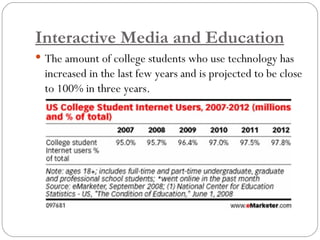
Interactive Media and Education The amount of college students who use technology has increased in the last few years and is projected to be close to 100% in three years.
Interactive Media and Education How and Why Should We Connect? It is important to connect with students on levels that they are both familiar and comfortable with. By using tools of technology in lessons and projects that engage your students, you can increase classroom participation both in the classroom and on the internet.  There are some easy (and many free) methods for introducing both computer tools and applications and interactive media and technology into your classroom.
Using Online Learning Systems Online learning systems (also called course management systems – CMS) can be used in conjunction with classroom instruction to extend the learning day and deepen class discussions. Make information accessible to your students 24/7. Upload files, links, discussion forums, etc. Create quizzes, assessments, or exams.  Track attendance, grades, etc. Relevant websites: http://webct.unr.edu  - UNR http://angel.tmcc.edu  – TMCC http://washoepd.angellearning.com  – WCSD http://moodle.org   – Free to educators
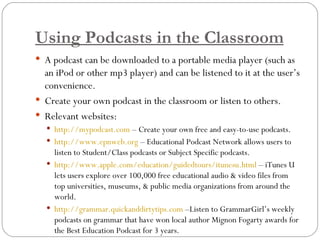
Using Podcasts in the Classroom A podcast can be downloaded to a portable media player (such as an iPod or other mp3 player) and can be listened to it at the user’s convenience. Create your own podcast in the classroom or listen to others. Relevant websites: http://mypodcast.com  – Create your own free and easy-to-use podcasts. http://www.epnweb.org  – Educational Podcast Network allows users to listen to Student/Class podcasts or Subject Specific podcasts. http://www.apple.com/education/guidedtours/itunesu.html  – iTunes U lets users explore over 100,000 free educational audio & video files from top universities, museums, & public media organizations from around the world. http://grammar.quickanddirtytips.com  –Listen to GrammarGirl’s weekly podcasts on grammar that have won local author Mignon Fogarty awards for the Best Education Podcast for 3 years.
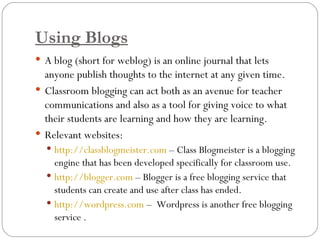
Using Blogs A blog (short for weblog) is an online journal that lets anyone publish thoughts to the internet at any given time. Classroom blogging can act both as an avenue for teacher communications and also as a tool for giving voice to what their students are learning and how they are learning. Relevant websites: http://classblogmeister.com  – Class Blogmeister is a blogging engine that has been developed specifically for classroom use. http://blogger.com  – Blogger is a free blogging service that students can create and use after class has ended. http://wordpress.com  –  Wordpress is another free blogging service .
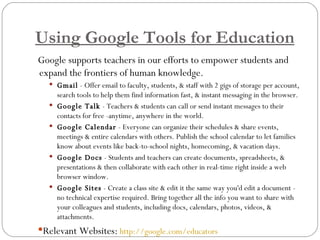
Using Google Tools for Education Google supports teachers in our efforts to empower students and expand the frontiers of human knowledge. Gmail  - Offer email to faculty, students, & staff with 2 gigs of storage per account, search tools to help them find information fast, & instant messaging in the browser. Google Talk  - Teachers & students can call or send instant messages to their contacts for free -anytime, anywhere in the world.  Google Calendar  - Everyone can organize their schedules & share events, meetings & entire calendars with others. Publish the school calendar to let families know about events like back-to-school nights, homecoming, & vacation days.  Google Docs  - Students and teachers can create documents, spreadsheets, & presentations & then collaborate with each other in real-time right inside a web browser window. Google Sites  - Create a class site & edit it the same way you'd edit a document - no technical expertise required. Bring together all the info you want to share with your colleagues and students, including docs, calendars, photos, videos, & attachments. Relevant Websites:   http://google.com/educators
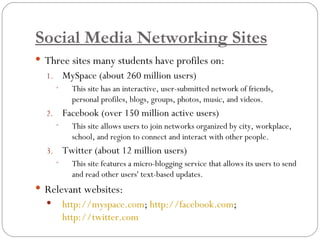
Social Media Networking Sites Three sites many students have profiles on: MySpace (about 260 million users) This site has an interactive, user-submitted network of friends, personal profiles, blogs, groups, photos, music, and videos.  Facebook (over 150 million active users)  This site allows users to join networks organized by city, workplace, school, and region to connect and interact with other people.  Twitter (about 12 million users)  This site features a micro-blogging service that allows its users to send and read other users' text-based updates. Relevant websites: http://myspace.com ;  http://facebook.com ;  http://twitter.com
Using Online Research Tools Most students conduct research online for most of their homework assignments.  Social bookmarking allows students and teachers to save relevant websites and share with others.  Relevant Websites:  http://del.icio.us  – Delicious is a social bookmarking site that allows users to bookmark sites online and access from any computer.  http://diigo.com  – Diigo “is Del.icio.us on steroids.” Bookmark sites, highlight relevant information, and add notes. Get a free premium account especially designed for educators
Using Microsoft Office For reading comprehension, show students how to use the AutoSummarize feature in Microsoft Office Word to track and summarize important information.  If collecting data is required for an assignment, you can show students how to use the Form feature in Microsoft Office Excel to record data in a preformatted worksheet. Create PowerPoint presentations with your students and teach them how to use certain features to make their presentations interactive.  Create virtual museum as .pps so that students can interact with the subject matter in a hands-on environment. Relevant Websites:   Microsoft Office Discount for Students  – Ten applications for $59.95 (91% off)
Connect with Me Online I invite you to get in touch with me about any questions you may have on anything I’ve discussed today. Personal website –  http://michellereno.com   This presentation *should be* posted there by Monday. Twitter profile –  http://twitter.com/michellereno Diigo profile –  http://diigo.com/michellereno MySpace Profile –  http://myspace.com/michellereno

Engaging Your Classroom

  • 1.
    Michelle Montoya EnglishInstructor / Writing Center Director / Internet Marketer / Freelance Writer How to Engage Your Classroom Community Using Interactive Media
  • 2.
    Interactive Media andEducation The amount of college students who use technology has increased in the last few years and is projected to be close to 100% in three years.
  • 3.
    Interactive Media andEducation How and Why Should We Connect? It is important to connect with students on levels that they are both familiar and comfortable with. By using tools of technology in lessons and projects that engage your students, you can increase classroom participation both in the classroom and on the internet. There are some easy (and many free) methods for introducing both computer tools and applications and interactive media and technology into your classroom.
  • 4.
    Using Online LearningSystems Online learning systems (also called course management systems – CMS) can be used in conjunction with classroom instruction to extend the learning day and deepen class discussions. Make information accessible to your students 24/7. Upload files, links, discussion forums, etc. Create quizzes, assessments, or exams. Track attendance, grades, etc. Relevant websites: http://webct.unr.edu - UNR http://angel.tmcc.edu – TMCC http://washoepd.angellearning.com – WCSD http://moodle.org – Free to educators
  • 5.
    Using Podcasts inthe Classroom A podcast can be downloaded to a portable media player (such as an iPod or other mp3 player) and can be listened to it at the user’s convenience. Create your own podcast in the classroom or listen to others. Relevant websites: http://mypodcast.com – Create your own free and easy-to-use podcasts. http://www.epnweb.org – Educational Podcast Network allows users to listen to Student/Class podcasts or Subject Specific podcasts. http://www.apple.com/education/guidedtours/itunesu.html – iTunes U lets users explore over 100,000 free educational audio & video files from top universities, museums, & public media organizations from around the world. http://grammar.quickanddirtytips.com –Listen to GrammarGirl’s weekly podcasts on grammar that have won local author Mignon Fogarty awards for the Best Education Podcast for 3 years.
  • 6.
    Using Blogs Ablog (short for weblog) is an online journal that lets anyone publish thoughts to the internet at any given time. Classroom blogging can act both as an avenue for teacher communications and also as a tool for giving voice to what their students are learning and how they are learning. Relevant websites: http://classblogmeister.com – Class Blogmeister is a blogging engine that has been developed specifically for classroom use. http://blogger.com – Blogger is a free blogging service that students can create and use after class has ended. http://wordpress.com – Wordpress is another free blogging service .
  • 7.
    Using Google Toolsfor Education Google supports teachers in our efforts to empower students and expand the frontiers of human knowledge. Gmail  - Offer email to faculty, students, & staff with 2 gigs of storage per account, search tools to help them find information fast, & instant messaging in the browser. Google Talk  - Teachers & students can call or send instant messages to their contacts for free -anytime, anywhere in the world.  Google Calendar  - Everyone can organize their schedules & share events, meetings & entire calendars with others. Publish the school calendar to let families know about events like back-to-school nights, homecoming, & vacation days. Google Docs - Students and teachers can create documents, spreadsheets, & presentations & then collaborate with each other in real-time right inside a web browser window. Google Sites - Create a class site & edit it the same way you'd edit a document - no technical expertise required. Bring together all the info you want to share with your colleagues and students, including docs, calendars, photos, videos, & attachments. Relevant Websites: http://google.com/educators
  • 8.
    Social Media NetworkingSites Three sites many students have profiles on: MySpace (about 260 million users) This site has an interactive, user-submitted network of friends, personal profiles, blogs, groups, photos, music, and videos. Facebook (over 150 million active users) This site allows users to join networks organized by city, workplace, school, and region to connect and interact with other people. Twitter (about 12 million users) This site features a micro-blogging service that allows its users to send and read other users' text-based updates. Relevant websites: http://myspace.com ; http://facebook.com ; http://twitter.com
  • 9.
    Using Online ResearchTools Most students conduct research online for most of their homework assignments. Social bookmarking allows students and teachers to save relevant websites and share with others. Relevant Websites: http://del.icio.us – Delicious is a social bookmarking site that allows users to bookmark sites online and access from any computer. http://diigo.com – Diigo “is Del.icio.us on steroids.” Bookmark sites, highlight relevant information, and add notes. Get a free premium account especially designed for educators
  • 10.
    Using Microsoft OfficeFor reading comprehension, show students how to use the AutoSummarize feature in Microsoft Office Word to track and summarize important information. If collecting data is required for an assignment, you can show students how to use the Form feature in Microsoft Office Excel to record data in a preformatted worksheet. Create PowerPoint presentations with your students and teach them how to use certain features to make their presentations interactive. Create virtual museum as .pps so that students can interact with the subject matter in a hands-on environment. Relevant Websites: Microsoft Office Discount for Students – Ten applications for $59.95 (91% off)
  • 11.
    Connect with MeOnline I invite you to get in touch with me about any questions you may have on anything I’ve discussed today. Personal website – http://michellereno.com This presentation *should be* posted there by Monday. Twitter profile – http://twitter.com/michellereno Diigo profile – http://diigo.com/michellereno MySpace Profile – http://myspace.com/michellereno