Teaching With
  Technology 2.0
             version

Learning for the 21st Century
    Presented by Homer Colunga, M.S.
                   for
DO NOW
• Fill in the KWL chart in your packet for what you
  KNOW about technology in the classroom and
  WHAT you would like to know about technology in
  the classroom.
• You may also participate in the LIVE KWL chart
  online at the following website:
  http://bit.ly/REPsUn
21st   Century Learning
• Video
• Discussion
Twitter in the Classroom

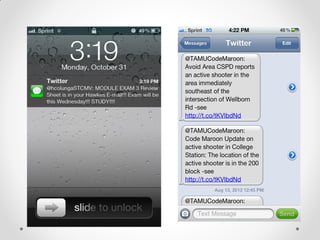
• Make use of the twitter fast follow feature
                  • (A Mass Text Message Alert)
• Use it for Online Discussion/Collaboration
• Connect to parents
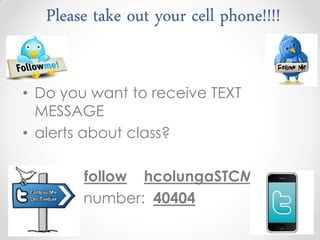
Please take out your cell phone!!!!


• Do you want to receive TEXT
  MESSAGE
• alerts about class?

• Text: follow hcolungaSTCMV
• To the number: 40404
Classroom Collaboration
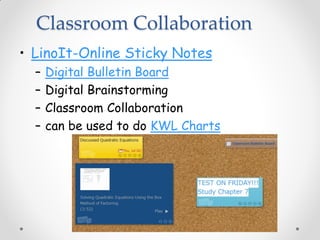
• LinoIt-Online Sticky Notes
  –   Digital Bulletin Board
  –   Digital Brainstorming
  –   Classroom Collaboration
  –   can be used to do KWL Charts
Classroom Collaboration
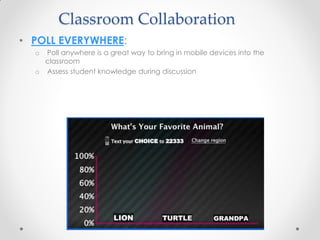
• POLL EVERYWHERE:
  o Poll anywhere is a great way to bring in mobile devices into the
    classroom
  o Assess student knowledge during discussion
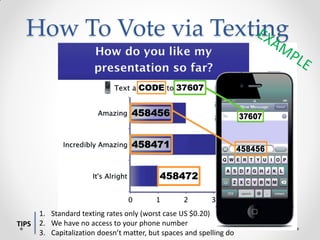
How To Vote via Texting


       1. Standard texting rates only (worst case US $0.20)
TIPS   2. We have no access to your phone number
       3. Capitalization doesn’t matter, but spaces and spelling do
Classroom Assessment
• Infuse Learning
  • Assess student performance during class.
    Find out immediately how a student is
    responding and take a grade from their
    responses.
  • View a demo by going to
    student.infuselearning.com in your
    computer/mobile browser
Create Digital Content
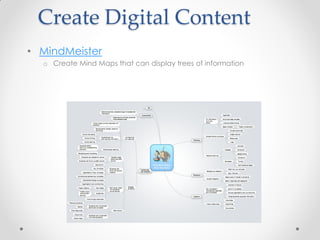
• MindMeister
  o Create Mind Maps that can display trees of information
Digital Multimedia
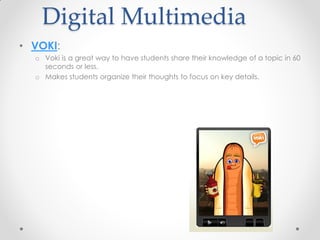
• VOKI:
  o Voki is a great way to have students share their knowledge of a topic in 60
    seconds or less.
  o Makes students organize their thoughts to focus on key details.
Digital Content
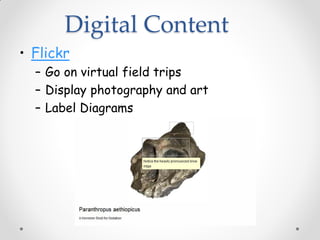
• Flickr
  – Go on virtual field trips
  – Display photography and art
  – Label Diagrams
Digital Content
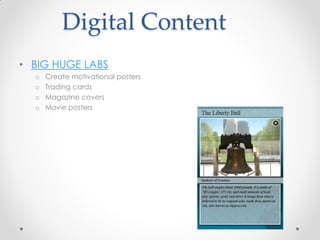
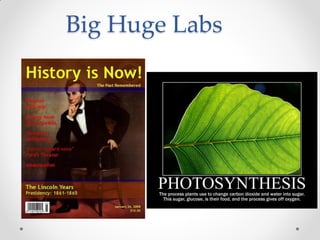
• BIG HUGE LABS
  o   Create motivational posters
  o   Trading cards
  o   Magazine covers
  o   Movie posters
Big Huge Labs
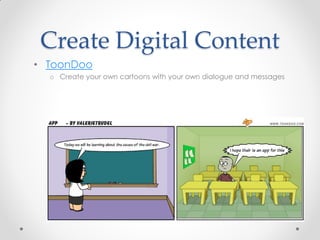
Create Digital Content
• ToonDoo
  o Create your own cartoons with your own dialogue and messages
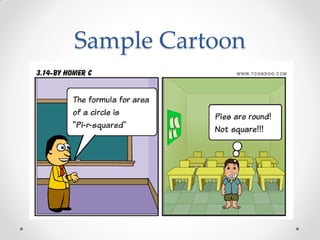
Sample Cartoon
Create Your Own Digital Content
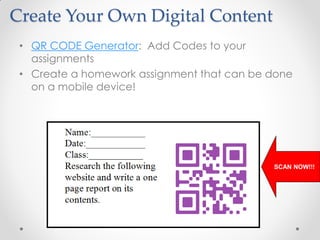
 • QR CODE Generator: Add Codes to your
   assignments
 • Create a homework assignment that can be done
   on a mobile device!


                                            SCAN NOW!!!
Create Your Own
           Multimedia
• Flip Your Classroom
  o Create video lectures that are viewed at home
    for homework
  o Traditional Homework is completed in class along
    with other hands-on activities
• Jing
   o Can be used to record screen shots or make
     screen casts which can be viewed online
• ScreenChomp
   o (FREE App)
   o Video Example
Create your Own
              multimedia
• iPad
   o ScreenChomp (FREE App)
   o Video Example

• TabletPC, SmartBoard, Interwrite Pad, etc.
   o Jing (FREE SOFTWARE DOWNLOAD)
       • Video Example
       • Posts to screencast.com
   o Camtasia Studio (License Required)
       • Can post to virtually anywhere, including YouTube!
YouTube in the Classroom
• ViewPure.com-
  o Watch YouTube Videos without ads and related
    videos
  o download videos for offline viewing.
• TubeChop.com-
  o Allows you to chop YouTube Videos, so that you
    get straight to the point you were focusing on.
• Meograph-Allows for 4-dimensional
  storytelling, embedding photos and videos.
Digital Dialogue
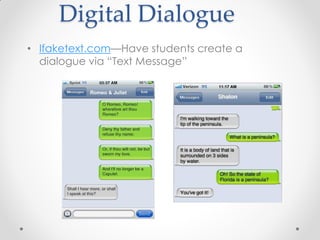
• Ifaketext.com—Have students create a
  dialogue via “Text Message”
Teacher Tools
• DROPBOX:
  o   Share files across any computer
  o   Drag and drop convenience
  o   Eliminates the need for USB Flash Drives
  o   Available on Mobile Devices
Web Tools
• Bit.ly
   o Have a long website address? Use Bit.ly
   o Shortens long website addresses
   o Track number of views to your link.
Online Assessment
• Quizlet.com
  o Create Flash Cards for your class, or have students prepare these to study
    key terms and ideas.

• GoogleDocs
  o to create tests/quizzes/homework that are sent to you after completion
Teacher Tools
• WorksheetWorks
  o Create worksheets, graphic organizers, etc. that
    can be saved as PDFs
• Improve Google Searches
• Engrade.com-
  o   Free Gradebook
  o   Classroom activities
  o   Seating Chart
  o   Record attendance
Share Your Digital
              Content
• SlideShare
  o Allows you to upload Power Point Presentations and share with the world.
  o You do not need to have Power Point installed on your computer
  o Can be viewed on mobile devices
Website Builder
• WEEBLY
 o Build your own website with Drag and Drop
   convenience.
 o No programming knowledge required.
 o Add files and multimedia for your classes.
 o Keep parents and students updated with Blog
   features.
Annotate on your iPad
• SKITCH-
  o an app that allows you to annotate text, images, maps,
    websites on your iPad!
  o Connects with Evernote to save your annotations
    automatically to your Evernote account.

Teaching with technology v2.0

  • 1.
    Teaching With Technology 2.0 version Learning for the 21st Century Presented by Homer Colunga, M.S. for
  • 2.
    DO NOW • Fillin the KWL chart in your packet for what you KNOW about technology in the classroom and WHAT you would like to know about technology in the classroom. • You may also participate in the LIVE KWL chart online at the following website: http://bit.ly/REPsUn
  • 3.
    21st Century Learning • Video • Discussion
  • 4.
    Twitter in theClassroom • Make use of the twitter fast follow feature • (A Mass Text Message Alert) • Use it for Online Discussion/Collaboration • Connect to parents
  • 5.
    Please take outyour cell phone!!!! • Do you want to receive TEXT MESSAGE • alerts about class? • Text: follow hcolungaSTCMV • To the number: 40404
  • 7.
    Classroom Collaboration • LinoIt-OnlineSticky Notes – Digital Bulletin Board – Digital Brainstorming – Classroom Collaboration – can be used to do KWL Charts
  • 8.
    Classroom Collaboration • POLLEVERYWHERE: o Poll anywhere is a great way to bring in mobile devices into the classroom o Assess student knowledge during discussion
  • 9.
    How To Votevia Texting 1. Standard texting rates only (worst case US $0.20) TIPS 2. We have no access to your phone number 3. Capitalization doesn’t matter, but spaces and spelling do
  • 11.
    Classroom Assessment • InfuseLearning • Assess student performance during class. Find out immediately how a student is responding and take a grade from their responses. • View a demo by going to student.infuselearning.com in your computer/mobile browser
  • 12.
    Create Digital Content •MindMeister o Create Mind Maps that can display trees of information
  • 13.
    Digital Multimedia • VOKI: o Voki is a great way to have students share their knowledge of a topic in 60 seconds or less. o Makes students organize their thoughts to focus on key details.
  • 14.
    Digital Content • Flickr – Go on virtual field trips – Display photography and art – Label Diagrams
  • 15.
    Digital Content • BIGHUGE LABS o Create motivational posters o Trading cards o Magazine covers o Movie posters
  • 16.
  • 17.
    Create Digital Content •ToonDoo o Create your own cartoons with your own dialogue and messages
  • 18.
  • 19.
    Create Your OwnDigital Content • QR CODE Generator: Add Codes to your assignments • Create a homework assignment that can be done on a mobile device! SCAN NOW!!!
  • 20.
    Create Your Own Multimedia • Flip Your Classroom o Create video lectures that are viewed at home for homework o Traditional Homework is completed in class along with other hands-on activities • Jing o Can be used to record screen shots or make screen casts which can be viewed online • ScreenChomp o (FREE App) o Video Example
  • 21.
    Create your Own multimedia • iPad o ScreenChomp (FREE App) o Video Example • TabletPC, SmartBoard, Interwrite Pad, etc. o Jing (FREE SOFTWARE DOWNLOAD) • Video Example • Posts to screencast.com o Camtasia Studio (License Required) • Can post to virtually anywhere, including YouTube!
  • 22.
    YouTube in theClassroom • ViewPure.com- o Watch YouTube Videos without ads and related videos o download videos for offline viewing. • TubeChop.com- o Allows you to chop YouTube Videos, so that you get straight to the point you were focusing on. • Meograph-Allows for 4-dimensional storytelling, embedding photos and videos.
  • 23.
    Digital Dialogue • Ifaketext.com—Havestudents create a dialogue via “Text Message”
  • 24.
    Teacher Tools • DROPBOX: o Share files across any computer o Drag and drop convenience o Eliminates the need for USB Flash Drives o Available on Mobile Devices
  • 25.
    Web Tools • Bit.ly o Have a long website address? Use Bit.ly o Shortens long website addresses o Track number of views to your link.
  • 26.
    Online Assessment • Quizlet.com o Create Flash Cards for your class, or have students prepare these to study key terms and ideas. • GoogleDocs o to create tests/quizzes/homework that are sent to you after completion
  • 27.
    Teacher Tools • WorksheetWorks o Create worksheets, graphic organizers, etc. that can be saved as PDFs • Improve Google Searches • Engrade.com- o Free Gradebook o Classroom activities o Seating Chart o Record attendance
  • 28.
    Share Your Digital Content • SlideShare o Allows you to upload Power Point Presentations and share with the world. o You do not need to have Power Point installed on your computer o Can be viewed on mobile devices
  • 29.
    Website Builder • WEEBLY o Build your own website with Drag and Drop convenience. o No programming knowledge required. o Add files and multimedia for your classes. o Keep parents and students updated with Blog features.
  • 30.
    Annotate on youriPad • SKITCH- o an app that allows you to annotate text, images, maps, websites on your iPad! o Connects with Evernote to save your annotations automatically to your Evernote account.