09/10/2021 | 1
Active Learning and Producing
Content to Distance Learning
Brazilian teachers at TAMK
5. and 7. October 2021
Matleena Laakso
Twitter: @matleenalaakso
Blog: www.matleenalaakso.fi/p/in-english.html
09/10/2021 | 2
Active Learning in
Real Time Distance Learning
Brazilian teachers at TAMK 5.10.2021
Matleena Laakso
Twitter: @matleenalaakso
Blog: www.matleenalaakso.fi/p/in-english.html
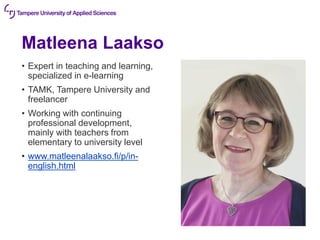
Matleena Laakso
• Expert in teaching and learning,
specialized in e-learning
• TAMK, Tampere University and
freelancer
• Working with continuing
professional development,
mainly with teachers from
elementary to university level
• www.matleenalaakso.fi/p/in-
english.html
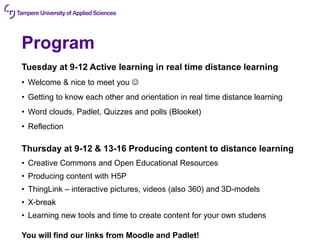
Program
Tuesday at 9-12 Active learning in real time distance learning
• Welcome & nice to meet you ☺
• Getting to know each other and orientation in real time distance learning
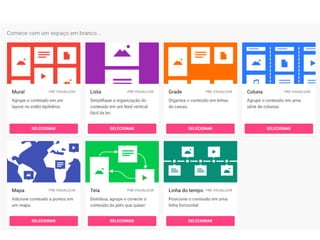
• Word clouds, Padlet, Quizzes and polls (Blooket)
• Reflection
Thursday at 9-12 & 13-16 Producing content to distance learning
• Creative Commons and Open Educational Resources
• Producing content with H5P
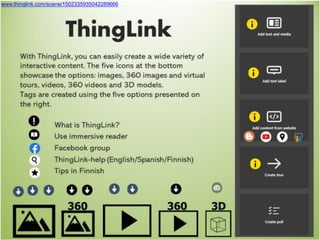
• ThingLink – interactive pictures, videos (also 360) and 3D-models
• X-break
• Learning new tools and time to create content for your own studens
You will find our links from Moodle and Padlet!
Show up when…
Kuva: Ruudunkaappauskuva Teams-webinaarista
Scale questions
Picture: Newsong, Pixabay
Good morning!
Open the camera and tell us…
Kuva: LuidmilaKot, pixabay.com
Good afternoon!
Open the camera
and tell us…
Kuva: NickyPe, CC0, pixabay.com
What did
you learn last?
Kuva: Kaboompics¨, CC0, pixabay.com
Two hometowns
Kuva: Geralt, pixabay.com
Your
colleagues
Kuvat: Alexas_Fotos, MarlyneArt & Makieni777, pixabay.com
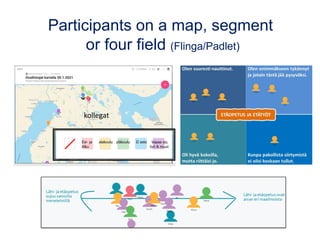
Participants on a map, segment
or four field (Flinga/Padlet)
kollegat
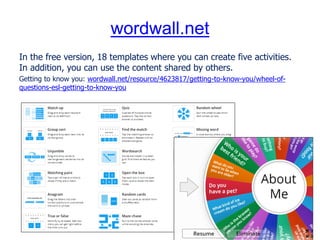
wordwall.net
In the free version, 18 templates where you can create five activities.
In addition, you can use the content shared by others.
Getting to know you: wordwall.net/resource/4623817/getting-to-know-you/wheel-of-
questions-esl-getting-to-know-you
How to start
an online lesson?
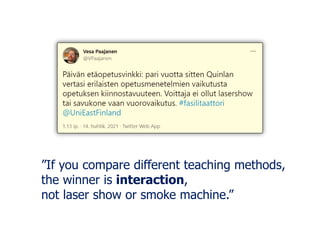
”If you compare different teaching methods,
the winner is interaction,
not laser show or smoke machine.”
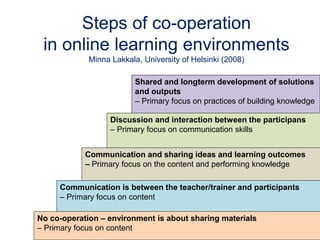
Shared and longterm development of solutions
and outputs
– Primary focus on practices of building knowledge
Discussion and interaction between the participans
– Primary focus on communication skills
Communication and sharing ideas and learning outcomes
– Primary focus on the content and performing knowledge
Communication is between the teacher/trainer and participants
– Primary focus on content
No co-operation – environment is about sharing materials
– Primary focus on content
Steps of co-operation
in online learning environments
Minna Lakkala, University of Helsinki (2008)
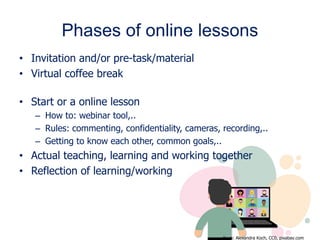
Phases of online lessons
• Invitation and/or pre-task/material
• Virtual coffee break
• Start or a online lesson
– How to: webinar tool,..
– Rules: commenting, confidentiality, cameras, recording,..
– Getting to know each other, common goals,..
• Actual teaching, learning and working together
• Reflection of learning/working
Kuva: Alexandra Koch, CC0, pixabay.com
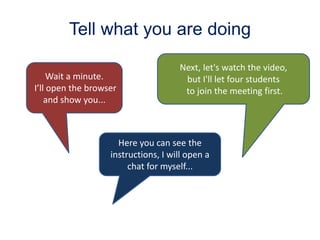
Tell what you are doing
Wait a minute.
I’ll open the browser
and show you...
Here you can see the
instructions, I will open a
chat for myself...
Next, let's watch the video,
but I'll let four students
to join the meeting first.
10
seconds
22
seconds
Kuva: Studio-72, CC0, pixabay.com
Remembering new things is not like a bank.
It is more like a workshop.
You need tools to learn, to remember
and to work online with others.
Professor Kirsti Lonka
Apps for the whole class or group work
and to activate learners
• Moodle, Google Meet / Microsoft
Teams,..
• Word Clouds
• Shared notes
• Whiteboards
• Quizzes and polls
• Flipgrid videochat
• Content creation (videos,
infographics, interactive images,..)
You need tools to learn,
to remember and to
work online with others.
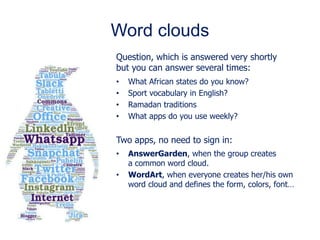
Word clouds
Question, which is answered very shortly
but you can answer several times:
• What African states do you know?
• Sport vocabulary in English?
• Ramadan traditions
• What apps do you use weekly?
Two apps, no need to sign in:
• AnswerGarden, when the group creates
a common word cloud.
• WordArt, when everyone creates her/his own
word cloud and defines the form, colors, font…
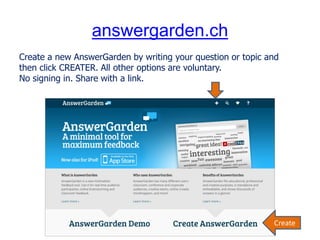
answergarden.ch
Create a new AnswerGarden by writing your question or topic and
then click CREATER. All other options are voluntary.
No signing in. Share with a link.
Create
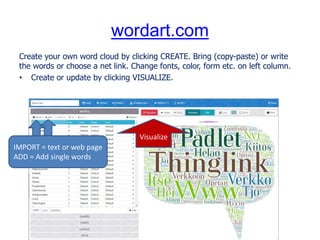
wordart.com
Create your own word cloud by clicking CREATE. Bring (copy-paste) or write
the words or choose a net link. Change fonts, color, form etc. on left column.
• Create or update by clicking VISUALIZE.
IMPORT = text or web page
ADD = Add single words
Visualize
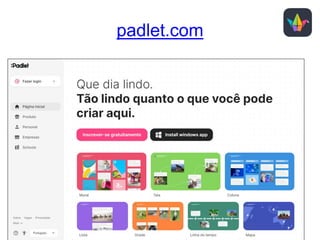
padlet.com
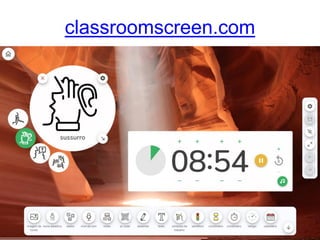
classroomscreen.com
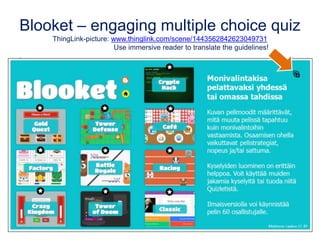
Blooket – engaging multiple choice quiz
ThingLink-picture: www.thinglink.com/scene/1443562842623049731
Use immersive reader to translate the guidelines!
.
Co-operative e-learning
Essi Vuopala’s dissertation: lehti.yliopistopedagogiikka.fi/2014/05/12/onnistuneen-yhteisollisen-verkko-
oppimisen-edellytykset-nakokulmina-yliopisto-opiskelijoiden-kokemukset-ja-verkkovuorovaikutus (CC BY)
Learning research strongly supports the
vision of the effectiveness of co-operative
learning compared to studying alone.
What is common to successful groups?
• They discussed both the contents
and the group's work.
• They spent time planning and
organizing their work.
• The interaction was also aimed at easing
tension and expressing togetherness.
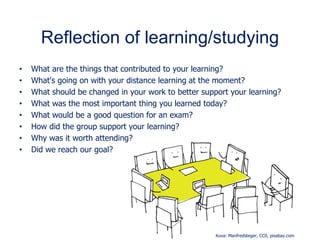
Reflection of learning/studying
• What are the things that contributed to your learning?
• What's going on with your distance learning at the moment?
• What should be changed in your work to better support your learning?
• What was the most important thing you learned today?
• What would be a good question for an exam?
• How did the group support your learning?
• Why was it worth attending?
• Did we reach our goal?
Kuva: Manfredsteger, CC0, pixabay.com
What was the most
important thing
you learned today?
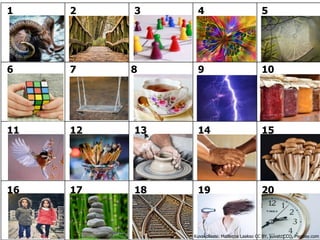
1 2 3 4 5
6 7 8 9 10
11 12 13 14 15
16 17 18 19 20
Kuvakollaasi: Matleena Laakso CC BY, kuvat: CCO, Pixabay.com
09/10/2021 | 33
Producing Content
to Distance Learning
Brazilian teachers at TAMK 7.10.2021
Matleena Laakso
Twitter: @matleenalaakso
Blog: www.matleenalaakso.fi/p/in-english.html
Thursday
Morning at 9-12
• Creative Commons and Open Educational Resources
• Producing Content with H5P
Afternoon at 13-16
• Creating Interactive Content with ThingLink
• X-break
• Time to Create Your Own Materials
You will find our links from Moodle and Padlet!
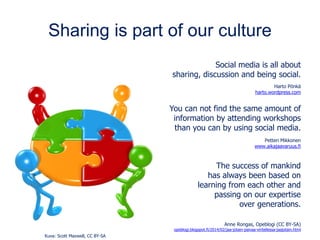
Sharing is part of our culture
Social media is all about
sharing, discussion and being social.
Harto Pönkä
harto.wordpress.com
You can not find the same amount of
information by attending workshops
than you can by using social media.
Petteri Mikkonen
www.aikajaavaruus.fi
The success of mankind
has always been based on
learning from each other and
passing on our expertise
over generations.
Anne Rongas, Opeblogi (CC BY-SA)
opeblogi.blogspot.fi/2014/02/jaa-jotain-paivaa-viritellessa-jaajotain.html
Kuva: Scott Maxwell, CC BY-SA
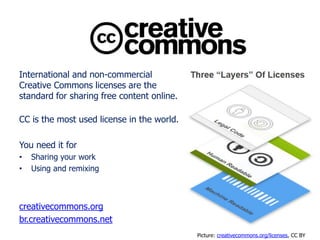
International and non-commercial
Creative Commons licenses are the
standard for sharing free content online.
CC is the most used license in the world.
You need it for
• Sharing your work
• Using and remixing
creativecommons.org
br.creativecommons.net
Picture: creativecommons.org/licenses, CC BY
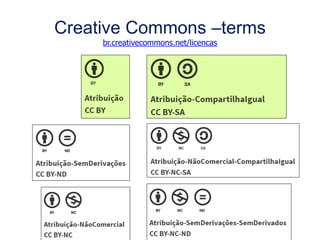
Creative Commons –terms
br.creativecommons.net/licencas
CC in Finland
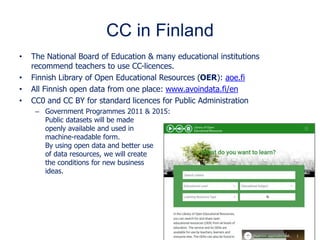
• The National Board of Education & many educational institutions
recommend teachers to use CC-licences.
• Finnish Library of Open Educational Resources (OER): aoe.fi
• All Finnish open data from one place: www.avoindata.fi/en
• CC0 and CC BY for standard licences for Public Administration
– Government Programmes 2011 & 2015:
Public datasets will be made
openly available and used in
machine-readable form.
By using open data and better use
of data resources, we will create
the conditions for new business
ideas.
Internationally – just a few examples
European Union
• CC0 and CC BY as standard licences
Globally
• Open Education week every March: www.openeducationweek.org
• UNESCO 2019: recommendation for OER
• OER-resources: www.oercommons.org and discovery.x5gon.org
Why do I share
with open CC licence?
Beginning from 2011
• My turn
• An example of pioneers
• Helping teachers
• Visibility for the project
Sharing since 2011
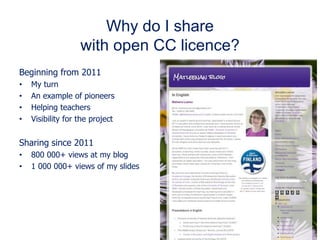
• 800 000+ views at my blog
• 1 000 000+ views of my slides
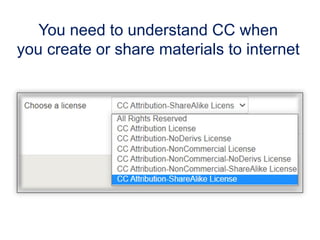
You need to understand CC when
you create or share materials to internet
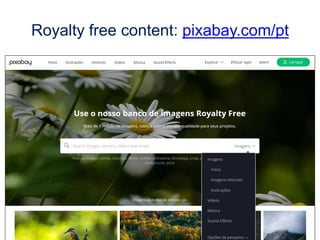
Royalty free content: pixabay.com/pt
Kuva: tookapic, pixabay.com, CC0
What is H5P?
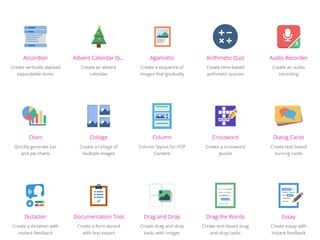
The H5P (=HTML5 Package) is a collection of more than 50 tools.
• Flash or Java technology is not required.
• Responsive and mobile friendly
• Open source
• The aim is accessibility and open sharing.
• It's constantly evolving.
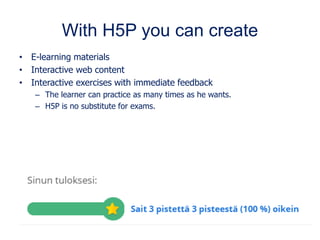
With H5P you can create
• E-learning materials
• Interactive web content
• Interactive exercises with immediate feedback
– The learner can practice as many times as he wants.
– H5P is no substitute for exams.
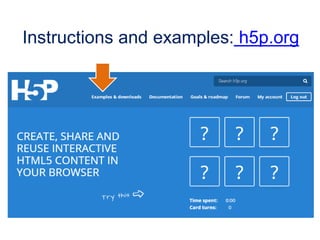
Instructions and examples: h5p.org
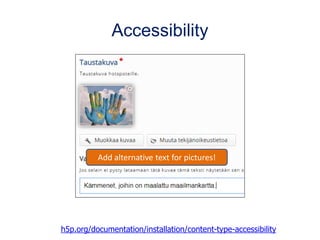
Accessibility
h5p.org/documentation/installation/content-type-accessibility
Add alternative text for pictures!
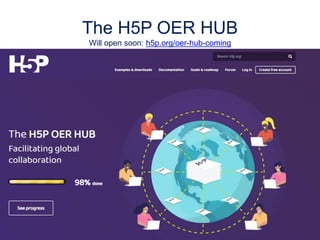
The H5P OER HUB
Will open soon: h5p.org/oer-hub-coming
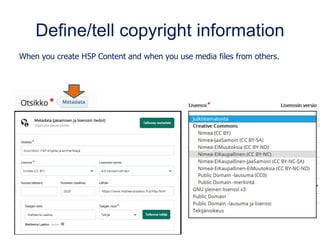
Define/tell copyright information
When you create H5P Content and when you use media files from others.
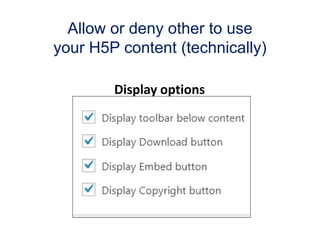
Allow or deny other to use
your H5P content (technically)
Display options
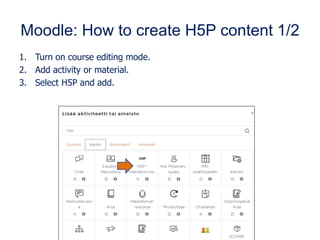
Moodle: How to create H5P content 1/2
1. Turn on course editing mode.
2. Add activity or material.
3. Select H5P and add.
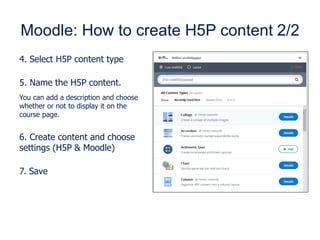
Moodle: How to create H5P content 2/2
4. Select H5P content type
5. Name the H5P content.
You can add a description and choose
whether or not to display it on the
course page.
6. Create content and choose
settings (H5P & Moodle)
7. Save
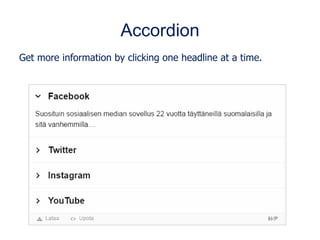
Accordion
Get more information by clicking one headline at a time.
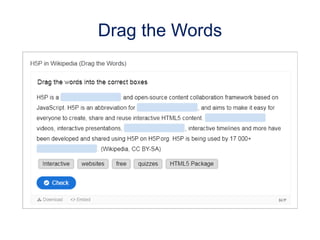
Drag the Words
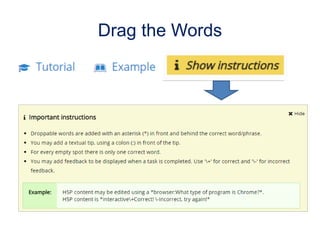
Drag the Words
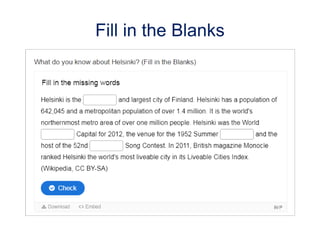
Fill in the Blanks
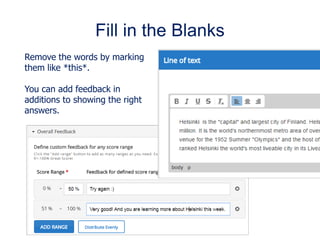
Fill in the Blanks
Remove the words by marking
them like *this*.
You can add feedback in
additions to showing the right
answers.
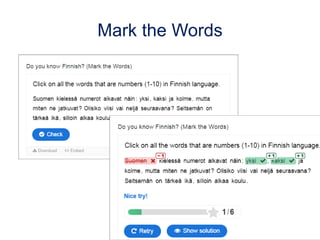
Mark the Words
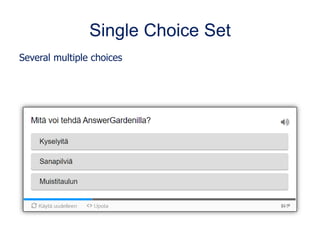
Single Choice Set
Several multiple choices
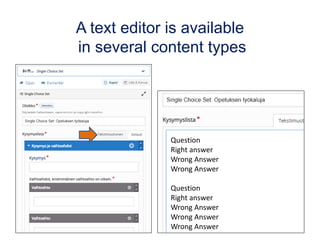
A text editor is available
in several content types
Question
Right answer
Wrong Answer
Wrong Answer
Question
Right answer
Wrong Answer
Wrong Answer
Wrong Answer
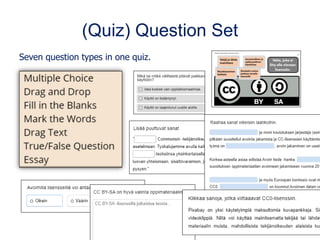
(Quiz) Question Set
Seven question types in one quiz.
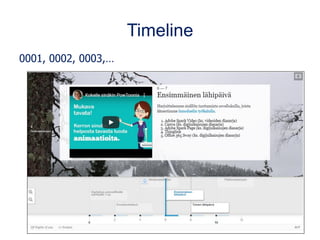
Timeline
0001, 0002, 0003,…
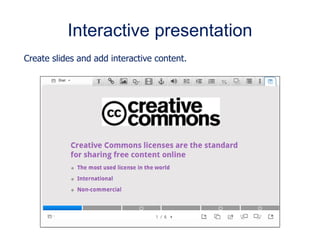
Interactive presentation
Create slides and add interactive content.
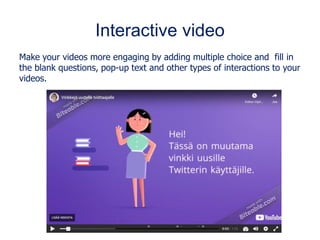
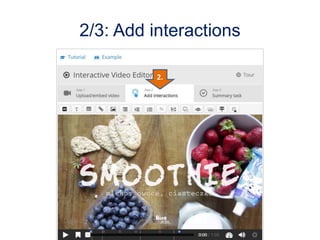
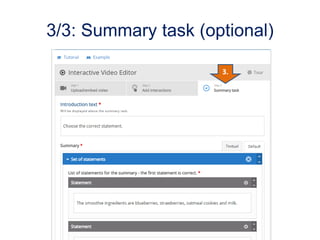
Interactive video
Make your videos more engaging by adding multiple choice and fill in
the blank questions, pop-up text and other types of interactions to your
videos.
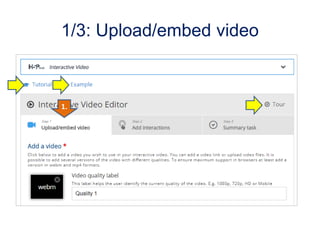
1/3: Upload/embed video
1.
2/3: Add interactions
2.
3/3: Summary task (optional)
3.
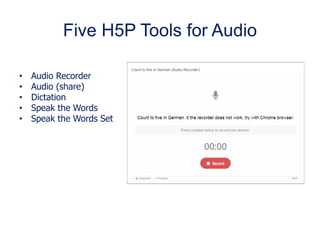
Five H5P Tools for Audio
• Audio Recorder
• Audio (share)
• Dictation
• Speak the Words
• Speak the Words Set
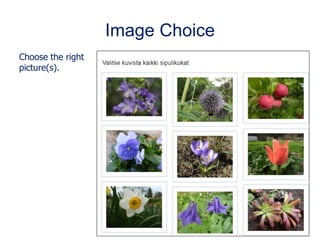
Image Choice
Choose the right
picture(s).
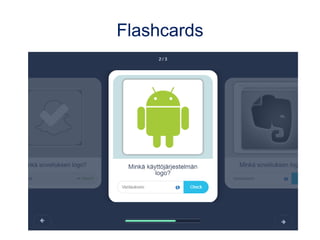
Flashcards
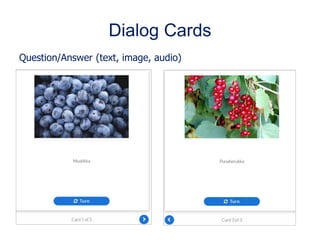
Dialog Cards
Question/Answer (text, image, audio)
Memory Game
X-break
Finnish Schools on the Move: www.liikkuvakoulu.fi/English
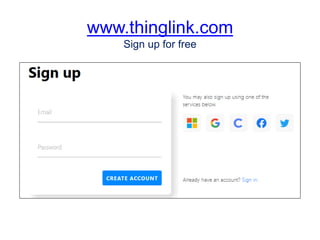
www.thinglink.com
Sign up for free
www.thinglink.com/scene/1502335935042289666
Scale questions
What grade would you give yourself
as an online teacher on a scale of 1 to 10?
Scale questions
What grade would you give yourself
as an online teacher on a scale of 1 to 10?
What should happen so that you could give yourself
one bigger number?
Licensed under Creative Commons Attribution-
Share Alike 4.0 International License (CC BY-SA 4.0)
Learn about Creative Commons -licenses:
creativecommons.org
Terms for using these slides are CC BY-SA:
creativecommons.org/licenses/by-sa/4.0

Active learning and producing content to distance learning

  • 1.
    09/10/2021 | 1 ActiveLearning and Producing Content to Distance Learning Brazilian teachers at TAMK 5. and 7. October 2021 Matleena Laakso Twitter: @matleenalaakso Blog: www.matleenalaakso.fi/p/in-english.html
  • 2.
    09/10/2021 | 2 ActiveLearning in Real Time Distance Learning Brazilian teachers at TAMK 5.10.2021 Matleena Laakso Twitter: @matleenalaakso Blog: www.matleenalaakso.fi/p/in-english.html
  • 3.
    Matleena Laakso • Expertin teaching and learning, specialized in e-learning • TAMK, Tampere University and freelancer • Working with continuing professional development, mainly with teachers from elementary to university level • www.matleenalaakso.fi/p/in- english.html
  • 4.
    Program Tuesday at 9-12Active learning in real time distance learning • Welcome & nice to meet you ☺ • Getting to know each other and orientation in real time distance learning • Word clouds, Padlet, Quizzes and polls (Blooket) • Reflection Thursday at 9-12 & 13-16 Producing content to distance learning • Creative Commons and Open Educational Resources • Producing content with H5P • ThingLink – interactive pictures, videos (also 360) and 3D-models • X-break • Learning new tools and time to create content for your own studens You will find our links from Moodle and Padlet!
  • 5.
    Show up when… Kuva:Ruudunkaappauskuva Teams-webinaarista
  • 6.
  • 7.
    Good morning! Open thecamera and tell us… Kuva: LuidmilaKot, pixabay.com
  • 8.
    Good afternoon! Open thecamera and tell us… Kuva: NickyPe, CC0, pixabay.com
  • 9.
    What did you learnlast? Kuva: Kaboompics¨, CC0, pixabay.com
  • 10.
  • 11.
  • 12.
    Participants on amap, segment or four field (Flinga/Padlet) kollegat
  • 13.
    wordwall.net In the freeversion, 18 templates where you can create five activities. In addition, you can use the content shared by others. Getting to know you: wordwall.net/resource/4623817/getting-to-know-you/wheel-of- questions-esl-getting-to-know-you
  • 14.
    How to start anonline lesson?
  • 15.
    ”If you comparedifferent teaching methods, the winner is interaction, not laser show or smoke machine.”
  • 16.
    Shared and longtermdevelopment of solutions and outputs – Primary focus on practices of building knowledge Discussion and interaction between the participans – Primary focus on communication skills Communication and sharing ideas and learning outcomes – Primary focus on the content and performing knowledge Communication is between the teacher/trainer and participants – Primary focus on content No co-operation – environment is about sharing materials – Primary focus on content Steps of co-operation in online learning environments Minna Lakkala, University of Helsinki (2008)
  • 17.
    Phases of onlinelessons • Invitation and/or pre-task/material • Virtual coffee break • Start or a online lesson – How to: webinar tool,.. – Rules: commenting, confidentiality, cameras, recording,.. – Getting to know each other, common goals,.. • Actual teaching, learning and working together • Reflection of learning/working Kuva: Alexandra Koch, CC0, pixabay.com
  • 18.
    Tell what youare doing Wait a minute. I’ll open the browser and show you... Here you can see the instructions, I will open a chat for myself... Next, let's watch the video, but I'll let four students to join the meeting first.
  • 19.
  • 20.
    Remembering new thingsis not like a bank. It is more like a workshop. You need tools to learn, to remember and to work online with others. Professor Kirsti Lonka
  • 21.
    Apps for thewhole class or group work and to activate learners • Moodle, Google Meet / Microsoft Teams,.. • Word Clouds • Shared notes • Whiteboards • Quizzes and polls • Flipgrid videochat • Content creation (videos, infographics, interactive images,..) You need tools to learn, to remember and to work online with others.
  • 22.
    Word clouds Question, whichis answered very shortly but you can answer several times: • What African states do you know? • Sport vocabulary in English? • Ramadan traditions • What apps do you use weekly? Two apps, no need to sign in: • AnswerGarden, when the group creates a common word cloud. • WordArt, when everyone creates her/his own word cloud and defines the form, colors, font…
  • 23.
    answergarden.ch Create a newAnswerGarden by writing your question or topic and then click CREATER. All other options are voluntary. No signing in. Share with a link. Create
  • 24.
    wordart.com Create your ownword cloud by clicking CREATE. Bring (copy-paste) or write the words or choose a net link. Change fonts, color, form etc. on left column. • Create or update by clicking VISUALIZE. IMPORT = text or web page ADD = Add single words Visualize
  • 25.
  • 27.
  • 28.
    Blooket – engagingmultiple choice quiz ThingLink-picture: www.thinglink.com/scene/1443562842623049731 Use immersive reader to translate the guidelines! .
  • 29.
    Co-operative e-learning Essi Vuopala’sdissertation: lehti.yliopistopedagogiikka.fi/2014/05/12/onnistuneen-yhteisollisen-verkko- oppimisen-edellytykset-nakokulmina-yliopisto-opiskelijoiden-kokemukset-ja-verkkovuorovaikutus (CC BY) Learning research strongly supports the vision of the effectiveness of co-operative learning compared to studying alone. What is common to successful groups? • They discussed both the contents and the group's work. • They spent time planning and organizing their work. • The interaction was also aimed at easing tension and expressing togetherness.
  • 30.
    Reflection of learning/studying •What are the things that contributed to your learning? • What's going on with your distance learning at the moment? • What should be changed in your work to better support your learning? • What was the most important thing you learned today? • What would be a good question for an exam? • How did the group support your learning? • Why was it worth attending? • Did we reach our goal? Kuva: Manfredsteger, CC0, pixabay.com
  • 31.
    What was themost important thing you learned today?
  • 32.
    1 2 34 5 6 7 8 9 10 11 12 13 14 15 16 17 18 19 20 Kuvakollaasi: Matleena Laakso CC BY, kuvat: CCO, Pixabay.com
  • 33.
    09/10/2021 | 33 ProducingContent to Distance Learning Brazilian teachers at TAMK 7.10.2021 Matleena Laakso Twitter: @matleenalaakso Blog: www.matleenalaakso.fi/p/in-english.html
  • 34.
    Thursday Morning at 9-12 •Creative Commons and Open Educational Resources • Producing Content with H5P Afternoon at 13-16 • Creating Interactive Content with ThingLink • X-break • Time to Create Your Own Materials You will find our links from Moodle and Padlet!
  • 35.
    Sharing is partof our culture Social media is all about sharing, discussion and being social. Harto Pönkä harto.wordpress.com You can not find the same amount of information by attending workshops than you can by using social media. Petteri Mikkonen www.aikajaavaruus.fi The success of mankind has always been based on learning from each other and passing on our expertise over generations. Anne Rongas, Opeblogi (CC BY-SA) opeblogi.blogspot.fi/2014/02/jaa-jotain-paivaa-viritellessa-jaajotain.html Kuva: Scott Maxwell, CC BY-SA
  • 37.
    International and non-commercial CreativeCommons licenses are the standard for sharing free content online. CC is the most used license in the world. You need it for • Sharing your work • Using and remixing creativecommons.org br.creativecommons.net Picture: creativecommons.org/licenses, CC BY
  • 38.
  • 39.
    CC in Finland •The National Board of Education & many educational institutions recommend teachers to use CC-licences. • Finnish Library of Open Educational Resources (OER): aoe.fi • All Finnish open data from one place: www.avoindata.fi/en • CC0 and CC BY for standard licences for Public Administration – Government Programmes 2011 & 2015: Public datasets will be made openly available and used in machine-readable form. By using open data and better use of data resources, we will create the conditions for new business ideas.
  • 40.
    Internationally – justa few examples European Union • CC0 and CC BY as standard licences Globally • Open Education week every March: www.openeducationweek.org • UNESCO 2019: recommendation for OER • OER-resources: www.oercommons.org and discovery.x5gon.org
  • 41.
    Why do Ishare with open CC licence? Beginning from 2011 • My turn • An example of pioneers • Helping teachers • Visibility for the project Sharing since 2011 • 800 000+ views at my blog • 1 000 000+ views of my slides
  • 42.
    You need tounderstand CC when you create or share materials to internet
  • 43.
    Royalty free content:pixabay.com/pt Kuva: tookapic, pixabay.com, CC0
  • 44.
    What is H5P? TheH5P (=HTML5 Package) is a collection of more than 50 tools. • Flash or Java technology is not required. • Responsive and mobile friendly • Open source • The aim is accessibility and open sharing. • It's constantly evolving.
  • 45.
    With H5P youcan create • E-learning materials • Interactive web content • Interactive exercises with immediate feedback – The learner can practice as many times as he wants. – H5P is no substitute for exams.
  • 46.
  • 48.
  • 49.
    The H5P OERHUB Will open soon: h5p.org/oer-hub-coming
  • 50.
    Define/tell copyright information Whenyou create H5P Content and when you use media files from others.
  • 51.
    Allow or denyother to use your H5P content (technically) Display options
  • 52.
    Moodle: How tocreate H5P content 1/2 1. Turn on course editing mode. 2. Add activity or material. 3. Select H5P and add.
  • 53.
    Moodle: How tocreate H5P content 2/2 4. Select H5P content type 5. Name the H5P content. You can add a description and choose whether or not to display it on the course page. 6. Create content and choose settings (H5P & Moodle) 7. Save
  • 54.
    Accordion Get more informationby clicking one headline at a time.
  • 55.
  • 56.
  • 57.
  • 58.
    Fill in theBlanks Remove the words by marking them like *this*. You can add feedback in additions to showing the right answers.
  • 59.
  • 60.
    Single Choice Set Severalmultiple choices
  • 61.
    A text editoris available in several content types Question Right answer Wrong Answer Wrong Answer Question Right answer Wrong Answer Wrong Answer Wrong Answer
  • 62.
    (Quiz) Question Set Sevenquestion types in one quiz.
  • 63.
  • 64.
    Interactive presentation Create slidesand add interactive content.
  • 65.
    Interactive video Make yourvideos more engaging by adding multiple choice and fill in the blank questions, pop-up text and other types of interactions to your videos.
  • 66.
  • 67.
  • 68.
    3/3: Summary task(optional) 3.
  • 69.
    Five H5P Toolsfor Audio • Audio Recorder • Audio (share) • Dictation • Speak the Words • Speak the Words Set
  • 70.
    Image Choice Choose theright picture(s).
  • 71.
  • 72.
  • 73.
  • 74.
    X-break Finnish Schools onthe Move: www.liikkuvakoulu.fi/English
  • 75.
  • 76.
  • 77.
    Scale questions What gradewould you give yourself as an online teacher on a scale of 1 to 10?
  • 78.
    Scale questions What gradewould you give yourself as an online teacher on a scale of 1 to 10? What should happen so that you could give yourself one bigger number?
  • 79.
    Licensed under CreativeCommons Attribution- Share Alike 4.0 International License (CC BY-SA 4.0) Learn about Creative Commons -licenses: creativecommons.org Terms for using these slides are CC BY-SA: creativecommons.org/licenses/by-sa/4.0