GenerativeArt–MadewithUnity
New 2D Features
in UnityRus Scammell
Product Manager (2D), Unity
@rustumscammell
Alessia Nigretti
Technical Evangelist, Unity
@AlessiaNigretti
• Sprite Atlas APIs
• Experimental APIs for Sprite Editor Window
Foundation
World-building
• Revolutionary 2D World-building tools
• Improvements in Tilemaps
○ Hexagonal Tilemaps
○ Isometric Tilemaps
• Sprite Shape
Tilemaps
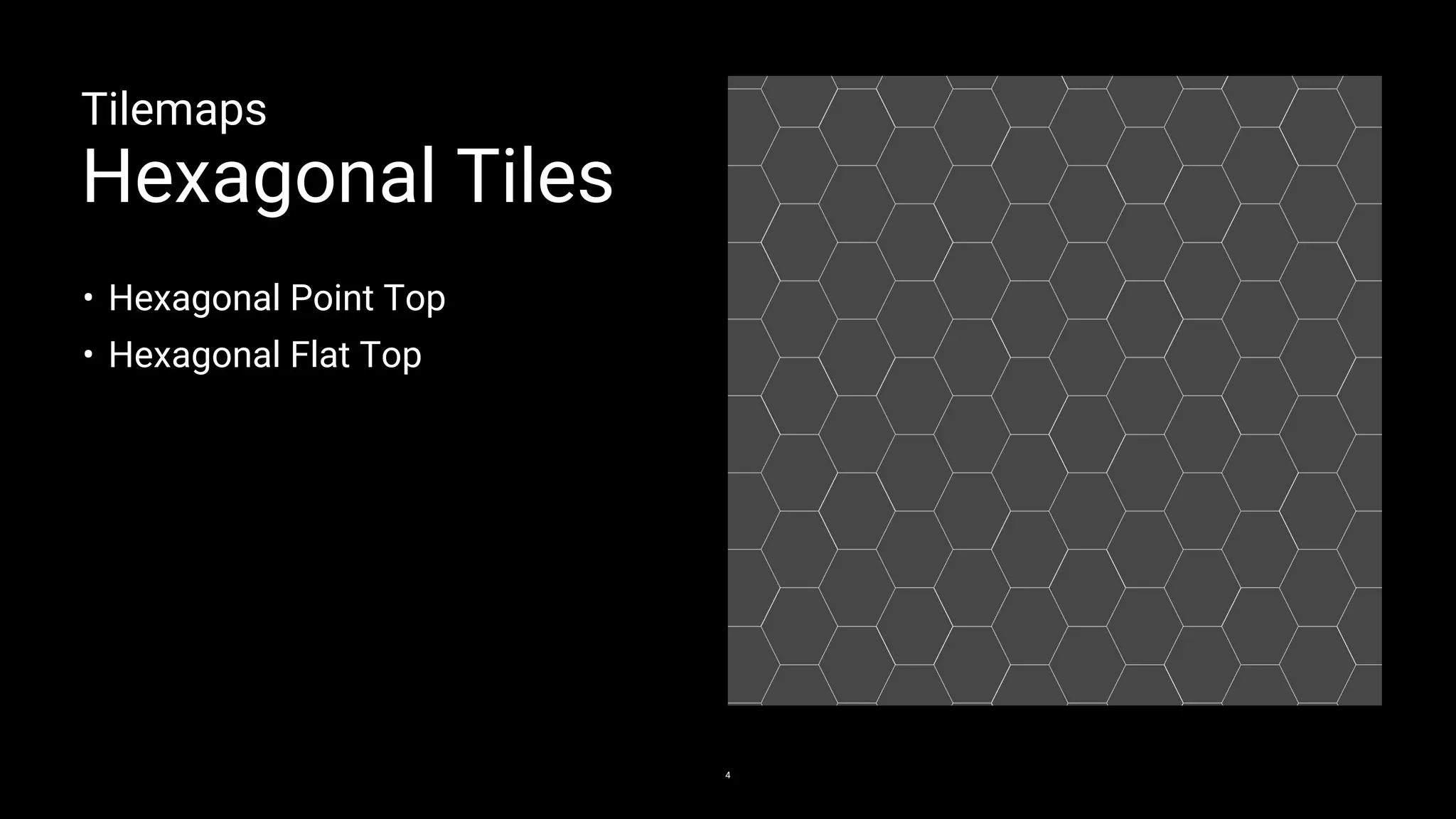
Hexagonal Tiles
4
• Hexagonal Point Top
• Hexagonal Flat Top
Tilemaps
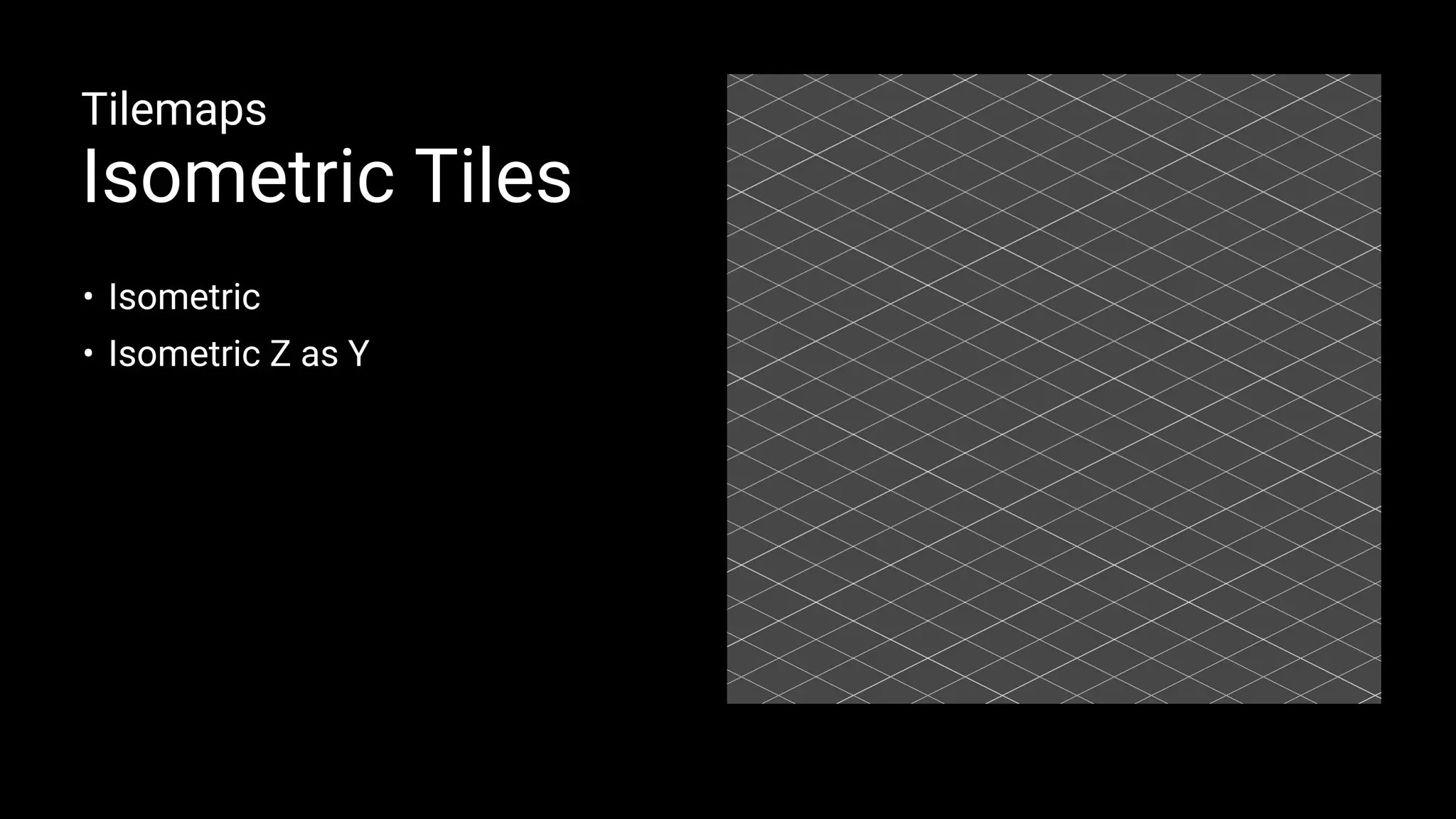
Isometric Tiles
• Isometric
• Isometric Z as Y
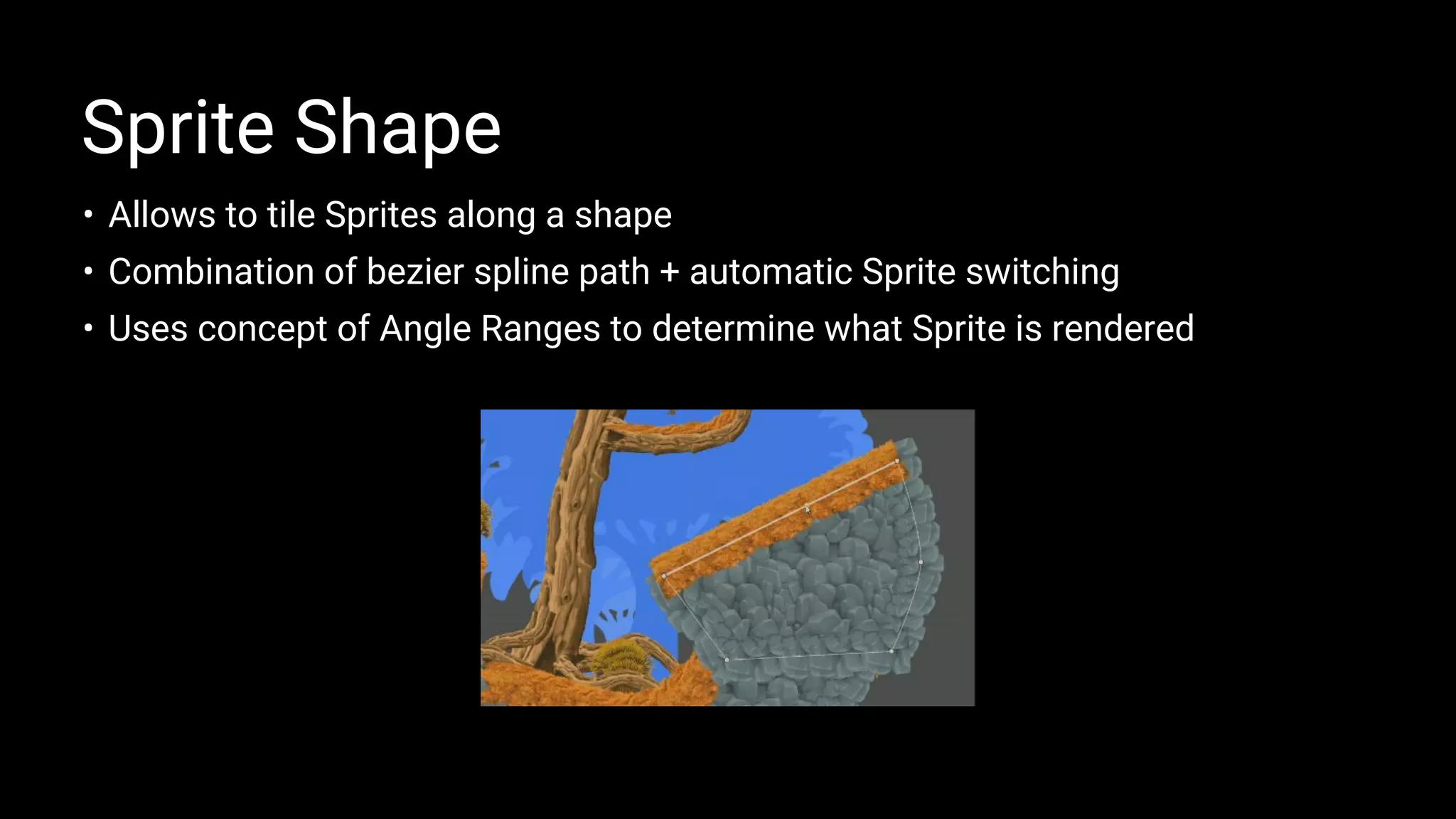
• Allows to tile Sprites along a shape
• Combination of bezier spline path + automatic Sprite switching
• Uses concept of Angle Ranges to determine what Sprite is rendered
Sprite Shape
Sprite Shape Profiles
Angle Ranges
Sprite Shape Controller
Corners
Sprite Borders
Sprite Shape Demo
Animation
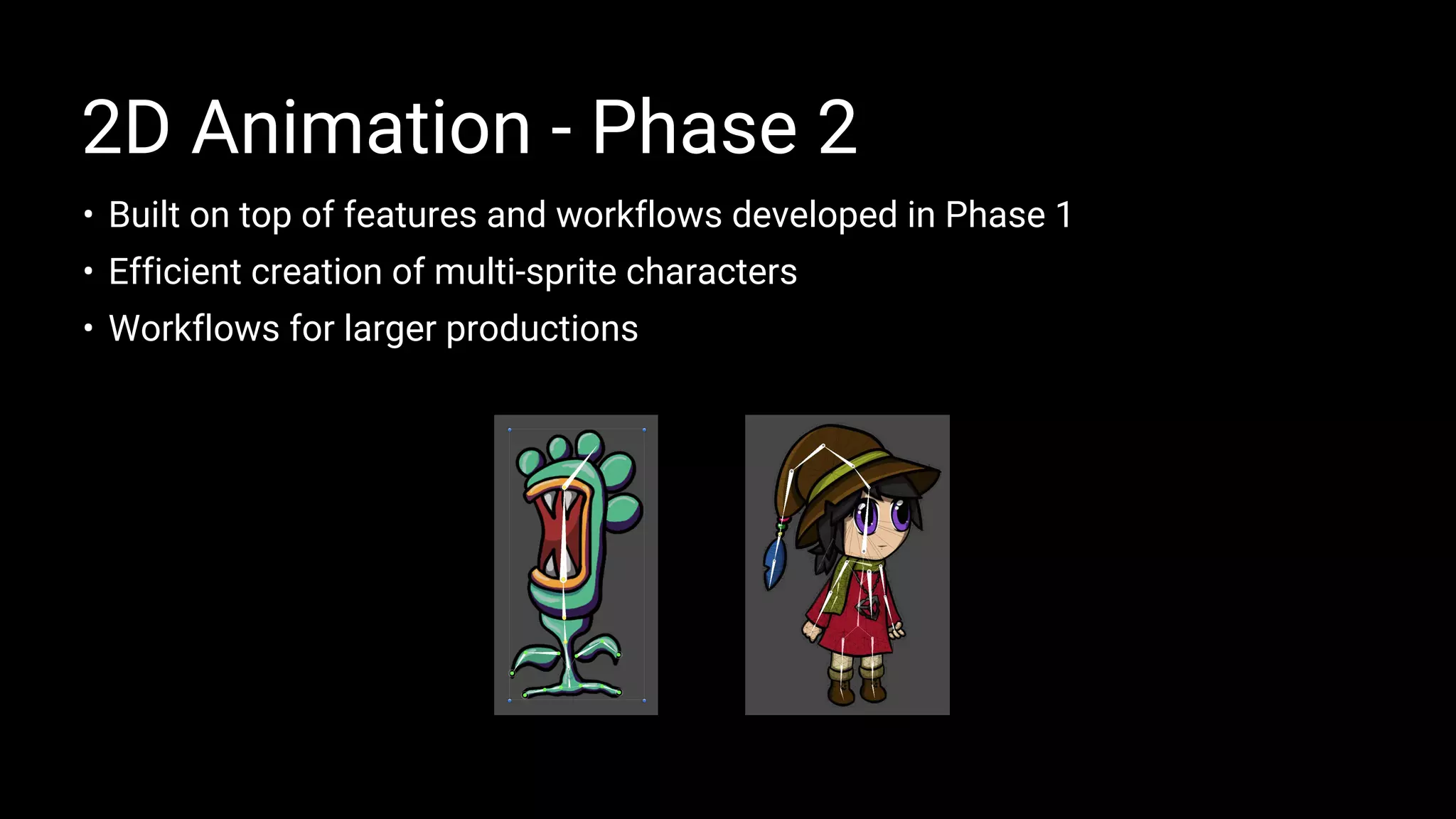
• Built on top of features and workflows developed in Phase 1
• Efficient creation of multi-sprite characters
• Workflows for larger productions
2D Animation - Phase 2
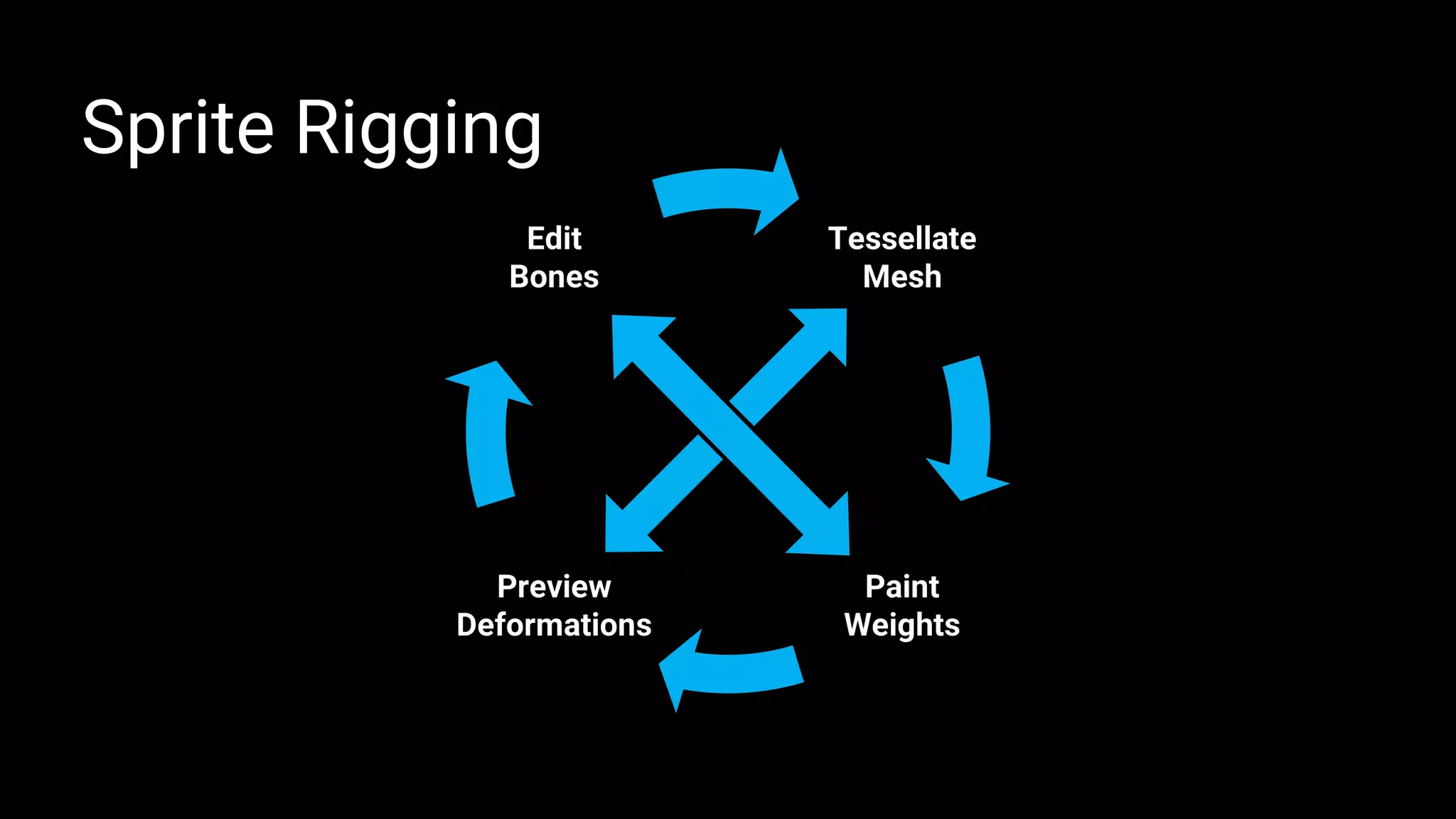
Sprite Rigging
• Sprite Editor Window - Skinning Editor
• Sprite Skin Component
Sprite Rigging - Parts
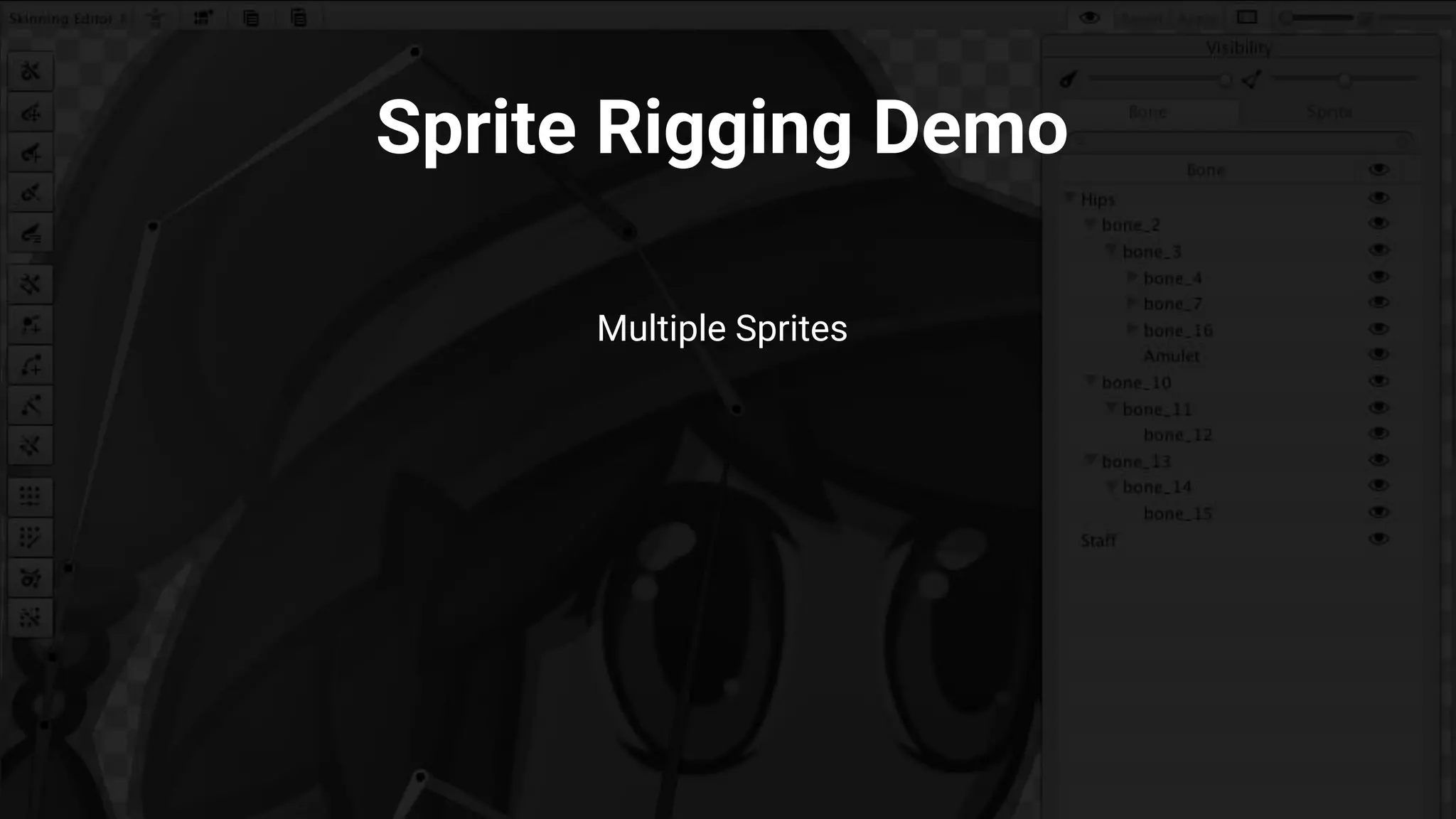
Multiple Sprites
Sprite Rigging Demo
Graphics
Motion and changes in resolution cause imperfections in pixel-art
rendering.
Solution?
Users would have to write their own script to remap definition of pixels.
Better solution?
2D Pixel Perfect Package.
Pixel Perfect
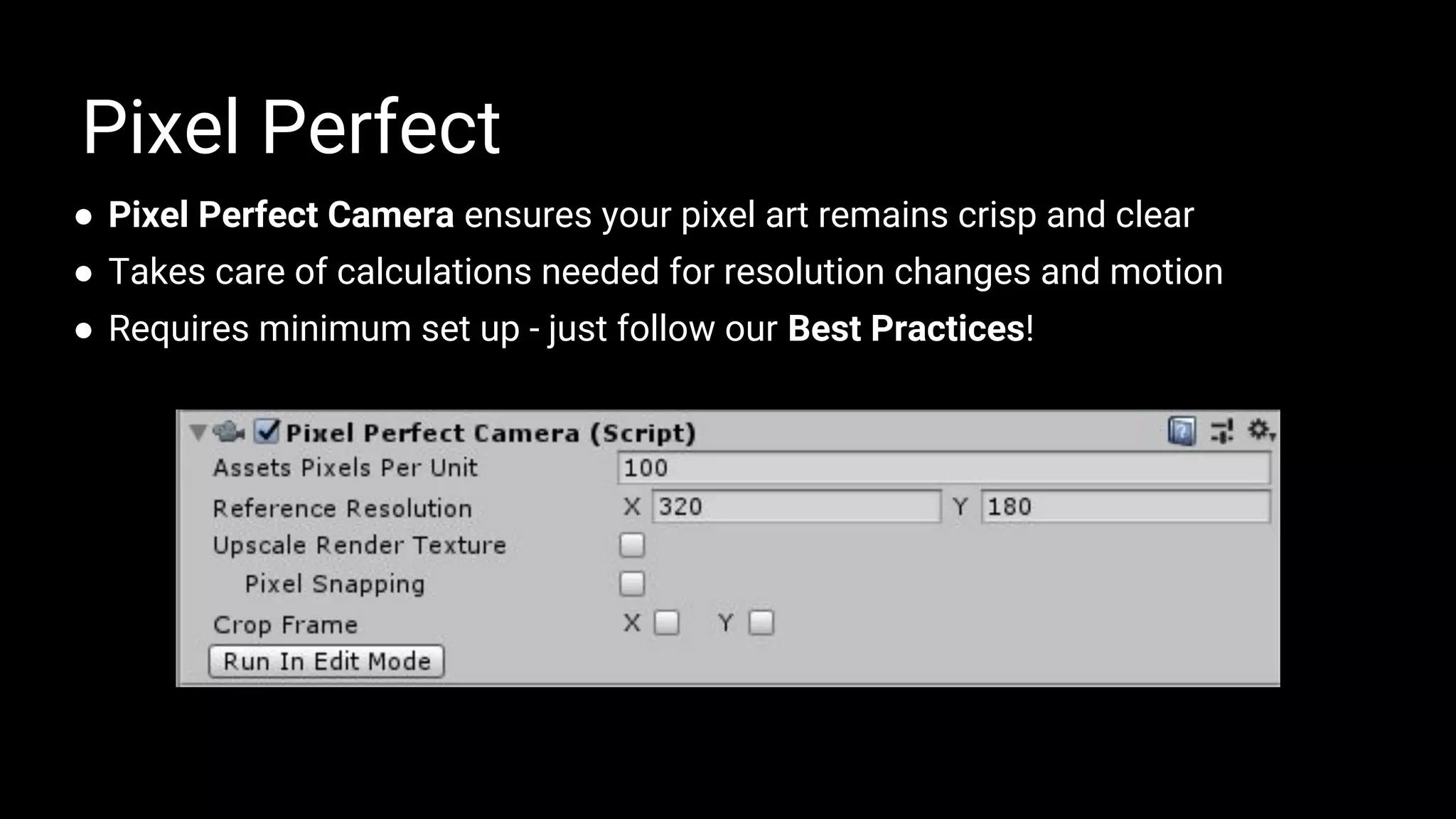
● Pixel Perfect Camera ensures your pixel art remains crisp and clear
● Takes care of calculations needed for resolution changes and motion
● Requires minimum set up - just follow our Best Practices!
Pixel Perfect
Sprite Settings
1. Set all Sprites to the same Pixels Per Unit value
2. Set Filter Mode to Point and Compression to None
Sprite Editor
3. Set a pivot for each Sprite element
4. Set Pivot to Custom and Pivot Unit Mode to Pixels
Pixel Perfect
Best Practices
Snap Settings
1. Set Move X/Y/Z to 1 divided by the Asset Pixels Per Unit (PPU) value
2. For all existing GameObjects, click Snap All Axes to apply snap settings
Pixel Perfect
Best Practices
Shape-based Lights [Add Image]
Fast / Mobile-Friendly
Local Ambient
Specular
Rim
(Where to use)
2D Point/Spot Lights [Add Image]
Directional
Shadows
2D Lights & Shadows
Shape Lights [Add Video]
Point Lights [Add Video]
Video
• Try out the preview features
• What works?
• What doesn’t work?
• What have we missed?
What you can do!
• Visit the forums
• Your projects guide us.
• What are you building?
• How are you building it?
Keep making amazing 2D games in Unity!
GenerativeArt–MadewithUnity
Thank you.

New 2D World-Building, Animation & Graphics Features in Unity

  • 1.
    GenerativeArt–MadewithUnity New 2D Features inUnityRus Scammell Product Manager (2D), Unity @rustumscammell Alessia Nigretti Technical Evangelist, Unity @AlessiaNigretti
  • 2.
    • Sprite AtlasAPIs • Experimental APIs for Sprite Editor Window Foundation
  • 3.
    World-building • Revolutionary 2DWorld-building tools • Improvements in Tilemaps ○ Hexagonal Tilemaps ○ Isometric Tilemaps • Sprite Shape
  • 4.
    Tilemaps Hexagonal Tiles 4 • HexagonalPoint Top • Hexagonal Flat Top
  • 5.
  • 6.
    • Allows totile Sprites along a shape • Combination of bezier spline path + automatic Sprite switching • Uses concept of Angle Ranges to determine what Sprite is rendered Sprite Shape
  • 7.
    Sprite Shape Profiles AngleRanges Sprite Shape Controller Corners Sprite Borders Sprite Shape Demo
  • 8.
  • 9.
    • Built ontop of features and workflows developed in Phase 1 • Efficient creation of multi-sprite characters • Workflows for larger productions 2D Animation - Phase 2
  • 10.
  • 11.
    • Sprite EditorWindow - Skinning Editor • Sprite Skin Component Sprite Rigging - Parts
  • 12.
  • 13.
  • 14.
    Motion and changesin resolution cause imperfections in pixel-art rendering. Solution? Users would have to write their own script to remap definition of pixels. Better solution? 2D Pixel Perfect Package. Pixel Perfect
  • 15.
    ● Pixel PerfectCamera ensures your pixel art remains crisp and clear ● Takes care of calculations needed for resolution changes and motion ● Requires minimum set up - just follow our Best Practices! Pixel Perfect
  • 16.
    Sprite Settings 1. Setall Sprites to the same Pixels Per Unit value 2. Set Filter Mode to Point and Compression to None Sprite Editor 3. Set a pivot for each Sprite element 4. Set Pivot to Custom and Pivot Unit Mode to Pixels Pixel Perfect Best Practices
  • 17.
    Snap Settings 1. SetMove X/Y/Z to 1 divided by the Asset Pixels Per Unit (PPU) value 2. For all existing GameObjects, click Snap All Axes to apply snap settings Pixel Perfect Best Practices
  • 18.
    Shape-based Lights [AddImage] Fast / Mobile-Friendly Local Ambient Specular Rim (Where to use) 2D Point/Spot Lights [Add Image] Directional Shadows 2D Lights & Shadows
  • 19.
    Shape Lights [AddVideo] Point Lights [Add Video] Video
  • 20.
    • Try outthe preview features • What works? • What doesn’t work? • What have we missed? What you can do! • Visit the forums • Your projects guide us. • What are you building? • How are you building it? Keep making amazing 2D games in Unity!
  • 21.