
Unity XR Platform:
New Architecture
Matt Fuad, Product Manager for AR/VR
Michael Durand, Lead Engineer, R&D XR Platforms
Agenda
3
— History of Unity’s XR support
— Learnings
— New Architecture
— Impact to Workflow
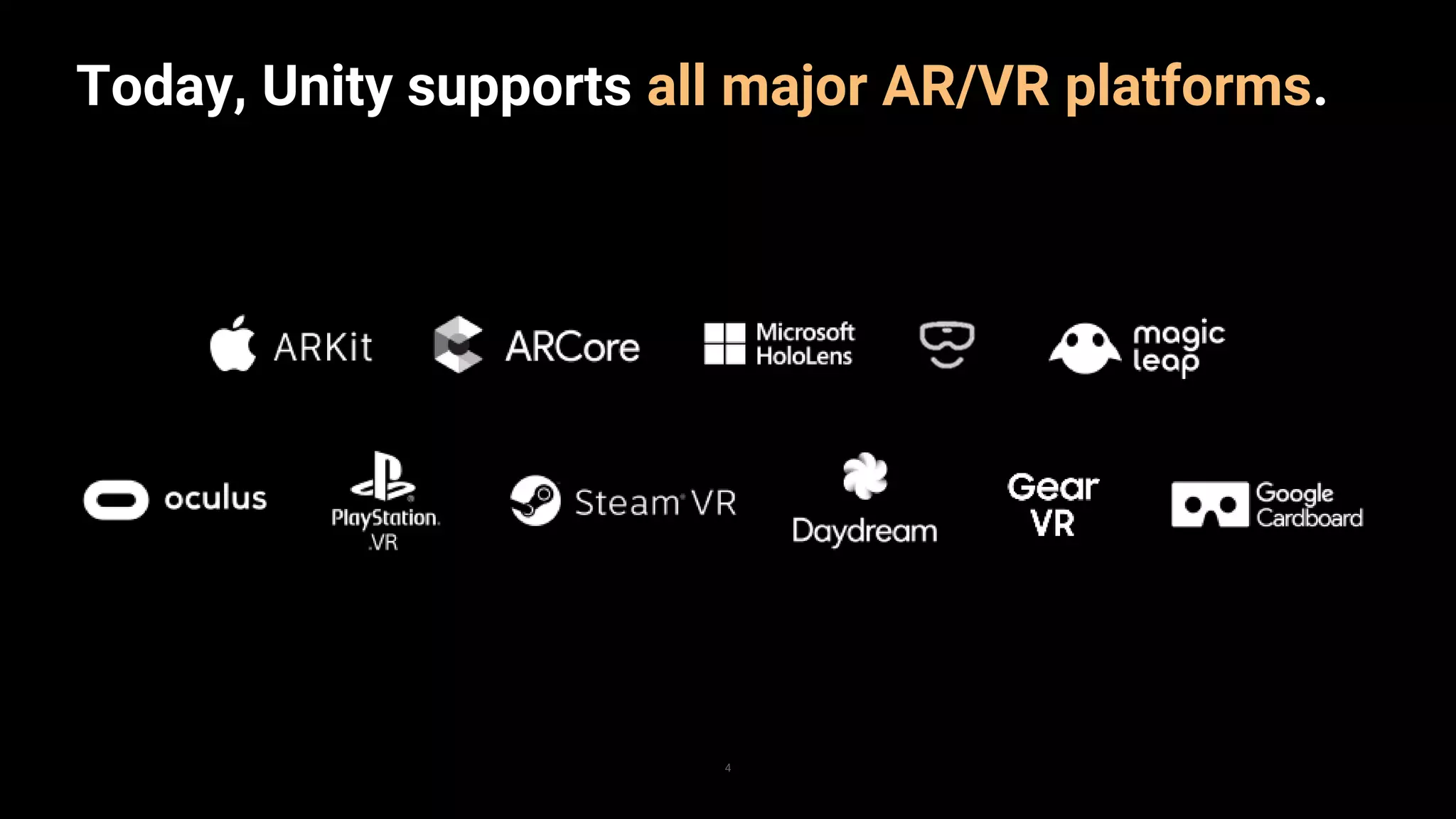
Today, Unity supports all major AR/VR platforms.
4
5
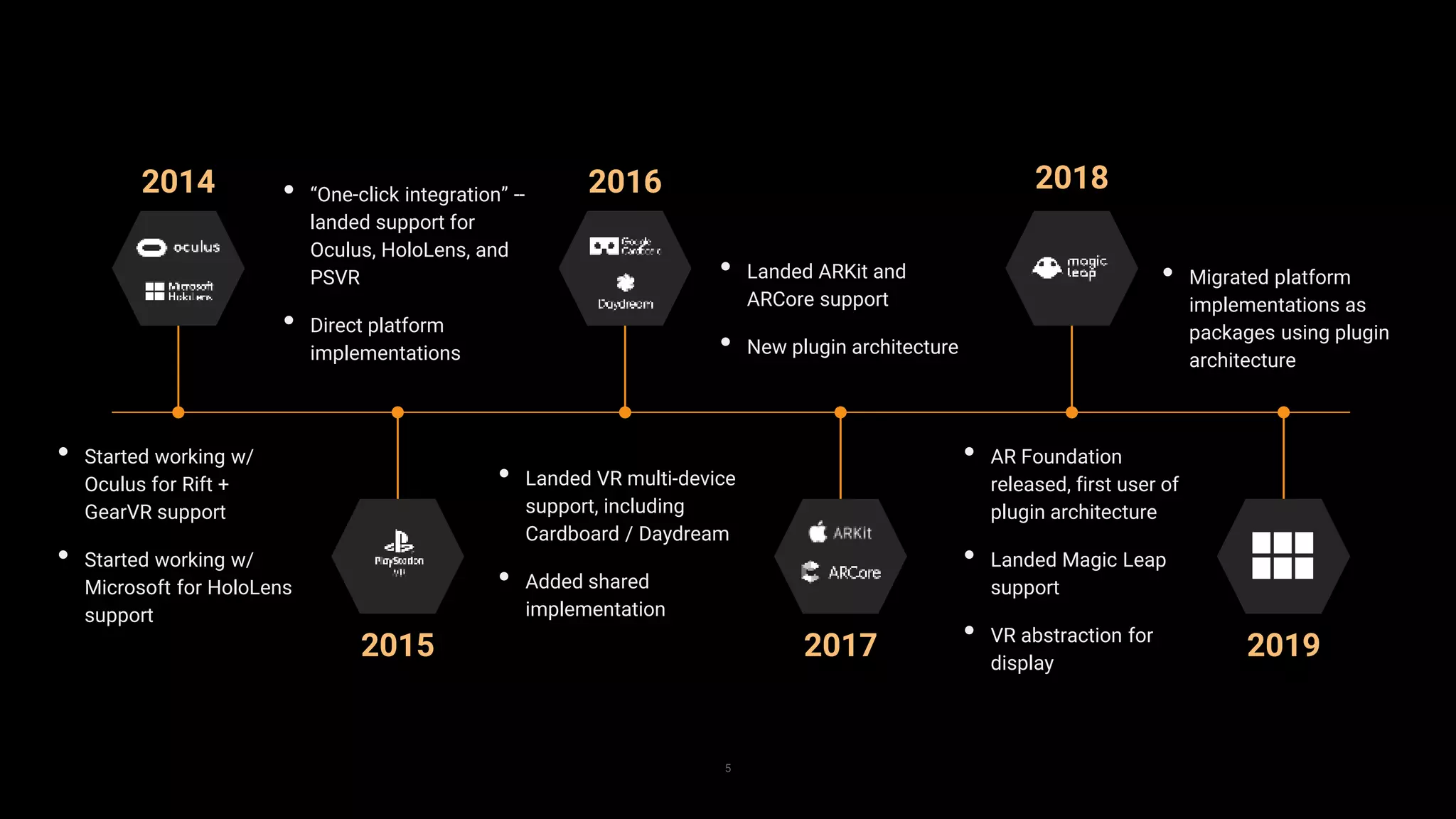
• Started working w/
Oculus for Rift +
GearVR support
• Started working w/
Microsoft for HoloLens
support
2014
2015 2017 2019
2016 2018• “One-click integration” --
landed support for
Oculus, HoloLens, and
PSVR
• Direct platform
implementations
• Landed VR multi-device
support, including
Cardboard / Daydream
• Added shared
implementation
• Landed ARKit and
ARCore support
• New plugin architecture
• Migrated platform
implementations as
packages using plugin
architecture
• AR Foundation
released, first user of
plugin architecture
• Landed Magic Leap
support
• VR abstraction for
display
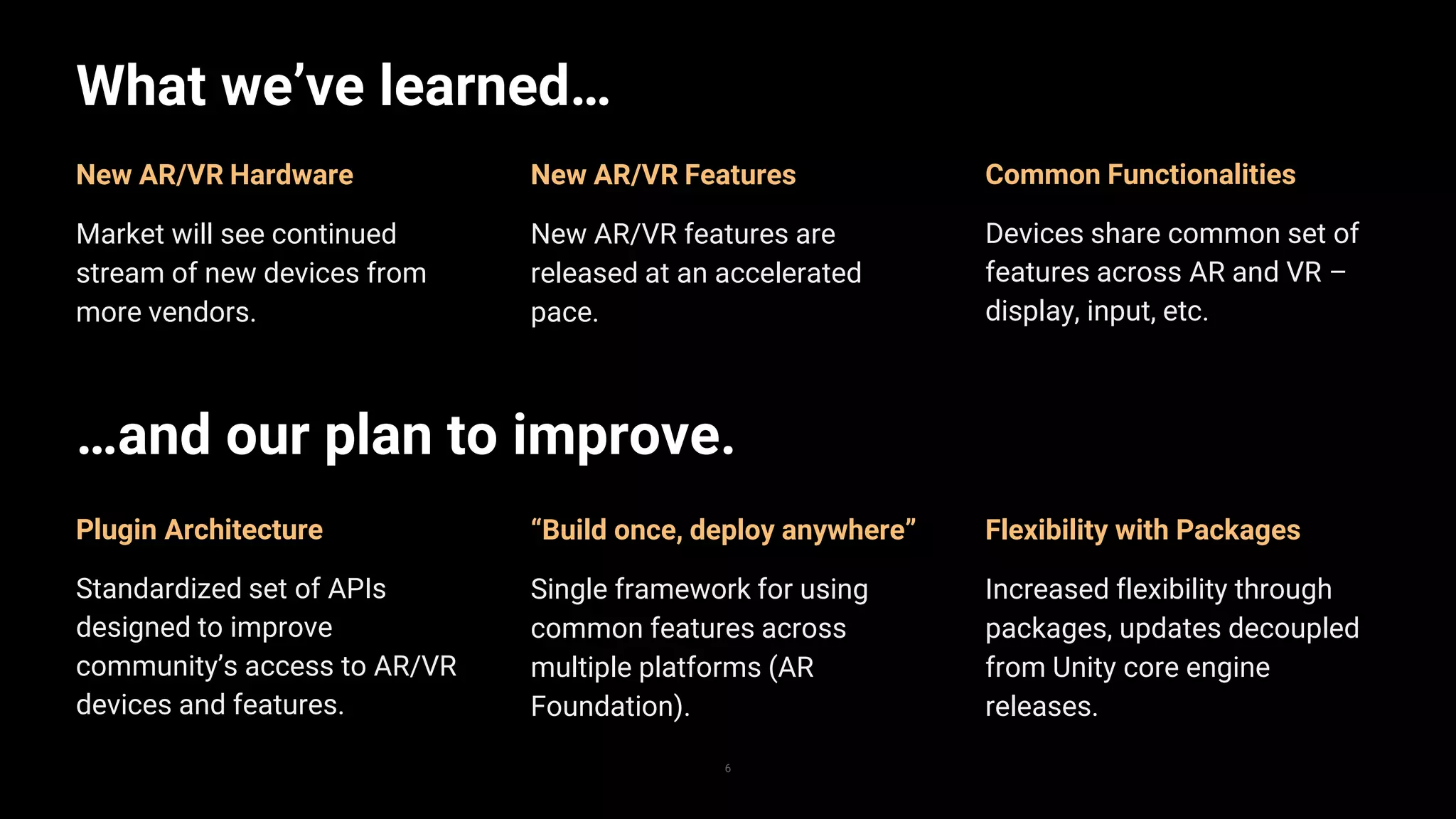
What we’ve learned…
6
Flexibility with Packages
Increased flexibility through
packages, updates decoupled
from Unity core engine
releases.
New AR/VR Features
New AR/VR features are
released at an accelerated
pace.
New AR/VR Hardware
Market will see continued
stream of new devices from
more vendors.
…and our plan to improve.
“Build once, deploy anywhere”
Single framework for using
common features across
multiple platforms (AR
Foundation).
Plugin Architecture
Standardized set of APIs
designed to improve
community’s access to AR/VR
devices and features.
Common Functionalities
Devices share common set of
features across AR and VR –
display, input, etc.
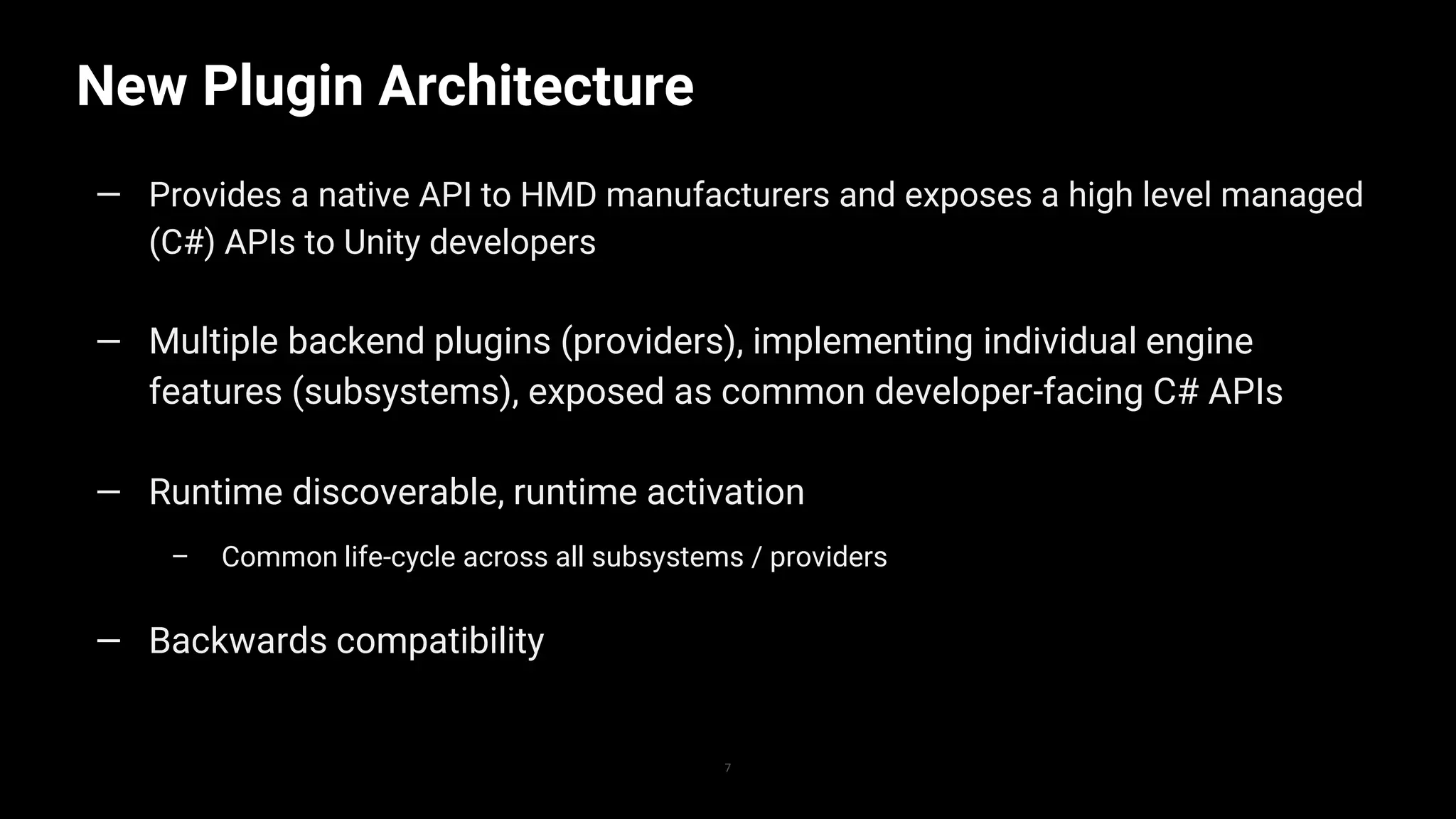
New Plugin Architecture
7
— Provides a native API to HMD manufacturers and exposes a high level managed
(C#) APIs to Unity developers
— Multiple backend plugins (providers), implementing individual engine
features (subsystems), exposed as common developer-facing C# APIs
— Runtime discoverable, runtime activation
– Common life-cycle across all subsystems / providers
— Backwards compatibility
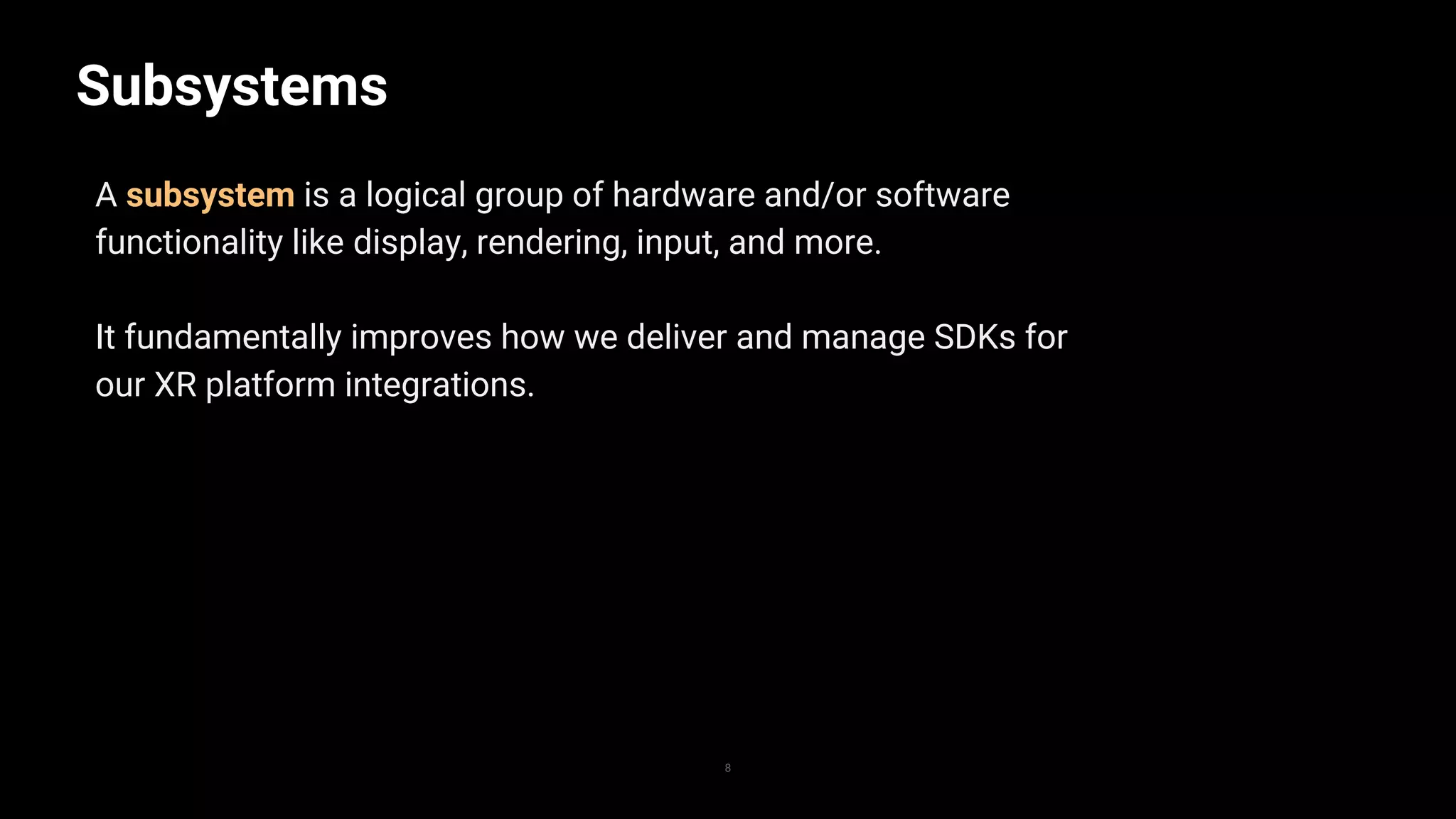
Subsystems
8
A subsystem is a logical group of hardware and/or software
functionality like display, rendering, input, and more.
It fundamentally improves how we deliver and manage SDKs for
our XR platform integrations.
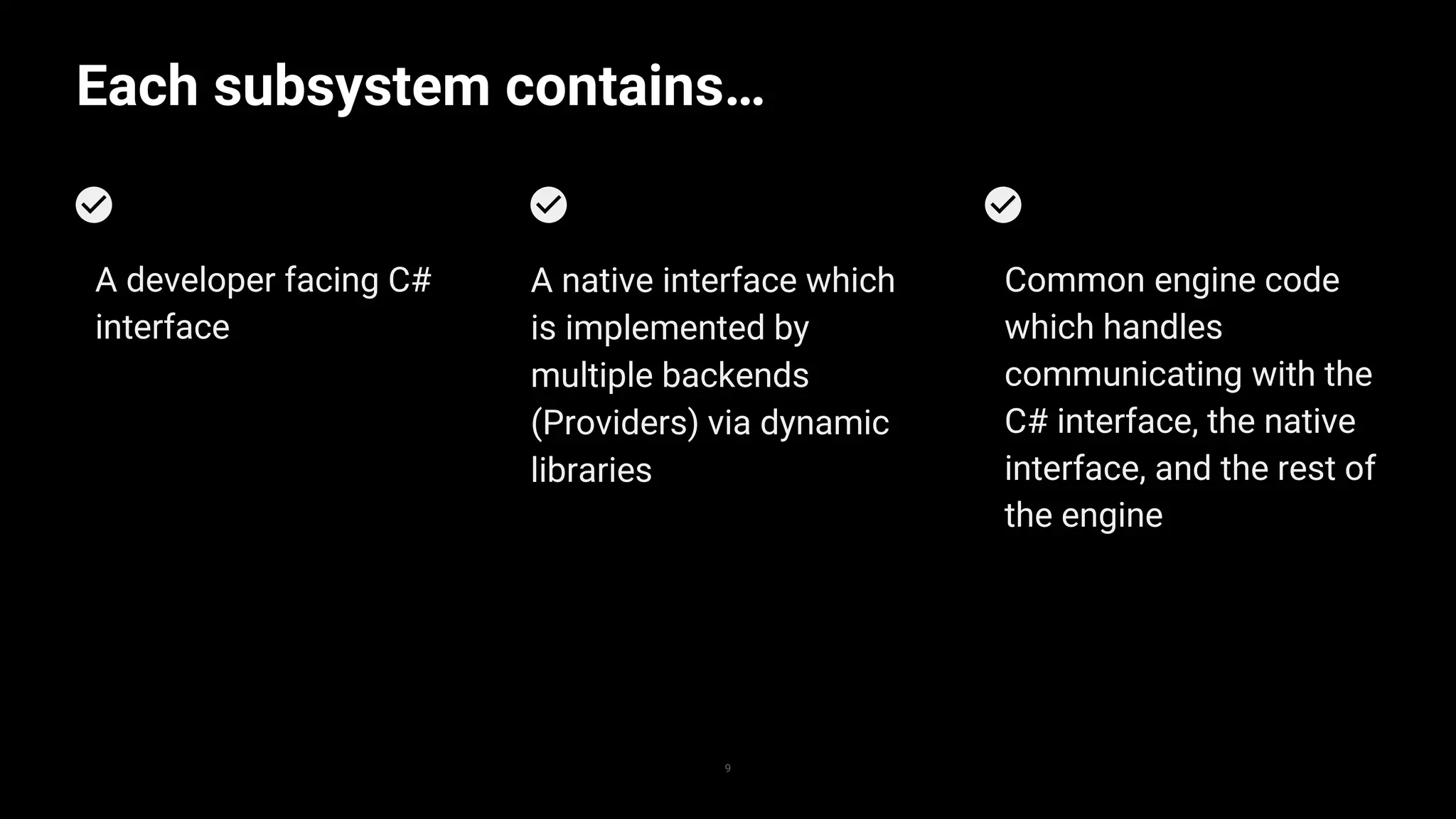
Each subsystem contains…
9
Common engine code
which handles
communicating with the
C# interface, the native
interface, and the rest of
the engine
A native interface which
is implemented by
multiple backends
(Providers) via dynamic
libraries
A developer facing C#
interface
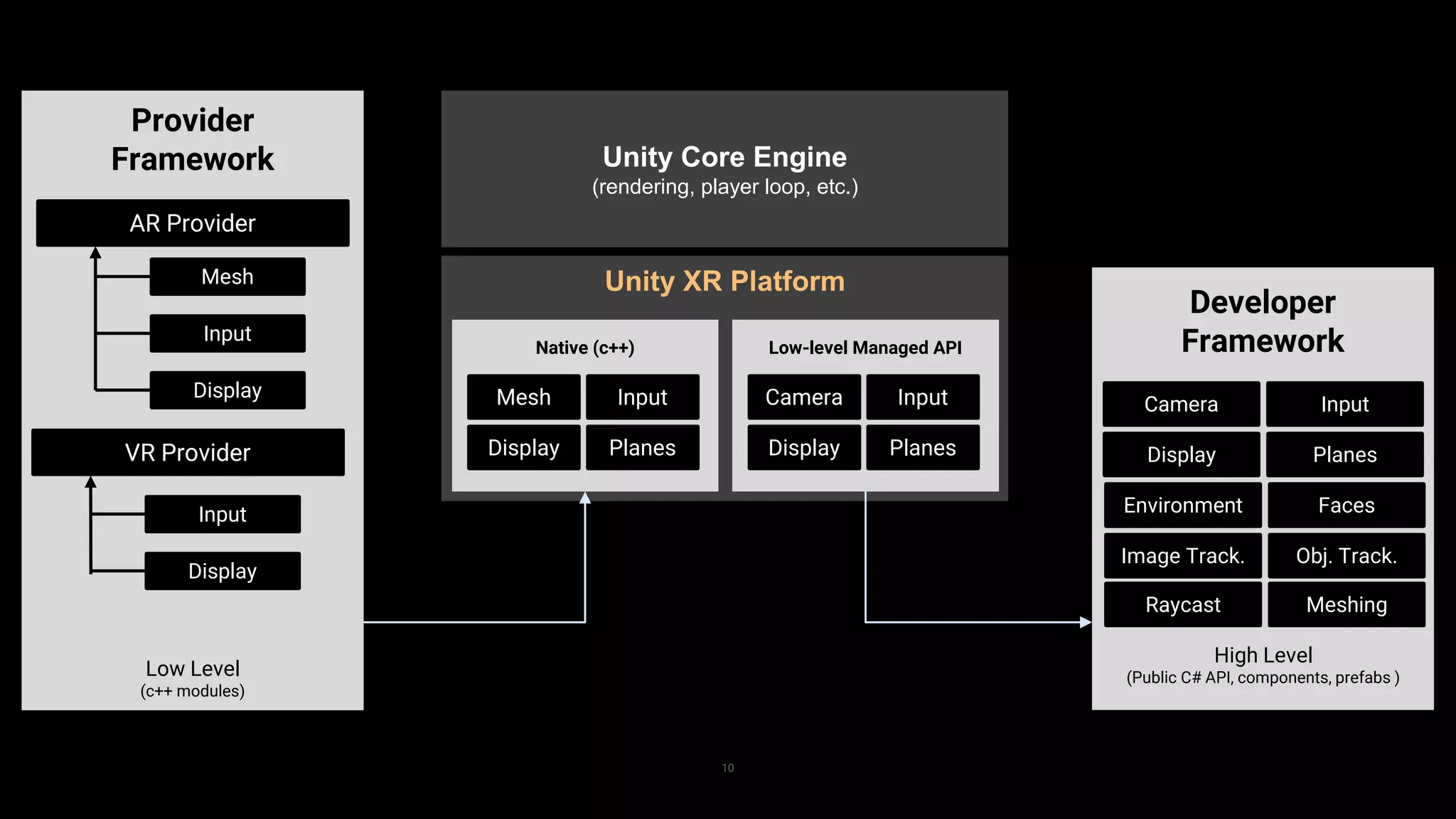
Unity XR Platform
10
Provider
Framework
AR Provider
Mesh
Input
Display
Low Level
(c++ modules)
Unity Core Engine
(rendering, player loop, etc.)
Mesh Input
Display
Native (c++)
Planes
Camera Input
Display
Low-level Managed API
Planes
Developer
Framework
High Level
(Public C# API, components, prefabs )
Camera Input
Display Planes
Environment Faces
Image Track. Obj. Track.
Raycast Meshing
VR Provider
Input
Display
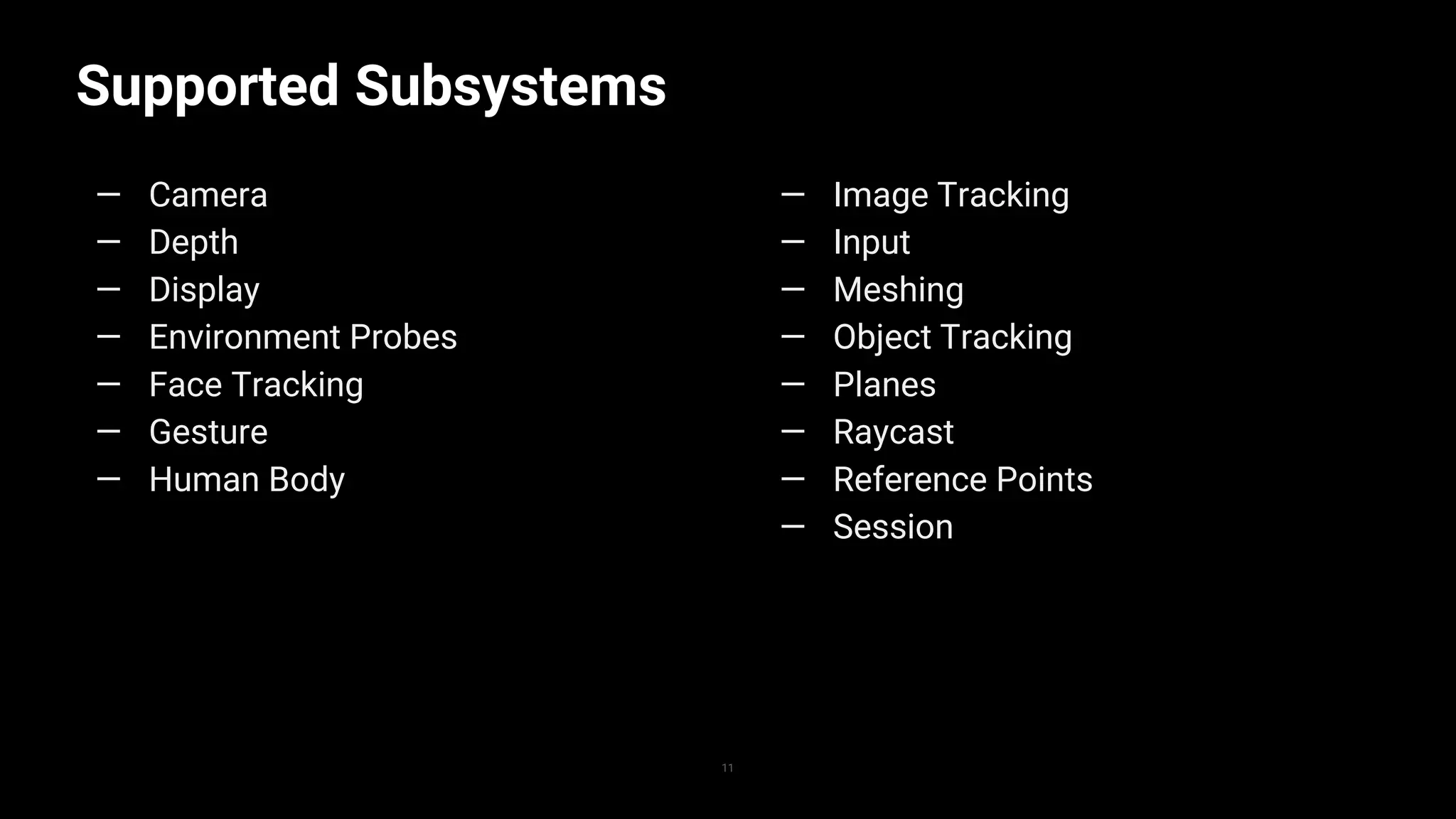
Supported Subsystems
11
— Camera
— Depth
— Display
— Environment Probes
— Face Tracking
— Gesture
— Human Body
— Image Tracking
— Input
— Meshing
— Object Tracking
— Planes
— Raycast
— Reference Points
— Session
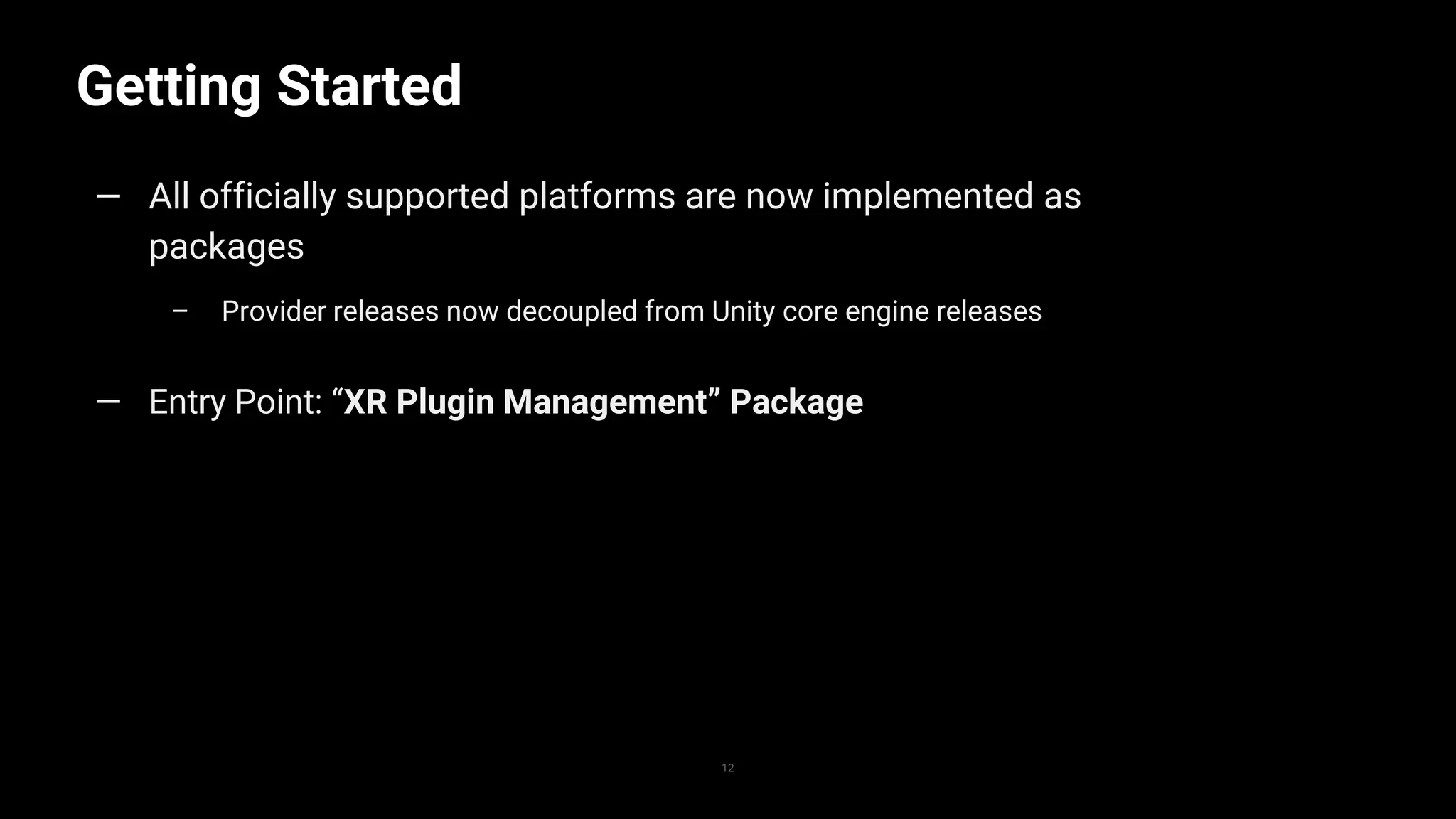
Getting Started
12
— All officially supported platforms are now implemented as
packages
– Provider releases now decoupled from Unity core engine releases
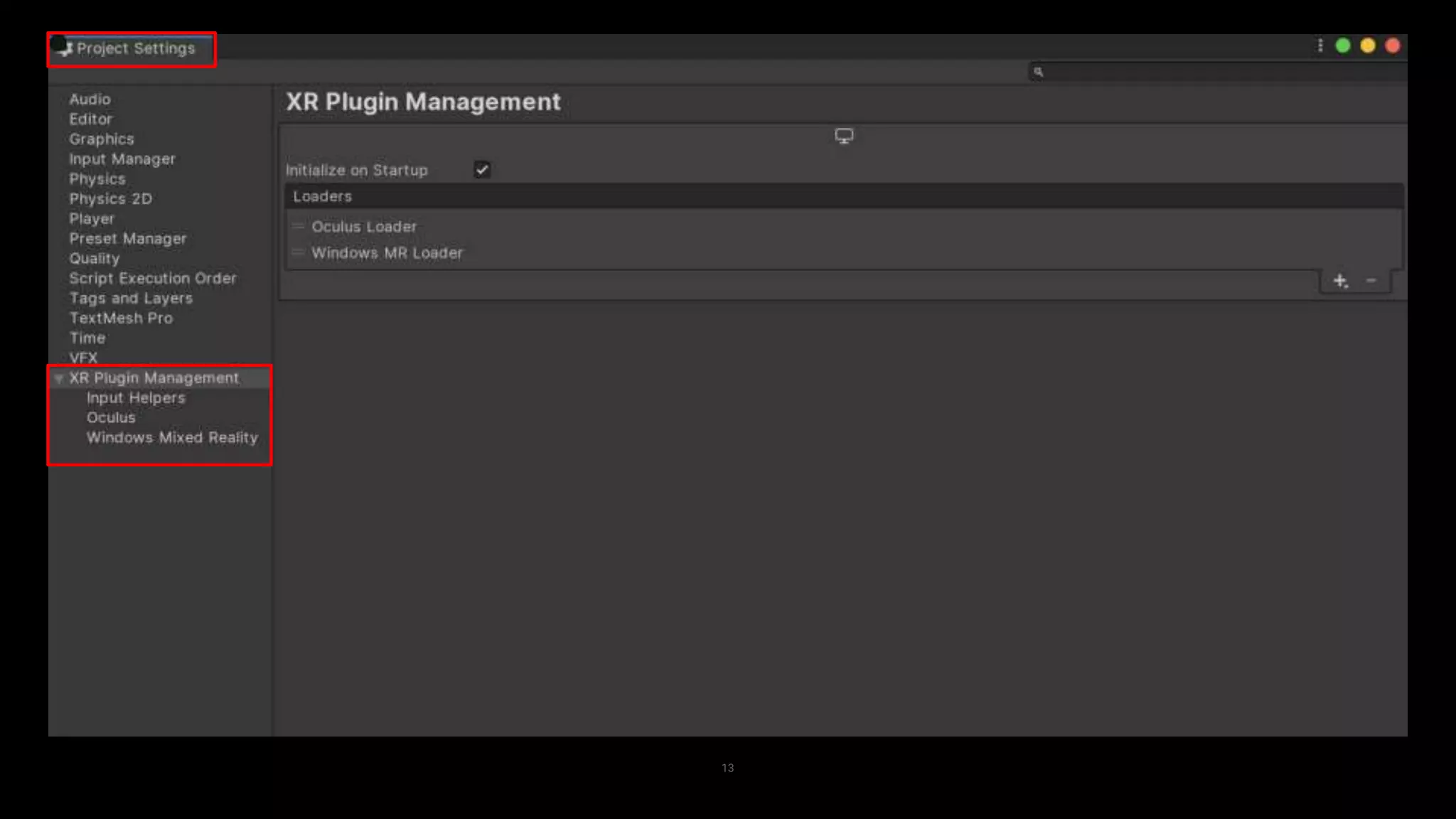
— Entry Point: “XR Plugin Management” Package
13
What’s Next?
14
— Migration of platform SDK implementations as packages
with new plugin architecture landing as verified in 2019.3
— Direct platform implementations will be marked as
deprecated in 2019.3
— Continued improvements in UI/UX experience with “XR
Plugin Management” package
Join the conversation on Unity’s XR forum!
— “XR Plugins & Subsystems”

Unity XR platform has a new architecture – Unite Copenhagen 2019

  • 2.
    Unity XR Platform: NewArchitecture Matt Fuad, Product Manager for AR/VR Michael Durand, Lead Engineer, R&D XR Platforms
  • 3.
    Agenda 3 — History ofUnity’s XR support — Learnings — New Architecture — Impact to Workflow
  • 4.
    Today, Unity supportsall major AR/VR platforms. 4
  • 5.
    5 • Started workingw/ Oculus for Rift + GearVR support • Started working w/ Microsoft for HoloLens support 2014 2015 2017 2019 2016 2018• “One-click integration” -- landed support for Oculus, HoloLens, and PSVR • Direct platform implementations • Landed VR multi-device support, including Cardboard / Daydream • Added shared implementation • Landed ARKit and ARCore support • New plugin architecture • Migrated platform implementations as packages using plugin architecture • AR Foundation released, first user of plugin architecture • Landed Magic Leap support • VR abstraction for display
  • 6.
    What we’ve learned… 6 Flexibilitywith Packages Increased flexibility through packages, updates decoupled from Unity core engine releases. New AR/VR Features New AR/VR features are released at an accelerated pace. New AR/VR Hardware Market will see continued stream of new devices from more vendors. …and our plan to improve. “Build once, deploy anywhere” Single framework for using common features across multiple platforms (AR Foundation). Plugin Architecture Standardized set of APIs designed to improve community’s access to AR/VR devices and features. Common Functionalities Devices share common set of features across AR and VR – display, input, etc.
  • 7.
    New Plugin Architecture 7 —Provides a native API to HMD manufacturers and exposes a high level managed (C#) APIs to Unity developers — Multiple backend plugins (providers), implementing individual engine features (subsystems), exposed as common developer-facing C# APIs — Runtime discoverable, runtime activation – Common life-cycle across all subsystems / providers — Backwards compatibility
  • 8.
    Subsystems 8 A subsystem isa logical group of hardware and/or software functionality like display, rendering, input, and more. It fundamentally improves how we deliver and manage SDKs for our XR platform integrations.
  • 9.
    Each subsystem contains… 9 Commonengine code which handles communicating with the C# interface, the native interface, and the rest of the engine A native interface which is implemented by multiple backends (Providers) via dynamic libraries A developer facing C# interface
  • 10.
    Unity XR Platform 10 Provider Framework ARProvider Mesh Input Display Low Level (c++ modules) Unity Core Engine (rendering, player loop, etc.) Mesh Input Display Native (c++) Planes Camera Input Display Low-level Managed API Planes Developer Framework High Level (Public C# API, components, prefabs ) Camera Input Display Planes Environment Faces Image Track. Obj. Track. Raycast Meshing VR Provider Input Display
  • 11.
    Supported Subsystems 11 — Camera —Depth — Display — Environment Probes — Face Tracking — Gesture — Human Body — Image Tracking — Input — Meshing — Object Tracking — Planes — Raycast — Reference Points — Session
  • 12.
    Getting Started 12 — Allofficially supported platforms are now implemented as packages – Provider releases now decoupled from Unity core engine releases — Entry Point: “XR Plugin Management” Package
  • 13.
  • 14.
    What’s Next? 14 — Migrationof platform SDK implementations as packages with new plugin architecture landing as verified in 2019.3 — Direct platform implementations will be marked as deprecated in 2019.3 — Continued improvements in UI/UX experience with “XR Plugin Management” package Join the conversation on Unity’s XR forum! — “XR Plugins & Subsystems”

Editor's Notes

  • #7 Plugin Architecture: This new architecture will allow for easier device integration into Unity in the future. This will also allow Unity developers greater accessibility to devices and features in the future. The architecture also allows us to more quickly respond to new features of the industry and able to deploy them to unity developers quicker.
  • #9 Subsystems and the APIs that devs use to interact with them are designed to be completely independent from one another. And even may or may not be present at all depending on the platform. So as a real-life example: let’s say you are writing an AR experience that can use 2D image recognition to trigger some behavior but prefers using 3D object recognition to trigger that behavior: your cross-platform code could query for the presence of a ObjectTracking Subsystem. If that subsystem is available you can use it. But for platforms where it isn’t available the application can gracefully fall back to using the ImageTracking subsystem. Again, none of the application code needs to know about any specific platform with this architecture: the code can simply query the availability of a particular feature. In addition, we could have a scenario where two platforms both provide Plane Tracking but one of them only detects horizontal planes and another detects both vertical and horizontal planes. Minor differences in capability like this can be expressed via metadata called a Subsystem Descriptor. In that simple example a readonly C# property expresses the underlying platform’s capabilities but still does so in a functionality-focused manner rather than in a platform-specific manner.
  • #11 Provider Framework: This layer defines the implementation of the platform and device-specific SDKs, written against predefined subsystem interfaces that connect to the Interface Layer. The Provider framework also handles the translation of platform-specific representations into platform-agnostic subsystem data. Interface Layer: This layer contains the optimized core engine implementation that will execute provider code written against the predefined subsystem interfaces. Note that subsystem APIs purely provide data - not GameObjects. Developer Framework: This layer exposes the functionality of the subsystems in a developer-friendly way, which includes game object-based representations of the data we get from APIs. Again, these are the public APIs that we encourage developers to code against.
  • #13 So, how does this impact your workflow and why should I care? The developer framework, or AR Foundation, as well as the individual providers (like Oculus, Windows MR, Magic Leap, etc.) are all distributed via the Unity Package Manager. And that’s great because it allows developers to get new functionality and bug fixes without the need to upgrade to an entirely new version of Unity. This allows for increased flexibility where updates to the SDKs can be accessed outside of the core Unity release cycle. This is great, but we realize that loading and managing all of these packages, for the various platforms you want to build for, can get cumbersome. So, we’ve created the XR Plugin Management package, designed to be a single entry point for exactly that, loading and managing the various platform SDKs you want to target.
  • #14 Here’s what it looks like in the editor. Instead of going to Player Settings as a first step, the settings for XR and SDKs will now appear under Project Settings. Before that though, you’ll need to download the XR Plugin Management package from the Package Manager, making sure you enable preview packages. The XR Management package will now serve as the main entry point for loading the right package for each target SDK/platform and managing respective settings. XR Management is also needed to make the XR Settings show up in Project Settings. Once downloaded, the XR Management package will take you to Project Settings, where the loading and management of supported XR platforms will take place.