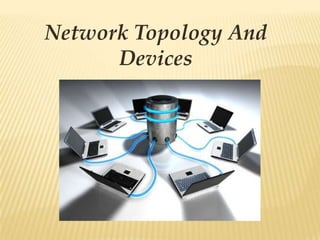
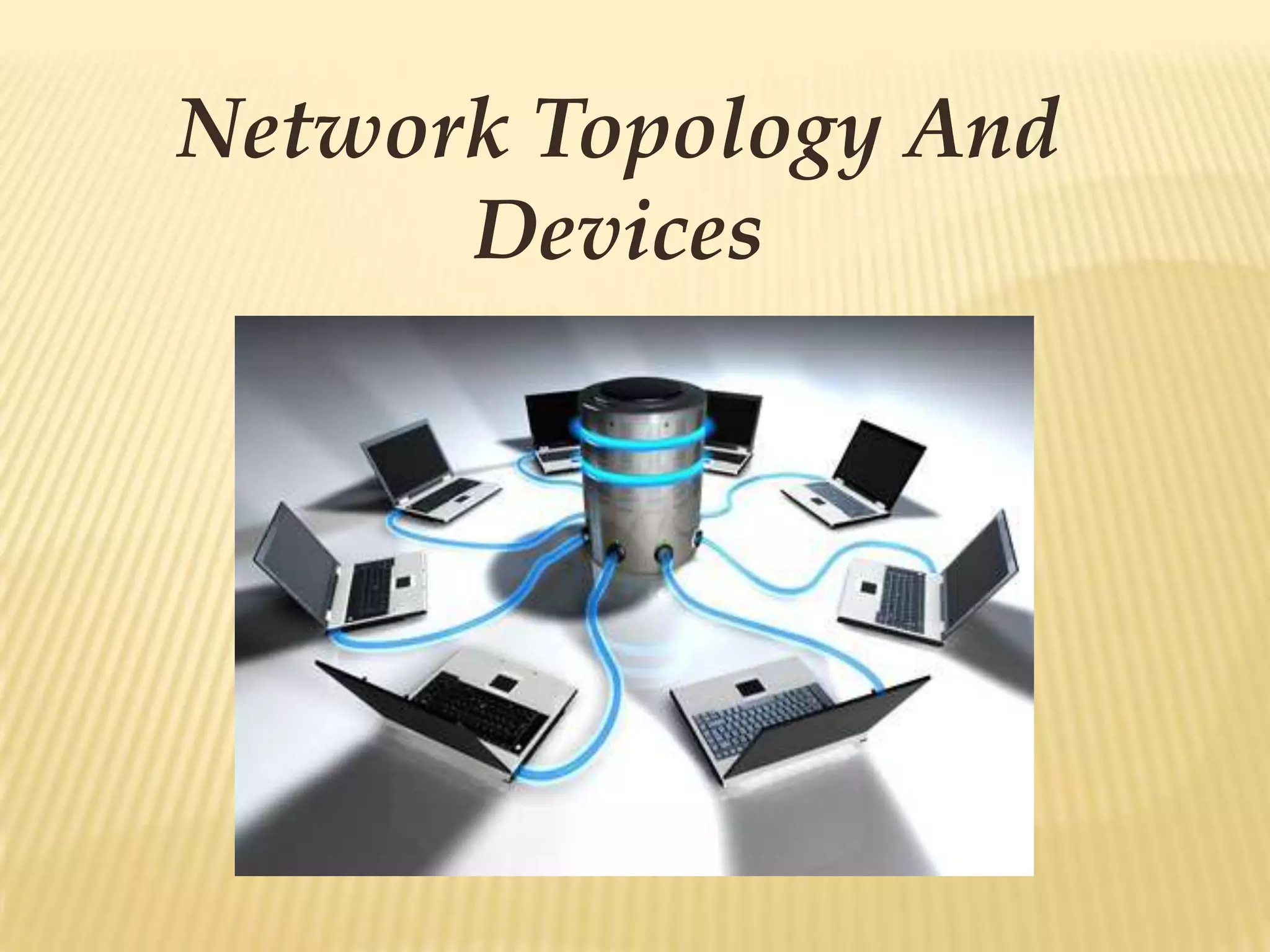
Network Topology And
      Devices
NETWORK

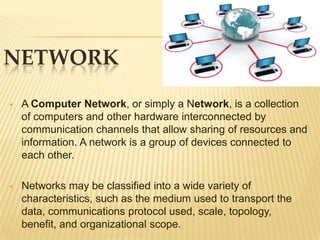
   A Computer Network, or simply a Network, is a collection
    of computers and other hardware interconnected by
    communication channels that allow sharing of resources and
    information. A network is a group of devices connected to
    each other.

   Networks may be classified into a wide variety of
    characteristics, such as the medium used to transport the
    data, communications protocol used, scale, topology,
    benefit, and organizational scope.
NETWORK CLASSIFICATION
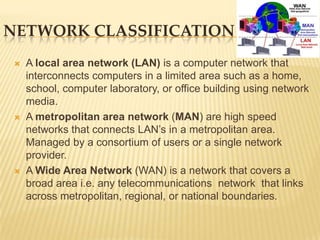
    A local area network (LAN) is a computer network that
     interconnects computers in a limited area such as a home,
     school, computer laboratory, or office building using network
     media.
    A metropolitan area network (MAN) are high speed
     networks that connects LAN’s in a metropolitan area.
     Managed by a consortium of users or a single network
     provider.
    A Wide Area Network (WAN) is a network that covers a
     broad area i.e. any telecommunications network that links
     across metropolitan, regional, or national boundaries.
NETWORK TOPOLOGY
Network topology is the arrangement of the various elements
(links, nodes, etc.) of a computer or a biological
network. Essentially it is the topological structure of a network
and may be depicted physically or logically. Topologies are
either:
 Physical

 Logical
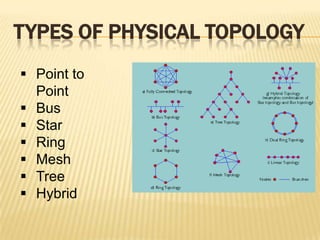
TYPES OF PHYSICAL TOPOLOGY
 Point to
  Point
 Bus
 Star
 Ring
 Mesh
 Tree
 Hybrid
POINT TO POINT
Point-to-Point topology is a point-to-point communication
channel that appears to the user to be permanently
associated with the two endpoints. A tin can telephone is the
best example.
BUS
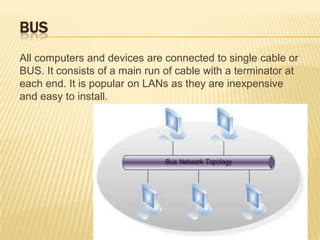
All computers and devices are connected to single cable or
BUS. It consists of a main run of cable with a terminator at
each end. It is popular on LANs as they are inexpensive
and easy to install.
STAR
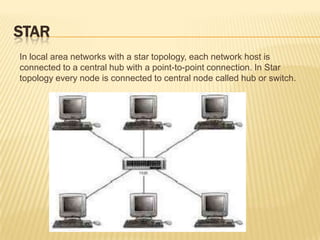
In local area networks with a star topology, each network host is
connected to a central hub with a point-to-point connection. In Star
topology every node is connected to central node called hub or switch.
RING
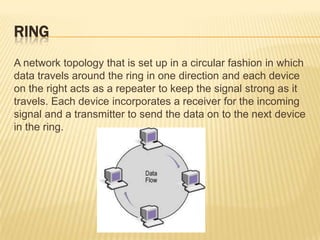
A network topology that is set up in a circular fashion in which
data travels around the ring in one direction and each device
on the right acts as a repeater to keep the signal strong as it
travels. Each device incorporates a receiver for the incoming
signal and a transmitter to send the data on to the next device
in the ring.
MESH
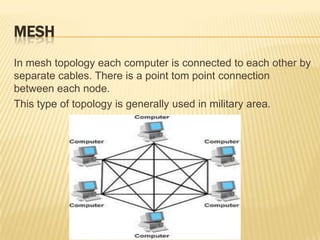
In mesh topology each computer is connected to each other by
separate cables. There is a point tom point connection
between each node.
This type of topology is generally used in military area.
TREE
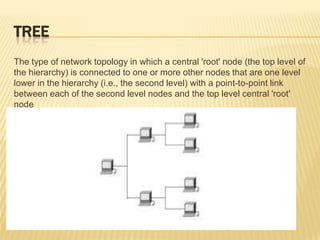
The type of network topology in which a central 'root' node (the top level of
the hierarchy) is connected to one or more other nodes that are one level
lower in the hierarchy (i.e., the second level) with a point-to-point link
between each of the second level nodes and the top level central 'root'
node
HYBRID
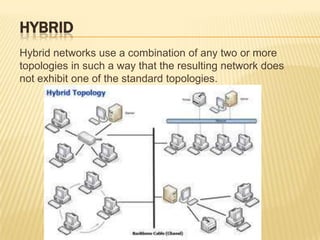
Hybrid networks use a combination of any two or more
topologies in such a way that the resulting network does
not exhibit one of the standard topologies.
ADVANTAGES AND DISADVANTAGES OF
THE 4 MOST COMMONLY USED
NETWORK TOPOLOGIES
BUS TOPOLOGY

Advantages
   Easy to connect a computer or peripheral to a linear bus.
   Requires less cables than any other topologies.
   Doesn’t requires any specialized network equipment.


Disadvantages
   Difficult to trouble shoot.
   Network disruption when more computers are added to
    it.
   A break in the cable will prevent all systems from
    accessing the network.
RING TOPOLOGY

Advantages
   Cable faults are easily located making trouble shooting
    easier
   Ring networks are moderately easily to install.


Disadvantages
   Expansion to the network can cause network disruption
   A single break in the cable can disrupt the entire network
MESH TOPOLOGY

Advantages
   Provides redundant path between the devices
   Network can be expanded without any inconvenience to
    current user.


Disadvantages
   Requires more cables than any other toplology
   Complicated implementations
STAR TOPOLOGY

    ADVANTAGES
   Easy to install and wire.
   Security can be implemented in the hub/switch.
   Easy to detect faults and remove parts.

    DISADVANTAGES
   Requires more cable length.
   If the hub or concentrator fails nodes attached are
    disabled
   More expansive due to he cost of concentrators
    associated with it.
NETWORKING DEVICES
Networking devices typically refers to hardware that facilitates
the use of a computer network. Computer networking
devices are units that mediate data in a computer
network. Some of the networking devices are:
 Gateway

 Router

 Switch

 Bridge

 Hub

 Repeater

 Multiplexer

 Modem
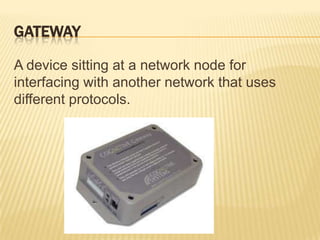
GATEWAY

A device sitting at a network node for
interfacing with another network that uses
different protocols.
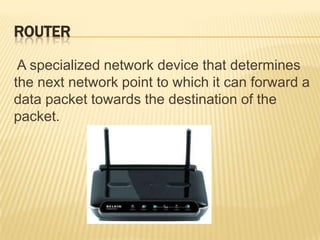
ROUTER

 A specialized network device that determines
the next network point to which it can forward a
data packet towards the destination of the
packet.
SWITCH

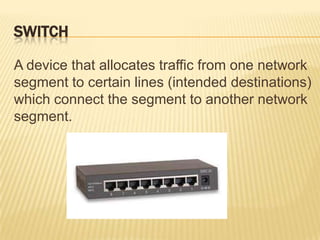
A device that allocates traffic from one network
segment to certain lines (intended destinations)
which connect the segment to another network
segment.
BRIDGE

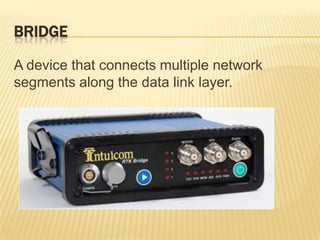
A device that connects multiple network
segments along the data link layer.
HUB
A device connects multiple Ethernet segments together
making them act as a single segment. When using a hub,
every attached device shares the same broadcast domain and
the same collision domain. Therefore, only
one computer connected to the hub is able to transmit at a
time.
REPEATER

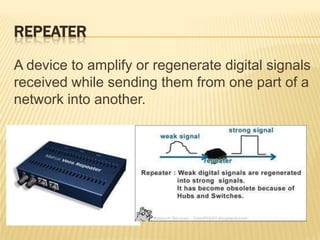
A device to amplify or regenerate digital signals
received while sending them from one part of a
network into another.
MULTIPLEXER

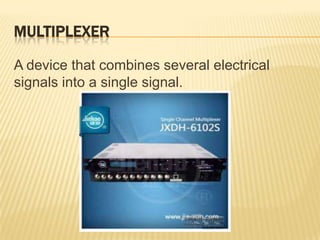
A device that combines several electrical
signals into a single signal.
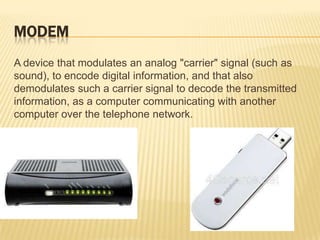
MODEM
A device that modulates an analog "carrier" signal (such as
sound), to encode digital information, and that also
demodulates such a carrier signal to decode the transmitted
information, as a computer communicating with another
computer over the telephone network.
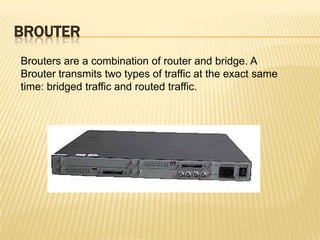
BROUTER
Brouters are a combination of router and bridge. A
Brouter transmits two types of traffic at the exact same
time: bridged traffic and routed traffic.
NETWORK INTERFACE CARD
Network Interface Card, or NIC is a hardware card installed
in a computer so it can communicate on a network. The
network adapter provides one or more ports for the network
cable to connect to, and it transmits and receives data onto
the network cable.


        Network Card                   Wireless LAN Card
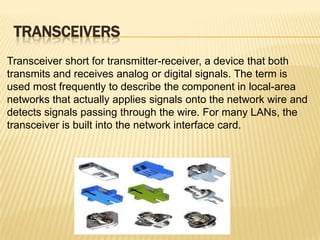
TRANSCEIVERS
Transceiver short for transmitter-receiver, a device that both
transmits and receives analog or digital signals. The term is
used most frequently to describe the component in local-area
networks that actually applies signals onto the network wire and
detects signals passing through the wire. For many LANs, the
transceiver is built into the network interface card.
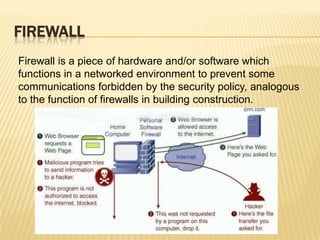
FIREWALL
Firewall is a piece of hardware and/or software which
functions in a networked environment to prevent some
communications forbidden by the security policy, analogous
to the function of firewalls in building construction.
PROXIES
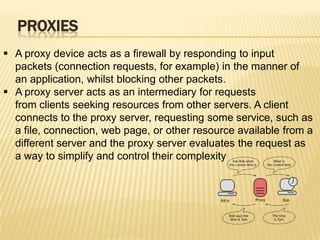
 A proxy device acts as a firewall by responding to input
  packets (connection requests, for example) in the manner of
  an application, whilst blocking other packets.
 A proxy server acts as an intermediary for requests
  from clients seeking resources from other servers. A client
  connects to the proxy server, requesting some service, such as
  a file, connection, web page, or other resource available from a
  different server and the proxy server evaluates the request as
  a way to simplify and control their complexity
NETWORKING CABLES

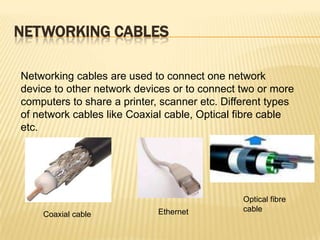
Networking cables are used to connect one network
device to other network devices or to connect two or more
computers to share a printer, scanner etc. Different types
of network cables like Coaxial cable, Optical fibre cable
etc.


                                               Optical fibre
                             Ethernet          cable
    Coaxial cable
Network topology and devices

Network topology and devices

  • 1.
  • 2.
    NETWORK  A Computer Network, or simply a Network, is a collection of computers and other hardware interconnected by communication channels that allow sharing of resources and information. A network is a group of devices connected to each other.  Networks may be classified into a wide variety of characteristics, such as the medium used to transport the data, communications protocol used, scale, topology, benefit, and organizational scope.
  • 3.
    NETWORK CLASSIFICATION  A local area network (LAN) is a computer network that interconnects computers in a limited area such as a home, school, computer laboratory, or office building using network media.  A metropolitan area network (MAN) are high speed networks that connects LAN’s in a metropolitan area. Managed by a consortium of users or a single network provider.  A Wide Area Network (WAN) is a network that covers a broad area i.e. any telecommunications network that links across metropolitan, regional, or national boundaries.
  • 4.
    NETWORK TOPOLOGY Network topologyis the arrangement of the various elements (links, nodes, etc.) of a computer or a biological network. Essentially it is the topological structure of a network and may be depicted physically or logically. Topologies are either:  Physical  Logical
  • 5.
    TYPES OF PHYSICALTOPOLOGY  Point to Point  Bus  Star  Ring  Mesh  Tree  Hybrid
  • 6.
    POINT TO POINT Point-to-Pointtopology is a point-to-point communication channel that appears to the user to be permanently associated with the two endpoints. A tin can telephone is the best example.
  • 7.
    BUS All computers anddevices are connected to single cable or BUS. It consists of a main run of cable with a terminator at each end. It is popular on LANs as they are inexpensive and easy to install.
  • 8.
    STAR In local areanetworks with a star topology, each network host is connected to a central hub with a point-to-point connection. In Star topology every node is connected to central node called hub or switch.
  • 9.
    RING A network topologythat is set up in a circular fashion in which data travels around the ring in one direction and each device on the right acts as a repeater to keep the signal strong as it travels. Each device incorporates a receiver for the incoming signal and a transmitter to send the data on to the next device in the ring.
  • 10.
    MESH In mesh topologyeach computer is connected to each other by separate cables. There is a point tom point connection between each node. This type of topology is generally used in military area.
  • 11.
    TREE The type ofnetwork topology in which a central 'root' node (the top level of the hierarchy) is connected to one or more other nodes that are one level lower in the hierarchy (i.e., the second level) with a point-to-point link between each of the second level nodes and the top level central 'root' node
  • 12.
    HYBRID Hybrid networks usea combination of any two or more topologies in such a way that the resulting network does not exhibit one of the standard topologies.
  • 13.
    ADVANTAGES AND DISADVANTAGESOF THE 4 MOST COMMONLY USED NETWORK TOPOLOGIES
  • 14.
    BUS TOPOLOGY Advantages  Easy to connect a computer or peripheral to a linear bus.  Requires less cables than any other topologies.  Doesn’t requires any specialized network equipment. Disadvantages  Difficult to trouble shoot.  Network disruption when more computers are added to it.  A break in the cable will prevent all systems from accessing the network.
  • 15.
    RING TOPOLOGY Advantages  Cable faults are easily located making trouble shooting easier  Ring networks are moderately easily to install. Disadvantages  Expansion to the network can cause network disruption  A single break in the cable can disrupt the entire network
  • 16.
    MESH TOPOLOGY Advantages  Provides redundant path between the devices  Network can be expanded without any inconvenience to current user. Disadvantages  Requires more cables than any other toplology  Complicated implementations
  • 17.
    STAR TOPOLOGY ADVANTAGES  Easy to install and wire.  Security can be implemented in the hub/switch.  Easy to detect faults and remove parts. DISADVANTAGES  Requires more cable length.  If the hub or concentrator fails nodes attached are disabled  More expansive due to he cost of concentrators associated with it.
  • 18.
    NETWORKING DEVICES Networking devicestypically refers to hardware that facilitates the use of a computer network. Computer networking devices are units that mediate data in a computer network. Some of the networking devices are:  Gateway  Router  Switch  Bridge  Hub  Repeater  Multiplexer  Modem
  • 19.
    GATEWAY A device sittingat a network node for interfacing with another network that uses different protocols.
  • 20.
    ROUTER A specializednetwork device that determines the next network point to which it can forward a data packet towards the destination of the packet.
  • 21.
    SWITCH A device thatallocates traffic from one network segment to certain lines (intended destinations) which connect the segment to another network segment.
  • 22.
    BRIDGE A device thatconnects multiple network segments along the data link layer.
  • 23.
    HUB A device connectsmultiple Ethernet segments together making them act as a single segment. When using a hub, every attached device shares the same broadcast domain and the same collision domain. Therefore, only one computer connected to the hub is able to transmit at a time.
  • 24.
    REPEATER A device toamplify or regenerate digital signals received while sending them from one part of a network into another.
  • 25.
    MULTIPLEXER A device thatcombines several electrical signals into a single signal.
  • 26.
    MODEM A device thatmodulates an analog "carrier" signal (such as sound), to encode digital information, and that also demodulates such a carrier signal to decode the transmitted information, as a computer communicating with another computer over the telephone network.
  • 27.
    BROUTER Brouters are acombination of router and bridge. A Brouter transmits two types of traffic at the exact same time: bridged traffic and routed traffic.
  • 28.
    NETWORK INTERFACE CARD NetworkInterface Card, or NIC is a hardware card installed in a computer so it can communicate on a network. The network adapter provides one or more ports for the network cable to connect to, and it transmits and receives data onto the network cable. Network Card Wireless LAN Card
  • 29.
    TRANSCEIVERS Transceiver short fortransmitter-receiver, a device that both transmits and receives analog or digital signals. The term is used most frequently to describe the component in local-area networks that actually applies signals onto the network wire and detects signals passing through the wire. For many LANs, the transceiver is built into the network interface card.
  • 30.
    FIREWALL Firewall is apiece of hardware and/or software which functions in a networked environment to prevent some communications forbidden by the security policy, analogous to the function of firewalls in building construction.
  • 31.
    PROXIES  A proxydevice acts as a firewall by responding to input packets (connection requests, for example) in the manner of an application, whilst blocking other packets.  A proxy server acts as an intermediary for requests from clients seeking resources from other servers. A client connects to the proxy server, requesting some service, such as a file, connection, web page, or other resource available from a different server and the proxy server evaluates the request as a way to simplify and control their complexity
  • 32.
    NETWORKING CABLES Networking cablesare used to connect one network device to other network devices or to connect two or more computers to share a printer, scanner etc. Different types of network cables like Coaxial cable, Optical fibre cable etc. Optical fibre Ethernet cable Coaxial cable