NETWORKING SUBMITTED BY:- POOJA DHIMAN
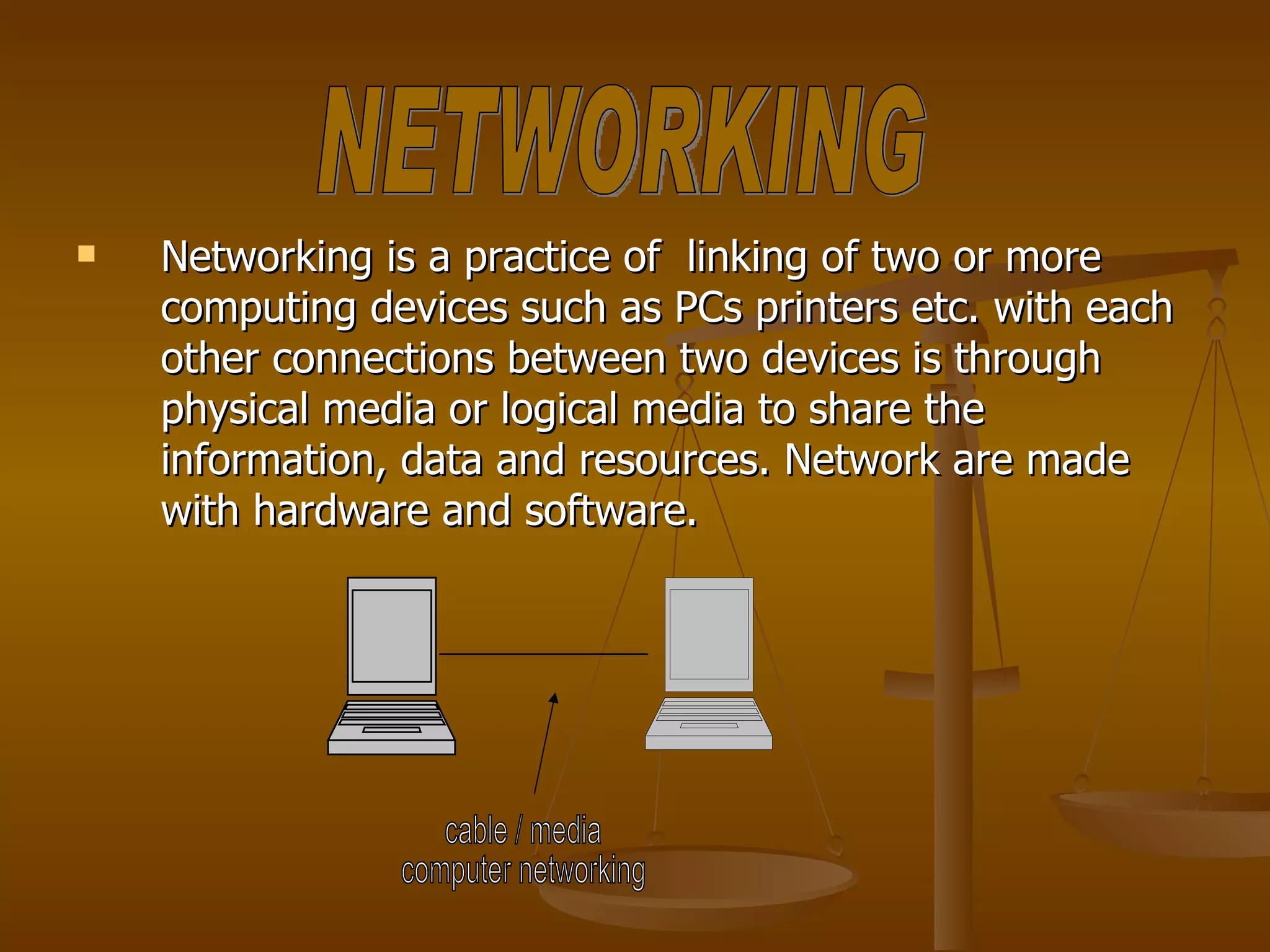
Networking is a practice of  linking of two or more computing devices such as PCs printers etc. with each other connections between two devices is through physical media or logical media to share the information, data and resources. Network are made with hardware and software. cable / media computer networking NETWORKING
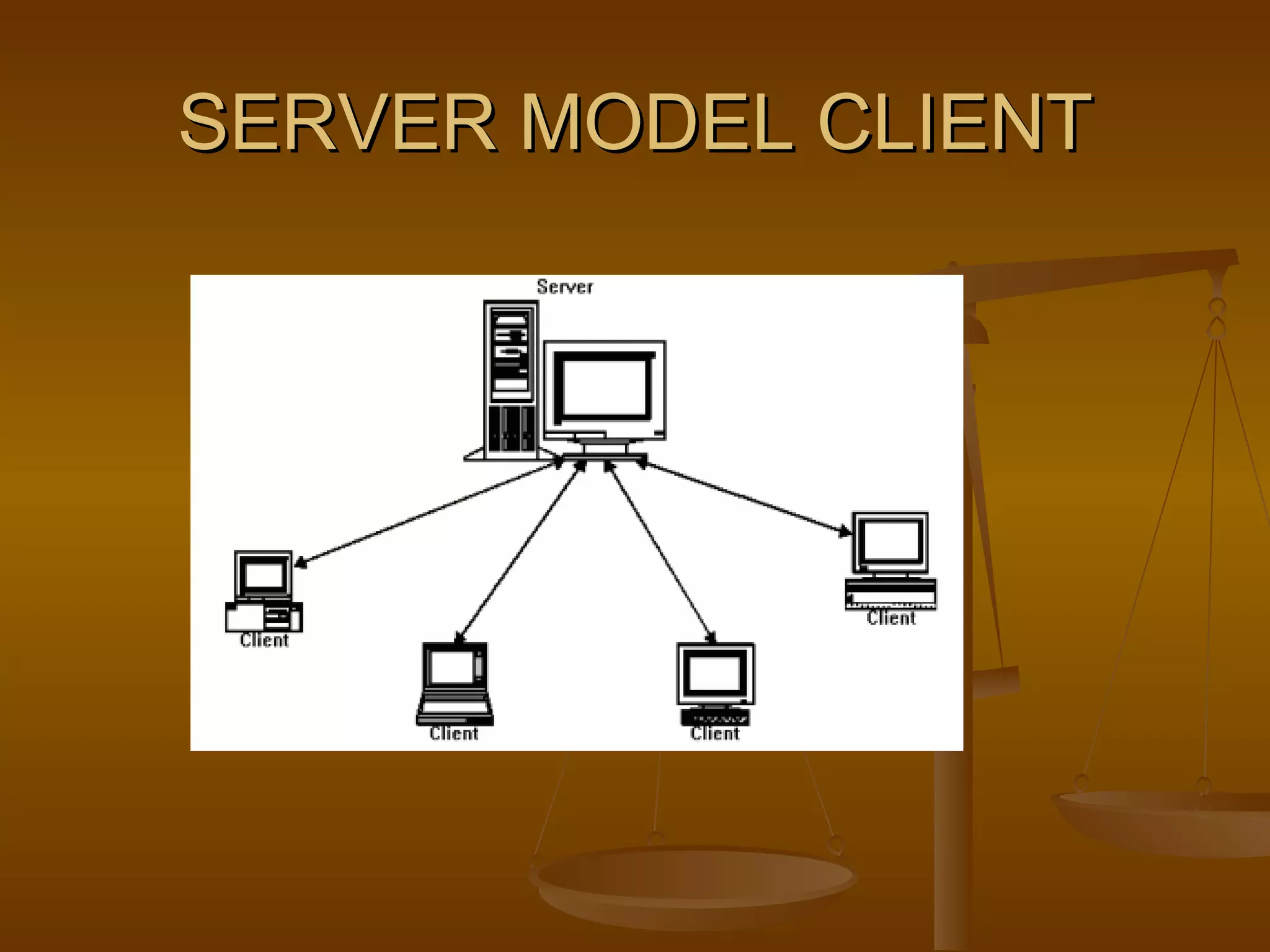
Model means connectivity of computers. Types of networking models Client – server model :-  In a client server model we have one server and many clients. A client can share the resources of server, but a server cannot share the resources on client. MODELS OF NETWORKING
SERVER MODEL CLIENT
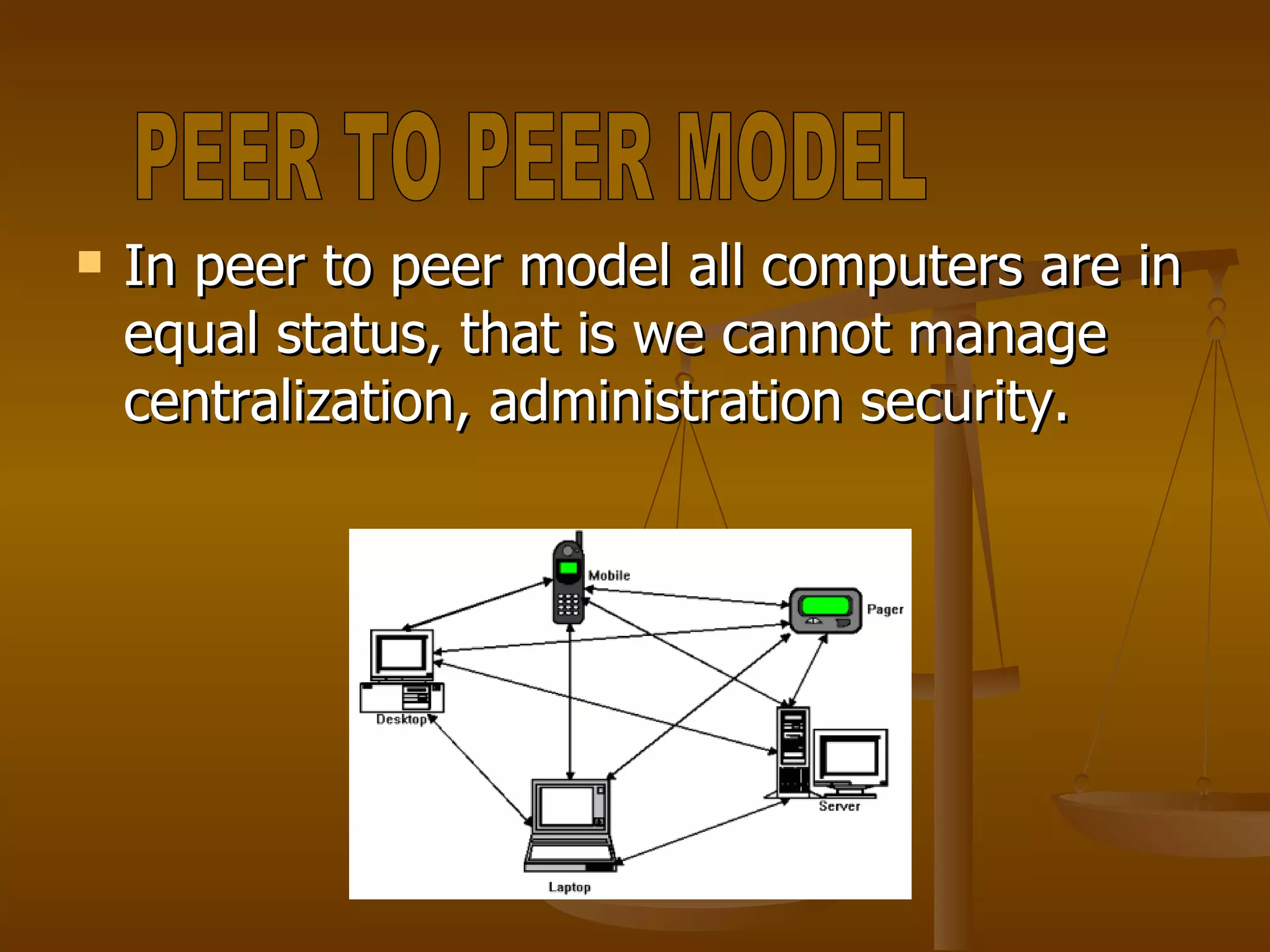
In peer to peer model all computers are in equal status, that is we cannot manage centralization, administration security.  PEER TO PEER MODEL
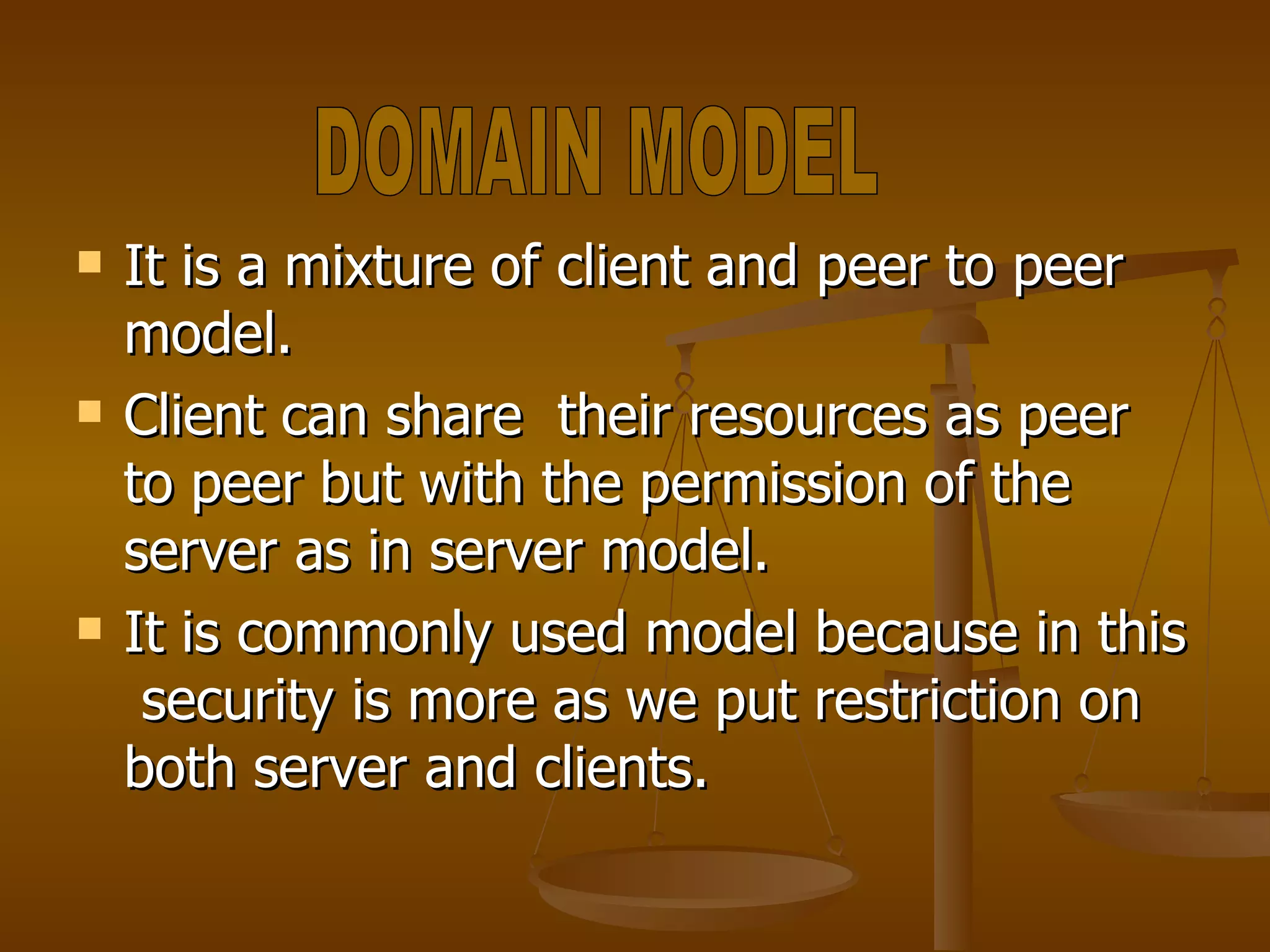
It is a mixture of client and peer to peer model. Client can share  their resources as peer to peer but with the permission of the server as in server model. It is commonly used model because in this  security is more as we put restriction on both server and clients. DOMAIN MODEL
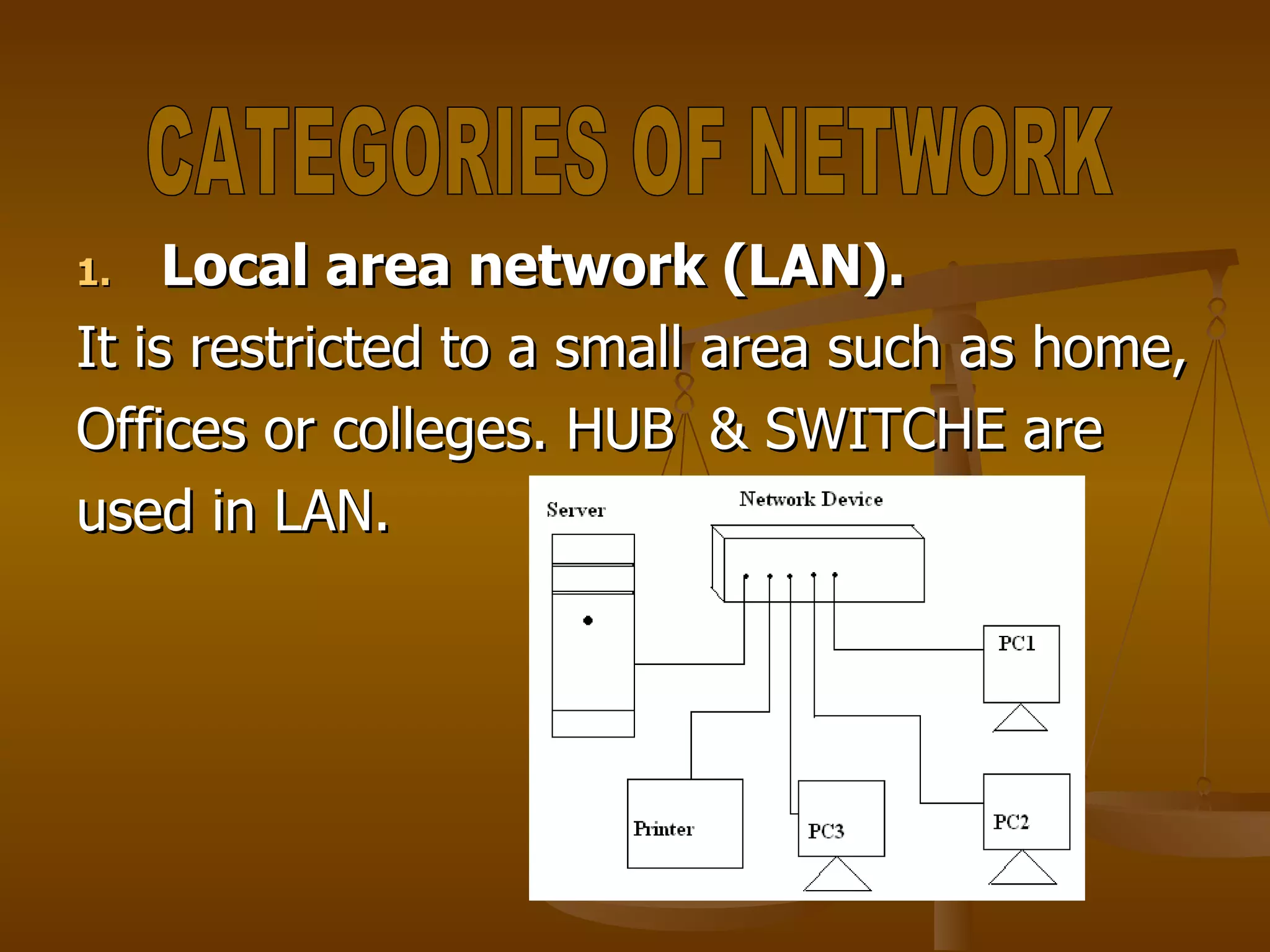
Local area network (LAN). It is restricted to a small area such as home, Offices or colleges. HUB  & SWITCHE are used in LAN.  CATEGORIES OF NETWORK
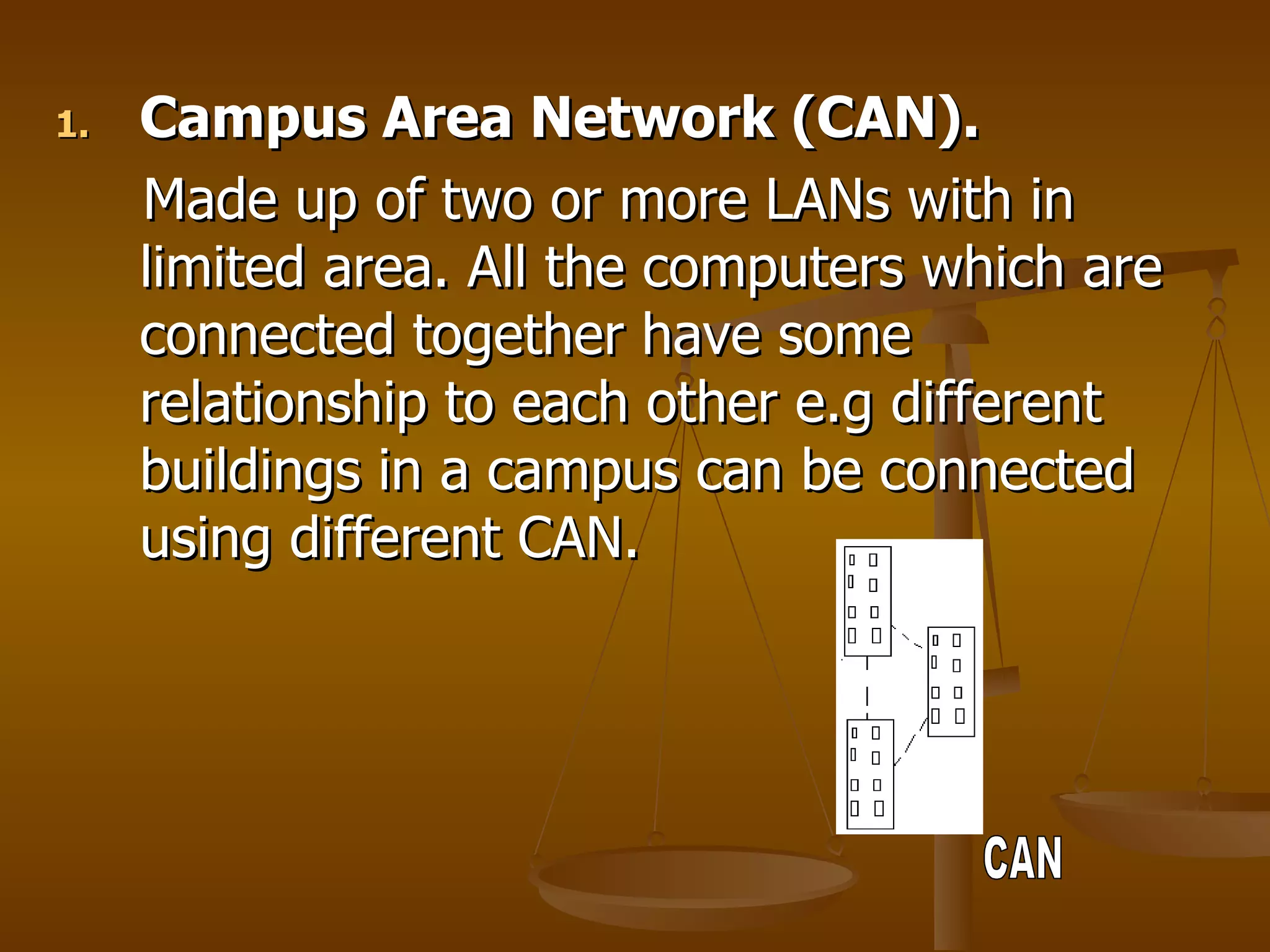
Campus Area Network (CAN). Made up of two or more LANs with in limited area. All the computers which are connected together have some relationship to each other e.g different buildings in a campus can be connected using different CAN. CAN
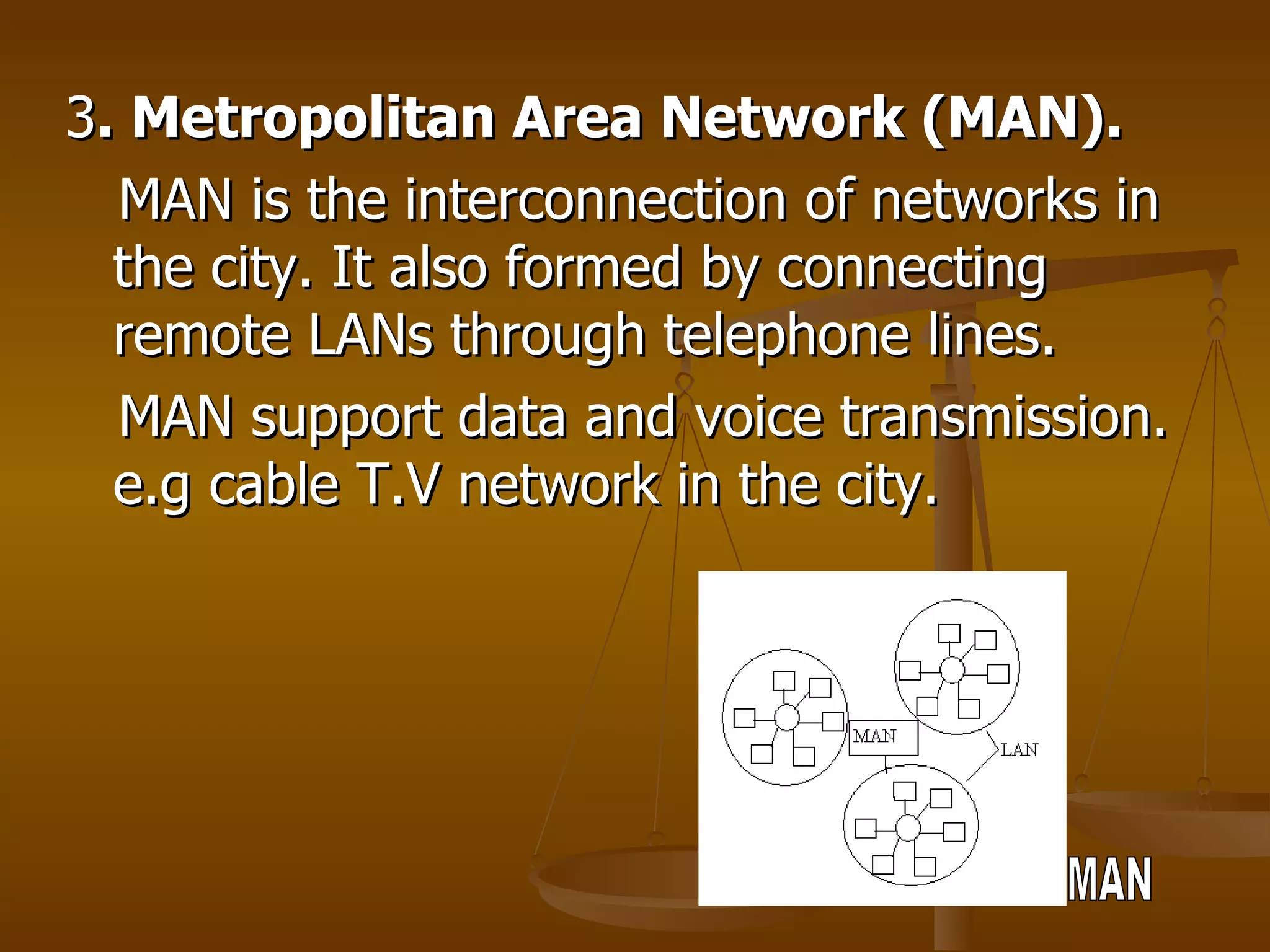
3 . Metropolitan Area Network (MAN). MAN is the interconnection of networks in the city. It also formed by connecting remote LANs through telephone lines. MAN support data and voice transmission. e.g cable T.V network in the city. MAN
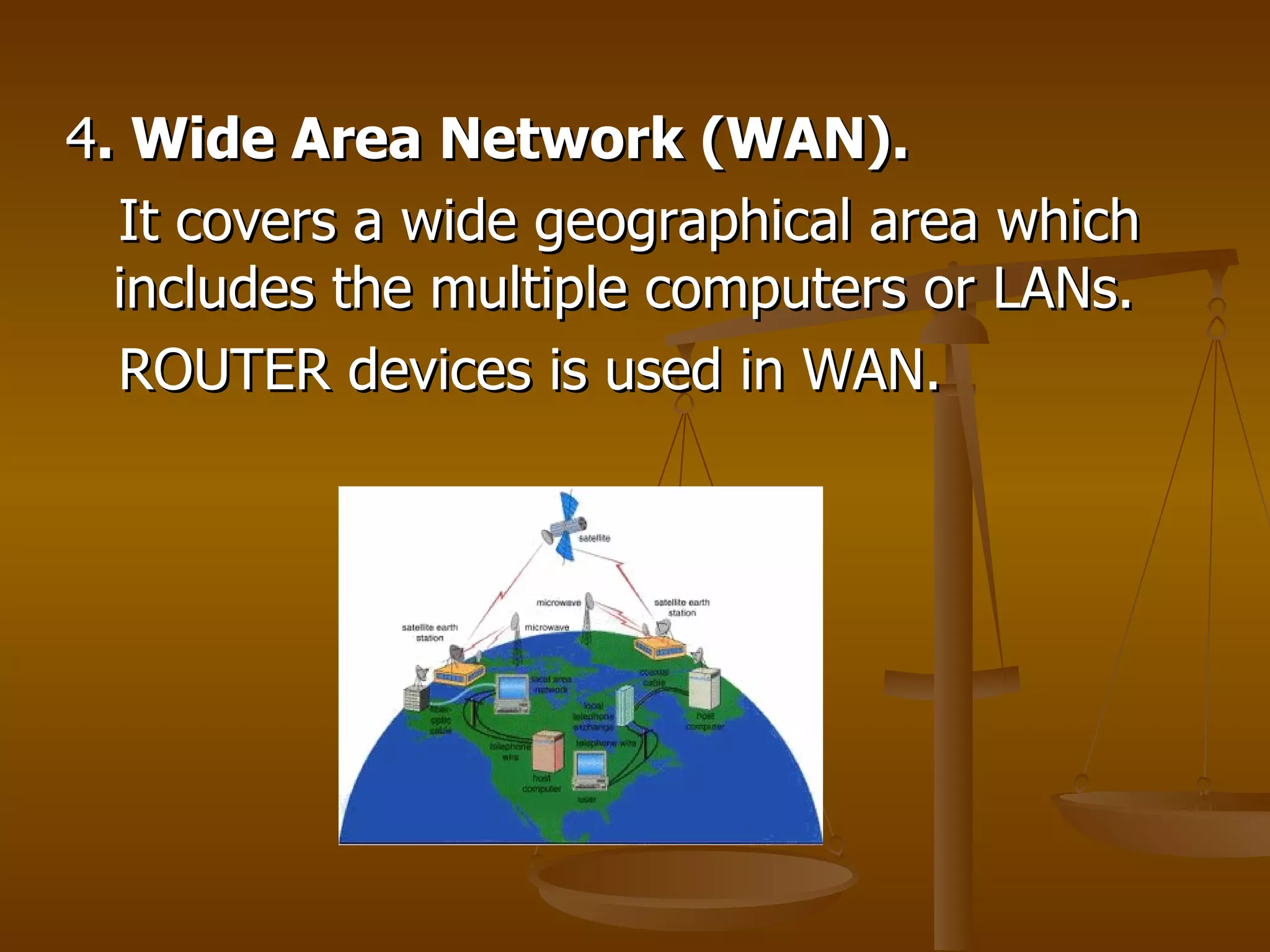
4 . Wide Area Network (WAN). It covers a wide geographical area which includes the multiple computers or LANs. ROUTER devices is used in WAN.
Network Topology describe the way in which the elements of network are connected. They describe the physical arrangement of the network nodes. The physical topology of a network refers to the configuration of cables, computers and other peripherals etc. TOPOLOGY
Single Node Topology BUS Topology STAR Topology RING Topology TREE Topology MESH Topology HYBRID Topology KIND OF TOPOLOGY
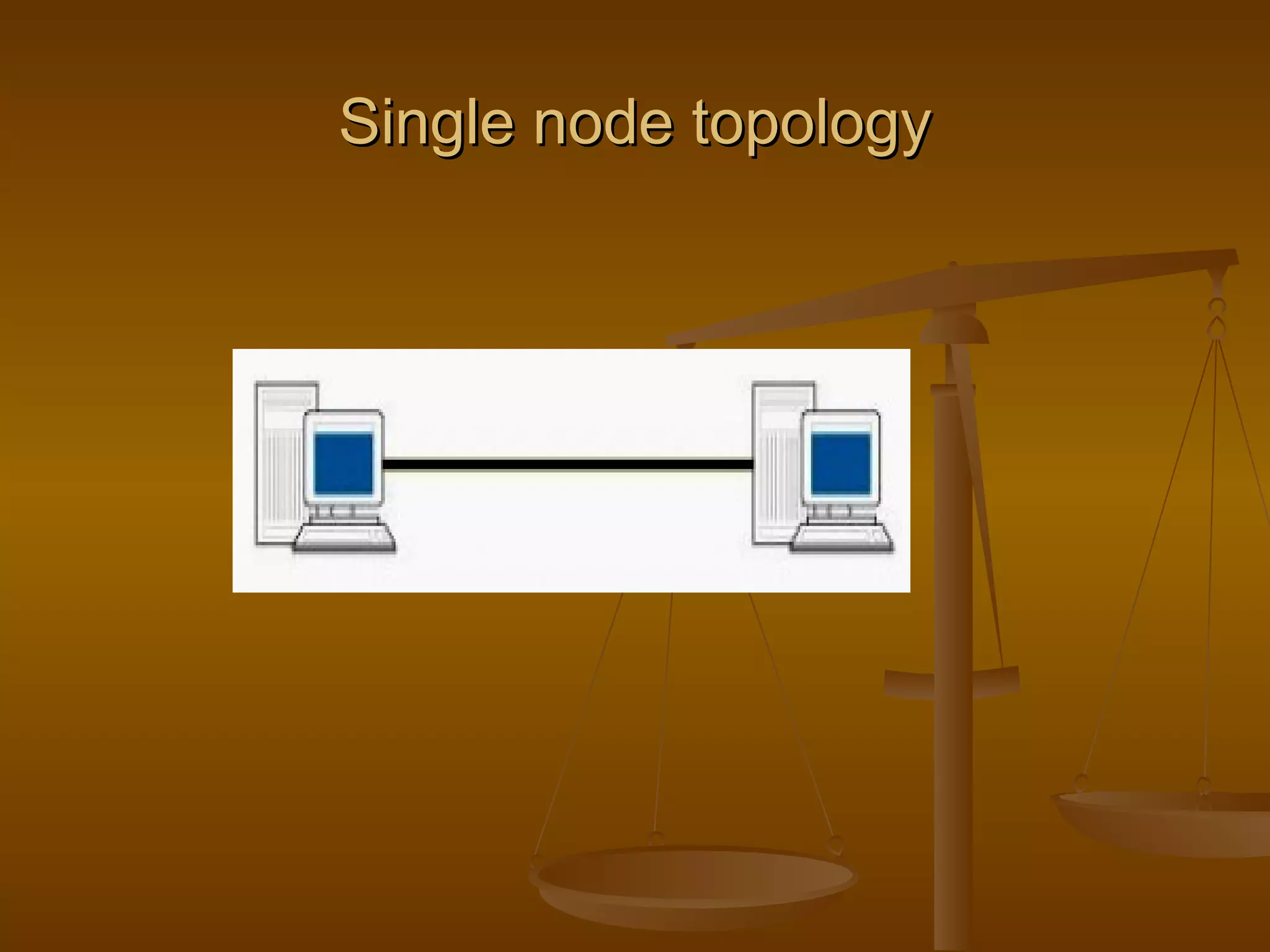
The server and host is heaving all the information for network. Includes a single device which is connected to the server. The server is the main device used for network data storage. SINGLE NODE TOPOLOGY
Single node topology
Easy to install. Least expensive. Single cable is required. Only single device is connected in the entire network. Advantages Disadvantages
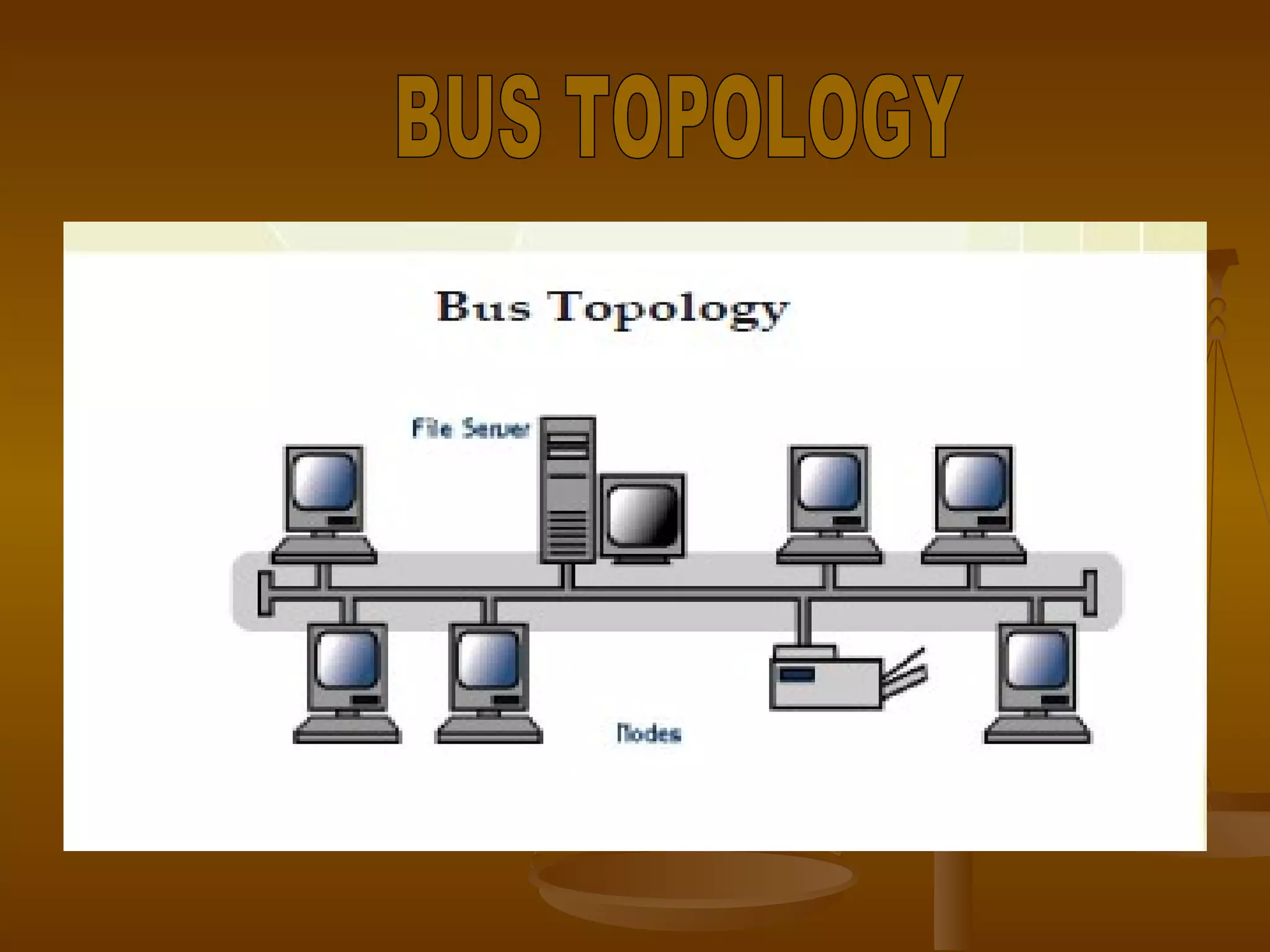
All the nodes on a bus topology are connected by one single cable. A bus topology consist of main run of cable with terminators at each ends. Popular on LAN’s because they are expensive and easy to install. BUS TOPOLOGY
BUS TOPOLOGY
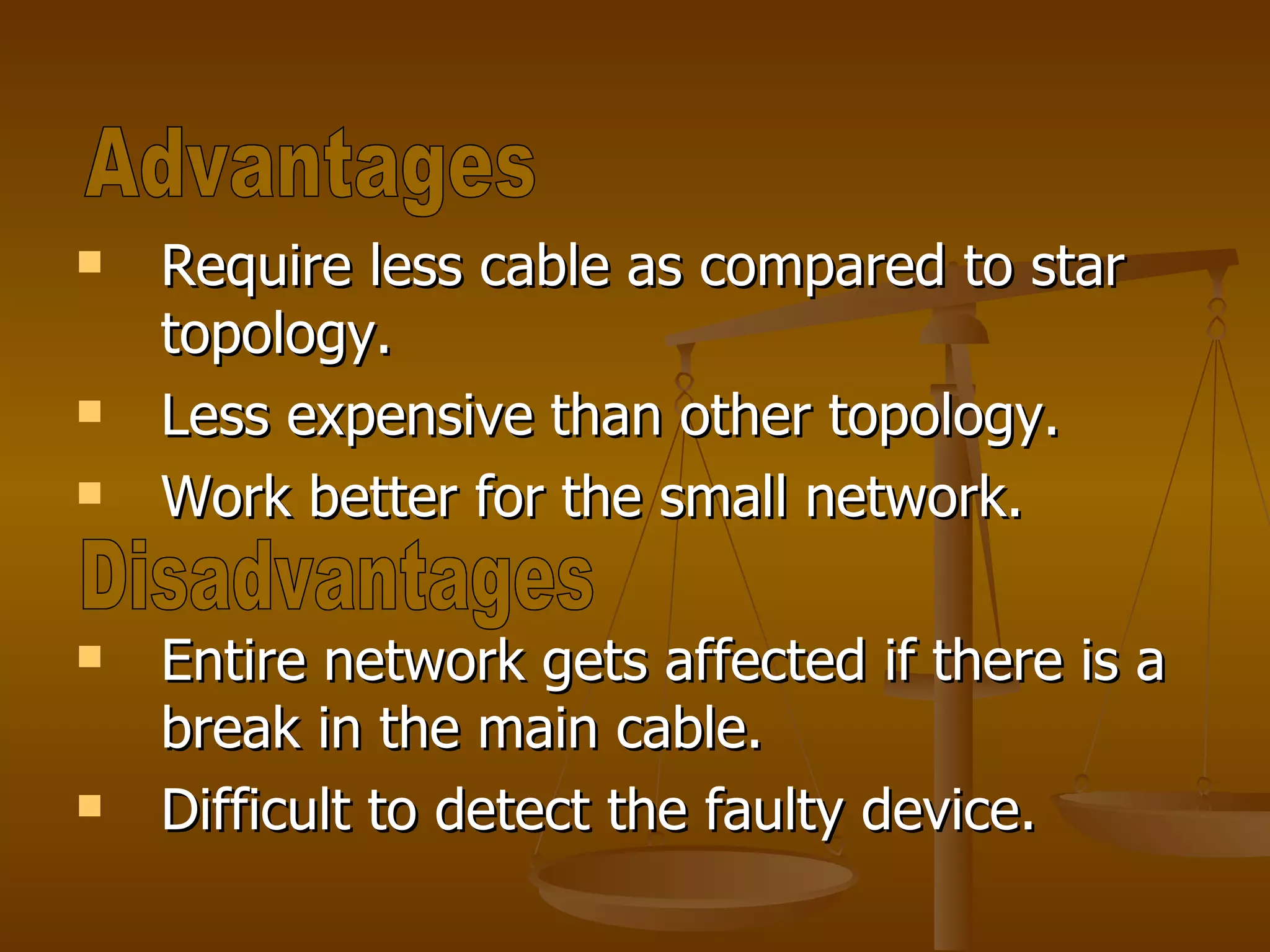
Require less cable as compared to star topology. Less expensive than other topology. Work better for the small network. Entire network gets affected if there is a break in the main cable. Difficult to detect the faulty device. Advantages Disadvantages
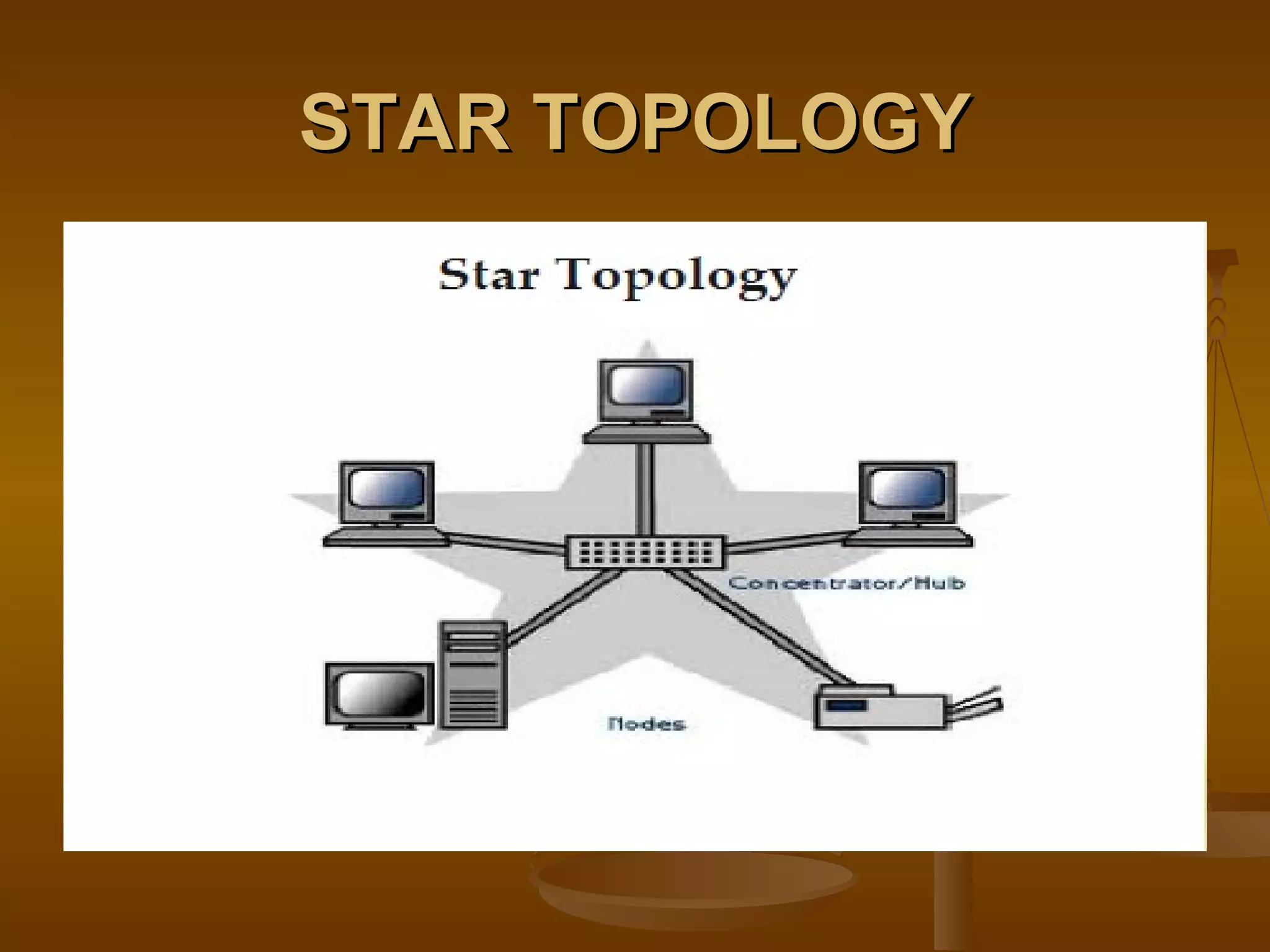
Each nodes are connected to a central device called hub. Hub takes a signal that comes from any nodes & passes it along to all the other nodes in the network. Data passes through hub before reaching at its destination. Hub or switches manages n control the function of network. In it chances of failure reduce because the use of hub. STAR TOPOLOGY
STAR TOPOLOGY
Easy to install and manage. Simple in use. It is widely used. More expensive. Hub failure leads to network failure. Increased devices makes the network slow. Advantages Disadvantages
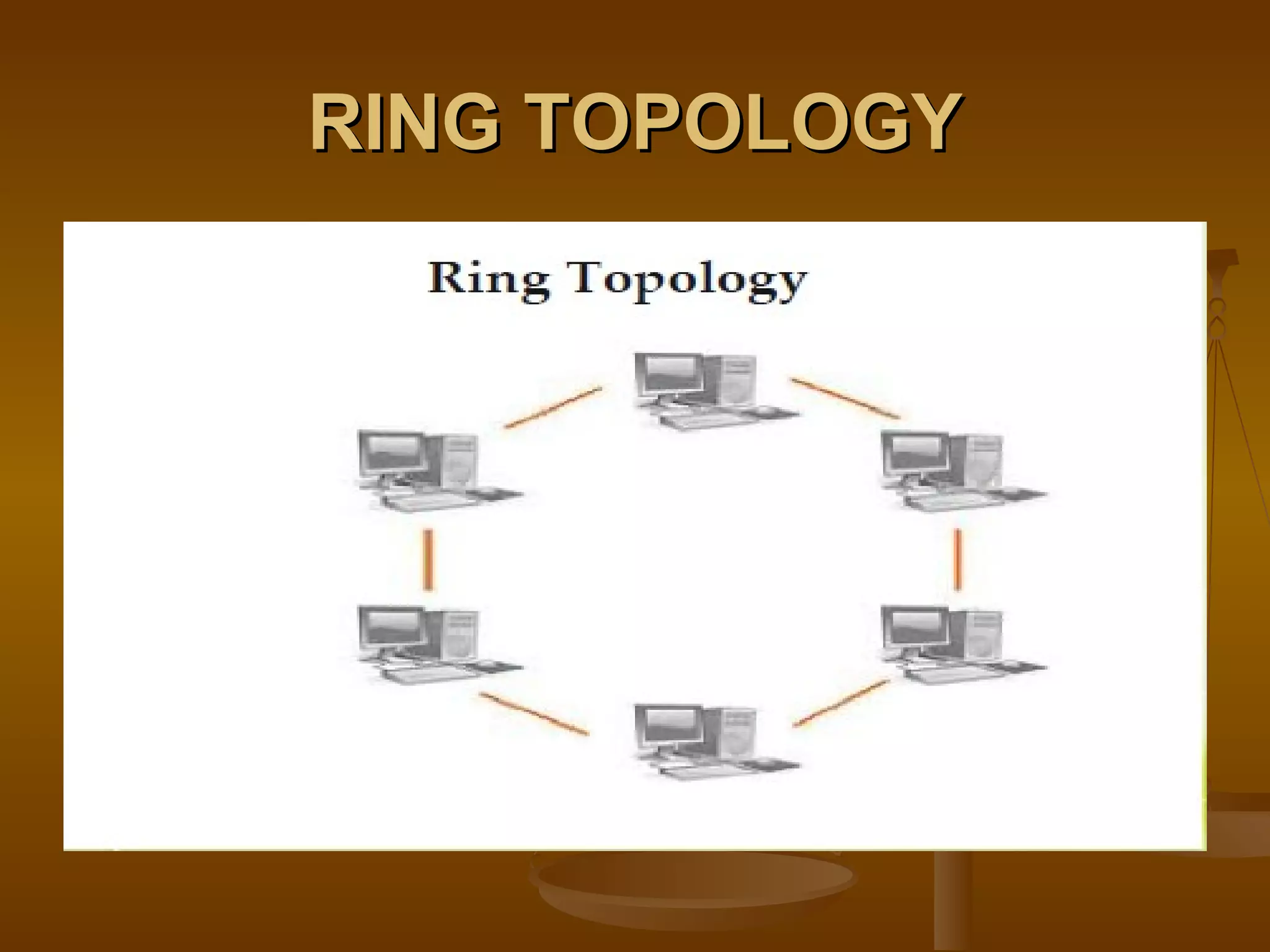
In a ring topology each devices has exactly two adjacent device for communication purpose. Message travel through ring in same direction. To implement a ring network we use TOKEN ring technology. RING TOPOLOGY
RING TOPOLOGY
Easy to manage then BUS topology. Good communications over long distance. Handle high volume of traffic. The failure of a single node of the network can cause entire network to fail. More cable of wire required. Advantages Disadvantages
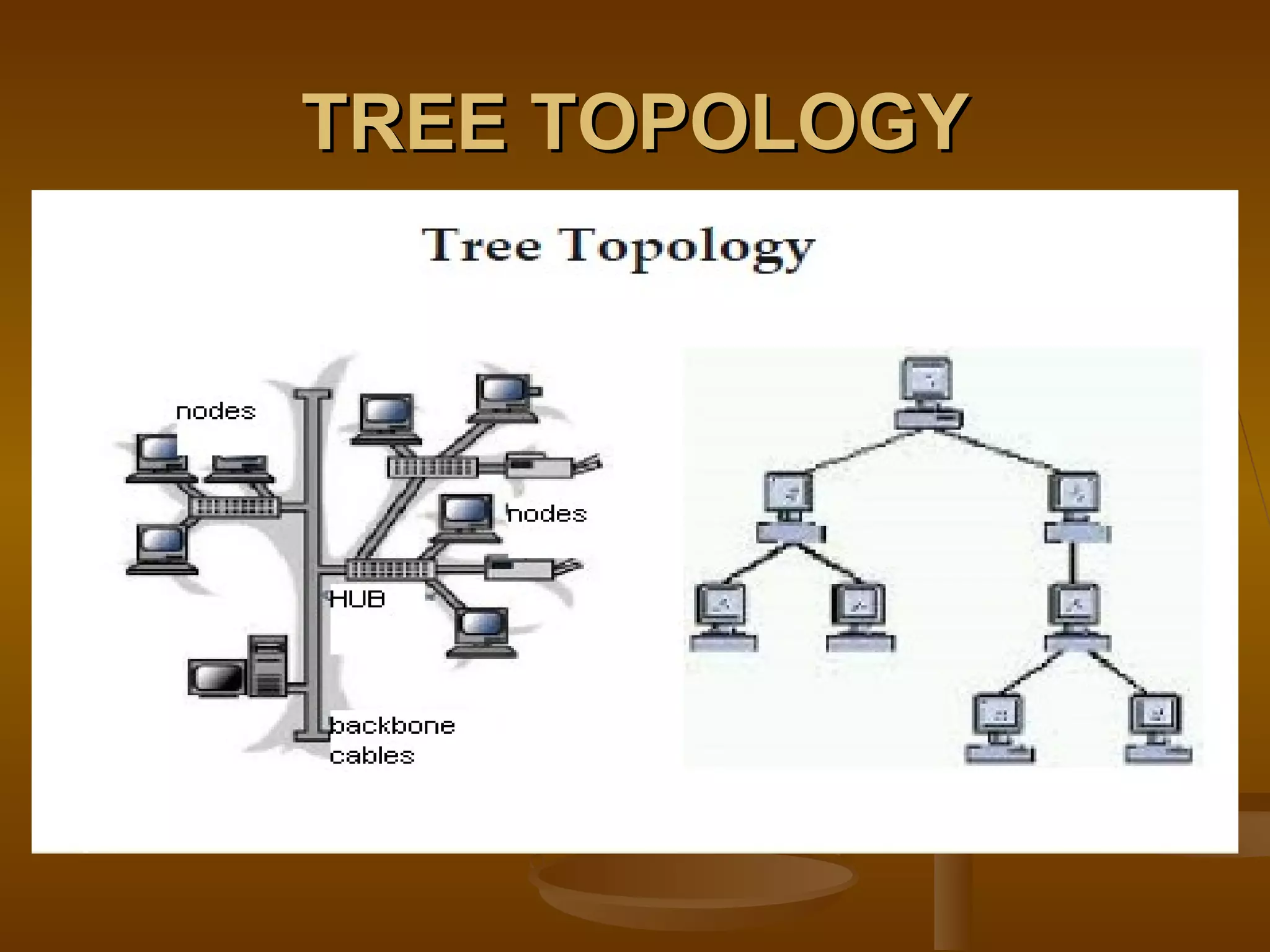
In the tree topology groups of star network are connected to linear Bus backbone. This particularly helpful for colleges, universities or schools. Point to point connections are possible in the tree topology. TREE TOPOLOGY
TREE TOPOLOGY
Point to point wiring for each device. Use for the large network. More expensive than other topology. Fail in  backbone affects the entire network. Advantages Disadvantage
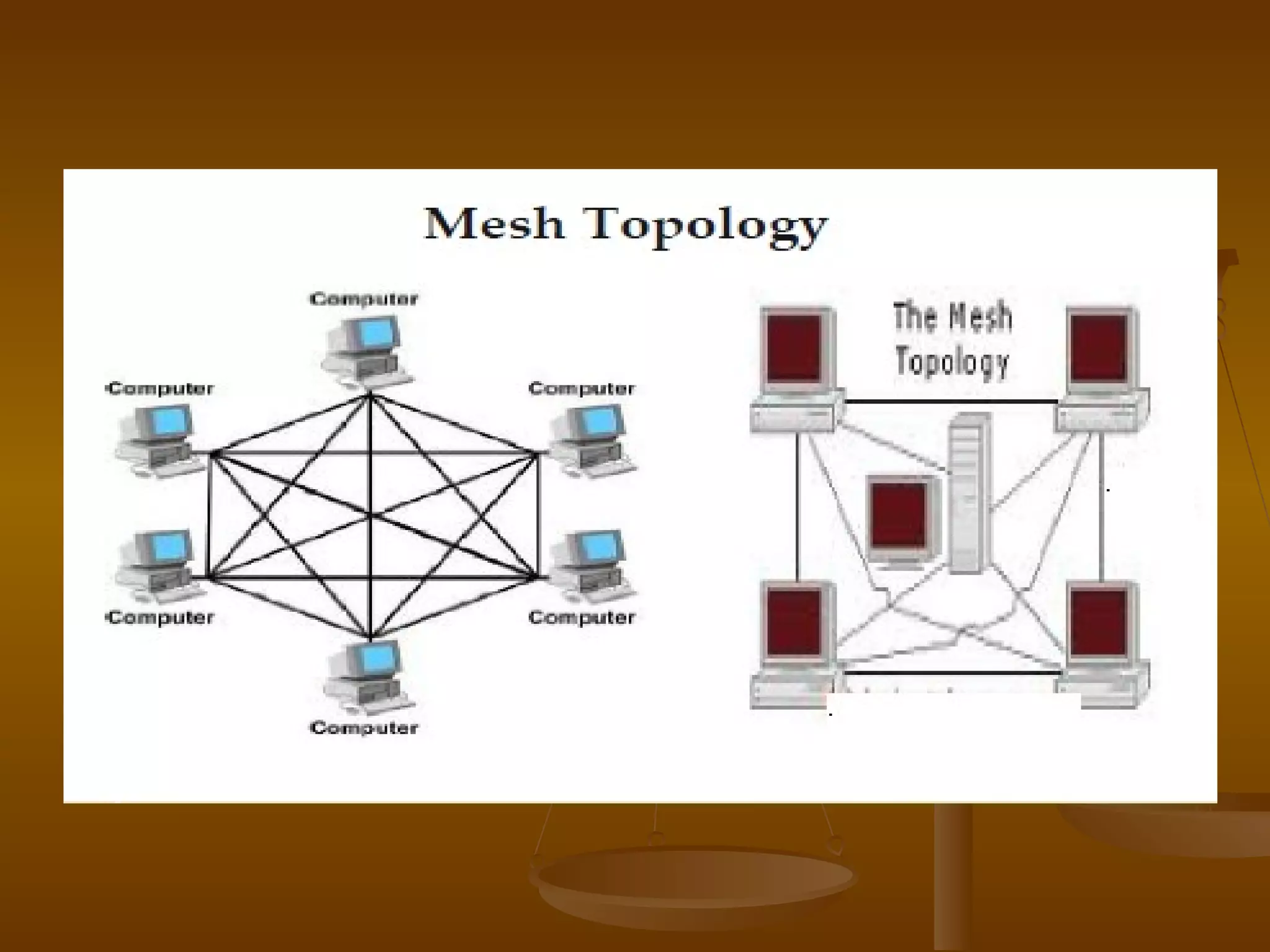
Each node is connected to every other node in the network. Implement mesh topology expensive and difficult. While the data is traveling on the mesh network it is automatically configured to reach the destination by taking the shortest route which means the lest numbers of hobs. MESH TOPOLOGY
 
Entire network does not affected by one faulty device. Provide redundant paths which helps in sending data using an alternate path if a specific path fails sending the data. Very expensive. More cabling is required. Advantages Disadvantages
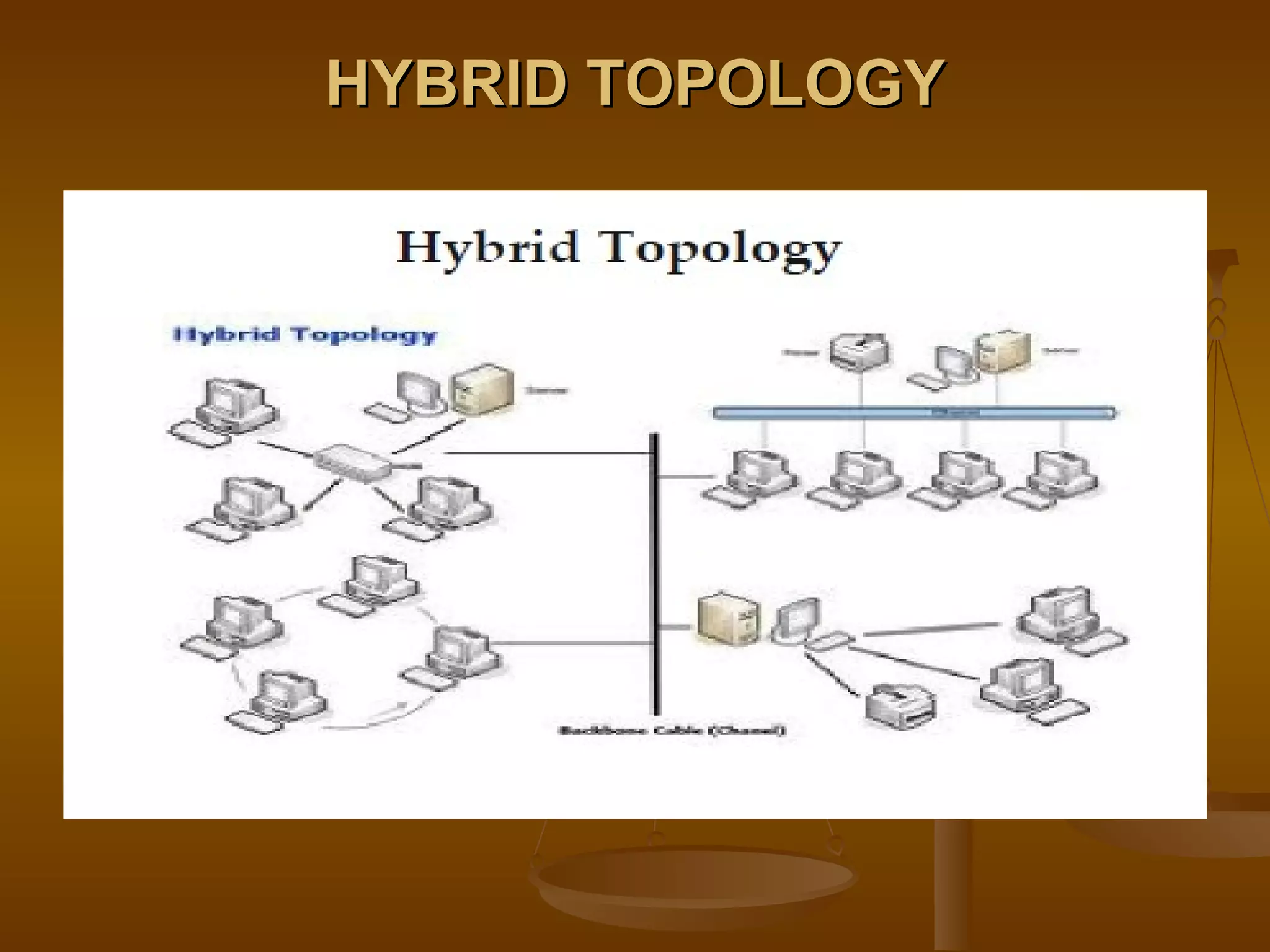
It is combination of different network topology. It is also known as special topology. It always accrues when two different basic network topologies are connected. Useful for corporate offices to link their LANs together while adding networks through wide area network. HYBRID TOPOLOGY
HYBRID TOPOLOGY
Easy to detect and remove faulty device. More flexible. Handle large traffic. More cabling is required. Expensive then other topologies. Asvantages Disadvantages
Set of rules. Two devices on a network to successfully communicate, the must both understood the same protocols. TCP/IP- transmission control protocol internet – it is most commonly used set of rules. Protocols
Every signals that sends & receive the data must have specific address called MAC address. MAC address is a 12 digit hexadecimal number. It can be written in any one of the formats. 00:11:11:EA:8D:F6 00-11-11-EC-8D-F6 MAC ADDRESS
32 bit long. It contains 4 octets. Dot(.) is used to separate one octet from another. IP ADDRESS Network ID  Host ID (shared by network )  (unique to every device) Ex.- 134.56.33.44 134.56.145.36 IP ADDRESS
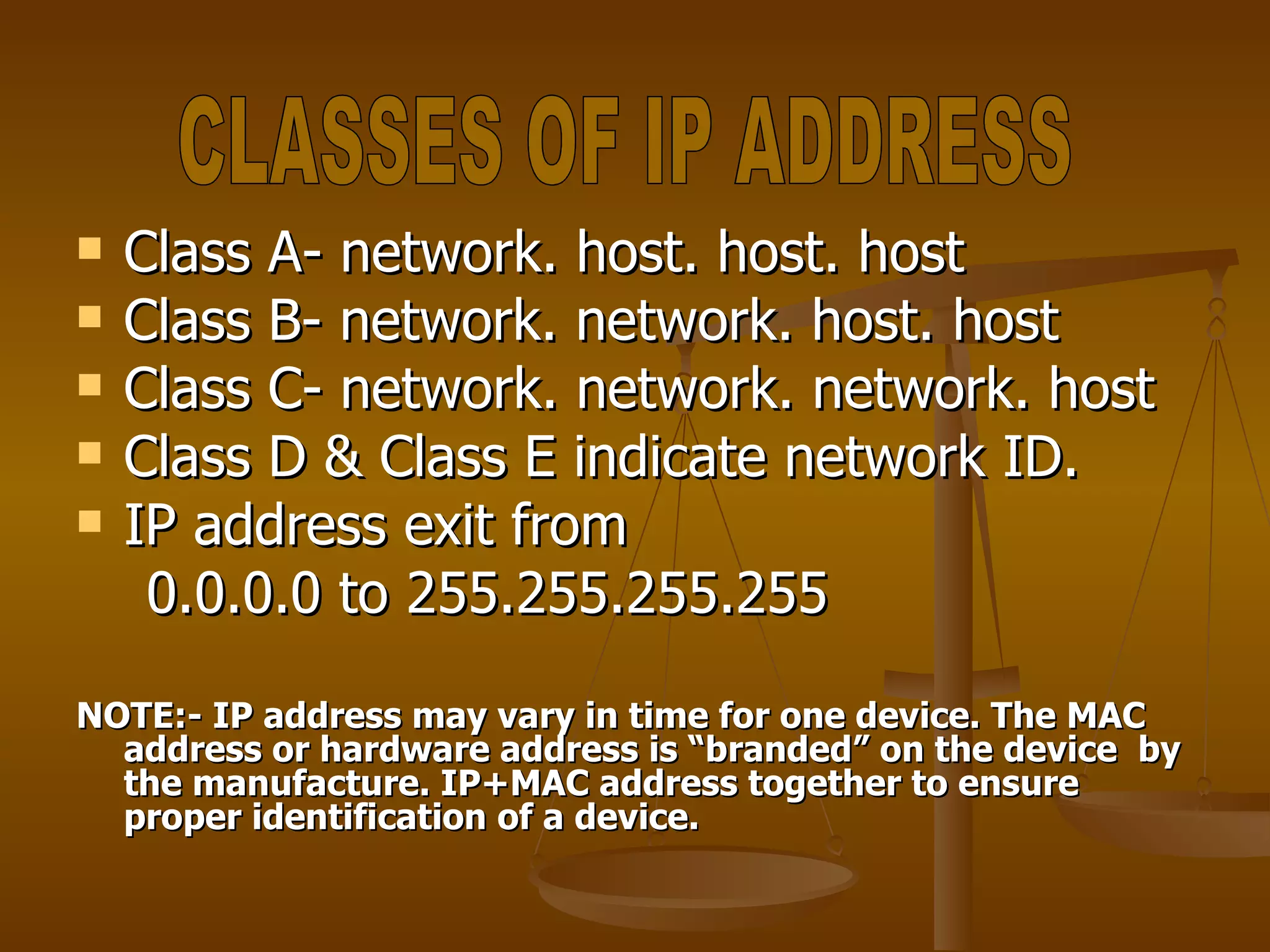
Class A- network. host. host. host Class B- network. network. host. host Class C- network. network. network. host Class D & Class E indicate network ID. IP address exit from  0.0.0.0 to 255.255.255.255 NOTE:- IP address may vary in time for one device. The MAC address or hardware address is “branded” on the device  by the manufacture. IP+MAC address together to ensure proper identification of a device. CLASSES OF IP ADDRESS
THANKYOU

networking

  • 1.
  • 2.
    Networking is apractice of linking of two or more computing devices such as PCs printers etc. with each other connections between two devices is through physical media or logical media to share the information, data and resources. Network are made with hardware and software. cable / media computer networking NETWORKING
  • 3.
    Model means connectivityof computers. Types of networking models Client – server model :- In a client server model we have one server and many clients. A client can share the resources of server, but a server cannot share the resources on client. MODELS OF NETWORKING
  • 4.
  • 5.
    In peer topeer model all computers are in equal status, that is we cannot manage centralization, administration security. PEER TO PEER MODEL
  • 6.
    It is amixture of client and peer to peer model. Client can share their resources as peer to peer but with the permission of the server as in server model. It is commonly used model because in this security is more as we put restriction on both server and clients. DOMAIN MODEL
  • 7.
    Local area network(LAN). It is restricted to a small area such as home, Offices or colleges. HUB & SWITCHE are used in LAN. CATEGORIES OF NETWORK
  • 8.
    Campus Area Network(CAN). Made up of two or more LANs with in limited area. All the computers which are connected together have some relationship to each other e.g different buildings in a campus can be connected using different CAN. CAN
  • 9.
    3 . MetropolitanArea Network (MAN). MAN is the interconnection of networks in the city. It also formed by connecting remote LANs through telephone lines. MAN support data and voice transmission. e.g cable T.V network in the city. MAN
  • 10.
    4 . WideArea Network (WAN). It covers a wide geographical area which includes the multiple computers or LANs. ROUTER devices is used in WAN.
  • 11.
    Network Topology describethe way in which the elements of network are connected. They describe the physical arrangement of the network nodes. The physical topology of a network refers to the configuration of cables, computers and other peripherals etc. TOPOLOGY
  • 12.
    Single Node TopologyBUS Topology STAR Topology RING Topology TREE Topology MESH Topology HYBRID Topology KIND OF TOPOLOGY
  • 13.
    The server andhost is heaving all the information for network. Includes a single device which is connected to the server. The server is the main device used for network data storage. SINGLE NODE TOPOLOGY
  • 14.
  • 15.
    Easy to install.Least expensive. Single cable is required. Only single device is connected in the entire network. Advantages Disadvantages
  • 16.
    All the nodeson a bus topology are connected by one single cable. A bus topology consist of main run of cable with terminators at each ends. Popular on LAN’s because they are expensive and easy to install. BUS TOPOLOGY
  • 17.
  • 18.
    Require less cableas compared to star topology. Less expensive than other topology. Work better for the small network. Entire network gets affected if there is a break in the main cable. Difficult to detect the faulty device. Advantages Disadvantages
  • 19.
    Each nodes areconnected to a central device called hub. Hub takes a signal that comes from any nodes & passes it along to all the other nodes in the network. Data passes through hub before reaching at its destination. Hub or switches manages n control the function of network. In it chances of failure reduce because the use of hub. STAR TOPOLOGY
  • 20.
  • 21.
    Easy to installand manage. Simple in use. It is widely used. More expensive. Hub failure leads to network failure. Increased devices makes the network slow. Advantages Disadvantages
  • 22.
    In a ringtopology each devices has exactly two adjacent device for communication purpose. Message travel through ring in same direction. To implement a ring network we use TOKEN ring technology. RING TOPOLOGY
  • 23.
  • 24.
    Easy to managethen BUS topology. Good communications over long distance. Handle high volume of traffic. The failure of a single node of the network can cause entire network to fail. More cable of wire required. Advantages Disadvantages
  • 25.
    In the treetopology groups of star network are connected to linear Bus backbone. This particularly helpful for colleges, universities or schools. Point to point connections are possible in the tree topology. TREE TOPOLOGY
  • 26.
  • 27.
    Point to pointwiring for each device. Use for the large network. More expensive than other topology. Fail in backbone affects the entire network. Advantages Disadvantage
  • 28.
    Each node isconnected to every other node in the network. Implement mesh topology expensive and difficult. While the data is traveling on the mesh network it is automatically configured to reach the destination by taking the shortest route which means the lest numbers of hobs. MESH TOPOLOGY
  • 29.
  • 30.
    Entire network doesnot affected by one faulty device. Provide redundant paths which helps in sending data using an alternate path if a specific path fails sending the data. Very expensive. More cabling is required. Advantages Disadvantages
  • 31.
    It is combinationof different network topology. It is also known as special topology. It always accrues when two different basic network topologies are connected. Useful for corporate offices to link their LANs together while adding networks through wide area network. HYBRID TOPOLOGY
  • 32.
  • 33.
    Easy to detectand remove faulty device. More flexible. Handle large traffic. More cabling is required. Expensive then other topologies. Asvantages Disadvantages
  • 34.
    Set of rules.Two devices on a network to successfully communicate, the must both understood the same protocols. TCP/IP- transmission control protocol internet – it is most commonly used set of rules. Protocols
  • 35.
    Every signals thatsends & receive the data must have specific address called MAC address. MAC address is a 12 digit hexadecimal number. It can be written in any one of the formats. 00:11:11:EA:8D:F6 00-11-11-EC-8D-F6 MAC ADDRESS
  • 36.
    32 bit long.It contains 4 octets. Dot(.) is used to separate one octet from another. IP ADDRESS Network ID Host ID (shared by network ) (unique to every device) Ex.- 134.56.33.44 134.56.145.36 IP ADDRESS
  • 37.
    Class A- network.host. host. host Class B- network. network. host. host Class C- network. network. network. host Class D & Class E indicate network ID. IP address exit from 0.0.0.0 to 255.255.255.255 NOTE:- IP address may vary in time for one device. The MAC address or hardware address is “branded” on the device by the manufacture. IP+MAC address together to ensure proper identification of a device. CLASSES OF IP ADDRESS
  • 38.