Cables
(Install Network Hardware)
      By: Ronesh Chandra
Twisted pair properties
• Twisted pair is made of insulated copper wires
  that have been twisted around each other to
  form wire pairs
• Twisted-pair cabling is divided into two
  categories
  – Unshielded Twisted Pair (UTP)
  – Shielded Twisted Pair (STP)
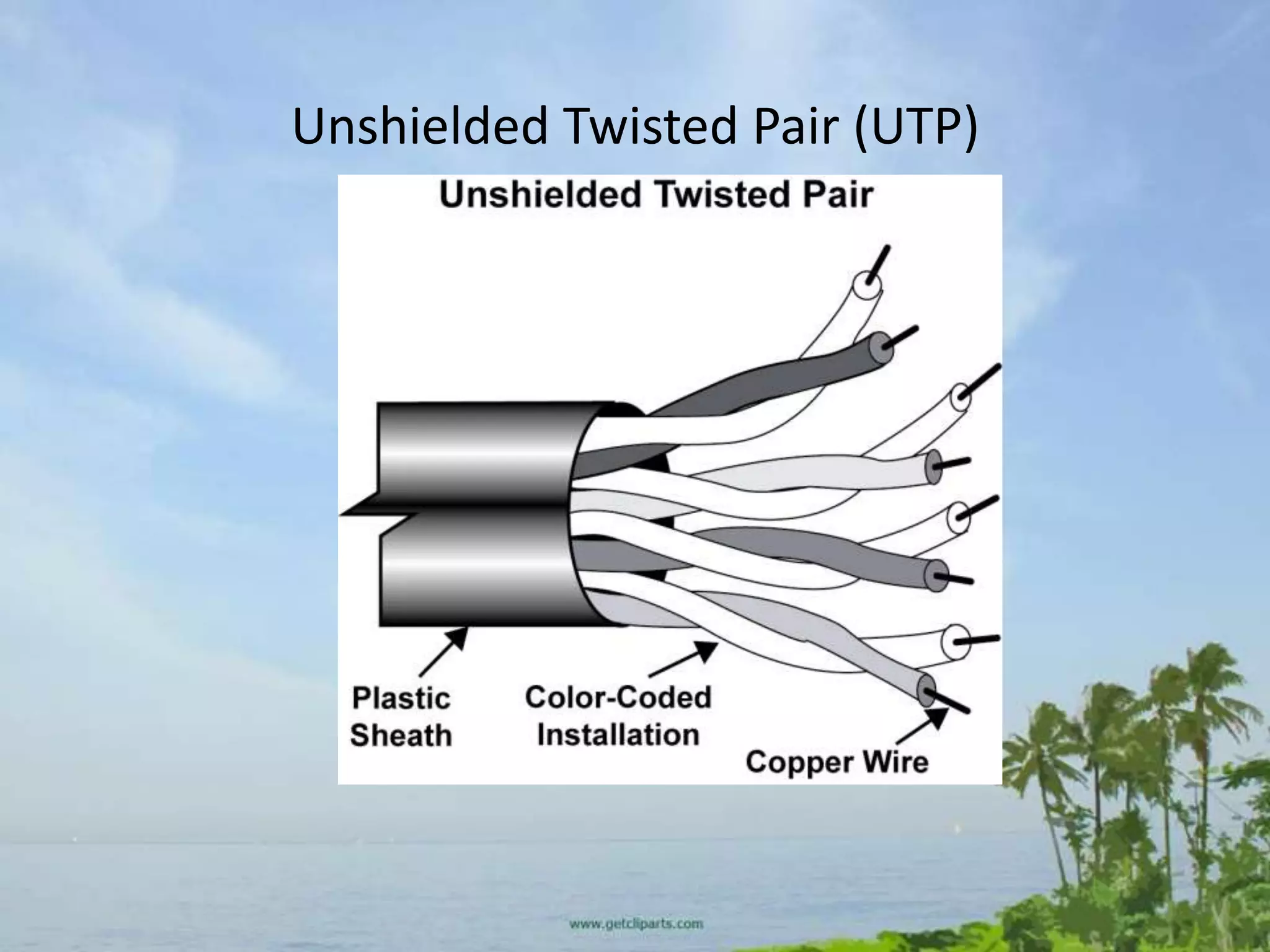
Unshielded Twisted Pair (UTP)

• UTP is a set of twisted pairs within a plastic
  sheath
• The common use for this type of cable is
  telephone wiring and LAN communications
• Two popular UTP cabling types are Category 3
  and Category 5 UTP
• Newer types include Category 5e and
  Category 6
Unshielded Twisted Pair (UTP)
UTP installation
• During UTP installation hardware connectivity
  generally is accomplished by using an RJ-45
  connector
Shielded Twisted Pair (STP)
• STP includes a protective sheathing around
  the copper wire
• The twisted pair is wrapped in foil to cut down
  on outside interference and electromagnetic
  radiation
Cross Over and Straight Through
• Cross-over: A cross-over cable is used to connect two computers via
  their NICs, without using a hub or switch. (Note: You can only
  connect two computers at one time, connecting three or more will
  require a hub or switch of some sort).

• Straight-through: A straight-through network cable is just what the
  name implies, a cable that passes data straight through from one
  end to another. Straight-through cables are used for a variety of
  connections. (e.g. connecting a computer to a hub or switch,
  connecting a computer to a cable/ISDN/DSL modem, and linking
  switches and hubs together.)

(Refer to your handout for standards)
Solid and Stranded Wire
• Solid wire cable means that each one of the 8
  wires inside the cable consists of one solid
  copper alloy wire.
• Solid wire cable is usually used for wiring
  inside walls as it does not flex very easily and
  is intended for wires that will never move.
• It has better conductivity than stranded
  cable, which means you can run Ethernet over
  farther distances with solid core.
• Stranded wire cable means that each one of
  the 8 wires inside the cable consists of a few
  dozen very fine hair-like strands that bend and
  flex very easily.
• Stranded wire cable is usually used for making
  patch cables because of its flexibility (the
  wires won't break as easily from being moved
  around and twisted frequently).
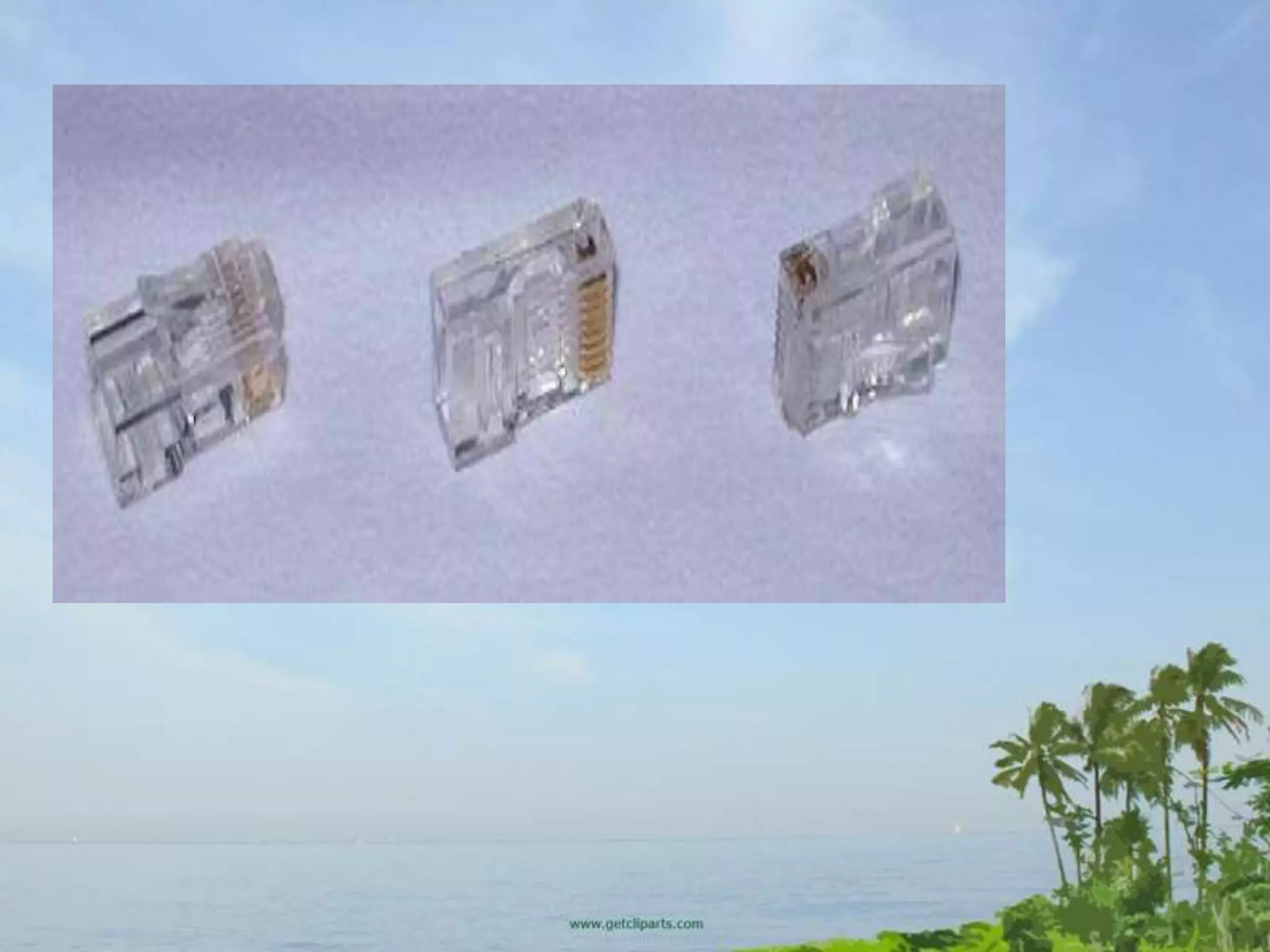
RJ-45 Connectors
• RJ-45 connectors - They usually come in bags of
  50, 100 etc. Pay attention to the type of RJ-45
  connector you get and make sure it is intended
  for the type of Cat5 wire you're using.
• There are two different kind of RJ-45 connectors,
  depending on whether you use them with solid
  or stranded wire cable as mentioned above.
• Using the wrong kind with the wrong cable will
  most likely result in a bad connection.
Network Tools
• Crimping tool - While this is the expensive
  part of making your own cables, it's only a
  one-time startup cost
• A good crimping tool has a pair of wire cutters
  built in, as well as a blade to strip insulation.
• It also might support crimping of other
  connectors such as RJ-11.
LETS GET STARTED NETWORK ENGINNERS
Step 1
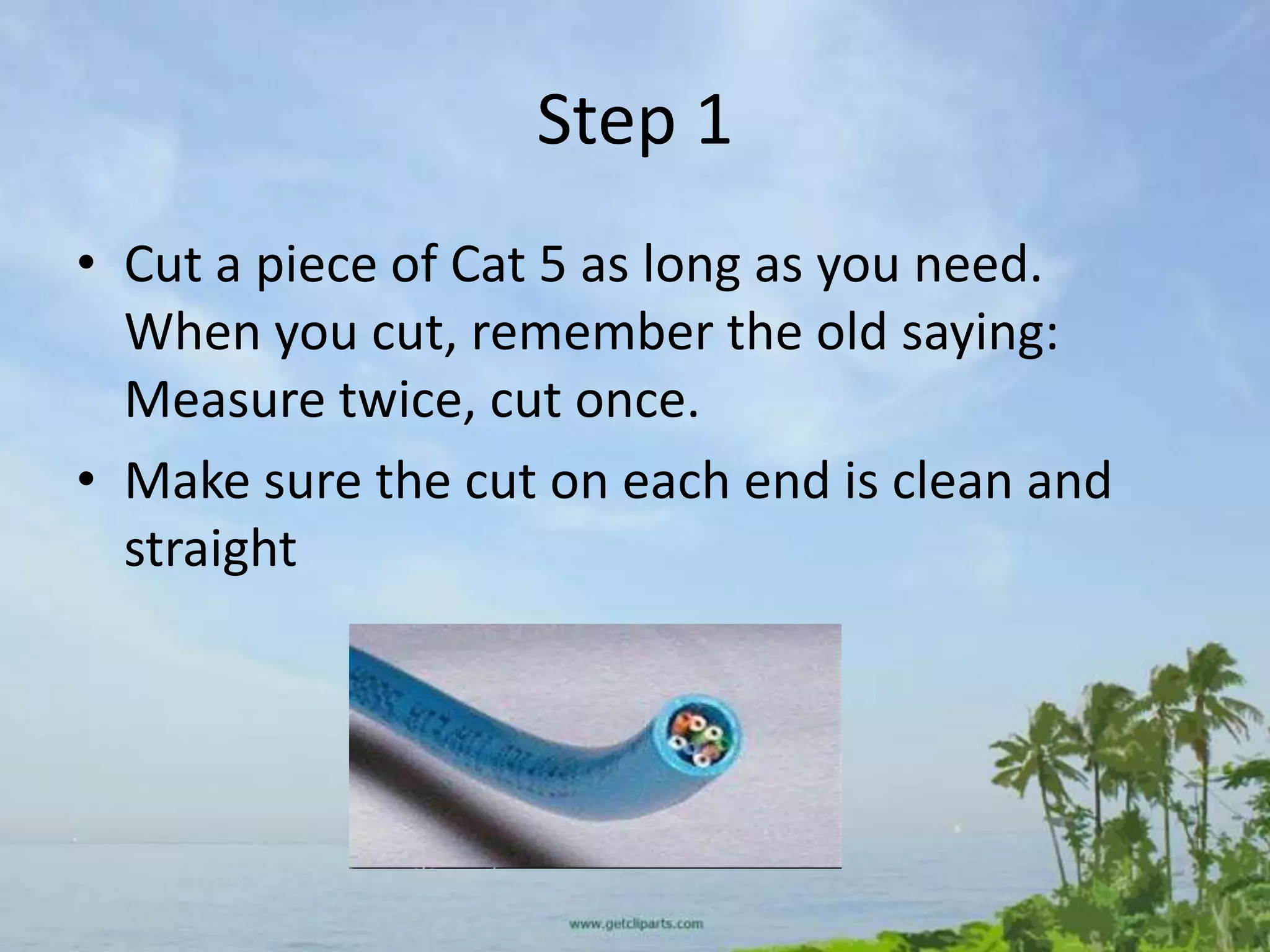
• Cut a piece of Cat 5 as long as you need.
  When you cut, remember the old saying:
  Measure twice, cut once.
• Make sure the cut on each end is clean and
  straight
Step 2
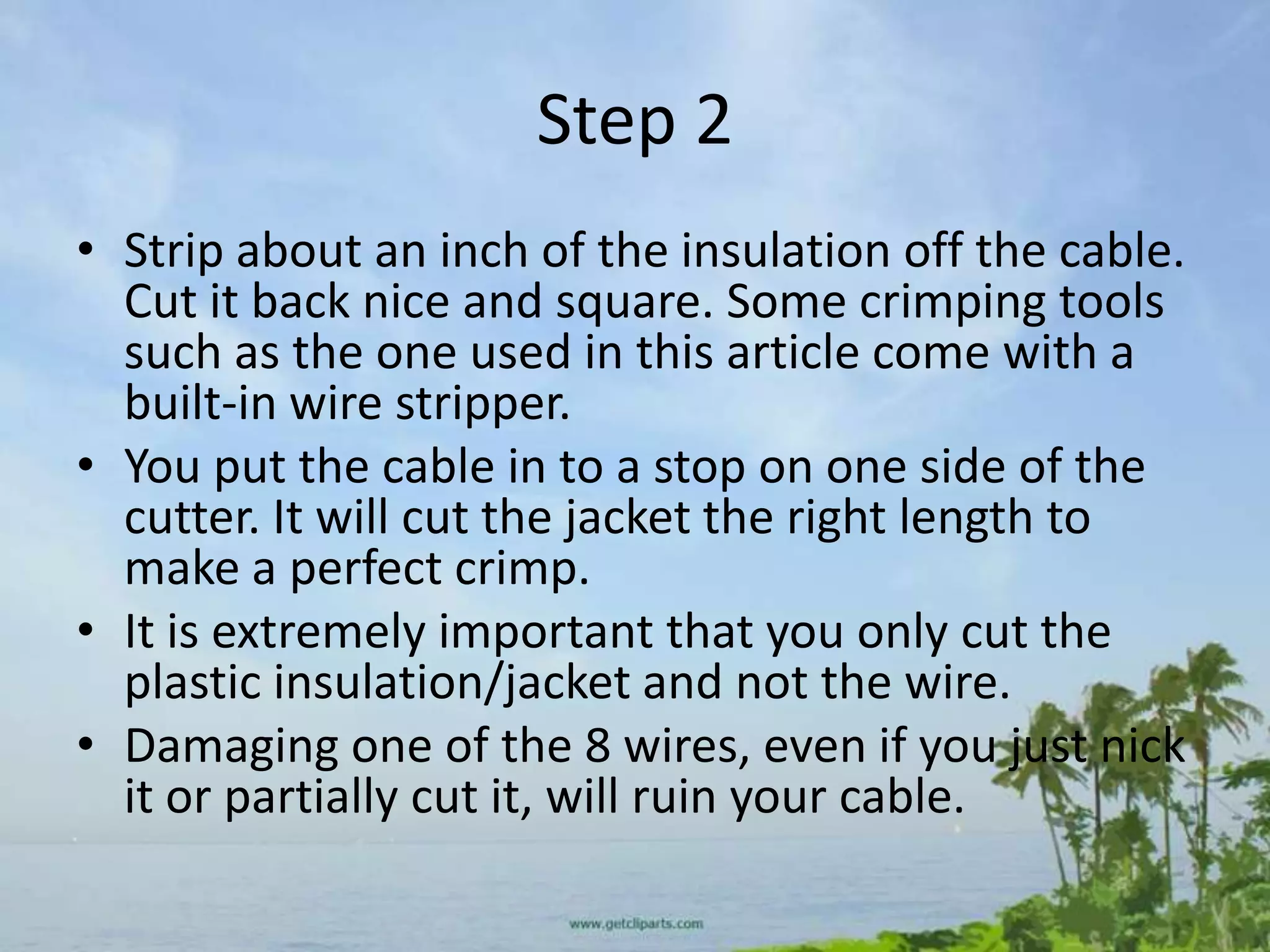
• Strip about an inch of the insulation off the cable.
  Cut it back nice and square. Some crimping tools
  such as the one used in this article come with a
  built-in wire stripper.
• You put the cable in to a stop on one side of the
  cutter. It will cut the jacket the right length to
  make a perfect crimp.
• It is extremely important that you only cut the
  plastic insulation/jacket and not the wire.
• Damaging one of the 8 wires, even if you just nick
  it or partially cut it, will ruin your cable.
STEP 3
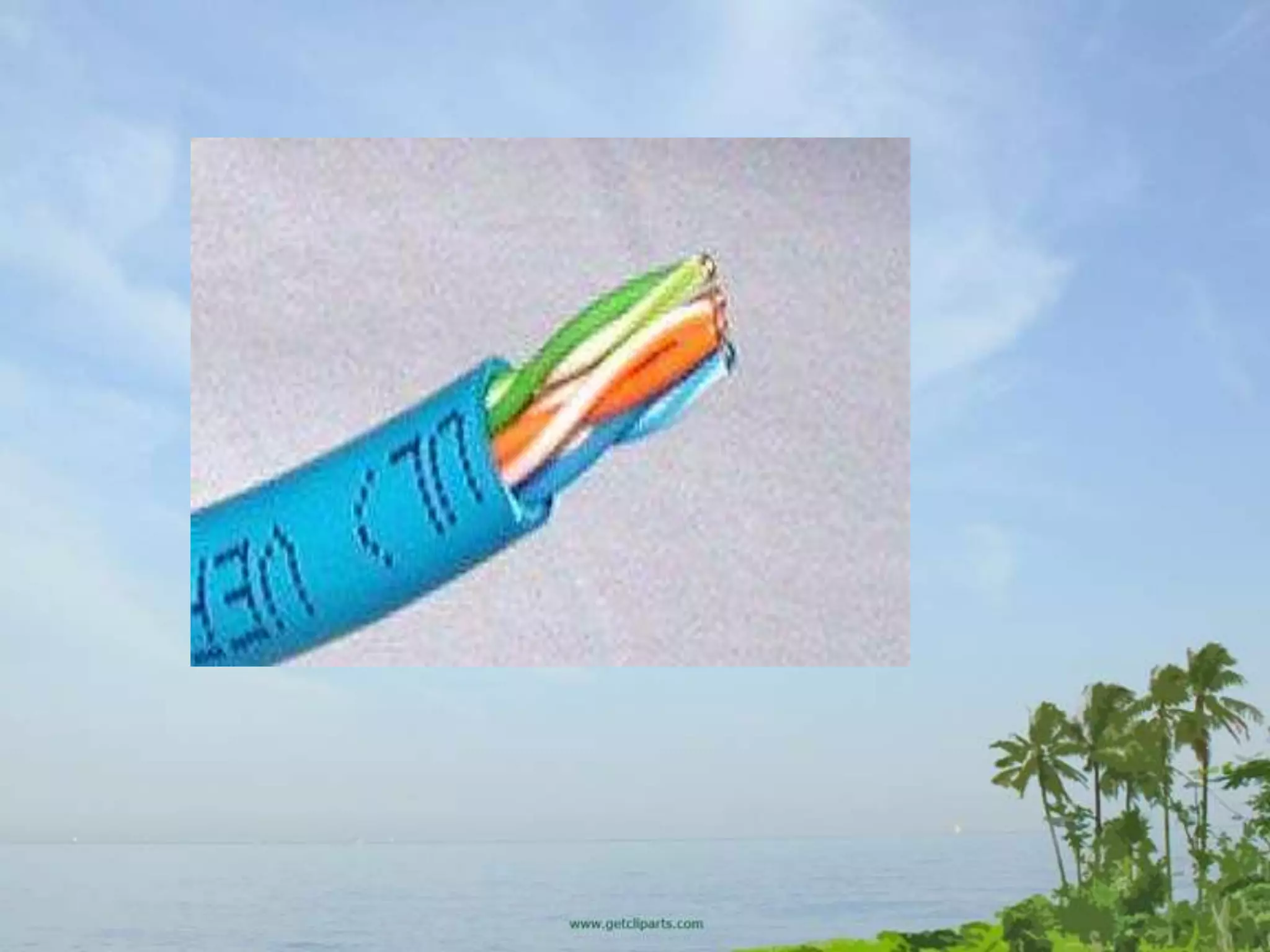
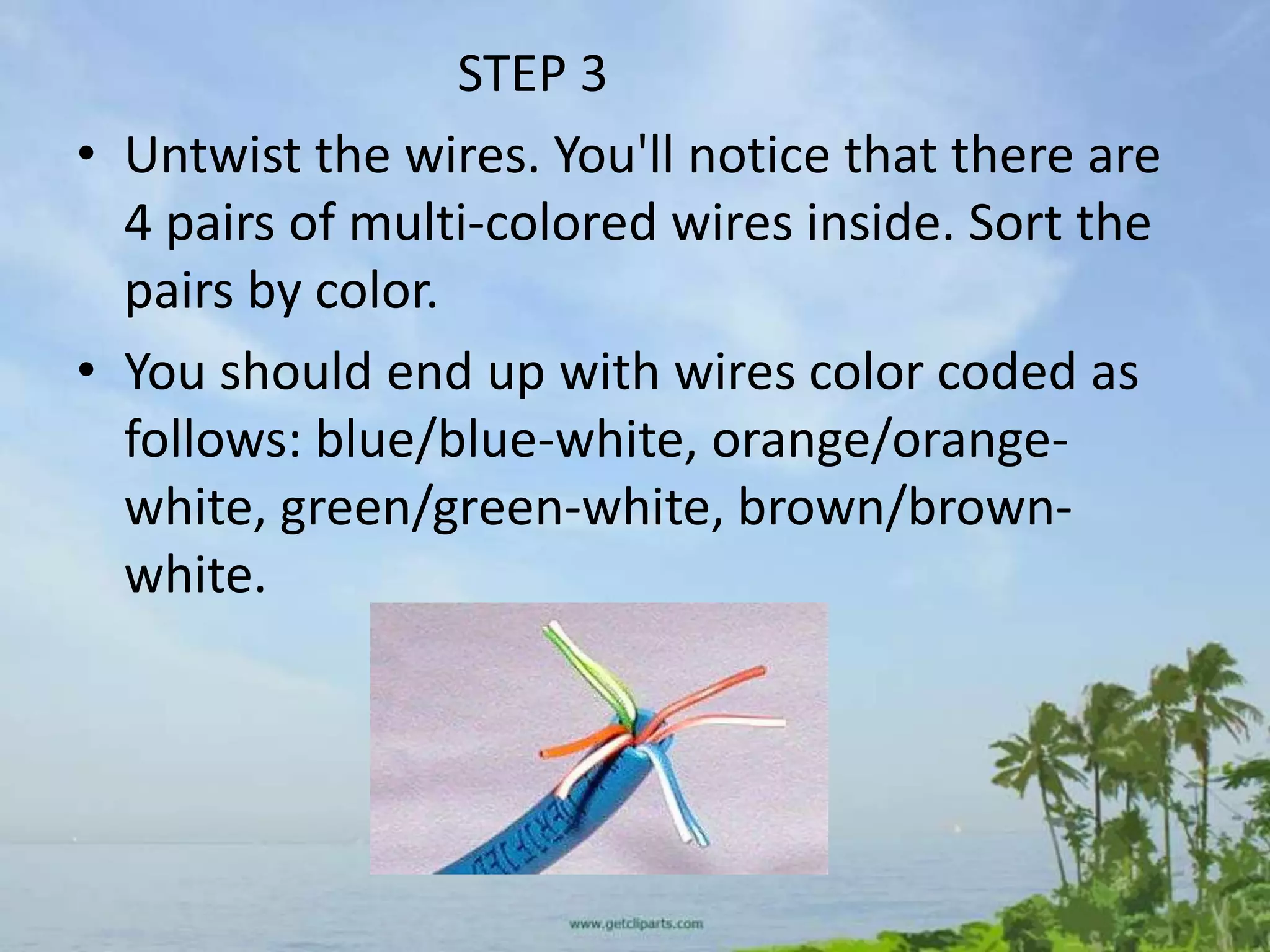
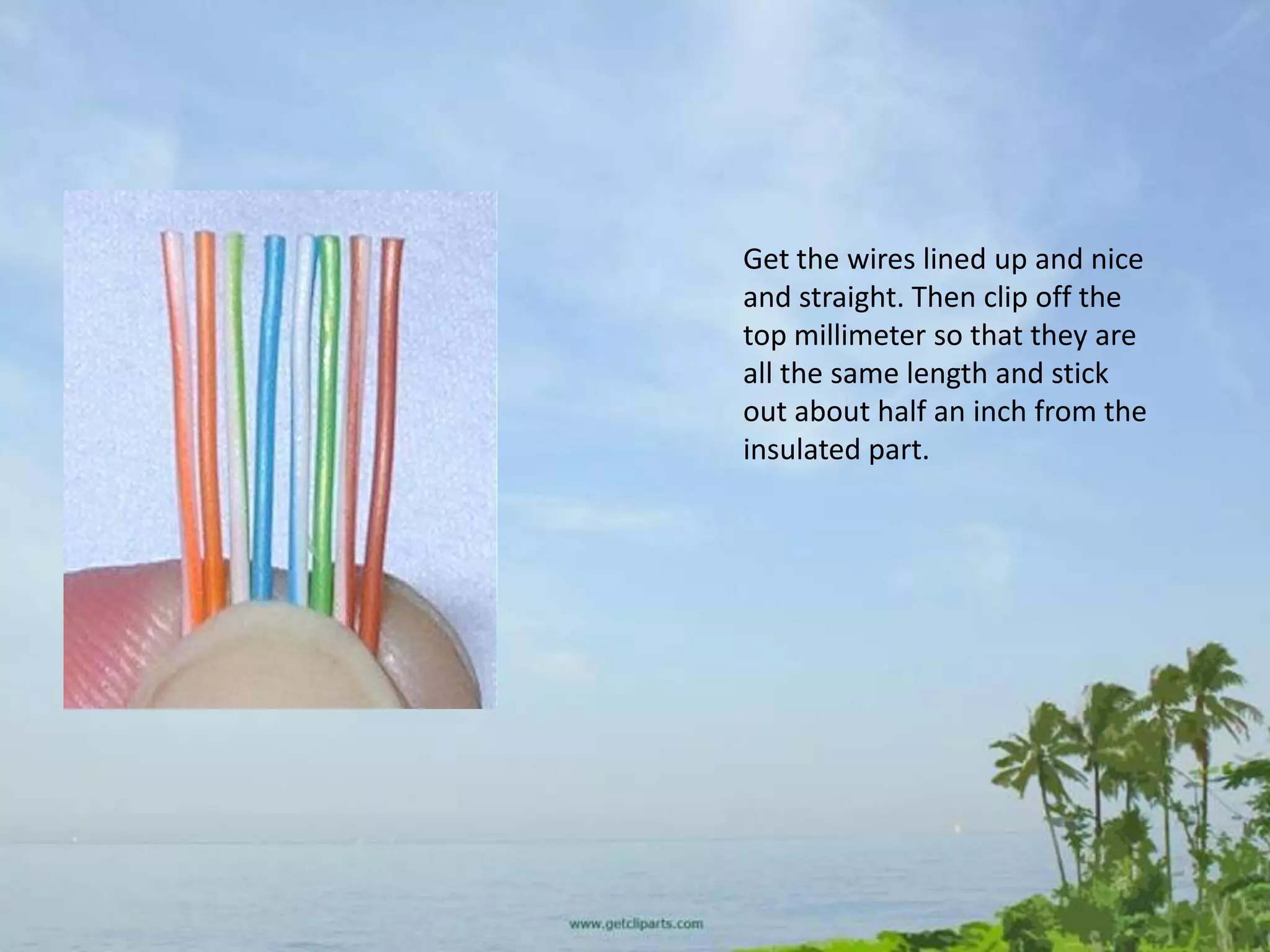
• Untwist the wires. You'll notice that there are
  4 pairs of multi-colored wires inside. Sort the
  pairs by color.
• You should end up with wires color coded as
  follows: blue/blue-white, orange/orange-
  white, green/green-white, brown/brown-
  white.
Get the wires lined up and nice
and straight. Then clip off the
top millimeter so that they are
all the same length and stick
out about half an inch from the
insulated part.
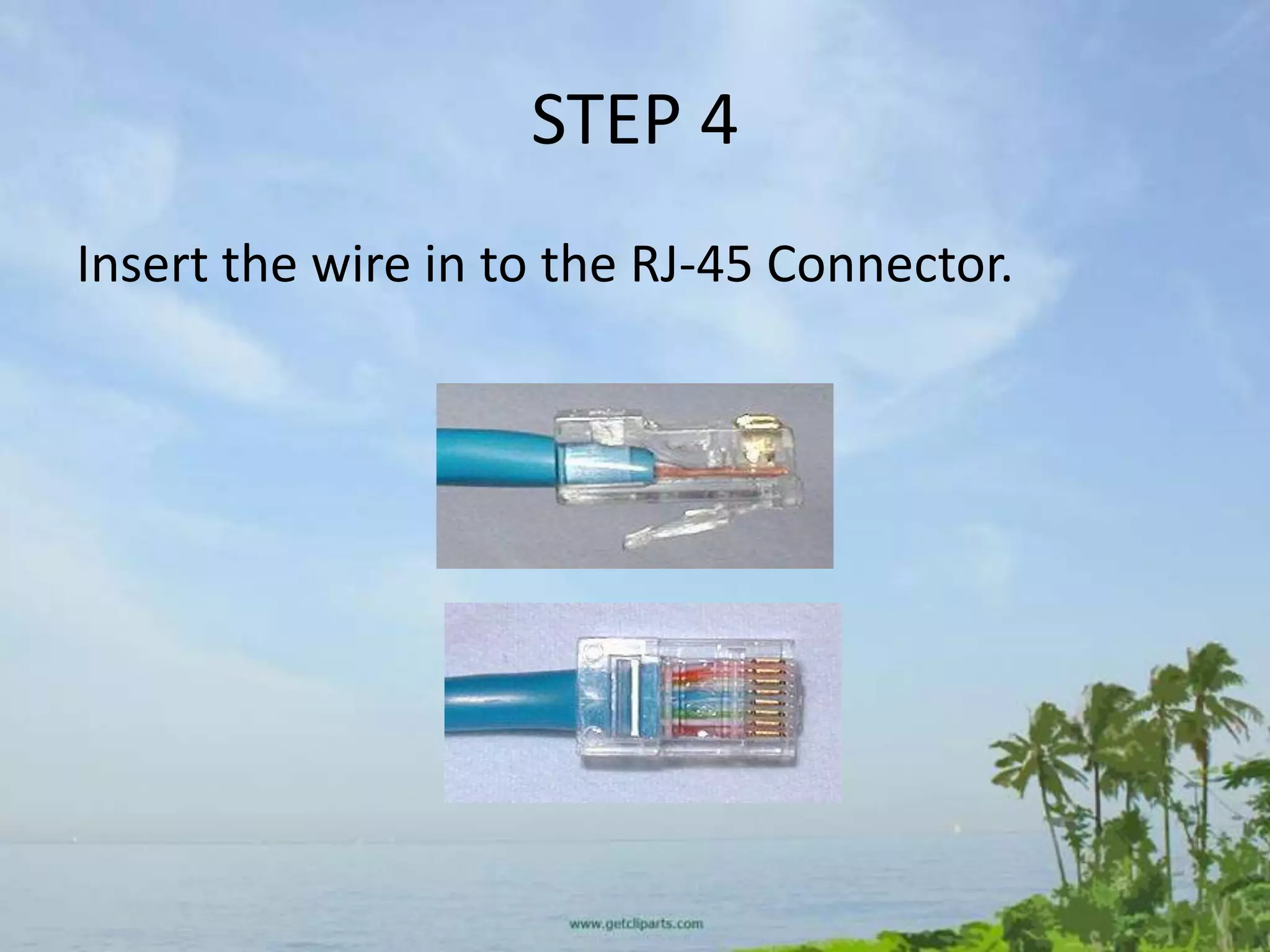
STEP 4
Insert the wire in to the RJ-45 Connector.
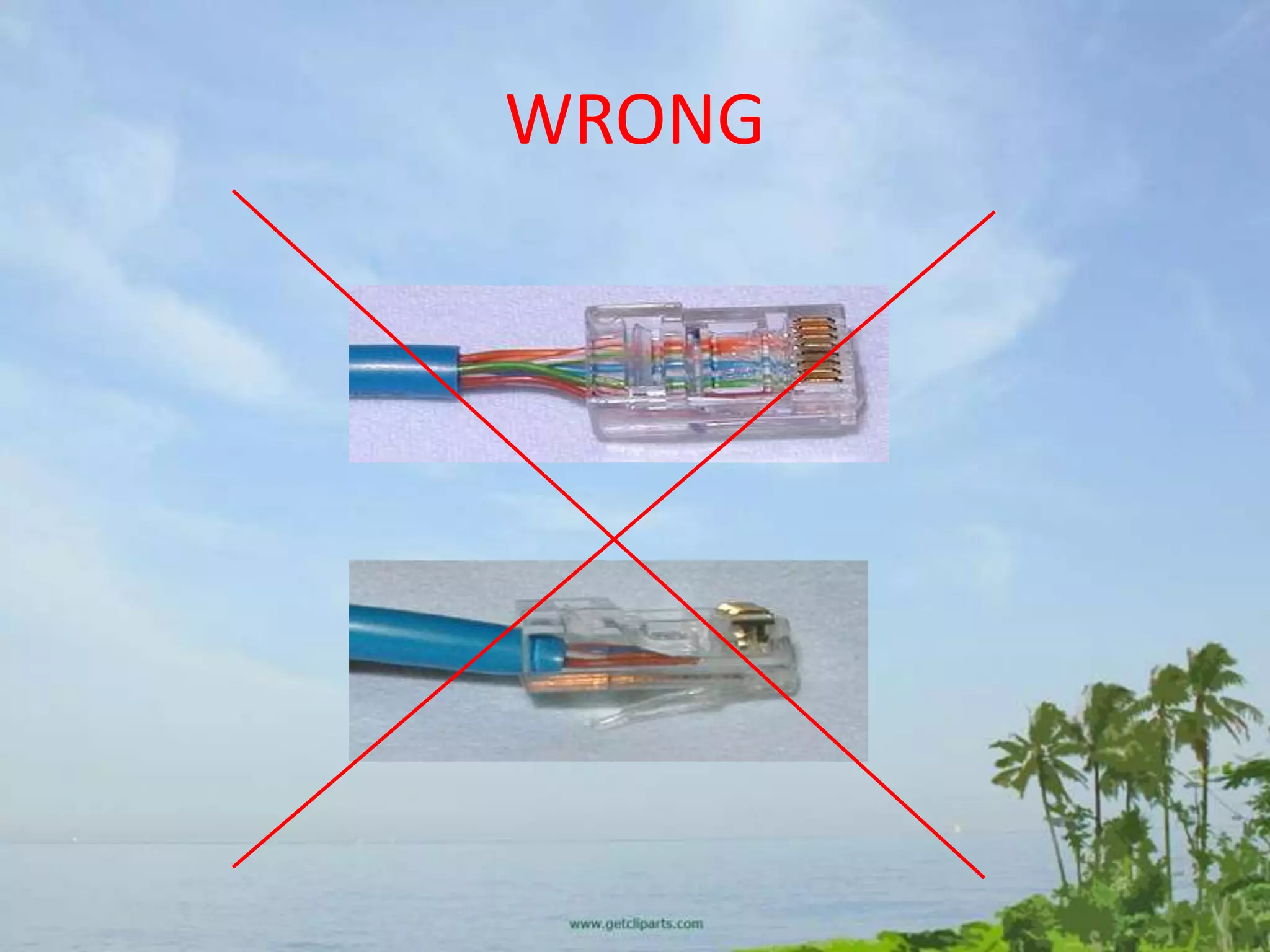
WRONG
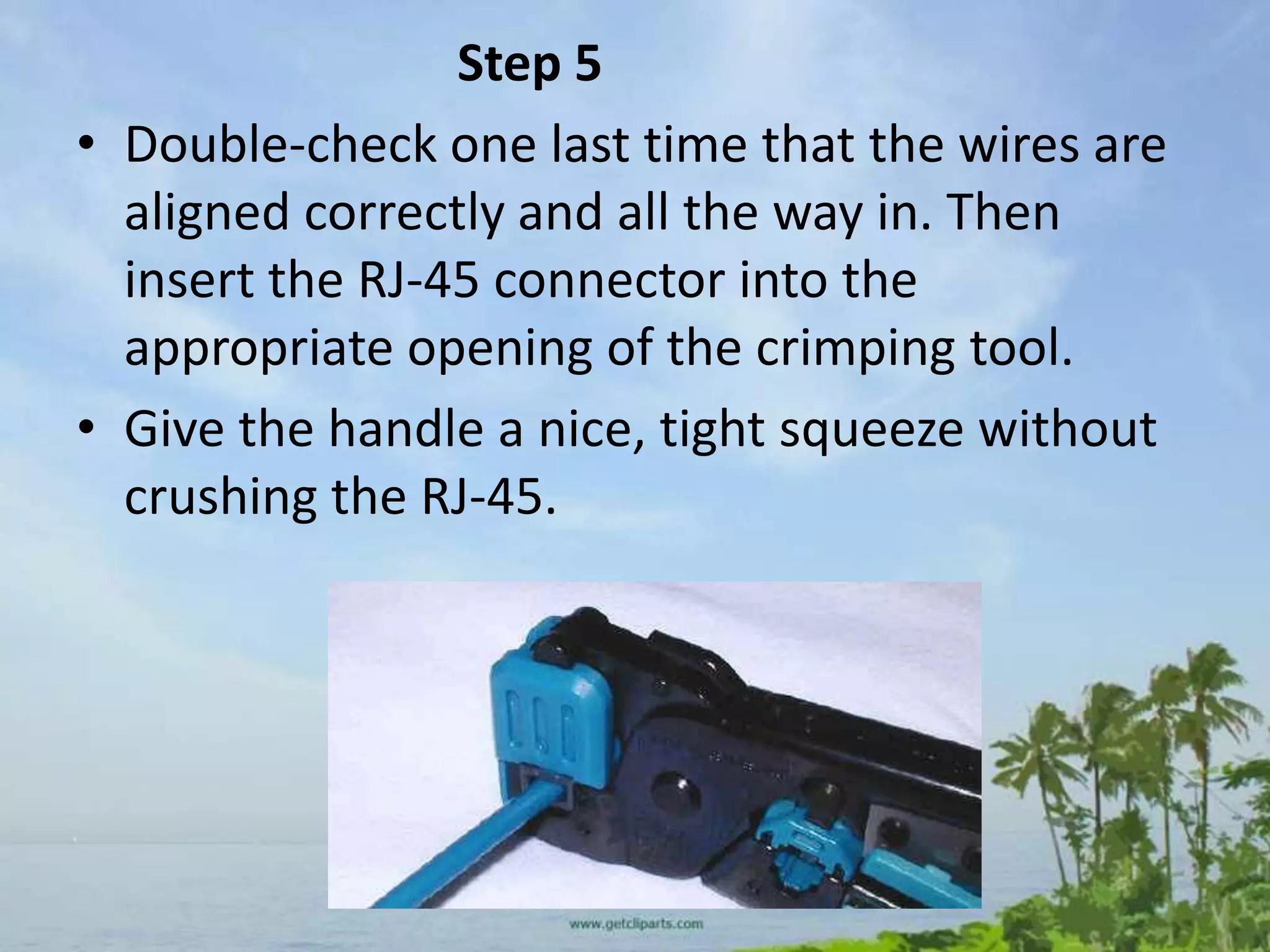
Step 5
• Double-check one last time that the wires are
  aligned correctly and all the way in. Then
  insert the RJ-45 connector into the
  appropriate opening of the crimping tool.
• Give the handle a nice, tight squeeze without
  crushing the RJ-45.
TEST
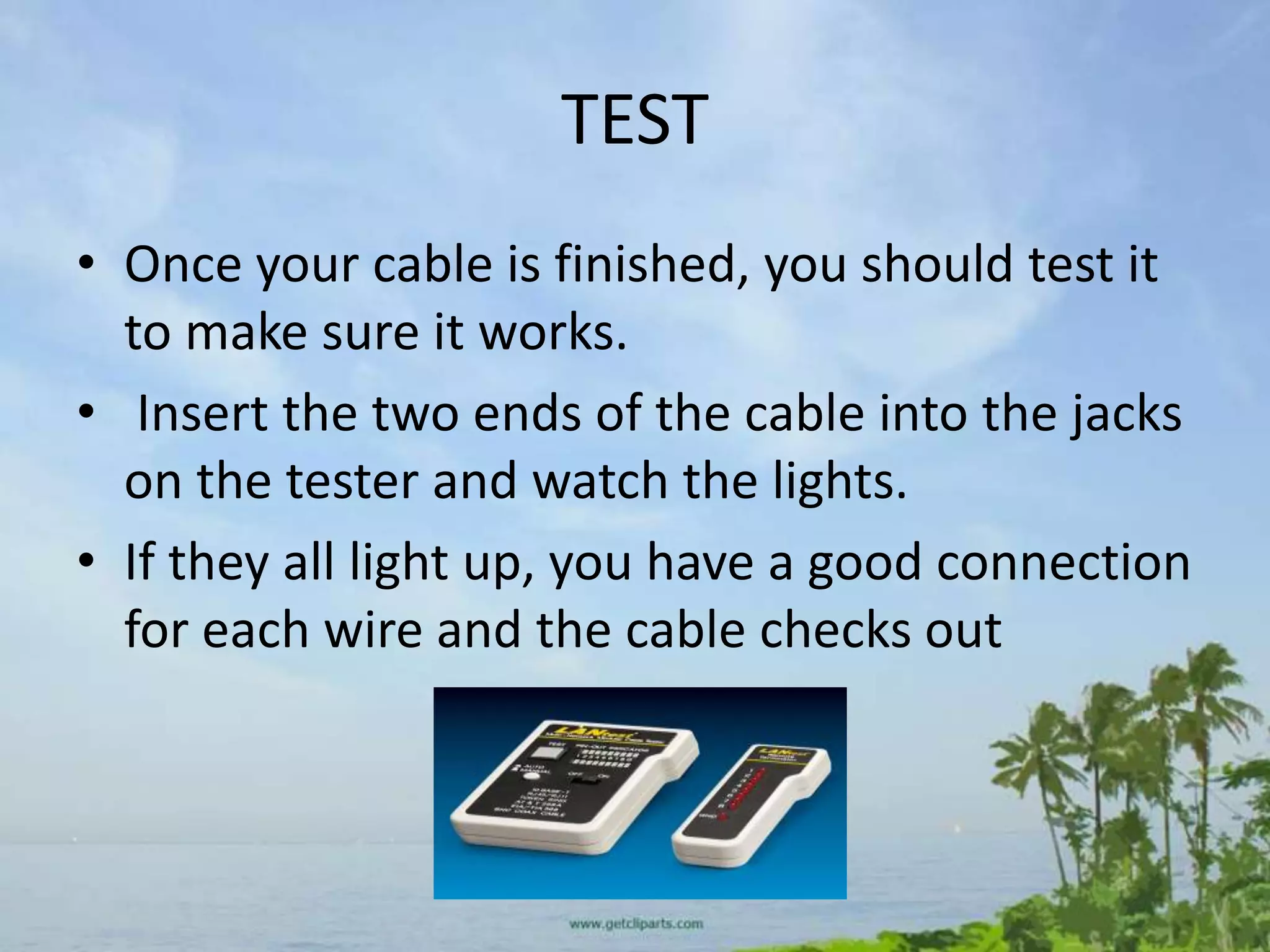
• Once your cable is finished, you should test it
  to make sure it works.
• Insert the two ends of the cable into the jacks
  on the tester and watch the lights.
• If they all light up, you have a good connection
  for each wire and the cable checks out
• NOW YOU CAN REPEAT THE SAME PROCESS
  TO MAKE A CROSS-OVER CABLE.

Network Cabling

  • 1.
  • 2.
    Twisted pair properties •Twisted pair is made of insulated copper wires that have been twisted around each other to form wire pairs • Twisted-pair cabling is divided into two categories – Unshielded Twisted Pair (UTP) – Shielded Twisted Pair (STP)
  • 3.
    Unshielded Twisted Pair(UTP) • UTP is a set of twisted pairs within a plastic sheath • The common use for this type of cable is telephone wiring and LAN communications • Two popular UTP cabling types are Category 3 and Category 5 UTP • Newer types include Category 5e and Category 6
  • 4.
  • 5.
    UTP installation • DuringUTP installation hardware connectivity generally is accomplished by using an RJ-45 connector
  • 6.
    Shielded Twisted Pair(STP) • STP includes a protective sheathing around the copper wire • The twisted pair is wrapped in foil to cut down on outside interference and electromagnetic radiation
  • 7.
    Cross Over andStraight Through • Cross-over: A cross-over cable is used to connect two computers via their NICs, without using a hub or switch. (Note: You can only connect two computers at one time, connecting three or more will require a hub or switch of some sort). • Straight-through: A straight-through network cable is just what the name implies, a cable that passes data straight through from one end to another. Straight-through cables are used for a variety of connections. (e.g. connecting a computer to a hub or switch, connecting a computer to a cable/ISDN/DSL modem, and linking switches and hubs together.) (Refer to your handout for standards)
  • 8.
    Solid and StrandedWire • Solid wire cable means that each one of the 8 wires inside the cable consists of one solid copper alloy wire. • Solid wire cable is usually used for wiring inside walls as it does not flex very easily and is intended for wires that will never move. • It has better conductivity than stranded cable, which means you can run Ethernet over farther distances with solid core.
  • 9.
    • Stranded wirecable means that each one of the 8 wires inside the cable consists of a few dozen very fine hair-like strands that bend and flex very easily. • Stranded wire cable is usually used for making patch cables because of its flexibility (the wires won't break as easily from being moved around and twisted frequently).
  • 10.
    RJ-45 Connectors • RJ-45connectors - They usually come in bags of 50, 100 etc. Pay attention to the type of RJ-45 connector you get and make sure it is intended for the type of Cat5 wire you're using. • There are two different kind of RJ-45 connectors, depending on whether you use them with solid or stranded wire cable as mentioned above. • Using the wrong kind with the wrong cable will most likely result in a bad connection.
  • 12.
    Network Tools • Crimpingtool - While this is the expensive part of making your own cables, it's only a one-time startup cost • A good crimping tool has a pair of wire cutters built in, as well as a blade to strip insulation. • It also might support crimping of other connectors such as RJ-11.
  • 14.
    LETS GET STARTEDNETWORK ENGINNERS
  • 15.
    Step 1 • Cuta piece of Cat 5 as long as you need. When you cut, remember the old saying: Measure twice, cut once. • Make sure the cut on each end is clean and straight
  • 16.
    Step 2 • Stripabout an inch of the insulation off the cable. Cut it back nice and square. Some crimping tools such as the one used in this article come with a built-in wire stripper. • You put the cable in to a stop on one side of the cutter. It will cut the jacket the right length to make a perfect crimp. • It is extremely important that you only cut the plastic insulation/jacket and not the wire. • Damaging one of the 8 wires, even if you just nick it or partially cut it, will ruin your cable.
  • 18.
    STEP 3 • Untwistthe wires. You'll notice that there are 4 pairs of multi-colored wires inside. Sort the pairs by color. • You should end up with wires color coded as follows: blue/blue-white, orange/orange- white, green/green-white, brown/brown- white.
  • 19.
    Get the wireslined up and nice and straight. Then clip off the top millimeter so that they are all the same length and stick out about half an inch from the insulated part.
  • 20.
    STEP 4 Insert thewire in to the RJ-45 Connector.
  • 21.
  • 22.
    Step 5 • Double-checkone last time that the wires are aligned correctly and all the way in. Then insert the RJ-45 connector into the appropriate opening of the crimping tool. • Give the handle a nice, tight squeeze without crushing the RJ-45.
  • 23.
    TEST • Once yourcable is finished, you should test it to make sure it works. • Insert the two ends of the cable into the jacks on the tester and watch the lights. • If they all light up, you have a good connection for each wire and the cable checks out
  • 24.
    • NOW YOUCAN REPEAT THE SAME PROCESS TO MAKE A CROSS-OVER CABLE.