Using Apps to Foster Learning
New Literacies in the
Classroom
Richard Beach, University of Minnesota,
rbeach@umn.edu
Google Docs Version of apps handout:

http://tinyurl.com/bt8s3r
k
Using iPad and iPhone Apps for
Learning with Literacy Across the
Curriculum
http://usingipads.pbworks.com
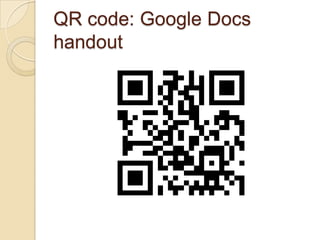
QR code: Google Docs
handout
Backchannel comments:
http://todaysmeet.com/N
CNewLit
Affordances of iPads/iPhones
 Touch:
  ◦ Intuitive navigation of texts and
    virtual worlds
 Portability/storage/ownership
  ◦ Personal learning device
 Social reading/writing
 Multimodality
 Collaboration/communication
App affordances: Literacies to
learn across the curriculum
(app iTunes links on handout)
 Accessing/Analyzing Information to
  Learn
 Reading Digitally to Learn
 Writing to Learn
 Discussing to Learn
 Images to Learn
 Audio/Video to Learn
 Games, Simulations, and Drama to
  Learn
 Reflection to Learn
Accessing/Analyzing
Information to Learn:
Wikipedia
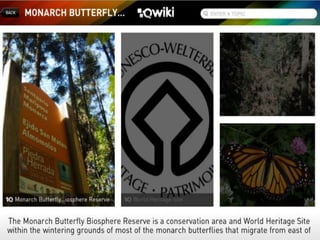
   Qwiki
    ◦ includes videos, images, graphs, and
      entries for millions of topics
 Articles for iPad
 Wikipedia Mobile
 Wikipanion Plus
 Simplepedia
 iWiki
Social, collaborative reading &
writing to learn
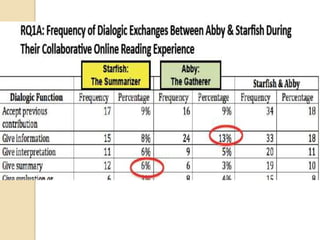
   Social reading/writing:
    ◦ Study: two 7th graders reading each
      other’s annotations
      (Coiro, Castek, &
      Guzniczak, 2011, 61st LRA
      Yearbook)
    ◦ Exposed to alternative response
      practices that may differ from their
      own
    ◦ Acquiring new ways of interpreting
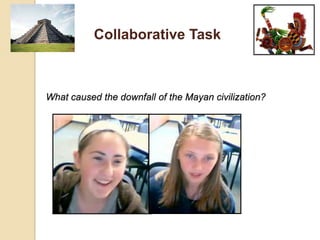
Collaborative Task


What caused the downfall of the Mayan civilization?
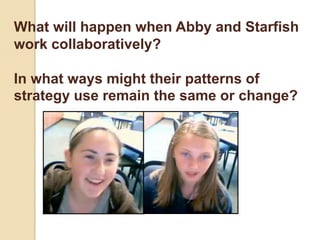
What will happen when Abby and Starfish
work collaboratively?

In what ways might their patterns of
strategy use remain the same or change?
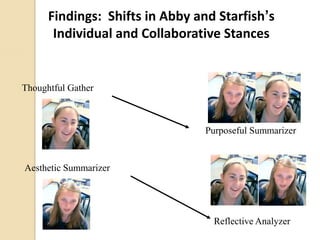
Findings: Shifts in Abby and Starfish’s
       Individual and Collaborative Stances


Thoughtful Gather


                                 Purposeful Summarizer


Aesthetic Summarizer


                                  Reflective Analyzer
App affordances: Social
reading/writing shared responses
toKobo Pulse
 
   texts
    ◦ http://tinyurl.com/6v7oy9w
   Readmill
    ◦ http://tinyurl.com/6tldeng
    ◦ Video demo http://readmill.com
   Subtext
    ◦ http://tinyurl.com/6v6fgxg
    ◦ Video demo:
      http://www.subtext.com/education
   Students share annotations, chat with
    other readers, and view what peers are
    reading
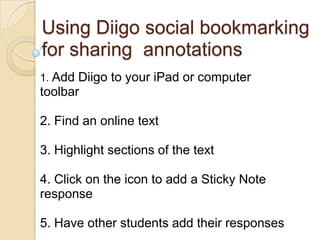
Using Diigo social bookmarking
for sharing annotations
1. Add Diigo to your iPad or computer
toolbar

2. Find an online text
3. Highlight sections of the text

4. Click on the icon to add a Sticky Note
response

5. Have other students add their responses
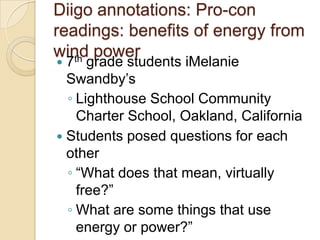
Diigo annotations: Pro-con
readings: benefits of energy from
wind power
   th
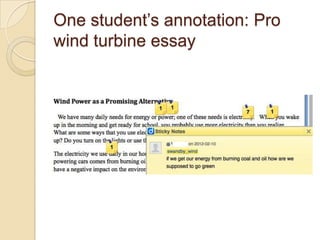
 7 grade students iMelanie
  Swandby’s
  ◦ Lighthouse School Community
    Charter School, Oakland, California
 Students posed questions for each
  other
  ◦ “What does that mean, virtually
    free?”
  ◦ What are some things that use
    energy or power?”
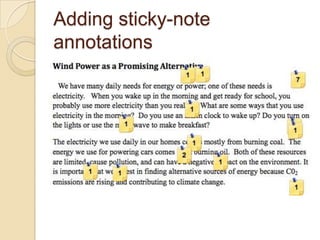
Adding sticky-note
annotations
One student’s annotation: Pro
wind turbine essay
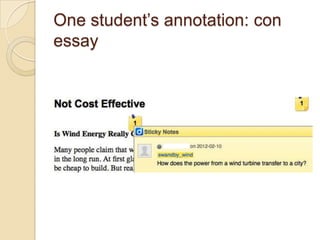
One student’s annotation: con
essay
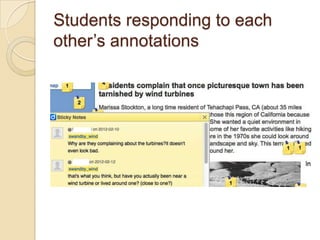
Students responding to each
other’s annotations
Dialogic interactions through
annotations
“There is a bad and good thing about
 this. Bad is it kills birds passing by.
 Good it makes energy cleaner.”
 “Tarnished with wind turbines? Aren't
 wind turbines supposed to be a good
 thing? Why are they complaining
 about the turbines? it doesn't even
 look bad.”
Use of annotations for summary
writing
   I am perplexed in choosing if wind energy
    is a good courses or bad source. While,
    wind energy is a good source because
    it’s renewable and needs nothing more
    but construction, it can also cause
    irritation and attention of some people.
    Wind turbines are loud, noisy, and risky.
    Even though, it doesn’t cause any
    greenhouse gases in the air, wind
    turbines are harmful to wildlife and
    space. More birds die by getting hit by
    wind turbines which is very dangerous to
    our wildlife.
Backchannel comments: Social
reading/writing to learn:
http://todaysmeet.com/NCNew
Lit
 Reactions??????????
 What  are some ways you
 could use apps to foster
 social reading/writing to
 learn in your classroom?
Accessing/Analyzing Information
to Learn: QR reader apps
 Create   QR code images
 ◦ Entering in a URL in a QR create
  site such as
  Qrafter, QRstuff.com, Kaywa, Tec-
  IT, QR-app
 InsertQR codes into texts
 ◦ provide other related texts or
   pose questions
Digital concept mapping
 iPad apps: iBrainstorm, MindMeister
  for Ipad,, Sundry Notes, Idea
  Sketch, Total
  Recall, inShare, iMindMap
  MindNode, iThoughtsHD, Popplet Lite
   http://tinyurl.com/3o6a3wy
 Hierarchical/logical relationships between
  key concepts
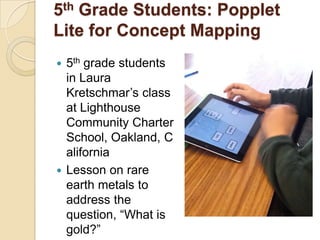
5th Grade Students: Popplet
Lite for Concept Mapping
 5th grade students
  in Laura
  Kretschmar’s class
  at Lighthouse
  Community Charter
  School, Oakland, C
  alifornia
 Lesson on rare
  earth metals to
  address the
  question, “What is
  gold?”
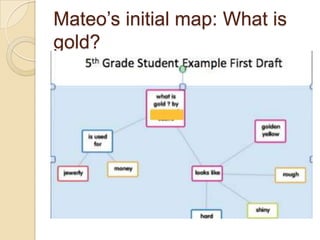
Mateo’s initial map: What is
gold?
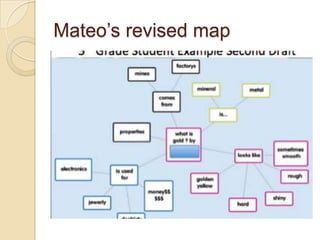
Mateo’s revised map
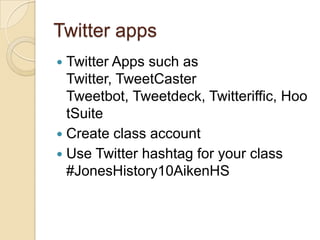
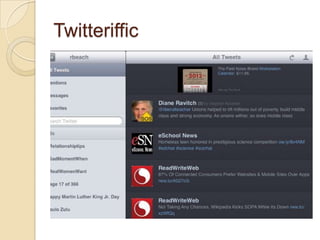
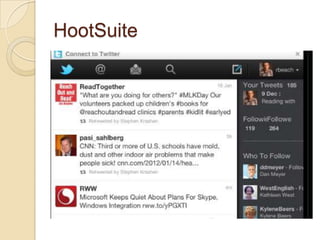
Twitter apps
 Twitter Apps such as
  Twitter, TweetCaster
  Tweetbot, Tweetdeck, Twitteriffic, Hoo
  tSuite
 Create class account
 Use Twitter hashtag for your class
  #JonesHistory10AikenHS
Twitteriffic
HootSuite
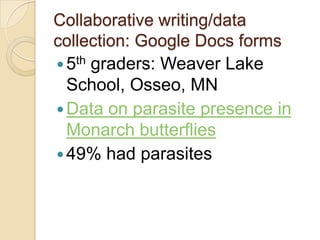
Collaborative writing/data
collection: Google Docs forms
 5th graders: Weaver Lake
  School, Osseo, MN
 Data on parasite presence in
  Monarch butterflies
 49% had parasites
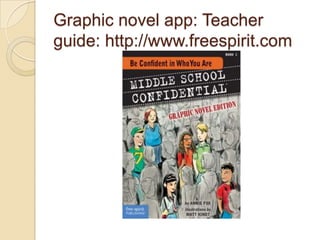
Graphic novel app: Teacher
guide: http://www.freespirit.com
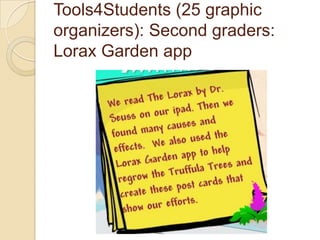
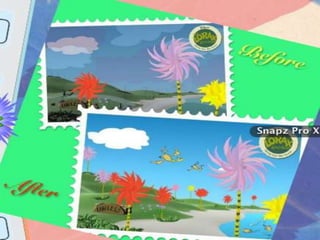
Tools4Students (25 graphic
organizers): Second graders:
Lorax Garden app
Story/children’s book writing
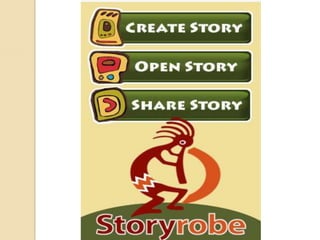
   StoryKit, Storyrobe, Book
    Creator, Bookemon Mobile, Picture
    Books, Writer's
    Studio, StoryPatch, Demibooks®
    Composer, StoryBuddy, My
    Story, MoglueBooks, myebook, StoryJ
    umper (for younger students), Tikatok
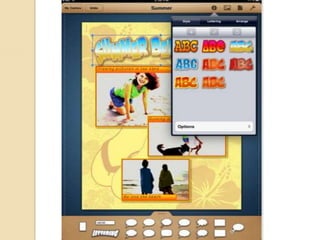
Comics/graphic novels
   Comic Life, Strip Designer,
    ComicStrip CS
    Shttp://tinyurl.com/6or7bvz, Comics
    Creator, PhotoComic, Comic Touch
    Lite
Apps for Sharing/Publishing
Writing
 ePub: Mac Pages (soon to be
  on iPad Pages)
 Apple Author (requires OS
  Lion): iBooks
 Dotepub or Inkling books
  ◦ Human Biology Inkling
    textbook
Discussing to learn: CMS
platform options
   OpenClass (free; linked to Google
    Apps)
    ◦ http://www.joinopenclass.com/open/view/t
      1
   Edmodo (free; also an app)
    ◦ http://www.edmodo.com/
   Schoology
    ◦ https://www.schoology.com/home.php
   rcampus (cloud-based)
    ◦ http://www.rcampus.com/
Discussing to learn:
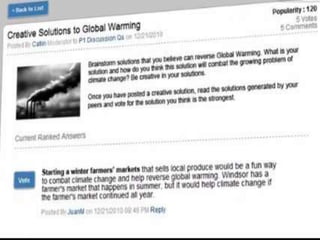
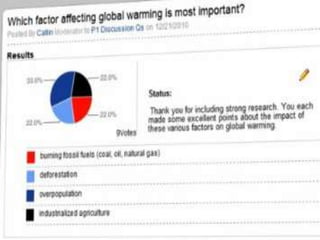
Collaborize Classroom
http://tinyurl.com/7xdcejl
 Free platform for classroom
  discussions
 App/Web-based
 Extensive curriculum resources
 Focus on fostering students
  collaboration
 Professional development
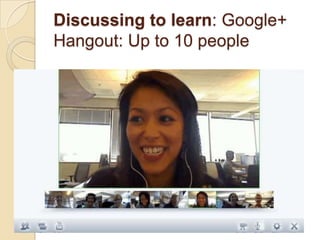
Discussing to learn: Google+
Hangout: Up to 10 people
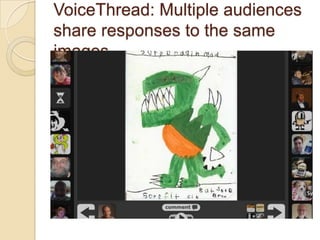
VoiceThread: Multiple audiences
share responses to the same
images
5th Graders: VoiceThread for
Studying Dinosaurs
   Extinction of the dinosaurs:
    ◦ supernova, volcanoes, or an asteroid.
    ◦ Volcanoes
      http://voicethread.com/share/2454743/
    ◦ Supernova
      http://voicethread.com/share/2544219/
    ◦ Asteriod
      http://voicethread.com/share/2545658/
VoiceThread affordances:
Literacy practices
   Collaborative shared reading
    ◦ Mediated by focus on same images
    ◦ Learn from each other’s focus/practices
   Scientific thinking: claims/counter-
    claims
    ◦ Exposure to competing arguments
      “The asteroid couldn’t have caused the
       dinosaur extinction because the asteroid only
       landed on one spot and there were dinosaurs
       everywhere.”
Screencasting app: Doodles and
audio voice-over for collaborative
reading/writing/video
 ShowMe, Explain
  Everything, VoiceThread, Screencho
  mp, Educreations
 7th grade students at Lighthouse
  Community Charter School
    ◦ Mendelian genetics
    ◦ Created ShowMe presentations
Students ShowMe’s: Genetics:
dominant vs. recessive traits
   “If a brown eyed and a blue eyed parent
    had a baby, what color eyes would the baby
    have?”
       http://www.showme.com/sh/?h=ibbycYS
   Mother and father birds and baby bird
   http://www.showme.com/sh/?h=RNKspgu
   Pea plant genetics
   http://www.showme.com/sh/?h=GC6q3nM
ShowMe affordances: Social
reading/writing/video synergy
 Unfolding doodling  voice-over
  talk
 Use of ShowMe for prewriting/revision
    ◦ Testing our/erasing doodles
 Collaborative focus on same images
 Video: Rhetorical sense of audience
 Use science disciplinary literacy
    ◦ Images, charts, figures as data evidence
Screencasting: Students or you
create how-to tutorials for peers
 VoiceThread, ExplainEverything, Scre
  enchomp, ShowMe, Educreastions
 Snapguide http://tinyurl.com/ctkslx8
    ◦ Students:
Screencasting: feedback
 VoiceThread, ExplainEverything,
  Screenchomp, ShowMe,
  Educreastions
 Video response to writing: Jing
    ◦ http://tinyurl.com/3kkw4am
   Speeches/drama: Formative
    Feedback for Learning
    http://formativefeedbackapp.blogspot.
    com
Peer feedback: Reading/writing
connections
 Video: Better Reviewers are Better
  Writers http://tinyurl.com/c36bv96
 ELI review: Web-based review
    ◦   1. Select peer reviewers
    ◦   2. Reviewers reader using criteria
    ◦   3. Reviewers respond
    ◦   4. Writer strategizes revisions
    ◦   5. Teacher obtains student work/reviews
Backchannel comments
 Reactions??????????????
 What are some ways you could
 use screencasting apps:
 VoiceThread or ShowMe in your
 classroom?
Discussing to learn: Teen
texting: Pew Research
   63% text daily
    ◦ Median number sent daily was 60 in 2011.
 39% cell phones
 35% face-to-face socializing,
 29% social-networking messages,
 22% IMing
 6% emailing.
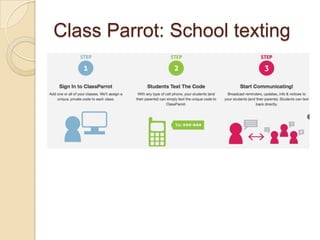
Texting/message apps
 iMessage   (iPad or
  iPhone), Messages (Mac), AK
  Messenger!, textPlus Free
  Texting + Group Text, Textie™
  Messaging
 Classroom-based texting
  systems: Class
  Parrot, Kikutext, WeTxt, Remin
Class Parrot: School texting
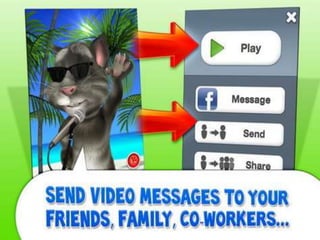
Tom’s Messenger
http://tinyurl.com/7v7klxw
Games/simulations/drama to
learn: Game/simulation/roleplay
apps
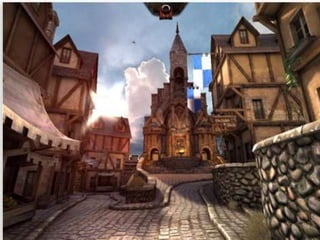
 Tiny Tower, CityVille Hometown, My
  Town 2, Trade Nation, Farm
  Story, Epic Citadel (medieval fantasy
  town with a cathedral).
 Students creating characters and
  stories based on the Epic Citadel
  medieval setting

http://www.porchester.notts.sch.uk/citad
el
Apps for planning/organizing
instruction
   Nearpod http://tinyurl.com/6ts55kp
    ◦ http://new.nearpod.com
    ◦ videos, polls, sketching tools, or featured
      presentations
   GoClass http://tinyurl.com/chbmeke
    ◦ http://tinyurl.com/blgogqs
    ◦ SHOW (online resources), EXPLAIN (add
      notes), ASK (questions for students)
App uses/recommendations
 EdReadch channel
  (MobileReach, MacReach)
 Appy Hours 4 U
    ◦ The TechChef4u app
 The iPad Show
 The Daily App Show
 TWIT channel
 Tech Chick Tips

Nc state presentationslideshare

  • 1.
    Using Apps toFoster Learning New Literacies in the Classroom Richard Beach, University of Minnesota, rbeach@umn.edu Google Docs Version of apps handout: http://tinyurl.com/bt8s3r k Using iPad and iPhone Apps for Learning with Literacy Across the Curriculum http://usingipads.pbworks.com
  • 2.
    QR code: GoogleDocs handout
  • 3.
  • 4.
    Affordances of iPads/iPhones Touch: ◦ Intuitive navigation of texts and virtual worlds  Portability/storage/ownership ◦ Personal learning device  Social reading/writing  Multimodality  Collaboration/communication
  • 5.
    App affordances: Literaciesto learn across the curriculum (app iTunes links on handout)  Accessing/Analyzing Information to Learn  Reading Digitally to Learn  Writing to Learn  Discussing to Learn  Images to Learn  Audio/Video to Learn  Games, Simulations, and Drama to Learn  Reflection to Learn
  • 6.
    Accessing/Analyzing Information to Learn: Wikipedia  Qwiki ◦ includes videos, images, graphs, and entries for millions of topics  Articles for iPad  Wikipedia Mobile  Wikipanion Plus  Simplepedia  iWiki
  • 8.
    Social, collaborative reading& writing to learn  Social reading/writing: ◦ Study: two 7th graders reading each other’s annotations (Coiro, Castek, & Guzniczak, 2011, 61st LRA Yearbook) ◦ Exposed to alternative response practices that may differ from their own ◦ Acquiring new ways of interpreting
  • 9.
    Collaborative Task What causedthe downfall of the Mayan civilization?
  • 10.
    What will happenwhen Abby and Starfish work collaboratively? In what ways might their patterns of strategy use remain the same or change?
  • 12.
    Findings: Shifts inAbby and Starfish’s Individual and Collaborative Stances Thoughtful Gather Purposeful Summarizer Aesthetic Summarizer Reflective Analyzer
  • 13.
    App affordances: Social reading/writingshared responses toKobo Pulse  texts ◦ http://tinyurl.com/6v7oy9w  Readmill ◦ http://tinyurl.com/6tldeng ◦ Video demo http://readmill.com  Subtext ◦ http://tinyurl.com/6v6fgxg ◦ Video demo: http://www.subtext.com/education  Students share annotations, chat with other readers, and view what peers are reading
  • 14.
    Using Diigo socialbookmarking for sharing annotations 1. Add Diigo to your iPad or computer toolbar 2. Find an online text 3. Highlight sections of the text 4. Click on the icon to add a Sticky Note response 5. Have other students add their responses
  • 15.
    Diigo annotations: Pro-con readings:benefits of energy from wind power th  7 grade students iMelanie Swandby’s ◦ Lighthouse School Community Charter School, Oakland, California  Students posed questions for each other ◦ “What does that mean, virtually free?” ◦ What are some things that use energy or power?”
  • 16.
  • 17.
    One student’s annotation:Pro wind turbine essay
  • 18.
  • 19.
    Students responding toeach other’s annotations
  • 20.
    Dialogic interactions through annotations “Thereis a bad and good thing about this. Bad is it kills birds passing by. Good it makes energy cleaner.”  “Tarnished with wind turbines? Aren't wind turbines supposed to be a good thing? Why are they complaining about the turbines? it doesn't even look bad.”
  • 21.
    Use of annotationsfor summary writing  I am perplexed in choosing if wind energy is a good courses or bad source. While, wind energy is a good source because it’s renewable and needs nothing more but construction, it can also cause irritation and attention of some people. Wind turbines are loud, noisy, and risky. Even though, it doesn’t cause any greenhouse gases in the air, wind turbines are harmful to wildlife and space. More birds die by getting hit by wind turbines which is very dangerous to our wildlife.
  • 22.
    Backchannel comments: Social reading/writingto learn: http://todaysmeet.com/NCNew Lit  Reactions??????????  What are some ways you could use apps to foster social reading/writing to learn in your classroom?
  • 23.
    Accessing/Analyzing Information to Learn:QR reader apps  Create QR code images ◦ Entering in a URL in a QR create site such as Qrafter, QRstuff.com, Kaywa, Tec- IT, QR-app  InsertQR codes into texts ◦ provide other related texts or pose questions
  • 24.
    Digital concept mapping iPad apps: iBrainstorm, MindMeister for Ipad,, Sundry Notes, Idea Sketch, Total Recall, inShare, iMindMap MindNode, iThoughtsHD, Popplet Lite http://tinyurl.com/3o6a3wy  Hierarchical/logical relationships between key concepts
  • 25.
    5th Grade Students:Popplet Lite for Concept Mapping  5th grade students in Laura Kretschmar’s class at Lighthouse Community Charter School, Oakland, C alifornia  Lesson on rare earth metals to address the question, “What is gold?”
  • 26.
  • 27.
  • 28.
    Twitter apps  TwitterApps such as Twitter, TweetCaster Tweetbot, Tweetdeck, Twitteriffic, Hoo tSuite  Create class account  Use Twitter hashtag for your class #JonesHistory10AikenHS
  • 29.
  • 30.
  • 31.
    Collaborative writing/data collection: GoogleDocs forms  5th graders: Weaver Lake School, Osseo, MN  Data on parasite presence in Monarch butterflies  49% had parasites
  • 32.
    Graphic novel app:Teacher guide: http://www.freespirit.com
  • 33.
    Tools4Students (25 graphic organizers):Second graders: Lorax Garden app
  • 35.
    Story/children’s book writing  StoryKit, Storyrobe, Book Creator, Bookemon Mobile, Picture Books, Writer's Studio, StoryPatch, Demibooks® Composer, StoryBuddy, My Story, MoglueBooks, myebook, StoryJ umper (for younger students), Tikatok
  • 37.
    Comics/graphic novels  Comic Life, Strip Designer, ComicStrip CS Shttp://tinyurl.com/6or7bvz, Comics Creator, PhotoComic, Comic Touch Lite
  • 39.
    Apps for Sharing/Publishing Writing ePub: Mac Pages (soon to be on iPad Pages)  Apple Author (requires OS Lion): iBooks  Dotepub or Inkling books ◦ Human Biology Inkling textbook
  • 40.
    Discussing to learn:CMS platform options  OpenClass (free; linked to Google Apps) ◦ http://www.joinopenclass.com/open/view/t 1  Edmodo (free; also an app) ◦ http://www.edmodo.com/  Schoology ◦ https://www.schoology.com/home.php  rcampus (cloud-based) ◦ http://www.rcampus.com/
  • 41.
    Discussing to learn: CollaborizeClassroom http://tinyurl.com/7xdcejl  Free platform for classroom discussions  App/Web-based  Extensive curriculum resources  Focus on fostering students collaboration  Professional development
  • 44.
    Discussing to learn:Google+ Hangout: Up to 10 people
  • 45.
    VoiceThread: Multiple audiences shareresponses to the same images
  • 46.
    5th Graders: VoiceThreadfor Studying Dinosaurs  Extinction of the dinosaurs: ◦ supernova, volcanoes, or an asteroid. ◦ Volcanoes http://voicethread.com/share/2454743/ ◦ Supernova http://voicethread.com/share/2544219/ ◦ Asteriod http://voicethread.com/share/2545658/
  • 47.
    VoiceThread affordances: Literacy practices  Collaborative shared reading ◦ Mediated by focus on same images ◦ Learn from each other’s focus/practices  Scientific thinking: claims/counter- claims ◦ Exposure to competing arguments  “The asteroid couldn’t have caused the dinosaur extinction because the asteroid only landed on one spot and there were dinosaurs everywhere.”
  • 48.
    Screencasting app: Doodlesand audio voice-over for collaborative reading/writing/video  ShowMe, Explain Everything, VoiceThread, Screencho mp, Educreations  7th grade students at Lighthouse Community Charter School ◦ Mendelian genetics ◦ Created ShowMe presentations
  • 49.
    Students ShowMe’s: Genetics: dominantvs. recessive traits  “If a brown eyed and a blue eyed parent had a baby, what color eyes would the baby have?”  http://www.showme.com/sh/?h=ibbycYS  Mother and father birds and baby bird  http://www.showme.com/sh/?h=RNKspgu  Pea plant genetics  http://www.showme.com/sh/?h=GC6q3nM
  • 50.
    ShowMe affordances: Social reading/writing/videosynergy  Unfolding doodling  voice-over talk  Use of ShowMe for prewriting/revision ◦ Testing our/erasing doodles  Collaborative focus on same images  Video: Rhetorical sense of audience  Use science disciplinary literacy ◦ Images, charts, figures as data evidence
  • 51.
    Screencasting: Students oryou create how-to tutorials for peers  VoiceThread, ExplainEverything, Scre enchomp, ShowMe, Educreastions  Snapguide http://tinyurl.com/ctkslx8 ◦ Students:
  • 52.
    Screencasting: feedback  VoiceThread,ExplainEverything, Screenchomp, ShowMe, Educreastions  Video response to writing: Jing ◦ http://tinyurl.com/3kkw4am  Speeches/drama: Formative Feedback for Learning http://formativefeedbackapp.blogspot. com
  • 53.
    Peer feedback: Reading/writing connections Video: Better Reviewers are Better Writers http://tinyurl.com/c36bv96  ELI review: Web-based review ◦ 1. Select peer reviewers ◦ 2. Reviewers reader using criteria ◦ 3. Reviewers respond ◦ 4. Writer strategizes revisions ◦ 5. Teacher obtains student work/reviews
  • 54.
    Backchannel comments  Reactions?????????????? What are some ways you could use screencasting apps: VoiceThread or ShowMe in your classroom?
  • 55.
    Discussing to learn:Teen texting: Pew Research  63% text daily ◦ Median number sent daily was 60 in 2011.  39% cell phones  35% face-to-face socializing,  29% social-networking messages,  22% IMing  6% emailing.
  • 56.
    Texting/message apps  iMessage (iPad or iPhone), Messages (Mac), AK Messenger!, textPlus Free Texting + Group Text, Textie™ Messaging  Classroom-based texting systems: Class Parrot, Kikutext, WeTxt, Remin
  • 57.
  • 58.
  • 62.
    Games/simulations/drama to learn: Game/simulation/roleplay apps Tiny Tower, CityVille Hometown, My Town 2, Trade Nation, Farm Story, Epic Citadel (medieval fantasy town with a cathedral).  Students creating characters and stories based on the Epic Citadel medieval setting http://www.porchester.notts.sch.uk/citad el
  • 64.
    Apps for planning/organizing instruction  Nearpod http://tinyurl.com/6ts55kp ◦ http://new.nearpod.com ◦ videos, polls, sketching tools, or featured presentations  GoClass http://tinyurl.com/chbmeke ◦ http://tinyurl.com/blgogqs ◦ SHOW (online resources), EXPLAIN (add notes), ASK (questions for students)
  • 65.
    App uses/recommendations  EdReadchchannel (MobileReach, MacReach)  Appy Hours 4 U ◦ The TechChef4u app  The iPad Show  The Daily App Show  TWIT channel  Tech Chick Tips

Editor's Notes

  • #11 Think pair share -- make some predictions -- what might happen? Base it on your own work with kids, what might their patterns of interaction look like?