ECLIPSE BASIC
조현종 (V0.3, 14/05/07)
http://goo.gl/Q6Vax
http://hangumkj.blogspot.com/
hangum@gmail.com
목차
 What is Eclipse?
 요즘 개발 따라잡기
 개발 툴의 흐름?
 Eclipse IDE Basic
 실습
What is Eclipse?
 1990년 중 후반 IDE
 MS는Visual Studio
 Java 진영은Visual Café, Borland JBuilder,Visual Age for Java…
 유래
 1998년 IBM에 의해 시작
 Open source
 MS의Visual Studio처럼
자바 개발 진영의 통합
 1998VisualAge/Smalltalk를 만들 던
OTI(ObjectTechnology International)팀
 역사
 2001년 Eclipse 1.0 발표
 2002년 Eclipse 2.0 발표
 2004년 Eclipse 3.0 발표
 eclipse foundation에 eclipse 기증
 2010년 Eclipse 4.0 발표
What is Eclipse?
 Integrated Development Environments(IDE)
 Java,C/C++, PHP, Python, Scala 등 대부분 언어지원
 ATooling platform
 A Framework
 Eclipse RCP/RAP
“The Eclipse platform itself is a sort of universal tool
platform – it is an IDE for anything and nothing in
particular.” –Eclipse Platform Overview
What is Eclipse?
 Eclipse Platform Architecture
- Eclipse plug-in development(JDT)
- Subversion
- Eclipse RCP/RAP developer
- Eclipse Google plugin
- GWT
- WindowBuilder
- WindowTester
- buckminster
-WebTool Platform(WTP)
- Log4E(log4j)
- ResourceBunder
- FindBug
- UMLet
What is Eclipse?
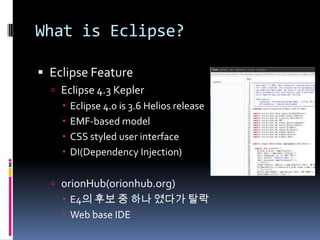
 Eclipse Feature
 Eclipse 4.3 Kepler
 Eclipse 4.0 is 3.6 Helios release
 EMF-based model
 CSS styled user interface
 DI(Dependency Injection)
 orionHub(orionhub.org)
 E4의 후보 중 하나 였다가 탈락
 Web base IDE
요즘 개발 따라잡기
 Cloud : Platform Shift
개발 툴의 흐름
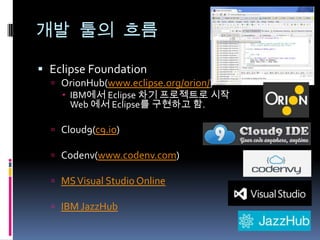
 Eclipse Foundation
 OrionHub(www.eclipse.org/orion/)
 IBM에서 Eclipse 차기 프로젝트로 시작
Web 에서 Eclipse를 구현하고 함.
 Cloud9(c9.io)
 Codenv(www.codenv.com)
 MSVisual Studio Online
 IBM JazzHub
Eclipse IDE Basic
 eclipse.org둘러보기
 Eclipse Projects : http://www.eclipse.org/projects/
 Download :http://www.eclipse.org/downloads/
 marketplace : http://marketplace.eclipse.org/
 Resources :http://www.eclipse.org/resources/
 Forum :http://goo.gl/IZkCw
 Bugzilla :https://bugs.eclipse.org/bugs/
 Planet Eclipse :http://planeteclipse.org/planet/
 Repository
 CVS :
 Git : http://git.eclipse.org/c/
 CI Server : https://hudson.eclipse.org/hudson/
Eclipse IDE Basic
 설치
 JDK설치 (http://goo.gl/LwHxL)
 Eclipse Download 설치
 download(http://www.eclipse.org/downloads/)
 RCP/RAP 개발자
 Java EE 개발자
 C/C++개발자
 Tester
 Java Script 개발자
Eclipse IDE Basic
 주요 ECLIPSE PROJECT
 JDT(Java DevelopmentToolkit)
 CDT(C DevelopmentToolkit)
 WTP(WebTools Platform)
 DTP(DataTools Platform)
 EMF(Eclipse Modeling Project)
 GEF(Graphical Editing Framework)
 BIRT(Business Intelligence and ReportingTools)
Eclipse IDE Basic
 Eclipse 실행
 Eclipse 폴더 구조
 configuration
 dropins
 feature
 p2
 plugins
 Workspace
 Plugins 추가/삭제
 dropins 폴더에 추가
 plugins 폴더 구조에 맞게 추가
 Marketplace로 추가
 Update site 이용
Eclipse IDE Basic
 Eclipse 실행
 eclipse.exe 로실행
 eclipse.ini 에 java 환경 + euqinox 환경 시작
 configuration/config.ini 에 실제 실행해야할 bundle
과 환경이 정의 되어 있습니다.
 Equinox 옵션
 eeclipse.exe –console 로 옵션을 실행.
 실행되는 bundle 목록 보기 –ls ..
Eclipse IDE Basic
 Eclipse에서 사용하는 plugin 소개
 log4e, UMLet, FindBugs, Checkstyle, Subclipse,
Egit,WindowBuilder,WindowTester,ToString,
AmaterasUML, ResourceBundle, Copyright 등
 설치된 플러그인 확인
 Help -> About -> Installation Details
실습
 Eclipse 설치
 Eclipse RCP/RAP Developer 설치
 Update site를 통해 - Eclipse WTP 설치
 다른 Plugins 설치
 Market place를 통해Window Builder
 dropins에 log4e 플러그인 설치
 Update site를 통해 svn plugins 설치
실습
 실습
 Helloworld Project 생성
 Helloworld.java 만들기
 실행, 디버깅
 Testing
 svn에 커밋하기(?)
실습
 실습
 HelloworldPlugin Project 생성
 실행, 디버깅
 Testing
Reference
 a brief history of Eclipse

Eclipse basic(조현종)

  • 1.
    ECLIPSE BASIC 조현종 (V0.3,14/05/07) http://goo.gl/Q6Vax http://hangumkj.blogspot.com/ hangum@gmail.com
  • 2.
    목차  What isEclipse?  요즘 개발 따라잡기  개발 툴의 흐름?  Eclipse IDE Basic  실습
  • 3.
    What is Eclipse? 1990년 중 후반 IDE  MS는Visual Studio  Java 진영은Visual Café, Borland JBuilder,Visual Age for Java…  유래  1998년 IBM에 의해 시작  Open source  MS의Visual Studio처럼 자바 개발 진영의 통합  1998VisualAge/Smalltalk를 만들 던 OTI(ObjectTechnology International)팀  역사  2001년 Eclipse 1.0 발표  2002년 Eclipse 2.0 발표  2004년 Eclipse 3.0 발표  eclipse foundation에 eclipse 기증  2010년 Eclipse 4.0 발표
  • 4.
    What is Eclipse? Integrated Development Environments(IDE)  Java,C/C++, PHP, Python, Scala 등 대부분 언어지원  ATooling platform  A Framework  Eclipse RCP/RAP “The Eclipse platform itself is a sort of universal tool platform – it is an IDE for anything and nothing in particular.” –Eclipse Platform Overview
  • 5.
    What is Eclipse? Eclipse Platform Architecture - Eclipse plug-in development(JDT) - Subversion - Eclipse RCP/RAP developer - Eclipse Google plugin - GWT - WindowBuilder - WindowTester - buckminster -WebTool Platform(WTP) - Log4E(log4j) - ResourceBunder - FindBug - UMLet
  • 6.
    What is Eclipse? Eclipse Feature  Eclipse 4.3 Kepler  Eclipse 4.0 is 3.6 Helios release  EMF-based model  CSS styled user interface  DI(Dependency Injection)  orionHub(orionhub.org)  E4의 후보 중 하나 였다가 탈락  Web base IDE
  • 7.
    요즘 개발 따라잡기 Cloud : Platform Shift
  • 8.
    개발 툴의 흐름 Eclipse Foundation  OrionHub(www.eclipse.org/orion/)  IBM에서 Eclipse 차기 프로젝트로 시작 Web 에서 Eclipse를 구현하고 함.  Cloud9(c9.io)  Codenv(www.codenv.com)  MSVisual Studio Online  IBM JazzHub
  • 9.
    Eclipse IDE Basic eclipse.org둘러보기  Eclipse Projects : http://www.eclipse.org/projects/  Download :http://www.eclipse.org/downloads/  marketplace : http://marketplace.eclipse.org/  Resources :http://www.eclipse.org/resources/  Forum :http://goo.gl/IZkCw  Bugzilla :https://bugs.eclipse.org/bugs/  Planet Eclipse :http://planeteclipse.org/planet/  Repository  CVS :  Git : http://git.eclipse.org/c/  CI Server : https://hudson.eclipse.org/hudson/
  • 10.
    Eclipse IDE Basic 설치  JDK설치 (http://goo.gl/LwHxL)  Eclipse Download 설치  download(http://www.eclipse.org/downloads/)  RCP/RAP 개발자  Java EE 개발자  C/C++개발자  Tester  Java Script 개발자
  • 11.
    Eclipse IDE Basic 주요 ECLIPSE PROJECT  JDT(Java DevelopmentToolkit)  CDT(C DevelopmentToolkit)  WTP(WebTools Platform)  DTP(DataTools Platform)  EMF(Eclipse Modeling Project)  GEF(Graphical Editing Framework)  BIRT(Business Intelligence and ReportingTools)
  • 12.
    Eclipse IDE Basic Eclipse 실행  Eclipse 폴더 구조  configuration  dropins  feature  p2  plugins  Workspace  Plugins 추가/삭제  dropins 폴더에 추가  plugins 폴더 구조에 맞게 추가  Marketplace로 추가  Update site 이용
  • 13.
    Eclipse IDE Basic Eclipse 실행  eclipse.exe 로실행  eclipse.ini 에 java 환경 + euqinox 환경 시작  configuration/config.ini 에 실제 실행해야할 bundle 과 환경이 정의 되어 있습니다.  Equinox 옵션  eeclipse.exe –console 로 옵션을 실행.  실행되는 bundle 목록 보기 –ls ..
  • 14.
    Eclipse IDE Basic Eclipse에서 사용하는 plugin 소개  log4e, UMLet, FindBugs, Checkstyle, Subclipse, Egit,WindowBuilder,WindowTester,ToString, AmaterasUML, ResourceBundle, Copyright 등  설치된 플러그인 확인  Help -> About -> Installation Details
  • 15.
    실습  Eclipse 설치 Eclipse RCP/RAP Developer 설치  Update site를 통해 - Eclipse WTP 설치  다른 Plugins 설치  Market place를 통해Window Builder  dropins에 log4e 플러그인 설치  Update site를 통해 svn plugins 설치
  • 16.
    실습  실습  HelloworldProject 생성  Helloworld.java 만들기  실행, 디버깅  Testing  svn에 커밋하기(?)
  • 17.
    실습  실습  HelloworldPluginProject 생성  실행, 디버깅  Testing
  • 18.
    Reference  a briefhistory of Eclipse