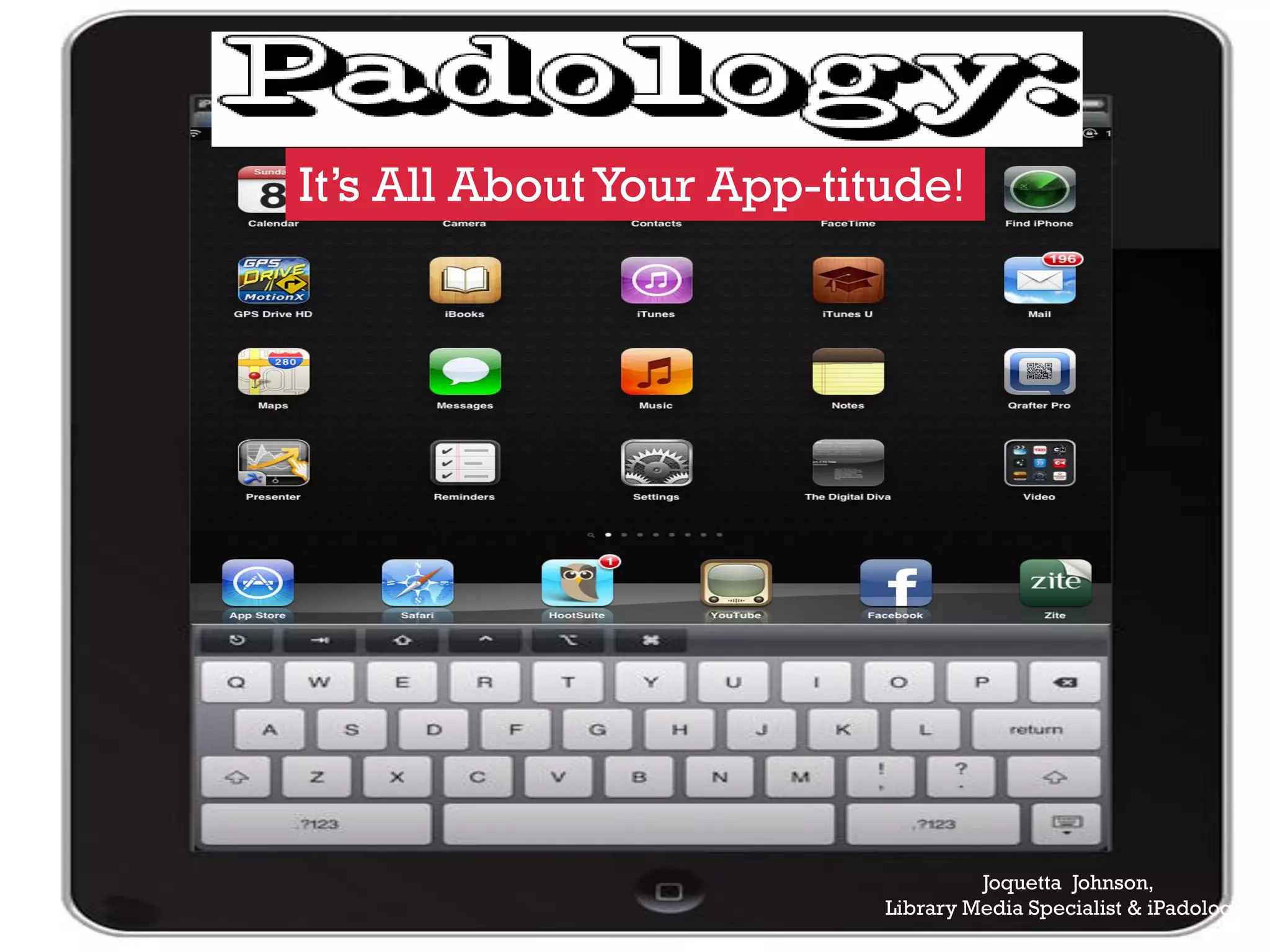
It’s All About Your App-titude!


                                    Joquetta Johnson,
                           Library Media Specialist & iPadologist
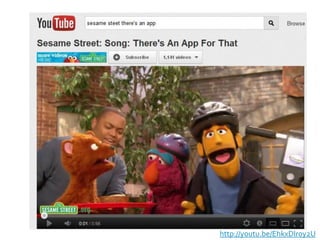
http://youtu.be/EhkxDIr0y2U
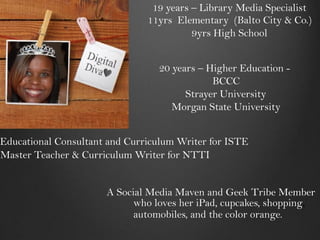
19 years – Library Media Specialist
                               11yrs Elementary (Balto City & Co.)
                                         9yrs High School


                                 20 years – Higher Education -
                                             BCCC
                                       Strayer University
                                    Morgan State University


Educational Consultant and Curriculum Writer for ISTE
Master Teacher & Curriculum Writer for NTTI


                      A Social Media Maven and Geek Tribe Member
                            who loves her iPad, cupcakes, shopping,
                            automobiles, and the color orange.
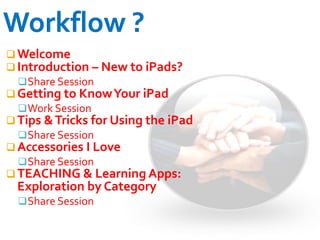
 Welcome
 Introduction – New to iPads?
   Share Session
 Getting to Know Your iPad
   Work Session
 Tips & Tricks for Using the iPad
   Share Session
 Accessories I Love
   Share Session
 TEACHING & Learning Apps:
  Exploration by Category
   Share Session
Donna Anderson, Library Media Specialist,
        Wellwood International
Angenine Goode, Library Media Specialist,
        Catonsville High School
What
   do
  you
 want
   to
 learn
today?
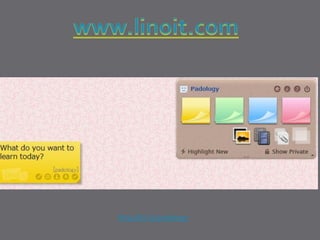
http://bit.ly/padology
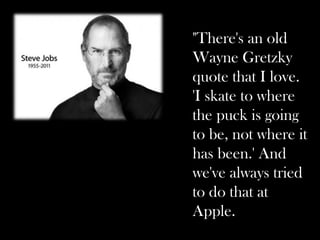
"There's an old
Wayne Gretzky
quote that I love.
'I skate to where
the puck is going
to be, not where it
has been.' And
we've always tried
to do that at
Apple.
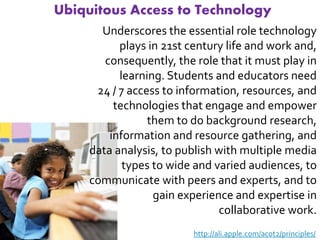
Ubiquitous Access to Technology
       Underscores the essential role technology
           plays in 21st century life and work and,
        consequently, the role that it must play in
           learning. Students and educators need
      24 / 7 access to information, resources, and
          technologies that engage and empower
                 them to do background research,
         information and resource gathering, and
     data analysis, to publish with multiple media
            types to wide and varied audiences, to
     communicate with peers and experts, and to
                  gain experience and expertise in
                               collaborative work.
                          http://ali.apple.com/acot2/principles/
iPad Fluency

Skilled…
  Literate…
     Fluent…

           http://langwitches.org/blog/2011/06/11/ipad-fluency/
Skilled
ability to do something well:
the ability to do something
well, usually gained through
  training or experience


                       http://www.bing.com/Dictionary
SKILLED I wanted to:
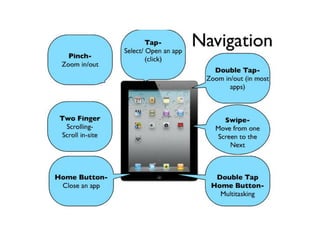
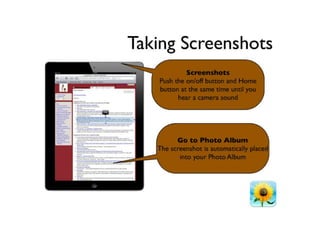
know how to take screenshots
be able to write on it in my handwriting so it was
somewhat legible
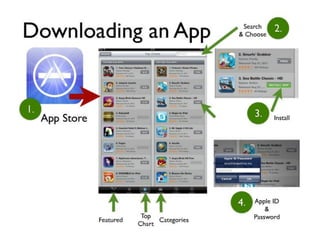
find and download appropriate apps to
substitute tasks I was used to doing on my laptop
upload and synch images and documents
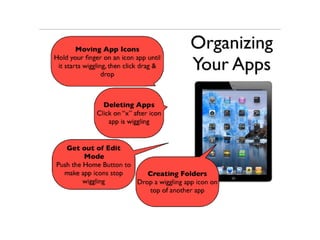
organize apps into folders
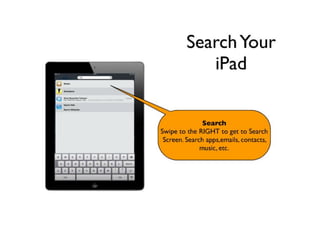
search for, open, close, multi-task
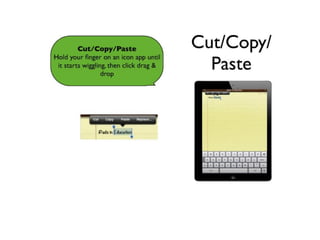
type, copy/paste, edit text, etc.

                      http://langwitches.org/blog/2011/06/11/ipad-fluency/
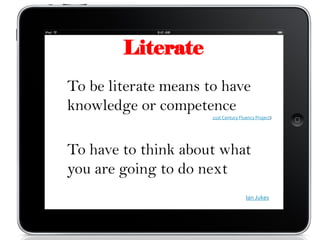
Literate
To be literate means to have
knowledge or competence
                      21st Century Fluency Project)


To have to think about what
you are going to do next
                                      Ian Jukes
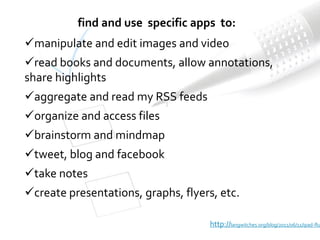
find and use specific apps to:
manipulate and edit images and video
read books and documents, allow annotations,
share highlights
aggregate and read my RSS feeds
organize and access files
brainstorm and mindmap
tweet, blog and facebook
take notes
create presentations, graphs, flyers, etc.

                                     http://langwitches.org/blog/2011/06/11/ipad-flu
Fluency


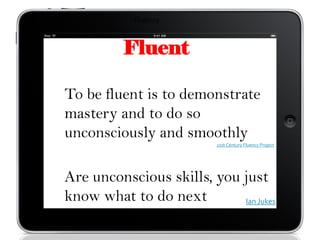
          Fluent

To be fluent is to demonstrate
mastery and to do so
unconsciously and smoothly
                          21st Century Fluency Project


Are unconscious skills, you just
know what to do next        Ian Jukes
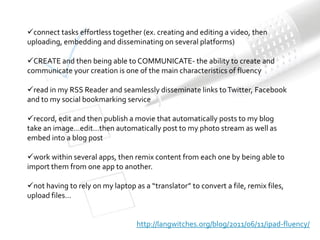
connect tasks effortless together (ex. creating and editing a video, then
uploading, embedding and disseminating on several platforms)

CREATE and then being able to COMMUNICATE- the ability to create and
communicate your creation is one of the main characteristics of fluency

read in my RSS Reader and seamlessly disseminate links to Twitter, Facebook
and to my social bookmarking service

record, edit and then publish a movie that automatically posts to my blog
take an image…edit…then automatically post to my photo stream as well as
embed into a blog post

work within several apps, then remix content from each one by being able to
import them from one app to another.

not having to rely on my laptop as a “translator” to convert a file, remix files,
upload files…


                                  http://langwitches.org/blog/2011/06/11/ipad-fluency/
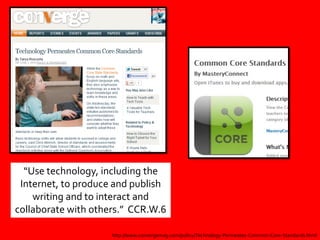
“Use technology, including the
 Internet, to produce and publish
    writing and to interact and
collaborate with others.” CCR.W.6

                     http://www.convergemag.com/policy/Technology-Permeates-Common-Core-Standards.html
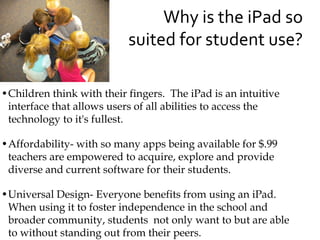
Why is the iPad so
                           suited for student use?

•Children think with their fingers. The iPad is an intuitive
 interface that allows users of all abilities to access the
 technology to it's fullest.

•Affordability- with so many apps being available for $.99
 teachers are empowered to acquire, explore and provide
 diverse and current software for their students.

•Universal Design- Everyone benefits from using an iPad.
 When using it to foster independence in the school and
 broader community, students not only want to but are able
 to without standing out from their peers.
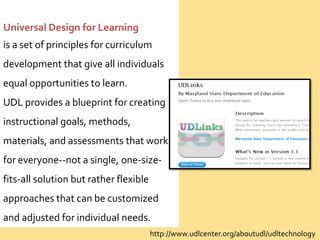
Universal Design for Learning
is a set of principles for curriculum
development that give all individuals
equal opportunities to learn.
UDL provides a blueprint for creating
instructional goals, methods,
materials, and assessments that work
for everyone--not a single, one-size-
fits-all solution but rather flexible
approaches that can be customized
and adjusted for individual needs.
                                        http://www.udlcenter.org/aboutudl/udltechnology
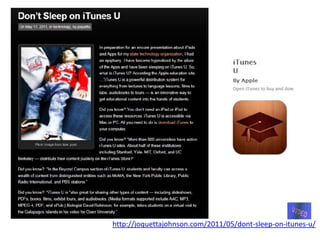
http://joquettajohnson.com/2011/05/dont-sleep-on-itunes-u/
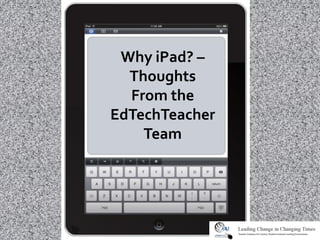
Why iPad? –
  Thoughts
  From the
EdTechTeacher
    Team
I think the first thing that we stress to
everyone is that the iPad isn’t a computer,
nor does it try to be. On the other hand, an
iPad can truly be anything that you choose
to make it: a reader, creator, consumer,
organizer, response system, musical
instrument… I’ve been telling teachers to
think of it like an empty cardboard box. It
can be a box, or a castle, or a rocketship, or
a cave, or….
                      http://edtechteacher.org/blog/2012/04/why-ipad-thoughts-from-the-edtechteacher-team/
As a straight up reader or
consumer of basic media, a
Nook or Kindle may be a
more cost effective tool.
However, as an
educational device, the
iPad is definitely on top.
Plus, an iPad can read all
ePub formats: Kindle,
Nook, ePub, iBook…


                      http://edtechteacher.org/blog/2012/04/why-ipad-thoughts-from-the-edtechteacher-team/
However, the true power of the iPad lies in
its mobility, touch screen, cameras,
accelerometer/orientation capabilities, and
geo-location services. When thinking about
implementation and transformation,
keeping those items in mind helps to frame
new ways of approaching student
interaction with content, capabilities, and
the world around them.

                   http://edtechteacher.org/blog/2012/04/why-ipad-thoughts-from-the-edtechteacher-team/
Additionally, because of the ability to create
and manage digital content with and for the
iPad, the role of the teacher has the potential to
change. Schools are starting to see these
devices as change agents simply because they
provide educators with an easy tool through
which they can attempt to transform their
classes. With iPads, it’s possible to re-invision
the role of the teacher to be less of a coach and
more of a curator of information.

                      http://edtechteacher.org/blog/2012/04/why-ipad-thoughts-from-the-edtechteacher-team/
The device shouldn’t be looked at as a
computer, because it isn’t…it is more than
that. It is a:
Mobile recording device (audio & video)
Editing device (audio, video, images &
text)
Publishing platform (blogs, websites,
video, audio and screencasts to YouTube)
Digital Notebook
Digital Research Platform
                    http://edtechteacher.org/blog/2012/04/why-ipad-thoughts-from-the-edtechteacher-team/
I would add that some of the features related to
time and space are incredibly important. Booting
up a laptop and logging in can take 3 minutes on
lousy school computers… The iPad is instant. You
can use the iPad for 10 minutes in class, slide it
under your chair for a discussion, pop it back
open again. You can fit a book or piece of paper
and an iPad on a desk. It doesn’t block your view
of someone’s face. If you plug them in the night
before, they will last all day.
These things may seem trivial, but teaching is in
many ways a battle against time and tablets allow
much more seamless transition between tech-on
and tech-off activities.
    Email
     Setup District email
     Setup Personal email
     Turn on Notes
    Google Calendar Client - $6.99
    Dropbox

   PasswordTote
 Twitter
 Facebook
 Instagram
 Foursquare
 Apps that combine:
 Tweetdeck
 HootSuite
 FaceTime – iPad 2
 Skype – iPad 2
   Pages - $9.99
   Keynote - $9.99
   Dropbox
   Evernote
   Office 2HD
   iAnnotate
   Blogsy
   iPicEd Lite
   Foto Editor
   Effects
   PhotoPad
   Fotolr PS HD
   Fotolr PA
   PS Express
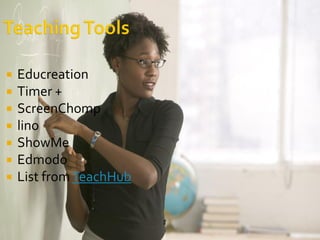
   Educreation
   Timer +
   ScreenChomp
   lino
   ShowMe
   Edmodo
   List from TeachHub
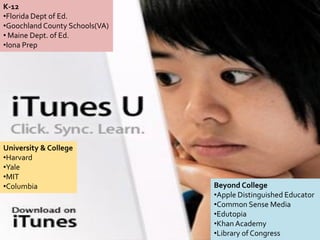
K-12
•Florida Dept of Ed.
•Goochland County Schools(VA)
• Maine Dept. of Ed.
•Iona Prep


University & College
•Harvard
•Yale
•MIT
•Columbia                       Beyond College
                                •Apple Distinguished Educator
                                •Common Sense Media
                                •Edutopia
                                •Khan Academy
                                •Library of Congress
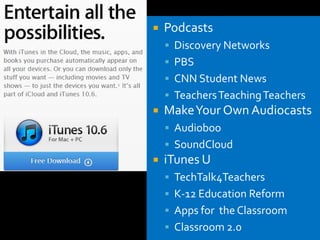
   Podcasts
     Discovery Networks
     PBS
     CNN Student News
     Teachers Teaching Teachers
   Make Your Own Audiocasts
     Audioboo
     SoundCloud
   iTunes U
     TechTalk4Teachers
     K-12 Education Reform
     Apps for the Classroom
     Classroom 2.0
iTunes U
         iBooks
        DropBox
Qrafter or QrafterPro ($)
     Common core
           UDL
   Zite
   Flipboard
   Life Magazine – Images
   NPR
   Discovery
   PBS
   USA Today, CNN, ABC News...
   WebMD
   Howcast
   Maps
   The Weather Channel
   EduTecher
   EduTecher Backpack
   Wikipanion
   EasyBib
   YouTube
   SnagFilms
   TED
   Crackle
   Showyou
   Squrl
   Aweditorium
   Shazam
   Lick of The Day
   VinylLove
   Pandora
   Iheartradio
   Tunein Radio
Apps
    for
   For
Teaching
  And
Learning
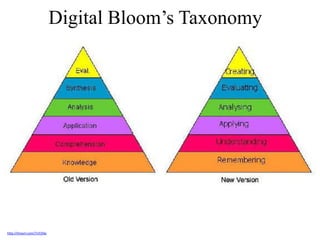
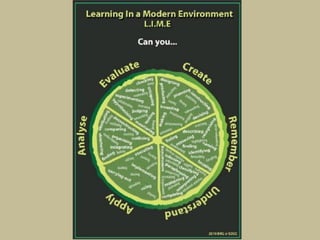
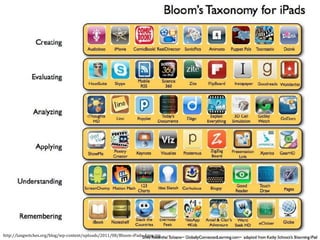
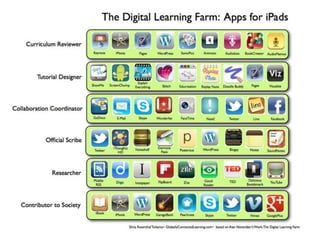
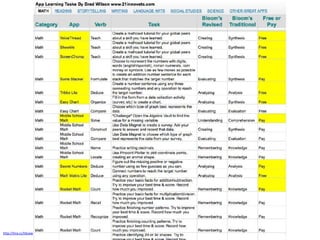
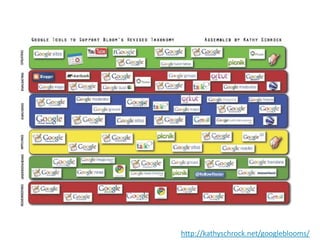
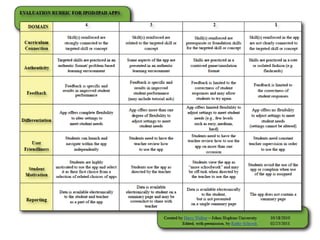
Digital Bloom’s Taxonomy


http://tinyurl.com/7n55llw
and apps


           Source:http://tiny.cc/dfu38
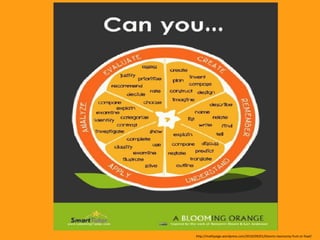
http://mathpaige.wordpress.com/2010/09/01/blooms-taxonomy-fruit-or-fowl/
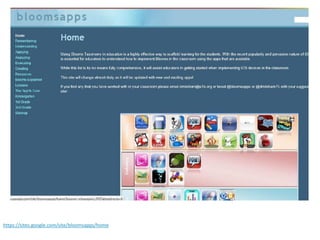
https://sites.google.com/site/bloomsapps/home
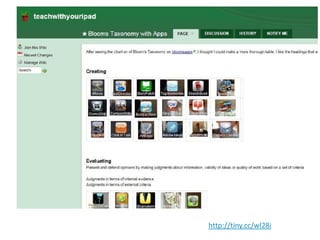
http://tiny.cc/wl28i
http://langwitches.org/blog/wp-content/uploads/2011/08/Bloom-iPads-Apps.jpg
http://tiny.cc/tikzaw
http://kathyschrock.net/googleblooms/
   Browsers
   Notes
   Evernote
   Peek (Need Evernote)
   Diigo
Animoto
VoiceThread
Diigo
Evernote
Scoop.it
Qwiki
Livebinder
MathSnacks
 Khan
Academy
Educreations
Lino
How Stuff
Works
Google Docs
EasyBib
Merrian-Webster
eduTecher
Skype
 Edmodo
   Kindle
   Nook
   iBooks
   iThesaurus
   WordWeb
   Calculator
   inClass
   SonicPicsLite
   Comic Touch
   CartoonStudio
   StoryKit
   VidEditorFree
   PuppetPals HD
   Videolicious
   Splice
   Blurb Mobile
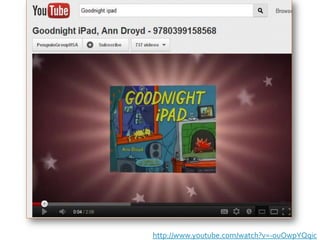
http://www.youtube.com/watch?v=-ouOwpYQqic
Image Source: http://bit.ly/bneHxa
My Contact Info
                              Joquetta “The Digital Diva" Johnson
                                                    Pikesville HS
                              Baltimore County Public Schools
                                                   410-887-1231
                                            jjohnson@bcps.org


My Digital Footprint
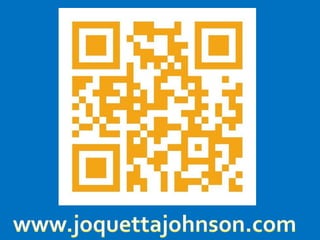
www.joquettajohnson.com
www.twitter.com/accordin2jo
http://www.youtube.com/user/accordin2jo
http://www.diigo.com/list/accordin2jo
http://www.slideshare.net/accordin2jo
http://www.scoop.it/u/joquettajohnson
Skype: accordin2jo
itunes http://cdn1.afterdawn.fi/v3/news/itunes_u.jpg
iTunes Podcast http://internetadvertisinginstitute.net/wordpress/wp-content/uploads/2010/08/itunes-podcast.png
Ipad template http://www.indiatalkies.com/images/ipad534191.png
Guy with ipad http://www.poynter.org/wp-content/uploads/2011/04/ted_dark.jpg
Social media http://sustainablejournalism.org/socialmedia/journalism-social-media-examples
Kitten hug http://tinyurl.com/6u7mwu3
iPad template horizontal http://audionotepadapp.com/en/template_files/ipad_template.png
App screen http://www.cultofmac.com/158096/be-a-savvy-app-shopper-tips-for-getting-apps-for-less/
App Store http://www.freeiconsweb.com/Icons-show/mac_app_store_icon/MacAppStore.png
Padology final

Padology final

  • 1.
    It’s All AboutYour App-titude! Joquetta Johnson, Library Media Specialist & iPadologist
  • 2.
  • 3.
    19 years –Library Media Specialist 11yrs Elementary (Balto City & Co.) 9yrs High School 20 years – Higher Education - BCCC Strayer University Morgan State University Educational Consultant and Curriculum Writer for ISTE Master Teacher & Curriculum Writer for NTTI A Social Media Maven and Geek Tribe Member who loves her iPad, cupcakes, shopping, automobiles, and the color orange.
  • 7.
     Welcome  Introduction– New to iPads?  Share Session  Getting to Know Your iPad  Work Session  Tips & Tricks for Using the iPad  Share Session  Accessories I Love  Share Session  TEACHING & Learning Apps: Exploration by Category  Share Session
  • 8.
    Donna Anderson, LibraryMedia Specialist, Wellwood International Angenine Goode, Library Media Specialist, Catonsville High School
  • 9.
    What do you want to learn today?
  • 10.
  • 11.
    "There's an old WayneGretzky quote that I love. 'I skate to where the puck is going to be, not where it has been.' And we've always tried to do that at Apple.
  • 12.
    Ubiquitous Access toTechnology Underscores the essential role technology plays in 21st century life and work and, consequently, the role that it must play in learning. Students and educators need 24 / 7 access to information, resources, and technologies that engage and empower them to do background research, information and resource gathering, and data analysis, to publish with multiple media types to wide and varied audiences, to communicate with peers and experts, and to gain experience and expertise in collaborative work. http://ali.apple.com/acot2/principles/
  • 13.
    iPad Fluency Skilled… Literate… Fluent… http://langwitches.org/blog/2011/06/11/ipad-fluency/
  • 14.
    Skilled ability to dosomething well: the ability to do something well, usually gained through training or experience http://www.bing.com/Dictionary
  • 15.
    SKILLED I wantedto: know how to take screenshots be able to write on it in my handwriting so it was somewhat legible find and download appropriate apps to substitute tasks I was used to doing on my laptop upload and synch images and documents organize apps into folders search for, open, close, multi-task type, copy/paste, edit text, etc. http://langwitches.org/blog/2011/06/11/ipad-fluency/
  • 16.
    Literate To be literatemeans to have knowledge or competence 21st Century Fluency Project) To have to think about what you are going to do next Ian Jukes
  • 17.
    find and usespecific apps to: manipulate and edit images and video read books and documents, allow annotations, share highlights aggregate and read my RSS feeds organize and access files brainstorm and mindmap tweet, blog and facebook take notes create presentations, graphs, flyers, etc. http://langwitches.org/blog/2011/06/11/ipad-flu
  • 18.
    Fluency Fluent To be fluent is to demonstrate mastery and to do so unconsciously and smoothly 21st Century Fluency Project Are unconscious skills, you just know what to do next Ian Jukes
  • 19.
    connect tasks effortlesstogether (ex. creating and editing a video, then uploading, embedding and disseminating on several platforms) CREATE and then being able to COMMUNICATE- the ability to create and communicate your creation is one of the main characteristics of fluency read in my RSS Reader and seamlessly disseminate links to Twitter, Facebook and to my social bookmarking service record, edit and then publish a movie that automatically posts to my blog take an image…edit…then automatically post to my photo stream as well as embed into a blog post work within several apps, then remix content from each one by being able to import them from one app to another. not having to rely on my laptop as a “translator” to convert a file, remix files, upload files… http://langwitches.org/blog/2011/06/11/ipad-fluency/
  • 20.
    “Use technology, includingthe Internet, to produce and publish writing and to interact and collaborate with others.” CCR.W.6 http://www.convergemag.com/policy/Technology-Permeates-Common-Core-Standards.html
  • 21.
    Why is theiPad so suited for student use? •Children think with their fingers. The iPad is an intuitive interface that allows users of all abilities to access the technology to it's fullest. •Affordability- with so many apps being available for $.99 teachers are empowered to acquire, explore and provide diverse and current software for their students. •Universal Design- Everyone benefits from using an iPad. When using it to foster independence in the school and broader community, students not only want to but are able to without standing out from their peers.
  • 22.
    Universal Design forLearning is a set of principles for curriculum development that give all individuals equal opportunities to learn. UDL provides a blueprint for creating instructional goals, methods, materials, and assessments that work for everyone--not a single, one-size- fits-all solution but rather flexible approaches that can be customized and adjusted for individual needs. http://www.udlcenter.org/aboutudl/udltechnology
  • 23.
  • 24.
    Why iPad? – Thoughts From the EdTechTeacher Team
  • 25.
    I think thefirst thing that we stress to everyone is that the iPad isn’t a computer, nor does it try to be. On the other hand, an iPad can truly be anything that you choose to make it: a reader, creator, consumer, organizer, response system, musical instrument… I’ve been telling teachers to think of it like an empty cardboard box. It can be a box, or a castle, or a rocketship, or a cave, or…. http://edtechteacher.org/blog/2012/04/why-ipad-thoughts-from-the-edtechteacher-team/
  • 26.
    As a straightup reader or consumer of basic media, a Nook or Kindle may be a more cost effective tool. However, as an educational device, the iPad is definitely on top. Plus, an iPad can read all ePub formats: Kindle, Nook, ePub, iBook… http://edtechteacher.org/blog/2012/04/why-ipad-thoughts-from-the-edtechteacher-team/
  • 27.
    However, the truepower of the iPad lies in its mobility, touch screen, cameras, accelerometer/orientation capabilities, and geo-location services. When thinking about implementation and transformation, keeping those items in mind helps to frame new ways of approaching student interaction with content, capabilities, and the world around them. http://edtechteacher.org/blog/2012/04/why-ipad-thoughts-from-the-edtechteacher-team/
  • 28.
    Additionally, because ofthe ability to create and manage digital content with and for the iPad, the role of the teacher has the potential to change. Schools are starting to see these devices as change agents simply because they provide educators with an easy tool through which they can attempt to transform their classes. With iPads, it’s possible to re-invision the role of the teacher to be less of a coach and more of a curator of information. http://edtechteacher.org/blog/2012/04/why-ipad-thoughts-from-the-edtechteacher-team/
  • 29.
    The device shouldn’tbe looked at as a computer, because it isn’t…it is more than that. It is a: Mobile recording device (audio & video) Editing device (audio, video, images & text) Publishing platform (blogs, websites, video, audio and screencasts to YouTube) Digital Notebook Digital Research Platform http://edtechteacher.org/blog/2012/04/why-ipad-thoughts-from-the-edtechteacher-team/
  • 30.
    I would addthat some of the features related to time and space are incredibly important. Booting up a laptop and logging in can take 3 minutes on lousy school computers… The iPad is instant. You can use the iPad for 10 minutes in class, slide it under your chair for a discussion, pop it back open again. You can fit a book or piece of paper and an iPad on a desk. It doesn’t block your view of someone’s face. If you plug them in the night before, they will last all day. These things may seem trivial, but teaching is in many ways a battle against time and tablets allow much more seamless transition between tech-on and tech-off activities.
  • 41.
    Email  Setup District email  Setup Personal email  Turn on Notes  Google Calendar Client - $6.99  Dropbox  PasswordTote
  • 42.
     Twitter  Facebook Instagram  Foursquare  Apps that combine: Tweetdeck HootSuite  FaceTime – iPad 2  Skype – iPad 2
  • 43.
    Pages - $9.99  Keynote - $9.99  Dropbox  Evernote  Office 2HD  iAnnotate  Blogsy
  • 44.
    iPicEd Lite  Foto Editor  Effects  PhotoPad  Fotolr PS HD  Fotolr PA  PS Express
  • 45.
    Educreation  Timer +  ScreenChomp  lino  ShowMe  Edmodo  List from TeachHub
  • 46.
    K-12 •Florida Dept ofEd. •Goochland County Schools(VA) • Maine Dept. of Ed. •Iona Prep University & College •Harvard •Yale •MIT •Columbia Beyond College •Apple Distinguished Educator •Common Sense Media •Edutopia •Khan Academy •Library of Congress
  • 47.
    Podcasts  Discovery Networks  PBS  CNN Student News  Teachers Teaching Teachers  Make Your Own Audiocasts  Audioboo  SoundCloud  iTunes U  TechTalk4Teachers  K-12 Education Reform  Apps for the Classroom  Classroom 2.0
  • 48.
    iTunes U iBooks DropBox Qrafter or QrafterPro ($) Common core UDL
  • 49.
    Zite  Flipboard  Life Magazine – Images  NPR  Discovery  PBS  USA Today, CNN, ABC News...
  • 50.
    WebMD  Howcast  Maps  The Weather Channel  EduTecher  EduTecher Backpack  Wikipanion  EasyBib
  • 51.
    YouTube  SnagFilms  TED  Crackle  Showyou  Squrl
  • 52.
    Aweditorium  Shazam  Lick of The Day  VinylLove  Pandora  Iheartradio  Tunein Radio
  • 53.
    Apps for For Teaching And Learning
  • 54.
  • 55.
    and apps Source:http://tiny.cc/dfu38
  • 56.
  • 58.
  • 59.
  • 60.
  • 62.
  • 63.
  • 65.
    Browsers  Notes  Evernote  Peek (Need Evernote)  Diigo
  • 67.
  • 68.
  • 69.
    Kindle  Nook  iBooks
  • 70.
    iThesaurus  WordWeb  Calculator  inClass
  • 71.
    SonicPicsLite  Comic Touch  CartoonStudio  StoryKit  VidEditorFree  PuppetPals HD  Videolicious  Splice  Blurb Mobile
  • 72.
  • 73.
  • 74.
    My Contact Info Joquetta “The Digital Diva" Johnson Pikesville HS Baltimore County Public Schools 410-887-1231 jjohnson@bcps.org My Digital Footprint www.joquettajohnson.com www.twitter.com/accordin2jo http://www.youtube.com/user/accordin2jo http://www.diigo.com/list/accordin2jo http://www.slideshare.net/accordin2jo http://www.scoop.it/u/joquettajohnson Skype: accordin2jo
  • 75.
    itunes http://cdn1.afterdawn.fi/v3/news/itunes_u.jpg iTunes Podcasthttp://internetadvertisinginstitute.net/wordpress/wp-content/uploads/2010/08/itunes-podcast.png Ipad template http://www.indiatalkies.com/images/ipad534191.png Guy with ipad http://www.poynter.org/wp-content/uploads/2011/04/ted_dark.jpg Social media http://sustainablejournalism.org/socialmedia/journalism-social-media-examples Kitten hug http://tinyurl.com/6u7mwu3 iPad template horizontal http://audionotepadapp.com/en/template_files/ipad_template.png App screen http://www.cultofmac.com/158096/be-a-savvy-app-shopper-tips-for-getting-apps-for-less/ App Store http://www.freeiconsweb.com/Icons-show/mac_app_store_icon/MacAppStore.png