Digital Devices
 Explore possibilities,
  enhance instruction,
    engage students.
Opening Activity
O Download QR Reader
  O i-nigma


O Socrative survey
  O Download app – Student
    Clicker-Socrative
      OR
  O M.socrative.com
What devices?
O Smartphones          O Portable Media
  O iPhone, Android,    Devices
   Blackberry, etc.     O iPod


O Tablet Computers     O Laptop/Netbook
  O iPad, Android
   Tablets, etc.       O eReader
                        O Kindle Fire
                          (limited)
QR Codes
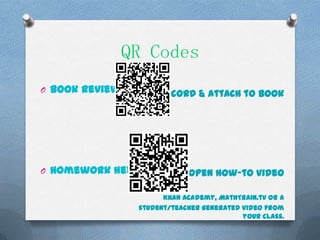
O Book reviews        Record & attach to book


O Homework help              Open how-to video

                       Khan Academy, MathTrain.tv or a
                 student/teacher generated video from
                                           your class.
QR Codes
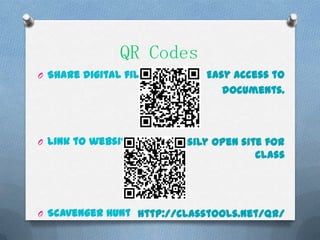
O Share digital files        Easy access to
                                documents.


O Link to website       Easily open site for
                                       class


O Scavenger Hunt http://classtools.net/QR/
Instruction
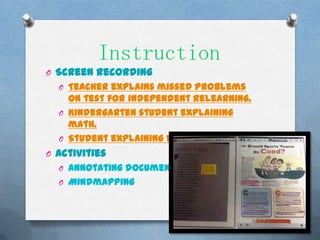
O Screen recording
  O Teacher explains missed problems
    on test for independent relearning.
  O Kindergarten student explaining
    math.
  O Student explaining factor trees.
O Activities
  O Annotating documents
  O Mindmapping
Instruction
O Research
  O Search for an answer or solution.
  O Research a topic, screenshot,
   highlight & take notes on text.
O Multimedia
  O Take pictures, record audio or video
    to create a presentation.
  O Take picture of written work to
    submit to teacher.
  O Record audio or video of book
    review.
Connect
O Digital file sharing
  O Submit work
  O Distribute materials (no copies!)
O Collaboration on projects
  O Online sticky notes – linoit example
  O Presentation-using Google or web
    tool
O Blog
  O Communicate with classmates
    and/or public, quick assessments,
    reflections, writing pieces, etc.
  O Kidblog.org
Assessment
O Blogs
  O Students type reflection on blog.
    Parents can see and teacher can
    read.
    (http://www.youtube.com/watch?v=WfT8xlnMQKU&feature=player_
    embedded)

O On-screen quiz or survey
O Quizlet (study tool)
O Socrative (app) & website
O Google Forms
  O Instant results by student &
    question.
  O Can be practice for state testing.
  O Google Forms How-to. (1:07)
Content Area

   -QR on maps for       -Screen record steps
 certain locations to     of solving problem
       look up           -Khan Academy or Math
  -digital timelines          Train videos

 -write digital story        -Practice with
about historical event         flashcards

-record video of event    -Scavenger hunt with
 or life of historical          QR Codes
         figure
   -Google maps in
      geography
Content Area
-Free ebooks of some
       novels                      -research animals or
                                         habitats
 -Use digital document
  to correct grammar                 -create video or
or identify themes/key             presentation on steps
         points                        or results of
                                        experiment
-journaling/blogging
                                      -take pictures
 -digital storytelling             outdoors to create a
   -Writing pieces in                  presentation
     digital form                -use image of animal
-podcast or video book         or plant & label parts.
  reviews (or chapter          (best with touchscreen)
       reviews)
                        O Ideas?
Resources
    O http://literacyspark.wordpress.com/
      O Be amazed at what students can do!
        These two teachers blog almost
        daily about the technology in their
        classroom & show videos/pictures!

    O http://ipaddiction.blogspot.com/
      O Middle school teacher blogs almost
        daily about technology in his math
        classroom with videos! Great
        explanations about the individual
        learning of his students!
Cami Knapp                   cknapp1@murraystate.edu

Digital devices presentation

  • 1.
    Digital Devices Explorepossibilities, enhance instruction, engage students.
  • 2.
    Opening Activity O DownloadQR Reader O i-nigma O Socrative survey O Download app – Student Clicker-Socrative OR O M.socrative.com
  • 3.
    What devices? O Smartphones O Portable Media O iPhone, Android, Devices Blackberry, etc. O iPod O Tablet Computers O Laptop/Netbook O iPad, Android Tablets, etc. O eReader O Kindle Fire (limited)
  • 4.
    QR Codes O Bookreviews Record & attach to book O Homework help Open how-to video Khan Academy, MathTrain.tv or a student/teacher generated video from your class.
  • 5.
    QR Codes O Sharedigital files Easy access to documents. O Link to website Easily open site for class O Scavenger Hunt http://classtools.net/QR/
  • 6.
    Instruction O Screen recording O Teacher explains missed problems on test for independent relearning. O Kindergarten student explaining math. O Student explaining factor trees. O Activities O Annotating documents O Mindmapping
  • 7.
    Instruction O Research O Search for an answer or solution. O Research a topic, screenshot, highlight & take notes on text. O Multimedia O Take pictures, record audio or video to create a presentation. O Take picture of written work to submit to teacher. O Record audio or video of book review.
  • 8.
    Connect O Digital filesharing O Submit work O Distribute materials (no copies!) O Collaboration on projects O Online sticky notes – linoit example O Presentation-using Google or web tool O Blog O Communicate with classmates and/or public, quick assessments, reflections, writing pieces, etc. O Kidblog.org
  • 9.
    Assessment O Blogs O Students type reflection on blog. Parents can see and teacher can read. (http://www.youtube.com/watch?v=WfT8xlnMQKU&feature=player_ embedded) O On-screen quiz or survey O Quizlet (study tool) O Socrative (app) & website O Google Forms O Instant results by student & question. O Can be practice for state testing. O Google Forms How-to. (1:07)
  • 10.
    Content Area -QR on maps for -Screen record steps certain locations to of solving problem look up -Khan Academy or Math -digital timelines Train videos -write digital story -Practice with about historical event flashcards -record video of event -Scavenger hunt with or life of historical QR Codes figure -Google maps in geography
  • 11.
    Content Area -Free ebooksof some novels -research animals or habitats -Use digital document to correct grammar -create video or or identify themes/key presentation on steps points or results of experiment -journaling/blogging -take pictures -digital storytelling outdoors to create a -Writing pieces in presentation digital form -use image of animal -podcast or video book or plant & label parts. reviews (or chapter (best with touchscreen) reviews) O Ideas?
  • 12.
    Resources O http://literacyspark.wordpress.com/ O Be amazed at what students can do! These two teachers blog almost daily about the technology in their classroom & show videos/pictures! O http://ipaddiction.blogspot.com/ O Middle school teacher blogs almost daily about technology in his math classroom with videos! Great explanations about the individual learning of his students! Cami Knapp cknapp1@murraystate.edu

Editor's Notes

  • #10 Now, students use their blogs to post book reviews, respond to text, share  new learning in inquiry projects and ask questions of our blogging community.