Beneficial to All - Essential to Some Sandra Bens, M.Ed.
Understand multimodal teaching and learning Consider access and equity in education Discuss technology that may be beneficial to all and essential to some learners iPod Touch in the Classroom Learning Community 3/19/2010 College of Mount St. Joseph
Learning becomes accessible Instruction is received through visual, auditory, and kinesthetic means Once skills and knowledge are internalized, students can transfer that knowledge to other subjects or situations Students can become increasingly motivated to learn when they are successful Digital learning offers experiences that are varied, interesting and accessible
Beneficial to all Essential to some students Memory Cognitive processing Focus Attention and comprehension Academic fluency Language or print based disabilities Speaking Hearing Mobility
Education Accessible to all learners despite disability Compensatory strategies and skills Bypass disability related barriers to learning Tools for independence Accommodations Assistive technology Alternative formats Services Direct instruction Clarification
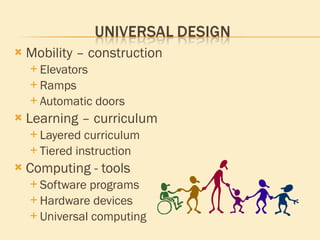
Mobility – construction Elevators Ramps Automatic doors Learning – curriculum Layered curriculum Tiered instruction Computing - tools Software programs Hardware devices Universal computing
Convenient travel Entertainment Travel apps GPS Currency converter Translator Recorder Real time access Remote access  to home files and functions Document management Suitable for most environments
Calendars Alarms Contact lists Email Notes National and local news Weather and directions Web search options Real time access Sports updates Real time Congress
Screen reading E-reader Text to speech Audio text (MP3) Speech to text Dictation software Voice command Voice record Note-taking
Lifestyle Social networks Family connections Shared calendar Communication Community access Learning communities Gaming communities Business practices Real time conferencing Blogs and Wiki sites Shared calendar
Access and equity in learning Extra time Reader Keyboard Depth of digital learning Interacting with information in consrtuctive ways Access to much information about a topic of interest Changing learning Are alternative forms of learning effective?
Functions meet needs Real time text and total conversion What? Why? Patterns of informal learning Subvert traditional rules set by institutions Negotiate restrictions on access to information Rewrite rules
Divergent & convergent thinkers and learners Learn uses of technology on their own Reluctant to serve as mentors to peers Feel confident with skills but cannot always offer explicit instruction to others Often offer informal lessons or “show what you know” Demonstrates rather than explains process Allows casual mentorship Encourages collaboration Offers safety buffer
Create environment of Empowerment Efficacy Independence Guide students to Learn Teach Collaborate Mature
Universal design As learners? As teachers? As a society? As a culture? Consider Illiteracy – as a national crisis Who will lead? How will they lead? Who will teach?  How will they teach? What lies ahead for our students?
Nature of School Change: Institutions must take responsibility for their own change, evolution, and improvement in response to learner demand and institutional performance encouraged by incentives and regulatory frameworks. - The World Bank 2003
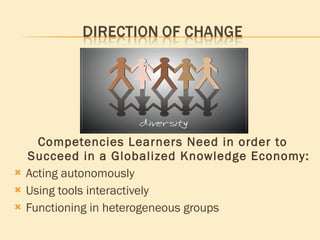
Competencies Learners Need in order to Succeed in a Globalized Knowledge Economy: Acting autonomously Using tools interactively Functioning in heterogeneous groups
Hearing: VoiceOver Feature Built-in to third gen 32GB or 64GB iPod touch Gesture based screen-reading iHearClear Application Listen to and amplify sound in the distance Enhance clarity of sound and focus soundAMP R Application Feature-rich hearing aid & recording app Sound processing technology of modern digital hearing devices Allows user to tune, zoom, and replay audio easily
Signing: Sign 4 Me App Interactive 3D sign language translator & teacher The Finger Application Animated hand signing Motor Skills: Dragon Dictation App Speech to text for mobile transcription Message can easily be edited, emailed, or saved Dragon Search App Voice enabled web searching
Speech: Talk to Me App Interactive text-to-speech generator Entry and playback of text via keyboard “ Speak words as you type” Bookmark option for organization and management of text Web Talk App Mobile talking web browser Any website can become a spoken resource for clarity of understanding or focus of attention
Speech: Speak it! App Mobile talking web browser Any website can become a spoken resource for clarity of understanding or focus of attention Easily generate and edit text-to-speech passages Save all texts in an internal library Recall, edit, and repeat to modify text without retyping or reloading Talking Mail App Type in message Have message spoken and captured as an audio file Email the audio message
Motor Skills: Vocalia App Hands-free option to perform tasks using the iPod touch Mac Control: WiFiControl App Send key commands and retrieve files from a Mac with iPod Volume Control App Remotely control volume of any Mac from iPod touch Must enable Remote Login built in on Mac OS X computer iSpeak for Mac Command a Mac to speak with iPod touch
Apple Learning Interchange iPod Touch.  Touching student lives in the classroom iPod Touch for Meeting the Needs of Special Learners – Web. 2009 Mizuko Ito, Sonja Baumer, Matteo Bittanti, and Danah Boyd Hanging Out, Messing Around, and Geeking Out: Kids Living and Learning with New Media  John D. and Catherine T. MacArthur Foundation Series on Digital Media and Learning) – Print. 2009 National Library Service for the Blind and Physically Handicapped Technology Assessment and Research Program A Draft for Discussion – Web. 1992 John Palfrey and Urs Gasser Born Digital:  Understanding the First Generation of Digital Natives – Print. 2008 Arnoud van Wijk Universal Computing advocate "Real-Time Text Task Force" at  www.realtimetext.org   – Web. 2010 The World Bank Lifelong Learning in the Global Economy:  Challenges for Developing Countries – Print. 2003

Multimodal Teaching And Learning

  • 1.
    Beneficial to All- Essential to Some Sandra Bens, M.Ed.
  • 2.
    Understand multimodal teachingand learning Consider access and equity in education Discuss technology that may be beneficial to all and essential to some learners iPod Touch in the Classroom Learning Community 3/19/2010 College of Mount St. Joseph
  • 3.
    Learning becomes accessibleInstruction is received through visual, auditory, and kinesthetic means Once skills and knowledge are internalized, students can transfer that knowledge to other subjects or situations Students can become increasingly motivated to learn when they are successful Digital learning offers experiences that are varied, interesting and accessible
  • 4.
    Beneficial to allEssential to some students Memory Cognitive processing Focus Attention and comprehension Academic fluency Language or print based disabilities Speaking Hearing Mobility
  • 5.
    Education Accessible toall learners despite disability Compensatory strategies and skills Bypass disability related barriers to learning Tools for independence Accommodations Assistive technology Alternative formats Services Direct instruction Clarification
  • 6.
    Mobility – constructionElevators Ramps Automatic doors Learning – curriculum Layered curriculum Tiered instruction Computing - tools Software programs Hardware devices Universal computing
  • 7.
    Convenient travel EntertainmentTravel apps GPS Currency converter Translator Recorder Real time access Remote access to home files and functions Document management Suitable for most environments
  • 8.
    Calendars Alarms Contactlists Email Notes National and local news Weather and directions Web search options Real time access Sports updates Real time Congress
  • 9.
    Screen reading E-readerText to speech Audio text (MP3) Speech to text Dictation software Voice command Voice record Note-taking
  • 10.
    Lifestyle Social networksFamily connections Shared calendar Communication Community access Learning communities Gaming communities Business practices Real time conferencing Blogs and Wiki sites Shared calendar
  • 11.
    Access and equityin learning Extra time Reader Keyboard Depth of digital learning Interacting with information in consrtuctive ways Access to much information about a topic of interest Changing learning Are alternative forms of learning effective?
  • 12.
    Functions meet needsReal time text and total conversion What? Why? Patterns of informal learning Subvert traditional rules set by institutions Negotiate restrictions on access to information Rewrite rules
  • 13.
    Divergent & convergentthinkers and learners Learn uses of technology on their own Reluctant to serve as mentors to peers Feel confident with skills but cannot always offer explicit instruction to others Often offer informal lessons or “show what you know” Demonstrates rather than explains process Allows casual mentorship Encourages collaboration Offers safety buffer
  • 14.
    Create environment ofEmpowerment Efficacy Independence Guide students to Learn Teach Collaborate Mature
  • 15.
    Universal design Aslearners? As teachers? As a society? As a culture? Consider Illiteracy – as a national crisis Who will lead? How will they lead? Who will teach? How will they teach? What lies ahead for our students?
  • 16.
    Nature of SchoolChange: Institutions must take responsibility for their own change, evolution, and improvement in response to learner demand and institutional performance encouraged by incentives and regulatory frameworks. - The World Bank 2003
  • 17.
    Competencies Learners Needin order to Succeed in a Globalized Knowledge Economy: Acting autonomously Using tools interactively Functioning in heterogeneous groups
  • 18.
    Hearing: VoiceOver FeatureBuilt-in to third gen 32GB or 64GB iPod touch Gesture based screen-reading iHearClear Application Listen to and amplify sound in the distance Enhance clarity of sound and focus soundAMP R Application Feature-rich hearing aid & recording app Sound processing technology of modern digital hearing devices Allows user to tune, zoom, and replay audio easily
  • 19.
    Signing: Sign 4Me App Interactive 3D sign language translator & teacher The Finger Application Animated hand signing Motor Skills: Dragon Dictation App Speech to text for mobile transcription Message can easily be edited, emailed, or saved Dragon Search App Voice enabled web searching
  • 20.
    Speech: Talk toMe App Interactive text-to-speech generator Entry and playback of text via keyboard “ Speak words as you type” Bookmark option for organization and management of text Web Talk App Mobile talking web browser Any website can become a spoken resource for clarity of understanding or focus of attention
  • 21.
    Speech: Speak it!App Mobile talking web browser Any website can become a spoken resource for clarity of understanding or focus of attention Easily generate and edit text-to-speech passages Save all texts in an internal library Recall, edit, and repeat to modify text without retyping or reloading Talking Mail App Type in message Have message spoken and captured as an audio file Email the audio message
  • 22.
    Motor Skills: VocaliaApp Hands-free option to perform tasks using the iPod touch Mac Control: WiFiControl App Send key commands and retrieve files from a Mac with iPod Volume Control App Remotely control volume of any Mac from iPod touch Must enable Remote Login built in on Mac OS X computer iSpeak for Mac Command a Mac to speak with iPod touch
  • 23.
    Apple Learning InterchangeiPod Touch. Touching student lives in the classroom iPod Touch for Meeting the Needs of Special Learners – Web. 2009 Mizuko Ito, Sonja Baumer, Matteo Bittanti, and Danah Boyd Hanging Out, Messing Around, and Geeking Out: Kids Living and Learning with New Media John D. and Catherine T. MacArthur Foundation Series on Digital Media and Learning) – Print. 2009 National Library Service for the Blind and Physically Handicapped Technology Assessment and Research Program A Draft for Discussion – Web. 1992 John Palfrey and Urs Gasser Born Digital: Understanding the First Generation of Digital Natives – Print. 2008 Arnoud van Wijk Universal Computing advocate "Real-Time Text Task Force" at www.realtimetext.org – Web. 2010 The World Bank Lifelong Learning in the Global Economy: Challenges for Developing Countries – Print. 2003

Editor's Notes

  • #13 Five subject notebook or multi-pocket folder
  • #22 Conference or lecture material – teacher feedback: audio file delivered with doc attached