

Assistive Technology: Advocating
       Present and Future
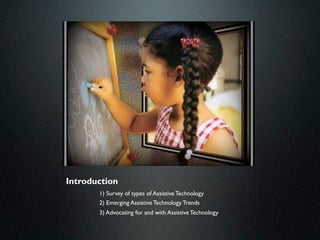
Introduction
       1) Survey of types of Assistive Technology
       2) Emerging Assistive Technology Trends
       3) Advocating for and with Assistive Technology
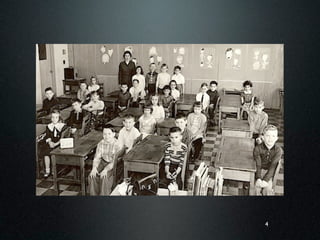
True Story


             3
4
• Technology & Education
• Education & Communications
• Medicine & Technology
• Medicine & Education


                         5
What is Assistive Technology?
"Any item, piece of equipment, or product, whether
  acquired commercially, off the shelf, modified, or
  customized, that is used to:
      Increase
              Maintain
                      Improve
  the functional capabilities of Individuals with
  Disabilities."

                 (Technology Related Assistance Act)
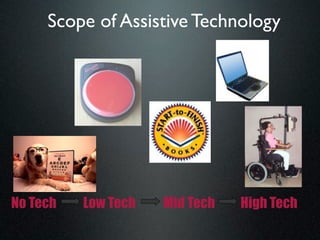
Scope of Assistive Technology


No Tech   Low Tech   Mid Tech   High Tech
Assistive Technology versus
       Instructional Software
• Assistive Technology- used to bypass, work
  around, aide in dealing with a specific
  disability

• Instructional Software- designed to develop
  and improve specific skills
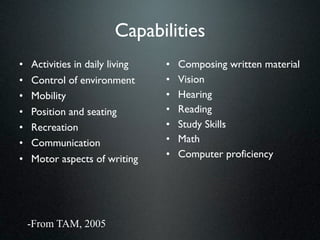
Capabilities
•   Activities in daily living   •   Composing written material
•   Control of environment       •   Vision
•   Mobility                     •   Hearing
•   Position and seating         •   Reading
•   Recreation                   •   Study Skills
•   Communication                •   Math
•   Motor aspects of writing     •   Computer proficiency


    -From TAM, 2005
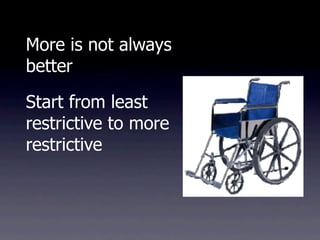
More is not always
better

Start from least
restrictive to more
restrictive
“AT Survey”
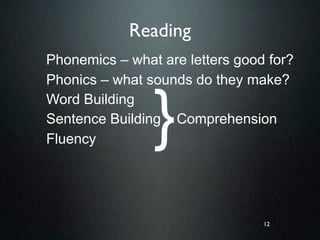
Reading
Phonemics – what are letters good for?
Phonics – what sounds do they make?


                }
Word Building
Sentence Building Comprehension
Fluency


                                 12
Word Building
Phonemic Awareness
Reading Comprehension
Screen Readers
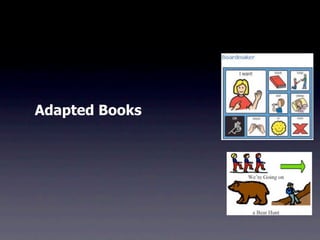
Adapted Books
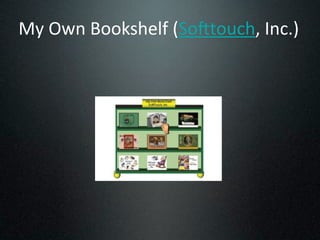
My
Own
Bookshelf
(So1touch,
Inc.)
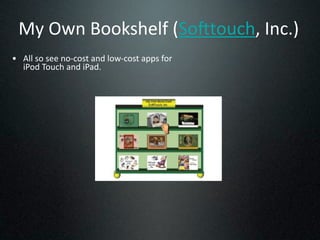
My
Own
Bookshelf
(So1touch,
Inc.)
• All
so
see
no‐cost
and
low‐cost
apps
for

  iPod
Touch
and
iPad.
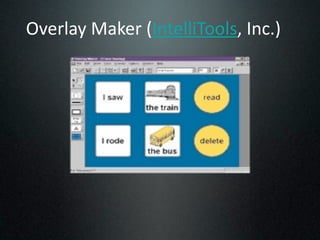
Overlay
Maker
(IntelliTools,
Inc.)
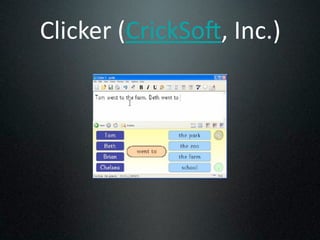
Clicker
(CrickSo1,
Inc.)
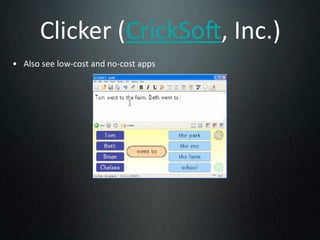
Clicker
(CrickSo1,
Inc.)
• Also
see
low‐cost
and
no‐cost
apps
PreWriting Process
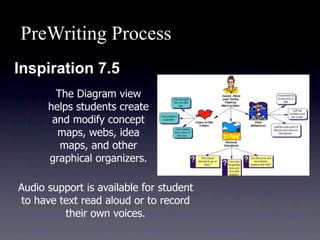
Inspiration 7.5
        The Diagram view
      helps students create
       and modify concept
        maps, webs, idea
         maps, and other
      graphical organizers.

Audio support is available for student
to have text read aloud or to record
         their own voices.
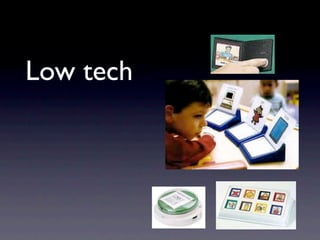
Low tech
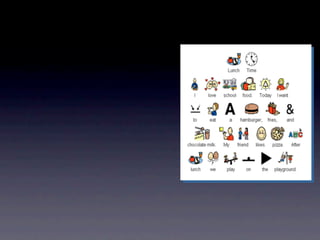
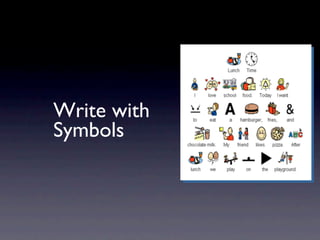
Write with
Symbols
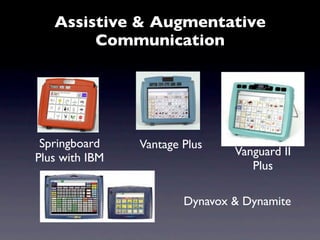
Assistive & Augmentative
        Communication


 Springboard    Vantage Plus
                                Vanguard II
Plus with IBM
                                   Plus

                        Dynavox & Dynamite
Free Media Publishing Tools
• Blogs: explanation & example 1 & example 2

• Wikis: explanation & example

• PhotoSharing: explanation

• Social Bookmarking: explanation & example

• VoiceThread: explanation & example   28
subscribe, read, write, participate


     AT = Adaptability
Search, Copy, Paste, Voice
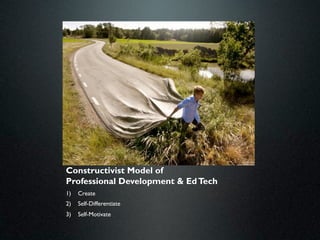
Constructivist Model of
Professional Development & Ed Tech
1)   Create
2)   Self-Differentiate
3)   Self-Motivate
Shared Computing
• Sugata Mitra: Hole in the Wall experiment
  showed children learn best at the computer in
  groups.


                                         32
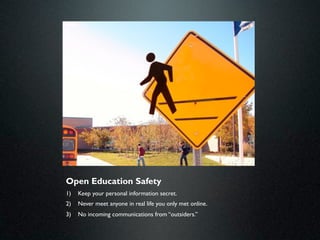
Open Education Safety
1)   Keep your personal information secret.
2)   Never meet anyone in real life you only met online.
3)   No incoming communications from “outsiders.”
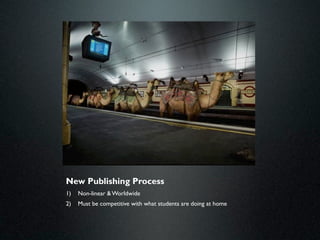
New Publishing Process
1)   Non-linear & Worldwide
2)   Must be competitive with what students are doing at home
5 Things You Need

1. Free Media Sources
2. Free Media Editing Tools
3. Free Media Publishing Tools
4. Free Media Collaboration Tools


                                    35
Media Sources
• United Streaming:
   – Video, Stills, Audio
• YouTube,Vimeo, Subject-specific Video Sites:
   – Use VPN
   – Don’t allow referral videos
   – Download using whatever downloader is available (google
     “rip youtube videos” for latest version).
• TeacherTube:
   – Request school-wide access via SBTS
   – Same as YouTube, but vetted
• iTunes, Google, Flickr (Creative Commons) Other:
   – Watch your copyright rights
                                                     36
Free Media Editing Tools
• Windows MovieMaker:
  – Edits Video
• Windows PhotoStory:
  – Edits Photos into a Movie
• Audacity:
  – Edits Audio like a Cassette Tape Recorder
• PhotoEditor:
  – There are a number of online options, check with
    your SBTS.
                                                37
Social Media
•   Blogging in Groups & comments
•   Wiki page comments
•   VoiceThread
•   Twitter in Groups
•   Photosharing in Groups
•   Social Bookmarking in Groups
•   Skype

                                    38
Parent Productivity Tools
• 25 Digital Things All Teachers Should
  Know (Google it!)
  –   Delicious (tagging)
  –   Wiki (tagging)
  –   PhotoSharing (tagging)
  –   Snagit
  –   RSS Feeds
  –   Google.com (Google Sites, Google Reader, Google
      Earth)
                                              39
Parent-centric
AT and the IEP
What does AT Service Include?

“Training or technical assistance for
  professionals (including individuals providing
  education or rehabilitation services),
  employers, or other individuals who provide
  services to, employ, or are otherwise
  substantially involved in the major life
  functions of that child.”


-From IDEA, 2004 Sec. 300/a/300.6/f
Why AT and the IEP?
• IDEA requires that every IEP/IFSP committee
  “consider whether the child needs
 (vs. requires?) assistive technology
 devices and services”


 -From IDEIA, 2004
Why Consider AT?
• IDEA requires schools to provide AT if it
  is needed for a student to receive a Free
  Appropriate Public Education (FAPE)
• AT shall support a student’s participation
  in learning in the LRE


 -From IDEA 1997
Never Mention Specific AT Devices or
          Models in IEP
• Define AT within the IEP by functionality genre
  not by make or model.
  – One must be able to adapt as much as is required
    to teach.
  – Trial and Error
  – Child Development (Fade the AT)
  – Technology Development (Upgrade AT)
AT as a Supplementary Aid
• AT may be necessary to maintain the student
  in the LRE
• IDEA (300.114/a/2/ii): AT is necessary as a
  supplementary aid if its presence (along with
  other necessary aids) supports the student
  sufficiently to maintain the placement and its
  absence requires the student’s removal to a
  more restrictive setting.
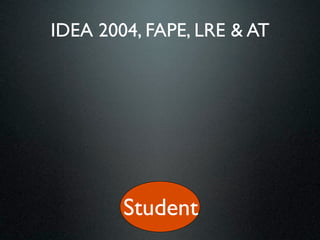
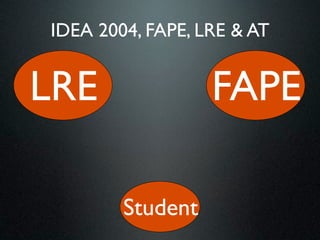
IDEA 2004, FAPE, LRE & AT


        Student
IDEA 2004, FAPE, LRE & AT


LRE               FAPE

        Student
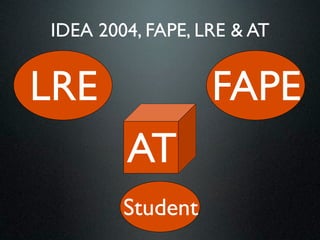
IDEA 2004, FAPE, LRE & AT


LRE               FAPE
        AT
        Student
FAPE as Defined in IDEA
Free appropriate public education or FAPE means
  special education and related services that--
   (a) Are provided at public expense, under public supervision
      and direction, and without charge;
   (b) Meet the standards of the SEA, including the
      requirements of this part;
   (c) Include an appropriate preschool, elementary school, or
      secondary school education in the State involved; and
   (d) Are provided in conformity with an individualized
      education program (IEP) that meets the requirements of
      Sec. 300.320 through 300.324.
WHEN MUST THE DISTRICT PROVIDE
          ASSISTIVE TECHNOLOGY?
If the answer to any of the following questions is YES:
1. AT needed for FAPE? (Free Appropriate Public Education)
2. AT needed for LRE?    (Least Restricted Environment)
   •    AT needed to access school programs and activities?
   •    AT needed to access related services?
WHEN MUST THE DISTRICT PROVIDE
          ASSISTIVE TECHNOLOGY?
If the answer to any of the following questions is YES:
1. AT needed for FAPE? (Free Appropriate Public Education)
2. AT needed for LRE?    (Least Restricted Environment)
   •    AT needed to access school programs and activities?
   •    AT needed to access related services?


             Could AT help
             the student be
                  more
              independent?
AT Goals
• Assistive Technology should NEVER be the
  goal itself!
• For instance: Using a VOCA, Sara will click the
  correct picture 5 times with 100% accuracy.
  BAD
• AT is a tool to complete the goal!
Team Training Goal
• Write an IEP goal that entire team is trained
  on AT device. Both use and maintenance.
Independent Use Goal
• Write IEP Goals for student to independently
  care (charge, house, carry, maintain) AT
  devices.
Outside Caregiver Support Goal
• Write IEP Goals for parents and caregivers to
  learn and be trained on use and care of AT
  device.
Placement Goal in All Environments
• Removal of the student from the classroom or
  standard living environment to access assistive
  technology for administrative, staff or caregiver
  convenience is not appropriate.
   – School
   – Homes
   – After School Caregivers
• Behavior Intervention Plan associated with the AT
  for all environments, referenced in the IEP.
Who Must Pay for AT?
• It is the responsibility of the school district to
  provide for the equipment, services, or programs
  identified in the IEP. The school district may pay for
  the equipment, service, or program itself, utilize
  other resources to provide or pay for the device, or
  utilize private insurance funds, Medicaid, or other
  sources of funds as long as the device or service
  identified in the IEP is provided at no cost to the
  parent.


-From: Family Guide to Assistive Technology, 2000
Can I Take it Home?
• If it is determined by the IEP team that a
  particular AT device or service is necessary
  for home use in order for the child to receive
  FAPE, the technology must be provided in the
  home by the school district to implement the
  IEP.


 -From IDEIA, 2004
Who Owns the AT Device?
• If the school district purchases the equipment,
  the equipment belongs to the district. As long
  as the student stays in the district, the
  equipment may follow them through different
  placements.


-From: Family Guide to Assistive Technology, 2000
iPad & iPod Touch

Assistive Technology: Advocating Present and Future

  • 1.
  • 2.
    Introduction 1) Survey of types of Assistive Technology 2) Emerging Assistive Technology Trends 3) Advocating for and with Assistive Technology
  • 3.
  • 4.
  • 5.
    • Technology &Education • Education & Communications • Medicine & Technology • Medicine & Education 5
  • 6.
    What is AssistiveTechnology? "Any item, piece of equipment, or product, whether acquired commercially, off the shelf, modified, or customized, that is used to: Increase Maintain Improve the functional capabilities of Individuals with Disabilities." (Technology Related Assistance Act)
  • 7.
    Scope of AssistiveTechnology No Tech Low Tech Mid Tech High Tech
  • 8.
    Assistive Technology versus Instructional Software • Assistive Technology- used to bypass, work around, aide in dealing with a specific disability • Instructional Software- designed to develop and improve specific skills
  • 9.
    Capabilities • Activities in daily living • Composing written material • Control of environment • Vision • Mobility • Hearing • Position and seating • Reading • Recreation • Study Skills • Communication • Math • Motor aspects of writing • Computer proficiency -From TAM, 2005
  • 10.
    More is notalways better Start from least restrictive to more restrictive
  • 11.
  • 12.
    Reading Phonemics – whatare letters good for? Phonics – what sounds do they make? } Word Building Sentence Building Comprehension Fluency 12
  • 13.
  • 14.
  • 15.
  • 16.
  • 17.
  • 18.
  • 19.
  • 20.
  • 21.
  • 22.
  • 23.
    PreWriting Process Inspiration 7.5 The Diagram view helps students create and modify concept maps, webs, idea maps, and other graphical organizers. Audio support is available for student to have text read aloud or to record their own voices.
  • 24.
  • 26.
  • 27.
    Assistive & Augmentative Communication Springboard Vantage Plus Vanguard II Plus with IBM Plus Dynavox & Dynamite
  • 31.
    Free Media PublishingTools • Blogs: explanation & example 1 & example 2 • Wikis: explanation & example • PhotoSharing: explanation • Social Bookmarking: explanation & example • VoiceThread: explanation & example 28
  • 32.
  • 33.
    subscribe, read, write,participate AT = Adaptability Search, Copy, Paste, Voice
  • 34.
    Constructivist Model of ProfessionalDevelopment & Ed Tech 1) Create 2) Self-Differentiate 3) Self-Motivate
  • 35.
    Shared Computing • SugataMitra: Hole in the Wall experiment showed children learn best at the computer in groups. 32
  • 36.
    Open Education Safety 1) Keep your personal information secret. 2) Never meet anyone in real life you only met online. 3) No incoming communications from “outsiders.”
  • 37.
    New Publishing Process 1) Non-linear & Worldwide 2) Must be competitive with what students are doing at home
  • 38.
    5 Things YouNeed 1. Free Media Sources 2. Free Media Editing Tools 3. Free Media Publishing Tools 4. Free Media Collaboration Tools 35
  • 39.
    Media Sources • UnitedStreaming: – Video, Stills, Audio • YouTube,Vimeo, Subject-specific Video Sites: – Use VPN – Don’t allow referral videos – Download using whatever downloader is available (google “rip youtube videos” for latest version). • TeacherTube: – Request school-wide access via SBTS – Same as YouTube, but vetted • iTunes, Google, Flickr (Creative Commons) Other: – Watch your copyright rights 36
  • 40.
    Free Media EditingTools • Windows MovieMaker: – Edits Video • Windows PhotoStory: – Edits Photos into a Movie • Audacity: – Edits Audio like a Cassette Tape Recorder • PhotoEditor: – There are a number of online options, check with your SBTS. 37
  • 41.
    Social Media • Blogging in Groups & comments • Wiki page comments • VoiceThread • Twitter in Groups • Photosharing in Groups • Social Bookmarking in Groups • Skype 38
  • 42.
    Parent Productivity Tools •25 Digital Things All Teachers Should Know (Google it!) – Delicious (tagging) – Wiki (tagging) – PhotoSharing (tagging) – Snagit – RSS Feeds – Google.com (Google Sites, Google Reader, Google Earth) 39
  • 43.
  • 44.
    What does ATService Include? “Training or technical assistance for professionals (including individuals providing education or rehabilitation services), employers, or other individuals who provide services to, employ, or are otherwise substantially involved in the major life functions of that child.” -From IDEA, 2004 Sec. 300/a/300.6/f
  • 45.
    Why AT andthe IEP? • IDEA requires that every IEP/IFSP committee “consider whether the child needs (vs. requires?) assistive technology devices and services” -From IDEIA, 2004
  • 46.
    Why Consider AT? •IDEA requires schools to provide AT if it is needed for a student to receive a Free Appropriate Public Education (FAPE) • AT shall support a student’s participation in learning in the LRE -From IDEA 1997
  • 47.
    Never Mention SpecificAT Devices or Models in IEP • Define AT within the IEP by functionality genre not by make or model. – One must be able to adapt as much as is required to teach. – Trial and Error – Child Development (Fade the AT) – Technology Development (Upgrade AT)
  • 48.
    AT as aSupplementary Aid • AT may be necessary to maintain the student in the LRE • IDEA (300.114/a/2/ii): AT is necessary as a supplementary aid if its presence (along with other necessary aids) supports the student sufficiently to maintain the placement and its absence requires the student’s removal to a more restrictive setting.
  • 49.
    IDEA 2004, FAPE,LRE & AT Student
  • 50.
    IDEA 2004, FAPE,LRE & AT LRE FAPE Student
  • 51.
    IDEA 2004, FAPE,LRE & AT LRE FAPE AT Student
  • 52.
    FAPE as Definedin IDEA Free appropriate public education or FAPE means special education and related services that-- (a) Are provided at public expense, under public supervision and direction, and without charge; (b) Meet the standards of the SEA, including the requirements of this part; (c) Include an appropriate preschool, elementary school, or secondary school education in the State involved; and (d) Are provided in conformity with an individualized education program (IEP) that meets the requirements of Sec. 300.320 through 300.324.
  • 53.
    WHEN MUST THEDISTRICT PROVIDE ASSISTIVE TECHNOLOGY? If the answer to any of the following questions is YES: 1. AT needed for FAPE? (Free Appropriate Public Education) 2. AT needed for LRE?    (Least Restricted Environment) • AT needed to access school programs and activities? • AT needed to access related services?
  • 54.
    WHEN MUST THEDISTRICT PROVIDE ASSISTIVE TECHNOLOGY? If the answer to any of the following questions is YES: 1. AT needed for FAPE? (Free Appropriate Public Education) 2. AT needed for LRE?    (Least Restricted Environment) • AT needed to access school programs and activities? • AT needed to access related services? Could AT help the student be more independent?
  • 55.
    AT Goals • AssistiveTechnology should NEVER be the goal itself! • For instance: Using a VOCA, Sara will click the correct picture 5 times with 100% accuracy. BAD • AT is a tool to complete the goal!
  • 56.
    Team Training Goal •Write an IEP goal that entire team is trained on AT device. Both use and maintenance.
  • 57.
    Independent Use Goal •Write IEP Goals for student to independently care (charge, house, carry, maintain) AT devices.
  • 58.
    Outside Caregiver SupportGoal • Write IEP Goals for parents and caregivers to learn and be trained on use and care of AT device.
  • 59.
    Placement Goal inAll Environments • Removal of the student from the classroom or standard living environment to access assistive technology for administrative, staff or caregiver convenience is not appropriate. – School – Homes – After School Caregivers • Behavior Intervention Plan associated with the AT for all environments, referenced in the IEP.
  • 60.
    Who Must Payfor AT? • It is the responsibility of the school district to provide for the equipment, services, or programs identified in the IEP. The school district may pay for the equipment, service, or program itself, utilize other resources to provide or pay for the device, or utilize private insurance funds, Medicaid, or other sources of funds as long as the device or service identified in the IEP is provided at no cost to the parent. -From: Family Guide to Assistive Technology, 2000
  • 61.
    Can I Takeit Home? • If it is determined by the IEP team that a particular AT device or service is necessary for home use in order for the child to receive FAPE, the technology must be provided in the home by the school district to implement the IEP. -From IDEIA, 2004
  • 62.
    Who Owns theAT Device? • If the school district purchases the equipment, the equipment belongs to the district. As long as the student stays in the district, the equipment may follow them through different placements. -From: Family Guide to Assistive Technology, 2000
  • 63.

Editor's Notes

  • #2 self intro\nPoll: Educators, ID, Visual, Communications, Physical\n
  • #3 We are currently in a technology revolution in education. But it’s not what you think. It’s not the technology itself. The real revolution is the fact that students have access to technologies outside of school. \n\nHere's the problem. A study of students conducted last year found a majority of forth and fifth graders spend 3 to 6 hours a day on social media unsupervised at home. They play with Myspace, Facebook and all the "sharp scissors" collaborative technology out there. Heck even in 3rd grade there are early adopters in each class using MySpace and collaborating with folks they don't know in their gaming sites. Webkins starts them off at an early age. Yes, that's right, Webkins targets kids with stuffed animals and with each animal they get a login for a social networking site.\n \nOpen Education, as it is currently defined, is the use of free and collaborative technologies in education.\nFraught with issues about safety, stability which are brought about by misunderstanding and fear, practitioners and proponents of Open Education have a rough row to hoe.\nBlogs, wikis, free media production software, sites allowing web pages to be built with little or no effort are making things easier to do.\n
  • #4 \n
  • #5 \n
  • #6 \n
  • #7 \n
  • #8 \n
  • #9 \n
  • #10 \n
  • #11  AT can be used to divide a classroom or bring it together.\n
  • #12 \n
  • #13 \n
  • #14 \n
  • #15 \n
  • #16 \n
  • #17 \n
  • #18 \n
  • #19 \n
  • #20 \n
  • #21 \n
  • #22 \n
  • #23 \n
  • #24 \n
  • #25 \n
  • #26 \n
  • #27 \n
  • #28 \n
  • #29 \n
  • #30 \n
  • #31 \n
  • #32 \n
  • #33 \n
  • #34 In the K-5 environment, collaboration must be managed. \n\nThe authentic publishing environment can be provided, but without incoming communication.\n
  • #35 The linear “secret” writing process must be replaced with a non-linear content development process which includes world-wide publishing, or else our lessons will not be relevant to students.\n
  • #36 \n
  • #37 \n
  • #38 \n
  • #39 \n
  • #40 \n
  • #41 \n
  • #42 \n
  • #43 \n
  • #44 \n
  • #45 \n
  • #46 \n
  • #47 \n
  • #48 \n
  • #49 \n
  • #50 \n
  • #51 \n
  • #52 \n
  • #53 \n
  • #54 \n
  • #55 \n
  • #56 \n
  • #57 \n
  • #58 \n
  • #59 \n
  • #60 \n