
R.D.SIVAKUMAR, M.Sc.,M.Phil.,M.Tech.,
Assistant Professor of Computer Science &
Assistant Professor and Head, Department of M.Com.(CA),
Ayya Nadar Janaki Ammal College,
Sivakasi – 626 124.
Mobile: 099440-42243
e-mail : sivamsccsit@gmail.com
website: www.rdsivakumar.blogspot.in
MULTIMEDIA ELEMENTS- Sound, Animation& Video
It is true that there are many image formats. Some of them are GIF files, JPG files,
Animated GIF files, MPEG files, Shockwave files and NxView files.
The two most common by far are GIF and JPG files.
 Both of these formats compress static (as opposed to animated) bitmap Images
Photographs are typical examples of static images.
Both the GIF and JPG formats compress the image in different ways.
 A JPG file uses a much more complex technique than GIF to compress images,
like photographs, where the color of every pixel is different.
A GIF file creates a perfect reproduction of the original, while a JPG does not.
GIF- Graphic Interchange Format
GIF (Graphic Interchange Format) is limited to an 8-bit palette.
GIF is best suited for storing simple graphic images with relatively few colors.
However, it is not well fitted for photographic works.
 JPG scores over GIF in this area.
Despite this GIF is still used extensively on the Internet and Multimedia applications
because of the great reservoir of GIF images available and support for animation.
JPEG- Joint Photographic Experts Group
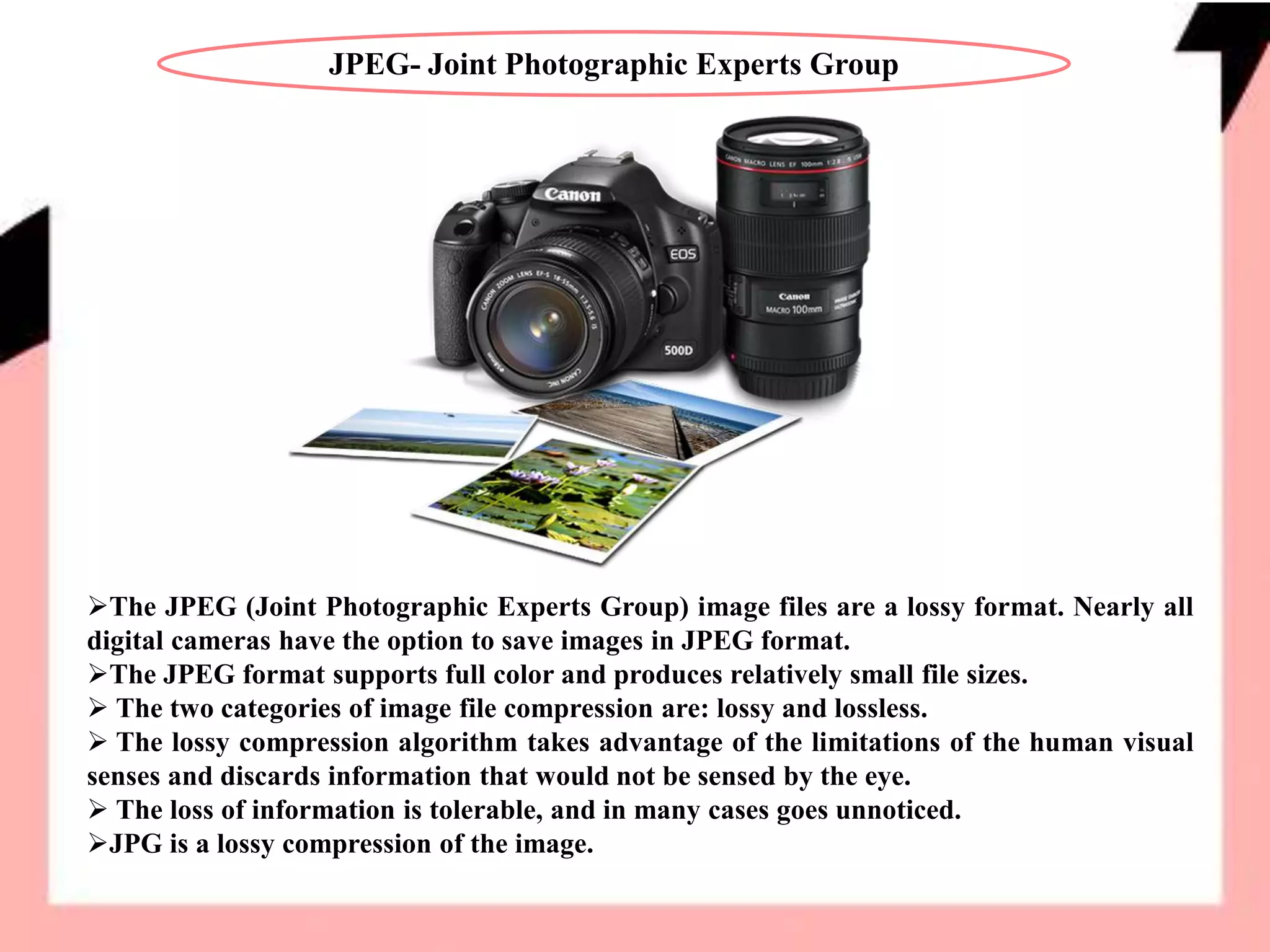
The JPEG (Joint Photographic Experts Group) image files are a lossy format. Nearly all
digital cameras have the option to save images in JPEG format.
The JPEG format supports full color and produces relatively small file sizes.
 The two categories of image file compression are: lossy and lossless.
 The lossy compression algorithm takes advantage of the limitations of the human visual
senses and discards information that would not be sensed by the eye.
 The loss of information is tolerable, and in many cases goes unnoticed.
JPG is a lossy compression of the image.
SOUND
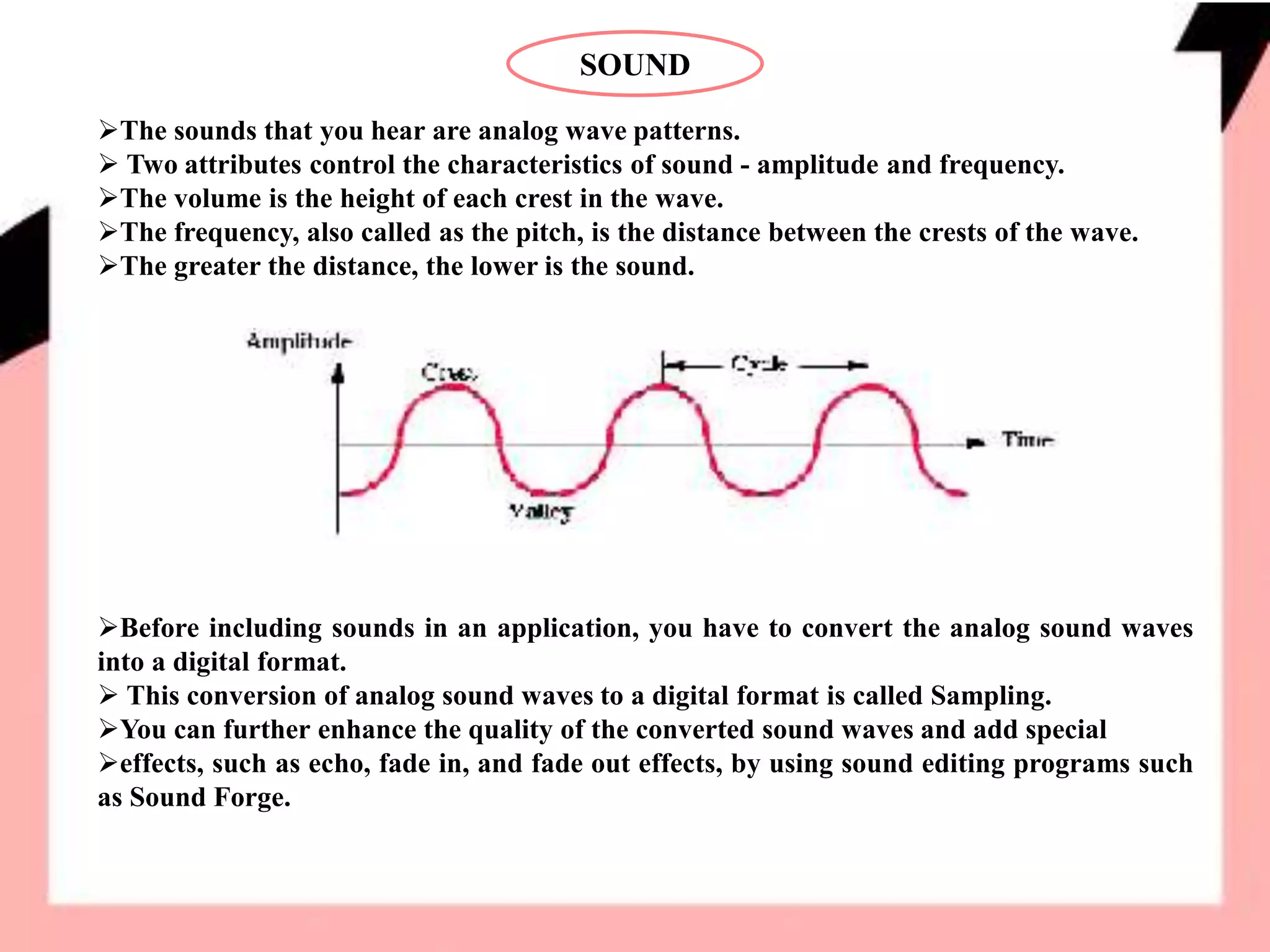
The sounds that you hear are analog wave patterns.
 Two attributes control the characteristics of sound - amplitude and frequency.
The volume is the height of each crest in the wave.
The frequency, also called as the pitch, is the distance between the crests of the wave.
The greater the distance, the lower is the sound.
Before including sounds in an application, you have to convert the analog sound waves
into a digital format.
 This conversion of analog sound waves to a digital format is called Sampling.
You can further enhance the quality of the converted sound waves and add special
effects, such as echo, fade in, and fade out effects, by using sound editing programs such
as Sound Forge.
ANIMATION
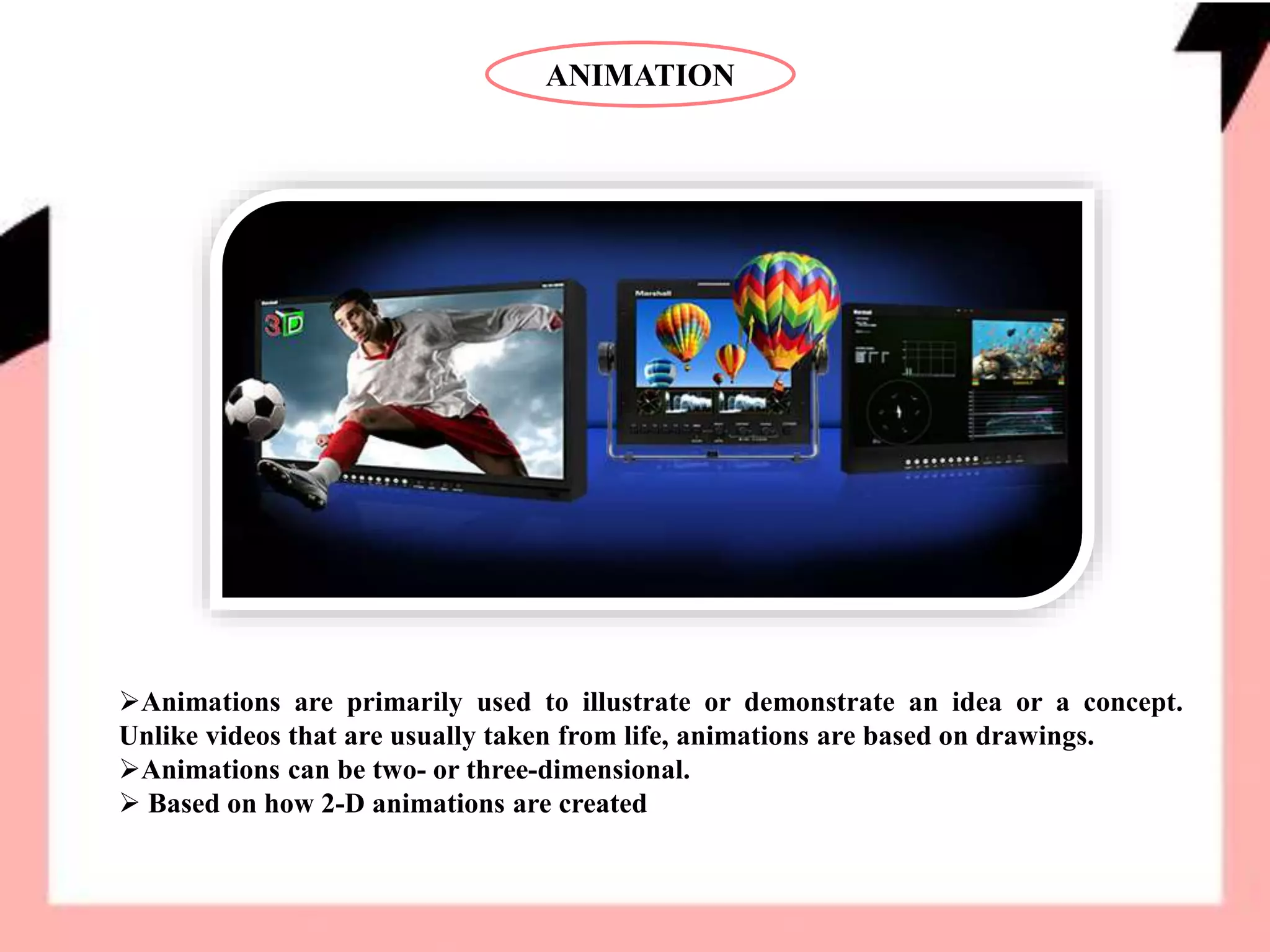
Animations are primarily used to illustrate or demonstrate an idea or a concept.
Unlike videos that are usually taken from life, animations are based on drawings.
Animations can be two- or three-dimensional.
 Based on how 2-D animations are created
ANIMATION
They can be broadly classified into the following two categories:
• Cel-based animations
• Object-based animations
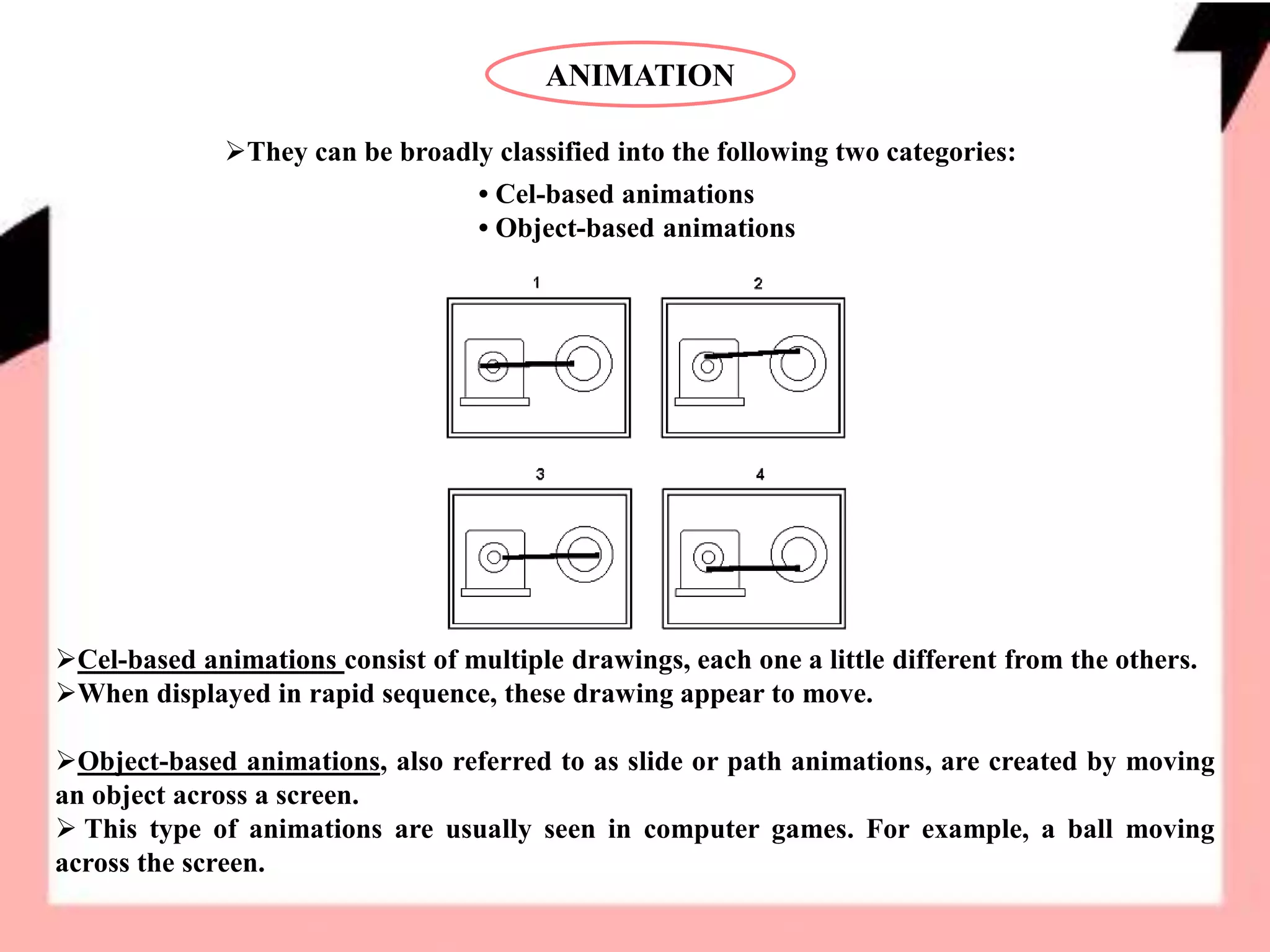
Cel-based animations consist of multiple drawings, each one a little different from the others.
When displayed in rapid sequence, these drawing appear to move.
Object-based animations, also referred to as slide or path animations, are created by moving
an object across a screen.
 This type of animations are usually seen in computer games. For example, a ball moving
across the screen.
ANIMATION
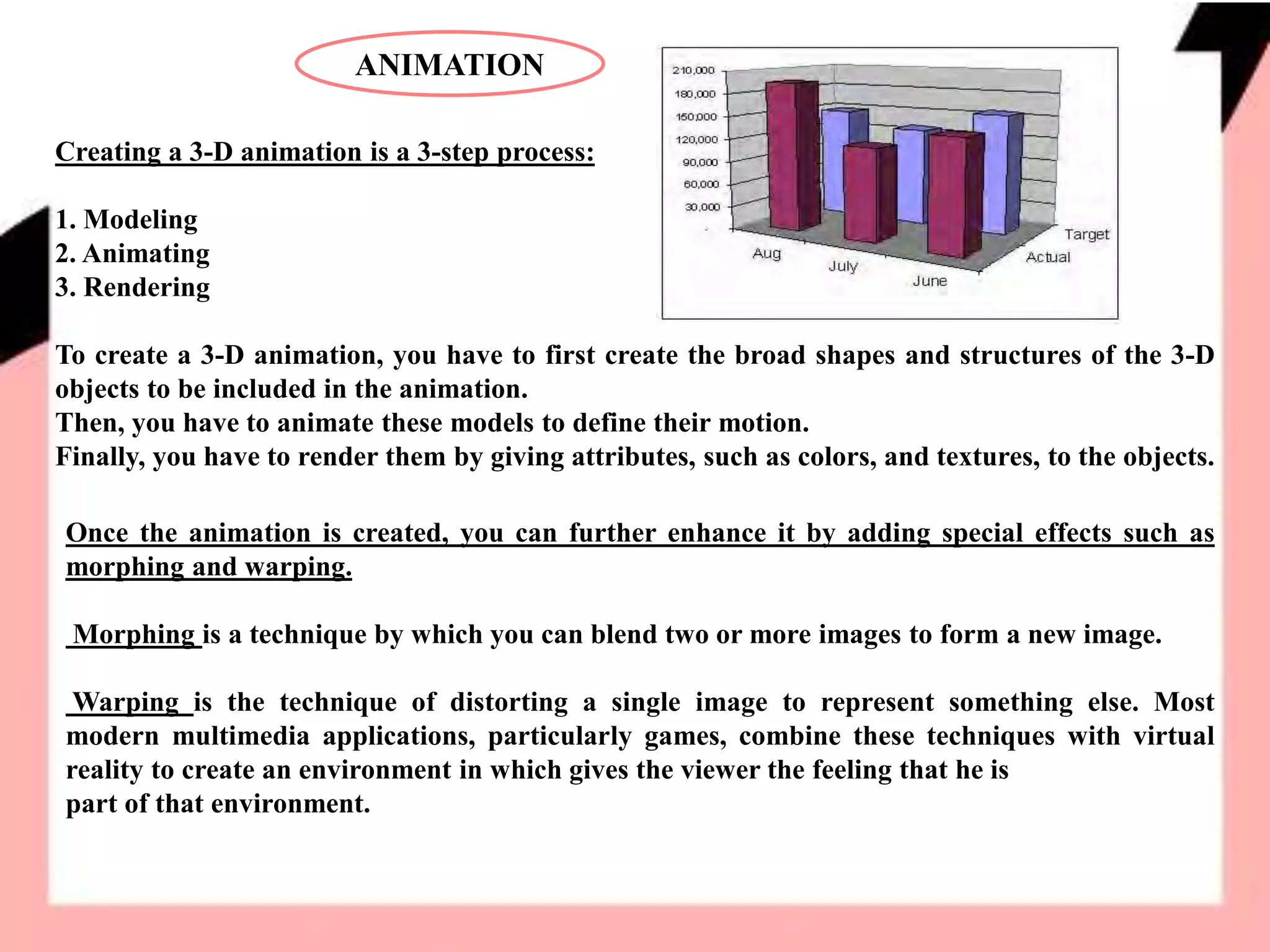
Creating a 3-D animation is a 3-step process:
1. Modeling
2. Animating
3. Rendering
To create a 3-D animation, you have to first create the broad shapes and structures of the 3-D
objects to be included in the animation.
Then, you have to animate these models to define their motion.
Finally, you have to render them by giving attributes, such as colors, and textures, to the objects.
Once the animation is created, you can further enhance it by adding special effects such as
morphing and warping.
Morphing is a technique by which you can blend two or more images to form a new image.
Warping is the technique of distorting a single image to represent something else. Most
modern multimedia applications, particularly games, combine these techniques with virtual
reality to create an environment in which gives the viewer the feeling that he is
part of that environment.
VIDEO
Video files tend to be very heavy. Several elements such as frame rate, image size, and color
depth determine the size of these files.
You can vary these elements to reduce the file size to acceptable levels.
However, reducing the color depth to less than 256 colors results in the image looking murky.
Similarly, reducing the frame count to less than 15 frames per second causes the video to look
jerky.
You can also reduce the size of videos by compressing them. Compression is a technique by
which a recurring set of information is identified and replaced by a single piece of information.
There are two types of video compressions:
• Lossless compression – Retains the exact image throughout the compression.
• Lossy compression – Provides a comparatively higher ratio of compression but results in some
loss of quality.
POPULAR MULTIMEDIA FORMATS
The MIDI Format
The Musical Instrument Digital Interface or the MIDI format is one that is commonly used
for transferring music information between electronic music devices like synthesizers and
sound cards in computers
It was developed in 1982 and is a very flexible format.
 MIDI file that plays for approximately 5 minutes may be only 25 KB.
 This format is supported by most of the popular software's in the market including all
popular browsers
Sound files in the MIDI format have the extension .mid or .midi.
The RealAudio/RealVideo Format Files in this format have the extension .rm or .ram.
The AU format is another sound format that is supported by most of the popular softwares
in the marker across different platforms.
Files in the AU format have the extension .au.
POPULAR MULTIMEDIA FORMATS
The AIFF Format
The Audio Interchange File Format or AIFF format was developed by Apple.
This is not a very popular format as it is neither cross-platform nor is it supported by all
web browsers.
Files in the AIFF format have the extension .aif or .aiff.
The SND Format
The Sound or SND format was also developed by Apple.
Like the AIFF format, the SND files neither cross-platform nor supported by popular web
browsers. Files in the SND format have the extension .snd.
The WAVE Format
The WAVE format was developed by IBM and Microsoft.
 It is one of the more popular formats as it is not only supported by all computers running
the Windows operating system, but also by all popular web browsers.
Files in the WAVE format have the extension .wav.
POPULAR MULTIMEDIA FORMATS
The MP3/MPEG Format
The MPEG format was developed by the Moving Pictures Experts Group.
This MPEG format developed for video files while the MP3 format is used to store sounds
(music). Sound files stored in the MP3 format have the extension .mp3, or. mpga (for MPG
Audio). Video files stored in the MPEG format have the extension .mpg or .mpeg.
The AVI Format
The Audio Video Interleave or AVI format was developed by Microsoft in 1992.
It is supported by all computers running the Windows operating systems and by most of
the popular browsers. It is a very common format on the Internet.
Videos files stored in the AVI format have the extension .avi.
The Windows Media Format
The Windows Media format was developed by Microsoft. It is also one of the very popular
formats on the Internet and on computers with the Windows operating system.
 It should be noted that this format requires the installation of an additional component in
non-Windows computers. Files in the Windows Media format have the extension .wmv
POPULAR MULTIMEDIA FORMATS
The QuickTime Format
The QuickTime format was developed by Apple primarily to store videos. It is a popular
format on the Internet but requires the installation of an additional component in non-
Windows computers. Files in the QuickTime format have the extension .mov.
The Shockwave Format
The Shockwave format was developed by Macromedia and is used to store multimedia
components created using Flash. This format requires an extra component to play.
However, this additional component comes preinstalled with the latest versions of Netscape
and Internet Explorer. Files in the Shockwave format have the extension .swf.
Multimedia Hardware and Software
Most common personal computers are adequate to work with multimedia. However, some
additional hardware and high resolution monitors would greatly enhance the effectiveness
of using multimedia. Also special software such as Windows Media Player would help in
viewing the multimedia presentations. Creating multimedia content requires special
software. Some commercial multimedia content development software are Flash
Dreamweaver and Maya. More advanced multimedia hardware and software are available.
POPULAR MULTIMEDIA FORMATS
Inline Sound and Video
Sounds and video in multimedia applications can be played “inline” or by using a “helper”.
How the sound or video is played depends on the HTML tags that you use. When sound or
video is included as part of a web page, then it is called inline sound or video.
The advantage of using helper applications is that you can allow the viewer control some or
all of the player settings. For example, the viewer can control the volume settings, in
addition to letting him rewind, play, pause, and stop the sound or the video.
Helper applications can be launched using the <embed>,
<applet>, or the <object> tags.
Note:
These tags are not standard HTML or XHTML tags. Some are supported by both Netscape
and Internet Explorer while others are supported only by Internet Explorer.
You can also include a hyperlink to a media file. When you do so, the browser will load a
helper application, such as Window Media Player, to play the file.
THANK YOU..!!

Multimedia Elements - Sound, Animation & Video - R.D.Sivakumar

  • 1.
    R.D.SIVAKUMAR, M.Sc.,M.Phil.,M.Tech., Assistant Professorof Computer Science & Assistant Professor and Head, Department of M.Com.(CA), Ayya Nadar Janaki Ammal College, Sivakasi – 626 124. Mobile: 099440-42243 e-mail : sivamsccsit@gmail.com website: www.rdsivakumar.blogspot.in MULTIMEDIA ELEMENTS- Sound, Animation& Video
  • 2.
    MULTIMEDIA ELEMENTS- Sound,Animation& Video It is true that there are many image formats. Some of them are GIF files, JPG files, Animated GIF files, MPEG files, Shockwave files and NxView files. The two most common by far are GIF and JPG files.  Both of these formats compress static (as opposed to animated) bitmap Images Photographs are typical examples of static images. Both the GIF and JPG formats compress the image in different ways.  A JPG file uses a much more complex technique than GIF to compress images, like photographs, where the color of every pixel is different. A GIF file creates a perfect reproduction of the original, while a JPG does not.
  • 3.
    GIF- Graphic InterchangeFormat GIF (Graphic Interchange Format) is limited to an 8-bit palette. GIF is best suited for storing simple graphic images with relatively few colors. However, it is not well fitted for photographic works.  JPG scores over GIF in this area. Despite this GIF is still used extensively on the Internet and Multimedia applications because of the great reservoir of GIF images available and support for animation.
  • 4.
    JPEG- Joint PhotographicExperts Group The JPEG (Joint Photographic Experts Group) image files are a lossy format. Nearly all digital cameras have the option to save images in JPEG format. The JPEG format supports full color and produces relatively small file sizes.  The two categories of image file compression are: lossy and lossless.  The lossy compression algorithm takes advantage of the limitations of the human visual senses and discards information that would not be sensed by the eye.  The loss of information is tolerable, and in many cases goes unnoticed. JPG is a lossy compression of the image.
  • 5.
    SOUND The sounds thatyou hear are analog wave patterns.  Two attributes control the characteristics of sound - amplitude and frequency. The volume is the height of each crest in the wave. The frequency, also called as the pitch, is the distance between the crests of the wave. The greater the distance, the lower is the sound. Before including sounds in an application, you have to convert the analog sound waves into a digital format.  This conversion of analog sound waves to a digital format is called Sampling. You can further enhance the quality of the converted sound waves and add special effects, such as echo, fade in, and fade out effects, by using sound editing programs such as Sound Forge.
  • 6.
    ANIMATION Animations are primarilyused to illustrate or demonstrate an idea or a concept. Unlike videos that are usually taken from life, animations are based on drawings. Animations can be two- or three-dimensional.  Based on how 2-D animations are created
  • 7.
    ANIMATION They can bebroadly classified into the following two categories: • Cel-based animations • Object-based animations Cel-based animations consist of multiple drawings, each one a little different from the others. When displayed in rapid sequence, these drawing appear to move. Object-based animations, also referred to as slide or path animations, are created by moving an object across a screen.  This type of animations are usually seen in computer games. For example, a ball moving across the screen.
  • 8.
    ANIMATION Creating a 3-Danimation is a 3-step process: 1. Modeling 2. Animating 3. Rendering To create a 3-D animation, you have to first create the broad shapes and structures of the 3-D objects to be included in the animation. Then, you have to animate these models to define their motion. Finally, you have to render them by giving attributes, such as colors, and textures, to the objects. Once the animation is created, you can further enhance it by adding special effects such as morphing and warping. Morphing is a technique by which you can blend two or more images to form a new image. Warping is the technique of distorting a single image to represent something else. Most modern multimedia applications, particularly games, combine these techniques with virtual reality to create an environment in which gives the viewer the feeling that he is part of that environment.
  • 9.
    VIDEO Video files tendto be very heavy. Several elements such as frame rate, image size, and color depth determine the size of these files. You can vary these elements to reduce the file size to acceptable levels. However, reducing the color depth to less than 256 colors results in the image looking murky. Similarly, reducing the frame count to less than 15 frames per second causes the video to look jerky. You can also reduce the size of videos by compressing them. Compression is a technique by which a recurring set of information is identified and replaced by a single piece of information. There are two types of video compressions: • Lossless compression – Retains the exact image throughout the compression. • Lossy compression – Provides a comparatively higher ratio of compression but results in some loss of quality.
  • 10.
    POPULAR MULTIMEDIA FORMATS TheMIDI Format The Musical Instrument Digital Interface or the MIDI format is one that is commonly used for transferring music information between electronic music devices like synthesizers and sound cards in computers It was developed in 1982 and is a very flexible format.  MIDI file that plays for approximately 5 minutes may be only 25 KB.  This format is supported by most of the popular software's in the market including all popular browsers Sound files in the MIDI format have the extension .mid or .midi. The RealAudio/RealVideo Format Files in this format have the extension .rm or .ram. The AU format is another sound format that is supported by most of the popular softwares in the marker across different platforms. Files in the AU format have the extension .au.
  • 11.
    POPULAR MULTIMEDIA FORMATS TheAIFF Format The Audio Interchange File Format or AIFF format was developed by Apple. This is not a very popular format as it is neither cross-platform nor is it supported by all web browsers. Files in the AIFF format have the extension .aif or .aiff. The SND Format The Sound or SND format was also developed by Apple. Like the AIFF format, the SND files neither cross-platform nor supported by popular web browsers. Files in the SND format have the extension .snd. The WAVE Format The WAVE format was developed by IBM and Microsoft.  It is one of the more popular formats as it is not only supported by all computers running the Windows operating system, but also by all popular web browsers. Files in the WAVE format have the extension .wav.
  • 12.
    POPULAR MULTIMEDIA FORMATS TheMP3/MPEG Format The MPEG format was developed by the Moving Pictures Experts Group. This MPEG format developed for video files while the MP3 format is used to store sounds (music). Sound files stored in the MP3 format have the extension .mp3, or. mpga (for MPG Audio). Video files stored in the MPEG format have the extension .mpg or .mpeg. The AVI Format The Audio Video Interleave or AVI format was developed by Microsoft in 1992. It is supported by all computers running the Windows operating systems and by most of the popular browsers. It is a very common format on the Internet. Videos files stored in the AVI format have the extension .avi. The Windows Media Format The Windows Media format was developed by Microsoft. It is also one of the very popular formats on the Internet and on computers with the Windows operating system.  It should be noted that this format requires the installation of an additional component in non-Windows computers. Files in the Windows Media format have the extension .wmv
  • 13.
    POPULAR MULTIMEDIA FORMATS TheQuickTime Format The QuickTime format was developed by Apple primarily to store videos. It is a popular format on the Internet but requires the installation of an additional component in non- Windows computers. Files in the QuickTime format have the extension .mov. The Shockwave Format The Shockwave format was developed by Macromedia and is used to store multimedia components created using Flash. This format requires an extra component to play. However, this additional component comes preinstalled with the latest versions of Netscape and Internet Explorer. Files in the Shockwave format have the extension .swf. Multimedia Hardware and Software Most common personal computers are adequate to work with multimedia. However, some additional hardware and high resolution monitors would greatly enhance the effectiveness of using multimedia. Also special software such as Windows Media Player would help in viewing the multimedia presentations. Creating multimedia content requires special software. Some commercial multimedia content development software are Flash Dreamweaver and Maya. More advanced multimedia hardware and software are available.
  • 14.
    POPULAR MULTIMEDIA FORMATS InlineSound and Video Sounds and video in multimedia applications can be played “inline” or by using a “helper”. How the sound or video is played depends on the HTML tags that you use. When sound or video is included as part of a web page, then it is called inline sound or video. The advantage of using helper applications is that you can allow the viewer control some or all of the player settings. For example, the viewer can control the volume settings, in addition to letting him rewind, play, pause, and stop the sound or the video. Helper applications can be launched using the <embed>, <applet>, or the <object> tags. Note: These tags are not standard HTML or XHTML tags. Some are supported by both Netscape and Internet Explorer while others are supported only by Internet Explorer. You can also include a hyperlink to a media file. When you do so, the browser will load a helper application, such as Window Media Player, to play the file.
  • 15.