Elements of Multimedia
Elements
•Text
• Graphics
• Sound
• Video
• Animation
Two kinds of Elements
• Text, Graphics, and Image are time-independent
• Audio, Video, and Animation are time-dependent
2.
Text
• Text isan important element of multimedia.
• Multimedia text is combined with other elements like graphics and pictures
to deliver a powerful effect.
• The text must be short and relevant wherever used. Text can also be
animated
• Text Font—A font is composed of three things—typeface, style and size.
• Text effects allow special effects to be added to text fonts by adding depth
and visual impact (2D and 3D effects)
• Text animation can be used to make the text move, change or flash
• Text on the Internet can be represented as hypertext.
3.
Graphics
• Graphics elementsin a multimedia system are images that could be
still pictures (like photographs) converted to digital format with the
help of scanners, or pictures generated on the computer.
• Image Resolution: The resolution of an image is the number of pixels
in the digital image relative to the physical size of the original
material. Resolution is measured in dpi (dots per inch)
• Image Color: There are two image color models—Red, Green, and
Blue (RGB) model, and,Hue Saturation, and Lightness (HSL) mode
4.
Graphics
Image File Size
•The size of graphic files is dependent on three things—
• (i) Dimension ofthegraphics is the physical size (maximum height
and width in pixels),
• (ii) Bit-depth is the amount of color information stored in each pixel,
• (iii) the compression used to store the image.
Image Compression
Two image compression
• Joint Photographic Experts Group (JPEG) and
• Graphical Interchange Format (GIF).
5.
Graphics
• JPEG compressionworks well with 24-bit color images
• GIF supports 8 bits of color information (Grayscale, Color map). GIF compression
is suited to images such as line drawings, for images containing text, and
cartoons containing at most 256 colors
• jpg (for JPEG) and .gif (for GIF) are the most common file formats in use on the
web
Image Capture:
• The graphic images on the computer can either be created using editors or can
be loaded from the devices that capture the graphics images
• Scanner looks like a photocopy machine and is used to copy an image to the
computer. It converts an analog picture into digital format.
6.
Digital Graphics
digital graphics—bitmapgraphics and vector graphics.
Bitmap Graphics
• computer programs store pictures as pixel maps . monitor is divided into a grid
of pixels graphics driver converts the picture data to pixel values on the display.
• Bitmap editors allow creating and editing graphics as bitmaps.
• Paint programs and photo editing programs are bitmap-based programs.
• Bitmap editors are Lview Pro, GIF 89a, Paint Shop Pro, Adobe Photoshop,
Fractal Design Painter
• Formats for storing bitmap graphics files are GIF, JPEG, BitMaP (BMP),
PostScript (PS), IRIS,and Tagged Image File Format (TIFF)
7.
Vector Graphics
• Vectorgraphics uses various mathematical tracks to create graphics. It uses
mathematical equations for the representation of the location, size, colour fill, pattern
fill etc.
• Vector graphics is suited for graphic images that require frequent re-sizing (small or
enlarge), and repositioning.
• Vector editors allow creation and editing of vector graphics.
• Vector editor is used to draw cartoons, and to create or modify more complicated
graphics such as photographs.
• For example, a geometric figure (straight line or circle) can be drawn on the monitor
by using a mathematical equation. Adobe® Illustrator is an example of vector editor.
8.
SOUND
• Properties ofSound
• Amplitude measures the relative loudness or volume of the sound. It is measured in
decibels.
• Frequency or pitch is the vibrations per second. If an object vibrates rapidly, it creates a
high-pitched sound. A low-pitch sound is produced by an object that vibrates slowly. The
unit of frequency is hertz (Hz). The human ear can hear frequencies in the range of 20Hz
to 20 kHz.
• Bandwidth is the difference between the highest and the lowest frequency contained in a
sound signal. A signal with frequency range of 200 Hz to 3,200 Hz, has a bandwidth of 3,000 Hz
(= 3,200−200).
9.
Audio
• Sound consistsof all possible sounds which may or may not be
audible to humans.
• Audio consists of the sounds humans can hear.
• For example, the sound emitted by the dog-whistle is heard by dogs
but not by humans.
• The presence of sound enhances the effect of a graphic presentation,
video or animation.
10.
DIGITAL AUDIO
Digital Audio
•Audio is analog in nature and is a continuous waveform.
• Also, acoustic instruments produce analog sounds.
• A computer needs to transfer the analog sound waves into its digital
representation consisting of discrete numbers.
• Representation of a waveform in a digital way is made by an Analog-
to-Digital Converter (ADC).
• The reverse process is called Digital-to-Analog Conversion (DAC).
11.
SOUND HARDWARE
Sound Hardware
•Microphone and Speakers are the devices connected to the ADC and DAC,
respectively.
• A microphone converts the sound waves into electrical signals.
• This signal is amplified, filtered, and sent to ADC.
• This information is then retrieved and edited using a computer.
• To convert this data into sound waves, the audio data is sent to the
speakers via a DAC and a reconstruction filter.
• This produces the analog sound waves that human beings can hear.
12.
SOUND SAMPLING AND
DIGITIZATION
•Sound Sampling—is a process that converts the analog signal into a digital
format.
• Sound sampling transfers a continuous sound wave into discrete numbers.
• The rate at which the continuous waveform is sampled is called the sampling
rate.
• The rate varies from 5,000–90,000 samples/ second.
• Sound Digitization—is the process of assigning a discrete value to each of the
sampled values. It is performed by an ADC.
• Recording at high sampling rates produces a more accurate capture of the high-
frequency content of the sound. Along with the sampling rate, the resolution
determines the accuracy with which the sound is digitized.
13.
MUSIC AND SPEECH
Speechis the natural form of human communication.
• Speech is time-bound, dynamic, and transient.
• Distortion and noise are some of the speech effects.
MIDI- Musical Instrument Digital Interface format is the most widely
used digital format for generating synthesized sound.
• In MIDI, the actual data is not recorded.
•MIDI works by recording the keys depressed, time when the key
was depressed, duration for which the key was depressed, and
how hard the key was struck.
Almost all software that support audio can play MIDI files.
14.
AUDIO FILE FORMATS
•Audio File Formats—The audio is stored on the computer as an audio file.
• Some commonly used audio file formats are—
• Resource Interleave File Format (RIFF) saved with extension (.wav),
•Motion Picture Experts Group (MPEG) as (mpg, mp2, mp3),
• MIDI as (.mid, midi).
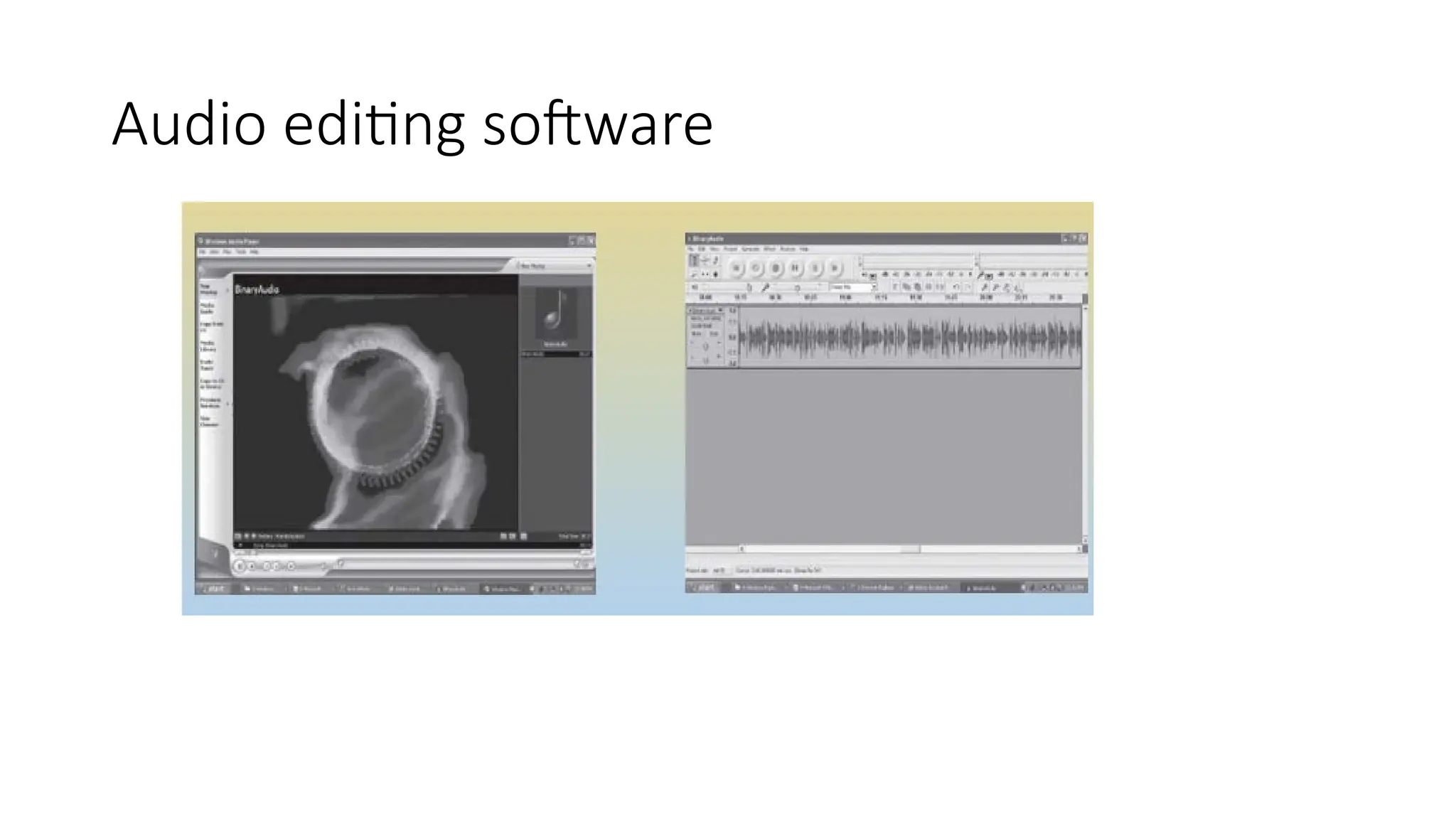
• Audio Editors—Audio editors are used to record or manipulate audio files.
The editors require a sound card to be installed on the computer. The
editors allow the user to perform functions like copy and paste, and,
concatenate, append, or mix two or more audio files. Sound effects can be
incorporated in audio files using audio editors.
15.
AUDIO COMPRESSION
• AudioCompression—Compression is used to reduce the physical size of data so
that it occupies less storage space and memory.
• Compressed audio files are easier and faster to transfer (small size), and also
reduces bandwidth utilization thus providing good sound quality.
• The most commonly used compression scheme for audio is MPEG.
Selecting a Quality Audio
The choice of sampling rate and compression for an audio depends upon its
use.
Sound that is to be embedded on a web page and downloaded over the
Internet uses a low or medium sampling rate with compression
MPS ENCODING
• MPSEncoding—is the process of converting a wave file into Mp3 format.
The size of the MPS file is about 12 times smaller than that of the wave file, while the quality
of MPS file is almost same as the original file.
Common MPS encoders are CODEC.
To play Mp3 music—
• Get an MPS player (Win amp—Free download from www.mpS.com)
• Get music—from the Web, or create MPS file from CD music. To create MPS file,
convert CD music to MPS format.
• Use CD ripper software, (WinDacS2—Free download) to convert the analog signal
from audio CD to a digital file. It will create .wav file from CD music.
• Convert the created .wav file to MPS using an encoder v0.06 by SoloH. It takes one
hour to do one song
18.
VIDEO
• Video isanother element of multimedia.
• Video and audio are closely related, and together they are the most
effective means of communication that can be a part of the
multimedia system.
• Digital video is used in making of movies, gaming, and IT industry.
• The Digital Video Disk (DVD) makes it possible to distribute large
videos in a compact form.
19.
VIDEO
Analog and DigitalVideo
• Digital video allows random access within a movie; cut, paste, or edit video, addition of special
effects.
• It is easy to duplicate digital video without loss of quality.
• Digital video also allows for interactivity.
• video seen on TV, cable TV, or VCR is broadcast in analog format.
The Video Editing—
• Digital video is easy to edit. Editing involves removing frames, inserting frames,
mixing audio with video, creating special effects on video, superimposing clips,
adjusting transparency, and adjusting volume of audio.
• Some of the software packages that support editing are Adobe Premiere, Adobe After
Effects CS4 and Strata Avid Video.
20.
Digitizing Analog Video
DigitizingAnalog Video
• The process of digitizing analog video is called video capture.
• Video is captured using plug-in cards called video capture cards.
• A video capture card accepts a video input from an input device such as a VCR or a video camera.
• The audio is sampled through a separate cable which attaches to the sound card.
• The software with the video card synchronizes the two channels of audio and
video.
• With the software that comes with the video card, the video capture process is
started.
• Digital cameras can directly store full-motion video in digital formats that can be
copied onto a computer’s hard disk.
21.
VIDEO
COMPRESSION
Video Compression
• Digitalvideo files are extremely large files that take a large amount of
disk space, and require high data transfer rates from hard disk to
screen.
• Compression restructures the data to reduce the size of the file.
• Motion JPEG (MJPEG), MPEG-1, MPEG-2 are examples.
Video File Formats
• The digital video is saved on the disk in a video file format. The AVI
format is used for the PC, and Quicktime format is used for Macintosh.
22.
VIDEO ON INTERNET
StreamingVideo—
• Allows transmitting of real time video via the Internet, enabling a
user to watch the video as it downloads.
• The video file takes a few seconds to load before starting the image.
• If the transmission slows down, the reserve of video available to the
user’s computer memory is used for uninterrupted viewing.
• VDO Live, Real Video, Web Theatre, and Stream Works are some of
the streaming video products.
23.
ANIMATION
• Animation iscreating of an illusion of movement from a series of still drawings .
• To create a feeling of motion of an image (still drawing), the image is projected on the screen as
frames.
• Generally, 30 frames per second are used to make the object appear to be in smooth motion on
the screen.
Process of Animation—requires four steps—
(1) Story board layout defines the outline of the action and the motion sequence as a set of basic
events.
(2) Definition of objects defines the movement for each object.
(3) Key frame specifications gives the detailed drawing of the scene of animation at a particular
time.
(4) Generation of in-between frames defines the number of intermediate frames between key
frame
24.
ANIMATION
Creation of Animationincludes
• Looping-> Looping is the process of playing the animation continuously.
• Morphing-> Morphing means changing of shape.
• Rendering-> Rendering is the process to create an image from a data file.
Hardware and Software for Animation
• 3D Studio Max, Light Wave 3D,Adobe Photoshop, Adobe Premiere, and Animator
Studio.
Animation File Format
• File format (FLI/FLC), MPEG (.mpg), and Quick time Movie (QT/MooV). Flic format is
used by 3D Studio and DOS based graphics software packages.
• MPEG format is used on the Internet.