DirectX
Yash Mittal
Why DirectX?
• The Problem:
• DOS vs. Windows 3.1 platform difference.
• The PC architecture was never designed as a gaming platform.
• Machine can be VERY different from another.
• The Goal:
• Make Windows a desirable platform for game development.
• Fast, low-level libraries to allow the developer maintain creative freedom
over his games.
• Shift the burden of hardware support from the game developer to the
hardware manufacture.
• Coexist peacefully with other Windows components.
Yash Mittal © 2
What is DirectX?
The Solution: DirectX
• Direct access to Hardware
• A common standard which all games and multimedia applications could follow – a
common interface with whatever hardware is installed in the PC.
• Provides real-time multimedia and gaming services to programs: graphics, sound,
music, input (mouse / keyboard / joystick / etc), networking, and movie playback.
• Done by three Microsoft employees—Craig Eisler, Alex St. John, and Eric Engstrom, to
support game development on Windows 95 while transiting from MS-DOS
• 2 parts of DirectX – The Runtime & SDK; Both are free
→ Runtime – Needed by players on machines to play games
→ SDK – Required by a programmer to develop games for Windows
• The DirectX SDK consists of runtime libraries in redistributable binary form, along
with accompanying documentation and headers for use in coding.
• Almost all Windows based games use DirectX in some form or another
• DirectX also powers Microsoft’s Xbox console and the Xbox gaming platform
Yash Mittal © 3
DirectX Architecture
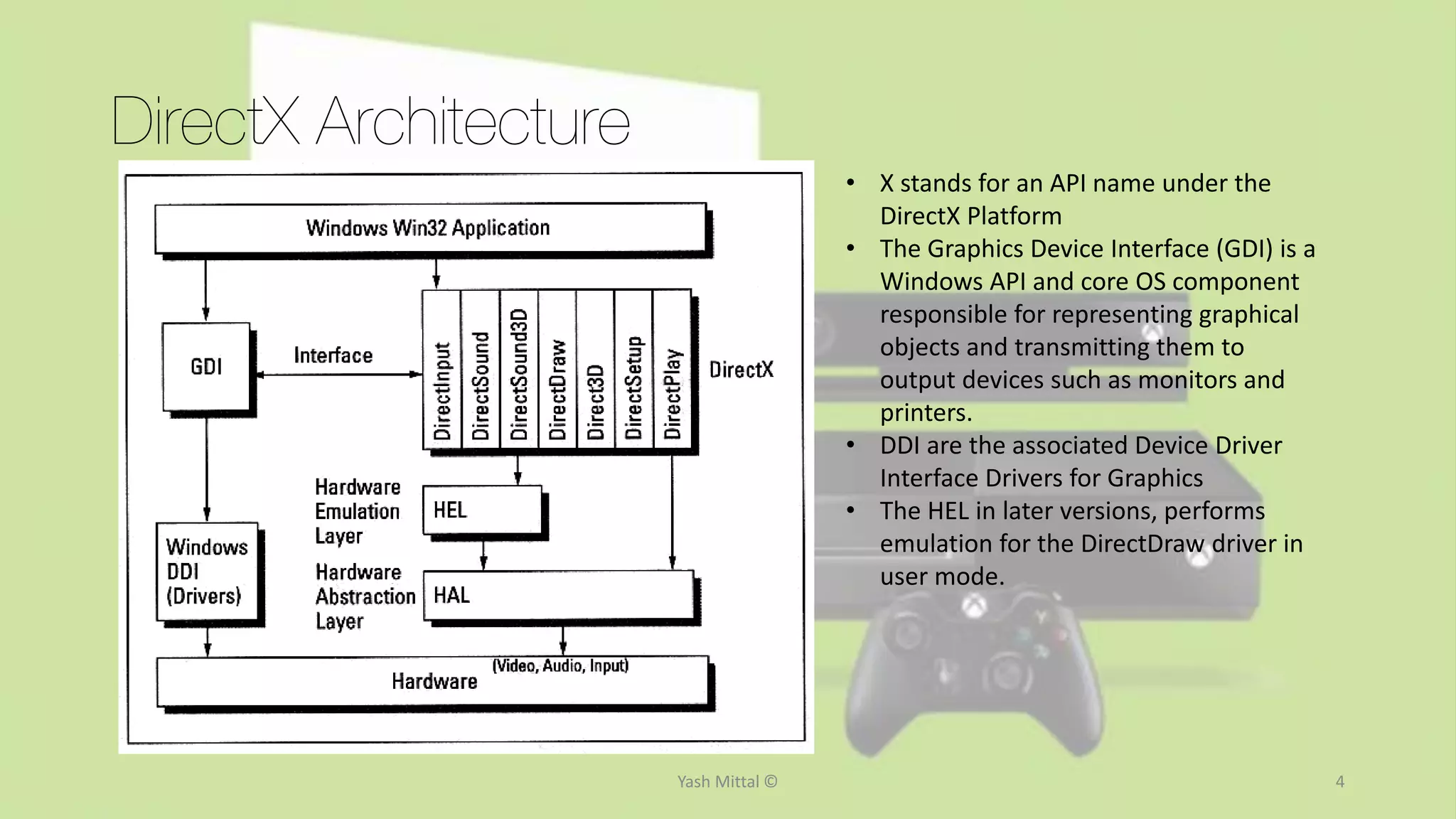
• X stands for an API name under the
DirectX Platform
• The Graphics Device Interface (GDI) is a
Windows API and core OS component
responsible for representing graphical
objects and transmitting them to
output devices such as monitors and
printers.
• DDI are the associated Device Driver
Interface Drivers for Graphics
• The HEL in later versions, performs
emulation for the DirectDraw driver in
user mode.
Yash Mittal © 4
5
DirectX Components
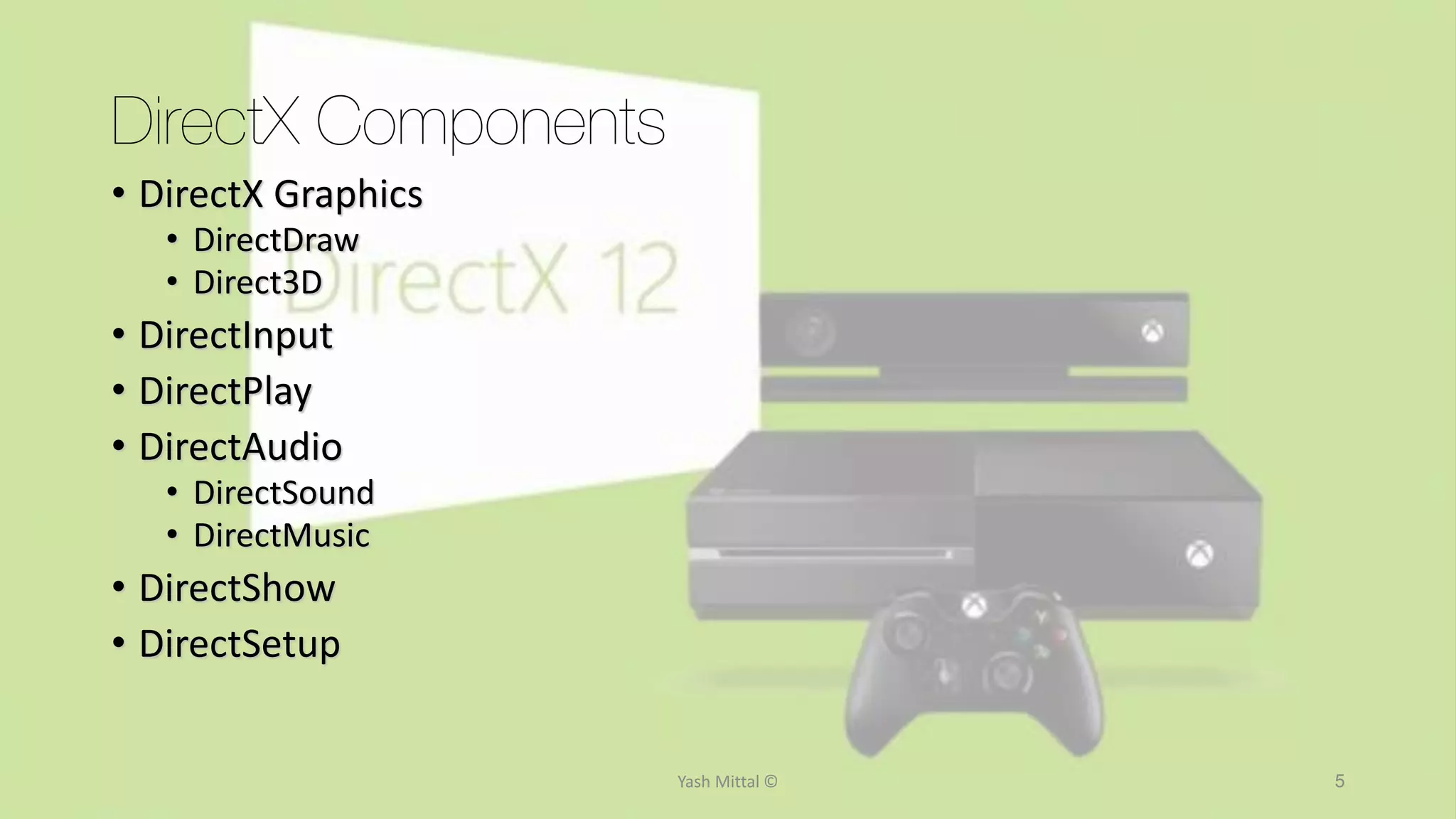
• DirectX Graphics
• DirectDraw
• Direct3D
• DirectInput
• DirectPlay
• DirectAudio
• DirectSound
• DirectMusic
• DirectShow
• DirectSetup
Yash Mittal ©
6
DirectX Components
DirectX Graphics
• DirectDraw - A software interface that provides direct access to display devices while
maintaining compatibility with the GDI and for transferring video processing from a PC's
CPU to the video adapter.
The standard was first developed by Intel and called the Display Control Interface (DCI) and
later supported by Microsoft.
When the CPU is not busy, the GDI updates the video display. If the CPU is busy, the DCI
driver allows an application to send update information directly to the video adapter.
• Direct3D - An API for manipulating and displaying three-dimensional objects. Developed by
Microsoft, Direct3D provides programmers with a way to develop 3-D programs that can
use whatever graphics acceleration device is installed in the machine. Virtually all 3-D
accelerator cards for PCs support Direct3D.
Another 3-D standard offering similar functionality is OpenGL.
Yash Mittal ©
7
DirectX Components
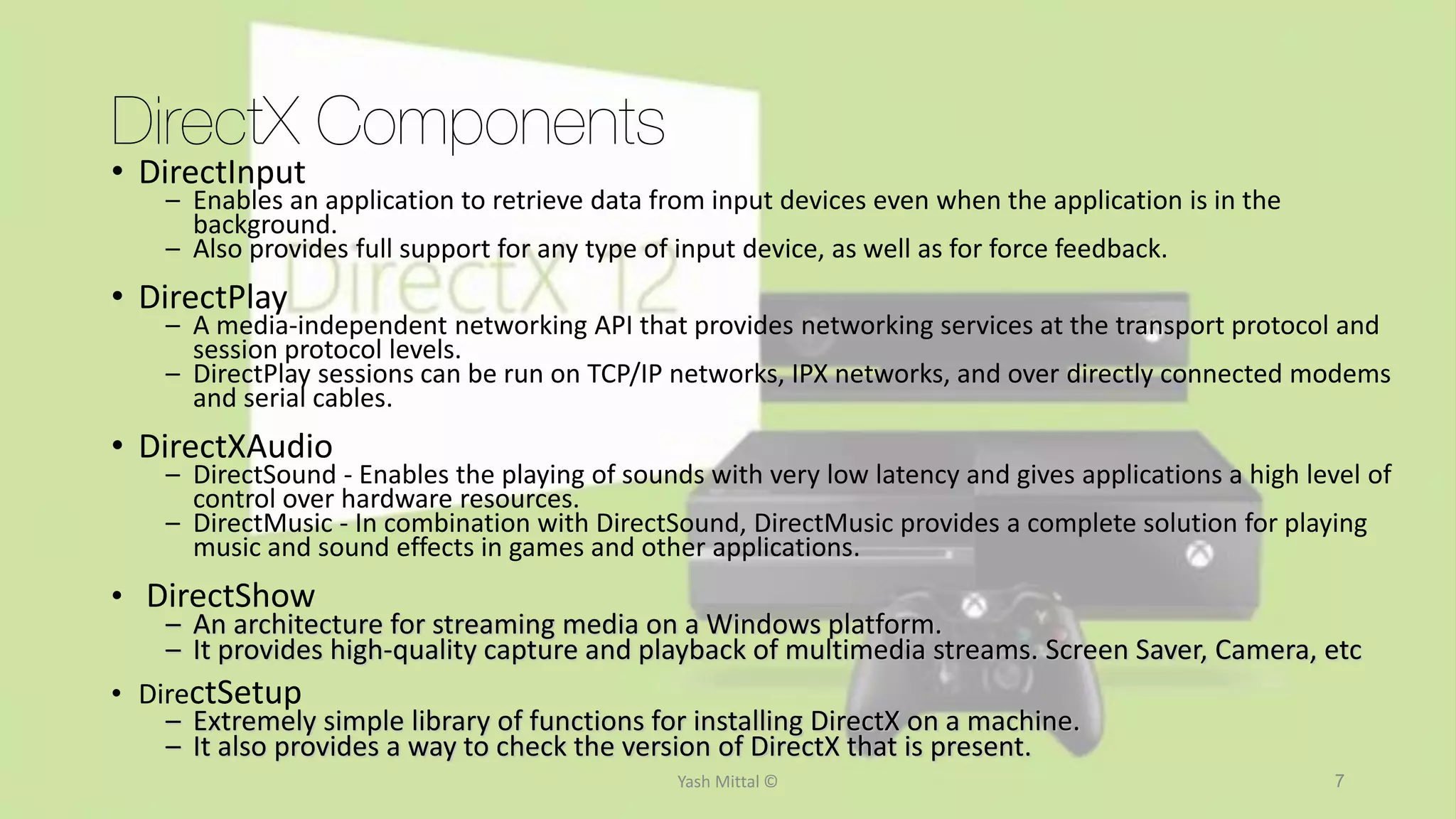
• DirectInput
– Enables an application to retrieve data from input devices even when the application is in the
background.
– Also provides full support for any type of input device, as well as for force feedback.
• DirectPlay
– A media-independent networking API that provides networking services at the transport protocol and
session protocol levels.
– DirectPlay sessions can be run on TCP/IP networks, IPX networks, and over directly connected modems
and serial cables.
• DirectXAudio
– DirectSound - Enables the playing of sounds with very low latency and gives applications a high level of
control over hardware resources.
– DirectMusic - In combination with DirectSound, DirectMusic provides a complete solution for playing
music and sound effects in games and other applications.
• DirectShow
– An architecture for streaming media on a Windows platform.
– It provides high-quality capture and playback of multimedia streams. Screen Saver, Camera, etc
• DirectSetup
– Extremely simple library of functions for installing DirectX on a machine.
– It also provides a way to check the version of DirectX that is present.
Yash Mittal ©
Version History
• DirectX 1.0 – Released in late 1995
• DirectX 2.0-5.2 – Windows 95 to Windows 98
• DirectX 6.0+ - Windows CE, introduced 2 new SDKs (DirectX SDK & DirectX Media SDK)
• DirectX 7+ - Windows Me, Media SDK merged into DirectX API, DirectX Media deprecated
• DirectX 8+ - Windows XP & Xbox, DirectDraw & Direct3D merged into DirectX Graphics API
- DirectSound and DirectMusic merged into DirectX Audio API
• DirectX 9+ - Windows XP SP2 & Xbox 360; High Level Shader Language (HLSL)
- Powerful new programming model offering easy graphics creation toolset
• DirectX 10+ - Windows Vista – biggest ever update, no backwards compatibility
- Departure from driver model of DirectX 9.0
- Introduction of scheduler and memory virtualization system
- Got rid of “capability bits” to indicate active features on current hardware.
- Defined minimum standard of hardware capabilities for a display system
• DirectX 11+ - Windows 7, Win 8, Win 8 RT, Win 8.1
- Introduced GPGPU (General Purpose Computing on GPUs) & 3D tesselation
• DirectX 11.X - DirectX API for Xbox One, to be updated to v12.0
Yash Mittal © 8
DirectX 12
• Goal – Achieve “console – level efficiency”
• Integration across all Microsoft devices – phones, tablets, laptops,
desktops & Xbox
• Lower level of hardware abstraction  improved multithread scaling &
CPU utilization
• 50-70% improvement in CPU utilization & performance
• Support for over 70% currently existing video hardware
• Visual richness through a significant decrease in API-related CPU
overhead
• Synchronisation across all Windows platforms
• Live stream a game from Xbox One to PC or vice versa
Yash Mittal © 9
Thank You
Yash Mittal © 10

Direct X

  • 1.
  • 2.
    Why DirectX? • TheProblem: • DOS vs. Windows 3.1 platform difference. • The PC architecture was never designed as a gaming platform. • Machine can be VERY different from another. • The Goal: • Make Windows a desirable platform for game development. • Fast, low-level libraries to allow the developer maintain creative freedom over his games. • Shift the burden of hardware support from the game developer to the hardware manufacture. • Coexist peacefully with other Windows components. Yash Mittal © 2
  • 3.
    What is DirectX? TheSolution: DirectX • Direct access to Hardware • A common standard which all games and multimedia applications could follow – a common interface with whatever hardware is installed in the PC. • Provides real-time multimedia and gaming services to programs: graphics, sound, music, input (mouse / keyboard / joystick / etc), networking, and movie playback. • Done by three Microsoft employees—Craig Eisler, Alex St. John, and Eric Engstrom, to support game development on Windows 95 while transiting from MS-DOS • 2 parts of DirectX – The Runtime & SDK; Both are free → Runtime – Needed by players on machines to play games → SDK – Required by a programmer to develop games for Windows • The DirectX SDK consists of runtime libraries in redistributable binary form, along with accompanying documentation and headers for use in coding. • Almost all Windows based games use DirectX in some form or another • DirectX also powers Microsoft’s Xbox console and the Xbox gaming platform Yash Mittal © 3
  • 4.
    DirectX Architecture • Xstands for an API name under the DirectX Platform • The Graphics Device Interface (GDI) is a Windows API and core OS component responsible for representing graphical objects and transmitting them to output devices such as monitors and printers. • DDI are the associated Device Driver Interface Drivers for Graphics • The HEL in later versions, performs emulation for the DirectDraw driver in user mode. Yash Mittal © 4
  • 5.
    5 DirectX Components • DirectXGraphics • DirectDraw • Direct3D • DirectInput • DirectPlay • DirectAudio • DirectSound • DirectMusic • DirectShow • DirectSetup Yash Mittal ©
  • 6.
    6 DirectX Components DirectX Graphics •DirectDraw - A software interface that provides direct access to display devices while maintaining compatibility with the GDI and for transferring video processing from a PC's CPU to the video adapter. The standard was first developed by Intel and called the Display Control Interface (DCI) and later supported by Microsoft. When the CPU is not busy, the GDI updates the video display. If the CPU is busy, the DCI driver allows an application to send update information directly to the video adapter. • Direct3D - An API for manipulating and displaying three-dimensional objects. Developed by Microsoft, Direct3D provides programmers with a way to develop 3-D programs that can use whatever graphics acceleration device is installed in the machine. Virtually all 3-D accelerator cards for PCs support Direct3D. Another 3-D standard offering similar functionality is OpenGL. Yash Mittal ©
  • 7.
    7 DirectX Components • DirectInput –Enables an application to retrieve data from input devices even when the application is in the background. – Also provides full support for any type of input device, as well as for force feedback. • DirectPlay – A media-independent networking API that provides networking services at the transport protocol and session protocol levels. – DirectPlay sessions can be run on TCP/IP networks, IPX networks, and over directly connected modems and serial cables. • DirectXAudio – DirectSound - Enables the playing of sounds with very low latency and gives applications a high level of control over hardware resources. – DirectMusic - In combination with DirectSound, DirectMusic provides a complete solution for playing music and sound effects in games and other applications. • DirectShow – An architecture for streaming media on a Windows platform. – It provides high-quality capture and playback of multimedia streams. Screen Saver, Camera, etc • DirectSetup – Extremely simple library of functions for installing DirectX on a machine. – It also provides a way to check the version of DirectX that is present. Yash Mittal ©
  • 8.
    Version History • DirectX1.0 – Released in late 1995 • DirectX 2.0-5.2 – Windows 95 to Windows 98 • DirectX 6.0+ - Windows CE, introduced 2 new SDKs (DirectX SDK & DirectX Media SDK) • DirectX 7+ - Windows Me, Media SDK merged into DirectX API, DirectX Media deprecated • DirectX 8+ - Windows XP & Xbox, DirectDraw & Direct3D merged into DirectX Graphics API - DirectSound and DirectMusic merged into DirectX Audio API • DirectX 9+ - Windows XP SP2 & Xbox 360; High Level Shader Language (HLSL) - Powerful new programming model offering easy graphics creation toolset • DirectX 10+ - Windows Vista – biggest ever update, no backwards compatibility - Departure from driver model of DirectX 9.0 - Introduction of scheduler and memory virtualization system - Got rid of “capability bits” to indicate active features on current hardware. - Defined minimum standard of hardware capabilities for a display system • DirectX 11+ - Windows 7, Win 8, Win 8 RT, Win 8.1 - Introduced GPGPU (General Purpose Computing on GPUs) & 3D tesselation • DirectX 11.X - DirectX API for Xbox One, to be updated to v12.0 Yash Mittal © 8
  • 9.
    DirectX 12 • Goal– Achieve “console – level efficiency” • Integration across all Microsoft devices – phones, tablets, laptops, desktops & Xbox • Lower level of hardware abstraction  improved multithread scaling & CPU utilization • 50-70% improvement in CPU utilization & performance • Support for over 70% currently existing video hardware • Visual richness through a significant decrease in API-related CPU overhead • Synchronisation across all Windows platforms • Live stream a game from Xbox One to PC or vice versa Yash Mittal © 9
  • 10.