ramirocid.com ramiro@ramirocid.com Twitter: @ramirocid
Ramiro Cid | @ramirocid
ramirocid.com ramiro@ramirocid.com Twitter: @ramirocid
2
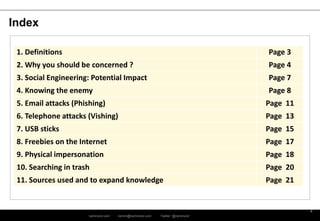
Index
1. Definitions Page 3
2. Why you should be concerned ? Page 4
3. Social Engineering: Potential Impact Page 7
4. Knowing the enemy Page 8
5. Email attacks (Phishing) Page 11
6. Telephone attacks (Vishing) Page 13
7. USB sticks Page 15
8. Freebies on the Internet Page 17
9. Physical impersonation Page 18
10. Searching in trash Page 20
11. Sources used and to expand knowledge Page 21
ramirocid.com ramiro@ramirocid.com Twitter: @ramirocid
Definitions
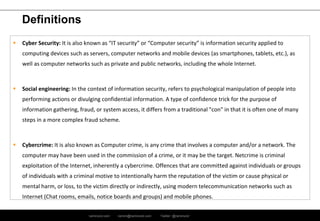
 Cyber Security: It is also known as “IT security” or “Computer security” is information security applied to
computing devices such as servers, computer networks and mobile devices (as smartphones, tablets, etc.), as
well as computer networks such as private and public networks, including the whole Internet.
 Social engineering: In the context of information security, refers to psychological manipulation of people into
performing actions or divulging confidential information. A type of confidence trick for the purpose of
information gathering, fraud, or system access, it differs from a traditional "con" in that it is often one of many
steps in a more complex fraud scheme.
 Cybercrime: It is also known as Computer crime, is any crime that involves a computer and/or a network. The
computer may have been used in the commission of a crime, or it may be the target. Netcrime is criminal
exploitation of the Internet, inherently a cybercrime. Offences that are committed against individuals or groups
of individuals with a criminal motive to intentionally harm the reputation of the victim or cause physical or
mental harm, or loss, to the victim directly or indirectly, using modern telecommunication networks such as
Internet (Chat rooms, emails, notice boards and groups) and mobile phones.
ramirocid.com ramiro@ramirocid.com Twitter: @ramirocid
Why you should be concerned ?
Currently, market has a wide range of systems, products and services focused on computer security
services: Antivirus, Antispyware, Firewalls, IPS, WAF, SIEM system, etc.
All these measures are indispensable and have become a priority for any company or organization
towards ensuring its assets, but social engineering plays with the advantage that you can use
techniques that violate own vulnerabilities inherent in human beings and, as is well known, for this
there is no patch or upgrade that provides effective protection against such attacks.
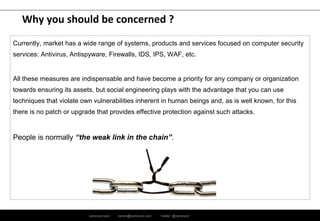
People is normally “the weak link in the chain”.
ramirocid.com ramiro@ramirocid.com Twitter: @ramirocid
Why you should be concerned ?
“…Why would anybody attack me if I have nothing to hide? I don’t have any secret
information. Why would an attacker be interested in me so?...”
These are typical mindsets of users/people who think they are not going to be targeted by criminals.
The mindset of an attacker is different:
 They don’t want to attack YOU, they want something and they will use you along the way if it
helps them to achieve their goal.
 With many companies investing heavily into security technologies it is often easier for an attacker
to exploit people, rather than to hack into computer networks and systems
-> This makes you a target.
ramirocid.com ramiro@ramirocid.com Twitter: @ramirocid
Why you should be concerned ?
Regarding data privacy and also data protection (yes, this topic apply to social engineering attacks
also)
People use to do 3 typical mistakes:
1- Underestimating the amount of information we produce every day
2- Depreciate the value of that information
3- Think that our main problem is the NSA or other federal agency
ramirocid.com ramiro@ramirocid.com Twitter: @ramirocid
Social Engineering: Potential Impact
• Financial loss
• Data leak
• Reputation image (company and/or person)
• Management time
• Loss of public trust
• Legal fines
• Loss of new or existing customers
• Loss of company morale
• Increased audit costs
ramirocid.com ramiro@ramirocid.com Twitter: @ramirocid
Knowing the enemy
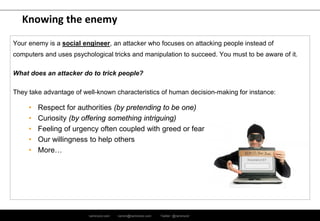
Your enemy is a social engineer, an attacker who focuses on attacking people instead of
computers and uses psychological tricks and manipulation to succeed. You must to be aware of it.
What does an attacker do to trick people?
They take advantage of well-known characteristics of human decision-making for instance:
• Respect for authorities (by pretending to be one)
• Curiosity (by offering something intriguing)
• Feeling of urgency often coupled with greed or fear
• Our willingness to help others
• More…
ramirocid.com ramiro@ramirocid.com Twitter: @ramirocid
Knowing the enemy
What means do social engineers use for attacks?
 Email (also known as ‘phishing’)
 Phone (also known as ‘vishing’)
 USB sticks: deliberately planted in strategic areas of the organization to be found and used
 Internet freebies: with malicious code attached
 Physical impersonation: to gain physical access
 Searching trash cans: to obtain information
ramirocid.com ramiro@ramirocid.com Twitter: @ramirocid
Knowing the enemy
What do they want?
The attacker’s goal is to make you perform an action or divulge information so they can:
a) Commit fraud by diverting funds
b) Obtain information deemed valuable to them
c) Gain access to computers to extract valuable data or to infect them and hold it hostage for ransom or use it to
stage attacks on others.
How can you defend yourself against attacks?
The most effective way to protect yourself against social engineering is to stay informed and be vigilant. Educate
yourself and know what to ng it hostage for ransom or use it to stage attacks on others. watch out for, what to
avoid, and what to be cautious of.
ramirocid.com ramiro@ramirocid.com Twitter: @ramirocid
Email attacks (Phishing)
By far the most common mean of social engineering attacks. It is relatively easy to send a forged
email to a large number of recipients and an attacker doesn’t have to come into direct contact with
their targets.
Example:
An email pretending to be from our CEO asking a recipient to perform a task, e.g., divert funds. An
attacker knows it is unlikely that most employees would question a CEO’s request and therefore they
would comply with a higher authority, rather than question the request based on any suspicions they
may have.
An email promising a prize if you act quickly and click a link, open an attachment or fill in few
personal details on a website within a short time or among first responders, combines urgency and
greed.
ramirocid.com ramiro@ramirocid.com Twitter: @ramirocid
Email attacks (Phishing)
Good practice:
 Check the sender’s email address by hovering your cursor above the sender
 Check any embedded links by hovering your cursor above the link
 Do not open suspicious attachments and links and do not perform requested actions
 Do not respond to suspicious emails
 If in doubt report suspicious email to your Helpdesk
ramirocid.com ramiro@ramirocid.com Twitter: @ramirocid
Telephone attacks (Vishing)
Using a telephone is another popular social engineering technique. Because it is more time
consuming it is used on a smaller scale than email. It has an advantage of real-time communication
with the target, although this also makes it more difficult for an attacker who must be able to quickly
react to different answers of the target.
It is easy for an attacker to pretend they are calling or sending text messages from an official source.
There are smartphone applications that allow an attacker to enter any Caller ID which in turn
appears on the display of the recipient’s device. What you see as a caller’s number on your display
is what the attacker wants you to see.
There are also web services that allow text messages to be sent with an arbitrary phone number as
a sender. So an attacker can send a text message to your mobile phone (provided they have your
number) pretending the message is from your boss, friend, business partner, spouse etc.
ramirocid.com ramiro@ramirocid.com Twitter: @ramirocid
Telephone attacks (Vishing)
Social engineers can employ interactive voice response systems and send emails asking you to call
the listed number. In doing so attackers can pretend to be your bank and ask you to enter your
personal and bank account details for “verification purposes”.
Good practice:
 Be suspicious of unsolicited calls seeking internal corporate or personal information
 Do not provide sensitive information over the phone
 Verify who is calling: Name, organisational unit or name of an external company
 Do not completely trust Caller ID both with calls and text messages
 If unsure ask the caller to send their request in writing (at least email) and offer to call back. This gives you time to look for the red
flags in the email. Lookup the contact information yourself and call the employee or an external company directly
 If in doubt report it as a security incident to your Helpdesk
ramirocid.com ramiro@ramirocid.com Twitter: @ramirocid
USB sticks
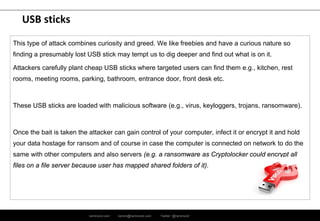
This type of attack combines curiosity and greed. We like freebies and have a curious nature so
finding a presumably lost USB stick may tempt us to dig deeper and find out what is on it.
Attackers carefully plant cheap USB sticks where targeted users can find them e.g., kitchen, rest
rooms, meeting rooms, parking, bathroom, entrance door, front desk etc.
These USB sticks are loaded with malicious software (e.g., virus, keyloggers, trojans, ransomware).
Once the bait is taken the attacker can gain control of your computer, infect it or encrypt it and hold
your data hostage for ransom and of course in case the computer is connected on network to do the
same with other computers and also servers (e.g. a ransomware as Cryptolocker could encrypt all
files on a file server because user has mapped shared folders of it).
ramirocid.com ramiro@ramirocid.com Twitter: @ramirocid
USB sticks
Good practice:
 If you find a USB stick treat it with utmost suspicion
 Do not connect it to your computer and do not run its content
 Report such case as a security incident to your local Service Desk
ramirocid.com ramiro@ramirocid.com Twitter: @ramirocid
Freebies on the Internet
Examples
This also uses greed and curiosity as the driver and is often found on Peer-to-Peer (P2P) sites and
websites offering illegal content e.g., movies, music, software. The attacker offers something the
user wants and includes malicious code into the offer and then waits for the users to download and
run this code.
Good practice:
 Do not use Peer-to-Peer file sharing applications (eMule, BitTorrent, Ares, etc.)
 Do not use websites offering illegal content such as movies, music, software, books, etc.
 Do not download and run illegal software
ramirocid.com ramiro@ramirocid.com Twitter: @ramirocid
Physical impersonation
It’s always polite to hold the door open for someone who is rushing in behind you and an attacker
knows this and often prays on our good nature to tailgate, to gain unauthorised access. Similarly an
attacker can be waiting nearby to a door pretending to be talking on the phone, finishing the call and
swiftly following an authorised person through a security door.
Impersonators are crafty and creative and can claim they’re coming to do maintenance, check
alarms or smoke detectors, document fire hazards, they can carry a box pretending they are
delivering something (rather than stealing), delivering food.
A common trick is to make you believe they have a meeting with someone working for the same
company and as they are late have called ahead to let them know they have arrived to fool you into
thinking there is no need to check the identify of this person. The possibilities are only limited to the
attacker’s creativity.
ramirocid.com ramiro@ramirocid.com Twitter: @ramirocid
Physical impersonation
Good practice:
 Verify an outsider’s identity and reasoning before granting access
 Accompany visitors on the company premises at all times
 If you see an unaccompanied stranger on the premises offer them your help and escort them to the front desk
or to security guards
ramirocid.com ramiro@ramirocid.com Twitter: @ramirocid
Searching trash
“One man's trash is another man's treasure”.
Trash cans are full of useful information that can be used by others in a malicious way. Often they
contain financial, personal, medical information, drafts of contracts, printed PowerPoint presentations
with internal data, notes with names, passwords, organisational structure etc.
Sometimes even old CDs/DVDs, memory cards from cameras, hard drives or USB flash drives.
Information printed or electronic is a valuable source of data for a social engineer who can either
monetise found information or use it to better prepare future attack scenarios – know more details
and evoke more confidence and trust.
Good practice:
 Shred all papers by default when disposing of them and consider only exceptions that don’t have to be shredded
 Shred CDs, DVDs and plastic cards (e.g., IDs, ATM cards, access cards) before disposing of them
 Securely destroy electronic data on hard drives, memory sticks or USB flash drives when discarding them
ramirocid.com ramiro@ramirocid.com Twitter: @ramirocid
Sources used and to expand knowledge
“Types of Phishing Attacks”- PC World
URL: http://www.pcworld.com/article/135293/article.html
 “Phishing” definition
URL: https://en.wikipedia.org/wiki/Phishing
“Hacking with Social Engineering. Techniques for Human Hack. Hacker World”
(this book is in Spanish)
URL: http://www.ra-ma.es/libros/HACKING-CON-INGENIERIA-SOCIAL-TECNICAS-PARA-HACKEAR-HUMANOS-MUNDO-
HACKER/89345/978-84-9964-539-1
ramirocid.com ramiro@ramirocid.com Twitter: @ramirocid
Questions ?
Many thanks !
Ramiro Cid
CISM, CGEIT, ISO 27001 LA, ISO 22301 LA, ITIL
ramiro@ramirocid.com
@ramirocid
http://www.linkedin.com/in/ramirocid
http://ramirocid.com http://es.slideshare.net/ramirocid
http://www.youtube.com/user/cidramiro

Social engineering attacks

  • 1.
    ramirocid.com ramiro@ramirocid.com Twitter:@ramirocid Ramiro Cid | @ramirocid
  • 2.
    ramirocid.com ramiro@ramirocid.com Twitter:@ramirocid 2 Index 1. Definitions Page 3 2. Why you should be concerned ? Page 4 3. Social Engineering: Potential Impact Page 7 4. Knowing the enemy Page 8 5. Email attacks (Phishing) Page 11 6. Telephone attacks (Vishing) Page 13 7. USB sticks Page 15 8. Freebies on the Internet Page 17 9. Physical impersonation Page 18 10. Searching in trash Page 20 11. Sources used and to expand knowledge Page 21
  • 3.
    ramirocid.com ramiro@ramirocid.com Twitter:@ramirocid Definitions  Cyber Security: It is also known as “IT security” or “Computer security” is information security applied to computing devices such as servers, computer networks and mobile devices (as smartphones, tablets, etc.), as well as computer networks such as private and public networks, including the whole Internet.  Social engineering: In the context of information security, refers to psychological manipulation of people into performing actions or divulging confidential information. A type of confidence trick for the purpose of information gathering, fraud, or system access, it differs from a traditional "con" in that it is often one of many steps in a more complex fraud scheme.  Cybercrime: It is also known as Computer crime, is any crime that involves a computer and/or a network. The computer may have been used in the commission of a crime, or it may be the target. Netcrime is criminal exploitation of the Internet, inherently a cybercrime. Offences that are committed against individuals or groups of individuals with a criminal motive to intentionally harm the reputation of the victim or cause physical or mental harm, or loss, to the victim directly or indirectly, using modern telecommunication networks such as Internet (Chat rooms, emails, notice boards and groups) and mobile phones.
  • 4.
    ramirocid.com ramiro@ramirocid.com Twitter:@ramirocid Why you should be concerned ? Currently, market has a wide range of systems, products and services focused on computer security services: Antivirus, Antispyware, Firewalls, IPS, WAF, SIEM system, etc. All these measures are indispensable and have become a priority for any company or organization towards ensuring its assets, but social engineering plays with the advantage that you can use techniques that violate own vulnerabilities inherent in human beings and, as is well known, for this there is no patch or upgrade that provides effective protection against such attacks. People is normally “the weak link in the chain”.
  • 5.
    ramirocid.com ramiro@ramirocid.com Twitter:@ramirocid Why you should be concerned ? “…Why would anybody attack me if I have nothing to hide? I don’t have any secret information. Why would an attacker be interested in me so?...” These are typical mindsets of users/people who think they are not going to be targeted by criminals. The mindset of an attacker is different:  They don’t want to attack YOU, they want something and they will use you along the way if it helps them to achieve their goal.  With many companies investing heavily into security technologies it is often easier for an attacker to exploit people, rather than to hack into computer networks and systems -> This makes you a target.
  • 6.
    ramirocid.com ramiro@ramirocid.com Twitter:@ramirocid Why you should be concerned ? Regarding data privacy and also data protection (yes, this topic apply to social engineering attacks also) People use to do 3 typical mistakes: 1- Underestimating the amount of information we produce every day 2- Depreciate the value of that information 3- Think that our main problem is the NSA or other federal agency
  • 7.
    ramirocid.com ramiro@ramirocid.com Twitter:@ramirocid Social Engineering: Potential Impact • Financial loss • Data leak • Reputation image (company and/or person) • Management time • Loss of public trust • Legal fines • Loss of new or existing customers • Loss of company morale • Increased audit costs
  • 8.
    ramirocid.com ramiro@ramirocid.com Twitter:@ramirocid Knowing the enemy Your enemy is a social engineer, an attacker who focuses on attacking people instead of computers and uses psychological tricks and manipulation to succeed. You must to be aware of it. What does an attacker do to trick people? They take advantage of well-known characteristics of human decision-making for instance: • Respect for authorities (by pretending to be one) • Curiosity (by offering something intriguing) • Feeling of urgency often coupled with greed or fear • Our willingness to help others • More…
  • 9.
    ramirocid.com ramiro@ramirocid.com Twitter:@ramirocid Knowing the enemy What means do social engineers use for attacks?  Email (also known as ‘phishing’)  Phone (also known as ‘vishing’)  USB sticks: deliberately planted in strategic areas of the organization to be found and used  Internet freebies: with malicious code attached  Physical impersonation: to gain physical access  Searching trash cans: to obtain information
  • 10.
    ramirocid.com ramiro@ramirocid.com Twitter:@ramirocid Knowing the enemy What do they want? The attacker’s goal is to make you perform an action or divulge information so they can: a) Commit fraud by diverting funds b) Obtain information deemed valuable to them c) Gain access to computers to extract valuable data or to infect them and hold it hostage for ransom or use it to stage attacks on others. How can you defend yourself against attacks? The most effective way to protect yourself against social engineering is to stay informed and be vigilant. Educate yourself and know what to ng it hostage for ransom or use it to stage attacks on others. watch out for, what to avoid, and what to be cautious of.
  • 11.
    ramirocid.com ramiro@ramirocid.com Twitter:@ramirocid Email attacks (Phishing) By far the most common mean of social engineering attacks. It is relatively easy to send a forged email to a large number of recipients and an attacker doesn’t have to come into direct contact with their targets. Example: An email pretending to be from our CEO asking a recipient to perform a task, e.g., divert funds. An attacker knows it is unlikely that most employees would question a CEO’s request and therefore they would comply with a higher authority, rather than question the request based on any suspicions they may have. An email promising a prize if you act quickly and click a link, open an attachment or fill in few personal details on a website within a short time or among first responders, combines urgency and greed.
  • 12.
    ramirocid.com ramiro@ramirocid.com Twitter:@ramirocid Email attacks (Phishing) Good practice:  Check the sender’s email address by hovering your cursor above the sender  Check any embedded links by hovering your cursor above the link  Do not open suspicious attachments and links and do not perform requested actions  Do not respond to suspicious emails  If in doubt report suspicious email to your Helpdesk
  • 13.
    ramirocid.com ramiro@ramirocid.com Twitter:@ramirocid Telephone attacks (Vishing) Using a telephone is another popular social engineering technique. Because it is more time consuming it is used on a smaller scale than email. It has an advantage of real-time communication with the target, although this also makes it more difficult for an attacker who must be able to quickly react to different answers of the target. It is easy for an attacker to pretend they are calling or sending text messages from an official source. There are smartphone applications that allow an attacker to enter any Caller ID which in turn appears on the display of the recipient’s device. What you see as a caller’s number on your display is what the attacker wants you to see. There are also web services that allow text messages to be sent with an arbitrary phone number as a sender. So an attacker can send a text message to your mobile phone (provided they have your number) pretending the message is from your boss, friend, business partner, spouse etc.
  • 14.
    ramirocid.com ramiro@ramirocid.com Twitter:@ramirocid Telephone attacks (Vishing) Social engineers can employ interactive voice response systems and send emails asking you to call the listed number. In doing so attackers can pretend to be your bank and ask you to enter your personal and bank account details for “verification purposes”. Good practice:  Be suspicious of unsolicited calls seeking internal corporate or personal information  Do not provide sensitive information over the phone  Verify who is calling: Name, organisational unit or name of an external company  Do not completely trust Caller ID both with calls and text messages  If unsure ask the caller to send their request in writing (at least email) and offer to call back. This gives you time to look for the red flags in the email. Lookup the contact information yourself and call the employee or an external company directly  If in doubt report it as a security incident to your Helpdesk
  • 15.
    ramirocid.com ramiro@ramirocid.com Twitter:@ramirocid USB sticks This type of attack combines curiosity and greed. We like freebies and have a curious nature so finding a presumably lost USB stick may tempt us to dig deeper and find out what is on it. Attackers carefully plant cheap USB sticks where targeted users can find them e.g., kitchen, rest rooms, meeting rooms, parking, bathroom, entrance door, front desk etc. These USB sticks are loaded with malicious software (e.g., virus, keyloggers, trojans, ransomware). Once the bait is taken the attacker can gain control of your computer, infect it or encrypt it and hold your data hostage for ransom and of course in case the computer is connected on network to do the same with other computers and also servers (e.g. a ransomware as Cryptolocker could encrypt all files on a file server because user has mapped shared folders of it).
  • 16.
    ramirocid.com ramiro@ramirocid.com Twitter:@ramirocid USB sticks Good practice:  If you find a USB stick treat it with utmost suspicion  Do not connect it to your computer and do not run its content  Report such case as a security incident to your local Service Desk
  • 17.
    ramirocid.com ramiro@ramirocid.com Twitter:@ramirocid Freebies on the Internet Examples This also uses greed and curiosity as the driver and is often found on Peer-to-Peer (P2P) sites and websites offering illegal content e.g., movies, music, software. The attacker offers something the user wants and includes malicious code into the offer and then waits for the users to download and run this code. Good practice:  Do not use Peer-to-Peer file sharing applications (eMule, BitTorrent, Ares, etc.)  Do not use websites offering illegal content such as movies, music, software, books, etc.  Do not download and run illegal software
  • 18.
    ramirocid.com ramiro@ramirocid.com Twitter:@ramirocid Physical impersonation It’s always polite to hold the door open for someone who is rushing in behind you and an attacker knows this and often prays on our good nature to tailgate, to gain unauthorised access. Similarly an attacker can be waiting nearby to a door pretending to be talking on the phone, finishing the call and swiftly following an authorised person through a security door. Impersonators are crafty and creative and can claim they’re coming to do maintenance, check alarms or smoke detectors, document fire hazards, they can carry a box pretending they are delivering something (rather than stealing), delivering food. A common trick is to make you believe they have a meeting with someone working for the same company and as they are late have called ahead to let them know they have arrived to fool you into thinking there is no need to check the identify of this person. The possibilities are only limited to the attacker’s creativity.
  • 19.
    ramirocid.com ramiro@ramirocid.com Twitter:@ramirocid Physical impersonation Good practice:  Verify an outsider’s identity and reasoning before granting access  Accompany visitors on the company premises at all times  If you see an unaccompanied stranger on the premises offer them your help and escort them to the front desk or to security guards
  • 20.
    ramirocid.com ramiro@ramirocid.com Twitter:@ramirocid Searching trash “One man's trash is another man's treasure”. Trash cans are full of useful information that can be used by others in a malicious way. Often they contain financial, personal, medical information, drafts of contracts, printed PowerPoint presentations with internal data, notes with names, passwords, organisational structure etc. Sometimes even old CDs/DVDs, memory cards from cameras, hard drives or USB flash drives. Information printed or electronic is a valuable source of data for a social engineer who can either monetise found information or use it to better prepare future attack scenarios – know more details and evoke more confidence and trust. Good practice:  Shred all papers by default when disposing of them and consider only exceptions that don’t have to be shredded  Shred CDs, DVDs and plastic cards (e.g., IDs, ATM cards, access cards) before disposing of them  Securely destroy electronic data on hard drives, memory sticks or USB flash drives when discarding them
  • 21.
    ramirocid.com ramiro@ramirocid.com Twitter:@ramirocid Sources used and to expand knowledge “Types of Phishing Attacks”- PC World URL: http://www.pcworld.com/article/135293/article.html  “Phishing” definition URL: https://en.wikipedia.org/wiki/Phishing “Hacking with Social Engineering. Techniques for Human Hack. Hacker World” (this book is in Spanish) URL: http://www.ra-ma.es/libros/HACKING-CON-INGENIERIA-SOCIAL-TECNICAS-PARA-HACKEAR-HUMANOS-MUNDO- HACKER/89345/978-84-9964-539-1
  • 22.
    ramirocid.com ramiro@ramirocid.com Twitter:@ramirocid Questions ? Many thanks ! Ramiro Cid CISM, CGEIT, ISO 27001 LA, ISO 22301 LA, ITIL ramiro@ramirocid.com @ramirocid http://www.linkedin.com/in/ramirocid http://ramirocid.com http://es.slideshare.net/ramirocid http://www.youtube.com/user/cidramiro