m-Learning
The Basics
“
”
learning across multiple
contexts, through social and
content interactions, using
personal electronic devices
Crompton (2013)
M = mobile
M = movement
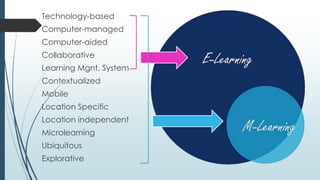
Technology-based
Computer-managed
Computer-aided
Collaborative
Learning Mgnt. System
Contextualized
Mobile
Location Specific
Location independent
Microlearning
Ubiquitous
Explorative
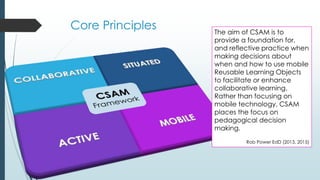
Core Principles The aim of CSAM is to
provide a foundation for,
and reflective practice when
making decisions about
when and how to use mobile
Reusable Learning Objects
to facilitate or enhance
collaborative learning.
Rather than focusing on
mobile technology, CSAM
places the focus on
pedagogical decision
making.
Rob Power EdD (2013, 2015)
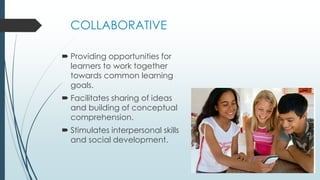
COLLABORATIVE
 Providing opportunities for
learners to work together
towards common learning
goals.
 Facilitates sharing of ideas
and building of conceptual
comprehension.
 Stimulates interpersonal skills
and social development.
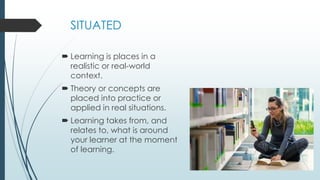
SITUATED
 Learning is places in a
realistic or real-world
context.
 Theory or concepts are
placed into practice or
applied in real situations.
 Learning takes from, and
relates to, what is around
your learner at the moment
of learning.
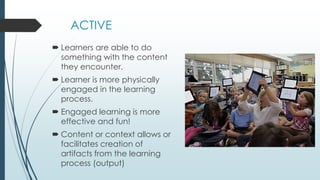
ACTIVE
 Learners are able to do
something with the content
they encounter.
 Learner is more physically
engaged in the learning
process.
 Engaged learning is more
effective and fun!
 Content or context allows or
facilitates creation of
artifacts from the learning
process (output)
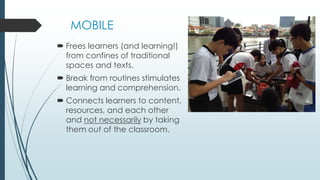
MOBILE
 Frees learners (and learning!)
from confines of traditional
spaces and texts.
 Break from routines stimulates
learning and comprehension.
 Connects learners to content,
resources, and each other
and not necessarily by taking
them out of the classroom.
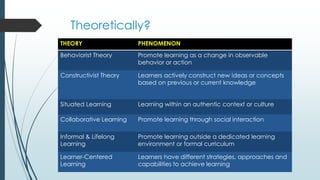
Theoretically?
THEORY PHENOMENON
Behaviorist Theory Promote learning as a change in observable
behavior or action
Constructivist Theory Learners actively construct new ideas or concepts
based on previous or current knowledge
Situated Learning Learning within an authentic context or culture
Collaborative Learning Promote learning through social interaction
Informal & Lifelong
Learning
Promote learning outside a dedicated learning
environment or formal curriculum
Learner-Centered
Learning
Learners have different strategies, approaches and
capabilities to achieve learning
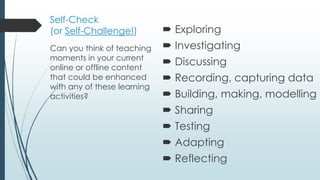
Self-Check
(or Self-Challenge!)  Exploring
 Investigating
 Discussing
 Recording, capturing data
 Building, making, modelling
 Sharing
 Testing
 Adapting
 Reflecting
Can you think of teaching
moments in your current
online or offline content
that could be enhanced
with any of these learning
activities?
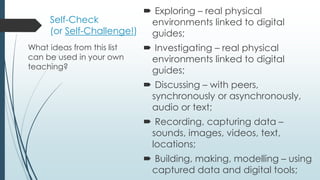
Self-Check
(or Self-Challenge!)
 Exploring – real physical
environments linked to digital
guides;
 Investigating – real physical
environments linked to digital
guides;
 Discussing – with peers,
synchronously or asynchronously,
audio or text;
 Recording, capturing data –
sounds, images, videos, text,
locations;
 Building, making, modelling – using
captured data and digital tools;
What ideas from this list
can be used in your own
teaching?
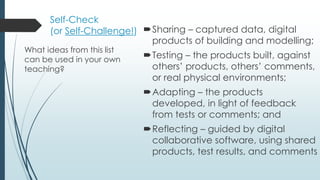
Self-Check
(or Self-Challenge!) Sharing – captured data, digital
products of building and modelling;
Testing – the products built, against
others’ products, others’ comments,
or real physical environments;
Adapting – the products
developed, in light of feedback
from tests or comments; and
Reflecting – guided by digital
collaborative software, using shared
products, test results, and comments
What ideas from this list
can be used in your own
teaching?
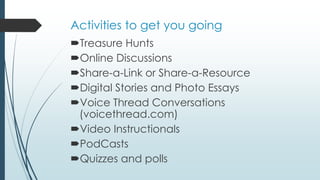
Activities to get you going
Treasure Hunts
Online Discussions
Share-a-Link or Share-a-Resource
Digital Stories and Photo Essays
Voice Thread Conversations
(voicethread.com)
Video Instructionals
PodCasts
Quizzes and polls
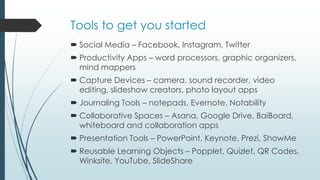
Tools to get you started
 Social Media – Facebook, Instagram, Twitter
 Productivity Apps – word processors, graphic organizers,
mind mappers
 Capture Devices – camera, sound recorder, video
editing, slideshow creators, photo layout apps
 Journaling Tools – notepads, Evernote, Notability
 Collaborative Spaces – Asana, Google Drive, BaiBoard,
whiteboard and collaboration apps
 Presentation Tools – PowerPoint, Keynote, Prezi, ShowMe
 Reusable Learning Objects – Popplet, Quizlet, QR Codes,
Winksite, YouTube, SlideShare
Good Luck!
References
Bartolleti, R., Kilgore, W., Power R. Instructional Design for Mobile Learning
Courseware. #ID4ML Online Course. 2015.
Crompton, H. (2013). A historical overview of mobile learning: Toward learner-
centered education. In Z. L. Berge & L. Y. Muilenburg (Eds.), Handbook of mobile
learning (pp. 3–14). Florence, KY: Routledge.
"The Learner-Centered Psychological Principles." The Learner-Centered
Psychological Principles. Web. 27 July 2015.

mLearning: The Basics

  • 1.
  • 2.
    “ ” learning across multiple contexts,through social and content interactions, using personal electronic devices Crompton (2013) M = mobile M = movement
  • 3.
  • 6.
    Core Principles Theaim of CSAM is to provide a foundation for, and reflective practice when making decisions about when and how to use mobile Reusable Learning Objects to facilitate or enhance collaborative learning. Rather than focusing on mobile technology, CSAM places the focus on pedagogical decision making. Rob Power EdD (2013, 2015)
  • 7.
    COLLABORATIVE  Providing opportunitiesfor learners to work together towards common learning goals.  Facilitates sharing of ideas and building of conceptual comprehension.  Stimulates interpersonal skills and social development.
  • 8.
    SITUATED  Learning isplaces in a realistic or real-world context.  Theory or concepts are placed into practice or applied in real situations.  Learning takes from, and relates to, what is around your learner at the moment of learning.
  • 9.
    ACTIVE  Learners areable to do something with the content they encounter.  Learner is more physically engaged in the learning process.  Engaged learning is more effective and fun!  Content or context allows or facilitates creation of artifacts from the learning process (output)
  • 10.
    MOBILE  Frees learners(and learning!) from confines of traditional spaces and texts.  Break from routines stimulates learning and comprehension.  Connects learners to content, resources, and each other and not necessarily by taking them out of the classroom.
  • 11.
    Theoretically? THEORY PHENOMENON Behaviorist TheoryPromote learning as a change in observable behavior or action Constructivist Theory Learners actively construct new ideas or concepts based on previous or current knowledge Situated Learning Learning within an authentic context or culture Collaborative Learning Promote learning through social interaction Informal & Lifelong Learning Promote learning outside a dedicated learning environment or formal curriculum Learner-Centered Learning Learners have different strategies, approaches and capabilities to achieve learning
  • 12.
    Self-Check (or Self-Challenge!) Exploring  Investigating  Discussing  Recording, capturing data  Building, making, modelling  Sharing  Testing  Adapting  Reflecting Can you think of teaching moments in your current online or offline content that could be enhanced with any of these learning activities?
  • 13.
    Self-Check (or Self-Challenge!)  Exploring– real physical environments linked to digital guides;  Investigating – real physical environments linked to digital guides;  Discussing – with peers, synchronously or asynchronously, audio or text;  Recording, capturing data – sounds, images, videos, text, locations;  Building, making, modelling – using captured data and digital tools; What ideas from this list can be used in your own teaching?
  • 14.
    Self-Check (or Self-Challenge!) Sharing– captured data, digital products of building and modelling; Testing – the products built, against others’ products, others’ comments, or real physical environments; Adapting – the products developed, in light of feedback from tests or comments; and Reflecting – guided by digital collaborative software, using shared products, test results, and comments What ideas from this list can be used in your own teaching?
  • 15.
    Activities to getyou going Treasure Hunts Online Discussions Share-a-Link or Share-a-Resource Digital Stories and Photo Essays Voice Thread Conversations (voicethread.com) Video Instructionals PodCasts Quizzes and polls
  • 16.
    Tools to getyou started  Social Media – Facebook, Instagram, Twitter  Productivity Apps – word processors, graphic organizers, mind mappers  Capture Devices – camera, sound recorder, video editing, slideshow creators, photo layout apps  Journaling Tools – notepads, Evernote, Notability  Collaborative Spaces – Asana, Google Drive, BaiBoard, whiteboard and collaboration apps  Presentation Tools – PowerPoint, Keynote, Prezi, ShowMe  Reusable Learning Objects – Popplet, Quizlet, QR Codes, Winksite, YouTube, SlideShare
  • 17.
    Good Luck! References Bartolleti, R.,Kilgore, W., Power R. Instructional Design for Mobile Learning Courseware. #ID4ML Online Course. 2015. Crompton, H. (2013). A historical overview of mobile learning: Toward learner- centered education. In Z. L. Berge & L. Y. Muilenburg (Eds.), Handbook of mobile learning (pp. 3–14). Florence, KY: Routledge. "The Learner-Centered Psychological Principles." The Learner-Centered Psychological Principles. Web. 27 July 2015.