Mobile Learning  from basic to mobile2.0  Inge de Waard
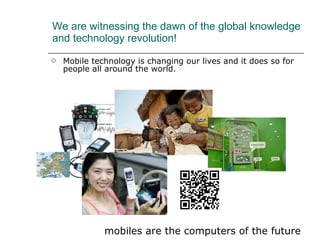
We are witnessing the dawn of the global knowledge and technology revolution! Mobile technology is changing our lives and it does so for people all around the world. mobiles are the computers of the future
Why is mLearning so appealing? On-the-go: no place attached Anytime: no schedule, but your own Ubiquitous, it is omnipresent Just-in-time, when you need it Localized Informal and formal learning Connected to everyone  … . And it is possible all around the world
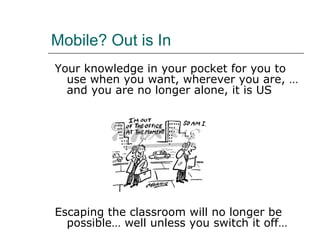
Mobile? Out is In Your knowledge in your pocket for you to use when you want, wherever you are, … and you are no longer alone, it is US Escaping the classroom will no longer be possible… well unless you switch it off…
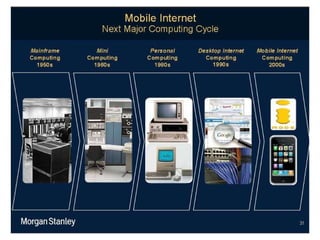
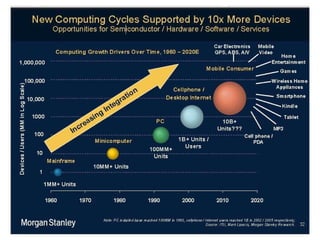
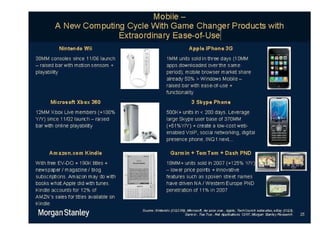
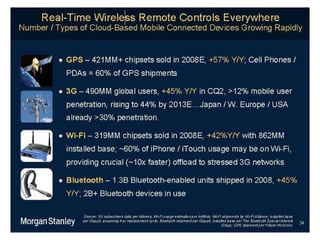
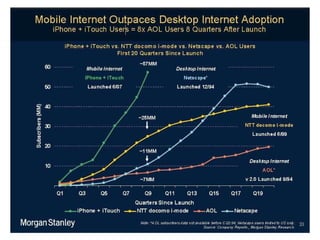
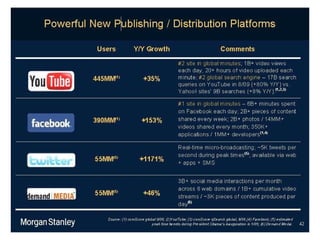
Making mLearning look heavy: statistics and numbers http:// www.morganstanley.com/institutional/techresearch /


Where to start?
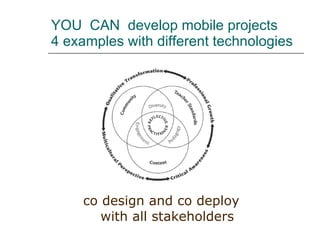
YOU  CAN  develop mobile projects  4 examples with different technologies co design and co deploy with all stakeholders
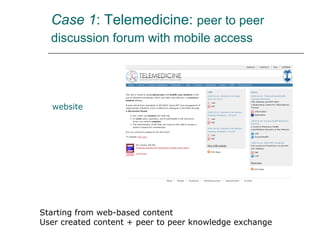
Case 1 : Telemedicine:  peer to peer discussion forum with mobile access   website Starting from web-based content User created content + peer to peer knowledge exchange
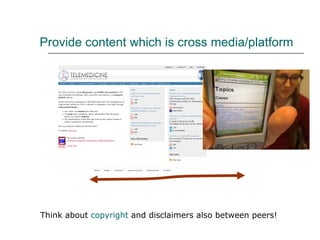
Provide content which is cross media/platform Think about  copyright  and disclaimers also between peers!
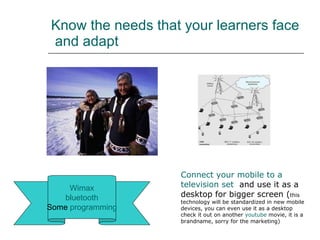
Know the needs that your learners face  and adapt Wimax bluetooth Some  programming Connect   your  mobile to a  television  set   and use it as a desktop for bigger screen ( this technology will be standardized in new mobile devices, you can even use it as a desktop check it out on another  youtube  movie, it is a brandname, sorry for the marketing)
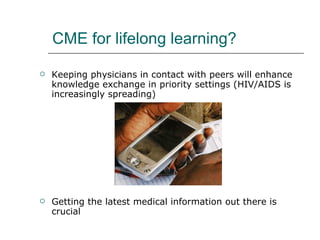
CME for lifelong learning?  Keeping physicians in contact with peers will enhance knowledge exchange in priority settings (HIV/AIDS is increasingly spreading) Getting the latest medical information out there is crucial
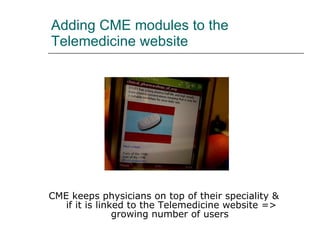
Adding CME modules to the Telemedicine website CME keeps physicians on top of their speciality &  if it is linked to the Telemedicine website => growing number of users
Feedback of the pilot group Advantages They liked the relevant information that was brought to them Learning at their own convenience Opened new ways of learning They felt connected with peers Disadvantages  Access was not ensured in the field and this could drain the battery The screen was small for learning (in the older cell phone types) Without electricity the battery can run out Graphics/tables sometimes unclear on small screens
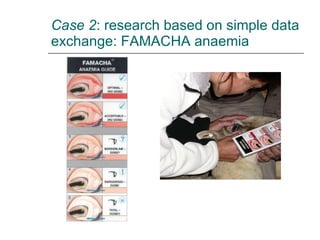
Case 2 : research based on simple data exchange: FAMACHA anaemia
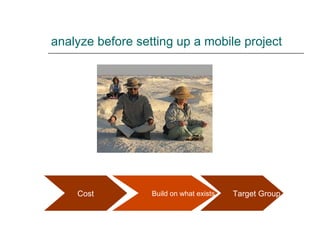
analyze before setting up a mobile project   Target Group Build on what exists Cost
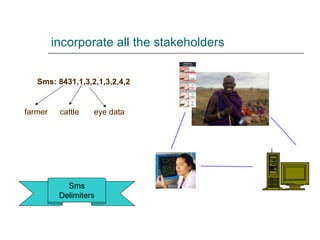
incorporate all the stakeholders Sms Delimiters Sms: 8431,1,3,2,1,3,2,4,2 farmer cattle eye data
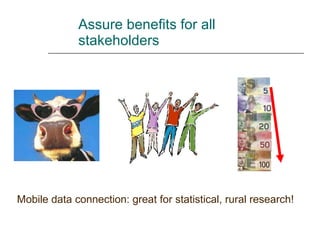
Assure benefits for all stakeholders Mobile data connection: great for statistical, rural research!
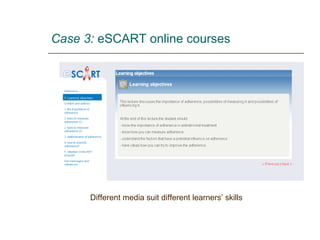
Case 3:  eSCART online courses Different media suit different learners’ skills
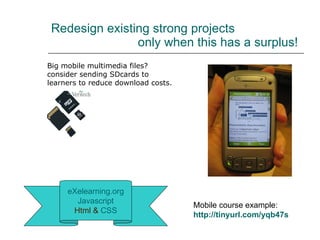
Redesign existing strong projects    only when this has a surplus! eXelearning.org Javascript Html &   CSS Big mobile multimedia files?  consider sending SDcards to learners to reduce download costs. Mobile course example: http://tinyurl.com/yqb47s
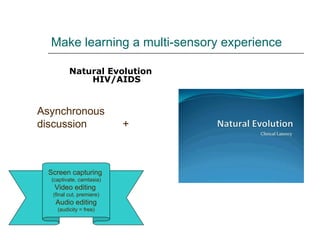
Make learning a multi-sensory experience Natural Evolution HIV/AIDS Screen capturing  (captivate, camtasia) Video editing  (final cut, premiere) Audio editing (audicity = free) Asynchronous discussion  +
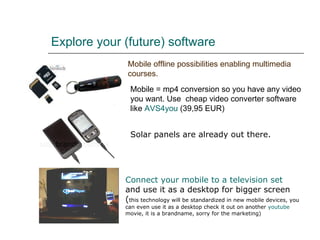
Explore your (future) software   Mobile offline possibilities enabling multimedia courses. Mobile = mp4 conversion so you have any video you want. Use  cheap video converter software like  AVS4you  (39,95 EUR) Connect   your  mobile to a  television  set   and use it as a desktop for bigger screen ( this technology will be standardized in new mobile devices, you can even use it as a desktop check it out on another  youtube  movie, it is a brandname, sorry for the marketing)   Solar panels are already out there.
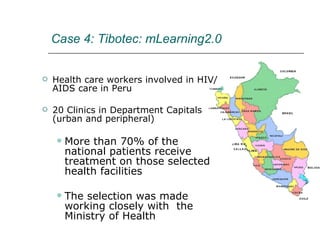
Health care workers involved in HIV/AIDS care in Peru 20 Clinics in Department Capitals (urban and peripheral) More than 70% of the national patients receive treatment on those selected health facilities The selection was made working closely with  the Ministry of Health  Case 4:   Tibotec: mLearning2.0
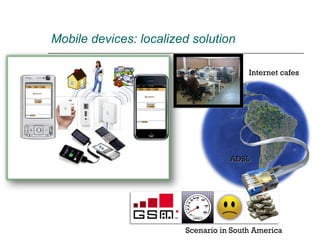
Scenario in South America Internet cafes ADSL Mobile devices: localized solution
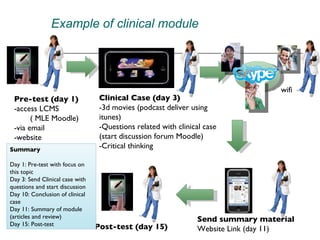
Pre-test (day 1) -access LCMS ( MLE Moodle) -via email  -website Clinical Case (day 3) -3d movies (podcast deliver using itunes) -Questions related with clinical case (start discussion forum Moodle) -Critical thinking Send summary material Website Link (day 11) Post-test (day 15) Summary Day 1: Pre-test with focus on this topic  Day 3: Send Clinical case with questions and start discussion Day 10: Conclusion of clinical case Day 11: Summary of module (articles and review)  Day 15: Post-test Example of clinical module wifi
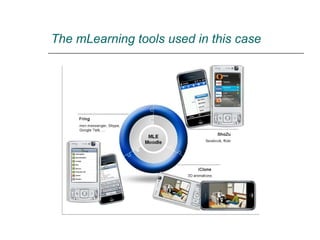
The mLearning tools used in this case
Wrap up: the mobile learning essence Plan carefully before setting up a mobile project Explore the latest mobile world for ideas and possible technical solutions Only start if you know a mobile project will make a difference Incorporate all stakeholders from the start  Understand the technical conditions your learners face (and find solutions were needed) Keep the courses simple/intuitive, clear and fun Diversity in courses, fit different learning skills Engage the learner (interactivity, implement context as much as possible, user generated context).
Mobile developing…. YES! Go open source (free) and all the way: (for would-be mobile developers) The W3C mobile web initiative:  mobile web  from  W3C The  mobile  validator , checking whether your mobile website is accessible DOM Compatibility -  CSS Object Model View  with different cell phones Mobile web training  from W3C (only 99$!) More advanced: mobile2.0 messaging:  funambol develop your own mobile apps with  betavine  or  dev.mobi   Other mobile programming:    Dotnet  for  mobile : free course;   Linux  for  mobile : free course;
Contact Email:   idewaard@ itg.be   Blog:  ignatiawebs.blogspot.com  (click the ‘mobile’ tag) Slideshare (ppt):   http:// www.slideshare.net/ignatia linkedIn:   http:// www.linkedin.com/in/ingedewaard

Oeb09 Session1 Basic To Mobile20

  • 1.
    Mobile Learning from basic to mobile2.0 Inge de Waard
  • 2.
    We are witnessingthe dawn of the global knowledge and technology revolution! Mobile technology is changing our lives and it does so for people all around the world. mobiles are the computers of the future
  • 3.
    Why is mLearningso appealing? On-the-go: no place attached Anytime: no schedule, but your own Ubiquitous, it is omnipresent Just-in-time, when you need it Localized Informal and formal learning Connected to everyone … . And it is possible all around the world
  • 4.
    Mobile? Out isIn Your knowledge in your pocket for you to use when you want, wherever you are, … and you are no longer alone, it is US Escaping the classroom will no longer be possible… well unless you switch it off…
  • 5.
    Making mLearning lookheavy: statistics and numbers http:// www.morganstanley.com/institutional/techresearch /
  • 6.
  • 7.
  • 8.
  • 9.
  • 10.
  • 11.
  • 12.
  • 13.
    YOU CAN develop mobile projects 4 examples with different technologies co design and co deploy with all stakeholders
  • 14.
    Case 1 :Telemedicine: peer to peer discussion forum with mobile access website Starting from web-based content User created content + peer to peer knowledge exchange
  • 15.
    Provide content whichis cross media/platform Think about copyright and disclaimers also between peers!
  • 16.
    Know the needsthat your learners face and adapt Wimax bluetooth Some programming Connect your mobile to a television set and use it as a desktop for bigger screen ( this technology will be standardized in new mobile devices, you can even use it as a desktop check it out on another youtube movie, it is a brandname, sorry for the marketing)
  • 17.
    CME for lifelonglearning? Keeping physicians in contact with peers will enhance knowledge exchange in priority settings (HIV/AIDS is increasingly spreading) Getting the latest medical information out there is crucial
  • 18.
    Adding CME modulesto the Telemedicine website CME keeps physicians on top of their speciality & if it is linked to the Telemedicine website => growing number of users
  • 19.
    Feedback of thepilot group Advantages They liked the relevant information that was brought to them Learning at their own convenience Opened new ways of learning They felt connected with peers Disadvantages Access was not ensured in the field and this could drain the battery The screen was small for learning (in the older cell phone types) Without electricity the battery can run out Graphics/tables sometimes unclear on small screens
  • 20.
    Case 2 :research based on simple data exchange: FAMACHA anaemia
  • 21.
    analyze before settingup a mobile project Target Group Build on what exists Cost
  • 22.
    incorporate all thestakeholders Sms Delimiters Sms: 8431,1,3,2,1,3,2,4,2 farmer cattle eye data
  • 23.
    Assure benefits forall stakeholders Mobile data connection: great for statistical, rural research!
  • 24.
    Case 3: eSCART online courses Different media suit different learners’ skills
  • 25.
    Redesign existing strongprojects only when this has a surplus! eXelearning.org Javascript Html & CSS Big mobile multimedia files? consider sending SDcards to learners to reduce download costs. Mobile course example: http://tinyurl.com/yqb47s
  • 26.
    Make learning amulti-sensory experience Natural Evolution HIV/AIDS Screen capturing (captivate, camtasia) Video editing (final cut, premiere) Audio editing (audicity = free) Asynchronous discussion +
  • 27.
    Explore your (future)software Mobile offline possibilities enabling multimedia courses. Mobile = mp4 conversion so you have any video you want. Use cheap video converter software like AVS4you (39,95 EUR) Connect your mobile to a television set and use it as a desktop for bigger screen ( this technology will be standardized in new mobile devices, you can even use it as a desktop check it out on another youtube movie, it is a brandname, sorry for the marketing) Solar panels are already out there.
  • 28.
    Health care workersinvolved in HIV/AIDS care in Peru 20 Clinics in Department Capitals (urban and peripheral) More than 70% of the national patients receive treatment on those selected health facilities The selection was made working closely with the Ministry of Health Case 4: Tibotec: mLearning2.0
  • 29.
    Scenario in SouthAmerica Internet cafes ADSL Mobile devices: localized solution
  • 30.
    Pre-test (day 1)-access LCMS ( MLE Moodle) -via email -website Clinical Case (day 3) -3d movies (podcast deliver using itunes) -Questions related with clinical case (start discussion forum Moodle) -Critical thinking Send summary material Website Link (day 11) Post-test (day 15) Summary Day 1: Pre-test with focus on this topic Day 3: Send Clinical case with questions and start discussion Day 10: Conclusion of clinical case Day 11: Summary of module (articles and review) Day 15: Post-test Example of clinical module wifi
  • 31.
    The mLearning toolsused in this case
  • 32.
    Wrap up: themobile learning essence Plan carefully before setting up a mobile project Explore the latest mobile world for ideas and possible technical solutions Only start if you know a mobile project will make a difference Incorporate all stakeholders from the start Understand the technical conditions your learners face (and find solutions were needed) Keep the courses simple/intuitive, clear and fun Diversity in courses, fit different learning skills Engage the learner (interactivity, implement context as much as possible, user generated context).
  • 33.
    Mobile developing…. YES!Go open source (free) and all the way: (for would-be mobile developers) The W3C mobile web initiative: mobile web from W3C The mobile validator , checking whether your mobile website is accessible DOM Compatibility - CSS Object Model View with different cell phones Mobile web training from W3C (only 99$!) More advanced: mobile2.0 messaging: funambol develop your own mobile apps with betavine or dev.mobi Other mobile programming: Dotnet for mobile : free course; Linux for mobile : free course;
  • 34.
    Contact Email: idewaard@ itg.be Blog: ignatiawebs.blogspot.com (click the ‘mobile’ tag) Slideshare (ppt): http:// www.slideshare.net/ignatia linkedIn: http:// www.linkedin.com/in/ingedewaard