Meshing in FEA
Why Do We Carry Out Meshing?
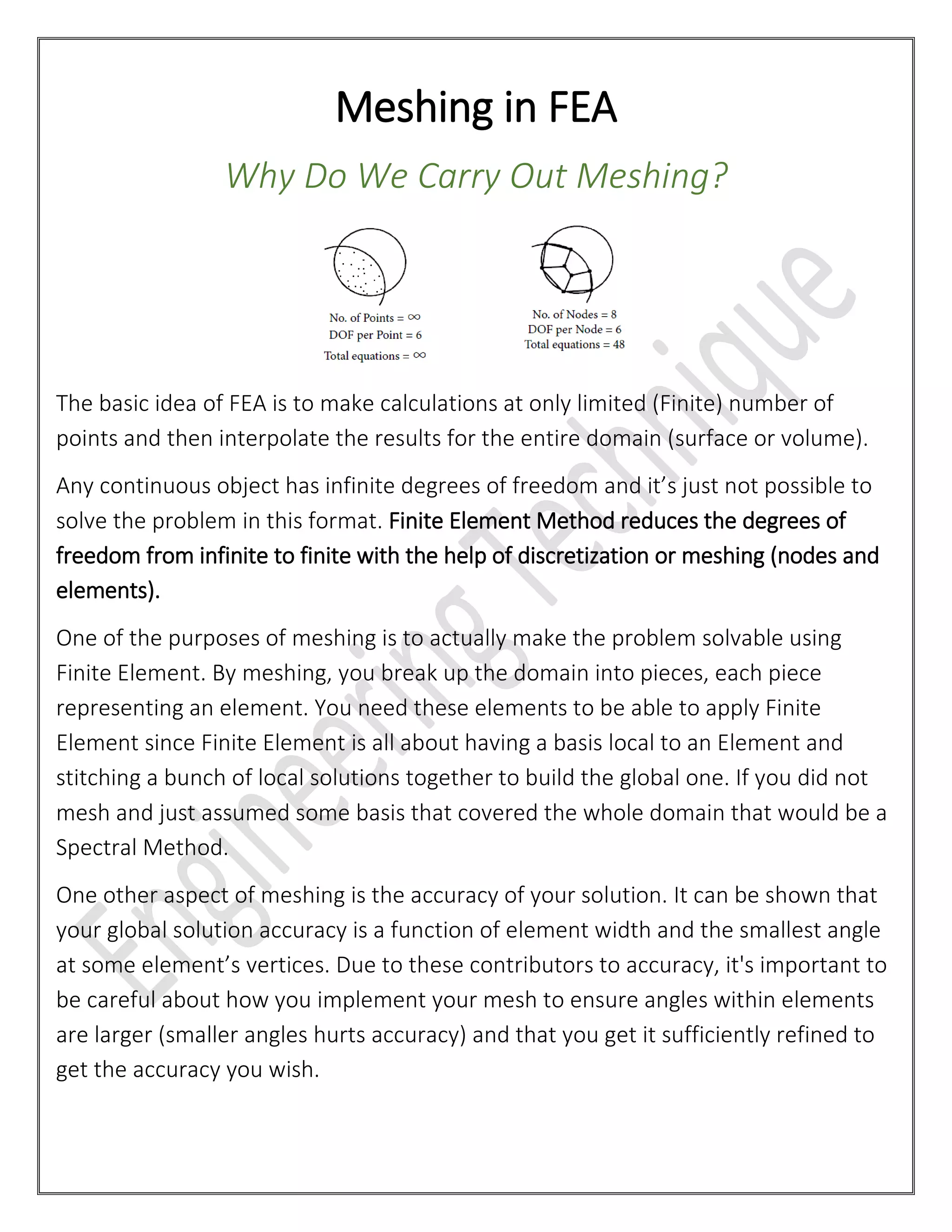
The basic idea of FEA is to make calculations at only limited (Finite) number of
points and then interpolate the results for the entire domain (surface or volume).
Any continuous object has infinite degrees of freedom and it’s just not possible to
solve the problem in this format. Finite Element Method reduces the degrees of
freedom from infinite to finite with the help of discretization or meshing (nodes and
elements).
One of the purposes of meshing is to actually make the problem solvable using
Finite Element. By meshing, you break up the domain into pieces, each piece
representing an element. You need these elements to be able to apply Finite
Element since Finite Element is all about having a basis local to an Element and
stitching a bunch of local solutions together to build the global one. If you did not
mesh and just assumed some basis that covered the whole domain that would be a
Spectral Method.
One other aspect of meshing is the accuracy of your solution. It can be shown that
your global solution accuracy is a function of element width and the smallest angle
at some element’s vertices. Due to these contributors to accuracy, it's important to
be careful about how you implement your mesh to ensure angles within elements
are larger (smaller angles hurts accuracy) and that you get it sufficiently refined to
get the accuracy you wish.
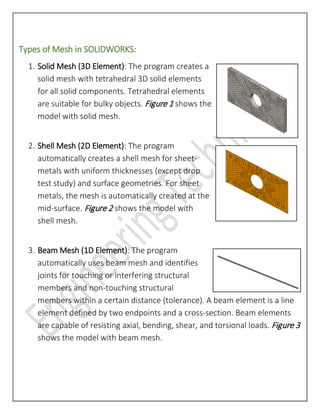
Types of Mesh in SOLIDWORKS:
1. Solid Mesh (3D Element): The program creates a
solid mesh with tetrahedral 3D solid elements
for all solid components. Tetrahedral elements
are suitable for bulky objects. Figure 1 shows the
model with solid mesh.
2. Shell Mesh (2D Element): The program
automatically creates a shell mesh for sheet-
metals with uniform thicknesses (except drop
test study) and surface geometries. For sheet
metals, the mesh is automatically created at the
mid-surface. Figure 2 shows the model with
shell mesh.
3. Beam Mesh (1D Element): The program
automatically uses beam mesh and identifies
joints for touching or interfering structural
members and non-touching structural
members within a certain distance (tolerance). A beam element is a line
element defined by two endpoints and a cross-section. Beam elements
are capable of resisting axial, bending, shear, and torsional loads. Figure 3
shows the model with beam mesh.
Overall procedure:
1. Decide on the area of interest in the model (the component) in which you
want to determine stress and displacement under the given conditions.
2. Removing all components which are not participating in Simulation
because,
a. They will bear no load
b. They can be replaced in model by their effect on the area of interest
(replaced by a load, a boundary condition, a connector)
c. They are purchased components and therefore only load levels are
important in them, not stresses – you select them on based on
supplier’s allowable loads. They will be replaced by connectors
3. Among the remaining components, assume a solid mesh for all of them.
Then, study each component one by one and check whether, surface
representation be truthful to the geometry (not in case of bulky parts)
4. Ask the same thing about beam elements.
--------------------------------------------------------------------------------------------------------------------
Written by Gaurav Harane – Application Engineer at Engineering Technique
Know more: www.enggtechnique.com | +91 9427611239

Meshing in FEA - Why Do We Carry Out Meshing?

  • 1.
    Meshing in FEA WhyDo We Carry Out Meshing? The basic idea of FEA is to make calculations at only limited (Finite) number of points and then interpolate the results for the entire domain (surface or volume). Any continuous object has infinite degrees of freedom and it’s just not possible to solve the problem in this format. Finite Element Method reduces the degrees of freedom from infinite to finite with the help of discretization or meshing (nodes and elements). One of the purposes of meshing is to actually make the problem solvable using Finite Element. By meshing, you break up the domain into pieces, each piece representing an element. You need these elements to be able to apply Finite Element since Finite Element is all about having a basis local to an Element and stitching a bunch of local solutions together to build the global one. If you did not mesh and just assumed some basis that covered the whole domain that would be a Spectral Method. One other aspect of meshing is the accuracy of your solution. It can be shown that your global solution accuracy is a function of element width and the smallest angle at some element’s vertices. Due to these contributors to accuracy, it's important to be careful about how you implement your mesh to ensure angles within elements are larger (smaller angles hurts accuracy) and that you get it sufficiently refined to get the accuracy you wish.
  • 2.
    Types of Meshin SOLIDWORKS: 1. Solid Mesh (3D Element): The program creates a solid mesh with tetrahedral 3D solid elements for all solid components. Tetrahedral elements are suitable for bulky objects. Figure 1 shows the model with solid mesh. 2. Shell Mesh (2D Element): The program automatically creates a shell mesh for sheet- metals with uniform thicknesses (except drop test study) and surface geometries. For sheet metals, the mesh is automatically created at the mid-surface. Figure 2 shows the model with shell mesh. 3. Beam Mesh (1D Element): The program automatically uses beam mesh and identifies joints for touching or interfering structural members and non-touching structural members within a certain distance (tolerance). A beam element is a line element defined by two endpoints and a cross-section. Beam elements are capable of resisting axial, bending, shear, and torsional loads. Figure 3 shows the model with beam mesh.
  • 3.
    Overall procedure: 1. Decideon the area of interest in the model (the component) in which you want to determine stress and displacement under the given conditions. 2. Removing all components which are not participating in Simulation because, a. They will bear no load b. They can be replaced in model by their effect on the area of interest (replaced by a load, a boundary condition, a connector) c. They are purchased components and therefore only load levels are important in them, not stresses – you select them on based on supplier’s allowable loads. They will be replaced by connectors 3. Among the remaining components, assume a solid mesh for all of them. Then, study each component one by one and check whether, surface representation be truthful to the geometry (not in case of bulky parts) 4. Ask the same thing about beam elements. -------------------------------------------------------------------------------------------------------------------- Written by Gaurav Harane – Application Engineer at Engineering Technique Know more: www.enggtechnique.com | +91 9427611239