Twitter hashtag: #daad2013

Using Social Media to Enhance
Your Research Activities
Brian Kelly

Contact Details

Innovation Advocate
Cetis
University of Bolton
Bolton, UK

Email: ukwebfocus@gmail.com
Twitter: @briankelly
Cetis Web site: http://www.cetis.ac.uk/
Blog: http://ukwebfocus.wordpress.com/

Slides and further information available at
http://ukwebfocus.wordpress.com/events/daad-conference-2013/
See licence details

1
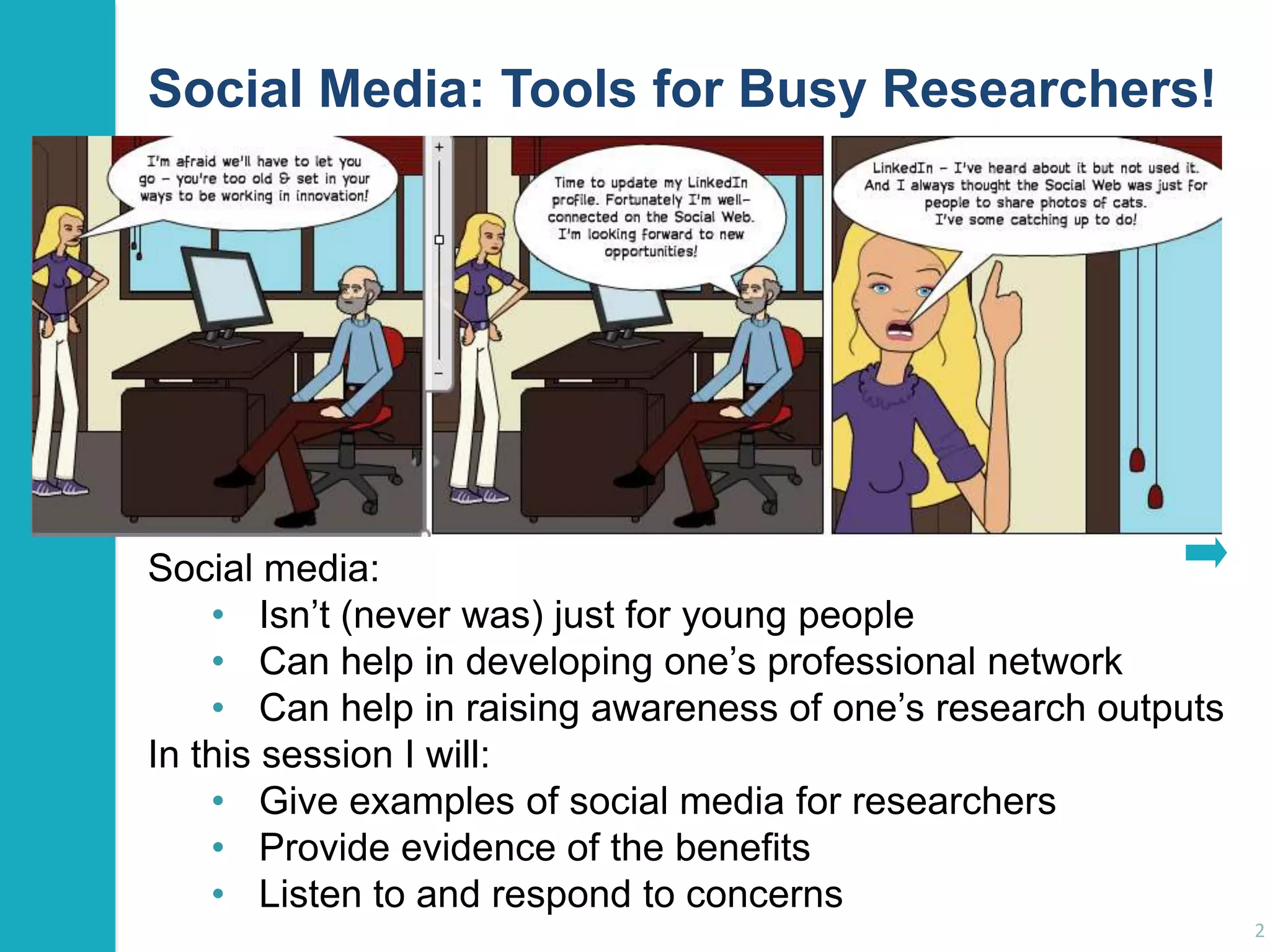
Social Media: Tools for Busy Researchers!

Social media:
• Isn‟t (never was) just for young people
• Can help in developing one‟s professional network
• Can help in raising awareness of one‟s research outputs
In this session I will:
• Give examples of social media for researchers
• Provide evidence of the benefits
• Listen to and respond to concerns
2
Introduction

About Me
Brian Kelly:
• Innovation Advocate at Cetis, a national Centre for
Educational Technology, Interoperability and Standards
• Formerly UK Web Focus at UKOLN from 1996 - Jul 2013
• Prolific blogger (1,200+ posts since Nov 2006)
• User of various devices to support professional (and
social) activities
• Prolific speaker (400+ talks since 1996)
Research profile:
• Peer-reviewed papers published on Web
accessibility, standards, preservation, …
• Largest no. of downloaded papers from Bath repository
• Highly-cited papers in Web accessibility (e.g. W4A)
3
Introduction

About You
In small groups:
• Introduce yourself and say:
 Who your are and where you study
 What your research interests are
 What you hope to gain from the session
• Share with everyone:
 What you hope to gain from the session
 Any interesting or surprising facts you learnt
about other participants

4
Introduction

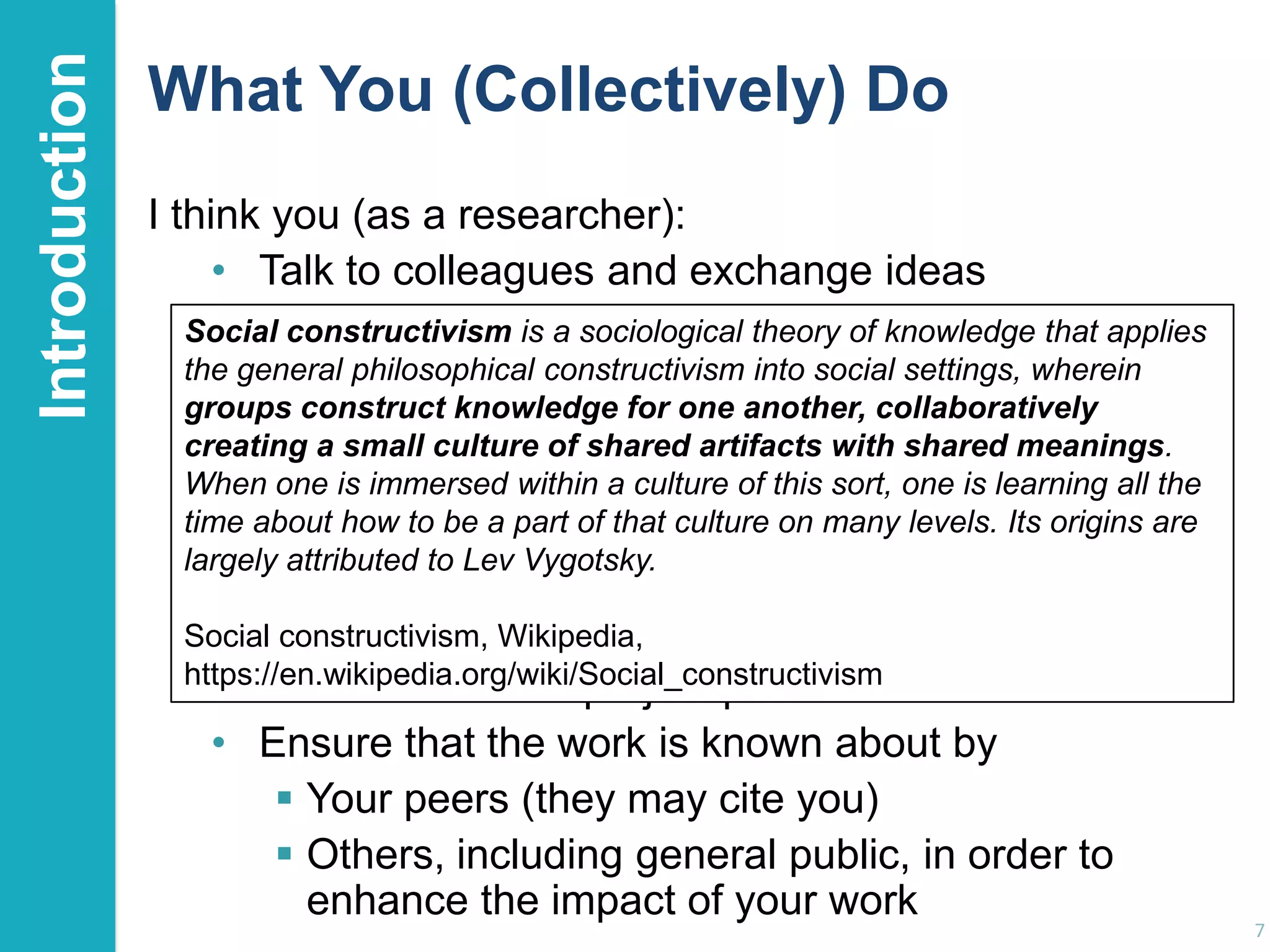
What Do You (Collectively) Do?
Exercise:
• In a few bullet points summarise what you do.
• What do you do which is similar to researchers in
other disciplines?

5
Introduction

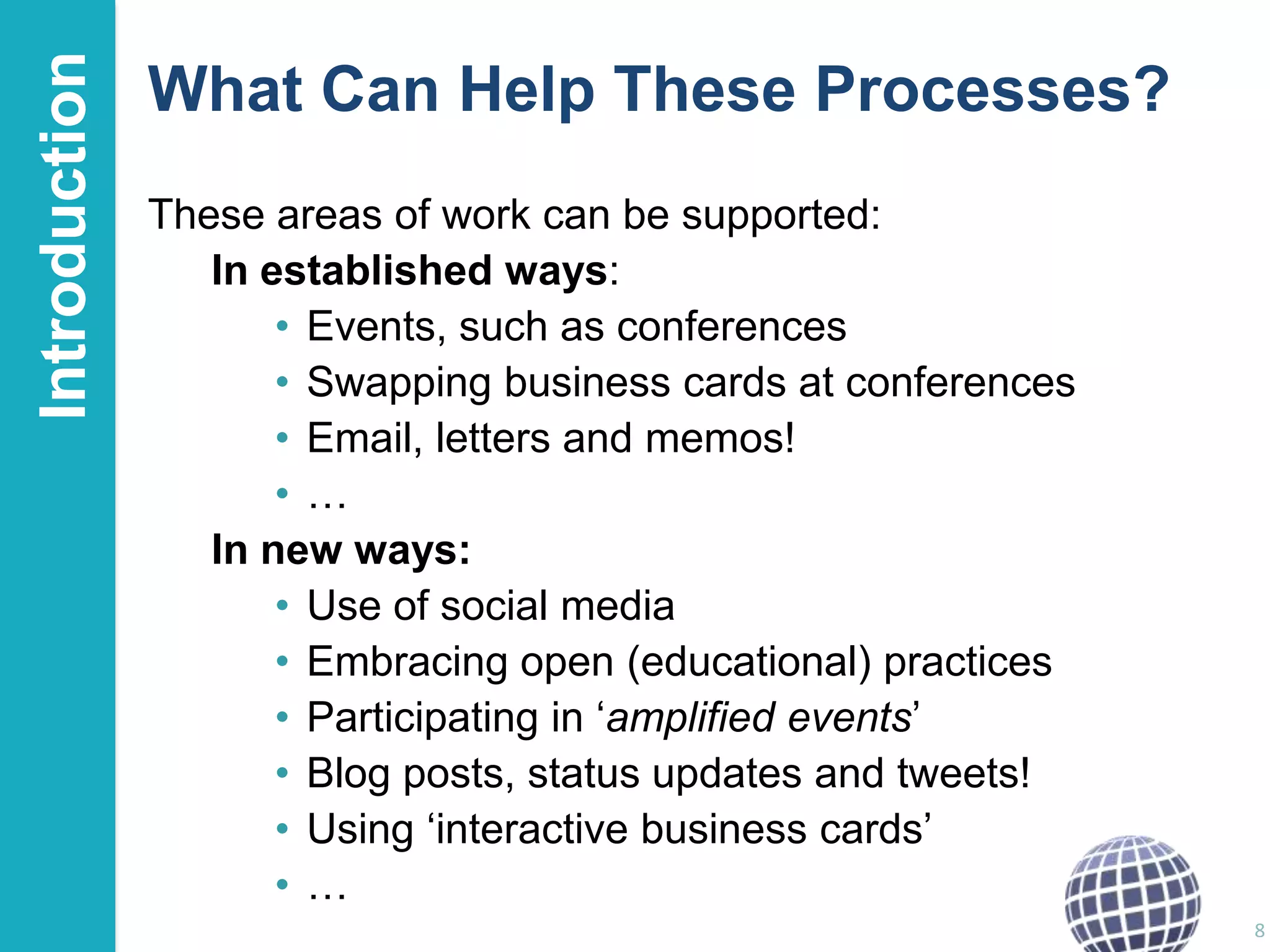
What You (Collectively) Do
I think you (as a researcher):
• Talk to colleagues and exchange ideas
• Go to conferences, listen to speakers and discuss
their ideas with them and with your peers
• Have an idea for a paper, a project, … and discuss
it with potential co-authors & collaborators
• Write the paper, project proposals or submission
jointly with others
• Listen to and ask questions of the stakeholders
• Do the work with project partners & collaborators
• Ensure that the work is known about by
 Your peers (they may cite you)
 Others, including general public, in order to
enhance the impact of your work

6
Introduction

What You (Collectively) Do
I think you (as a researcher):
• Talk to colleagues and exchange ideas
• Go to conferences, listen theory of knowledge discuss
Social constructivism is a sociologicalto speakers and that applies
the general philosophical constructivismwithsocial settings, wherein
their ideas with them and into your peers
groups construct knowledge for one another, collaboratively
• Have an culture of shared artifacts with shared meanings.
creating a small idea for a paper, a project, … and discuss
it with potential co-authors this sort, one is learning all the
When one is immersed within a culture of& collaborators
time about how to paper, project proposals or submission
• Write the be a part of that culture on many levels. Its origins are
largely attributed to Lev Vygotsky.
jointly with others
• Listen to and ask questions of the stakeholders
Social constructivism, Wikipedia,
https://en.wikipedia.org/wiki/Social_constructivism
• Do the work with project partners & collaborators
• Ensure that the work is known about by
 Your peers (they may cite you)
 Others, including general public, in order to
enhance the impact of your work

7
Introduction

What Can Help These Processes?
These areas of work can be supported:
In established ways:
• Events, such as conferences
• Swapping business cards at conferences
• Email, letters and memos!
•…
In new ways:
• Use of social media
• Embracing open (educational) practices
• Participating in „amplified events‟
• Blog posts, status updates and tweets!
• Using „interactive business cards‟
•…
8
Introduction

About This Session
Draft timetable:
• Introduction
• The Relevance of Social Media for Researchers
• Key Services:
Twitter
Twitter environment
Lanyrd
Researcher profiling services (ResearchGate, Academia, …)
Slideshare
Blogs
LinkedIn
What else?

•
•
•
•
•

Evidence of Benefits
How Does it Work?
Concerns, Risks and Limitations
What Next?
Open Discussion
9
Introduction

About The Session Rules
During this session:
• Feel free to ask questions, make
contributions, etc. at any point!
• Put your mobile phones on silent mode
• Feel free to tweet, use the Web, Google stuff, …
• Feel free to share
ideas, thoughts, observations, etc. openly.
• But respect others‟ privacy

By working collaboratively, the learning during the session should be enhanced
and the session should be more effective than one in which you were all „silos‟.

10
Idea from Cameron Neylon

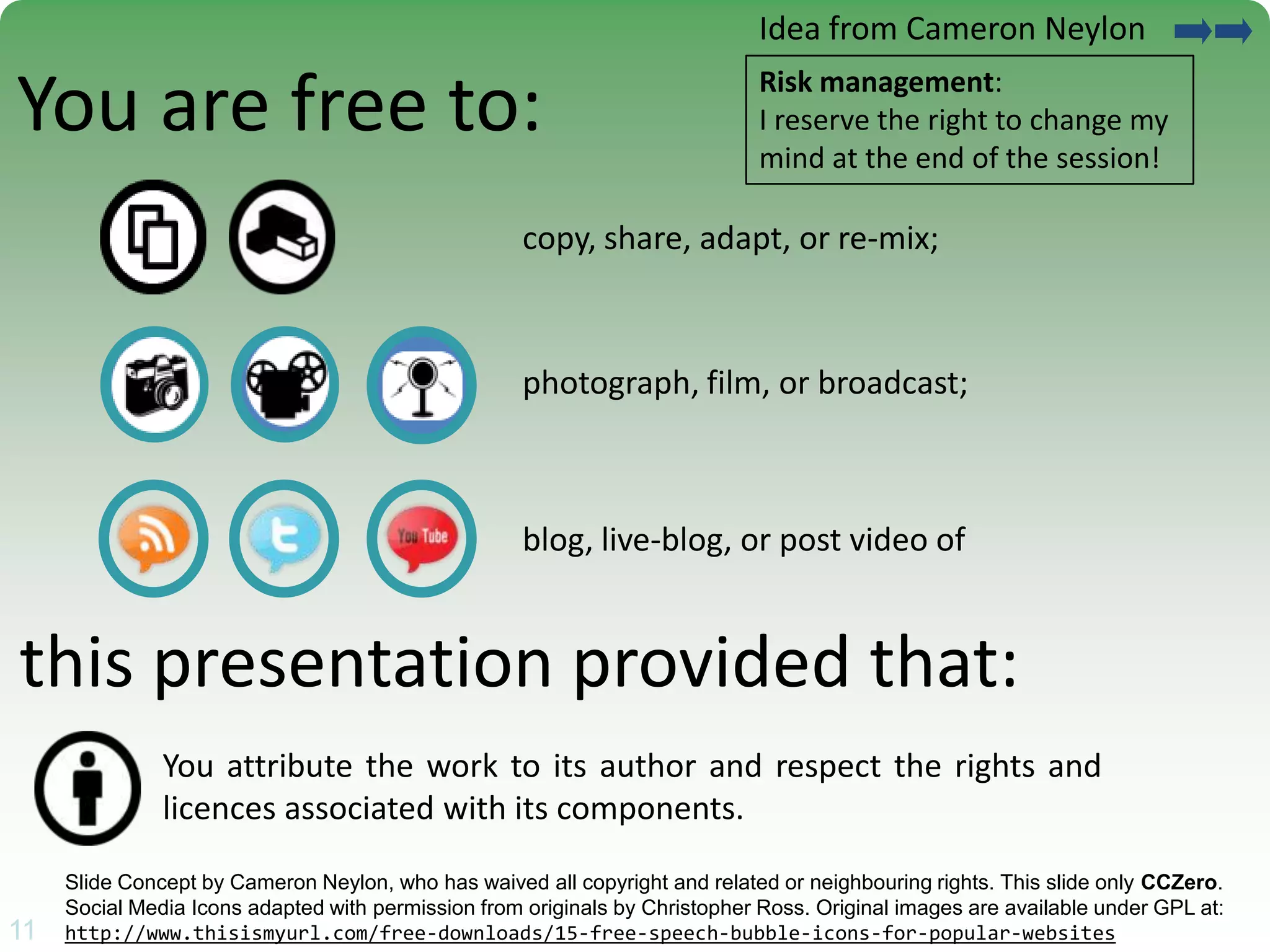
You are free to:

Risk management:
I reserve the right to change my
mind at the end of the session!

copy, share, adapt, or re-mix;

photograph, film, or broadcast;

blog, live-blog, or post video of

this presentation provided that:
You attribute the work to its author and respect the rights and
licences associated with its components.

11

Slide Concept by Cameron Neylon, who has waived all copyright and related or neighbouring rights. This slide only CCZero.
Social Media Icons adapted with permission from originals by Christopher Ross. Original images are available under GPL at:
11
http://www.thisismyurl.com/free-downloads/15-free-speech-bubble-icons-for-popular-websites
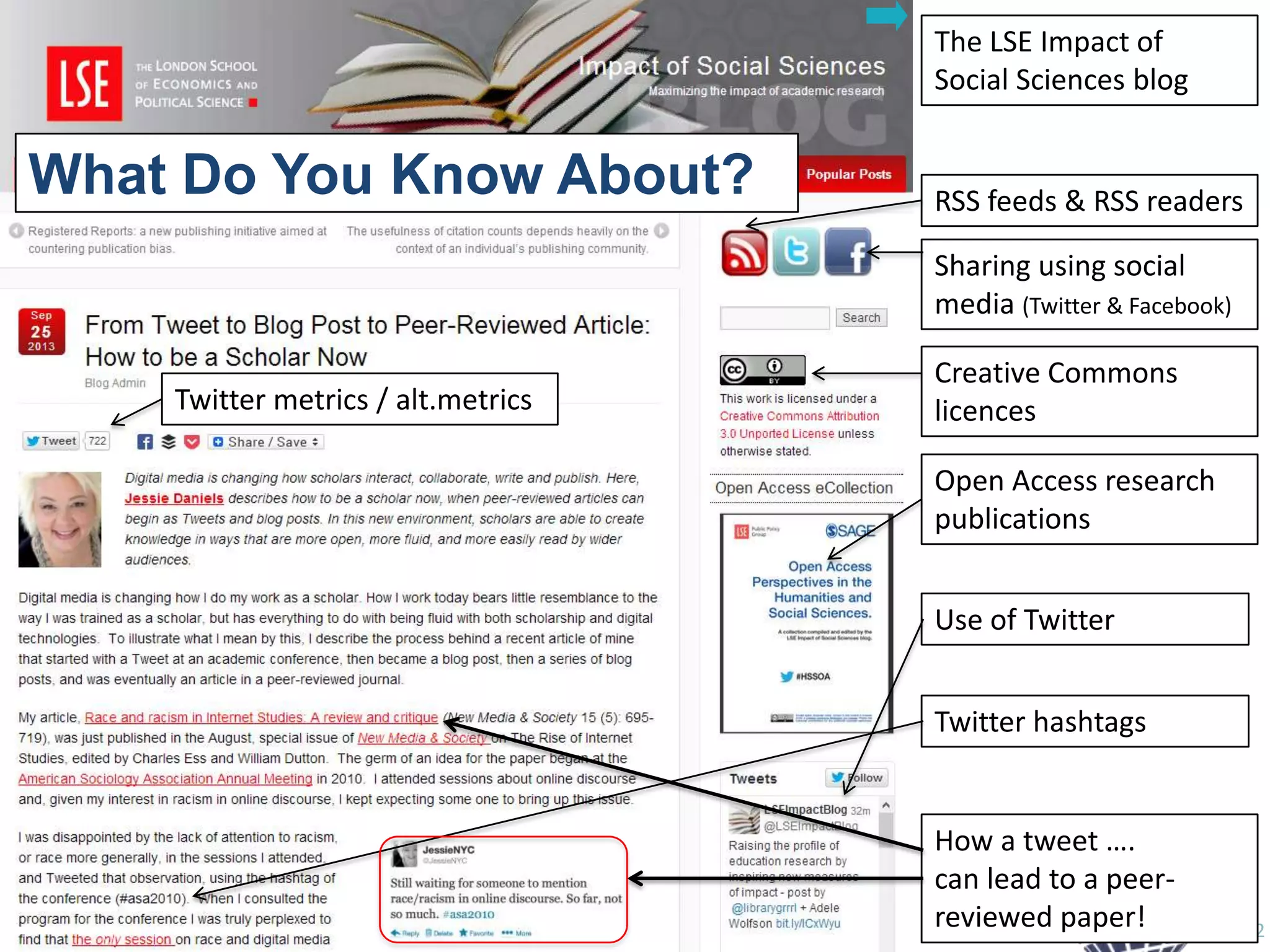
The LSE Impact of
Social Sciences blog

What Do You Know About?
LSE Impact blog

RSS feeds & RSS readers
Sharing using social
media (Twitter & Facebook)

Twitter metrics / alt.metrics

Creative Commons
licences

Open Access research
publications
Use of Twitter
Twitter hashtags

How a tweet ….
can lead to a peerreviewed paper!

12
New Scholarship
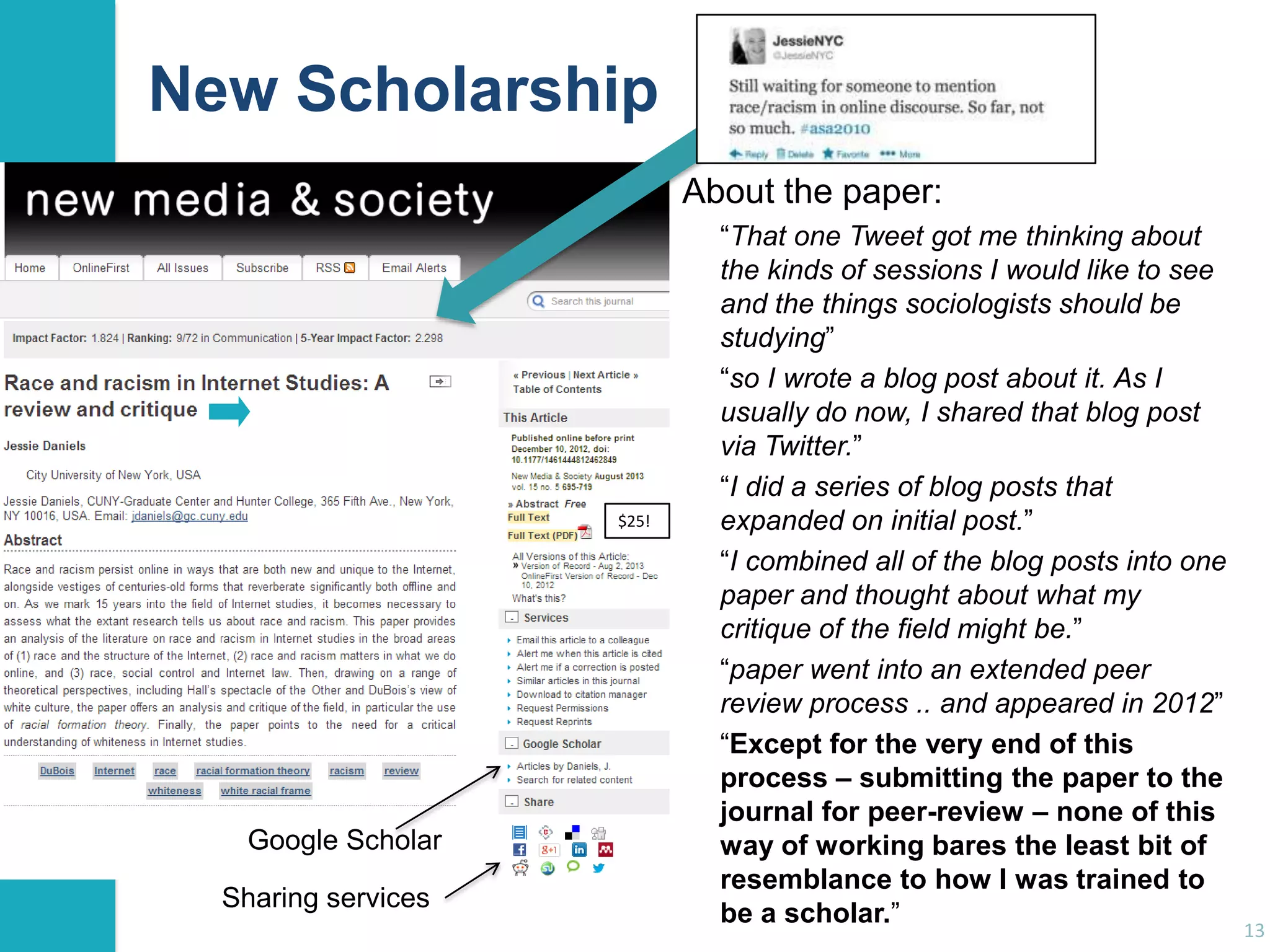
About the paper:

$25!

Google Scholar
Sharing services

“That one Tweet got me thinking about
the kinds of sessions I would like to see
and the things sociologists should be
studying”
“so I wrote a blog post about it. As I
usually do now, I shared that blog post
via Twitter.”
“I did a series of blog posts that
expanded on initial post.”
“I combined all of the blog posts into one
paper and thought about what my
critique of the field might be.”
“paper went into an extended peer
review process .. and appeared in 2012”
“Except for the very end of this
process – submitting the paper to the
journal for peer-review – none of this
way of working bares the least bit of
resemblance to how I was trained to
be a scholar.”

13
Introduction

What’s It Mean For You?
We‟ve seen:
• Blogs • Twitter • Hashtags • alt.metrics
• RSS • Social sharing
• Google Scholar
• Open Access
• Creative Commons
How could you use these yourself?
• Write a brief summary of how
you could use one of these examples
(or other social media services)
• Share your example with a neighbour
• Put your example on a notice board. We will all
discuss a few examples
14
Examples

What Can Twitter Offer?
Twitter:
• A waste of time for those with time to waste!
• A valuable communications & dissemination channel
Twitter can be regarded as:
• An interactive business card:
“Here’s my business card” vs “Here’s my Twitter ID”
• The bar where everybody knows your name:
“Feeling a bit down about my PhD #phdchat”
• An essential tool for conferences:
“On my way to #daad2013. Who else is going?”
• An emergency hotline:
“Arrived at Egham station. No taxis. Help!”
15
The Conference Twitter Hashtag
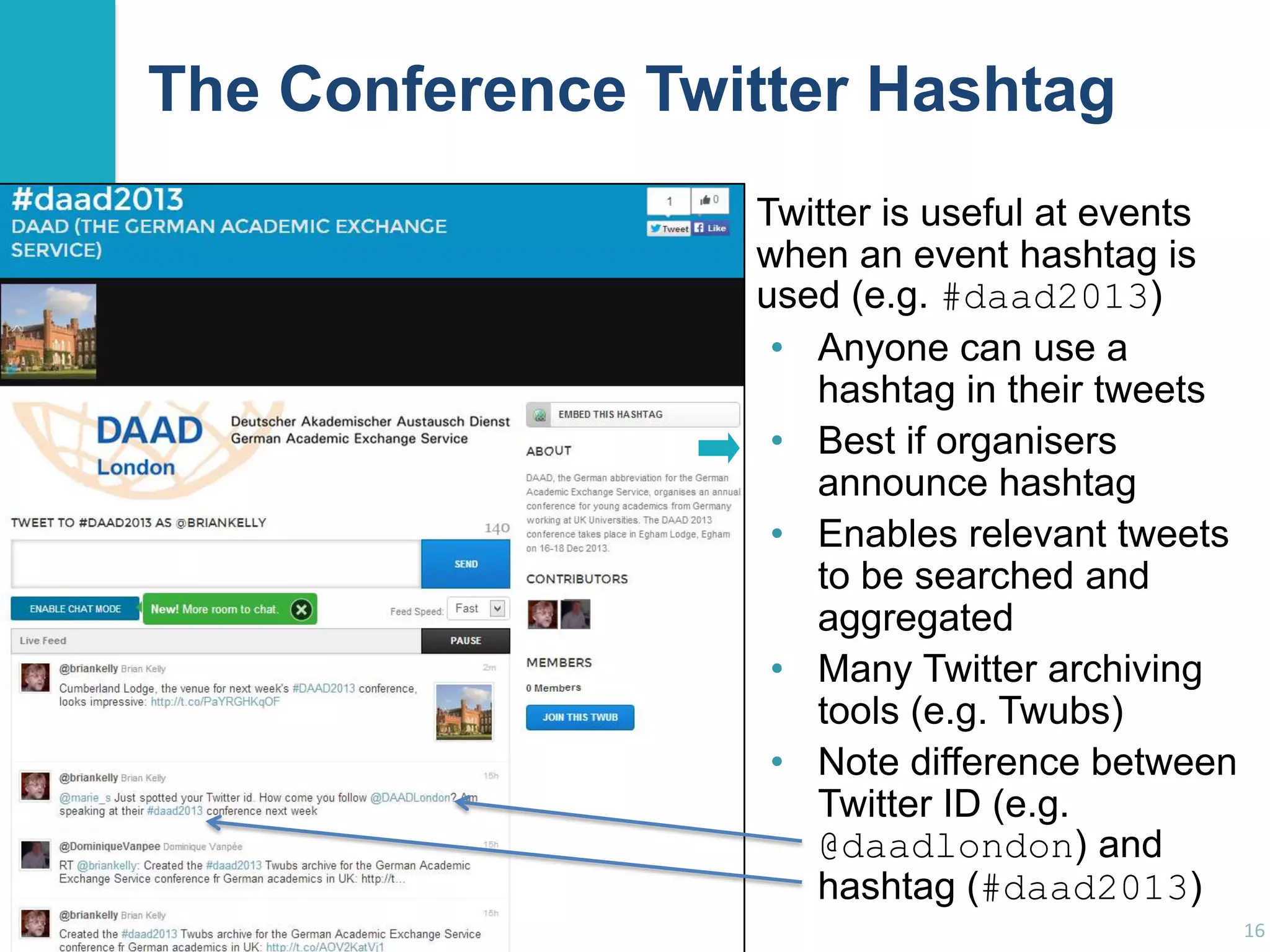
Twitter is useful at events
when an event hashtag is
used (e.g. #daad2013)
• Anyone can use a
hashtag in their tweets
• Best if organisers
announce hashtag
• Enables relevant tweets
to be searched and
aggregated
• Many Twitter archiving
tools (e.g. Twubs)
• Note difference between
Twitter ID (e.g.
@daadlondon) and
hashtag (#daad2013)
16
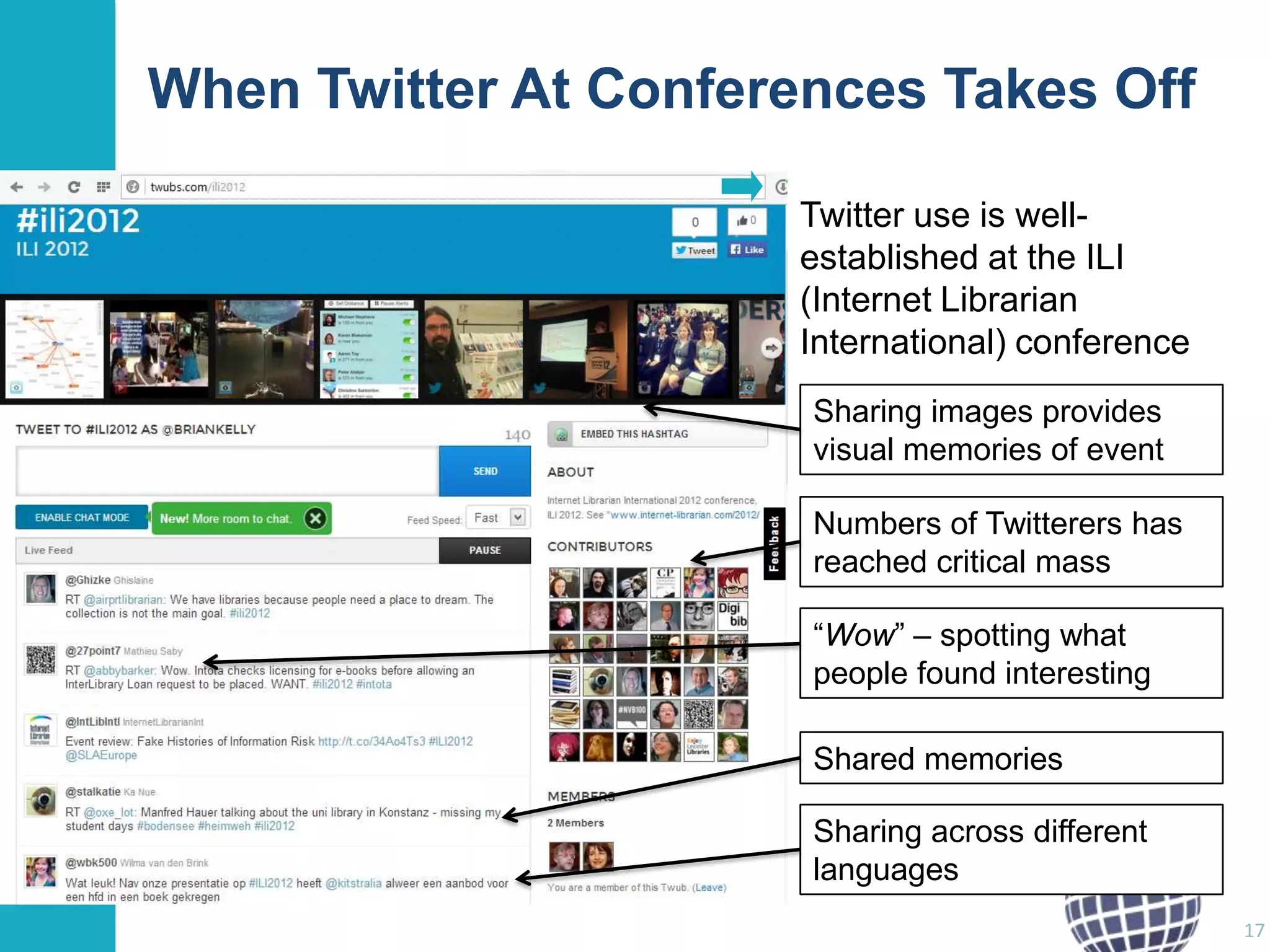
When Twitter At Conferences Takes Off
Twitter use is wellestablished at the ILI
(Internet Librarian
International) conference
Sharing images provides
visual memories of event
Numbers of Twitterers has
reached critical mass
“Wow” – spotting what
people found interesting

Shared memories
Sharing across different
languages
17
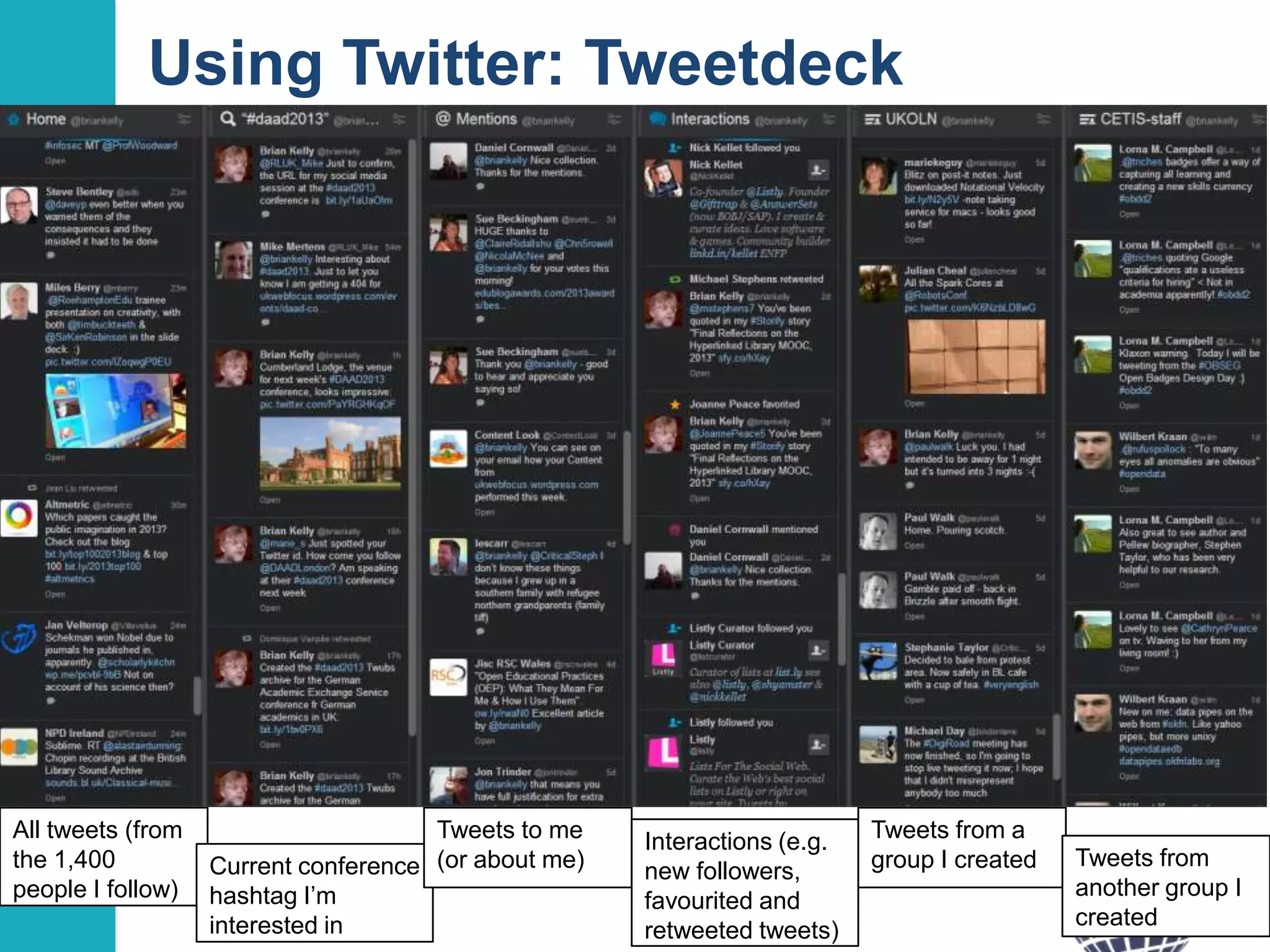
Using Twitter: Tweetdeck

All tweets (from
the 1,400
people I follow)

Tweets to me
Current conference (or about me)
hashtag I‟m
interested in

Interactions (e.g.
new followers,
favourited and
retweeted tweets)

Tweets from a
group I created

Tweets from
another group I
created
18
Examples

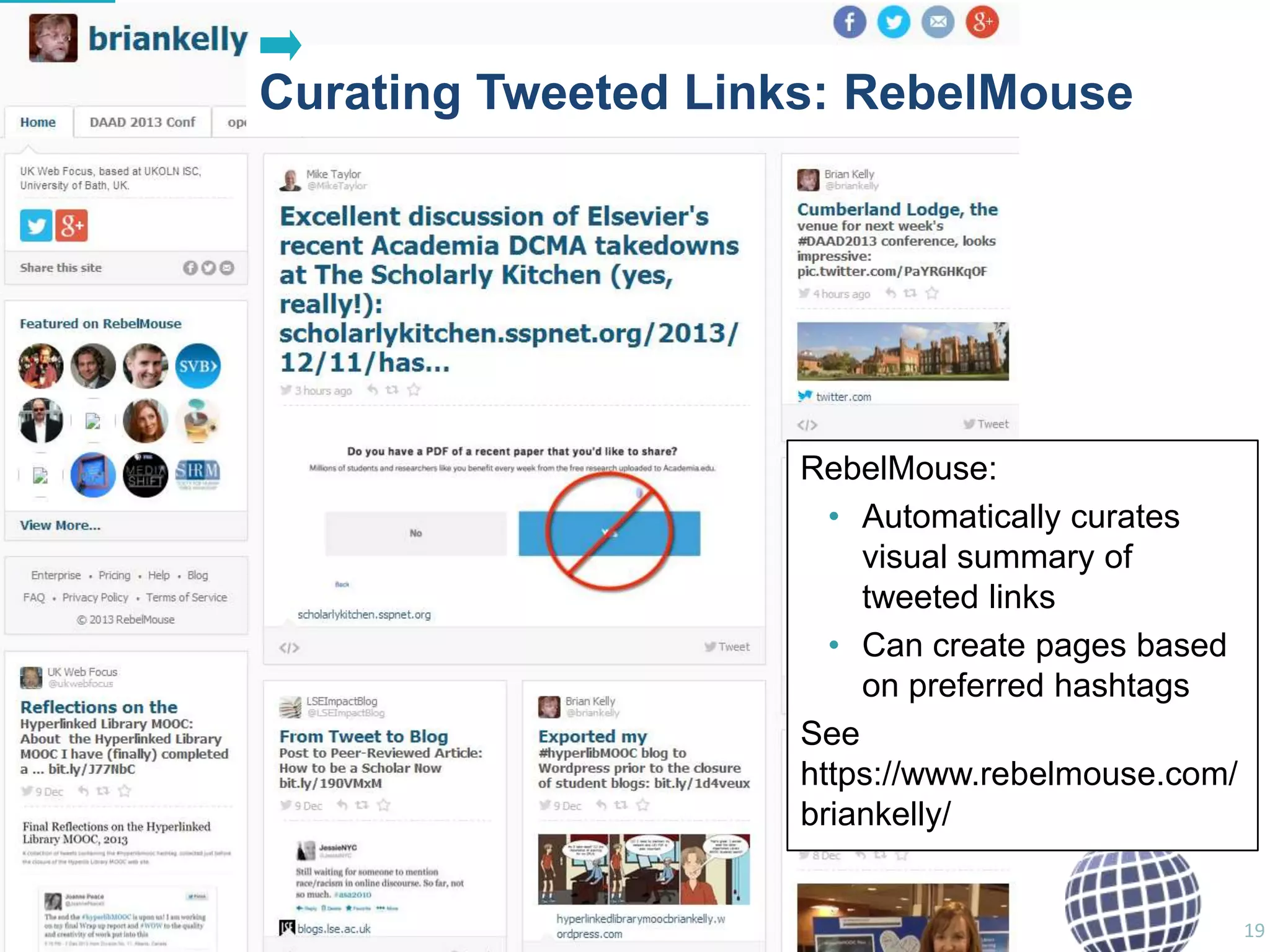
Curating Tweeted Links: RebelMouse

RebelMouse:
• Automatically curates
visual summary of
tweeted links
• Can create pages based
on preferred hashtags
See
https://www.rebelmouse.com/
briankelly/

19
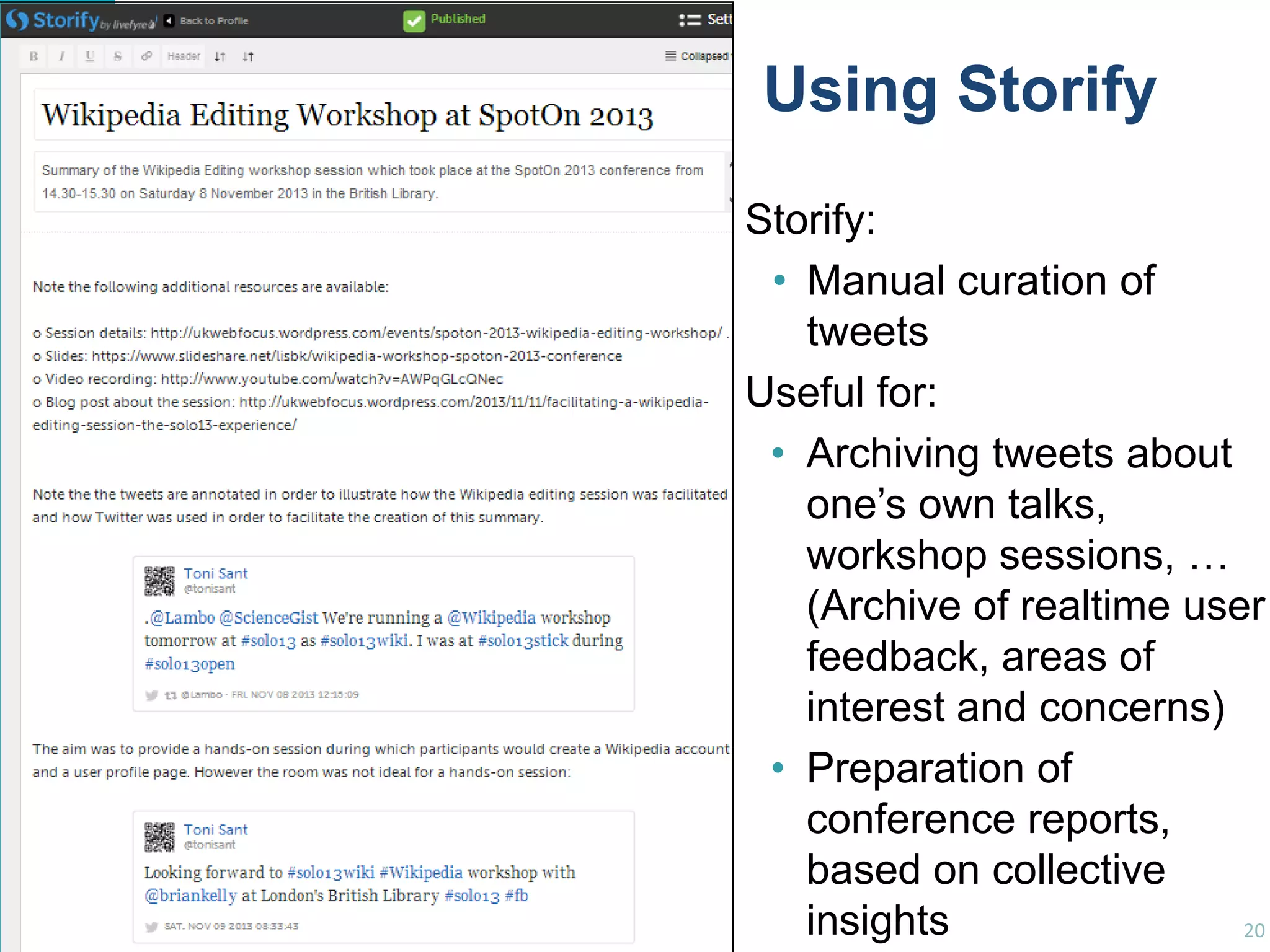
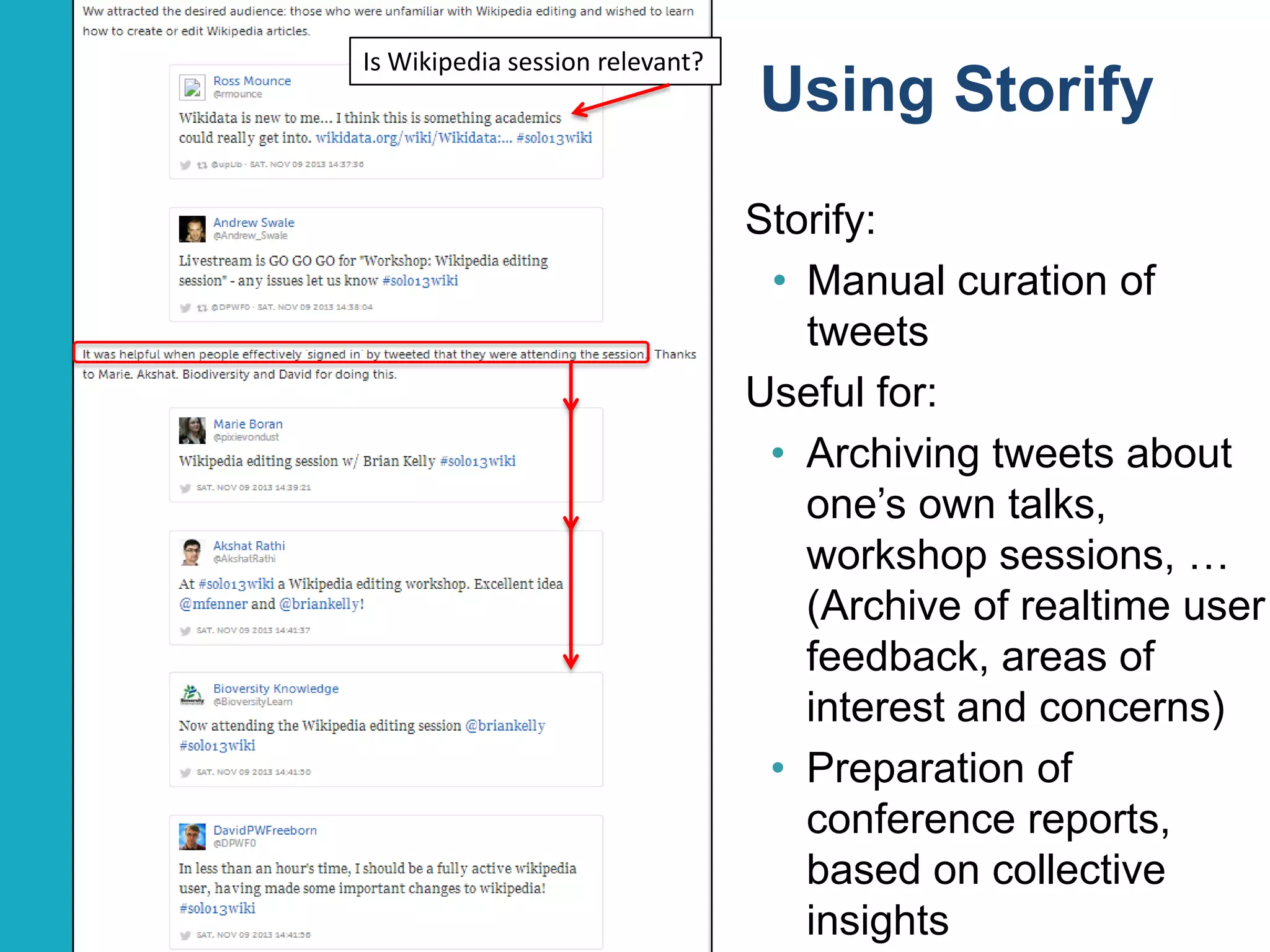
Using Storify
Storify:
• Manual curation of
tweets
Useful for:
• Archiving tweets about
one‟s own talks,
workshop sessions, …
(Archive of realtime user
feedback, areas of
interest and concerns)
• Preparation of
conference reports,
based on collective
insights
20
Is Wikipedia session relevant?

Using Storify
Storify:
• Manual curation of
tweets
Useful for:
• Archiving tweets about
one‟s own talks,
workshop sessions, …
(Archive of realtime user
feedback, areas of
interest and concerns)
• Preparation of
conference reports,
based on collective
insights
21
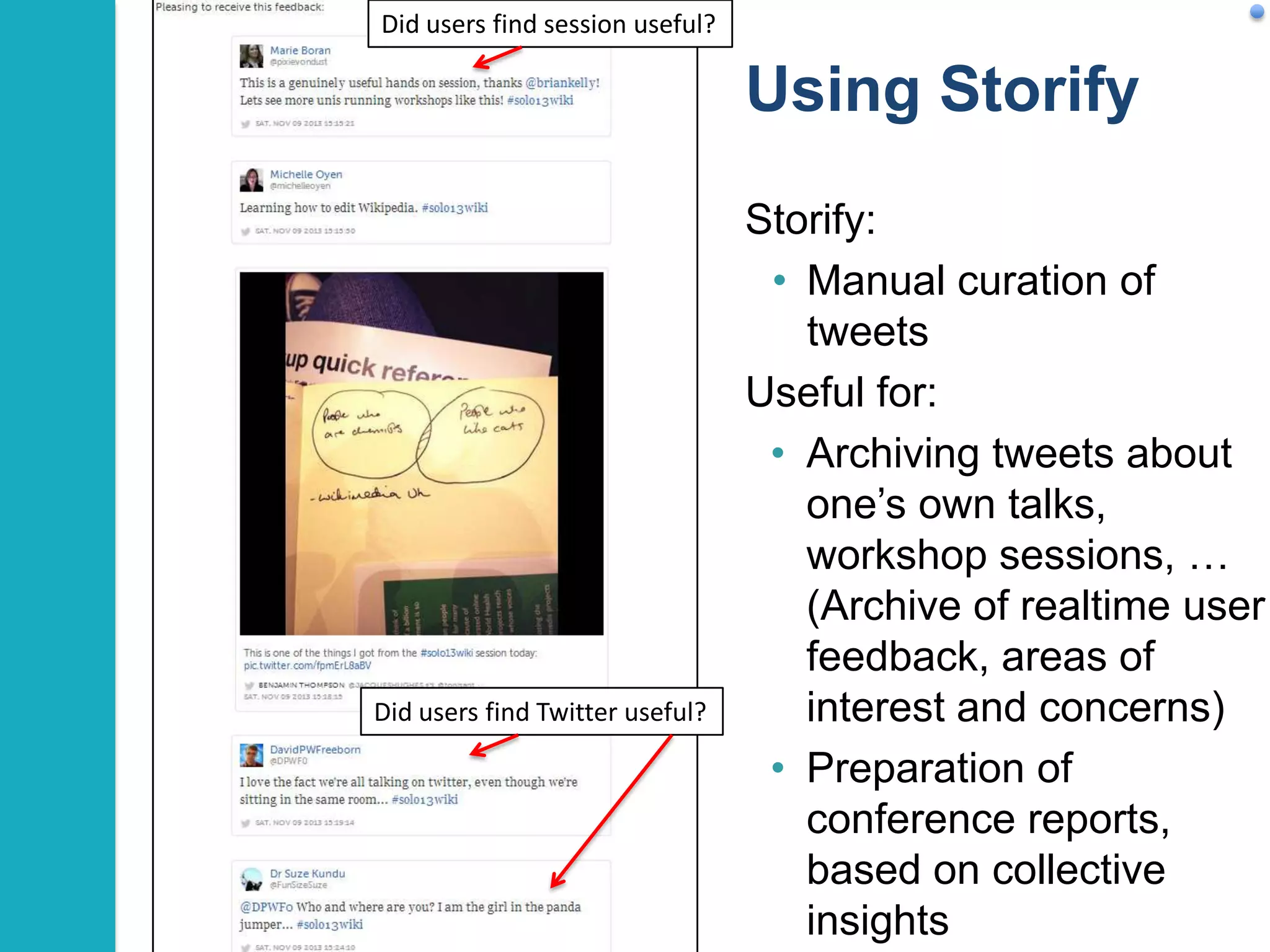
Did users find session useful?

Using Storify

Did users find Twitter useful?

Storify:
• Manual curation of
tweets
Useful for:
• Archiving tweets about
one‟s own talks,
workshop sessions, …
(Archive of realtime user
feedback, areas of
interest and concerns)
• Preparation of
conference reports,
based on collective
insights
22
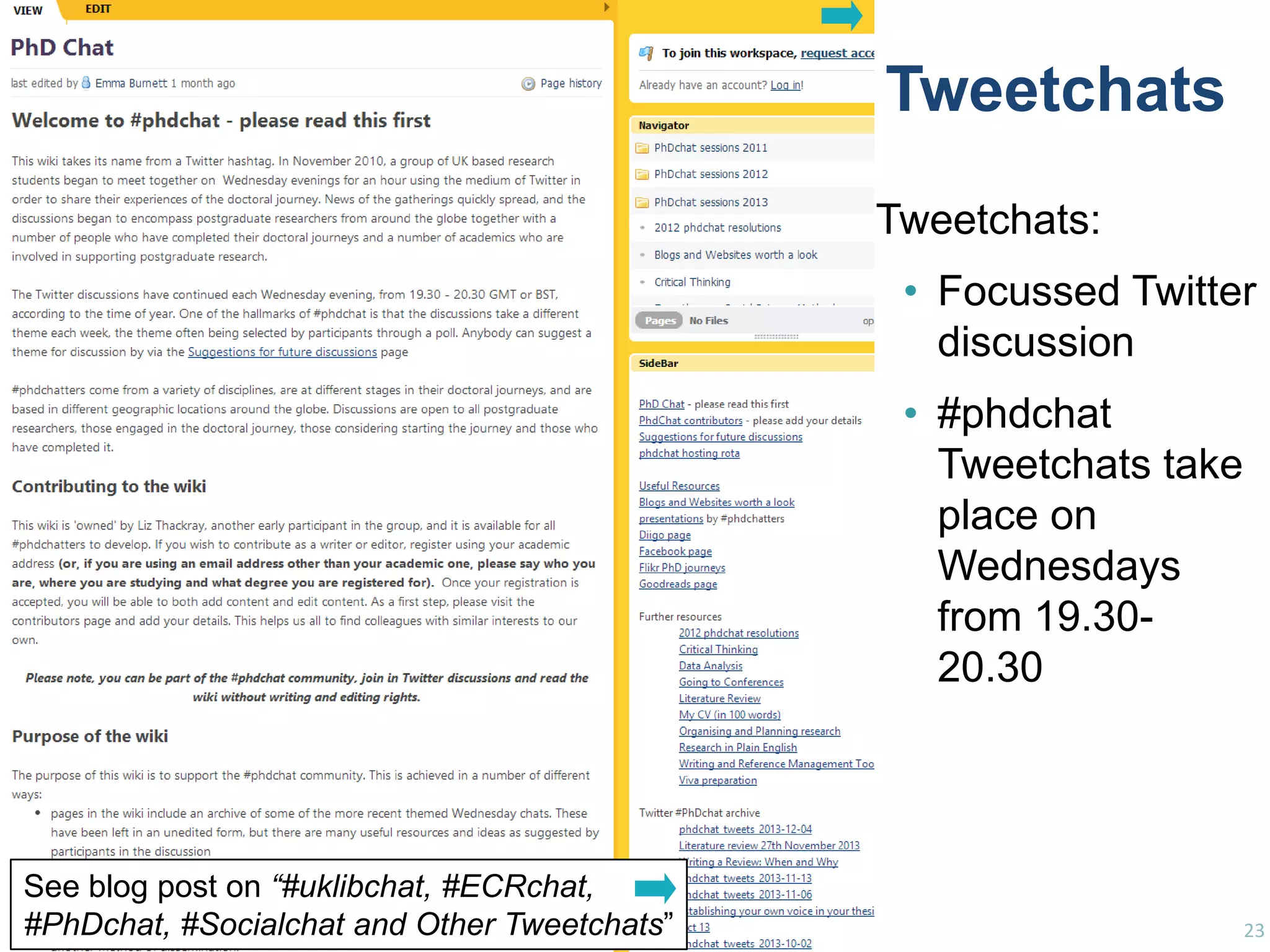
Tweetchats
Tweetchats:
• Focussed Twitter
discussion
• #phdchat
Tweetchats take
place on
Wednesdays
from 19.3020.30

See blog post on “#uklibchat, #ECRchat,
#PhDchat, #Socialchat and Other Tweetchats”

23
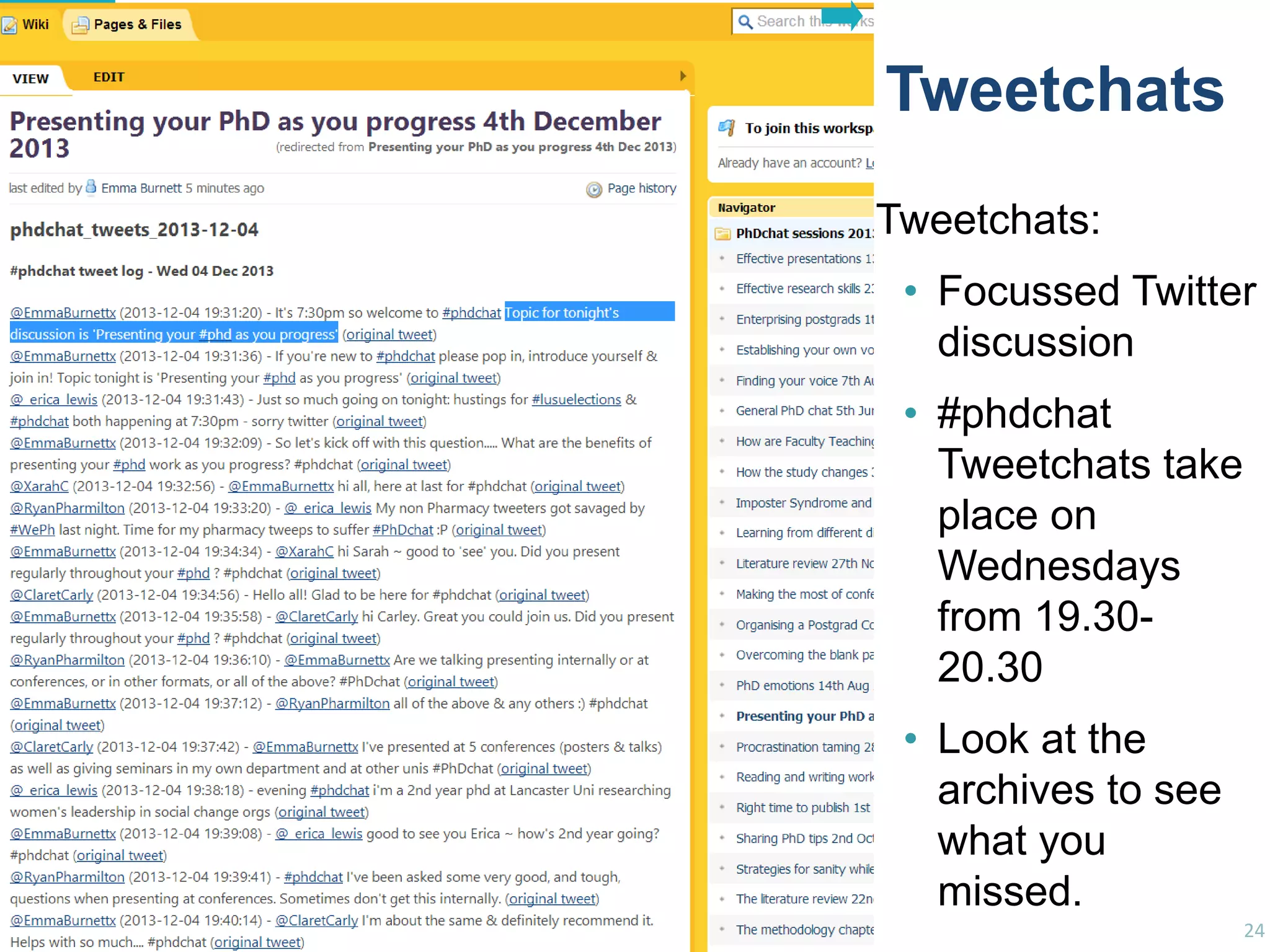
Tweetchats
Tweetchats:
• Focussed Twitter
discussion
• #phdchat
Tweetchats take
place on
Wednesdays
from 19.3020.30

See blog post on
“#uklibchat, #ECRchat, #PhDchat, #Socialcha

• Look at the
archives to see
what you
missed.
24
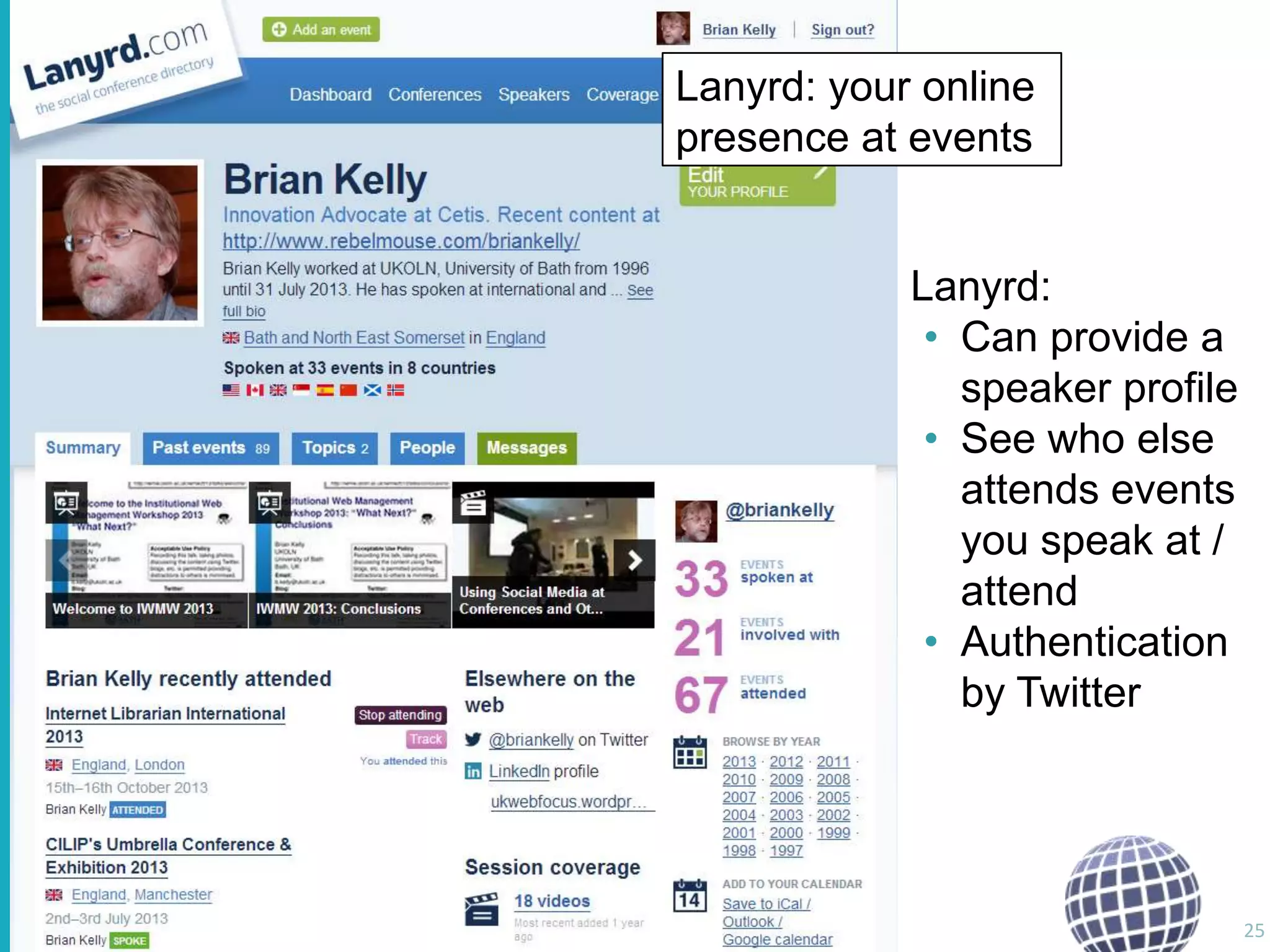
Lanyrd

Lanyrd: your online
presence at events

Lanyrd:
• Can provide a
speaker profile
• See who else
attends events
you speak at /
attend
• Authentication
by Twitter

25
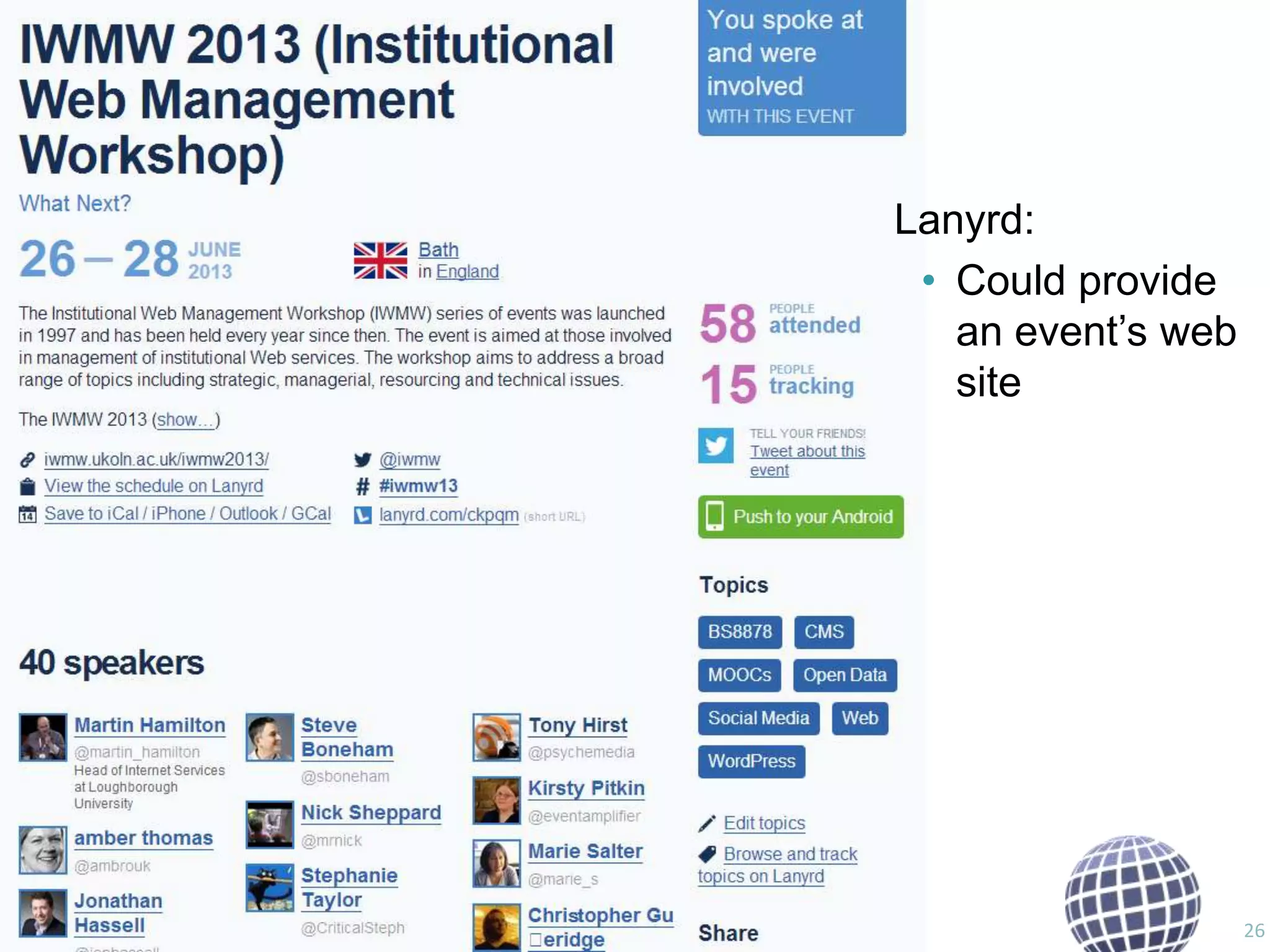
Lanyrd
Lanyrd:
• Could provide
an event‟s web
site

26
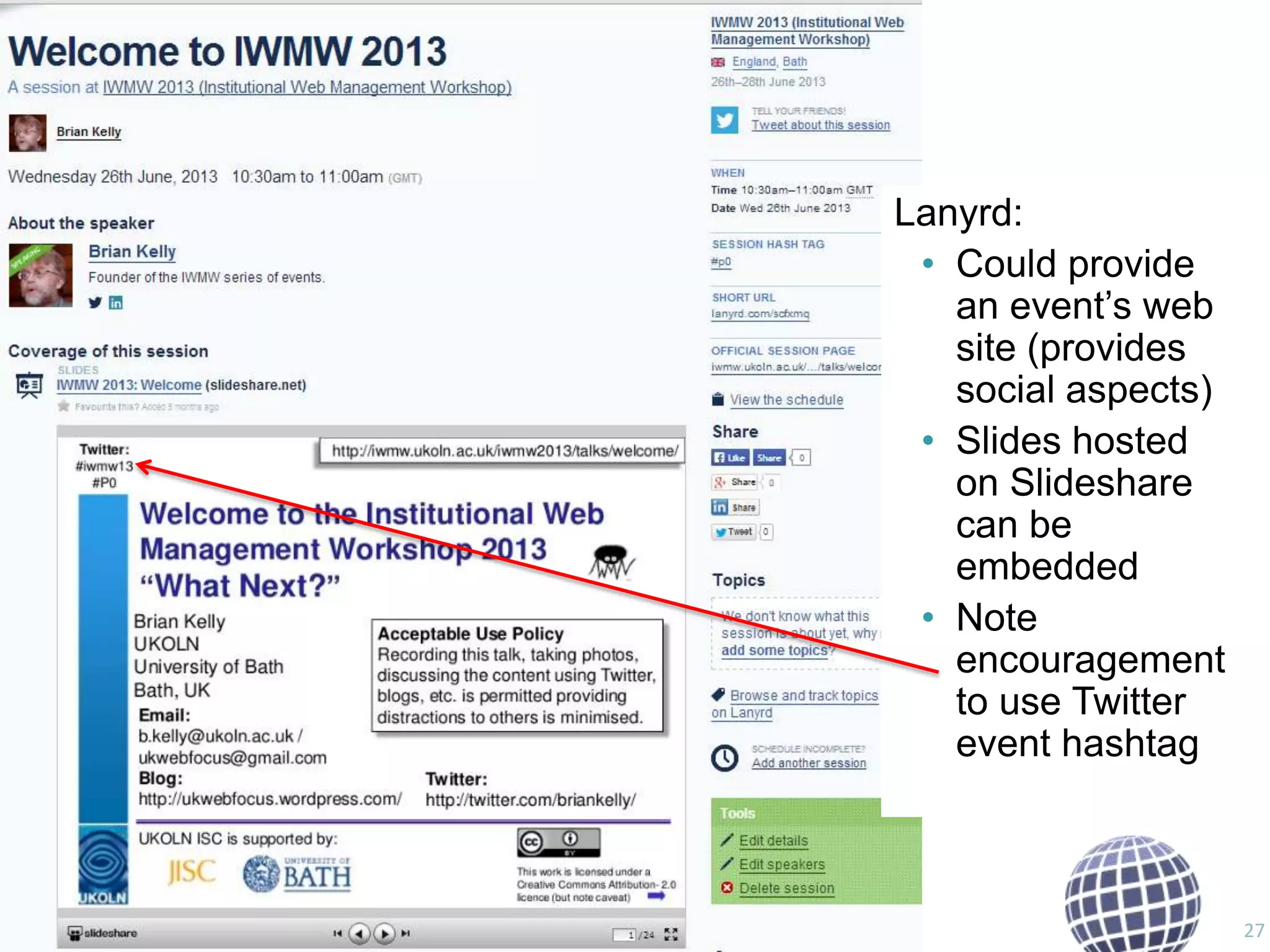
Lanyrd
Lanyrd:
• Could provide
an event‟s web
site (provides
social aspects)
• Slides hosted
on Slideshare
can be
embedded
• Note
encouragement
to use Twitter
event hashtag

27
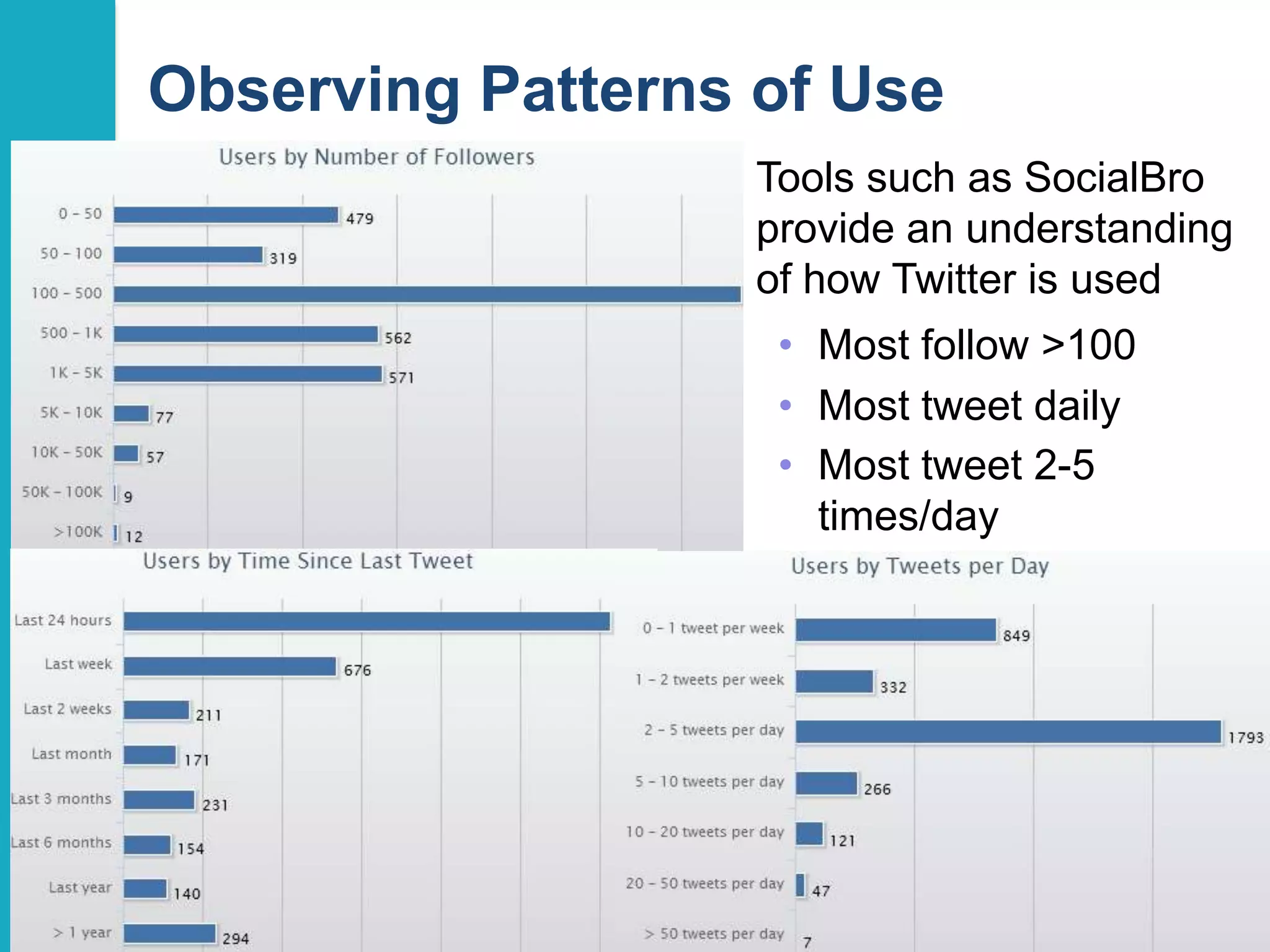
Observing Patterns of Use
Tools such as SocialBro
provide an understanding
of how Twitter is used
• Most follow >100
• Most tweet daily
• Most tweet 2-5
times/day

28
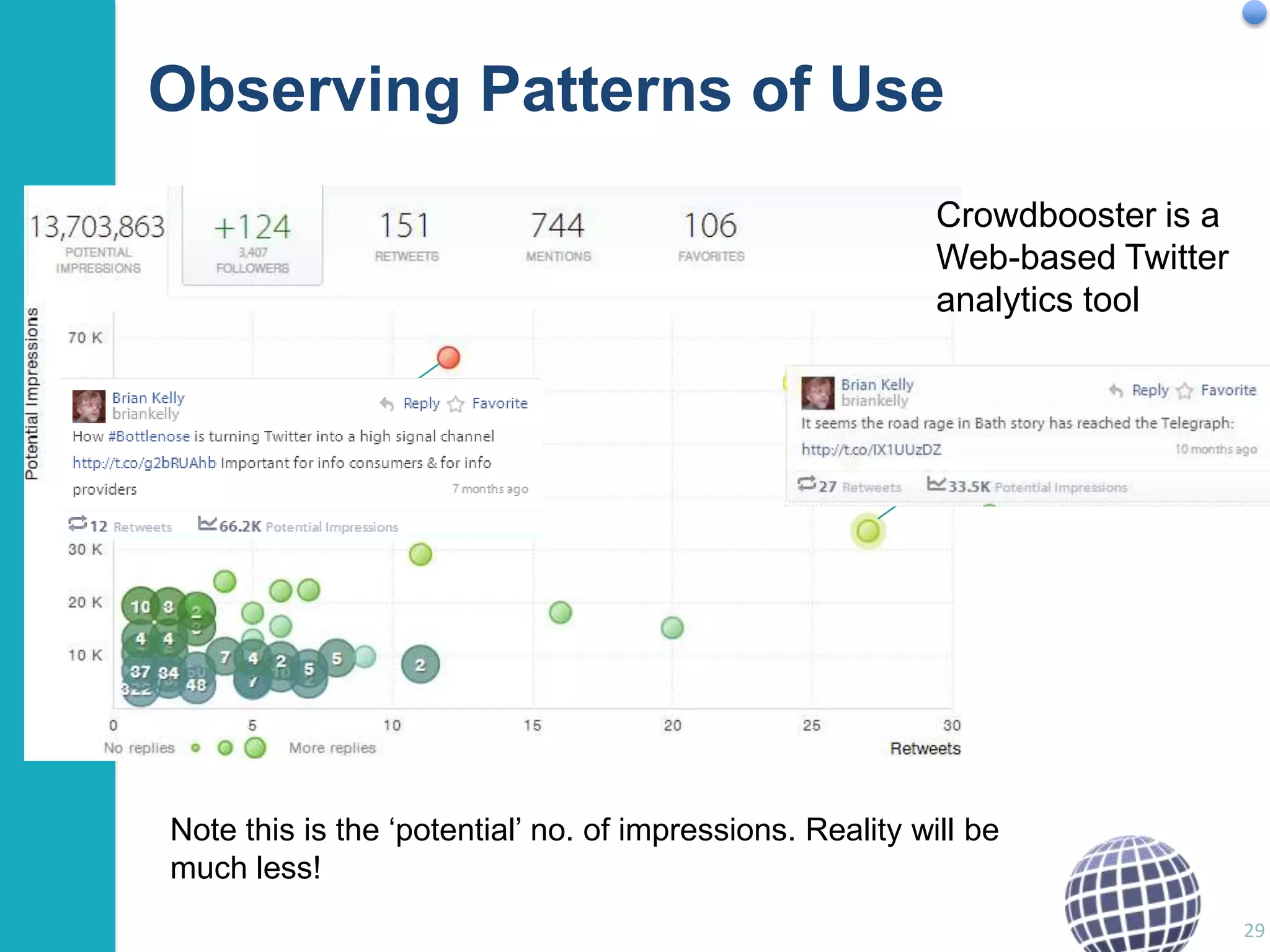
Observing Patterns of Use
Crowdbooster is a
Web-based Twitter
analytics tool

Note this is the „potential‟ no. of impressions. Reality will be
much less!
29
Examples

Researcher Profiling Services
Relevance for you:
• You‟re a researcher: shouldn‟t your research
interests and outputs be freely available?
• You‟re a young researcher: shouldn‟t this information
be decoupled from your (current) institution?
• You want your information to be easily found:
shouldn‟t you use a global service with high Google
visibility?
Relevant services:
• ResearchGate
• Academia.edu
• (ORCID)

30
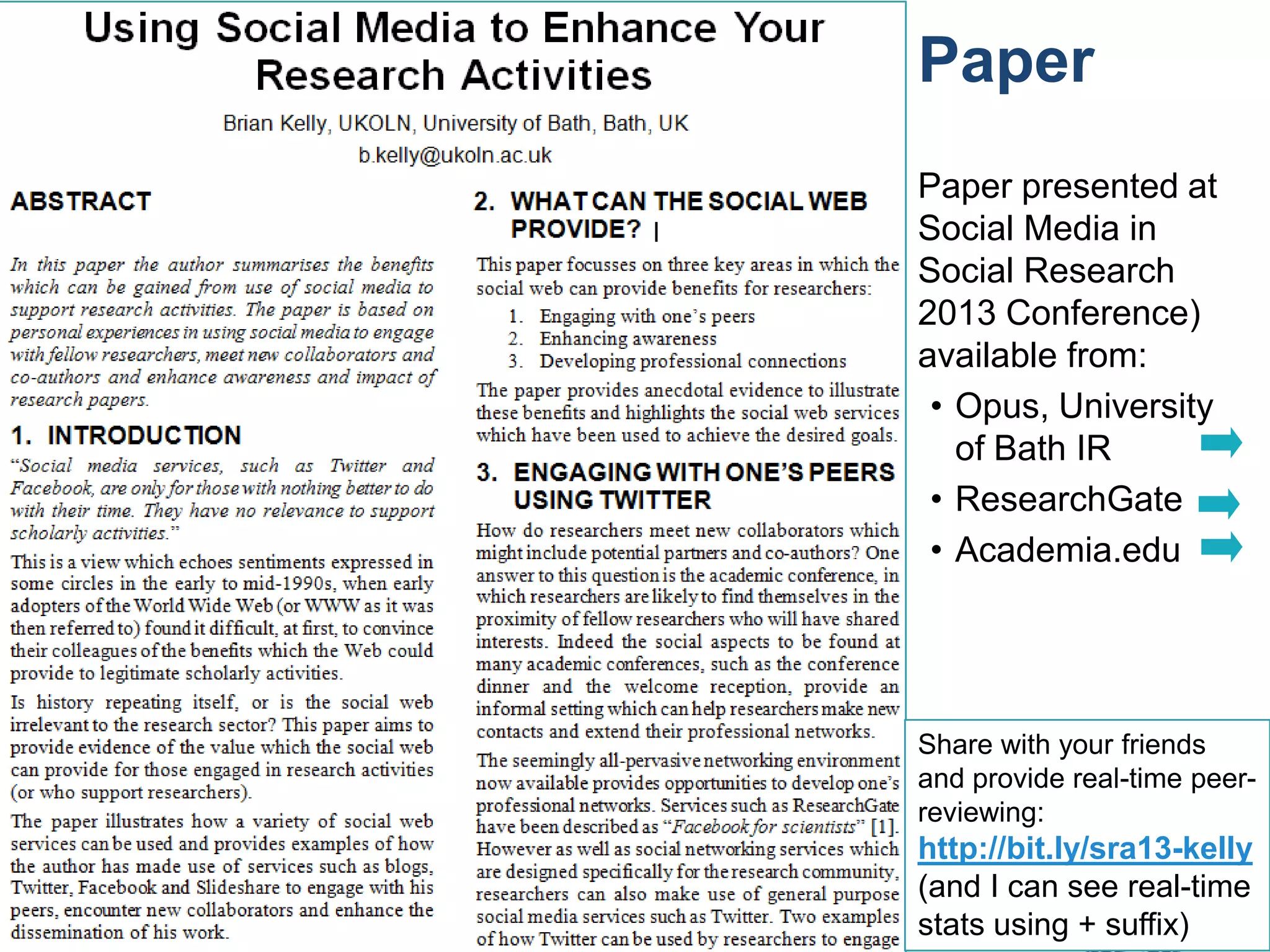
Paper
Paper presented at
Social Media in
Social Research
2013 Conference)
available from:
• Opus, University
of Bath IR
• ResearchGate
• Academia.edu

Share with your friends
and provide real-time peerreviewing:

31

http://bit.ly/sra13-kelly
(and I can see real-time
stats using + suffix)
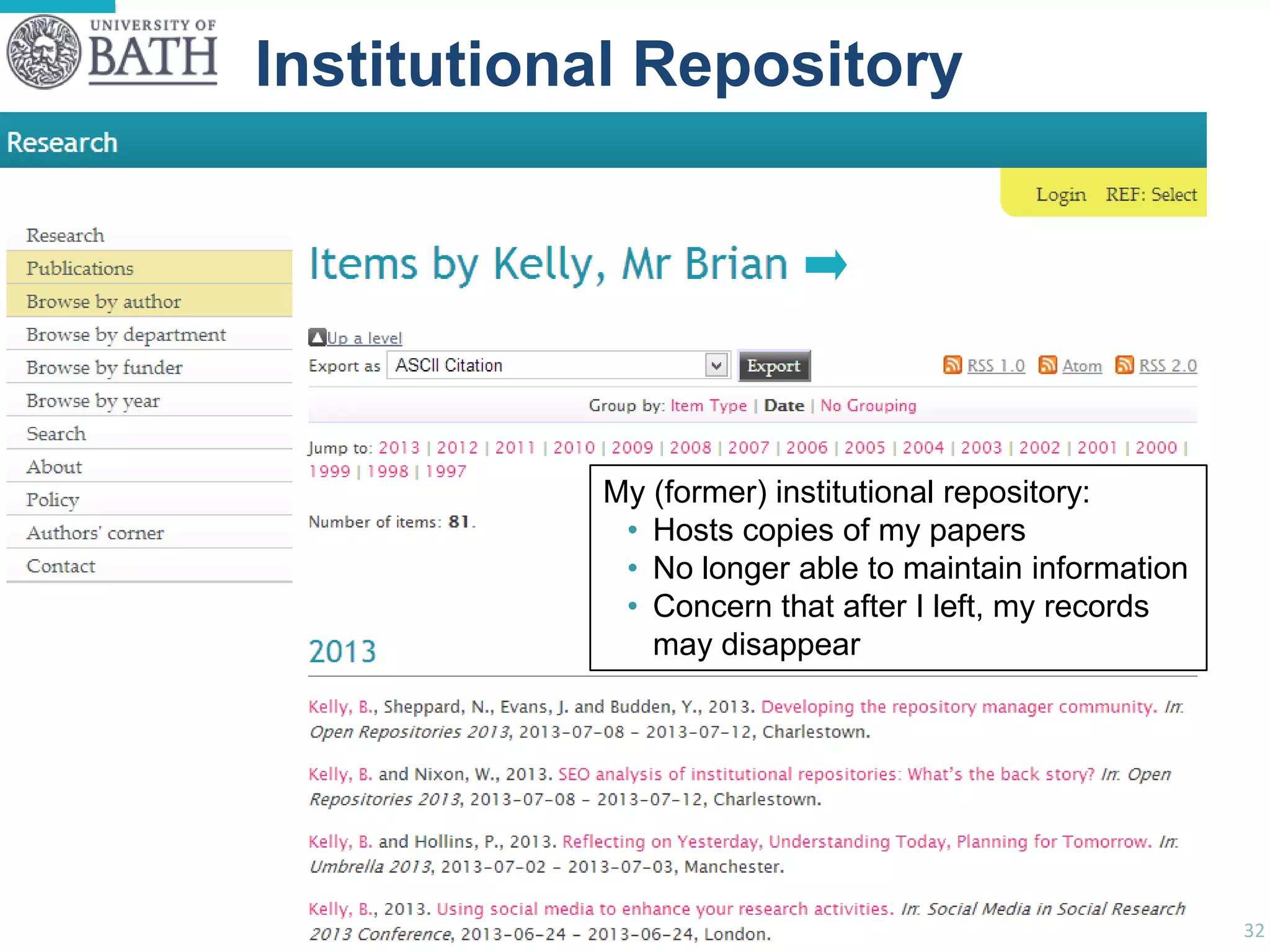
Examples

Institutional Repository
• xxx

My (former) institutional repository:
• Hosts copies of my papers
• No longer able to maintain information
• Concern that after I left, my records
may disappear

32
Academia.edu
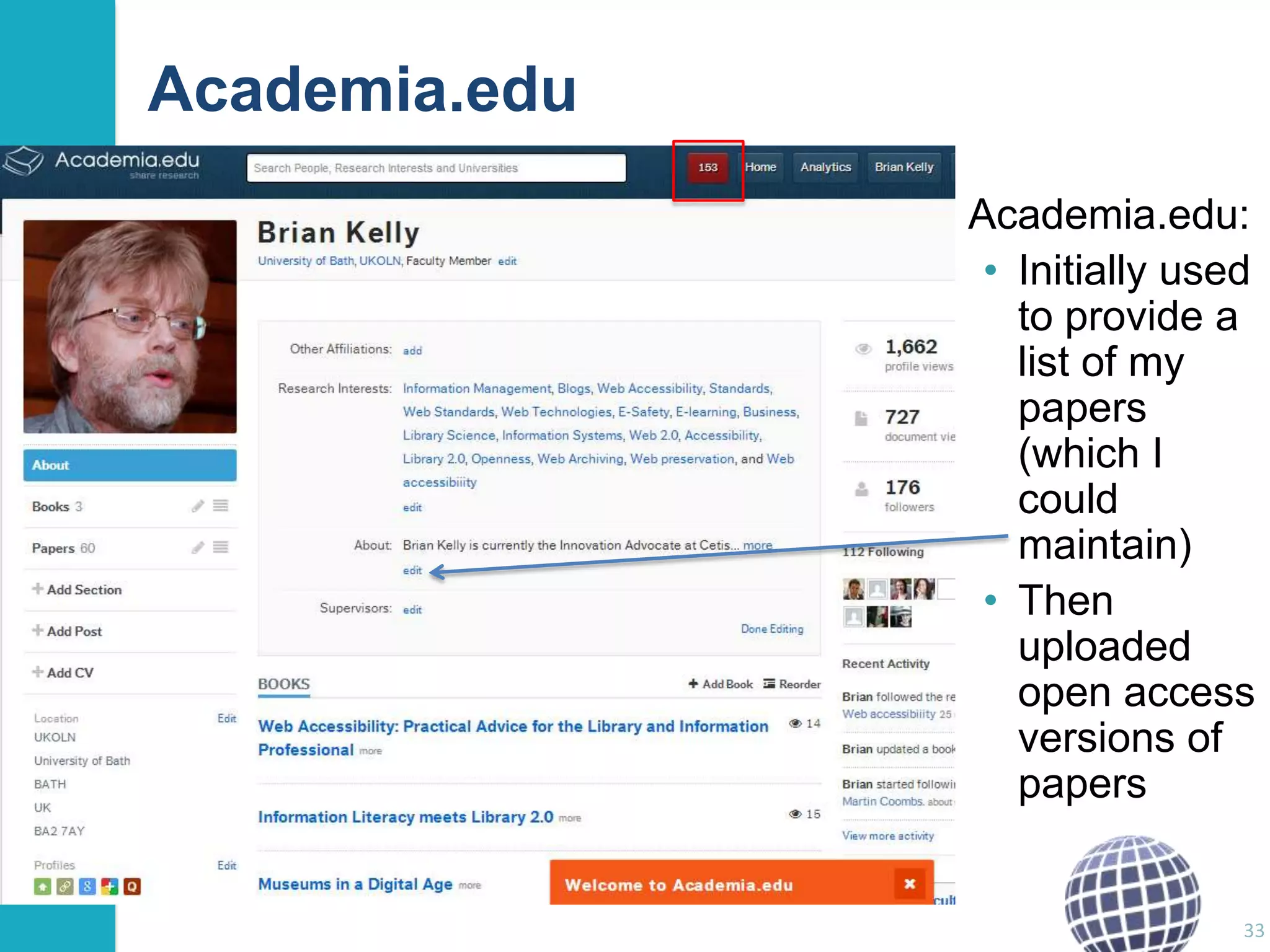
Academia.edu:
• Initially used
to provide a
list of my
papers
(which I
could
maintain)
• Then
uploaded
open access
versions of
papers

33
Academia.edu
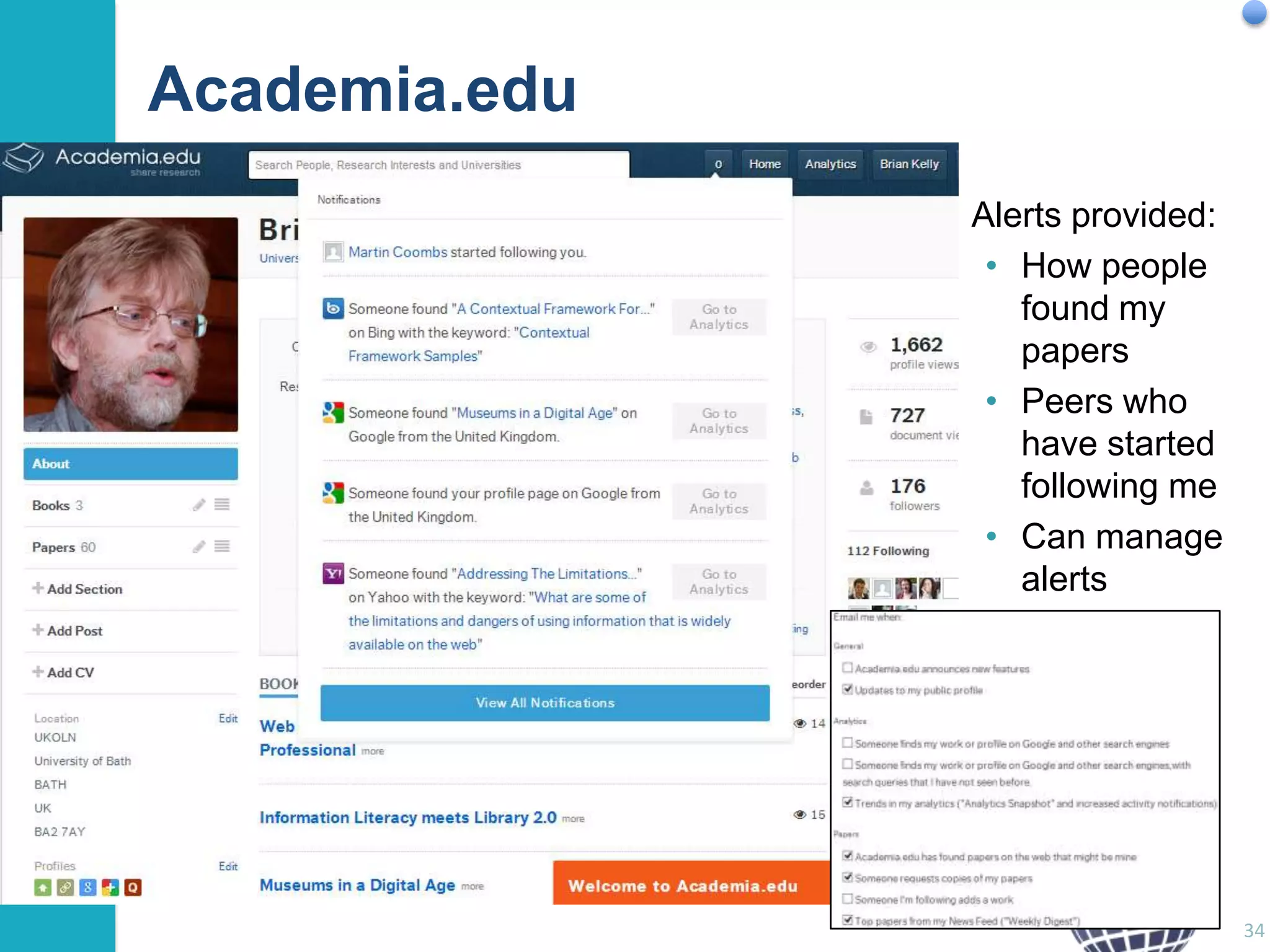
Alerts provided:
• How people
found my
papers
• Peers who
have started
following me
• Can manage
alerts

34
Examples

ResearchGate

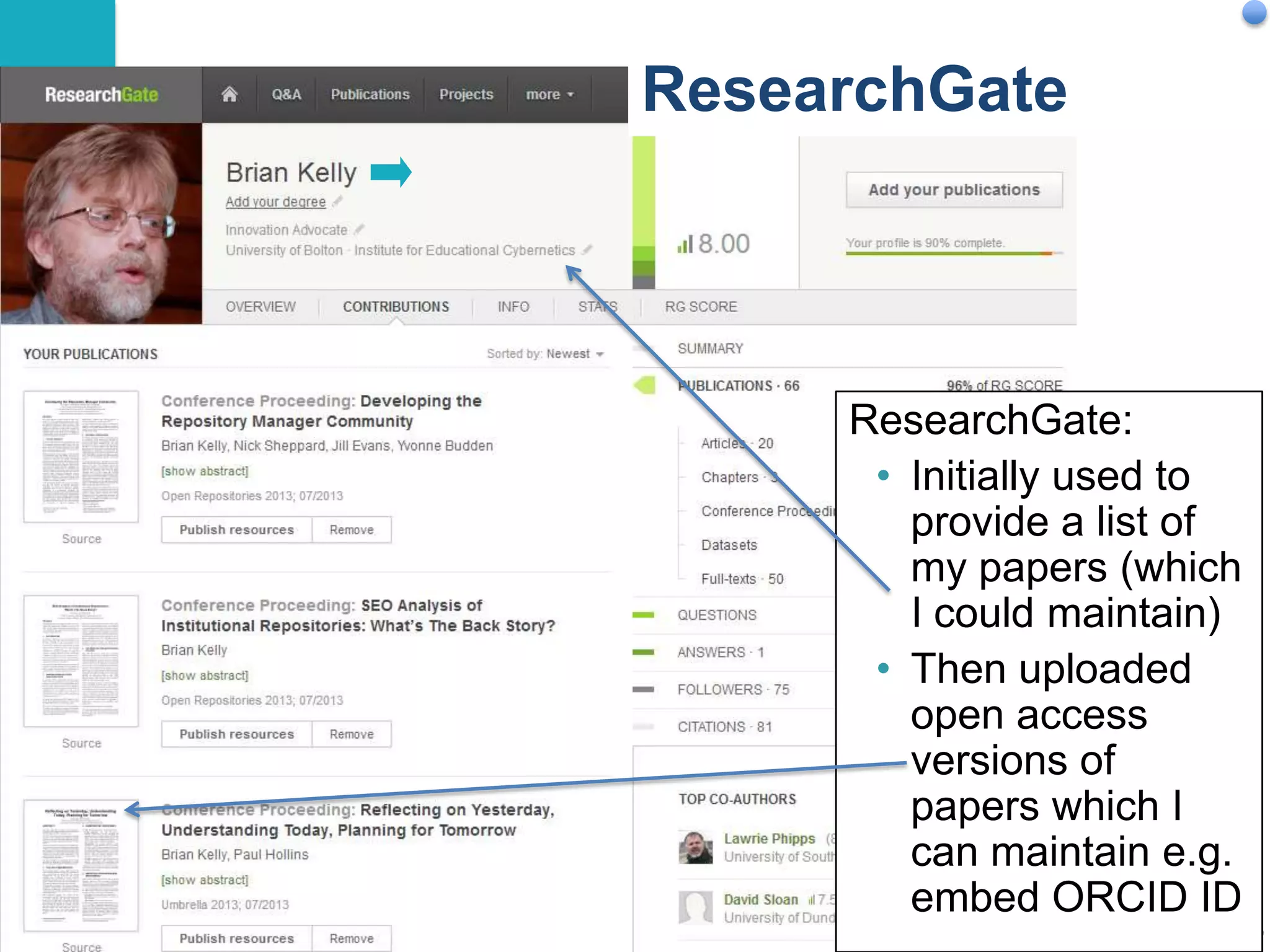
ResearchGate:
• Initially used to
provide a list of
my papers (which
I could maintain)
• Then uploaded
open access
versions of
papers which I
can maintain e.g.
embed ORCID ID
35
Examples

Orcid
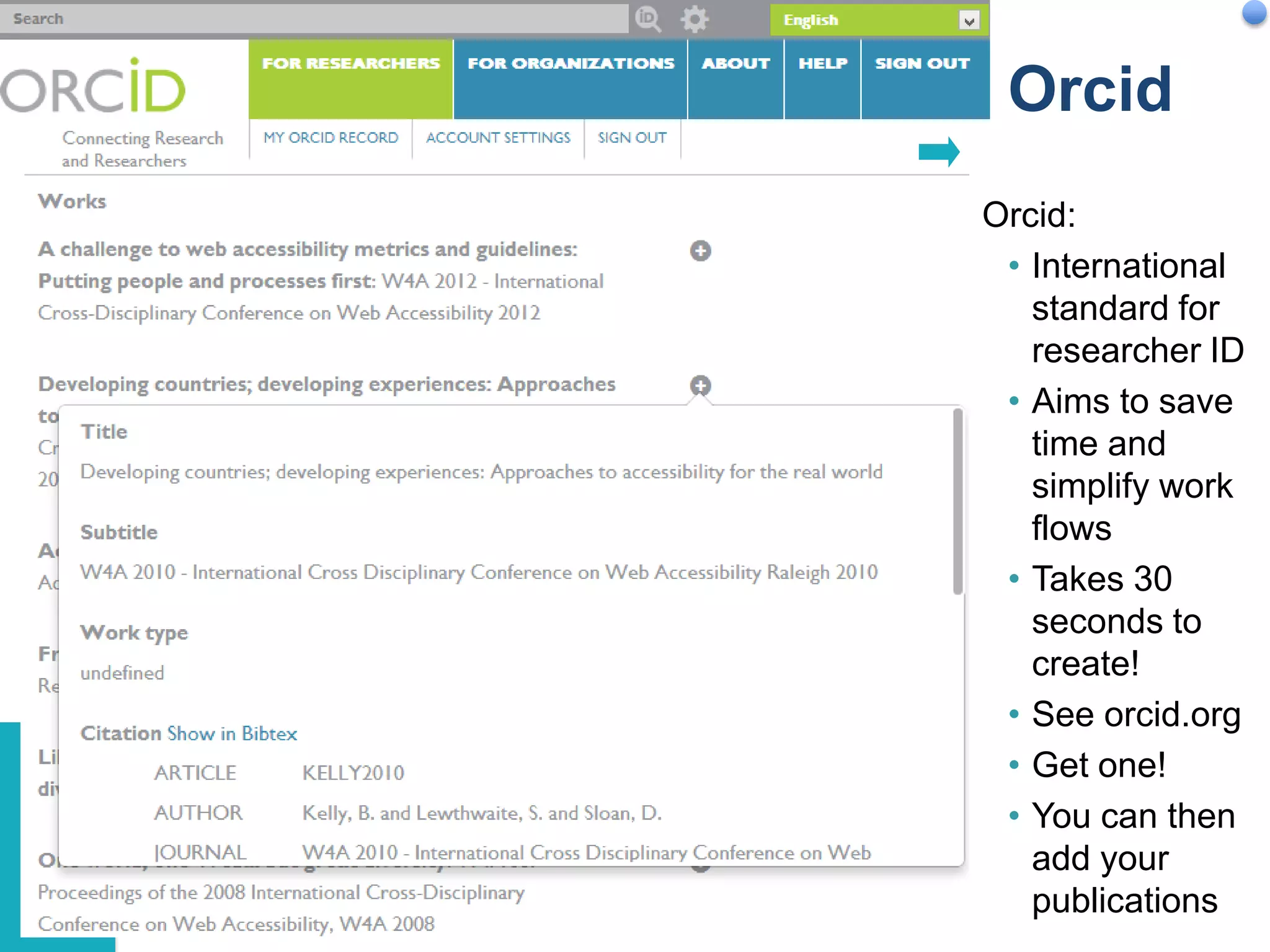
Orcid:
• International
standard for
researcher ID
• Aims to save
time and
simplify work
flows
• Takes 30
seconds to
create!
• See orcid.org
• Get one!
• You can then
add your
publications
36
Slideshare

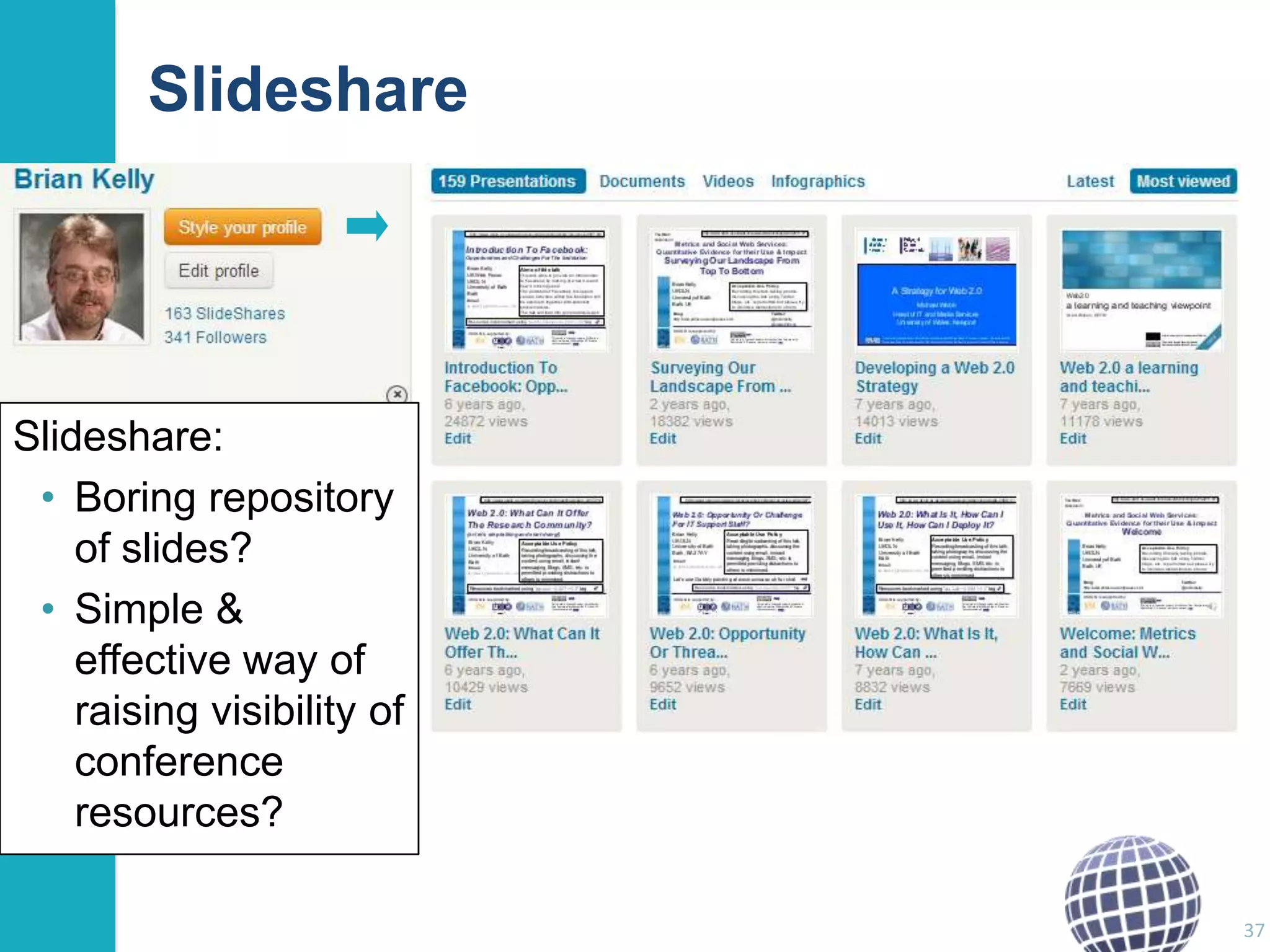
Slideshare:
• Boring repository
of slides?
• Simple &
effective way of
raising visibility of
conference
resources?
37
Slideshare
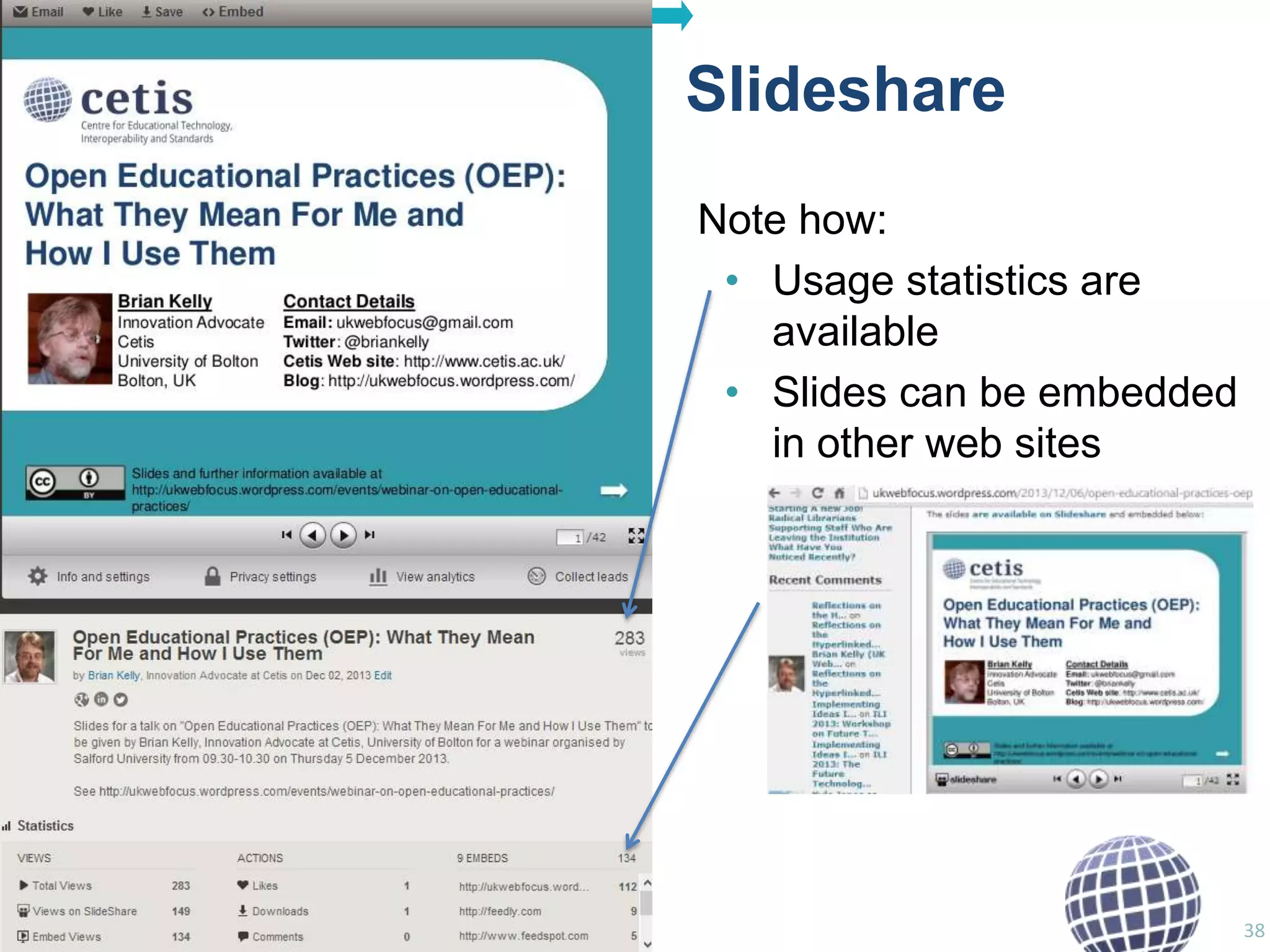
Note how:
• Usage statistics are
available
• Slides can be embedded
in other web sites

38
Slideshare
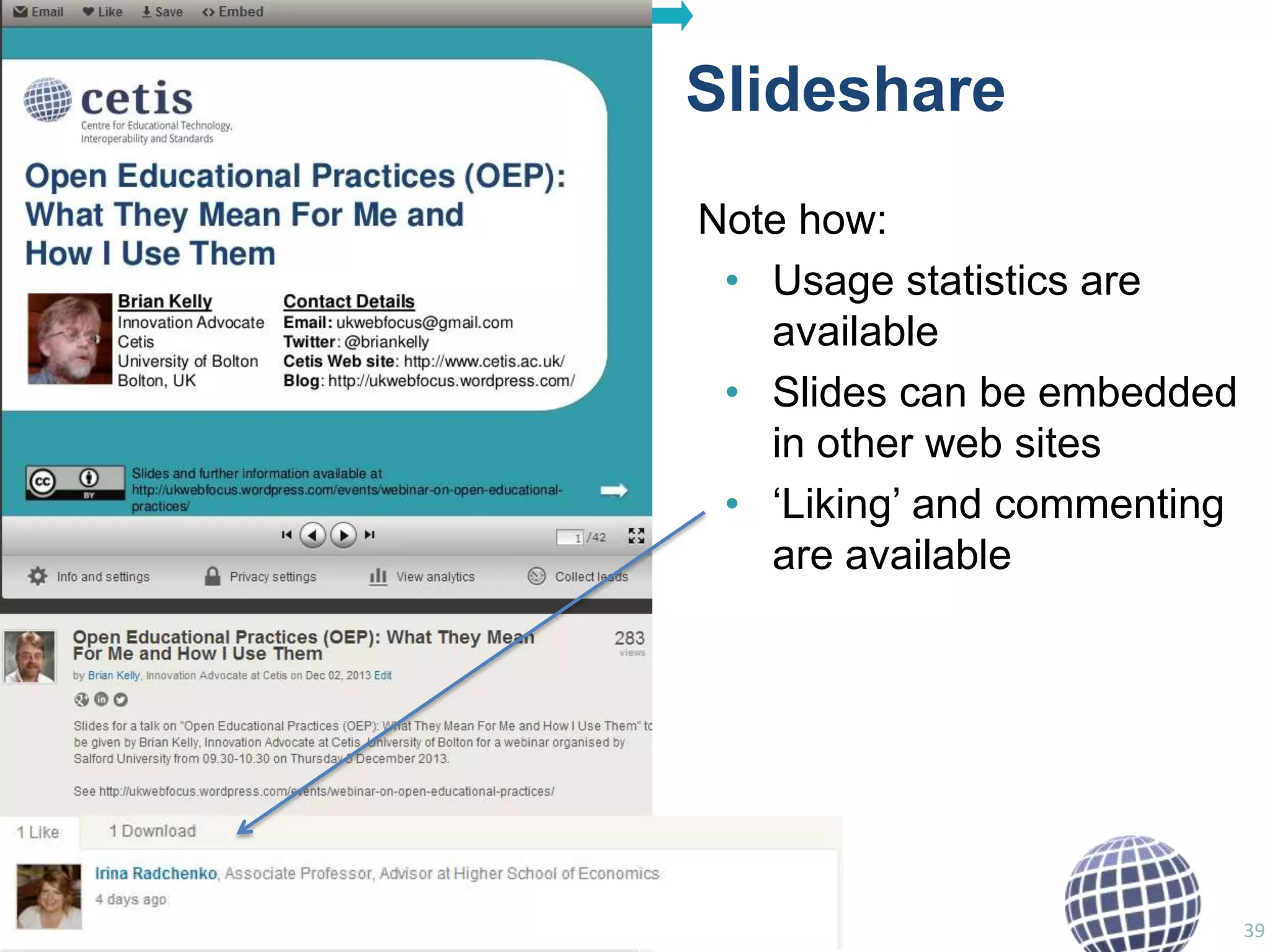
Note how:
• Usage statistics are
available
• Slides can be embedded
in other web sites
• „Liking‟ and commenting
are available

39
Slideshare
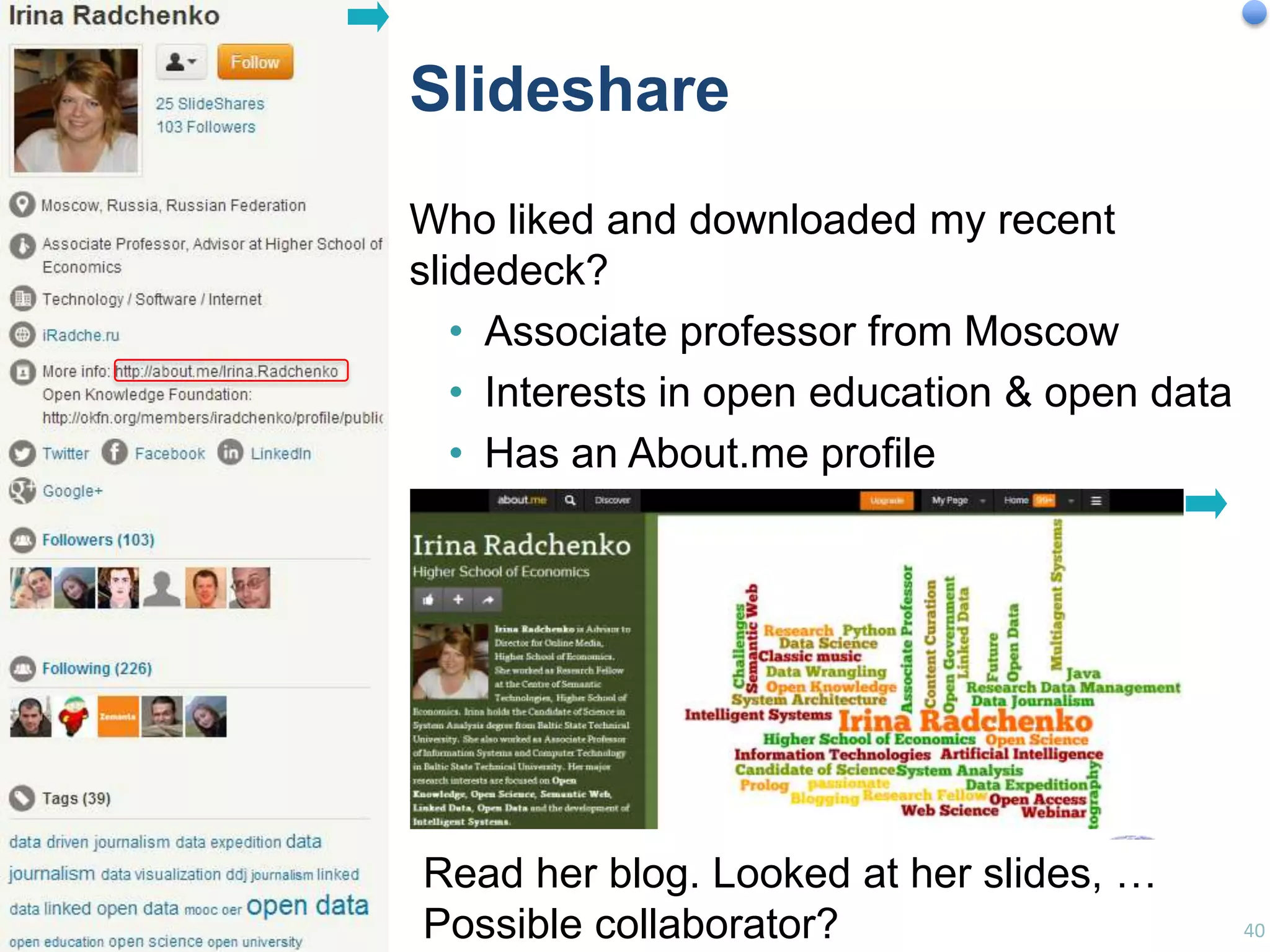
Who liked and downloaded my recent
slidedeck?
• Associate professor from Moscow
• Interests in open education & open data
• Has an About.me profile

Read her blog. Looked at her slides, …
Possible collaborator?

40
Examples

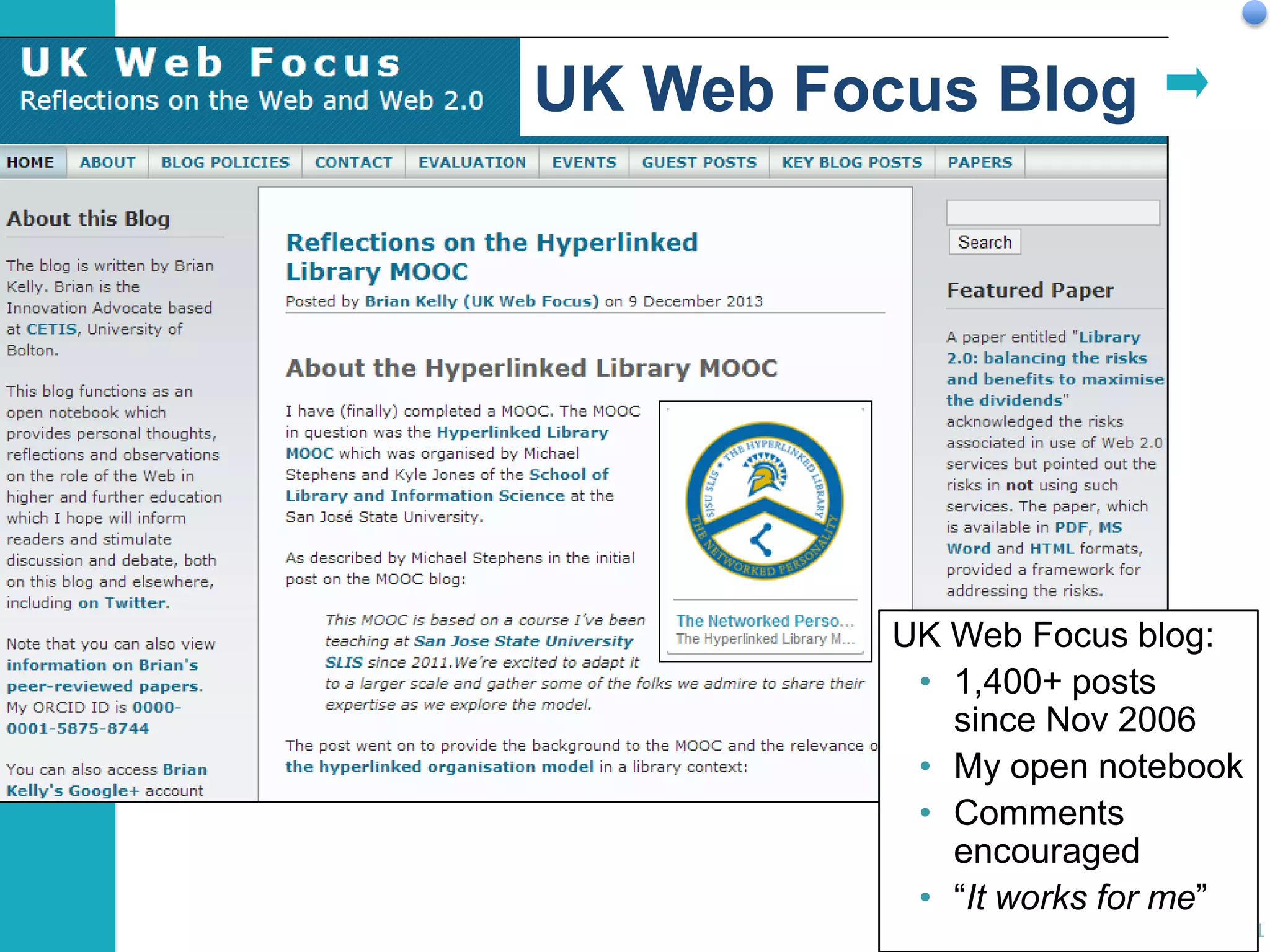
UK Web Focus Blog

UK Web Focus blog:
• 1,400+ posts
since Nov 2006
• My open notebook
• Comments
encouraged
• “It works for me”
41
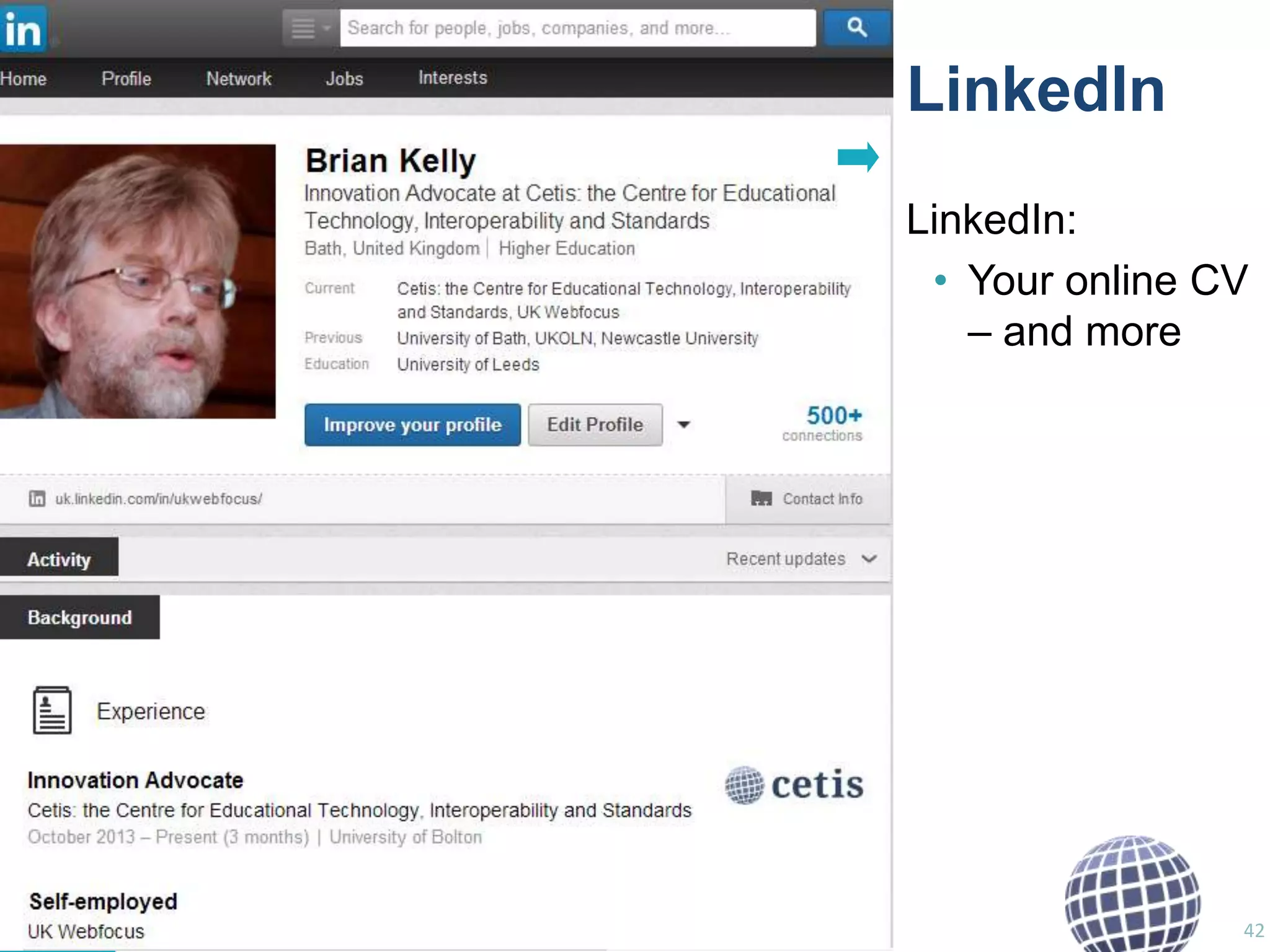
LinkedIn
LinkedIn:
• Your online CV
– and more

42
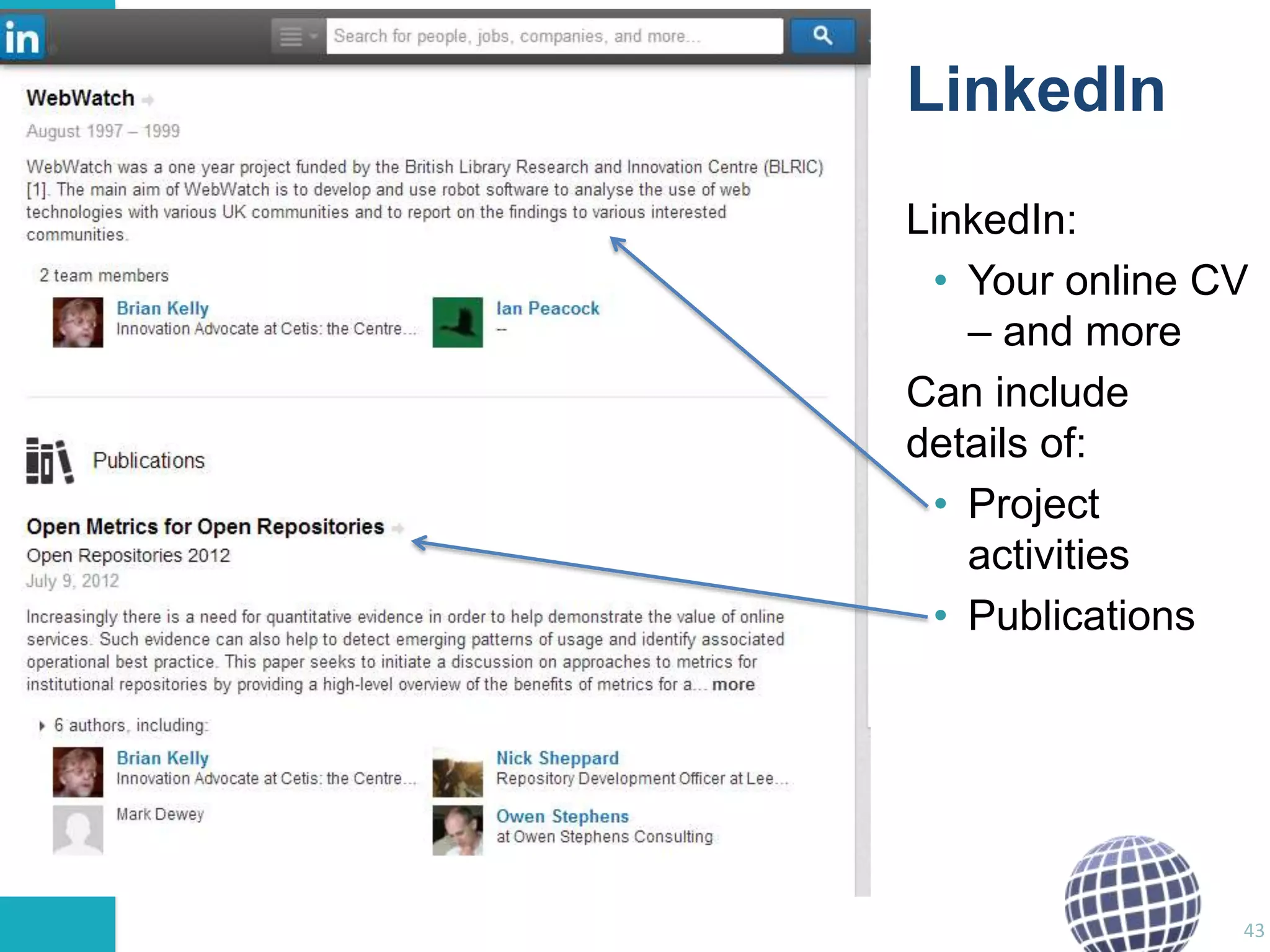
LinkedIn
LinkedIn:
• Your online CV
– and more
Can include
details of:
• Project
activities
• Publications

43
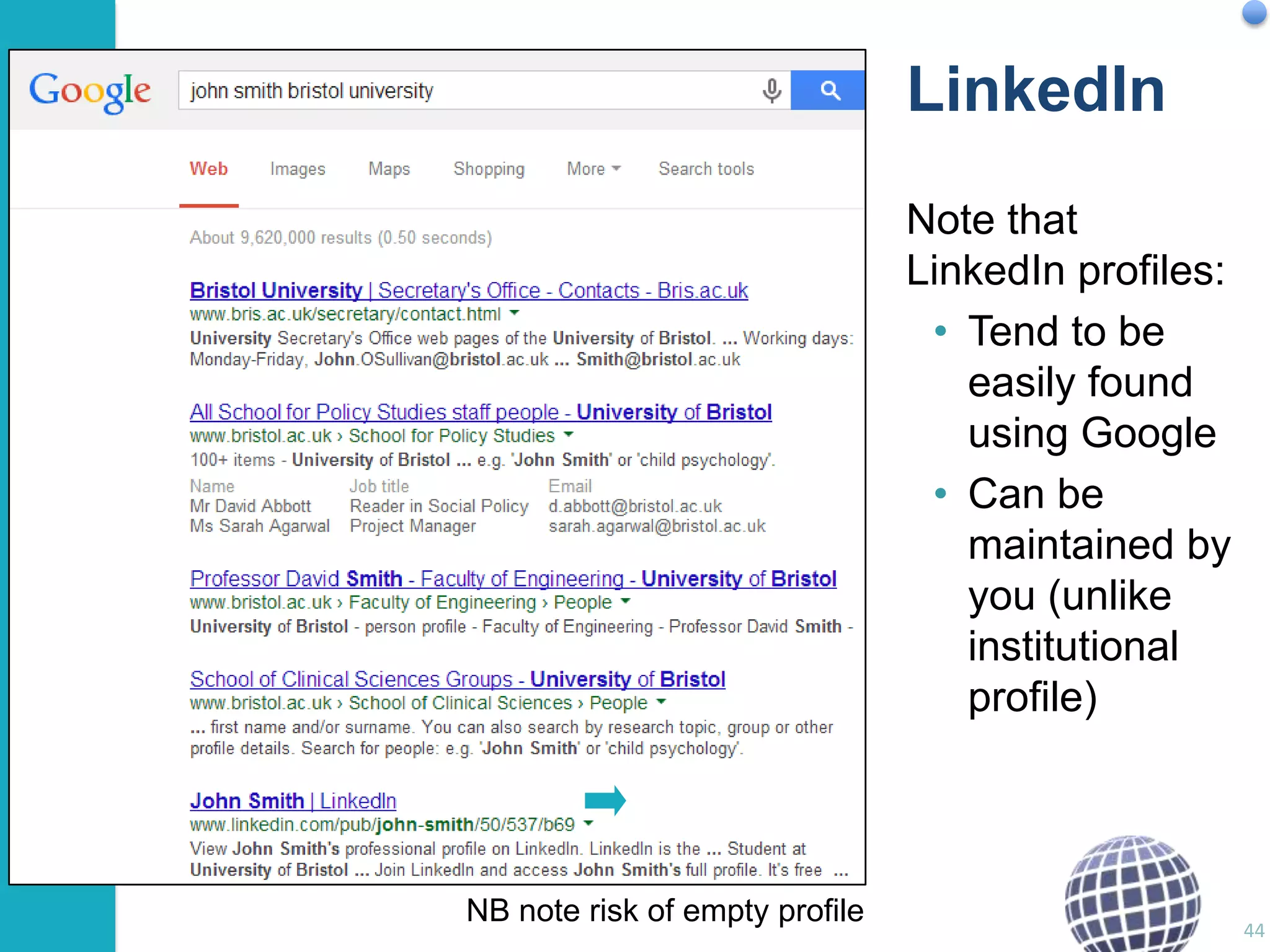
LinkedIn
Note that
LinkedIn profiles:
• Tend to be
easily found
using Google
• Can be
maintained by
you (unlike
institutional
profile)

NB note risk of empty profile

44
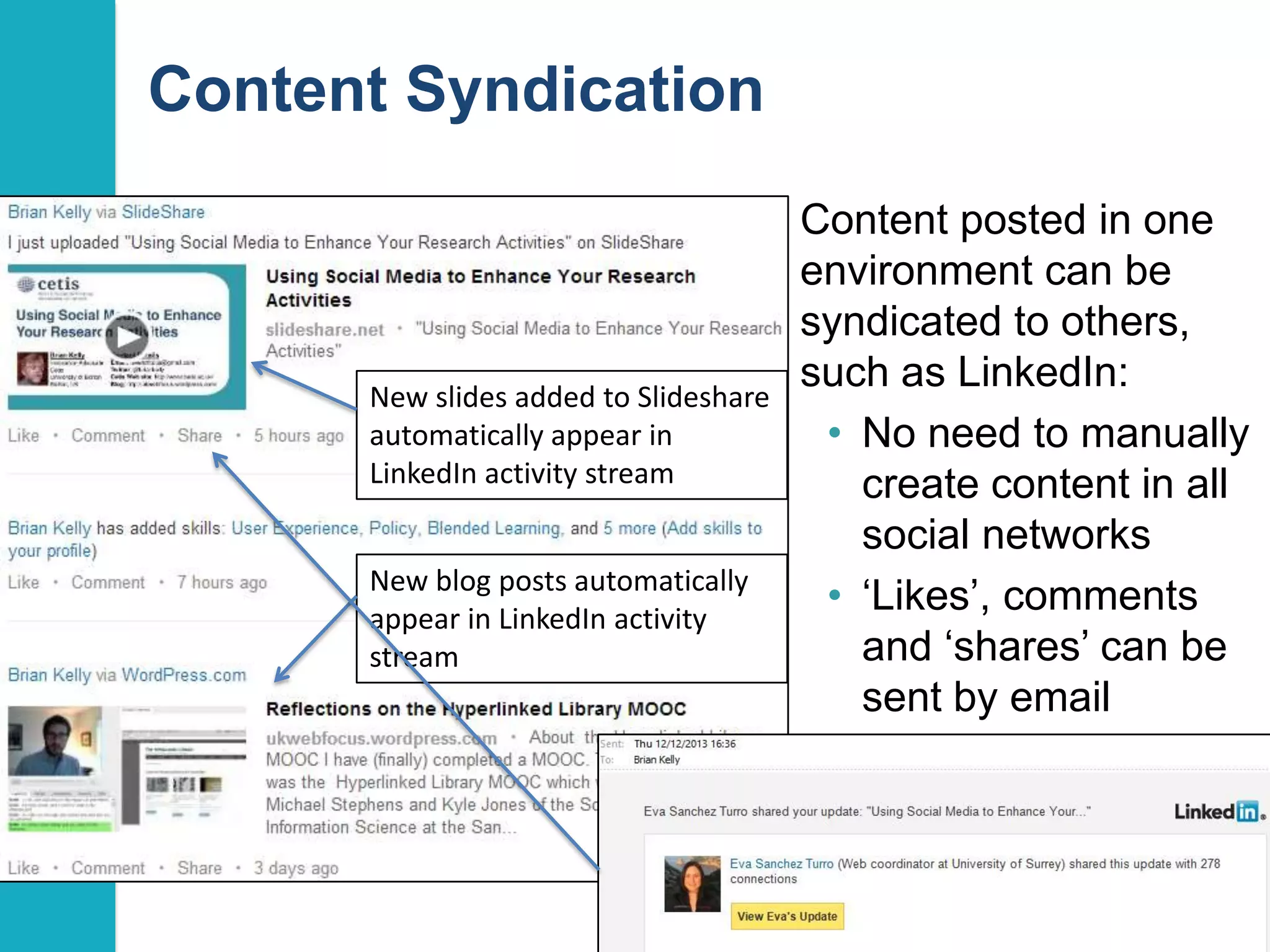
Content Syndication

New slides added to Slideshare
automatically appear in
LinkedIn activity stream
New blog posts automatically
appear in LinkedIn activity
stream

Content posted in one
environment can be
syndicated to others,
such as LinkedIn:
• No need to manually
create content in all
social networks
• „Likes‟, comments
and „shares‟ can be
sent by email

45
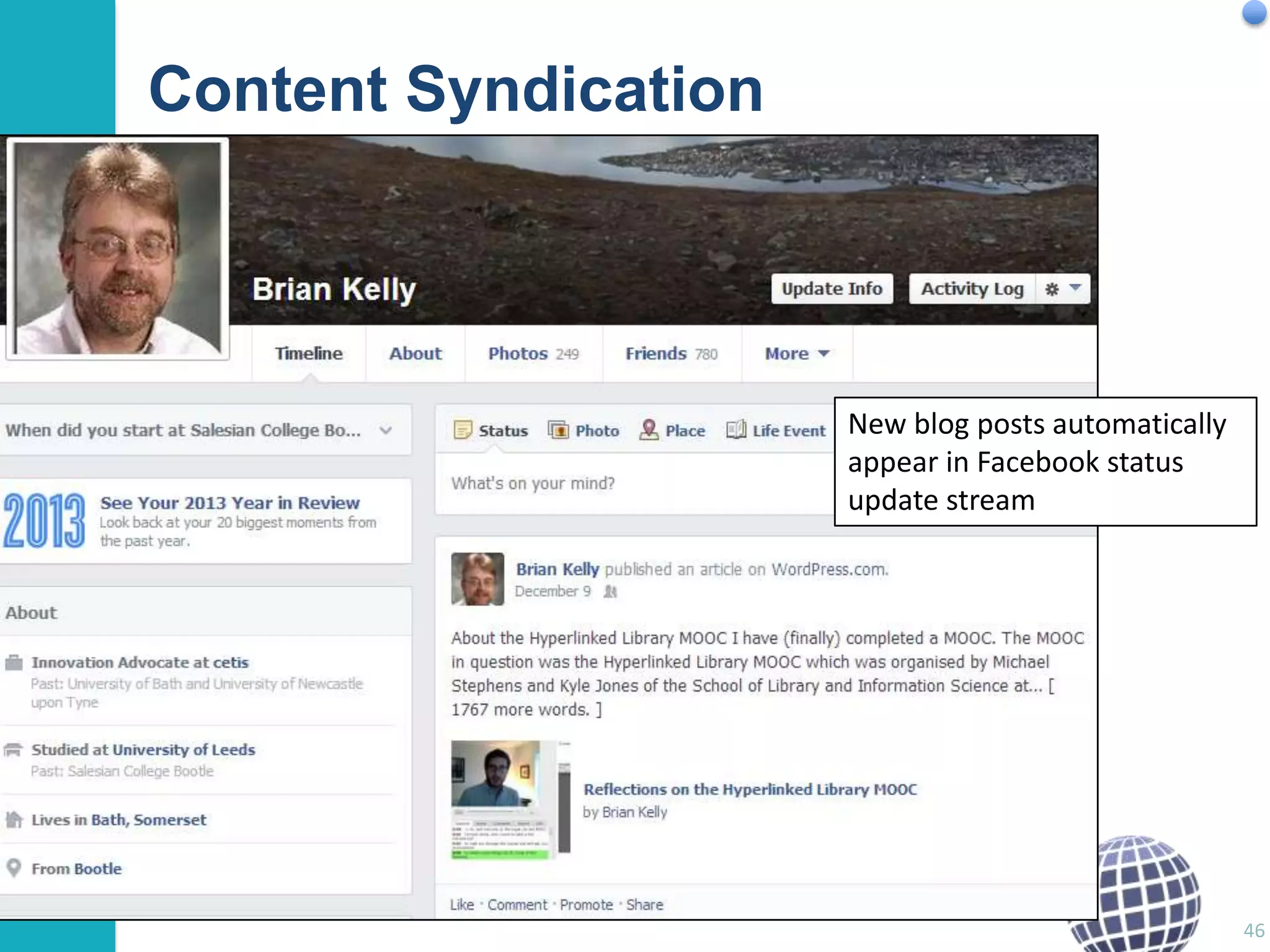
Content Syndication

New blog posts automatically
appear in Facebook status
update stream

46
Evidence

Importance of Evidence
How might we gather evidence of the value of use of
social media for researchers?
• Provide some examples of approaches
Four examples of evidence of benefits of use of social
media:
1. As part of the research process
2. For identifying and making contact with new
collaborators
3. To raise the visibility of research
4. Looking at the numbers

47
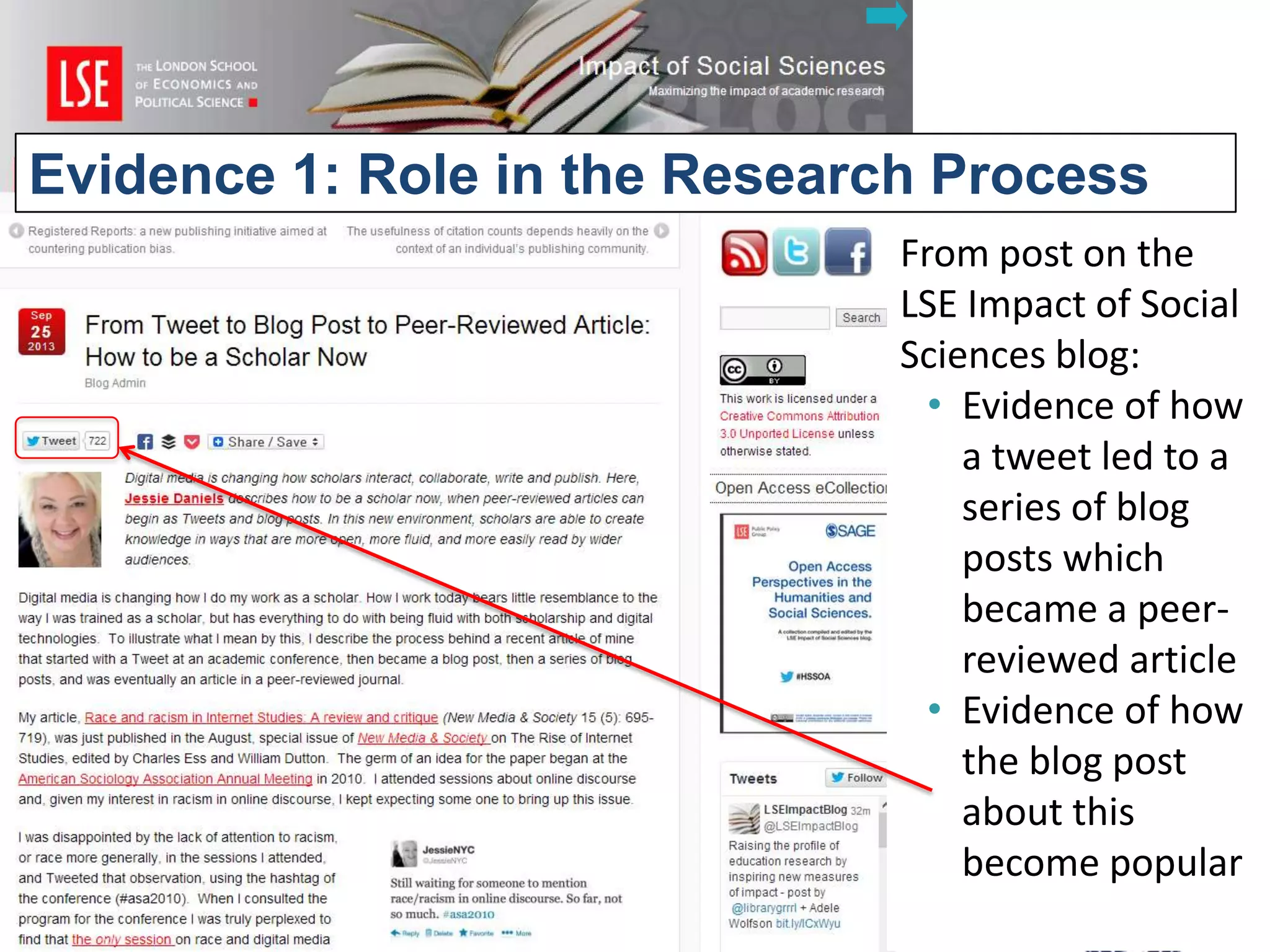
Evidence 1: Role in the Research Process
LSE Impact blog

From post on the
LSE Impact of Social
Sciences blog:
• Evidence of how
a tweet led to a
series of blog
posts which
became a peerreviewed article
• Evidence of how
the blog post
about this
become popular
48
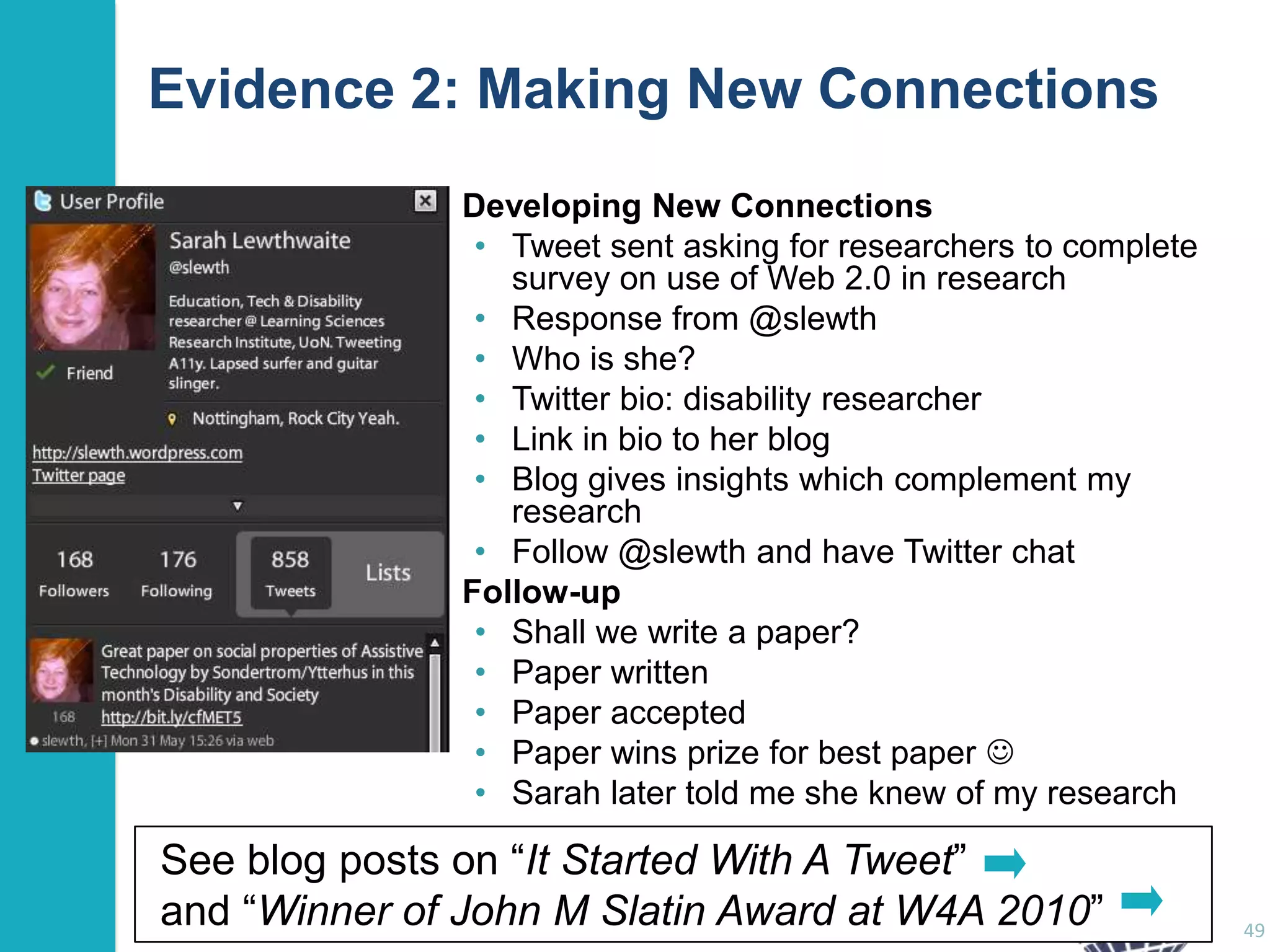
Evidence 2: Making New Connections
Developing New Connections
• Tweet sent asking for researchers to complete
survey on use of Web 2.0 in research
• Response from @slewth
• Who is she?
• Twitter bio: disability researcher
• Link in bio to her blog
• Blog gives insights which complement my
research
• Follow @slewth and have Twitter chat
Follow-up
• Shall we write a paper?
• Paper written
• Paper accepted
• Paper wins prize for best paper 
• Sarah later told me she knew of my research

See blog posts on “It Started With A Tweet”
and “Winner of John M Slatin Award at W4A 2010”

49
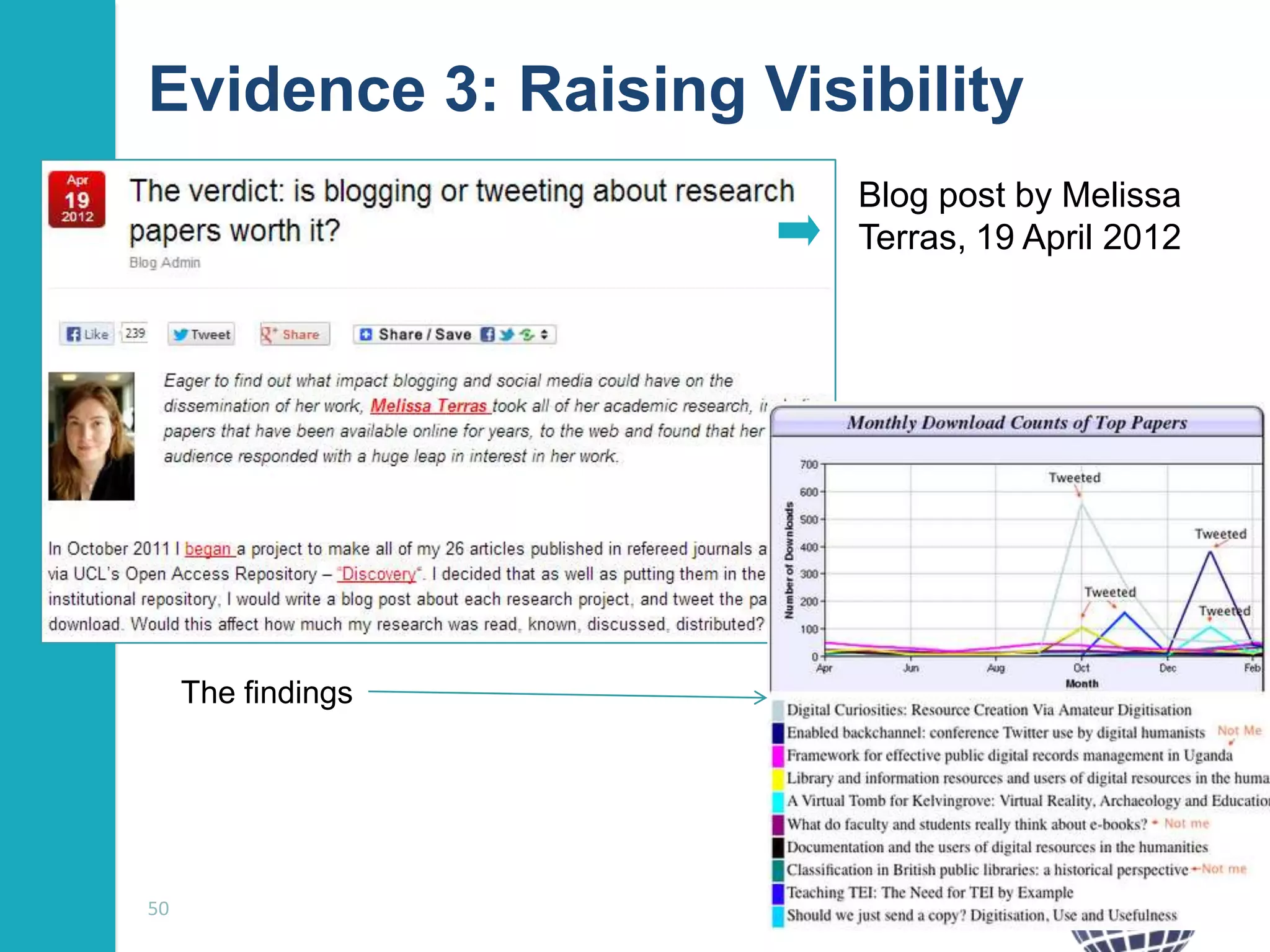
Evidence 3: Raising Visibility
Blog post by Melissa
Terras, 19 April 2012

The findings

50
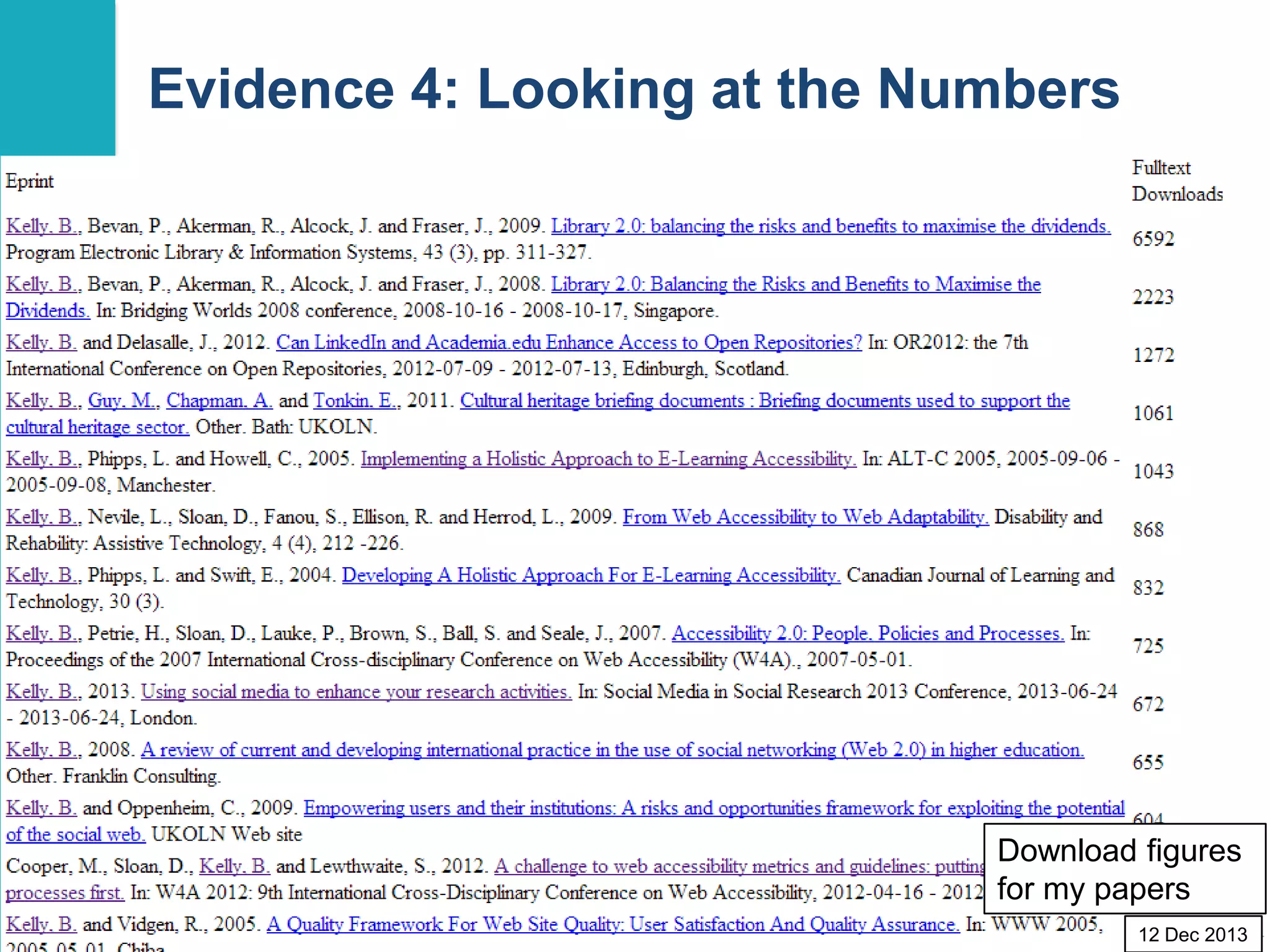
Evidence 4: Looking at the Numbers
What do
download
statistics
tell us?

Download figures
for my papers
51
12 Dec 2013
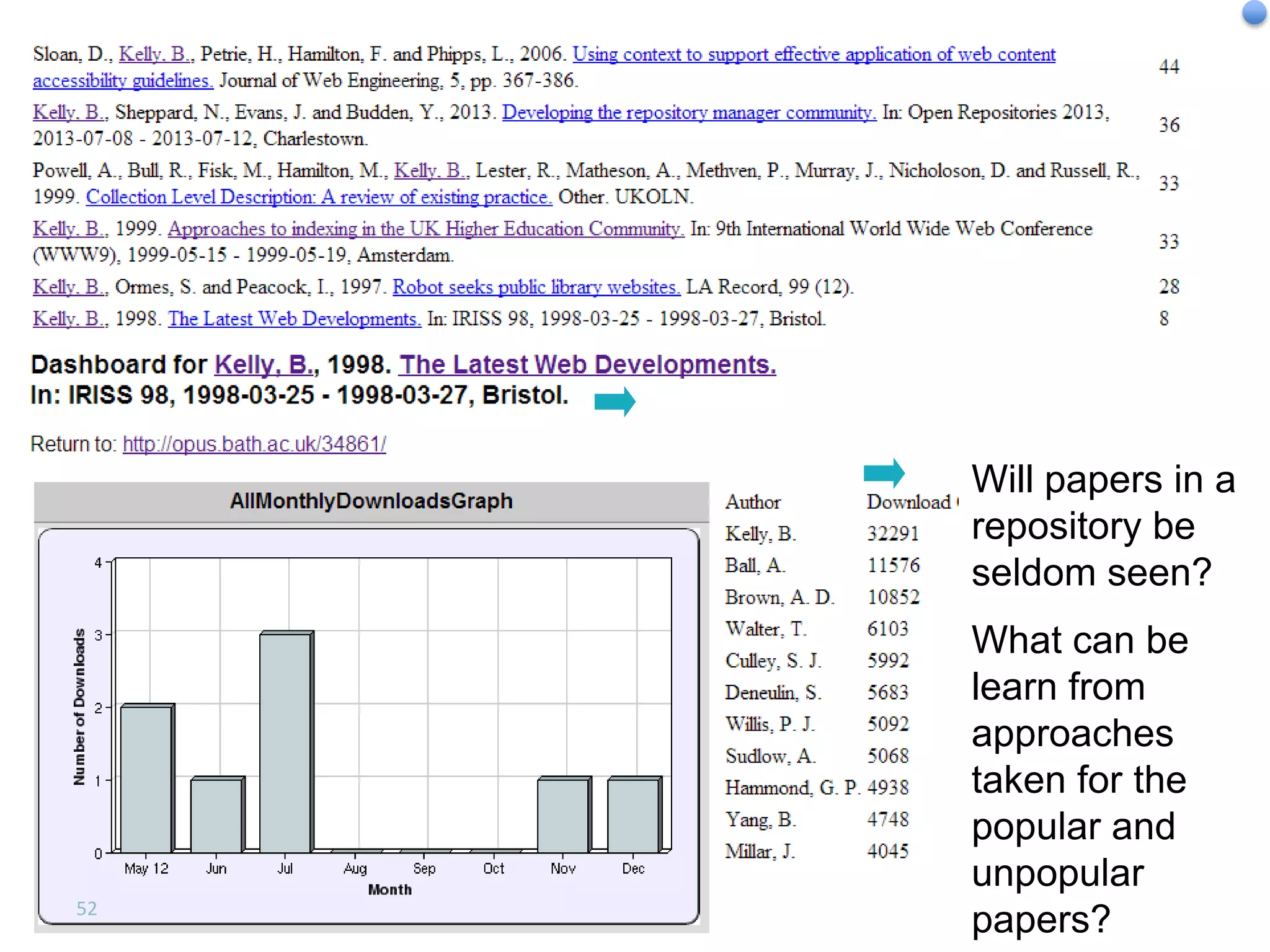
Least Downloaded Papers

Will papers in a
repository be
seldom seen?

52

What can be
learn from
approaches
taken for the
popular and
unpopular
papers?
How Does It Work?

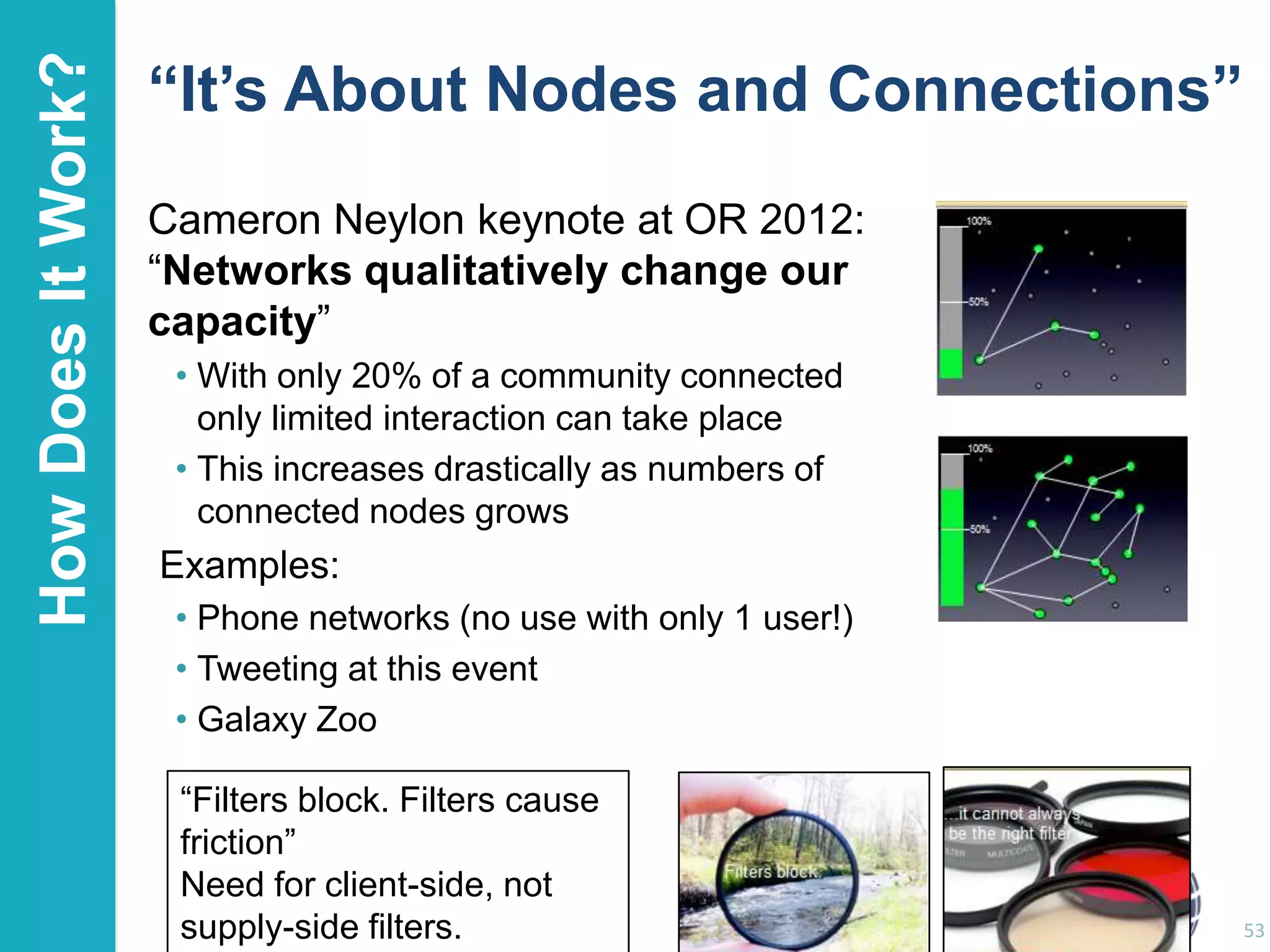
“It’s About Nodes and Connections”
Cameron Neylon keynote at OR 2012:
“Networks qualitatively change our
capacity”
• With only 20% of a community connected
only limited interaction can take place
• This increases drastically as numbers of
connected nodes grows

Examples:
• Phone networks (no use with only 1 user!)
• Tweeting at this event
• Galaxy Zoo
“Filters block. Filters cause
friction”
Need for client-side, not
supply-side filters.

53
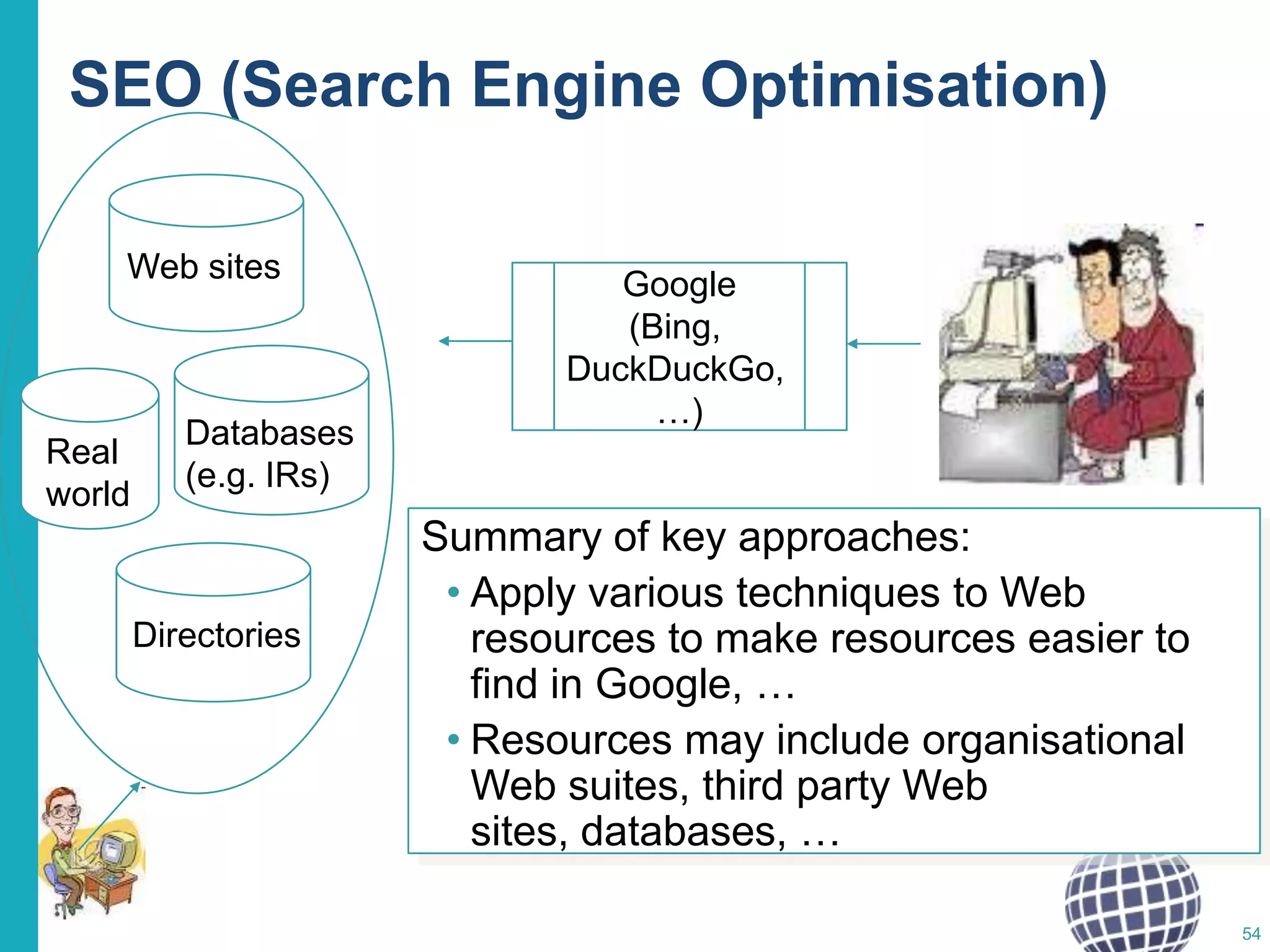
SEO (Search Engine Optimisation)
Web sites

Real
world

Databases
(e.g. IRs)

Directories

Google
(Bing,
DuckDuckGo,
…)

Summary of key approaches:
• Apply various techniques to Web
resources to make resources easier to
find in Google, …
• Resources may include organisational
Web suites, third party Web
sites, databases, …
54
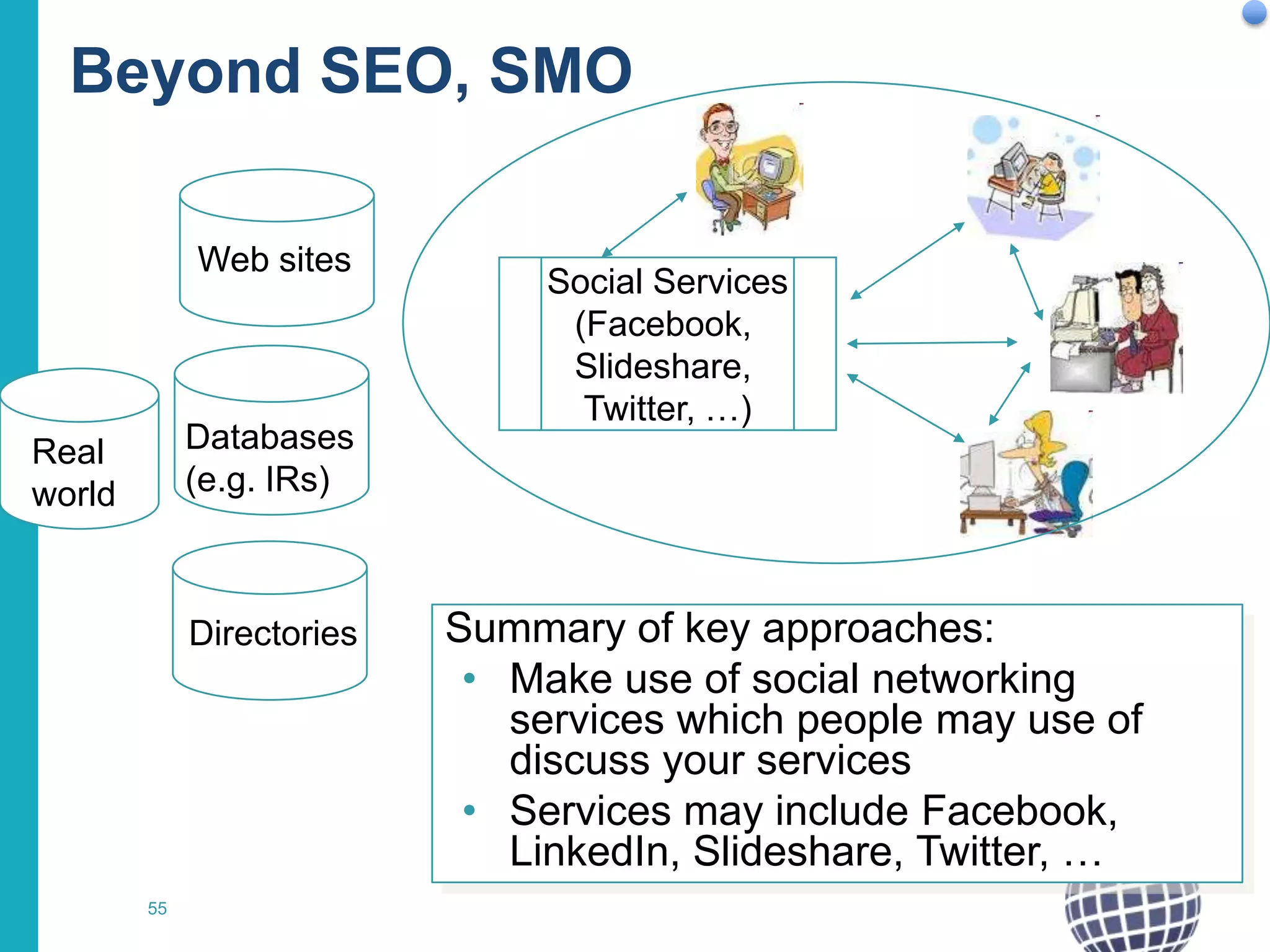
Beyond SEO, SMO
Web sites

Databases
(e.g. IRs)

Real
world

Directories

55

Social Services
(Facebook,
Slideshare,
Twitter, …)

Summary of key approaches:
• Make use of social networking
services which people may use of
discuss your services
• Services may include Facebook,
LinkedIn, Slideshare, Twitter, …
Risks

Risks, Limitations, Concerns
Over to you:
• What concerns do you have?

• What risks do you envisage?
• What limitations might social media have
for your in your area of research?

56
Risks

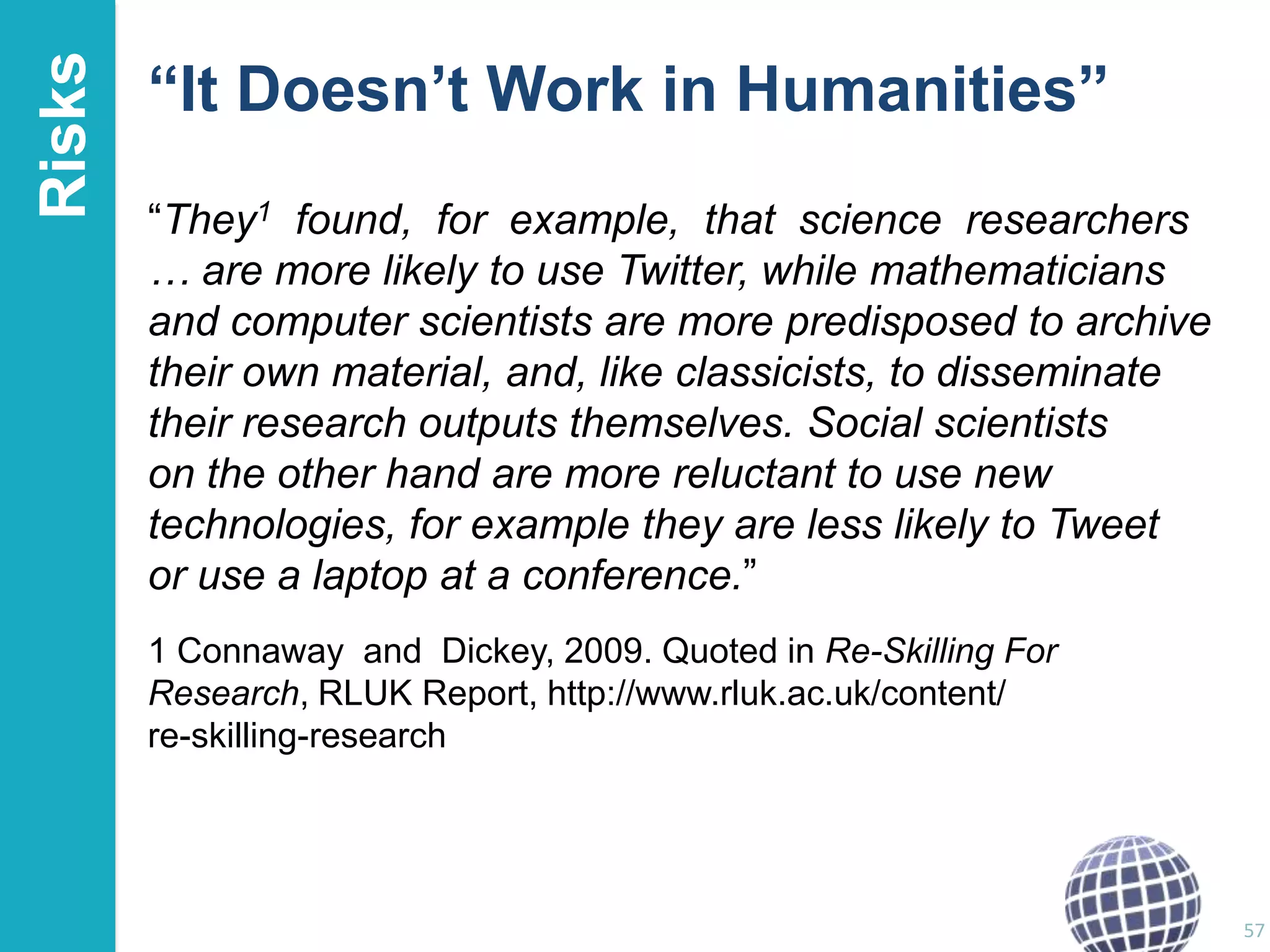
“It Doesn’t Work in Humanities”
“They1 found, for example, that science researchers
… are more likely to use Twitter, while mathematicians
and computer scientists are more predisposed to archive
their own material, and, like classicists, to disseminate
their research outputs themselves. Social scientists
on the other hand are more reluctant to use new
technologies, for example they are less likely to Tweet
or use a laptop at a conference.”
1 Connaway and Dickey, 2009. Quoted in Re-Skilling For
Research, RLUK Report, http://www.rluk.ac.uk/content/
re-skilling-research

57
Risks

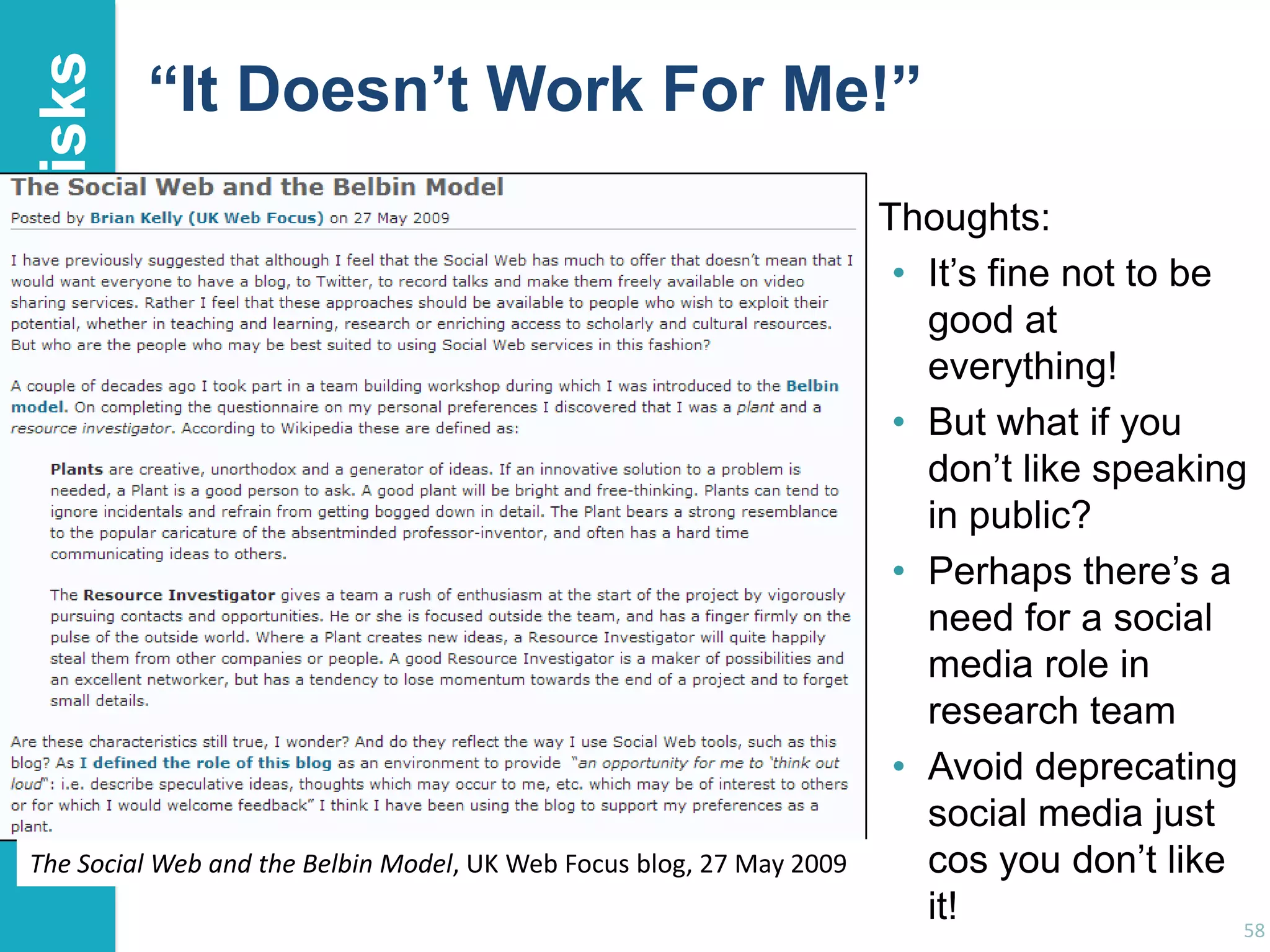
“It Doesn’t Work For Me!”

The Social Web and the Belbin Model, UK Web Focus blog, 27 May 2009

Thoughts:
• It‟s fine not to be
good at
everything!
• But what if you
don‟t like speaking
in public?
• Perhaps there‟s a
need for a social
media role in
research team
• Avoid deprecating
social media just
cos you don‟t like
it!
58
Risks

The Service May Not Be Sustainable
But what if:
• Facebook goes out of business?
• Google withdraws („sunsets‟) its services
• Slideshare is taken over and changes its terms &
conditions and operational practices?
But also need to consider:
• ICL is taken over by Fujitsu
• IBM sells it PC division & stops making computers
• You developed departmental systems based on
dBase III
• UMIST merges with Manchester University
• …
59
Risks

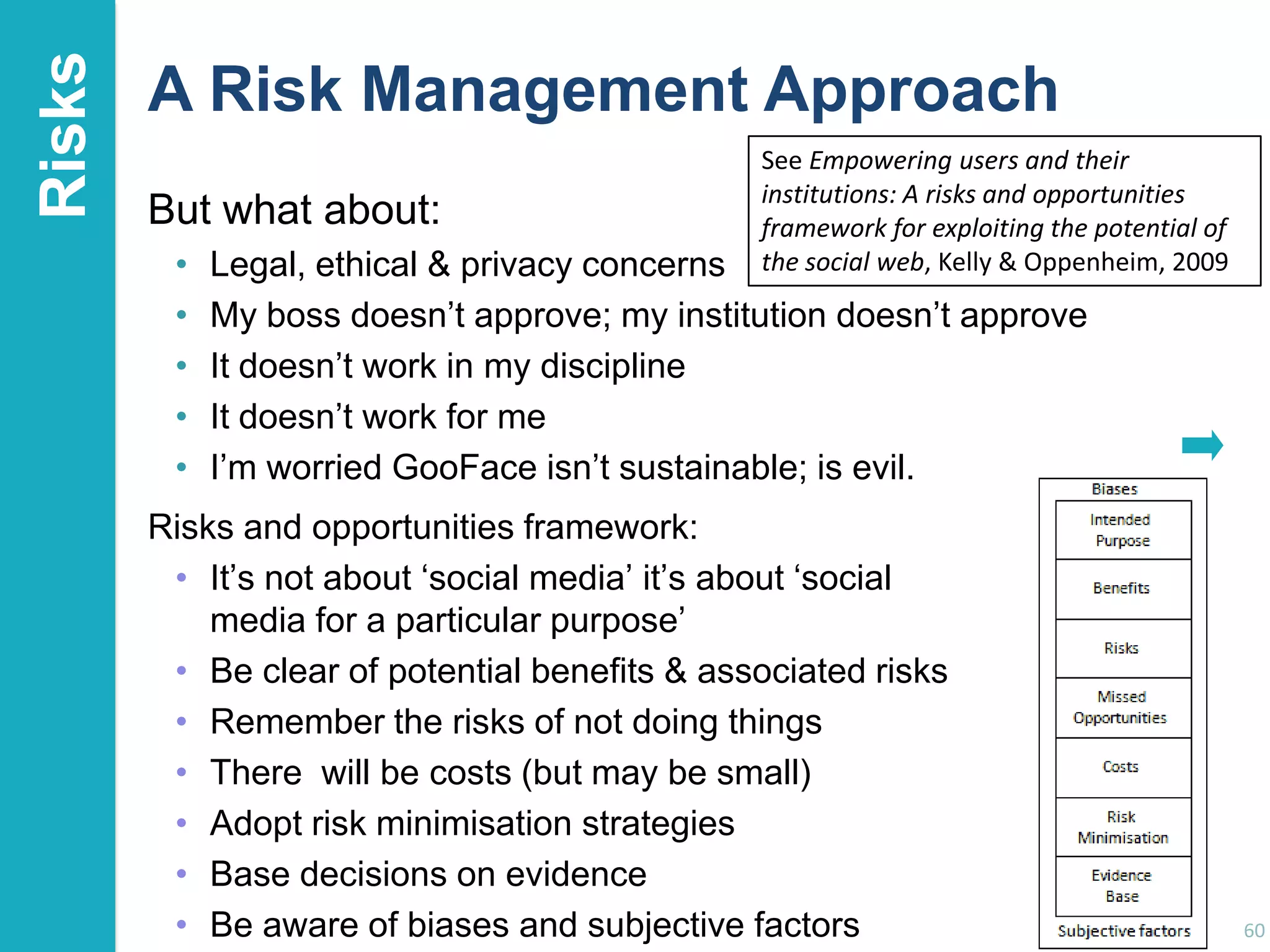
A Risk Management Approach
But what about:
•
•
•
•
•

See Empowering users and their
institutions: A risks and opportunities
framework for exploiting the potential of
the social web, Kelly & Oppenheim, 2009

Legal, ethical & privacy concerns
My boss doesn‟t approve; my institution doesn‟t approve
It doesn‟t work in my discipline
It doesn‟t work for me
I‟m worried GooFace isn‟t sustainable; is evil.

Risks and opportunities framework:
• It‟s not about „social media‟ it‟s about „social
media for a particular purpose‟
• Be clear of potential benefits & associated risks
• Remember the risks of not doing things
• There will be costs (but may be small)
• Adopt risk minimisation strategies
• Base decisions on evidence
• Be aware of biases and subjective factors

60
Next Steps

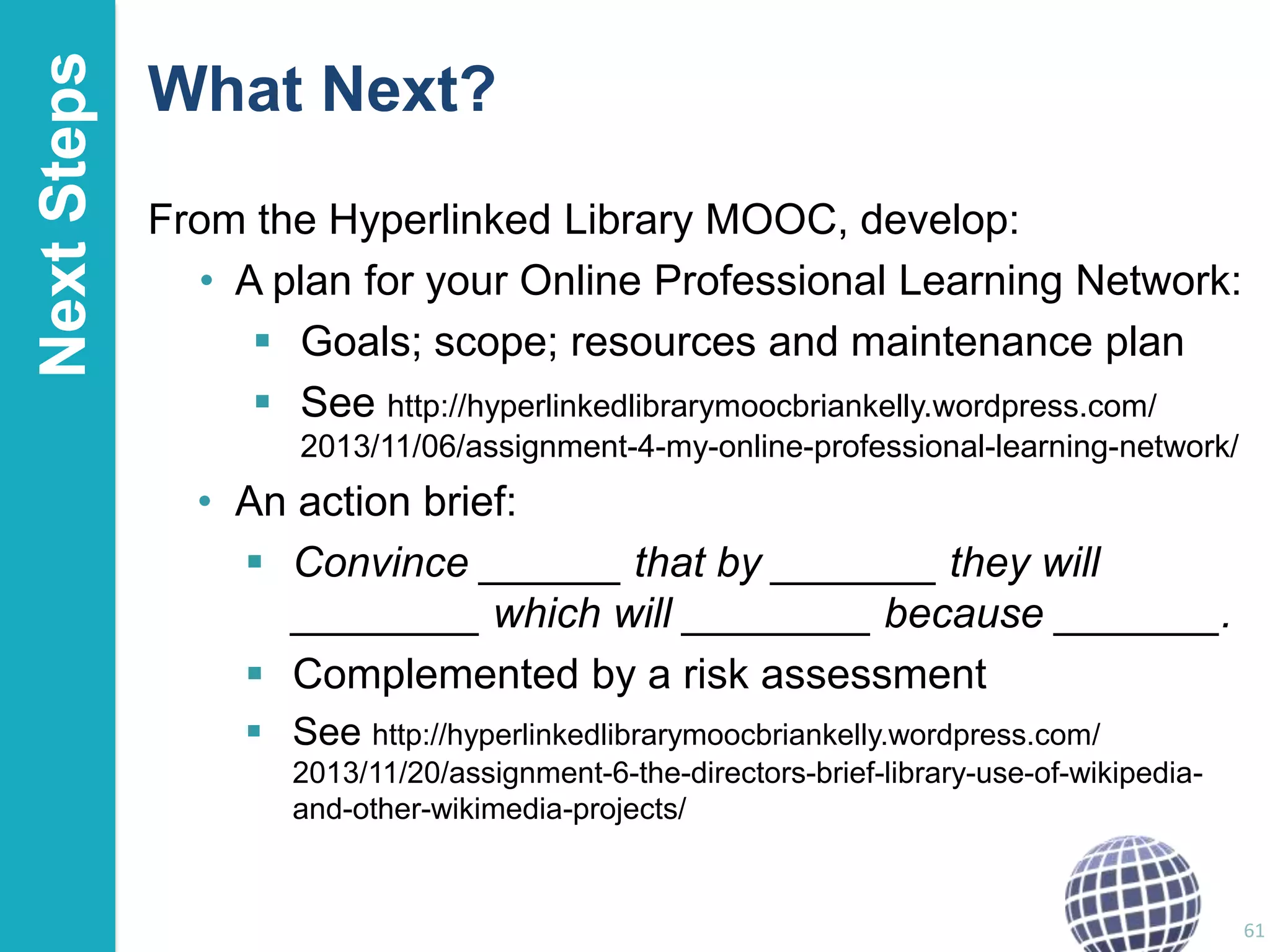
What Next?
From the Hyperlinked Library MOOC, develop:
• A plan for your Online Professional Learning Network:
 Goals; scope; resources and maintenance plan
 See http://hyperlinkedlibrarymoocbriankelly.wordpress.com/
2013/11/06/assignment-4-my-online-professional-learning-network/

• An action brief:
 Convince ______ that by _______ they will
________ which will ________ because _______.
 Complemented by a risk assessment
 See http://hyperlinkedlibrarymoocbriankelly.wordpress.com/
2013/11/20/assignment-6-the-directors-brief-library-use-of-wikipediaand-other-wikimedia-projects/

61
Conclusions: Top 10 Tips
1
2
3
4
5
6.
7.
8.
9.
10.

Be pro-active
Monitor what works for you
Don‟t forget the links
Don‟t forget the Google juice
Develop your network
Encourage feedback and discussion
Understand your network
Know your limits
Seek improvements
Participate

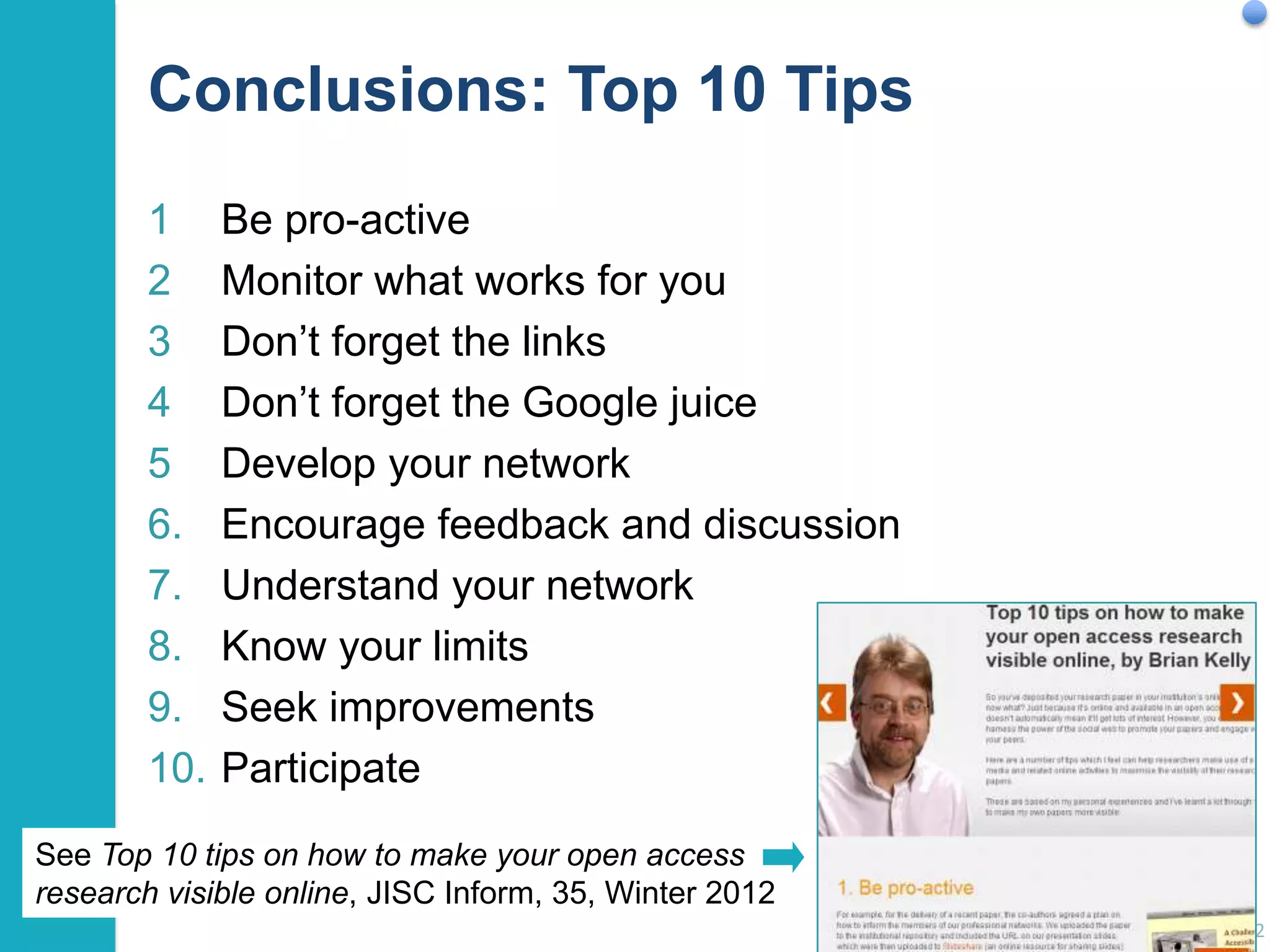
See Top 10 tips on how to make your open access
research visible online, JISC Inform, 35, Winter 2012
62
Questions?
Any questions, comments, …?

Continue the discussion: blog post about this presentation to be
published at http://ukwebfocus.wordpress.com/2013/12/

63
Licence and Additional Resources

This presentation, “Using Social Media to Enhance Your Research Activities” by
Brian Kelly, Cetis is licensed under the Creative Commons Attribution 3.0 Unported
Licence
Note the licence covers most of the text in this presentation. Quotations may have
other licence conditions.
Images may have other licence conditions. Where possible links are provided
to the source of images so that licence conditions can be found.

Slides and further information available at
http://ukwebfocus.wordpress.com/events/daad-conference-2013/

64

Using Social Media to Enhance Your Research Activities

  • 1.
    Twitter hashtag: #daad2013 UsingSocial Media to Enhance Your Research Activities Brian Kelly Contact Details Innovation Advocate Cetis University of Bolton Bolton, UK Email: ukwebfocus@gmail.com Twitter: @briankelly Cetis Web site: http://www.cetis.ac.uk/ Blog: http://ukwebfocus.wordpress.com/ Slides and further information available at http://ukwebfocus.wordpress.com/events/daad-conference-2013/ See licence details 1
  • 2.
    Social Media: Toolsfor Busy Researchers! Social media: • Isn‟t (never was) just for young people • Can help in developing one‟s professional network • Can help in raising awareness of one‟s research outputs In this session I will: • Give examples of social media for researchers • Provide evidence of the benefits • Listen to and respond to concerns 2
  • 3.
    Introduction About Me Brian Kelly: •Innovation Advocate at Cetis, a national Centre for Educational Technology, Interoperability and Standards • Formerly UK Web Focus at UKOLN from 1996 - Jul 2013 • Prolific blogger (1,200+ posts since Nov 2006) • User of various devices to support professional (and social) activities • Prolific speaker (400+ talks since 1996) Research profile: • Peer-reviewed papers published on Web accessibility, standards, preservation, … • Largest no. of downloaded papers from Bath repository • Highly-cited papers in Web accessibility (e.g. W4A) 3
  • 4.
    Introduction About You In smallgroups: • Introduce yourself and say:  Who your are and where you study  What your research interests are  What you hope to gain from the session • Share with everyone:  What you hope to gain from the session  Any interesting or surprising facts you learnt about other participants 4
  • 5.
    Introduction What Do You(Collectively) Do? Exercise: • In a few bullet points summarise what you do. • What do you do which is similar to researchers in other disciplines? 5
  • 6.
    Introduction What You (Collectively)Do I think you (as a researcher): • Talk to colleagues and exchange ideas • Go to conferences, listen to speakers and discuss their ideas with them and with your peers • Have an idea for a paper, a project, … and discuss it with potential co-authors & collaborators • Write the paper, project proposals or submission jointly with others • Listen to and ask questions of the stakeholders • Do the work with project partners & collaborators • Ensure that the work is known about by  Your peers (they may cite you)  Others, including general public, in order to enhance the impact of your work 6
  • 7.
    Introduction What You (Collectively)Do I think you (as a researcher): • Talk to colleagues and exchange ideas • Go to conferences, listen theory of knowledge discuss Social constructivism is a sociologicalto speakers and that applies the general philosophical constructivismwithsocial settings, wherein their ideas with them and into your peers groups construct knowledge for one another, collaboratively • Have an culture of shared artifacts with shared meanings. creating a small idea for a paper, a project, … and discuss it with potential co-authors this sort, one is learning all the When one is immersed within a culture of& collaborators time about how to paper, project proposals or submission • Write the be a part of that culture on many levels. Its origins are largely attributed to Lev Vygotsky. jointly with others • Listen to and ask questions of the stakeholders Social constructivism, Wikipedia, https://en.wikipedia.org/wiki/Social_constructivism • Do the work with project partners & collaborators • Ensure that the work is known about by  Your peers (they may cite you)  Others, including general public, in order to enhance the impact of your work 7
  • 8.
    Introduction What Can HelpThese Processes? These areas of work can be supported: In established ways: • Events, such as conferences • Swapping business cards at conferences • Email, letters and memos! •… In new ways: • Use of social media • Embracing open (educational) practices • Participating in „amplified events‟ • Blog posts, status updates and tweets! • Using „interactive business cards‟ •… 8
  • 9.
    Introduction About This Session Drafttimetable: • Introduction • The Relevance of Social Media for Researchers • Key Services: Twitter Twitter environment Lanyrd Researcher profiling services (ResearchGate, Academia, …) Slideshare Blogs LinkedIn What else? • • • • • Evidence of Benefits How Does it Work? Concerns, Risks and Limitations What Next? Open Discussion 9
  • 10.
    Introduction About The SessionRules During this session: • Feel free to ask questions, make contributions, etc. at any point! • Put your mobile phones on silent mode • Feel free to tweet, use the Web, Google stuff, … • Feel free to share ideas, thoughts, observations, etc. openly. • But respect others‟ privacy By working collaboratively, the learning during the session should be enhanced and the session should be more effective than one in which you were all „silos‟. 10
  • 11.
    Idea from CameronNeylon You are free to: Risk management: I reserve the right to change my mind at the end of the session! copy, share, adapt, or re-mix; photograph, film, or broadcast; blog, live-blog, or post video of this presentation provided that: You attribute the work to its author and respect the rights and licences associated with its components. 11 Slide Concept by Cameron Neylon, who has waived all copyright and related or neighbouring rights. This slide only CCZero. Social Media Icons adapted with permission from originals by Christopher Ross. Original images are available under GPL at: 11 http://www.thisismyurl.com/free-downloads/15-free-speech-bubble-icons-for-popular-websites
  • 12.
    The LSE Impactof Social Sciences blog What Do You Know About? LSE Impact blog RSS feeds & RSS readers Sharing using social media (Twitter & Facebook) Twitter metrics / alt.metrics Creative Commons licences Open Access research publications Use of Twitter Twitter hashtags How a tweet …. can lead to a peerreviewed paper! 12
  • 13.
    New Scholarship About thepaper: $25! Google Scholar Sharing services “That one Tweet got me thinking about the kinds of sessions I would like to see and the things sociologists should be studying” “so I wrote a blog post about it. As I usually do now, I shared that blog post via Twitter.” “I did a series of blog posts that expanded on initial post.” “I combined all of the blog posts into one paper and thought about what my critique of the field might be.” “paper went into an extended peer review process .. and appeared in 2012” “Except for the very end of this process – submitting the paper to the journal for peer-review – none of this way of working bares the least bit of resemblance to how I was trained to be a scholar.” 13
  • 14.
    Introduction What’s It MeanFor You? We‟ve seen: • Blogs • Twitter • Hashtags • alt.metrics • RSS • Social sharing • Google Scholar • Open Access • Creative Commons How could you use these yourself? • Write a brief summary of how you could use one of these examples (or other social media services) • Share your example with a neighbour • Put your example on a notice board. We will all discuss a few examples 14
  • 15.
    Examples What Can TwitterOffer? Twitter: • A waste of time for those with time to waste! • A valuable communications & dissemination channel Twitter can be regarded as: • An interactive business card: “Here’s my business card” vs “Here’s my Twitter ID” • The bar where everybody knows your name: “Feeling a bit down about my PhD #phdchat” • An essential tool for conferences: “On my way to #daad2013. Who else is going?” • An emergency hotline: “Arrived at Egham station. No taxis. Help!” 15
  • 16.
    The Conference TwitterHashtag Twitter is useful at events when an event hashtag is used (e.g. #daad2013) • Anyone can use a hashtag in their tweets • Best if organisers announce hashtag • Enables relevant tweets to be searched and aggregated • Many Twitter archiving tools (e.g. Twubs) • Note difference between Twitter ID (e.g. @daadlondon) and hashtag (#daad2013) 16
  • 17.
    When Twitter AtConferences Takes Off Twitter use is wellestablished at the ILI (Internet Librarian International) conference Sharing images provides visual memories of event Numbers of Twitterers has reached critical mass “Wow” – spotting what people found interesting Shared memories Sharing across different languages 17
  • 18.
    Using Twitter: Tweetdeck Alltweets (from the 1,400 people I follow) Tweets to me Current conference (or about me) hashtag I‟m interested in Interactions (e.g. new followers, favourited and retweeted tweets) Tweets from a group I created Tweets from another group I created 18
  • 19.
    Examples Curating Tweeted Links:RebelMouse RebelMouse: • Automatically curates visual summary of tweeted links • Can create pages based on preferred hashtags See https://www.rebelmouse.com/ briankelly/ 19
  • 20.
    Using Storify Storify: • Manualcuration of tweets Useful for: • Archiving tweets about one‟s own talks, workshop sessions, … (Archive of realtime user feedback, areas of interest and concerns) • Preparation of conference reports, based on collective insights 20
  • 21.
    Is Wikipedia sessionrelevant? Using Storify Storify: • Manual curation of tweets Useful for: • Archiving tweets about one‟s own talks, workshop sessions, … (Archive of realtime user feedback, areas of interest and concerns) • Preparation of conference reports, based on collective insights 21
  • 22.
    Did users findsession useful? Using Storify Did users find Twitter useful? Storify: • Manual curation of tweets Useful for: • Archiving tweets about one‟s own talks, workshop sessions, … (Archive of realtime user feedback, areas of interest and concerns) • Preparation of conference reports, based on collective insights 22
  • 23.
    Tweetchats Tweetchats: • Focussed Twitter discussion •#phdchat Tweetchats take place on Wednesdays from 19.3020.30 See blog post on “#uklibchat, #ECRchat, #PhDchat, #Socialchat and Other Tweetchats” 23
  • 24.
    Tweetchats Tweetchats: • Focussed Twitter discussion •#phdchat Tweetchats take place on Wednesdays from 19.3020.30 See blog post on “#uklibchat, #ECRchat, #PhDchat, #Socialcha • Look at the archives to see what you missed. 24
  • 25.
    Lanyrd Lanyrd: your online presenceat events Lanyrd: • Can provide a speaker profile • See who else attends events you speak at / attend • Authentication by Twitter 25
  • 26.
  • 27.
    Lanyrd Lanyrd: • Could provide anevent‟s web site (provides social aspects) • Slides hosted on Slideshare can be embedded • Note encouragement to use Twitter event hashtag 27
  • 28.
    Observing Patterns ofUse Tools such as SocialBro provide an understanding of how Twitter is used • Most follow >100 • Most tweet daily • Most tweet 2-5 times/day 28
  • 29.
    Observing Patterns ofUse Crowdbooster is a Web-based Twitter analytics tool Note this is the „potential‟ no. of impressions. Reality will be much less! 29
  • 30.
    Examples Researcher Profiling Services Relevancefor you: • You‟re a researcher: shouldn‟t your research interests and outputs be freely available? • You‟re a young researcher: shouldn‟t this information be decoupled from your (current) institution? • You want your information to be easily found: shouldn‟t you use a global service with high Google visibility? Relevant services: • ResearchGate • Academia.edu • (ORCID) 30
  • 31.
    Paper Paper presented at SocialMedia in Social Research 2013 Conference) available from: • Opus, University of Bath IR • ResearchGate • Academia.edu Share with your friends and provide real-time peerreviewing: 31 http://bit.ly/sra13-kelly (and I can see real-time stats using + suffix)
  • 32.
    Examples Institutional Repository • xxx My(former) institutional repository: • Hosts copies of my papers • No longer able to maintain information • Concern that after I left, my records may disappear 32
  • 33.
    Academia.edu Academia.edu: • Initially used toprovide a list of my papers (which I could maintain) • Then uploaded open access versions of papers 33
  • 34.
    Academia.edu Alerts provided: • Howpeople found my papers • Peers who have started following me • Can manage alerts 34
  • 35.
    Examples ResearchGate ResearchGate: • Initially usedto provide a list of my papers (which I could maintain) • Then uploaded open access versions of papers which I can maintain e.g. embed ORCID ID 35
  • 36.
    Examples Orcid Orcid: • International standard for researcherID • Aims to save time and simplify work flows • Takes 30 seconds to create! • See orcid.org • Get one! • You can then add your publications 36
  • 37.
    Slideshare Slideshare: • Boring repository ofslides? • Simple & effective way of raising visibility of conference resources? 37
  • 38.
    Slideshare Note how: • Usagestatistics are available • Slides can be embedded in other web sites 38
  • 39.
    Slideshare Note how: • Usagestatistics are available • Slides can be embedded in other web sites • „Liking‟ and commenting are available 39
  • 40.
    Slideshare Who liked anddownloaded my recent slidedeck? • Associate professor from Moscow • Interests in open education & open data • Has an About.me profile Read her blog. Looked at her slides, … Possible collaborator? 40
  • 41.
    Examples UK Web FocusBlog UK Web Focus blog: • 1,400+ posts since Nov 2006 • My open notebook • Comments encouraged • “It works for me” 41
  • 42.
  • 43.
    LinkedIn LinkedIn: • Your onlineCV – and more Can include details of: • Project activities • Publications 43
  • 44.
    LinkedIn Note that LinkedIn profiles: •Tend to be easily found using Google • Can be maintained by you (unlike institutional profile) NB note risk of empty profile 44
  • 45.
    Content Syndication New slidesadded to Slideshare automatically appear in LinkedIn activity stream New blog posts automatically appear in LinkedIn activity stream Content posted in one environment can be syndicated to others, such as LinkedIn: • No need to manually create content in all social networks • „Likes‟, comments and „shares‟ can be sent by email 45
  • 46.
    Content Syndication New blogposts automatically appear in Facebook status update stream 46
  • 47.
    Evidence Importance of Evidence Howmight we gather evidence of the value of use of social media for researchers? • Provide some examples of approaches Four examples of evidence of benefits of use of social media: 1. As part of the research process 2. For identifying and making contact with new collaborators 3. To raise the visibility of research 4. Looking at the numbers 47
  • 48.
    Evidence 1: Rolein the Research Process LSE Impact blog From post on the LSE Impact of Social Sciences blog: • Evidence of how a tweet led to a series of blog posts which became a peerreviewed article • Evidence of how the blog post about this become popular 48
  • 49.
    Evidence 2: MakingNew Connections Developing New Connections • Tweet sent asking for researchers to complete survey on use of Web 2.0 in research • Response from @slewth • Who is she? • Twitter bio: disability researcher • Link in bio to her blog • Blog gives insights which complement my research • Follow @slewth and have Twitter chat Follow-up • Shall we write a paper? • Paper written • Paper accepted • Paper wins prize for best paper  • Sarah later told me she knew of my research See blog posts on “It Started With A Tweet” and “Winner of John M Slatin Award at W4A 2010” 49
  • 50.
    Evidence 3: RaisingVisibility Blog post by Melissa Terras, 19 April 2012 The findings 50
  • 51.
    Evidence 4: Lookingat the Numbers What do download statistics tell us? Download figures for my papers 51 12 Dec 2013
  • 52.
    Least Downloaded Papers Willpapers in a repository be seldom seen? 52 What can be learn from approaches taken for the popular and unpopular papers?
  • 53.
    How Does ItWork? “It’s About Nodes and Connections” Cameron Neylon keynote at OR 2012: “Networks qualitatively change our capacity” • With only 20% of a community connected only limited interaction can take place • This increases drastically as numbers of connected nodes grows Examples: • Phone networks (no use with only 1 user!) • Tweeting at this event • Galaxy Zoo “Filters block. Filters cause friction” Need for client-side, not supply-side filters. 53
  • 54.
    SEO (Search EngineOptimisation) Web sites Real world Databases (e.g. IRs) Directories Google (Bing, DuckDuckGo, …) Summary of key approaches: • Apply various techniques to Web resources to make resources easier to find in Google, … • Resources may include organisational Web suites, third party Web sites, databases, … 54
  • 55.
    Beyond SEO, SMO Websites Databases (e.g. IRs) Real world Directories 55 Social Services (Facebook, Slideshare, Twitter, …) Summary of key approaches: • Make use of social networking services which people may use of discuss your services • Services may include Facebook, LinkedIn, Slideshare, Twitter, …
  • 56.
    Risks Risks, Limitations, Concerns Overto you: • What concerns do you have? • What risks do you envisage? • What limitations might social media have for your in your area of research? 56
  • 57.
    Risks “It Doesn’t Workin Humanities” “They1 found, for example, that science researchers … are more likely to use Twitter, while mathematicians and computer scientists are more predisposed to archive their own material, and, like classicists, to disseminate their research outputs themselves. Social scientists on the other hand are more reluctant to use new technologies, for example they are less likely to Tweet or use a laptop at a conference.” 1 Connaway and Dickey, 2009. Quoted in Re-Skilling For Research, RLUK Report, http://www.rluk.ac.uk/content/ re-skilling-research 57
  • 58.
    Risks “It Doesn’t WorkFor Me!” The Social Web and the Belbin Model, UK Web Focus blog, 27 May 2009 Thoughts: • It‟s fine not to be good at everything! • But what if you don‟t like speaking in public? • Perhaps there‟s a need for a social media role in research team • Avoid deprecating social media just cos you don‟t like it! 58
  • 59.
    Risks The Service MayNot Be Sustainable But what if: • Facebook goes out of business? • Google withdraws („sunsets‟) its services • Slideshare is taken over and changes its terms & conditions and operational practices? But also need to consider: • ICL is taken over by Fujitsu • IBM sells it PC division & stops making computers • You developed departmental systems based on dBase III • UMIST merges with Manchester University • … 59
  • 60.
    Risks A Risk ManagementApproach But what about: • • • • • See Empowering users and their institutions: A risks and opportunities framework for exploiting the potential of the social web, Kelly & Oppenheim, 2009 Legal, ethical & privacy concerns My boss doesn‟t approve; my institution doesn‟t approve It doesn‟t work in my discipline It doesn‟t work for me I‟m worried GooFace isn‟t sustainable; is evil. Risks and opportunities framework: • It‟s not about „social media‟ it‟s about „social media for a particular purpose‟ • Be clear of potential benefits & associated risks • Remember the risks of not doing things • There will be costs (but may be small) • Adopt risk minimisation strategies • Base decisions on evidence • Be aware of biases and subjective factors 60
  • 61.
    Next Steps What Next? Fromthe Hyperlinked Library MOOC, develop: • A plan for your Online Professional Learning Network:  Goals; scope; resources and maintenance plan  See http://hyperlinkedlibrarymoocbriankelly.wordpress.com/ 2013/11/06/assignment-4-my-online-professional-learning-network/ • An action brief:  Convince ______ that by _______ they will ________ which will ________ because _______.  Complemented by a risk assessment  See http://hyperlinkedlibrarymoocbriankelly.wordpress.com/ 2013/11/20/assignment-6-the-directors-brief-library-use-of-wikipediaand-other-wikimedia-projects/ 61
  • 62.
    Conclusions: Top 10Tips 1 2 3 4 5 6. 7. 8. 9. 10. Be pro-active Monitor what works for you Don‟t forget the links Don‟t forget the Google juice Develop your network Encourage feedback and discussion Understand your network Know your limits Seek improvements Participate See Top 10 tips on how to make your open access research visible online, JISC Inform, 35, Winter 2012 62
  • 63.
    Questions? Any questions, comments,…? Continue the discussion: blog post about this presentation to be published at http://ukwebfocus.wordpress.com/2013/12/ 63
  • 64.
    Licence and AdditionalResources This presentation, “Using Social Media to Enhance Your Research Activities” by Brian Kelly, Cetis is licensed under the Creative Commons Attribution 3.0 Unported Licence Note the licence covers most of the text in this presentation. Quotations may have other licence conditions. Images may have other licence conditions. Where possible links are provided to the source of images so that licence conditions can be found. Slides and further information available at http://ukwebfocus.wordpress.com/events/daad-conference-2013/ 64

Editor's Notes

  • #64 I’d welcome questions and comments. Note that I’ve published a blog post on which can be used for questions.Thank you.
  • #65 body copy no bullets