MALWARE
HOW MALWARE SPREADS ?
MALWARE
How Malware Spreads?
• Malware is a program that must be triggered or
somehow executed before it can infect your computer
system and spread to others.
• Here are some examples on how malware is
distributed:
a) Social network
b) Pirated software
c) Removable media
d) Emails
e) Websites
Damages
1. Data Loss
• Many viruses and Trojans will
attempt to delete files or wipe
hard drives when activated
but even if you catch the
infection early, you may have to
delete infected files.
Damages
2. Account Theft
• Many types of malware include key logger functions,
designed to steal accounts and passwords from their
targets.
• This can give the malware author access to any of
the user's online accounts, including email servers
from which the hacker can launch new attacks
Damages
•
Botnets
• Many types of malware also subvert control over
the user's computer, turning it into a "bot" or
"zombie."
• Hackers build networks of these commandeered
computers, using their combined processing power
for tasks like cracking password files or sending out
bulkemails.
Viruses
Examples of computer viruses are:
Macro virus
Boot virus
Logic Bomb virus
Directory virus
Resident virus
Trojan Horses
A Trojan Horse program has the appearance of
having a useful and desired function.
A Trojan Horse neither replicates nor copies itself,
but causes damage or compromises the security of
the computer.
A Trojan Horse must be sent by someone or carried
by another program and may arrive in the form of a
joke program or software of some sort.
These are often used to capture your logins and
passwords
Types of Malware
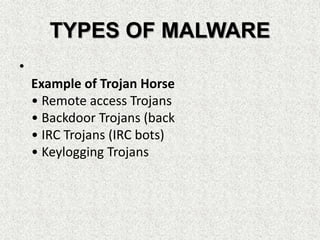
TYPES OF MALWARE
•
Example of Trojan Horse
• Remote access Trojans
• Backdoor Trojans (back
• IRC Trojans (IRC bots)
• Keylogging Trojans
Types of Malware
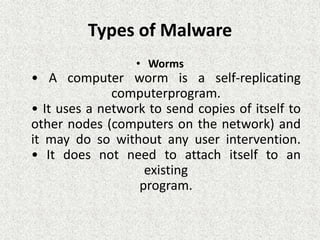
• Worms
• A computer worm is a self-replicating
computerprogram.
• It uses a network to send copies of itself to
other nodes (computers on the network) and
it may do so without any user intervention.
• It does not need to attach itself to an
existing
program.
• Damages
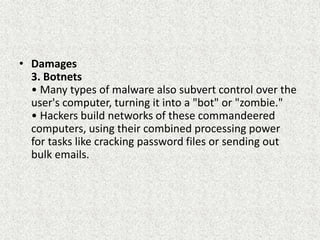
3. Botnets
• Many types of malware also subvert control over the
user's computer, turning it into a "bot" or "zombie."
• Hackers build networks of these commandeered
computers, using their combined processing power
for tasks like cracking password files or sending out
bulk emails.
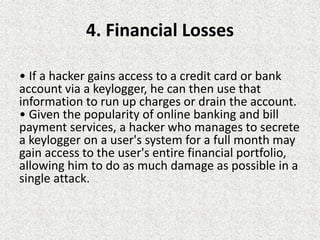
4. Financial Losses
• If a hacker gains access to a credit card or bank
account via a keylogger, he can then use that
information to run up charges or drain the account.
• Given the popularity of online banking and bill
payment services, a hacker who manages to secrete
a keylogger on a user's system for a full month may
gain access to the user's entire financial portfolio,
allowing him to do as much damage as possible in a
single attack.
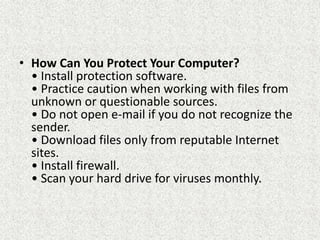
• How Can You Protect Your Computer?
• Install protection software.
• Practice caution when working with files from
unknown or questionable sources.
• Do not open e-mail if you do not recognize the
sender.
• Download files only from reputable Internet
sites.
• Install firewall.
• Scan your hard drive for viruses monthly.
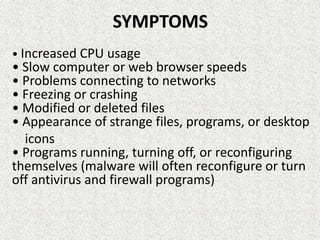
SYMPTOMS
• Increased CPU usage
• Slow computer or web browser speeds
• Problems connecting to networks
• Freezing or crashing
• Modified or deleted files
• Appearance of strange files, programs, or desktop
icons
• Programs running, turning off, or reconfiguring
themselves (malware will often reconfigure or turn
off antivirus and firewall programs)
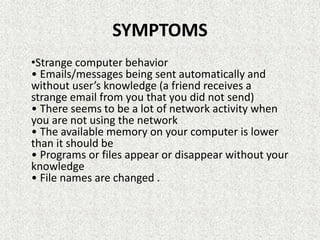
SYMPTOMS
•Strange computer behavior
• Emails/messages being sent automatically and
without user’s knowledge (a friend receives a
strange email from you that you did not send)
• There seems to be a lot of network activity when
you are not using the network
• The available memory on your computer is lower
than it should be
• Programs or files appear or disappear without your
knowledge
• File names are changed .

Malware part 2

  • 1.
  • 2.
    MALWARE How Malware Spreads? •Malware is a program that must be triggered or somehow executed before it can infect your computer system and spread to others. • Here are some examples on how malware is distributed: a) Social network b) Pirated software c) Removable media d) Emails e) Websites
  • 3.
    Damages 1. Data Loss •Many viruses and Trojans will attempt to delete files or wipe hard drives when activated but even if you catch the infection early, you may have to delete infected files.
  • 4.
    Damages 2. Account Theft •Many types of malware include key logger functions, designed to steal accounts and passwords from their targets. • This can give the malware author access to any of the user's online accounts, including email servers from which the hacker can launch new attacks
  • 5.
    Damages • Botnets • Many typesof malware also subvert control over the user's computer, turning it into a "bot" or "zombie." • Hackers build networks of these commandeered computers, using their combined processing power for tasks like cracking password files or sending out bulkemails.
  • 6.
    Viruses Examples of computerviruses are: Macro virus Boot virus Logic Bomb virus Directory virus Resident virus
  • 7.
    Trojan Horses A TrojanHorse program has the appearance of having a useful and desired function. A Trojan Horse neither replicates nor copies itself, but causes damage or compromises the security of the computer. A Trojan Horse must be sent by someone or carried by another program and may arrive in the form of a joke program or software of some sort. These are often used to capture your logins and passwords Types of Malware
  • 8.
    TYPES OF MALWARE • Exampleof Trojan Horse • Remote access Trojans • Backdoor Trojans (back • IRC Trojans (IRC bots) • Keylogging Trojans
  • 9.
    Types of Malware •Worms • A computer worm is a self-replicating computerprogram. • It uses a network to send copies of itself to other nodes (computers on the network) and it may do so without any user intervention. • It does not need to attach itself to an existing program.
  • 10.
    • Damages 3. Botnets •Many types of malware also subvert control over the user's computer, turning it into a "bot" or "zombie." • Hackers build networks of these commandeered computers, using their combined processing power for tasks like cracking password files or sending out bulk emails.
  • 11.
    4. Financial Losses •If a hacker gains access to a credit card or bank account via a keylogger, he can then use that information to run up charges or drain the account. • Given the popularity of online banking and bill payment services, a hacker who manages to secrete a keylogger on a user's system for a full month may gain access to the user's entire financial portfolio, allowing him to do as much damage as possible in a single attack.
  • 12.
    • How CanYou Protect Your Computer? • Install protection software. • Practice caution when working with files from unknown or questionable sources. • Do not open e-mail if you do not recognize the sender. • Download files only from reputable Internet sites. • Install firewall. • Scan your hard drive for viruses monthly.
  • 13.
    SYMPTOMS • Increased CPUusage • Slow computer or web browser speeds • Problems connecting to networks • Freezing or crashing • Modified or deleted files • Appearance of strange files, programs, or desktop icons • Programs running, turning off, or reconfiguring themselves (malware will often reconfigure or turn off antivirus and firewall programs)
  • 14.
    SYMPTOMS •Strange computer behavior •Emails/messages being sent automatically and without user’s knowledge (a friend receives a strange email from you that you did not send) • There seems to be a lot of network activity when you are not using the network • The available memory on your computer is lower than it should be • Programs or files appear or disappear without your knowledge • File names are changed .