Computer Virus
Presented by
V.Santhi
Assistant Professor
Department of Computer Applications
Bon Secours College for Women
Thanjavur
Virus
• A virus is a program
designed by a
computer programmer
(malicious hacker) to
do a certain unwanted
function.
• Computer virus refers to
a program which
damages computer
systems and/or
destroys or erases data
files
• A Computer Virus is a program that can copy
itself and infect a computer without the
permission or knowledge of the user.
• A Computer Virus has 2 major characteristics:
the ability to replicate itself, and the ability to
attach itself to another computer file...
• Computer Viruses affect the computerin many
ways. It can destroy data, files or programs
and cause the system malfunction. The
destructive effects of viruses are different
according to their types.
Symptoms
The following are a few Symptoms that your
computer might have a virus:
• Slow response and slow program execution.
• Random hard drive crashes and restarts.
• Distorted graphics and text.
• Files that have mysteriously vanished.
• Extensive pop-up ads.
• Inability to open files with existing passwords.
Types of Computer Virus
•Time Bomb
•Logical Bomb
•Worm
•Boot Sector Virus
•Macros Virus
•Trojan Horse
•Script Virus
Time Bomb
A time bomb is a virus program
that performs an activity on a
particular date
Logical Bomb
A logical bomb is a destructive
program that performs an activity
when a certain action has occurred.
Worm Virus
A worm is also a destructive
program that fills a computer
system with self-replicating
information, clogging the system so
that its operations are slowed
down or stopped
Boot Sector Virus
A boot sector virus infects boot
sector of computers. During system
boot, boot sector virus is loaded
into main memory and destroys
data stored in hard disk
Macro Virus
A macro virus is associated with
application software like word and
excel. When opening the infected
document, macro virus is loaded
into main memory and destroys the
data stored in hard disk
Script Virus
Commonly found script viruses are
written using the Visual Basic
Scripting edition (VBS) and the
JavaScript programming languages
Trojan Horse
Trojan Horse is a destructive
program. It usually pretends as
computer games or application
software. If executed, computer
system will be damaged.
Trojan Horse
Trojan Horse usually comes with
monitoring tools and key loggers
WHAT A COMPUTER VIRUS DO?
SLOW DOWN
THE NETWORK
HIJACK YOUR
COMPUTER
STEAL
CONFIDENTIAL
DATA
DELETE DATADISPLAY
MESSAGES
DISABLE
HARDWARE
CORRUPT DATA
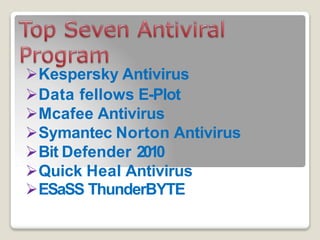
Kespersky Antivirus
Data fellows E-Plot
Mcafee Antivirus
Symantec Norton Antivirus
Bit Defender 2010
Quick Heal Antivirus
ESaSS ThunderBYTE
Actions to prevent virus infection
•Always update your anti-virus
software at least weekly.
•Back up your important files and
ensure that they can be restored.
•Change the computer's boot
sequence to always start the PC
from its hard drive
Actions to prevent virus infection
•Don't share Drive C: without a
password and without read-only
restrictions.
•Empty floppy drives of diskettes
before turning on computers,
especially laptops.
Actions to prevent virus infection
•Forget opening unexpected e-mail
attachments, even if they're from
friends
•Get trained on your computer's
anti-virus software and use it.
•Have multiple backups of
important files. This lowers the
chance that all are infected.
Actions to prevent virus infection
•Install security updates for your
operating system and programs as
soon as possible.
•Jump at the chance to learn more
about your computer. This will help
you spot viruses.

Computer virus

  • 1.
    Computer Virus Presented by V.Santhi AssistantProfessor Department of Computer Applications Bon Secours College for Women Thanjavur
  • 2.
    Virus • A virusis a program designed by a computer programmer (malicious hacker) to do a certain unwanted function. • Computer virus refers to a program which damages computer systems and/or destroys or erases data files
  • 3.
    • A ComputerVirus is a program that can copy itself and infect a computer without the permission or knowledge of the user. • A Computer Virus has 2 major characteristics: the ability to replicate itself, and the ability to attach itself to another computer file... • Computer Viruses affect the computerin many ways. It can destroy data, files or programs and cause the system malfunction. The destructive effects of viruses are different according to their types.
  • 4.
    Symptoms The following area few Symptoms that your computer might have a virus: • Slow response and slow program execution. • Random hard drive crashes and restarts. • Distorted graphics and text. • Files that have mysteriously vanished. • Extensive pop-up ads. • Inability to open files with existing passwords.
  • 5.
    Types of ComputerVirus •Time Bomb •Logical Bomb •Worm •Boot Sector Virus •Macros Virus •Trojan Horse •Script Virus
  • 6.
    Time Bomb A timebomb is a virus program that performs an activity on a particular date
  • 7.
    Logical Bomb A logicalbomb is a destructive program that performs an activity when a certain action has occurred.
  • 8.
    Worm Virus A wormis also a destructive program that fills a computer system with self-replicating information, clogging the system so that its operations are slowed down or stopped
  • 9.
    Boot Sector Virus Aboot sector virus infects boot sector of computers. During system boot, boot sector virus is loaded into main memory and destroys data stored in hard disk
  • 10.
    Macro Virus A macrovirus is associated with application software like word and excel. When opening the infected document, macro virus is loaded into main memory and destroys the data stored in hard disk
  • 11.
    Script Virus Commonly foundscript viruses are written using the Visual Basic Scripting edition (VBS) and the JavaScript programming languages
  • 12.
    Trojan Horse Trojan Horseis a destructive program. It usually pretends as computer games or application software. If executed, computer system will be damaged.
  • 13.
    Trojan Horse Trojan Horseusually comes with monitoring tools and key loggers
  • 14.
    WHAT A COMPUTERVIRUS DO? SLOW DOWN THE NETWORK HIJACK YOUR COMPUTER STEAL CONFIDENTIAL DATA DELETE DATADISPLAY MESSAGES DISABLE HARDWARE CORRUPT DATA
  • 15.
    Kespersky Antivirus Data fellowsE-Plot Mcafee Antivirus Symantec Norton Antivirus Bit Defender 2010 Quick Heal Antivirus ESaSS ThunderBYTE
  • 16.
    Actions to preventvirus infection •Always update your anti-virus software at least weekly. •Back up your important files and ensure that they can be restored. •Change the computer's boot sequence to always start the PC from its hard drive
  • 17.
    Actions to preventvirus infection •Don't share Drive C: without a password and without read-only restrictions. •Empty floppy drives of diskettes before turning on computers, especially laptops.
  • 18.
    Actions to preventvirus infection •Forget opening unexpected e-mail attachments, even if they're from friends •Get trained on your computer's anti-virus software and use it. •Have multiple backups of important files. This lowers the chance that all are infected.
  • 19.
    Actions to preventvirus infection •Install security updates for your operating system and programs as soon as possible. •Jump at the chance to learn more about your computer. This will help you spot viruses.